Claude Code hooks and skills transform a basic AI coding assistant into a fully automated development pipeline. This cookbook provides 20 copy-paste recipes for settings.json configuration, PreToolUse and PostToolUse hooks, custom skills, custom agents, and MCP server setups. Every recipe includes the exact JSON or bash script to paste, testing instructions, and the settings.json wiring. Tested on Claude Code v2.1.88+ with Max and Pro plans.
What Are Claude Code Hooks and Skills?
Hooks are shell scripts that execute automatically at specific points in the Claude Code lifecycle. They can block dangerous commands (exit code 2), inject context into prompts, auto-format files after edits, log everything, and send desktop notifications. Skills are reusable prompt templates in .claude/skills/ that you invoke as slash commands. Together, they let you build a custom development environment where Claude follows your exact workflow.
This cookbook assumes Claude Code v2.1.88 or later. All recipes have been tested on Windows (Git Bash/WSL), macOS, and Linux. You need jq installed for hooks that parse JSON input.
Optimal settings.json (Full Copy-Paste)
Claude Code reads configuration from three files, merged in order of priority: ~/.claude/settings.json (global) > .claude/settings.json (project) > .claude/settings.local.json (local, not committed). Below is the recommended global configuration for power users.
Global Configuration: ~/.claude/settings.json
{
  "preferences": {
    "autoMemoryEnabled": true,
    "autoDreamEnabled": true,
    "alwaysThinkingEnabled": true
  },
  "env": {
    "ANTHROPIC_MODEL": "claude-opus-4-6",
    "CLAUDE_CODE_SUBAGENT_MODEL": "claude-sonnet-4-6",
    "MAX_THINKING_TOKENS": "32000",
    "CLAUDE_CODE_MAX_OUTPUT_TOKENS": "64000",
    "CLAUDE_CODE_EFFORT_LEVEL": "high",
    "FALLBACK_FOR_ALL_PRIMARY_MODELS": "claude-sonnet-4-6",
    "CLAUDE_CODE_EXPERIMENTAL_AGENT_TEAMS": "1",
    "CLAUDE_CODE_PLAN_V2_AGENT_COUNT": "3",
    "DISABLE_TELEMETRY": "1",
    "DISABLE_ERROR_REPORTING": "1",
    "DISABLE_COST_WARNINGS": "1",
    "CLAUDE_CODE_DISABLE_NONESSENTIAL_TRAFFIC": "1",
    "CLAUDE_CODE_DISABLE_FEEDBACK_SURVEY": "1",
    "CLAUDE_CODE_DISABLE_TERMINAL_TITLE": "1",
    "IDLE_THRESHOLD_MINUTES": "120",
    "CLAUDE_CODE_MAX_TOOL_USE_CONCURRENCY": "5",
    "BASH_MAX_OUTPUT_LENGTH": "50000",
    "MCP_TIMEOUT": "60000",
    "MCP_TOOL_TIMEOUT": "120000",
    "ENABLE_SESSION_PERSISTENCE": "1"
  },
  "permissions": {
    "allow": [
      "Bash(npm *)", "Bash(pnpm *)", "Bash(git *)",
      "Bash(npx *)", "Bash(ls *)", "Bash(cat *)",
      "Bash(head *)", "Bash(tail *)", "Bash(wc *)",
      "Bash(find *)", "Bash(grep *)", "Bash(rg *)",
      "Bash(mkdir *)", "Bash(cp *)", "Bash(mv *)",
      "Read", "Write", "Edit", "Glob", "Grep",
      "WebFetch", "WebSearch"
    ],
    "deny": [
      "Bash(rm -rf /)",
      "Bash(git push --force origin main)",
      "Bash(git push --force origin master)",
      "Bash(git reset --hard)",
      "Bash(git clean -fdx)"
    ]
  },
  "hooks": {
    "PreToolUse": [
      {
        "matcher": "Bash",
        "hooks": [
          {
            "type": "command",
            "command": "bash ~/.claude/hooks/git-safety.sh"
          }
        ]
      },
      {
        "matcher": "Bash",
        "hooks": [
          {
            "type": "command",
            "command": "bash ~/.claude/hooks/command-logger.sh"
          }
        ]
      }
    ],
    "PostToolUse": [
      {
        "matcher": "Write|Edit",
        "hooks": [
          {
            "type": "command",
            "command": "bash ~/.claude/hooks/auto-format.sh"
          }
        ]
      }
    ],
    "Notification": [
      {
        "matcher": ".*",
        "hooks": [
          {
            "type": "command",
            "command": "bash ~/.claude/hooks/desktop-notify.sh"
          }
        ]
      }
    ],
    "PreCompact": [
      {
        "hooks": [
          {
            "type": "command",
            "command": "bash ~/.claude/hooks/pre-compact-saver.sh"
          }
        ]
      }
    ],
    "Stop": [
      {
        "hooks": [
          {
            "type": "command",
            "command": "bash ~/.claude/hooks/session-cost-log.sh"
          }
        ]
      }
    ]
  }
}
Project Configuration: .claude/settings.json
Put this at the root of each project. It merges with the global config (project overrides global).
{
  "permissions": {
    "allow": [
      "Bash(pnpm dev)", "Bash(pnpm build)",
      "Bash(pnpm test *)", "Bash(pnpm lint *)",
      "mcp__supabase__*", "mcp__github__*", "mcp__vercel__*"
    ]
  },
  "hooks": {
    "PostToolUse": [
      {
        "matcher": "Write|Edit",
        "hooks": [
          {
            "type": "command",
            "command": "bash .claude/hooks/project-format.sh"
          }
        ]
      }
    ]
  }
}
Local Overrides: .claude/settings.local.json
For secrets and personal preferences that should never be committed to git.
{
  "env": {
    "ANTHROPIC_MODEL": "claude-opus-4-6",
    "CLAUDE_CODE_SUBAGENT_MODEL": "claude-sonnet-4-6",
    "MAX_THINKING_TOKENS": "32000",
    "CLAUDE_CODE_MAX_OUTPUT_TOKENS": "64000",
    "CLAUDE_AUTOCOMPACT_PCT_OVERRIDE": "75",
    "CLAUDE_CODE_EFFORT_LEVEL": "high"
  }
}
Priority order: Plugin defaults < User settings < Project settings < Local settings < Managed (policy)
Essential Environment Variables
The most impactful variables to set in your shell profile or settings.json. All are CONFIRMED functional.
# === MODELS ===
export ANTHROPIC_MODEL="claude-opus-4-6"
export CLAUDE_CODE_SUBAGENT_MODEL="claude-sonnet-4-6"
export ANTHROPIC_SMALL_FAST_MODEL="claude-haiku-4-5"
export FALLBACK_FOR_ALL_PRIMARY_MODELS="claude-sonnet-4-6"

# === PERFORMANCE ===
export MAX_THINKING_TOKENS=32000
export CLAUDE_CODE_MAX_OUTPUT_TOKENS=64000
export CLAUDE_CODE_EFFORT_LEVEL="high"
export CLAUDE_CODE_MAX_TOOL_USE_CONCURRENCY=5

# === CONTEXT ===
export CLAUDE_AUTOCOMPACT_PCT_OVERRIDE=75
export BASH_MAX_OUTPUT_LENGTH=50000

# === AGENT TEAMS ===
export CLAUDE_CODE_EXPERIMENTAL_AGENT_TEAMS=1
export CLAUDE_CODE_PLAN_V2_AGENT_COUNT=3

# === QUALITY OF LIFE ===
export DISABLE_TELEMETRY=1
export CLAUDE_CODE_DISABLE_FEEDBACK_SURVEY=1

# === MCP ===
export MCP_TIMEOUT=60000
export MCP_TOOL_TIMEOUT=120000
For Windows PowerShell users, add to $PROFILE:
$env:ANTHROPIC_MODEL = "claude-opus-4-6"
$env:CLAUDE_CODE_SUBAGENT_MODEL = "claude-sonnet-4-6"
$env:MAX_THINKING_TOKENS = "32000"
$env:CLAUDE_CODE_MAX_OUTPUT_TOKENS = "64000"
$env:CLAUDE_CODE_EFFORT_LEVEL = "high"
$env:DISABLE_TELEMETRY = "1"
PreToolUse Hooks (Execute Before Tools)
PreToolUse hooks fire BEFORE a tool executes. Exit code 2 blocks execution. Exit code 0 allows it. The tool input arrives as JSON on stdin.
Recipe 1: Git Safety Net
Blocks dangerous git commands like force push, hard reset, and destructive clean. This is the single most important hook to install.
File: ~/.claude/hooks/git-safety.sh
#!/bin/bash
CMD=$(cat | jq -r '.tool_input.command // empty')
[ -z "$CMD" ] && exit 0

DANGEROUS=("git push --force" "git push -f " "git reset --hard"
           "git clean -fdx" "git clean -fd" "git checkout -- ."
           "rm -rf /" "rm -rf ~")

for p in "${DANGEROUS[@]}"; do
  if echo "$CMD" | grep -qF "$p"; then
    echo "BLOCKED: Dangerous command detected: $p" >&2
    exit 2
  fi
done

if echo "$CMD" | grep -qE "git push.*--force.*(main|master)"; then
  echo "BLOCKED: Force push to main/master forbidden" >&2
  exit 2
fi
exit 0Test: echo '{"tool_input":{"command":"git push --force origin main"}}' | bash ~/.claude/hooks/git-safety.sh; echo $? -- expected exit code 2.
Recipe 2: Command Logger
Logs every bash command Claude executes to a daily log file. Essential for audit trails.
File: ~/.claude/hooks/command-logger.sh
#!/bin/bash
INPUT=$(cat)
CMD=$(echo "$INPUT" | jq -r '.tool_input.command // empty')
SID=$(echo "$INPUT" | jq -r '.session_id // "unknown"')
TS=$(date -u +"%Y-%m-%dT%H:%M:%SZ")
LOG_DIR="$HOME/.claude/logs"
mkdir -p "$LOG_DIR"
echo "$TS | $SID | $CMD" >> "$LOG_DIR/commands-$(date +%Y-%m-%d).log"
exit 0
Recipe 3: File Protection
Prevents Claude from modifying sensitive files like .env, credentials, and SSH keys.
File: ~/.claude/hooks/file-protection.sh (matcher: Write|Edit)
#!/bin/bash
INPUT=$(cat)
FILE_PATH=$(echo "$INPUT" | jq -r '.tool_input.file_path // empty')
PROTECTED=(".env" ".env.local" ".env.production"
           "credentials.json" "serviceAccountKey.json"
           "*.pem" "*.key" "id_rsa" "id_ed25519")

for pattern in "${PROTECTED[@]}"; do
  BASENAME=$(basename "$FILE_PATH")
  if [[ "$BASENAME" == $pattern ]]; then
    echo "BLOCKED: Sensitive file modification: $FILE_PATH" >&2
    exit 2
  fi
done
exit 0
Recipe 4: Branch Protection
Prevents direct commits on main or master branches. Forces feature branch workflow.
File: ~/.claude/hooks/branch-protection.sh
#!/bin/bash
INPUT=$(cat)
CMD=$(echo "$INPUT" | jq -r '.tool_input.command // empty')
if echo "$CMD" | grep -qE "^git commit"; then
  CURRENT_BRANCH=$(git rev-parse --abbrev-ref HEAD 2>/dev/null)
  if [[ "$CURRENT_BRANCH" == "main" || "$CURRENT_BRANCH" == "master" ]]; then
    echo "BLOCKED: Direct commit on $CURRENT_BRANCH. Create a branch first." >&2
    exit 2
  fi
fi
exit 0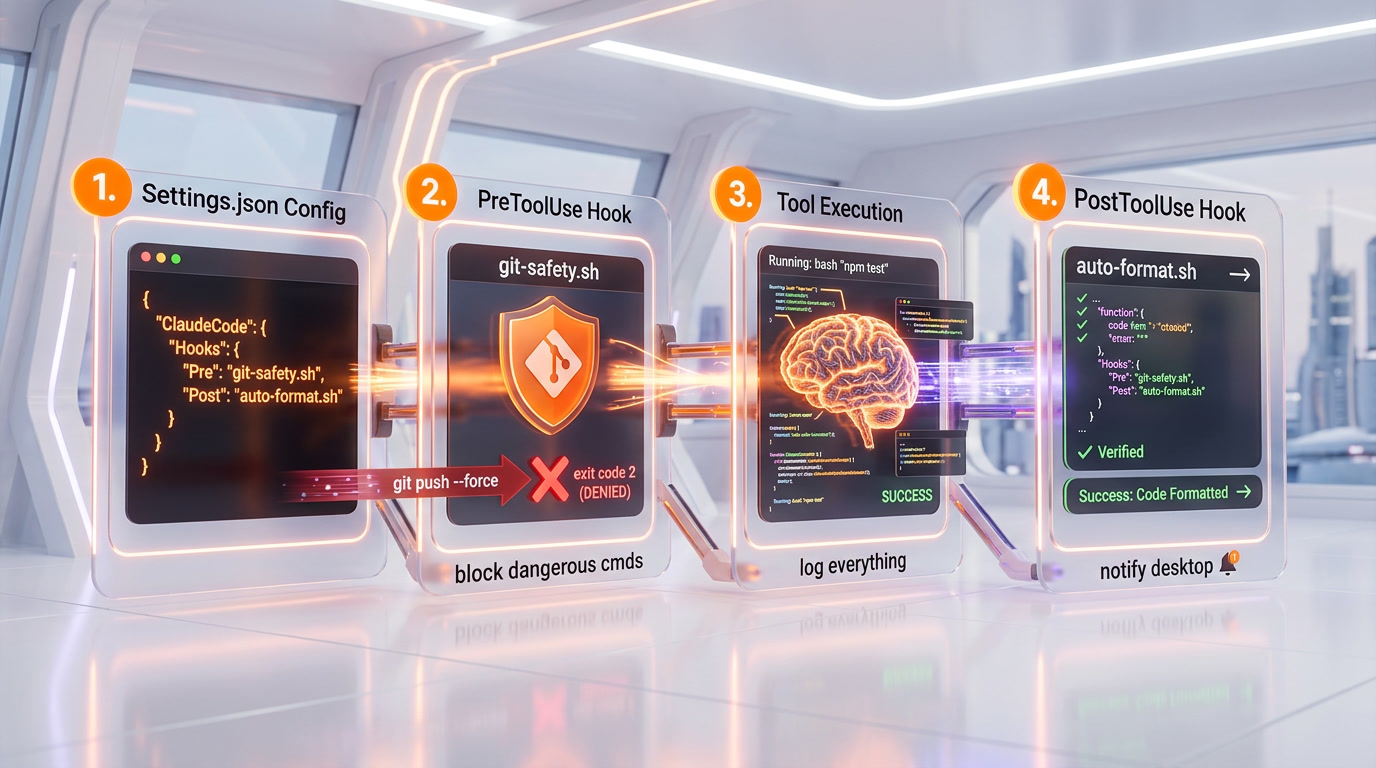
PostToolUse Hooks (Execute After Tools)
PostToolUse hooks fire AFTER successful tool execution. They are non-blocking (exit code is ignored). Use them for formatting, testing, and logging.
Recipe 5: Universal Auto-Formatter
Automatically formats files after every Write or Edit operation. Detects file type and uses the appropriate formatter.
File: ~/.claude/hooks/auto-format.sh
#!/bin/bash
INPUT=$(cat)
FP=$(echo "$INPUT" | jq -r '.tool_input.file_path // empty')
[ -z "$FP" ] || [ ! -f "$FP" ] && exit 0
EXT="${FP##*.}"
case "$EXT" in
  ts|tsx|js|jsx|json|css|scss|html|md|yaml|yml)
    npx prettier --write "$FP" 2>/dev/null || true ;;
  py)
    ruff format "$FP" 2>/dev/null || black "$FP" 2>/dev/null || true ;;
  go) gofmt -w "$FP" 2>/dev/null || true ;;
  rs) rustfmt "$FP" 2>/dev/null || true ;;
esac
exit 0
Recipe 6: Auto-Test Runner
Runs the corresponding test file when a source file is modified. Skips test files themselves to avoid loops.
File: .claude/hooks/auto-test.sh (project-level)
#!/bin/bash
INPUT=$(cat)
FILE_PATH=$(echo "$INPUT" | jq -r '.tool_input.file_path // empty')
[ -z "$FILE_PATH" ] && exit 0
echo "$FILE_PATH" | grep -qE '\.(test|spec)\.' && exit 0
EXT="${FILE_PATH##*.}"
echo "$EXT" | grep -qE '^(ts|tsx|js|jsx)$' || exit 0
DIR=$(dirname "$FILE_PATH")
BASENAME=$(basename "$FILE_PATH" ".$EXT")
for pattern in "$DIR/$BASENAME.test.$EXT" "$DIR/$BASENAME.spec.$EXT"; do
  if [ -f "$pattern" ]; then
    npx vitest run "$pattern" --reporter=verbose 2>&1 | tail -20 >> /tmp/claude-auto-test.log &
    break
  fi
done
exit 0
Recipe 7: TypeScript Type Check
Runs tsc --noEmit in the background after any TypeScript file is modified.
#!/bin/bash
INPUT=$(cat)
FP=$(echo "$INPUT" | jq -r '.tool_input.file_path // empty')
echo "$FP" | grep -qE '\.(ts|tsx)$' || exit 0
[ -f "tsconfig.json" ] && npx tsc --noEmit --pretty 2>&1 | head -30 > /tmp/claude-ts-check.log &
exit 0
Other Hook Types
Recipe 8: UserPromptSubmit -- Auto-Context Injector
Automatically injects TODO.md, recent files, and git status into every prompt. Output on stdout is added to Claude's context.
#!/bin/bash
OUTPUT=""
if [ -f "./TODO.md" ]; then
  OUTPUT+="[Current TODO]\n$(head -30 ./TODO.md)\n---\n"
fi
if git rev-parse --is-inside-work-tree &>/dev/null; then
  BRANCH=$(git rev-parse --abbrev-ref HEAD 2>/dev/null)
  OUTPUT+="[Git] Branch: $BRANCH\n---\n"
fi
[ -n "$OUTPUT" ] && echo "{\"additionalContext\": $(echo -e "$OUTPUT" | jq -Rs .)}"
exit 0
Recipe 9: PreCompact -- Context Saver
Saves a backup of the conversation transcript before compaction and injects compaction instructions.
#!/bin/bash
INPUT=$(cat)
SID=$(echo "$INPUT" | jq -r '.session_id // "unknown"')
TP=$(echo "$INPUT" | jq -r '.transcript_path // empty')
DIR="$HOME/.claude/backups/compactions"
mkdir -p "$DIR"
TS=$(date +%Y%m%d_%H%M%S)
[ -n "$TP" ] && [ -f "$TP" ] && cp "$TP" "$DIR/${TS}_${SID}.jsonl"
echo "IMPORTANT: Preserve all decisions, learnings, modified files, resolved bugs, and remaining TODOs."
exit 0
Recipe 10: Notification -- Desktop Toast (Windows)
Shows a Windows toast notification when Claude needs your attention.
#!/bin/bash
INPUT=$(cat)
MSG=$(echo "$INPUT" | jq -r '.message // "Action required"' | head -c 200)
powershell.exe -NoProfile -Command "
  Add-Type -AssemblyName System.Windows.Forms
  \$n = New-Object System.Windows.Forms.NotifyIcon
  \$n.Icon = [System.Drawing.SystemIcons]::Information
  \$n.Visible = \$true
  \$n.ShowBalloonTip(5000, 'Claude Code', '$MSG', 'Info')
  Start-Sleep 6; \$n.Dispose()
" 2>/dev/null &
exit 0
Recipe 11: Stop Hook -- Session Cost Logger
Logs a timestamp every time the agent finishes responding.
#!/bin/bash
INPUT=$(cat)
SID=$(echo "$INPUT" | jq -r '.session_id // "unknown"')
TS=$(date -u +"%Y-%m-%dT%H:%M:%SZ")
mkdir -p "$HOME/.claude/logs"
echo "$TS | STOP | $SID" >> "$HOME/.claude/logs/cost-$(date +%Y-%m-%d).log"
exit 0
Recipe 12: SessionStart/End -- Session Logger
#!/bin/bash
INPUT=$(cat)
SID=$(echo "$INPUT" | jq -r '.session_id // "?"')
EVT=$(echo "$INPUT" | jq -r '.hook_event_name // "?"')
CWD=$(echo "$INPUT" | jq -r '.cwd // "?"')
TS=$(date -u +"%Y-%m-%dT%H:%M:%SZ")
mkdir -p "$HOME/.claude/logs"
echo "$TS | $EVT | $SID | $CWD" >> "$HOME/.claude/logs/sessions-$(date +%Y-%m).log"
exit 0
Hook Events Reference
| Event | When It Fires | Can Block? | Key Input |
|---|---|---|---|
| PreToolUse | Before any tool | Yes (exit 2) | tool_input, tool_name |
| PostToolUse | After a tool succeeds | No | tool_input, tool_response |
| UserPromptSubmit | When you submit a prompt | Yes (exit 2) | prompt |
| Stop | Agent finishes responding | No | session_id |
| Notification | System event | No | title, message, type |
| SessionStart | Session begins | No | session_id, cwd |
| SessionEnd | Session ends | No | session_id, reason |
| PreCompact | Before compaction | stdout = instructions | trigger, transcript_path |
| PostCompact | After compaction | No | session_id |
| SubagentStart | Sub-agent spawns | No | session_id |
| SubagentStop | Sub-agent finishes | No | session_id |
| ConfigChange | Settings modified | No | config delta |
Custom Skills Examples
Skills are Markdown files in .claude/skills/name/SKILL.md with a YAML frontmatter. They are invoked as /name commands.
Recipe 13: Code Review Skill
File: .claude/skills/review/SKILL.md
---
description: Automated code review with quality, security, and performance checklist
---

# Code Review

Analyze modified files with `git diff --name-only HEAD`.

## Checklist per file:
### Quality
- Naming clear and consistent
- No duplicated code
- Functions under 50 lines
- Strict typing (no `any` in TypeScript)

### Security
- No hardcoded secrets
- No SQL injection vectors
- Inputs validated/sanitized

### Performance
- No N+1 queries
- No unnecessary loops on large collections

## Output format:
**Score**: X/10
**Issues**: [CRITICAL] / [WARNING] / [INFO]
If all OK: "LGTM"
Recipe 14: Deploy Checklist Skill
File: .claude/skills/deploy-check/SKILL.md
---
description: Pre-deployment checklist for Next.js projects on Vercel
---

# Deploy Check

Execute these commands and report results:
1. `pnpm build` -- build passes without errors
2. `pnpm lint` -- no lint errors
3. `npx tsc --noEmit` -- no TypeScript errors
4. `git status` -- no uncommitted files
5. Verify .env.local is NOT in git: `git ls-files .env*`

If all OK, propose: `git push origin main`
Recipe 15: Scaffold Page Skill
File: .claude/skills/scaffold-page/SKILL.md
---
description: Generate a complete Next.js App Router page with metadata, JSON-LD, and queries
---

# Scaffold Page

Create a full page at the path given as first argument.

1. Create page.tsx with generateStaticParams(), generateMetadata(), revalidate = 3600
2. Add JSON-LD schema adapted to page type
3. Add E-E-A-T components (AuthorBox, ReviewedBy, LastUpdated)
4. Create Supabase query in src/lib/queries/

Conventions: Server Components by default, Tailwind styling, types from generated types.
Recipe 16: Security Audit Skill
File: .claude/skills/security-audit/SKILL.md
---
description: Full security audit - dependencies, secrets, headers, injections
---

# Security Audit

## Checks:
1. `pnpm audit` -- report HIGH and CRITICAL vulnerabilities
2. Search for hardcoded secrets (patterns: sk_, pk_, AKIA, ghp_)
3. Verify security headers in next.config.ts (X-Frame-Options, CSP, HSTS)
4. Check .env* in .gitignore
5. Search for dangerous patterns: dangerouslySetInnerHTML, exec(), eval()

## Report format:
CRITICAL / HIGH / MEDIUM / LOW
Score: X/100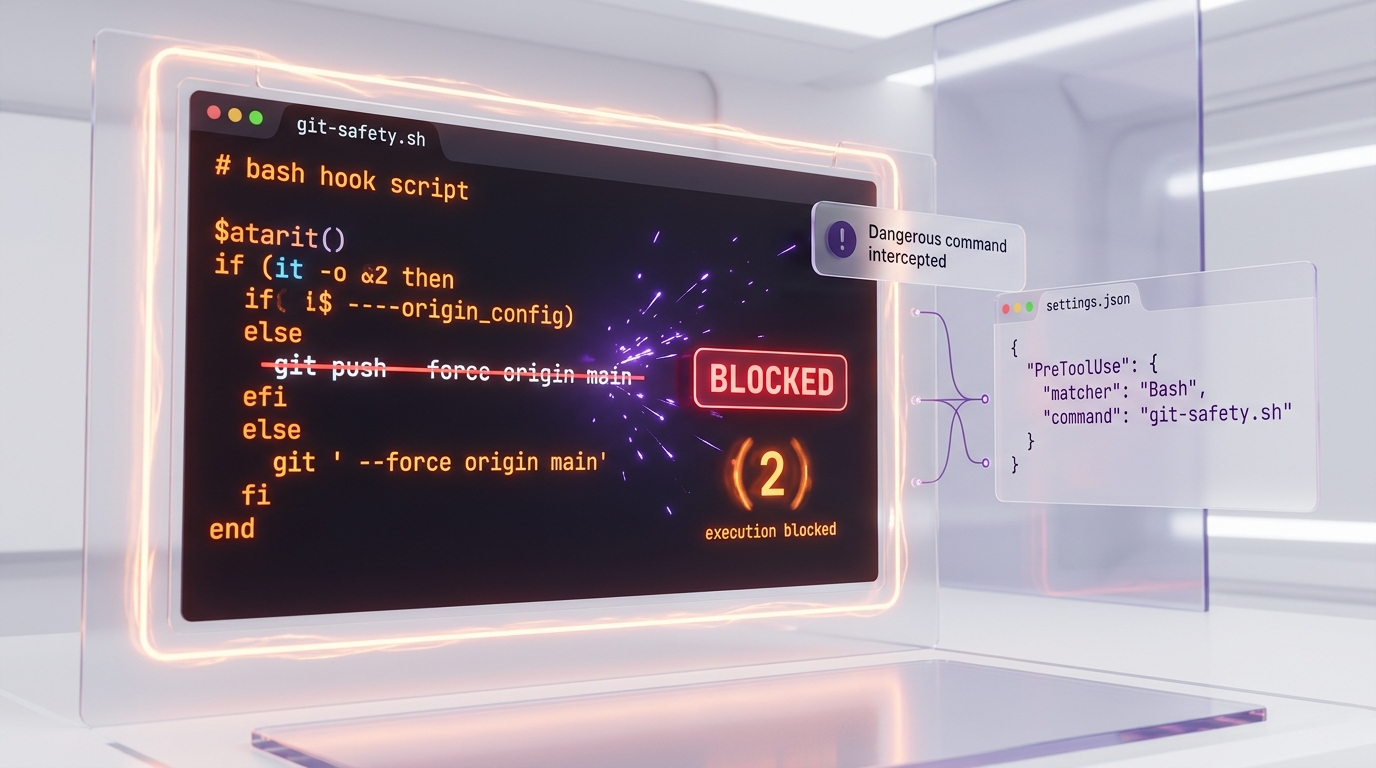
Custom Agents Examples
Agents are Markdown files in .claude/agents/name.md with YAML frontmatter specifying tools, model, and instructions.
Recipe 17: Researcher Agent (Read-Only)
File: .claude/agents/researcher.md
---
name: researcher
description: Explores the codebase and docs to answer questions. Read-only.
tools: Read, Glob, Grep, WebSearch, WebFetch
model: sonnet
---

You are a research agent. You NEVER modify files.

When given a question:
1. Explore the codebase with Glob and Grep
2. Read identified files with Read
3. Search the web if needed with WebSearch
4. Synthesize findings in a structured report

Rules:
- NEVER use Edit, Write, or Bash (except ls/cat)
- Always cite file paths found
- Say "I did not find" rather than inventing
Recipe 18: SEO Writer Agent
File: .claude/agents/seo-writer.md
---
name: seo-writer
description: Write SEO/GEO optimized content. Creates content, meta, and JSON-LD.
tools: Read, Write, Edit, Glob, Grep, WebSearch, Skill
model: opus
---

You are an expert SEO writer optimized for search engines AND AI answer engines.

Process:
1. Research keywords via WebSearch
2. Read SEO skills for conventions
3. Write answer-first content (direct answer in first paragraph)
4. Generate metadata and JSON-LD

Style rules:
- Sentences under 25 words
- Paragraphs 3-4 sentences max
- High fact density -- every sentence adds information
- No filler phrases
MCP Server Recipes
MCP (Model Context Protocol) servers give Claude access to external tools. Add them to ~/.claude/settings.json under "mcpServers" or use the CLI.
Recipe 19: Essential MCP Stack
# GitHub (global scope)
claude mcp add github --scope user -- npx -y @modelcontextprotocol/server-github

# Supabase (OAuth, no token needed)
claude mcp add supabase --scope user --type url --url https://mcp.supabase.com/mcp

# Context7 (up-to-date docs for any framework)
claude mcp add context7 --scope user -- npx -y @upstash/context7-mcp@latest

# Playwright (browser testing, project scope)
claude mcp add playwright --scope project -- npx -y @anthropic/mcp-playwright

# Vercel (deployments)
claude mcp add vercel --scope user -- npx -y @vercel/mcp@latest
MCP Server Recommendations by Use Case
| Use Case | Recommended Servers | Why |
|---|---|---|
| Full-stack Next.js | github, supabase, vercel, context7 | Complete stack coverage |
| SEO/Content | github, supabase, context7 | Research + data fetching |
| Testing/QA | playwright, github | E2E tests + CI integration |
| Automation | n8n, github | Workflow orchestration |
| Solo developer | github, context7, supabase | Essential minimum |
Rule of thumb: 3 MCP servers is the sweet spot. Beyond 5, the token overhead degrades performance.
Recipe 20: Multi-Agent Workflows
Agent Teams (Experimental)
Enable with CLAUDE_CODE_EXPERIMENTAL_AGENT_TEAMS=1. Then ask Claude to coordinate agents:
# In Claude Code:
> Launch 3 agents in parallel to audit this project:
> - Agent 1: security audit (use /security-audit)
> - Agent 2: performance audit (focus on queries and rendering)
> - Agent 3: SEO audit (check meta, JSON-LD, sitemaps)
> Synthesize the 3 reports at the end.
Parallel Workers with Worktrees
# Terminal 1 - Lead (Opus)
claude --model opus

# Terminal 2 - Worker 1 (isolated branch)
claude -w --model sonnet
> Work on auth feature. Branch: feat/auth

# Terminal 3 - Worker 2 (isolated branch)
claude -w --model sonnet
> Work on API endpoints. Branch: feat/api

# Terminal 4 - Worker 3 (isolated branch)
claude -w --model sonnet
> Work on UI refactor. Branch: refactor/ui
Background Agents with tmux
# Create a tmux session with 3 Claude instances
tmux new-session -d -s claude-team
tmux send-keys -t claude-team 'claude --model opus' C-m
tmux split-window -h -t claude-team
tmux send-keys -t claude-team 'claude --bg "Research auth patterns for Next.js 16"' C-m
tmux split-window -v -t claude-team
tmux send-keys -t claude-team 'claude --bg "Implement login/signup in src/app/(auth)/"' C-m
tmux select-layout -t claude-team tiled
tmux attach -t claude-team
Recommended File Structure
~/.claude/
  settings.json              # Global config (hooks, permissions, MCP)
  settings.local.json        # Local overrides (not committed)
  CLAUDE.md                  # Global instructions for all projects
  hooks/
    git-safety.sh            # PreToolUse: block dangerous commands
    command-logger.sh        # PreToolUse: log all commands
    file-protection.sh       # PreToolUse: protect sensitive files
    auto-format.sh           # PostToolUse: auto-format files
    auto-context.sh          # UserPromptSubmit: inject context
    desktop-notify.sh        # Notification: toast alerts
    pre-compact-saver.sh     # PreCompact: backup before compaction
    session-logger.sh        # SessionStart/End: log sessions
    session-cost-log.sh      # Stop: log costs
  logs/
    commands-YYYY-MM-DD.log  # Command audit trail
    sessions-YYYY-MM.log     # Session history
  backups/
    compactions/             # Pre-compaction backups
  skills/
    review/SKILL.md
    deploy-check/SKILL.md
    scaffold-page/SKILL.md
    security-audit/SKILL.md
  agents/
    researcher.md
    seo-writer.md

<project>/
  .claude/
    settings.json            # Project config (committed)
    settings.local.json      # Local config (in .gitignore)
    hooks/
      project-format.sh      # Project-specific formatter
      auto-test.sh           # Project-specific test runner
    skills/                  # Project-specific skills
    agents/                  # Project-specific agents
Quick Setup Script
Run this once to create all hook files and directories:
#!/bin/bash
HOOKS_DIR="$HOME/.claude/hooks"
mkdir -p "$HOOKS_DIR" "$HOME/.claude/logs" "$HOME/.claude/backups/compactions"

# Create each hook file, then:
chmod +x "$HOOKS_DIR"/*.sh

echo "Hooks created in $HOOKS_DIR"
echo "Now paste the settings.json config and restart Claude Code"
echo "Verify with: /hooks"
Frequently Asked Questions
Do hooks slow down Claude Code?
Minimal impact. Hooks are shell scripts that typically execute in under 50ms. The auto-format hook is the slowest because it runs Prettier or similar tools, but it runs in the background and does not block Claude's next action. If you notice slowdowns, check that your hooks are not doing synchronous network calls or reading large files.
Can a hook crash Claude Code?
No. Hooks are isolated processes. If a hook crashes or times out, Claude Code continues normally. Only exit code 2 has a special meaning (block the tool). Any other exit code (including errors) is treated as "allow." Your stderr output is injected into Claude's reasoning context, which can be useful for providing feedback.
What is the difference between skills and agents?
Skills are prompt templates (SKILL.md files) that extend what Claude can do within the current session. They are invoked as slash commands. Agents are separate Claude instances with their own model, tools, and instructions. Agents run in sub-processes and can be restricted to specific tools (e.g., a researcher agent with read-only access). Use skills for workflow shortcuts and agents for specialized autonomous tasks.
How many MCP servers can I add?
There is no hard limit, but each MCP server adds token overhead to every request (tool descriptions consume context). The practical recommendation is 3 servers for most workflows and no more than 5. Beyond that, Claude spends more tokens reading tool descriptions than doing actual work. If you need many tools, consider using ToolSearch (deferred loading) to keep the active set small.
Can I use hooks on Windows without WSL?
Yes. Claude Code on Windows uses Git Bash by default. All the bash hooks in this cookbook work in Git Bash. For PowerShell-specific hooks (like the desktop notification toast), wrap the PowerShell command with powershell.exe -Command "...". The notification hook recipe already demonstrates this pattern. If you prefer PowerShell for all hooks, set CLAUDE_CODE_SHELL=powershell in your environment, but bash hooks are more portable and recommended.