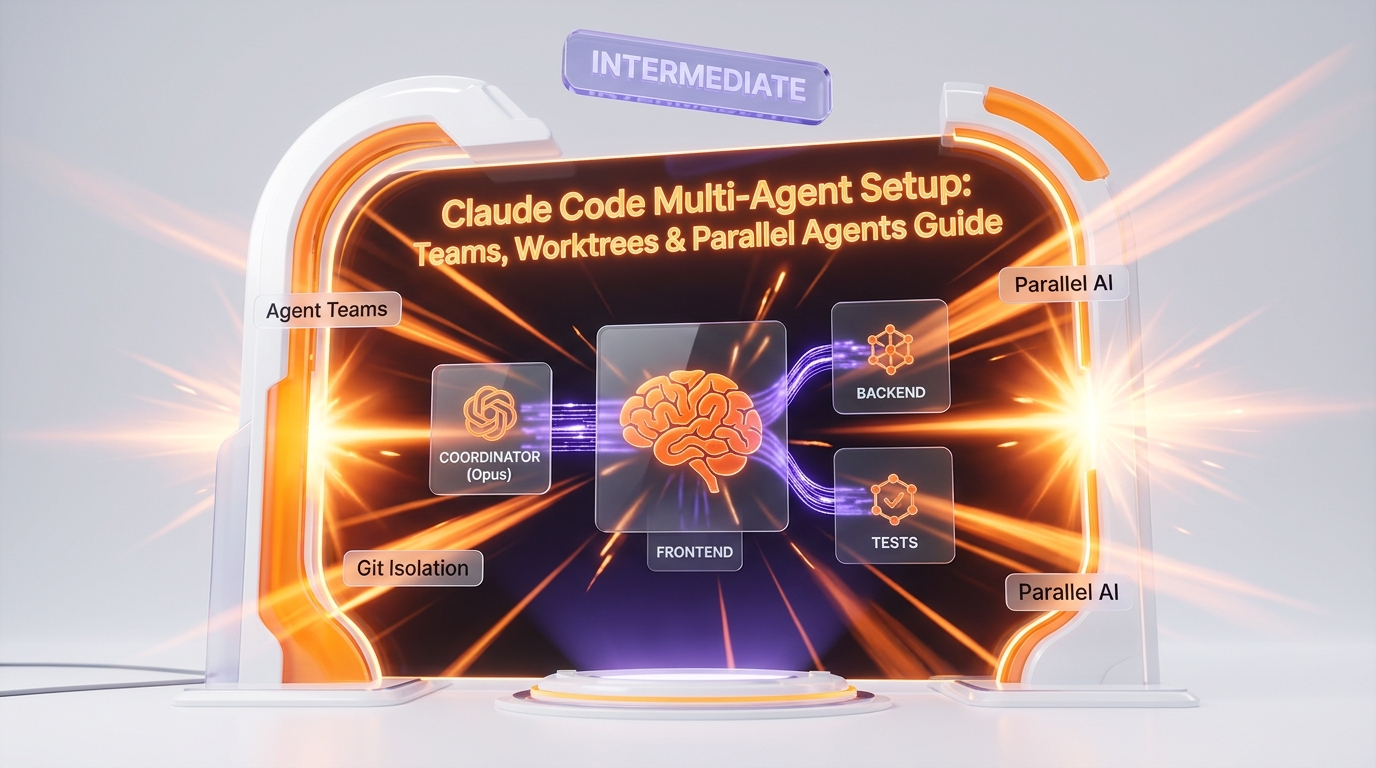
Claude Code multi-agent setup enables 3-10 parallel AI agents working simultaneously through Agent Teams, git worktrees for branch isolation, background sessions, and custom agent definitions stored in .claude/agents/ — turning a single developer into a coordinated engineering team that completes in 20 minutes what normally takes 4 hours of sequential work.
Running one Claude Code instance at a time is the default. It works. But it leaves massive parallelism on the table. If you have a machine with 16+ cores and 32+ GB RAM, you can orchestrate entire teams of Claude Code agents — each working on a different part of your codebase, in its own git branch, communicating through a filesystem-based mailbox system.
This guide covers the complete operational setup: prerequisites, environment variables, Agent Teams configuration, worktree isolation, background sessions, custom agent definitions, parallel spawn patterns, and real copy-paste workflows. Every command is tested. Every config is production-ready.
1. Prerequisites & Initial Setup
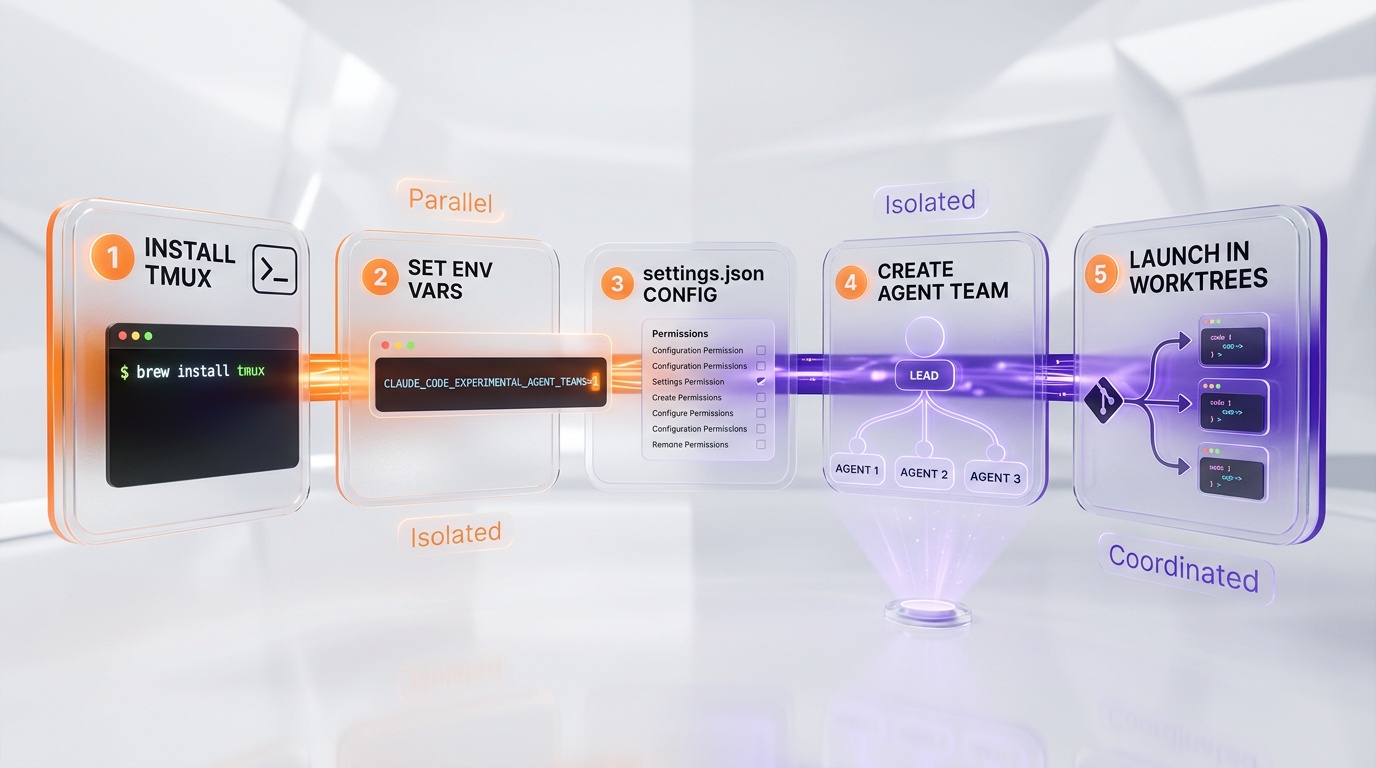
Install tmux (Required for Split Pane Mode)
Agent Teams can run without tmux in "in-process" mode (single terminal, navigate with Shift+Down). But with tmux installed, each agent gets its own visible pane — which is dramatically better for monitoring and debugging parallel work.
# macOS
brew install tmux

# Ubuntu / Debian
sudo apt install tmux

# Windows (Git Bash / MSYS2)
pacman -S tmux

# Verify installation
tmux -V
# Expected output: tmux 3.x
Environment Variables — The Multi-Agent Core
Add these to your ~/.bashrc, ~/.zshrc, or shell profile. These activate the multi-agent subsystem and configure model allocation:
# === MULTI-AGENT CORE ===
export CLAUDE_CODE_EXPERIMENTAL_AGENT_TEAMS=1    # Activate Agent Teams
export CLAUDE_CODE_COORDINATOR_MODE=1             # Activate Coordinator Mode

# === MODELS ===
export ANTHROPIC_MODEL=claude-opus-4-6            # Opus for the lead agent
export CLAUDE_CODE_SUBAGENT_MODEL=claude-sonnet-4-6  # Sonnet for workers (cost efficiency)
export CLAUDE_CODE_PLAN_V2_AGENT_COUNT=3          # 3 agents in plan mode (Max/Team plan)

# === TOKENS & PERFORMANCE ===
export CLAUDE_CODE_MAX_OUTPUT_TOKENS=32000        # Maximum output length
export MAX_THINKING_TOKENS=16000                  # Extended thinking budget
export CLAUDE_CODE_EFFORT_LEVEL=high              # High effort level
export CLAUDE_CODE_MAX_CONTEXT_TOKENS=1000000     # 1M token context window

# === PARALLELISM ===
export CLAUDE_CODE_MAX_TOOL_USE_CONCURRENCY=5     # 5 tools in parallel per agent
export BASH_MAX_OUTPUT_LENGTH=50000               # Longer bash output

# === OPTIONAL ===
export DISABLE_COST_WARNINGS=1                    # No cost alerts in production
export IDLE_THRESHOLD_MINUTES=120                 # 2h before idle (default 75min)
After adding these, reload your shell:
source ~/.bashrc
# or
source ~/.zshrc
Global Settings — settings.json
Create or update ~/.claude/settings.json for persistent configuration:
{
  "model": "claude-opus-4-6",
  "autoMemoryEnabled": true,
  "permissions": {
    "allow": [
      "Bash(npm *)", "Bash(pnpm *)", "Bash(git *)",
      "Bash(npx *)", "Bash(node *)",
      "Read", "Write", "Edit", "Glob", "Grep",
      "WebFetch", "WebSearch", "Agent"
    ],
    "deny": [
      "Bash(rm -rf /)",
      "Bash(git push --force origin main)"
    ]
  }
}| Setting | Purpose | Required |
|---|---|---|
model | Default model for all sessions | Recommended |
autoMemoryEnabled | Auto-capture patterns and preferences | Recommended |
permissions.allow | Pre-approve tools to avoid confirmation prompts | Optional |
permissions.deny | Block dangerous commands | Recommended |
2. Agent Teams — Parallel Agent Orchestration
What Agent Teams Actually Are
Agent Teams are multiple Claude Code CLI instances running in parallel, each with its own process, context window (up to 1M tokens), token cost stream, and communication channel. The architecture looks like this:
TEAM LEAD (coordinator — Opus)
  ├── TEAMMATE 1 (frontend)     ← tmux pane 1 (Sonnet)
  ├── TEAMMATE 2 (backend)      ← tmux pane 2 (Sonnet)
  ├── TEAMMATE 3 (tests)        ← tmux pane 3 (Sonnet)
  └── TEAMMATE 4 (docs)         ← tmux pane 4 (Sonnet)
Communication happens peer-to-peer through a filesystem-based mailbox:
~/.claude/
  teams/
    {team-name}/
      config.json              # Team configuration
      {agent-name}/
        inbox/                 # Incoming messages
          {message-id}.json    # Individual message
  tasks/
    {team-name}/
      {task-id}.json           # Assigned tasks
Three Ways to Activate Agent Teams
Method 1 — Environment variable (recommended):
export CLAUDE_CODE_EXPERIMENTAL_AGENT_TEAMS=1Method 2 — Via settings.json:
{
  "env": {
    "CLAUDE_CODE_EXPERIMENTAL_AGENT_TEAMS": "1"
  }
}
Method 3 — Inline at launch:
CLAUDE_CODE_EXPERIMENTAL_AGENT_TEAMS=1 claudeLaunching a Team — Exact Commands
Start inside tmux first (for split pane mode):
# Create a new tmux session
tmux new-session -s agents

# Launch Claude Code
claude
Then in the Claude prompt, request a team:
Create a team of 3 agents to refactor the auth module:
- Agent 1: analyze current structure and identify issues
- Agent 2: implement fixes in backend files
- Agent 3: write tests for all changes

Use separate worktrees for each agent.
Claude automatically detects tmux, creates the team via TeamCreateTool, spawns each teammate in its own pane, and coordinates the work.
Display Modes
| Mode | Condition | Navigation |
|---|---|---|
| Split panes | tmux or iTerm2 detected | Click on any pane to view that agent |
| In-process | No tmux available | Shift+Down to cycle, type to send message |
| Auto (default) | Auto-detection | tmux present → split panes, otherwise in-process |
Optimal Team Sizes
| Size | Use Case | Coordination Overhead |
|---|---|---|
| 2 agents | Pair programming, cross-review | Minimal |
| 3 agents | Standard feature (implement + test + review) | Good ratio |
| 4-5 agents | Large refactor, multi-layer (front/back/test/docs) | Optimal |
| 6+ agents | Rarely justified — coordination overhead dominates | Avoid |
Rule of thumb: each task assigned to an agent should take 5-15 minutes for a single agent. Too small and coordination overhead dominates. Too large and you lose parallelism benefits.
3. Worktrees — Git Isolation Per Branch
How Worktrees Work
A git worktree is a separate directory with its own branch and working files, sharing the same .git/ repository. Each agent works in its own worktree without file conflicts:
project/
  .git/                         # Shared repository
  .claude/
    worktrees/
      feature-auth/             # Worktree agent 1
      feature-api/              # Worktree agent 2
      bugfix-login/             # Worktree agent 3
Launching Sessions with Worktrees
# Worktree with explicit name (= directory + branch name)
claude --worktree feature-auth
# or shorthand
claude -w feature-auth

# Worktree with auto-generated name
claude -w

# Combine with a prompt
claude -w feature-auth -p "Implement the new OAuth2 auth system"
Worktree in Custom Agent Definitions
Add isolation: worktree in an agent's frontmatter to automatically create a worktree on spawn:
---
name: isolated-worker
description: Worker operating in its own worktree
isolation: worktree
model: sonnet
tools: Read, Write, Edit, Bash, Glob, Grep
---

You are an isolated worker. You operate in your own worktree.
Make your changes, commit, and report the result.
Worktree + Agent Teams Combo
Launch 3 agents in parallel, each in its own worktree:
- Agent "refactor-auth" on branch refactor/auth → modify src/auth/
- Agent "refactor-api" on branch refactor/api → modify src/api/
- Agent "refactor-ui" on branch refactor/ui → modify src/components/

When all three finish, merge the 3 branches into "refactor/all".
Worktree Cleanup
| Scenario | Behavior |
|---|---|
| Worktree with no changes | Auto-cleaned when agent finishes |
| Worktree with uncommitted changes | Persists for manual review |
| List active worktrees | git worktree list |
| Manual removal | git worktree remove .claude/worktrees/feature-x |
| Clean orphaned worktrees | git worktree prune |
4. Background Sessions — Agents Running Behind the Scenes
Launching Background Agents
Method 1 — The --bg flag at launch:
# Background session with a prompt
claude --bg "Analyze all files in src/ and generate a technical debt report"

# Background session with worktree
claude --bg -w debt-analysis "Run a full codebase audit"
Method 2 — Ctrl+B during a session:
While a sub-agent is running, press Ctrl+B to push it to background. You can continue working with Claude while the background agent processes.
Managing Background Sessions
# List active background sessions
claude ps

# View logs from a session
claude logs <session-id>

# Reattach to a background session
claude resume <session-id>

# Kill a background session
# In interactive session: Ctrl+F (double-press to confirm)
Background + Worktree Combo (High Throughput Pattern)
# Terminal 1: SEO content agent
claude --bg -w seo-content "Generate 10 SEO-optimized product pages for categories in data/categories.json"

# Terminal 2: Test writing agent
claude --bg -w tests "Write unit tests for all files in src/lib/ missing .test.ts files"

# Terminal 3: Documentation agent
claude --bg -w docs "Generate API documentation for all routes in src/app/api/"

# Check progress anytime
claude ps
Scheduled Sessions with Cron
The /schedule command enables recurring agent tasks:
# Nightly memory consolidation
/schedule create --cron "0 3 * * *" --prompt "Consolidate project memory, clean obsolete entries, generate productivity report"

# Weekly SEO audit
/schedule create --cron "0 9 * * 1" --prompt "Run SEO audit on all public pages, generate report in reports/seo-weekly.md"

# Manage schedules
/schedule list          # View all schedules
/schedule delete <id>   # Delete a schedule
5. Custom Agents — Building Specialist Definitions
Agent File Structure
Custom agents are Markdown files with YAML frontmatter, stored in .claude/agents/:
| Location | Scope | Git-Tracked |
|---|---|---|
.claude/agents/ (in project) | Project-specific | Yes (recommended for team sharing) |
~/.claude/agents/ | Global (all projects) | No |
Complete Frontmatter Syntax
---
# REQUIRED
name: agent-name
description: Short description of what the agent does

# OPTIONAL — Model
model: opus          # opus | sonnet | haiku (alias)
# or: model: claude-opus-4-6  (full name)

# OPTIONAL — Allowed tools
tools: Read, Write, Edit, Bash, Glob, Grep, WebSearch, WebFetch

# OPTIONAL — Blocked tools
disallowedTools: Bash(rm -rf *)

# OPTIONAL — MCP servers
mcpServers: github, supabase

# OPTIONAL — Pre-loaded skills
skills: seo-metadata-nextjs, json-ld-schema

# OPTIONAL — Effort level
effort: high         # low | medium | high | max

# OPTIONAL — Isolation
isolation: worktree  # Each spawn creates a worktree

# OPTIONAL — Auto-submitted initial prompt
initialPrompt: "Start by analyzing the project structure"
---

# System Prompt

The Markdown content here becomes the agent's system prompt.
Write it as a briefing for a specialist.
Example: SEO Content Writer Agent
---
name: seo-writer
description: SEO-optimized content writer (answer-first, E-E-A-T, fact-dense)
model: opus
tools: Read, Write, Edit, Glob, Grep
effort: high
skills: seo-content-templates, eeat-trust-signals, geo-aeo-optimization
---

# Agent SEO Writer

You are an expert SEO content writer. You produce content optimized for
Google AND AI search engines (GEO/AEO).

## Principles
1. **Answer-first**: the answer to the main question in the first 100 words
2. **Fact-dense**: every paragraph provides concrete info (numbers, specs, dates)
3. **E-E-A-T**: demonstrated experience, cited sources, expert perspective
4. **Structure**: H1 > H2 > H3, lists, tables, FAQ schema-ready
5. **Intent match**: content matches the exact search intent
Example: Code Reviewer Agent
---
name: code-reviewer
description: Multi-perspective code review (security, performance, maintainability)
model: opus
tools: Read, Glob, Grep
effort: max
---

# Agent Code Reviewer

You are a senior engineer performing rigorous code reviews.

## Perspectives
1. **Security**: injections, XSS, CSRF, exposed secrets, permissions
2. **Performance**: N+1 queries, re-renders, bundle size, lazy loading
3. **Maintainability**: naming, DRY, SOLID, cyclomatic complexity
4. **Types**: strict TypeScript, any/unknown, generics
5. **Tests**: coverage, edge cases, mocking

## Rules
- Cite file + exact line number
- Classify by severity: CRITICAL / HIGH / MEDIUM / LOW
- Propose a concrete fix for each issue
Example: Bug Hunter Agent
---
name: bug-hunter
description: Systematic bug detection through code exploration
model: opus
tools: Read, Glob, Grep, Bash
effort: max
isolation: worktree
---

# Agent Bug Hunter

You are a QA engineer specialized in bug hunting.

## Methodology
1. **Explore**: scan the codebase to understand architecture
2. **Hypothesize**: identify risk zones (parsing, auth, async, edge cases)
3. **Test**: write and execute tests for each hypothesis
4. **Report**: document each bug with reproduction steps
Launching Custom Agents
# From the CLI
claude --agent=seo-writer

# With a prompt
claude --agent=seo-writer -p "Write a review for NordVPN covering pricing, features, and alternatives"

# With worktree
claude --agent=seo-writer -w nordvpn-review

# As a sub-agent inside a session
# Type in the Claude prompt:
Use the agent @seo-research to analyze keywords for "best laptop 2026",
then pass the results to @seo-writer to draft the article.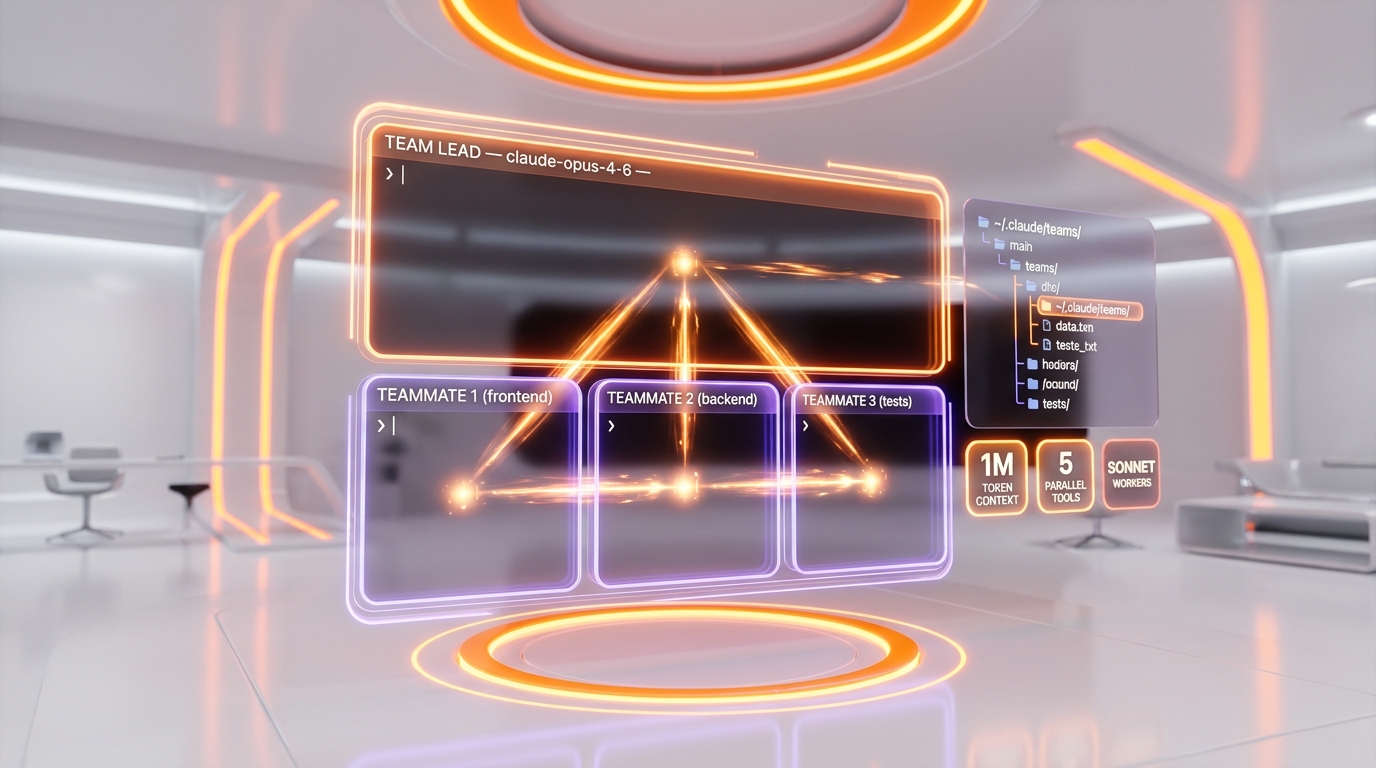
6. Spawn N Agents in Parallel
The Internal Mechanism
The spawnMultiAgent primitive launches N agents in parallel. It powers Agent Teams spawning, Coordinator Mode (Research and Implementation phases), and the /batch command.
Manual Parallel Spawn via Prompt
Launch 4 agents in parallel:

Agent 1 - "Frontend Explorer": Analyze all components in src/components/
  and list unused ones.

Agent 2 - "Backend Explorer": Analyze all API routes in src/app/api/
  and identify endpoints without validation.

Agent 3 - "Test Explorer": Find all files in src/ without
  a corresponding .test.ts file.

Agent 4 - "Deps Explorer": Analyze package.json
  and identify unused dependencies.

Each agent works in its own worktree. Synthesize results when all finish.
Via /batch (Auto Worktree Per Unit)
/batch "For each file in src/lib/queries/:
1. Add strict TypeScript types
2. Add error handling
3. Add a test file

Process each file in parallel with its own agent and worktree."
Via --spawn (CLI Flag)
# Spawn a new agent process
claude --spawn -p "Run security audit on src/auth/"
Capacity Limiter
# Limit parallel workers
claude --capacity 3    # Max 3 simultaneous agents
On a high-end machine (e.g., i9-14900KF + 64 GB+ RAM), you can comfortably support 5-10 parallel agents. The real bottleneck is the Anthropic API rate limit, not local compute. Each Claude CLI process uses approximately 500 MB of RAM.
| Resource | Approximate Usage Per Agent | 10 Agents Total |
|---|---|---|
| RAM | ~500 MB | ~5 GB |
| CPU | Minimal (network-bound) | Minimal |
| Network | Streaming API calls | Rate limit dependent |
| Disk | Worktree + session files | ~500 MB - 2 GB |
7. Concrete Workflows — Copy-Paste Ready
Workflow 1: SEO Content Factory (1 Coordinator + 4 Workers)
This workflow parallelizes the entire content creation pipeline across research, writing, optimization, and review phases:
# First, start tmux:
tmux new-session -s seo-factory

# Then launch Claude and give this prompt:

You are the coordinator of an SEO content factory. Here's the plan:

PHASE 1 — RESEARCH (parallel)
Launch @seo-research for these 3 topics, in parallel:
1. "best vpn for streaming 2026"
2. "nordvpn vs expressvpn comparison"
3. "free vpn security risks"
Each agent produces a brief JSON in data/briefs/

PHASE 2 — WRITING (parallel, after phase 1)
For each brief produced, launch @seo-writer in a separate worktree.
Each writer creates the complete Next.js page in src/app/(public)/

PHASE 3 — OPTIMIZATION (parallel, after phase 2)
Launch @seo-optimizer for each created page.
Fix meta, JSON-LD, internal links.

PHASE 4 — REVIEW (parallel, after phase 3)
Launch @seo-reviewer for each page. Score /100, flag issues.

PHASE 5 — SYNTHESIS (you, coordinator)
Compile review reports. Score > 80: ready. Score < 80: rewrite.
Workflow 2: Multi-Perspective Code Review
# tmux new-session -s review

Run a multi-perspective code review on PR #42.

Launch 3 agents in parallel:

Agent 1 — SECURITY: Read all modified files in the PR. Hunt for
  SQL injections, XSS, CSRF, exposed secrets, auth bypass.
  Report with file + line + severity.

Agent 2 — PERFORMANCE: Read all modified files. Hunt for
  N+1 queries, unnecessary re-renders, bundle bloat, missing indexes.
  Report with metrics.

Agent 3 — MAINTAINABILITY: Read all modified files. Check
  naming, types, DRY, test coverage, documentation.
  Report with suggestions.

When all 3 finish, synthesize a unified report classified by severity.
Workflow 3: Bug Hunting Swarm
# tmux new-session -s bughunt

Bug Hunter Swarm on src/auth/:

Launch 4 @bug-hunter agents in parallel, each in its own worktree:

Agent 1 — "Auth Flow": test all authentication flows
  (login, register, forgot-password, OAuth)
Agent 2 — "Permissions": test authorization
  (roles, guards, middleware protection)
Agent 3 — "Edge Cases": test boundary conditions
  (expired tokens, invalid sessions, concurrent logins)
Agent 4 — "Input Validation": test all user inputs
  (malformed emails, weak passwords, injection attempts)

Each agent writes tests in tests/auth/
Each agent reports findings in reports/bugs/

Synthesize into reports/bug-hunt-auth.md with:
- Bug count by severity
- Top 5 critical bugs
- Fix recommendations
Workflow 4: Full Codebase Audit (5 Perspectives)
# tmux new-session -s audit

Full codebase audit across 5 parallel perspectives:

Agent 1 — SECURITY: scan for vulnerabilities, exposed secrets, outdated deps
Agent 2 — PERFORMANCE: analyze bundle size, lazy loading, caching, queries
Agent 3 — SEO: verify meta, JSON-LD, sitemap, robots, Core Web Vitals
Agent 4 — ACCESSIBILITY: check ARIA, contrast, keyboard navigation
Agent 5 — TECH DEBT: duplicated code, complexity, TODO/FIXME, any types

Each agent produces a report in reports/audit/
Synthesize in reports/audit/SUMMARY.md with a global score and top 10 actions.
Workflow 5: Automated Deployment Pipeline
Automated deployment pipeline:

STEP 1 — PRE-FLIGHT (parallel)
- Agent "Type Check": pnpm tsc --noEmit
- Agent "Lint": pnpm lint
- Agent "Tests": pnpm test --ci
- Agent "Build": pnpm build

If ALL pass:

STEP 2 — DEPLOY
- git add -A && git commit -m "release: vX.Y.Z"
- git push origin main
- Verify Vercel deployment

STEP 3 — POST-DEPLOY (parallel)
- Agent "Smoke Test": verify critical pages return 200
- Agent "IndexNow": submit new pages to Bing/Perplexity
- Agent "Monitoring": watch Vercel logs for 5 minutes

Final report in reports/deploy-{date}.md
8. Optimal Configuration for High-End Machines
Capacity by Hardware
| Hardware Tier | RAM | Recommended Agents | Bottleneck |
|---|---|---|---|
| Entry (8-core, 16 GB) | 16 GB | 2-3 agents | RAM + API rate limit |
| Mid (12-core, 32 GB) | 32 GB | 4-6 agents | API rate limit |
| High (16+ core, 64 GB) | 64 GB | 8-10 agents | API rate limit |
| Ultra (24+ core, 128+ GB) | 128+ GB | 10-15 agents | API rate limit only |
The GPU (even an RTX 4090) is not used by Claude Code — all processing is CPU and network-bound. The real limiting factor is always the Anthropic API rate limit, which varies by plan (Max, Team, Enterprise).
Shell Aliases for Speed
# Add to ~/.bashrc or ~/.zshrc
alias ct='CLAUDE_CODE_EXPERIMENTAL_AGENT_TEAMS=1 claude'    # Claude with Teams
alias cw='claude -w'                                         # Claude with Worktree
alias cbg='claude --bg'                                      # Claude Background
alias cps='claude ps'                                        # List background sessions
alias cseo='claude --agent=seo-research'                     # SEO Research Agent
alias cwrite='claude --agent=seo-writer'                     # SEO Writer Agent
alias creview='claude --agent=code-reviewer'                 # Code Review Agent
alias cbug='claude --agent=bug-hunter'                       # Bug Hunter Agent

# Combo: Teams + tmux
alias cteam='tmux new-session -s agents && CLAUDE_CODE_EXPERIMENTAL_AGENT_TEAMS=1 claude'
Project .env for Multi-Agent
Create .claude/.env in each project:
CLAUDE_CODE_EXPERIMENTAL_AGENT_TEAMS=1
CLAUDE_CODE_COORDINATOR_MODE=1
ANTHROPIC_MODEL=claude-opus-4-6
CLAUDE_CODE_SUBAGENT_MODEL=claude-sonnet-4-6
CLAUDE_CODE_PLAN_V2_AGENT_COUNT=3
CLAUDE_CODE_MAX_OUTPUT_TOKENS=32000
MAX_THINKING_TOKENS=16000
CLAUDE_CODE_EFFORT_LEVEL=high
Team Launch Script
#!/bin/bash
# ~/.claude/scripts/launch-team.sh
# Usage: ./launch-team.sh <project-dir> <n-agents>

PROJECT_DIR=${1:-.}
N_AGENTS=${2:-3}
SESSION_NAME="claude-team-$(date +%s)"

# Create tmux session
tmux new-session -d -s "$SESSION_NAME" -c "$PROJECT_DIR"

# Launch Claude Code in the first pane
tmux send-keys -t "$SESSION_NAME" \
  "CLAUDE_CODE_EXPERIMENTAL_AGENT_TEAMS=1 claude" Enter

echo "tmux session: $SESSION_NAME"
echo "Attach: tmux attach -t $SESSION_NAME"
Model Cost Optimization Strategy
| Role | Model | Why |
|---|---|---|
| Team Lead / Coordinator | Opus 4.6 | Best reasoning for orchestration decisions |
| Worker Agents | Sonnet 4.6 | Fast, capable, 80% cheaper than Opus |
| Simple Tasks (grep, read) | Haiku 4.5 | Instant responses, minimal cost |
| Code Review (final pass) | Opus 4.6 | Catches subtle issues Sonnet misses |
9. Troubleshooting Common Issues
Agents Can't Communicate / Teams Don't Form
# Verify the variable is active
echo $CLAUDE_CODE_EXPERIMENTAL_AGENT_TEAMS
# Must output: 1

# Verify communication directories exist
ls -la ~/.claude/teams/
ls -la ~/.claude/tasks/
tmux Not Detected / Stuck in In-Process Mode
# Verify tmux is running
tmux list-sessions

# Verify you're INSIDE tmux
echo $TMUX
# Must output a path if inside tmux

# If not in tmux, start first:
tmux new-session -s agents
# THEN launch claude
Worktree Conflicts
# List worktrees
git worktree list

# Force-remove a stuck worktree
git worktree remove --force .claude/worktrees/feature-x

# Clean orphaned worktrees
git worktree prune
API Rate Limit Hit with Too Many Agents
| Solution | Command |
|---|---|
| Reduce parallel agents | claude --capacity 3 |
| Use Sonnet for workers | CLAUDE_CODE_SUBAGENT_MODEL=claude-sonnet-4-6 |
| Use Haiku for simple tasks | ANTHROPIC_SMALL_FAST_MODEL=claude-haiku-4-5 |
| Upgrade to Team/Max plan | Higher rate limits included |
Custom Agent Not Found
# Check both locations
ls ~/.claude/agents/
ls .claude/agents/

# The file must be .md with correct YAML frontmatter
# The "name" in frontmatter = the name used in --agent=
Agent Memory — Workers Don't Know Context
Workers do not inherit the parent's context automatically. The team lead must provide all necessary context in the spawn prompt. Be generous with the initial briefing — include project stack, conventions, file paths, and specific constraints.
Frequently Asked Questions
How many Claude Code agents can I run in parallel?
The practical limit depends on your Anthropic API plan rate limit, not your hardware. Each Claude CLI instance uses approximately 500 MB of RAM. A machine with 32 GB RAM can theoretically support 60+ instances, but the API rate limit typically caps you at 5-10 effective parallel agents on Max/Team plans. Use claude --capacity N to set your limit.
Do I need tmux for Agent Teams to work?
No, tmux is not strictly required. Without it, Agent Teams run in "in-process" mode where all agents share a single terminal and you navigate between them with Shift+Down. However, tmux provides split panes where each agent is visible simultaneously, which is far better for monitoring parallel work. Install tmux for the best experience.
Can agents in different worktrees cause git conflicts?
Not during work — each worktree operates on its own branch with its own working directory. Conflicts only surface when merging branches back together, just like normal git workflows. The team lead typically handles the merge phase and resolves any conflicts. Assign agents to non-overlapping directories (e.g., one for src/auth/, another for src/api/) to minimize merge conflicts.
What is the cost difference between Opus and Sonnet for multi-agent setups?
Sonnet 4.6 is approximately 80% cheaper than Opus 4.6 per token. The recommended strategy is Opus for the team lead/coordinator (where reasoning quality matters most) and Sonnet for worker agents (where execution speed and cost efficiency matter). For simple tasks like file reading and grepping, Haiku 4.5 costs a fraction of Sonnet. Set models via ANTHROPIC_MODEL and CLAUDE_CODE_SUBAGENT_MODEL environment variables.
How do Agent Teams communicate with each other?
Agent Teams communicate via a filesystem-based mailbox system stored in ~/.claude/teams/{team-name}/{agent-name}/inbox/. Each message is a JSON file. The SendMessageTool enables direct peer-to-peer communication (not just hub-and-spoke through the coordinator). The team lead assigns tasks via ~/.claude/tasks/{team-name}/{task-id}.json files. This architecture means agents don't share context windows — they exchange discrete messages.