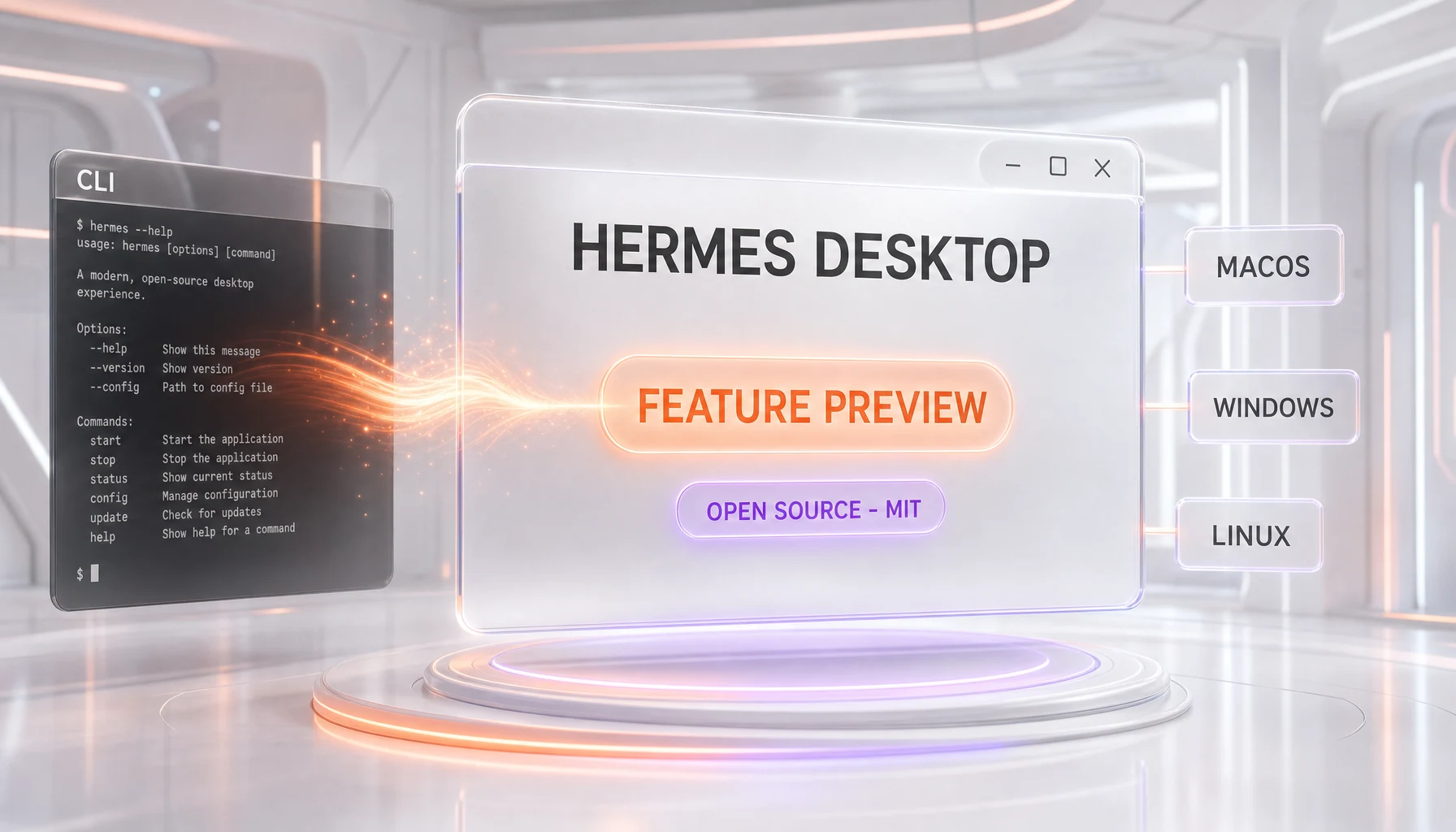
Hermes Desktop is a free, open source desktop application that gives Nous Research's Hermes Agent a graphical interface for the first time. Released as a public preview on June 2, 2026 under the MIT License, it bundles with Hermes Agent v0.15.2 and runs natively on macOS 12+, Windows 10/11, and Linux. It is a front-end GUI, not a new model and not a new agent framework. The agent's self-improving brain stays the same; Hermes Desktop simply makes it clickable instead of command-line only.
What Happened
On June 2, 2026, Nous Research opened a public preview of Hermes Desktop, a native graphical app for its Hermes Agent. Until now, the agent ran almost entirely in the terminal: a TUI with multiline editing and slash-command autocomplete, a hermes CLI, a messaging gateway, and a cron-style scheduler. Hermes Desktop wraps that same engine in a windowed application you can install on a laptop and open like any other program. The official page frames it simply: "The Agent That Grows With You," tagged "Open Source - MIT License."
The launch carries a "Feature Preview" badge, Nous Research's way of saying this is early and moving fast. It ships alongside Hermes Agent v0.15.2, the same core release tagged on GitHub at the end of May 2026. Installers are available directly from Nous Research for all three desktop platforms, with a terminal-based install path for Linux. There is no paywall, no account gate, and no closed beta list. You download it and it runs.
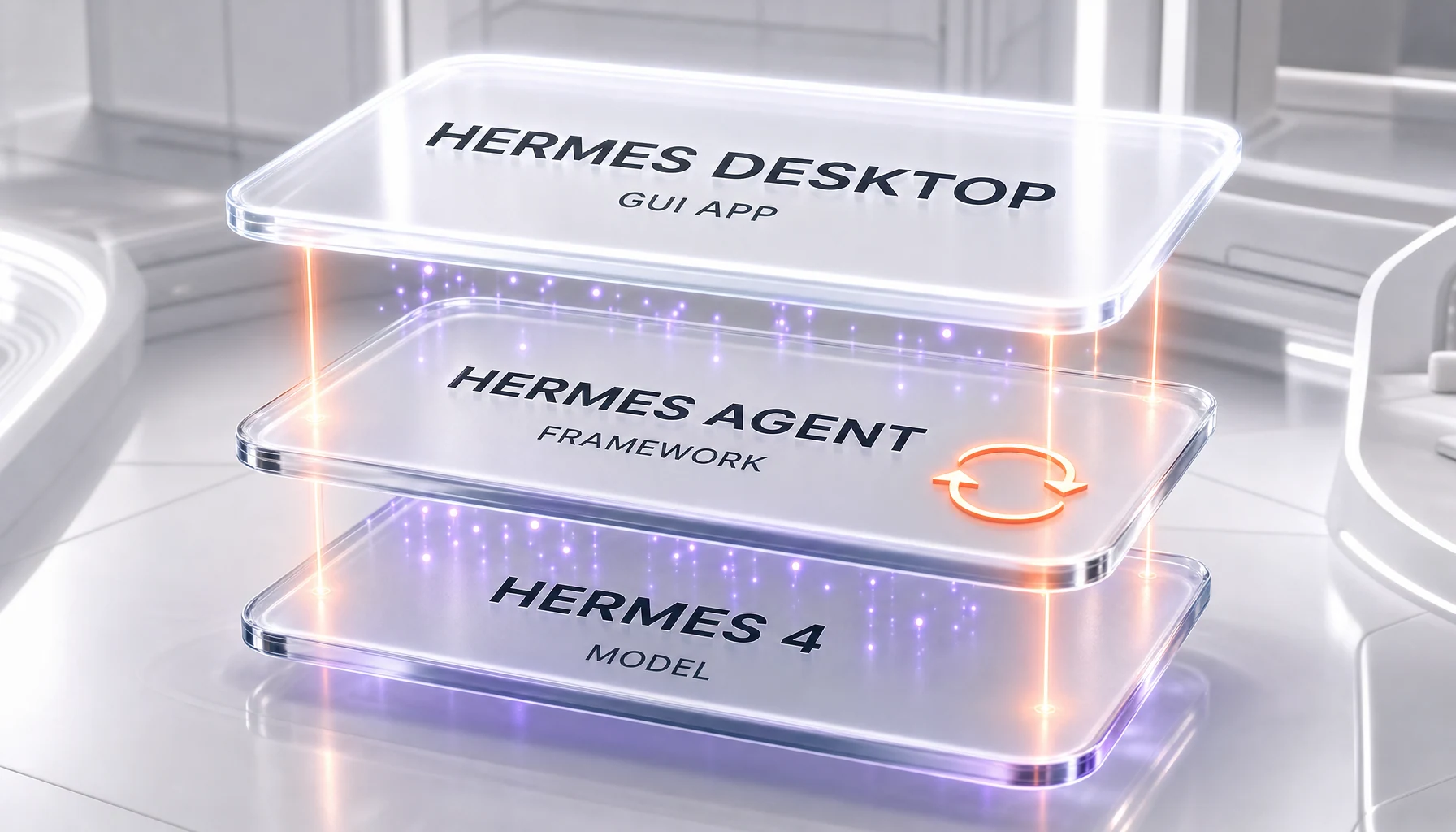
One clarification matters before anything else, because the Hermes naming is genuinely confusing. Hermes 4 is the large language model. Hermes Agent is the self-improving agent framework that runs on top of a model. Hermes Desktop is the new graphical app for that framework. This release is the third of those three things only. No new model weights shipped, and no new agent architecture shipped. What shipped is a door into the existing agent that does not require a terminal.
The Three Hermes Things, Untangled
If you have followed Nous Research at all, you have seen "Hermes" attached to several very different products, and the overlap trips up almost everyone. Here is the clean separation.
- Hermes 4 — the model. This is the LLM, the trained weights, the thing that generates tokens. It is the brain in the most literal sense.
- Hermes Agent — the framework. This is the open source agent that wraps a model and gives it a learning loop. Per the project's own description, it "creates skills from experience, improves them during use, nudges itself to persist knowledge, searches its own past conversations, and builds a deepening model of who you are across sessions." It is the only widely used agent with a built-in self-improvement loop, which is why it climbed to the top of OpenRouter earlier this year.
- Hermes Desktop — the app. This is what launched on June 2. It is a graphical shell around the Hermes Agent. It does not change the model and it does not change the framework. It changes who can comfortably use them.
We covered the framework's rise in detail when it hit number one on OpenRouter and outranked OpenClaw, so we will not retell that story here. If you want the background on why the Hermes Agent matters and how its learning loop works, read our earlier piece: Hermes Agent by Nous Research hits #1 on OpenRouter, beating OpenClaw. This article is strictly about the new desktop front-end and what a GUI changes about who the agent reaches.
Why a GUI Is the Story
It is tempting to treat a desktop app as a cosmetic update. In this case it is not. The terminal is a filter. A self-improving agent that only lives behind a CLI reaches developers, power users, and the kind of person who is comfortable installing a Python toolchain and reading a config file. That is a small slice of the people who would actually benefit from a persistent, learning assistant. The moment the same agent has a window, a list of conversations, and a settings panel, the addressable audience expands by an order of magnitude.
This is the open source playbook that worked for tools like Ollama and LM Studio, where the underlying capability already existed but adoption only took off once a non-developer could double-click an installer. Hermes Desktop is Nous Research making the same bet for agents rather than for raw model inference. The framework was already strong enough to top OpenRouter on capability. The bottleneck was reach, and a GUI is the most direct lever on reach.
The strategic read is straightforward. An agent that remembers you, builds skills, and runs scheduled tasks is far stickier than a stateless chat box. Stickiness compounds with daily use, and daily use is far more likely when the agent is one click away in your dock than when it requires a terminal session. By shipping a native app under the MIT License rather than a hosted product, Nous Research is optimizing for installed base and ecosystem gravity over short-term monetization. That is a deliberate, defensible choice for an open source lab trying to become the default agent layer.
What's Inside the Preview
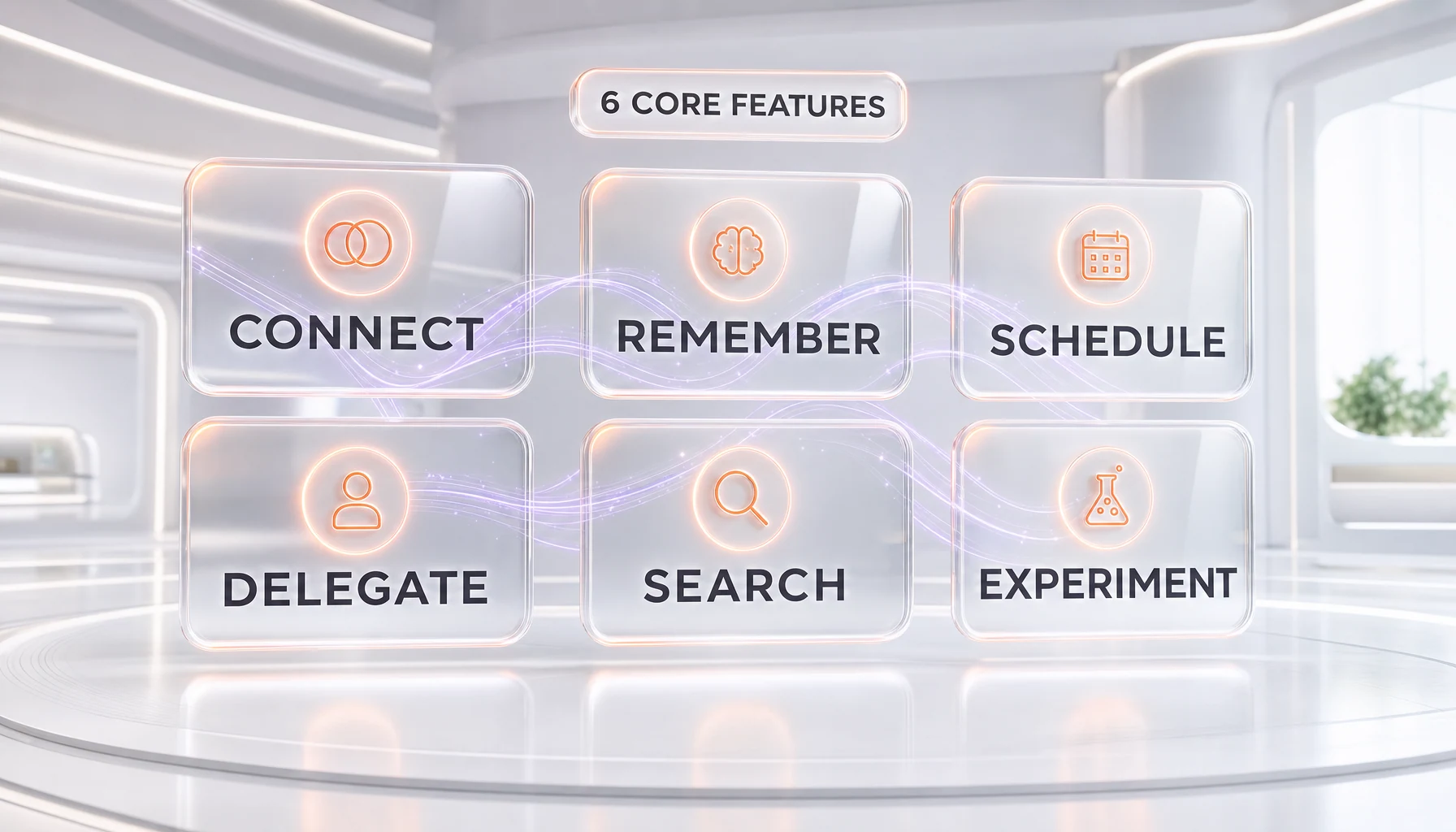
The desktop preview surfaces six core capabilities, and notably none of them are new to the framework. They are the existing strengths of the Hermes Agent, finally presented in a way a non-terminal user can reach.
- Connect — "Lives Everywhere." The agent's messaging gateway spans Telegram, Discord, Slack, WhatsApp, Signal, Email, and CLI, described as "a growing list of platforms." The desktop app becomes one more surface alongside those channels rather than replacing them.
- Remember — "Persistent Memory." The learning loop carries across sessions. Per Nous Research, it "learns your projects, auto-generates skills, and never forgets how it solved a problem."
- Schedule — "Focused Automation." Natural-language scheduling for "reports, backups, and briefings," driven by the gateway that handles unattended runs.
- Delegate — "Tasks Multiplied." Subagent spawning, so the main agent can hand isolated work to child agents.
- Search — "Browse the Web." Web access so the agent can pull live information rather than relying only on its context.
- Experiment — "Isolated Sandboxing." A contained space to try actions without touching your main environment.
The honest framing is that Hermes Desktop is not adding features so much as it is exposing features. Everything above already existed for terminal users. The contribution of the desktop app is packaging and accessibility, which in adoption terms is often more valuable than another capability nobody can reach.
How It Fits Together Technically
Architecturally, Hermes Desktop is a thin graphical layer over the existing agent core, not a rewrite. The Hermes Agent already exposes a gateway that other surfaces talk to, the same gateway that powers the Telegram, Discord, and Slack integrations and the scheduled, unattended automations. The desktop app is best understood as one more client of that gateway, presenting the agent's state, conversations, and controls in a window instead of a terminal pane.
That design has a real consequence for trust. Because the framework is MIT-licensed and the same v0.15.2 core powers both the terminal and the desktop experiences, what runs under the GUI is auditable. You are not handed a closed binary that hides what the agent does; the engine is the open source project people have already been inspecting and contributing to. For a product whose entire pitch is an agent that persists memory about you and runs tasks on your behalf, that auditability is not a footnote, it is the foundation of why anyone should be comfortable installing it.
One precision worth stating plainly: the desktop application is documented on Nous Research's official Hermes Agent site, not announced in the core repository's README. The README still describes the terminal interfaces — the TUI, the CLI, the gateway, and the headless scheduler. The desktop app is the new surface layered on top of that documented core, which is exactly why the framework version did not need to jump for the GUI to ship.
How It Compares
The agent-with-a-GUI space is getting crowded, and the comparison clarifies what is and is not distinctive about Hermes Desktop. ChatGPT's desktop app, Claude's desktop app, and the various local-agent front-ends all offer a window into a capable assistant. Most of them, however, are either closed source, hosted behind a subscription, or both. Hermes Desktop's differentiator is the combination of three things at once: a genuinely self-improving agent core, a native cross-platform app, and a permissive MIT License with no account wall.
Against the closed incumbents, the trade is the usual open source trade. You give up the polish and the managed infrastructure of a funded consumer product, and in return you get auditability, no lock-in, and an engine you can run, fork, or self-host. Against other open source agents, the edge is the learning loop that carried the Hermes Agent to the top of OpenRouter in the first place; a desktop wrapper on a weaker agent would not be as interesting. The desktop app does not win on shine. It wins on the substance underneath being open and self-improving while still being one click to launch.
It is also worth being clear about what this is not. A preview-stage GUI from a research lab will not match the stability of a billion-dollar consumer app on day one, and the "Feature Preview" badge is an explicit acknowledgment of that. Expect rough edges, expect rapid iteration, and judge it as an early but strategically important release rather than a finished consumer product.
Our Take
We read this as one of the more important small launches of the season, precisely because it is not a model or a benchmark. The hard part of agents in 2026 is no longer raw capability; plenty of agents are capable. The hard part is getting a persistent, trustworthy agent into the daily workflow of people who will never open a terminal. Hermes Desktop attacks exactly that gap, and it does so without compromising the open source, auditable nature that made the Hermes Agent credible in the first place.
The risk is the same risk every preview carries. Accessibility cuts both ways: an agent that remembers everything about you and runs scheduled tasks is far more consequential in the hands of a non-technical user who cannot inspect what it is doing. Defaults, permissions, and the sandbox boundaries will matter enormously as this moves from preview to general release. The MIT-licensed, auditable core is the mitigating factor, but the desktop team's choices about what the app does by default are now load-bearing for a much broader audience than the CLI ever reached.
Our honest position: the engineering here is modest — a graphical shell over an existing gateway — but the strategic move is significant. Nous Research is converting a developer-favorite framework into something a far larger audience can adopt, on permissive terms, with the source open for inspection. If the framework's quality holds up under that wider scrutiny, this is the release that turns the Hermes Agent from a power-user darling into a genuine contender for default open source agent.
What's Next
The obvious next step is the journey from "Feature Preview" to a stable release, and the signals to watch are mundane but telling: how quickly the app stabilizes across the three platforms, how the default permission and sandbox settings are tuned for non-technical users, and whether the desktop surface stays in lockstep with the framework's version cadence. Because the core remains open source and MIT-licensed, the community can — and almost certainly will — shape how the GUI evolves. We will be watching whether Hermes Desktop measurably widens the agent's installed base, because that, far more than any new feature, is the entire point of shipping a window for something that used to live in a terminal.
Frequently Asked Questions
What is Hermes Desktop?
Hermes Desktop is a free, open source native application that provides a graphical user interface for Nous Research's Hermes Agent. Released as a public preview on June 2, 2026 under the MIT License, it bundles with Hermes Agent v0.15.2 and lets users run the agent in a window instead of the terminal. It is a front-end GUI, not a new AI model and not a new agent framework.
Is Hermes Desktop a new AI model?
No. Hermes Desktop is a desktop application, not a model. The Nous Research naming is layered: Hermes 4 is the language model, Hermes Agent is the self-improving agent framework, and Hermes Desktop is the new graphical app for that framework. The June 2, 2026 release shipped only the app. No new model weights and no new agent architecture were released alongside it.
What is the difference between Hermes Desktop and Hermes Agent?
Hermes Agent is the underlying open source framework with the self-improving learning loop that climbed to number one on OpenRouter. Hermes Desktop is a graphical shell that runs on top of that same framework. Hermes Desktop does not change what the agent can do; it changes how you access it, swapping the terminal for a clickable native window.
Which platforms does Hermes Desktop support?
Hermes Desktop runs on macOS 12 and later, Windows 10 and 11, and Linux. Nous Research provides direct installers for macOS and Windows, plus a terminal-based installation path for Linux. There is no account requirement and no paywall to download or run the app.
How much does Hermes Desktop cost?
Hermes Desktop is free and open source under the MIT License. There is no subscription, no closed beta list, and no account gate to install it. You download the installer for your platform and run it. Because the framework is MIT-licensed, you are also free to inspect, modify, fork, or self-host the underlying agent.
What features does the Hermes Desktop preview include?
The preview surfaces six core capabilities, all carried over from the existing framework: Connect (messaging across Telegram, Discord, Slack, WhatsApp, Signal, Email and CLI), Remember (persistent memory and auto-generated skills), Schedule (natural-language automation for reports and briefings), Delegate (subagent spawning), Search (web browsing), and Experiment (isolated sandboxing). The desktop app exposes these features rather than adding new ones.
How is Hermes Desktop different from the ChatGPT or Claude desktop apps?
The ChatGPT and Claude desktop apps are closed source and tied to hosted, subscription-based services. Hermes Desktop is open source under the MIT License with no account wall, and it sits on top of a self-improving agent framework whose core is auditable. The trade is the usual open source one: you give up the polish of a funded consumer product in exchange for auditability, no lock-in, and an engine you can run or self-host.
Did the Hermes Agent framework version change with this release?
No. Hermes Desktop bundles with Hermes Agent v0.15.2, the same core release tagged on GitHub at the end of May 2026. Because the desktop app is a graphical client of the existing agent gateway rather than a rewrite, the framework version did not need to jump for the GUI to ship. The README still documents the terminal interfaces, and the desktop app is the new surface layered on top.
Is Hermes Desktop stable enough for daily use?
It is an early release carrying a "Feature Preview" badge, which is Nous Research's explicit acknowledgment that it is moving fast and not yet finished. Expect rough edges and rapid iteration. The underlying Hermes Agent v0.15.2 framework is mature and battle-tested through terminal use, but the graphical app itself is new, so treat it as a strategically important preview rather than a polished consumer product.
Why does a desktop GUI matter for an AI agent?
The terminal is a filter that limits a self-improving agent to developers and power users. A native app with a window, a conversation list, and a settings panel expands the addressable audience by an order of magnitude. It is the same open source playbook that drove adoption for tools like Ollama and LM Studio: the capability already existed, but reach only took off once a non-developer could double-click an installer.
Can I trust an agent that remembers everything and runs tasks for me?
The mitigating factor is that the Hermes Agent core is MIT-licensed and open source, so what runs under the GUI is auditable rather than a closed binary. That said, accessibility raises the stakes: an agent with persistent memory and scheduled tasks is more consequential in the hands of non-technical users. Default permissions and sandbox boundaries will matter enormously as Hermes Desktop moves from preview to general release.
Where can I download Hermes Desktop?
Hermes Desktop is available from Nous Research's official Hermes Agent site, which hosts the macOS and Windows installers and the Linux install path. Note that the desktop app is documented on the official site rather than announced in the core GitHub README, which still describes the terminal interfaces. Always download from the official Nous Research domain rather than third-party mirrors.