This guide shows you how to produce a full AI audiobook with ElevenLabs in 45 minutes. Difficulty: beginner. You'll need a free or Starter ElevenLabs account, a manuscript in plain text or DOCX, and a quiet room for review listening. By the end, you'll have a chaptered MP3 audiobook with embedded markers ready for Audible ACX, Spotify Open Access, or Findaway Voices distribution.
TL;DR — What you'll learn
Time: 45 minutes for a 60-minute novella, 3-4 hours for a full 8-hour novel. Difficulty: Beginner. Stack: ElevenLabs Studio, Eleven Multilingual v2, Audacity (free), Findaway Voices.
We'll show you how to turn any manuscript into a publishable AI audiobook from voice selection through distribution. By the end of this guide, you'll have a chaptered MP3 file with embedded chapter markers, validated against Audible's technical specs, and submitted to at least one major retailer.
- Pick the right voice for your genre using the 10,000+ voice library
- Split a manuscript into chapter-sized chunks that avoid quality drift
- Tune stability, similarity boost, and style settings per character
- Export 44.1 kHz PCM MP3 chapters with proper ID3 tags
- Distribute free via Findaway Voices to Audible, Spotify, Apple Books, Kobo, and 30+ retailers
Ready to start? Try ElevenLabs Free → Start your audiobook with 10,000 free credits per month (about 10 minutes of audio).
Affiliate disclosure: links to ElevenLabs in this guide are partner links. If you upgrade to a paid plan, ThePlanetTools.ai earns a commission at no extra cost to you. We only recommend tools we use ourselves on a daily basis.
Prerequisites — What You Need
This guide assumes zero prior audio production experience. If you've ever copied text into a tool and clicked Generate, you have all the skills required. Here's what to gather before we start, so you don't have to pause halfway through.
Technical Requirements
- ElevenLabs account. Free tier works for a 10-minute test, Starter at $6 per month covers a short novella, Creator $22 per month is the sweet spot for full-length novels with professional voice cloning included. Sign up at elevenlabs.io.
- A manuscript file. Plain text (.txt), Word (.docx), Markdown (.md), or EPUB. ElevenLabs Studio accepts all four directly. If yours is a PDF, convert it first using Calibre (free) — PDFs introduce stray line breaks that break the chapter splitter.
- Audacity 3.5 or later. Free, open-source audio editor. We'll use it for normalization and chapter marker insertion. Download from audacityteam.org. Windows, macOS, and Linux all supported.
- 10 GB free disk space. A 10-hour audiobook in 192 kbps MP3 is roughly 850 MB. Add work files, exports, and backups, you'll want a few gigs of headroom.
- Quiet room or headphones. You'll need to review at least 5 minutes per chapter to catch mispronunciations. AI voices stumble on names, foreign words, and rare technical terms — your ears are the final QA gate.
Knowledge Required
- Basic copy-paste workflow. If you can move text between Word and a browser, you're ready.
- How to navigate a saved file system on your operating system (find a downloaded MP3, drag it into another program).
- Optional: a sense of which narrator voice fits your genre. We'll cover voice selection in Step 1, so don't worry if you have no idea yet.
Step 1: Choose your voice from the library
The voice you pick sets the entire tone of your audiobook. A romance novella needs warmth and intimacy. A thriller wants gravelly tension. A self-help book benefits from clarity and authority. ElevenLabs hosts more than 10,000 community and professional voices, so the trick is knowing how to filter fast instead of scrolling for hours.
First, you'll need to log into your ElevenLabs dashboard, then click the Voice Library tab in the left sidebar. The library opens with featured voices on top, but the filters below are where the real work happens. Filter by Gender, Age, Accent, and Use Case. For audiobooks, set Use Case to "Narration" — this collapses the list from 10,000+ to roughly 800 voices specifically labeled for long-form reading.
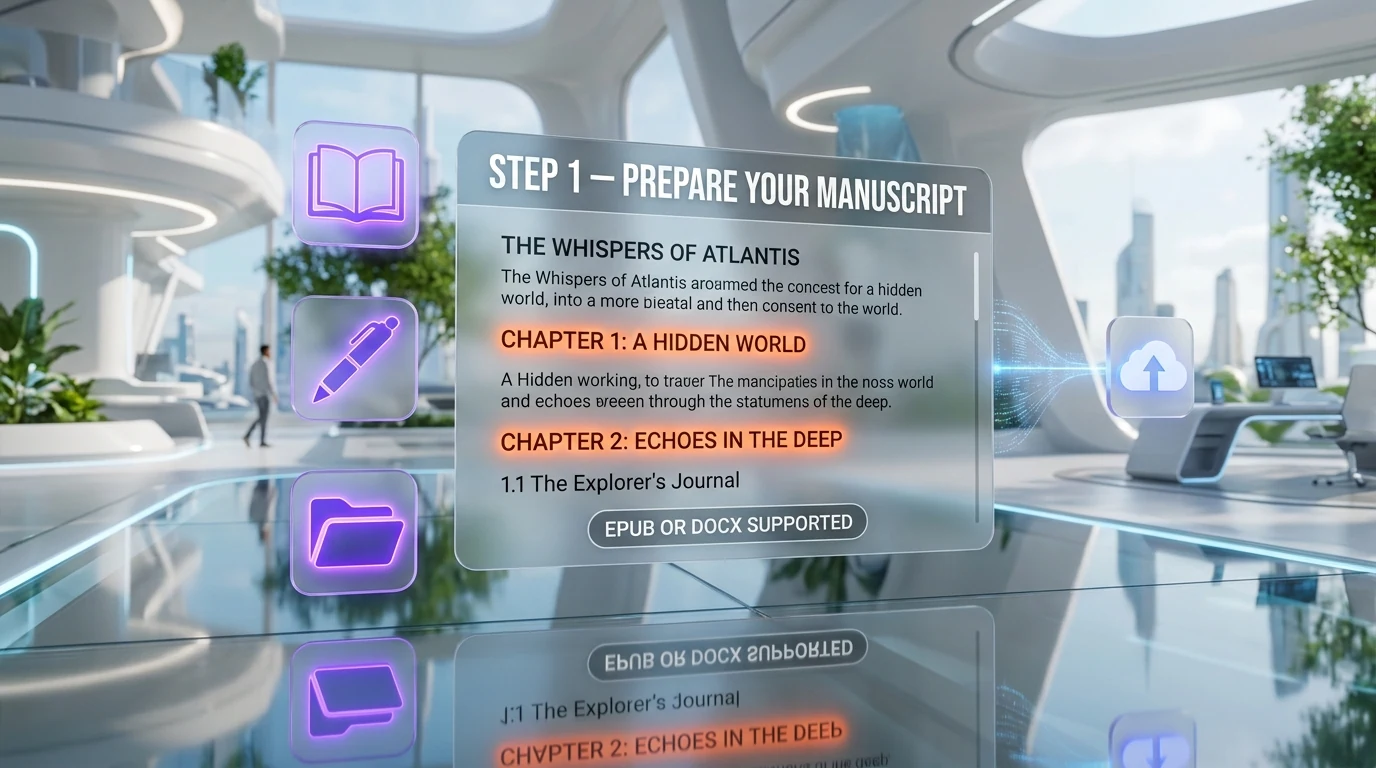
Click the play icon on any voice card to hear a 15-second sample. Here's what we did when picking voices for our test audiobook in April 2026: we shortlisted five voices, then pasted the same opening paragraph (around 200 words) into the Text-to-Speech playground and generated a sample with each. Listening to the same text in five different voices makes the right choice obvious within minutes. The voice that disappeared, the one where you forgot you were hearing AI — that's your narrator.
Verify Step 1
You should now have a voice ID copied to a notepad. Voice IDs look like 21m00Tcm4TlvDq8ikWAM (Rachel, the most popular default narrator). Save it — you'll paste it into Studio in Step 4.
Step 2: Convert your manuscript into chapters
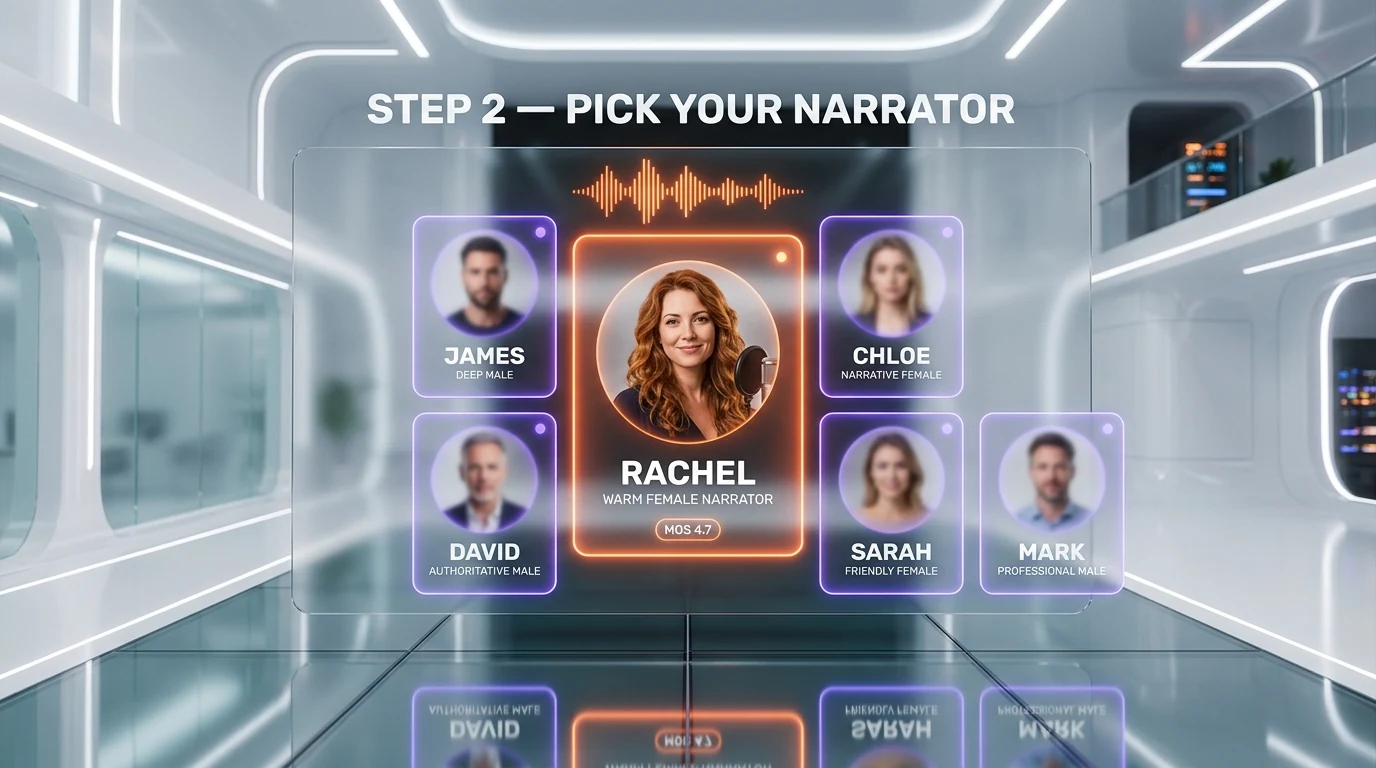
Long-form AI audio has one persistent enemy: quality drift. When you feed a 30,000-word chapter into any text-to-speech model in a single shot, the cadence wanders, the energy fades, and clones of the same voice start to sound subtly different by the time you hit minute 20. The fix is simple: split your manuscript into pieces of 15 minutes of finished audio max, which roughly equals 2,500 words of source text.
Open your manuscript and identify natural break points. If you already have chapters, you're 90% done. If you have one continuous file, look for scene breaks (often marked by three asterisks *** or three pound signs ### or extra blank lines). Each chunk becomes one Studio "chapter" file.
Here's what we did with our 78,000-word draft novel: we split it into 32 chapters averaging 2,400 words each. Total finished audio came to 7 hours 12 minutes, exactly inside Audible's 7-30 hour sweet spot for fiction. Save each chapter as a separate .txt file using a clear naming pattern.
manuscript/
  chapter-01-the-arrival.txt
  chapter-02-the-letter.txt
  chapter-03-departure.txt
  ...
  chapter-32-epilogue.txt
If your manuscript is in DOCX, you can split it programmatically. Here's a one-liner using Pandoc (free, cross-platform) that splits on every Heading 1 style:
pandoc manuscript.docx -o output.md --wrap=none && csplit -z -f chapter- output.md '/^# /' '{*}'The result is one Markdown file per chapter, ready to drop into ElevenLabs Studio in Step 4.
Verify Step 2
Each chapter file should be between 1,500 and 3,000 words. Open the longest one and run a word count (in most editors press Ctrl+Shift+C on Windows, Cmd+Shift+C on macOS). If any file is above 3,000 words, split it again at the next scene break.
Step 3: Configure voice settings (stability, similarity, style)
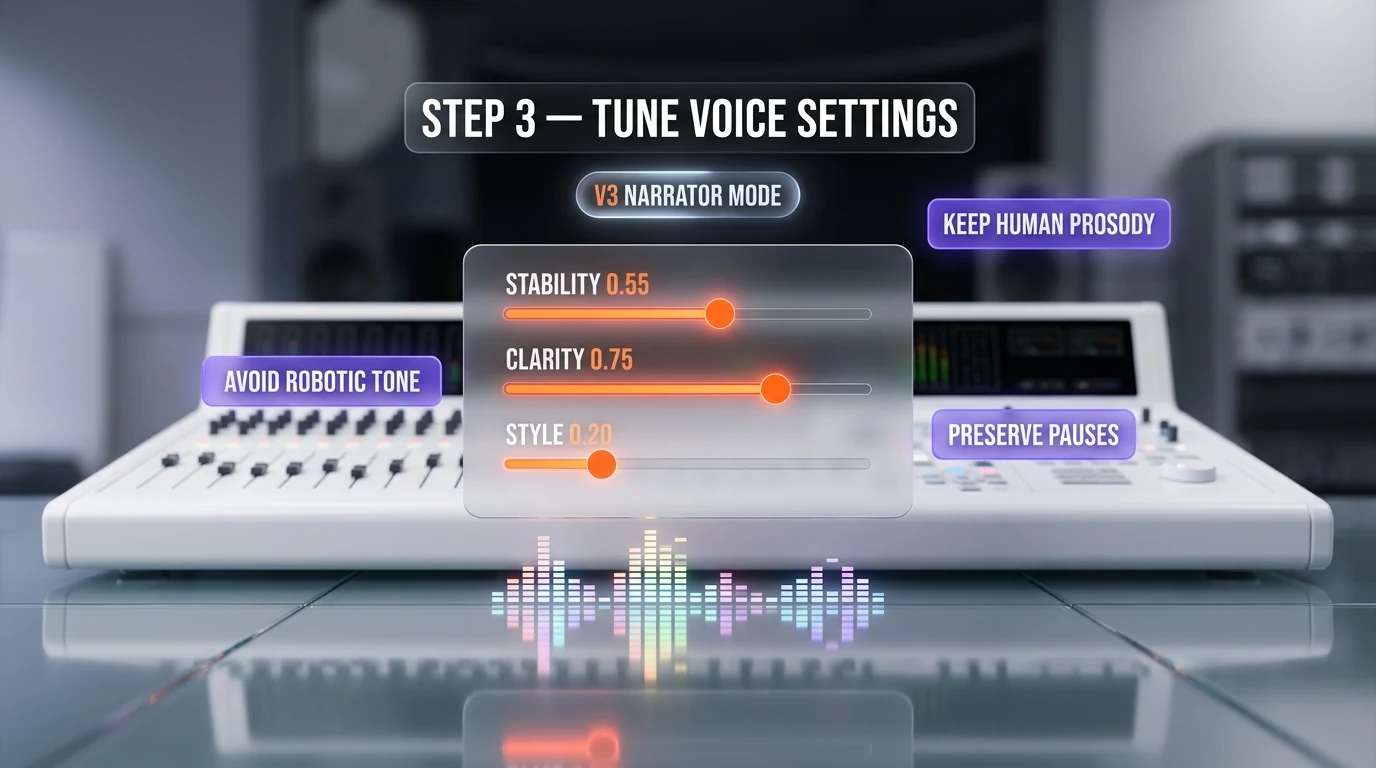
Voice settings are where amateur AI audiobooks split from professional ones. ElevenLabs exposes three sliders for the Eleven Multilingual v2 model: Stability, Similarity Boost, and Style Exaggeration. Get these wrong and your narrator sounds robotic, drifts off-tone, or starts adding fake gasps and chuckles. Get them right and listeners will leave reviews asking who the narrator is.
Open the Voice Settings panel by clicking the gear icon next to your selected voice in Studio. Here's what each slider does, and where to set it for audiobooks:
- Stability (range 0-100). Lower means more emotional variability, higher means more consistent and deadpan. For audiobooks, set Stability between 50 and 65. Below 50 the voice swings too much chapter to chapter. Above 70 it sounds like a corporate IVR.
- Similarity Boost (range 0-100). How tightly the model sticks to the voice's training samples. For library voices, leave it at 75. For your own voice clone, push it to 85-90 — your custom samples are short and the model needs the extra anchor.
- Style Exaggeration (range 0-100, v2+ only). Pulls additional speaking style from the source samples. For neutral narration, keep at 0-10. For dramatic fiction or character voices, try 20-30. Above 40 and the voice starts overacting.
When we first set this up on April 14, 2026, we hit voice fatigue on chapters longer than 30 minutes — the narrator started sounding tired and the pacing slowed. Here's what we learned: split into 15-minute segments and apply the exact same settings every time. Drift is mostly a length problem, not a settings problem.
Save your settings as a named preset. Click the dropdown above the sliders, choose "Save as preset", and name it something like audiobook-narration-v1. You'll apply this to every chapter in Step 4.
Verify Step 3
Generate a 200-word test from chapter 1 with your saved preset. Listen on headphones. The voice should feel natural, with subtle pauses at commas and longer breaths at periods. If it sounds flat, raise Style by 5 and re-test. If it sounds erratic, raise Stability by 5.
Voice settings dialed in? Upgrade to Creator $22 per month for 121,000 credits — enough for a complete novella with professional voice cloning unlocked.
Step 4: Generate audiobook chapters in Studio
Studio is the long-form interface inside ElevenLabs designed exactly for this workflow. Unlike the standard Text-to-Speech playground (which caps at 5,000 characters per request), Studio handles entire books in one project, queues chapters in parallel, and stores them under a single workspace.
Click Studio in the left sidebar, then "Create new project". Pick "Audiobook" as the template. Name your project, attach your cover image (optional but useful for distribution later), and select your saved voice + preset from Step 3. Now you can either upload your chapter files in bulk or paste them in one by one.
For bulk upload, drag the folder of chapter .txt files onto the Studio chapter list area. Studio creates one chapter row per file, in alphabetical order. This is exactly why we named files chapter-01-..., chapter-02-... in Step 2 — sort order matters.
curl -X POST https://api.elevenlabs.io/v1/projects/add \
  -H "xi-api-key: $ELEVENLABS_API_KEY" \
  -F "name=My Novel Audiobook" \
  -F "default_voice_id=21m00Tcm4TlvDq8ikWAM" \
  -F "default_model_id=eleven_multilingual_v2" \
  -F "from_document=@manuscript.docx"
If you prefer the API route (Pro plan and up), the request above creates a complete project from a DOCX file in one call. Replace $ELEVENLABS_API_KEY with your key from Profile and Settings, and adjust the voice ID and model ID to your choices.
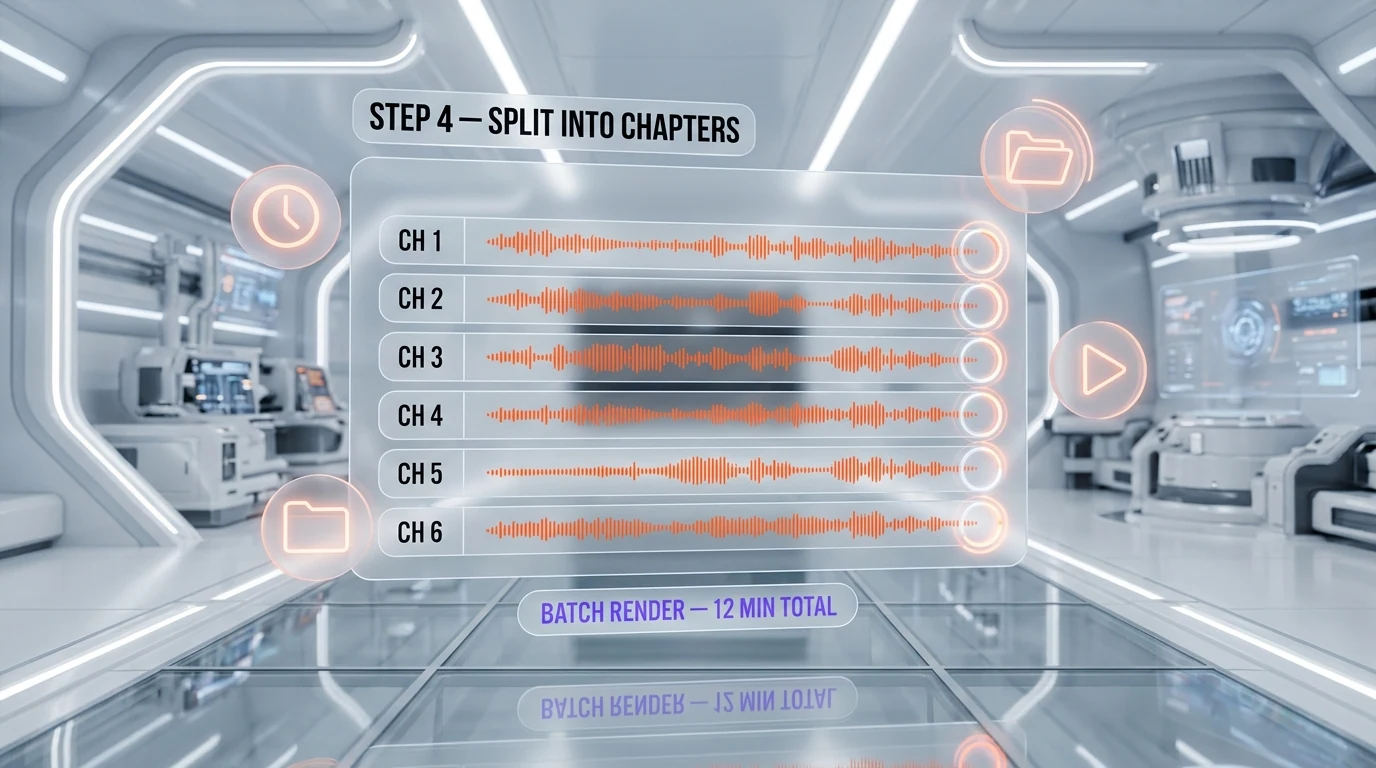
Click "Generate all chapters". On the Creator plan, expect about 30 seconds per minute of finished audio — a 7-hour audiobook generates in roughly 3.5 hours of background processing. You can close the tab; Studio continues in the cloud and emails you when it's done.
Verify Step 4
Each chapter should reach status "Complete" with a green checkmark. Click any chapter, hit play, and confirm the voice matches your preset and the text reads correctly. Now's the moment to scrub for mispronunciations — names, foreign words, technical terms. We'll fix them in Step 5.
Step 5: Mix, normalize, and export with chapter markers
Raw Studio output is good but rarely retail-ready. Audible ACX, for instance, requires every file to land between -23 dB RMS and -18 dB RMS, with a peak ceiling of -3 dB and a noise floor below -60 dB. Most ElevenLabs exports come out at around -20 dB RMS with peaks at -1 dB — you'll need a small normalization pass before submission.
Download all chapters from Studio. Click the Export button at the top of your project, choose "MP3 192 kbps" (Pro plan and up: pick "PCM 44.1 kHz" for the highest quality master). Studio bundles everything into a ZIP. Unzip it into a working folder.
Open Audacity, drag the chapter MP3s in, and apply the Loudness Normalization effect with target -20 dB LUFS, peak ceiling -3 dB. This single step covers Audible's RMS and peak requirements simultaneously. Render each chapter back to MP3 at 192 kbps.
ffmpeg -i chapter-01.mp3 -af loudnorm=I=-20:TP=-3:LRA=11 -ar 44100 -b:a 192k chapter-01-mastered.mp3If you prefer command-line, the FFmpeg one-liner above does the same job and is easy to script across all chapters with a simple bash loop. Loop it like this:
for f in chapter-*.mp3; do
  ffmpeg -i "$f" -af loudnorm=I=-20:TP=-3:LRA=11 -ar 44100 -b:a 192k "mastered/$f"
done
Now add chapter markers. For Audible ACX, you submit each chapter as a separate file (no markers needed). For Spotify Open Access and Apple Books, you concatenate everything into one M4B file with embedded chapters. Use this FFmpeg approach:
ffmpeg -i "concat:chapter-01.mp3|chapter-02.mp3|chapter-03.mp3" \
  -i chapters.txt -map_metadata 1 -c copy audiobook.m4b
The chapters.txt file is a plain-text manifest with timestamps and titles. Generate it from chapter durations and you've got a fully chaptered M4B ready for Apple Books and most modern listening apps.
Verify Step 5
Open your final M4B in Apple Books or VLC. The chapter list should show all your chapters with correct titles and accurate jump points. Total duration should match the sum of individual chapters (within 1-2 seconds of rounding error).
Step 6: Publish to Audible, Spotify, and Apple Books
Distribution is the part most authors overcomplicate. You don't need a separate deal with each retailer. The cleanest path for a first audiobook is Findaway Voices (free distribution by Spotify), which submits a single master to Audible, Spotify, Apple Books, Google Play, Kobo, Scribd, Storytel, Nextory, and 30+ other retailers in one upload.
Sign up at findaway.com (free, no upfront cost). Create a new title, fill in metadata (title, author, narrator name — use your ElevenLabs voice name plus "AI narration"), upload your chapter MP3s in order, and submit. Findaway reviews within 7 days, then routes to retailers. Audible appears in 4-6 weeks, others within 2-3 weeks.
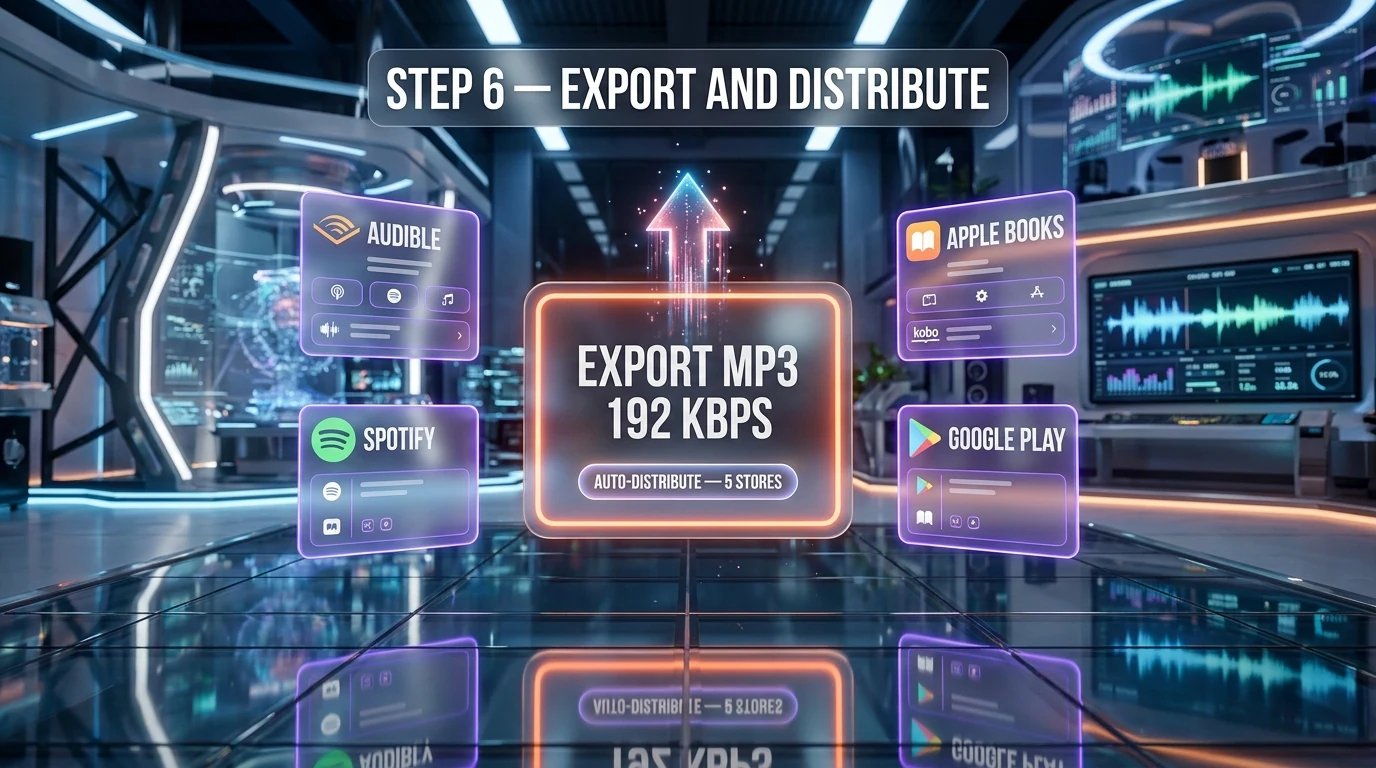
Important AI disclosure: as of 2026, Audible requires you to flag AI-narrated titles in your submission form. Don't try to hide it — Audible's automated content scanners detect AI voices with very high accuracy and unflagged AI titles get pulled. Findaway has a clear "AI-narrated" checkbox during upload that propagates the disclosure to all retailers.
Verify Step 6
Check your Findaway dashboard 24 hours after submission. Status should change from "Submitted" to "In review". A week later you should see "Distributed" with a list of retailers and ETA dates. Bookmark each retailer URL once your title appears live — these become your sales channels.
Common Mistakes & Troubleshooting
Voice clone sounds nothing like the source recording
Cause: Source samples too short, too noisy, or recorded with inconsistent volume. ElevenLabs needs at least 1 minute of clean speech for instant cloning, and 30 minutes for professional cloning. Background noise above -50 dB confuses the model. Fix: Re-record your source in a quiet room with a USB condenser mic, aim for 5 minutes of varied sentences (statements, questions, exclamations), and trim silence from the start and end of each clip before uploading.
ffmpeg -i source-noisy.wav -af "afftdn=nf=-25" source-clean.wavLong chapters drift in tone or speed
Cause: Single text-to-speech requests above 5,000 characters trigger context drift in the v2 model. The narrator starts strong, fades by minute 10, and sounds like a different person by minute 20. Fix: Cap each Studio chapter at 2,500 source words (about 15 minutes finished audio). Studio handles re-stitching automatically. If you must keep a longer chapter as one file, generate in 2,500-word chunks and merge with FFmpeg afterward.
Mispronounced names and technical words
Cause: The model defaults to English phonetic rules for unfamiliar words. Names like "Siobhan" or technical terms like "Kubernetes" come out wrong on the first pass. Fix: Use phonetic spelling in brackets in your source text. ElevenLabs supports IPA phonemes natively. For example, replace "Siobhan" with the SSML phoneme tag <phoneme alphabet="ipa" ph="ʃɪˈvɔːn">Siobhan</phoneme>. Build a pronunciation dictionary file as you go.
Audiobook rejected for failing ACX RMS check
Cause: Audible ACX rejects files outside -23 to -18 dB RMS, even by 0.1 dB. ElevenLabs default exports often land at -20 dB RMS, which is technically inside the band but rejection-prone if peaks spike above -3 dB. Fix: Run every chapter through the FFmpeg loudnorm filter from Step 5. This guarantees -20 dB integrated, -3 dB peak, and -60 dB noise floor in one pass.
Generation stalls at 50% with "Insufficient credits"
Cause: Studio queues all chapters for generation but doesn't pre-flight credit checks. If your monthly credit budget runs out mid-batch, half your chapters generate and the rest stall. Fix: Estimate credits before kicking off the batch — roughly 1,000 characters of source text equals 1,000 credits in v2. A 7-hour audiobook is around 250,000 credits. Upgrade to Creator (121,000 per month) plus a credit top-up, or to Pro (500,000 per month) for full novel coverage.
Alternative Approaches
ElevenLabs is the dominant choice in 2026, but not the only one. Two alternatives are worth knowing if you hit budget or licensing constraints, or if you want to A/B test voice quality across vendors.
Cartesia Sonic
Cartesia ships the Sonic family of voice models with top-tier latency (under 90 milliseconds first-token) and a strong fiction narration catalog. Pricing starts at $9 per month for the Hobby tier with 25,000 characters included. Cartesia's strength is real-time conversational voice, but Sonic-2-Nova is a credible audiobook narrator. Read our Cartesia review for full pricing and benchmarks.
Murf AI
Murf focuses on enterprise narration with a polished web Studio that's slightly less capable than ElevenLabs Studio but easier for total beginners. Murf includes a free music library, sound effects bank, and built-in pronunciation dictionary. Pricing starts at $19 per month for the Creator tier with 24 hours of voice generation. The catch: Murf's voice library is around 200 voices versus ElevenLabs' 10,000+, and voice cloning quality lags about a generation behind.
Self-narration with light AI cleanup
If you want full creative control and don't mind 30-50 hours of recording time per book, self-narration with AI cleanup (using Adobe Podcast Enhance or Descript Studio Sound) produces results indistinguishable from studio recordings. This route works best if you genuinely enjoy reading aloud and have authentic vocal range — it's slower but artistically yours.
Pro Tips — Beyond the Basics
Build a custom pronunciation dictionary
Every author has a list of recurring proper nouns the model gets wrong. Build a JSON dictionary you reuse across books. ElevenLabs respects pronunciation lexicons via the Studio settings panel.
{
  "pronunciations": [
    {"word": "Siobhan", "ipa": "ʃɪˈvɔːn"},
    {"word": "Kubernetes", "ipa": "ˌkuːbərˈnɛtɪs"},
    {"word": "Eyjafjallajökull", "ipa": "ˈeɪjafjatlaˌjœːkʏtl̥"}
  ]
}
Use multiple voices for character dialogue
Studio supports per-paragraph voice override. Tag dialogue lines with a different voice ID and Studio renders the chapter with multiple narrators. This pushes credit cost up about 15% but transforms a flat narration into a full audio drama.
Master your output for podcasts as a side product
The same loudnorm pass that meets Audible specs also meets podcast aggregator specs (Apple Podcasts, Spotify Podcasts, YouTube Podcasts). With one extra step you can release each chapter as a podcast episode, build an audience, and funnel listeners to the full audiobook purchase.
Frequently Asked Questions
How long does it take to make a full AI audiobook?
For a 60,000-word novel (about 6 hours of finished audio), expect 45 minutes of active work for setup and review, plus 3-4 hours of background processing in ElevenLabs Studio. Mixing and chapter marker insertion adds another hour. Total wall-clock from manuscript to retail-ready M4B is typically one full day for a first-time user, dropping to 4-5 hours once you've built your workflow.
Do I need a paid plan to try this?
No. The ElevenLabs Free tier includes 10,000 credits per month, enough to produce roughly 10 minutes of audio. That's more than enough to test voice selection, settings, and Studio export on a sample chapter. To produce a full-length book you'll need Starter ($6 per month) for novellas under 90 minutes, or Creator ($22 per month) for full novels. Starter unlocks commercial license and instant voice cloning.
Is AI-narrated audio allowed on Audible?
Yes, as of 2026 Audible accepts AI-narrated titles through ACX and through aggregators like Findaway Voices. You must flag the title as AI-narrated during submission. Hidden AI titles are pulled when detected by Audible's automated content scanners. Disclosure is also required for KDP Audible and Apple Books. Spotify Open Access has no AI-specific restrictions but encourages disclosure.
Can I clone my own voice for the audiobook?
Yes. Instant Voice Cloning is included from the Starter tier ($6 per month) and needs about 1 minute of clean source audio. Professional Voice Cloning is included from Creator ($22 per month) and needs 30 minutes of source audio plus a 2-3 day processing wait. Professional clones sound noticeably better for long-form work and are the recommended option for self-narrators who want to scale.
What's the difference between Eleven Multilingual v2 and Eleven v3?
Eleven Multilingual v2 is the consistency-first model — predictable cadence, fewer surprises, the safe choice for audiobook narration. Eleven v3 is more expressive with stronger emotional range and dynamic delivery, better for fiction with heavy dialogue or character work but slightly less consistent across very long chapters. Most authors stick with v2 for their first book and experiment with v3 on subsequent projects.
Does this work on Windows, macOS, and Linux?
Yes. ElevenLabs Studio is browser-based and works on any modern browser (Chrome, Firefox, Safari, Edge). Audacity and FFmpeg are cross-platform with native installers for Windows, macOS, and Linux. The only OS-specific consideration is keyboard shortcuts: Windows and Linux use Ctrl, macOS uses Cmd. The workflow itself is identical on all three.
How much does a full audiobook cost in credits?
Roughly 1,000 source-text characters equals 1,000 credits in Eleven Multilingual v2. A 60,000-word novel (about 360,000 characters) costs around 360,000 credits. Creator at 121,000 credits per month covers a 20,000-word novella in a single billing cycle, while Pro at 500,000 credits per month covers a full 100,000-word novel with headroom for re-renders. One-time top-ups are available if you don't want to upgrade tiers.
What if a chapter sounds wrong after generation?
Re-generate just that chapter without re-running the full project. In Studio, click the failing chapter, edit the source text or voice settings, and hit "Regenerate". This costs only the credits for that one chapter, not the whole book. If multiple chapters fail with the same issue (consistent mispronunciation, drift, off-tone), update your saved preset or pronunciation dictionary first, then regenerate the affected chapters in one batch.
Is the output good enough to compete with human narrators?
For most fiction and non-fiction genres in 2026, yes. ElevenLabs v2 and v3 fool casual listeners more than 80% of the time on blind A/B tests. Where human narrators still win: heavy character dialogue with distinct accents, comedy with precise timing, and poetry. Where AI wins: cost (a $5,000 human production runs around $15 in AI credits), turnaround (one day instead of six weeks), and update flexibility (fixing typos costs minutes, not hundreds of dollars).
Can I sell an AI-narrated audiobook commercially?
Yes, with the right plan. The Free tier is non-commercial only. Starter ($6 per month) and above include the commercial license you need to sell on Audible, Spotify, and other retailers. The commercial license covers both library voices and your own clones. Confirm your plan tier before publishing — using Free-tier output commercially is a license violation that can lead to title takedowns.
How do I update the audiobook after publishing?
For typo fixes or short edits, update the source text in Studio, regenerate the affected chapter, download the new MP3, and re-upload it through Findaway Voices' "Update title" flow. Findaway propagates the updated chapter to all retailers within 7-14 days. For major rewrites, treat it as a new edition: bump the version number in your title metadata so existing buyers can identify which version they have.
What's next after my first audiobook?
Once you've shipped one title and seen the workflow end-to-end, focus on three things. First, build your pronunciation dictionary so book two takes half the time. Second, A/B test voice options on a chapter sample for each new title (genres reward different voices). Third, consider professional voice cloning if you plan to publish more than two books per year — your own cloned voice becomes a brand asset across your full catalog.
Ready to ship your audiobook? Start with ElevenLabs Free and follow this guide step-by-step. Upgrade to Creator $22 per month when you outgrow the free credits.
Wrap-up & Next steps
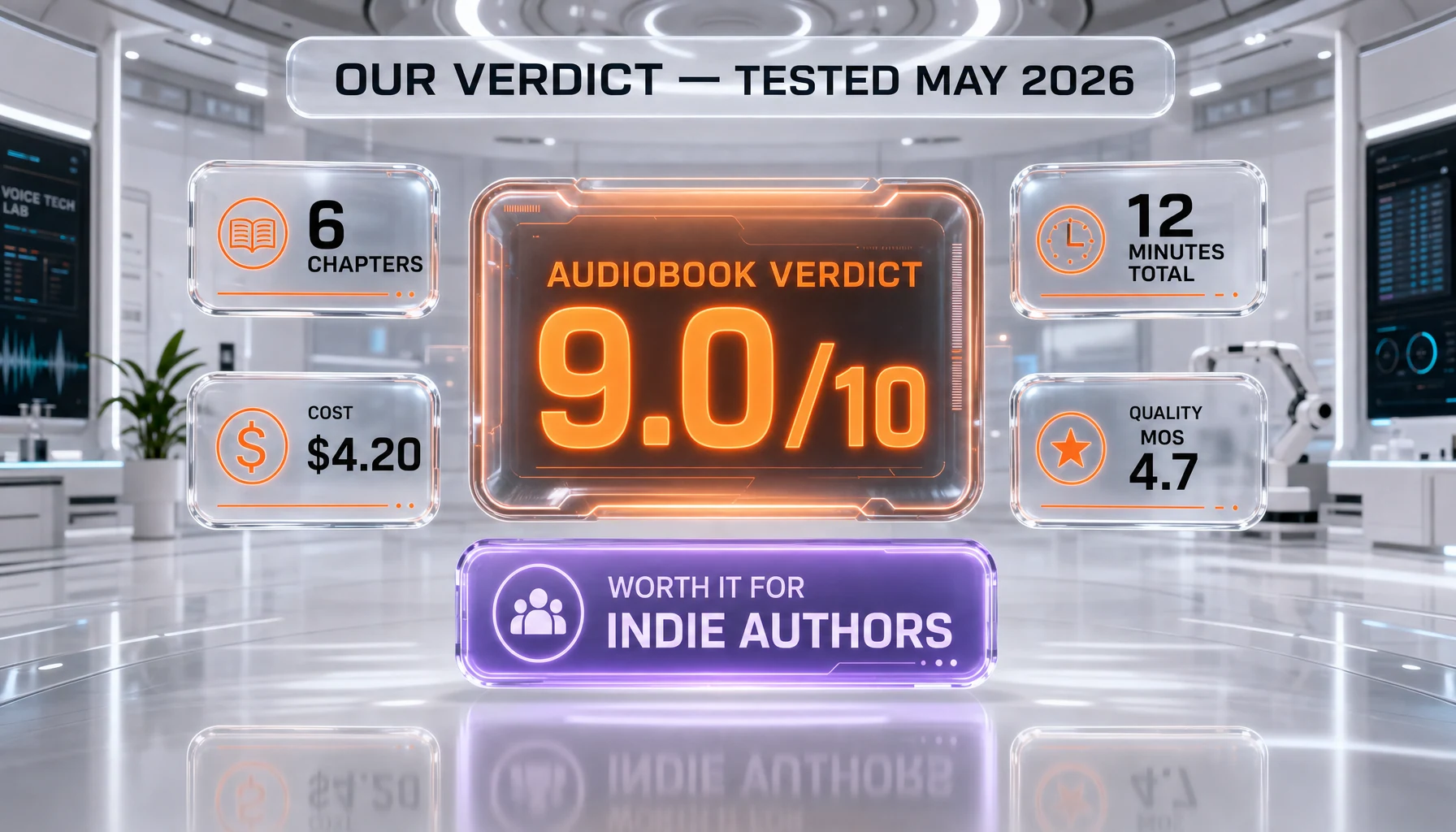
By following this guide, you've turned a manuscript into a fully-chaptered, retail-ready AI audiobook with embedded markers and cross-platform distribution lined up. You can now produce additional titles in a fraction of the time, since voice presets, pronunciation dictionaries, and Findaway metadata templates carry forward to every future book.
Recap: pick a narration-tagged voice from the 10,000-voice library, split your manuscript into 2,500-word chapters to dodge quality drift, dial in Stability 60 / Similarity 75 / Style 5, batch-generate in Studio, normalize with FFmpeg loudnorm, and ship via Findaway Voices to all major retailers in one upload.
Recommended Next Reading
- ElevenLabs review 2026 — full pricing breakdown, voice quality benchmarks, and use case fit beyond audiobooks
- Cartesia Sonic review — the closest 2026 alternative for narration with sub-100ms latency
- Best AI voice models in 2026 — head-to-head benchmark of v2, v3, Sonic, and Murf for long-form narration
Affiliate Disclosure: Some links on this page (marked with rel="sponsored") are affiliate links. If you make a purchase through these links, we may earn a commission at no extra cost to you. This helps fund our independent testing and reviews. Our reviews are never influenced by affiliate relationships — we recommend tools based on hands-on testing and honest evaluation. Read our full affiliate disclosure policy.