
Linear has quietly become the project management tool that developers actually enjoy using. In a market dominated by Jira's enterprise complexity and Asana's general-purpose flexibility, Linear carved out its niche by obsessing over speed, keyboard shortcuts, and an opinionated workflow that eliminates configuration overhead. As of March 2026, Linear has expanded far beyond basic issue tracking — it now offers AI-native integrations with coding agents, an official MCP server for tools like Claude Code and Cursor, initiative-level planning, customer request management, and a freshly redesigned UI that shipped on March 12, 2026. With a generous free plan supporting up to 250 active issues and unlimited members, plus paid plans starting at just $8 per user/month, Linear remains the top choice for modern software development teams that value speed over configurability. This review covers every feature, pricing tier, comparison, and question that matters in 2026.
What Is Linear?
Linear is a purpose-built project management platform for software development teams. It centralizes issue tracking, sprint planning (called Cycles in Linear), project coordination, roadmap management, and initiative-level strategic planning into a single fast application. Founded in 2019 by Karri Saarinen (former Airbnb design lead) and Tuomas Artman (former Uber engineering lead), Linear was built on the philosophy that project management tools should be as fast and well-designed as the software their users build.
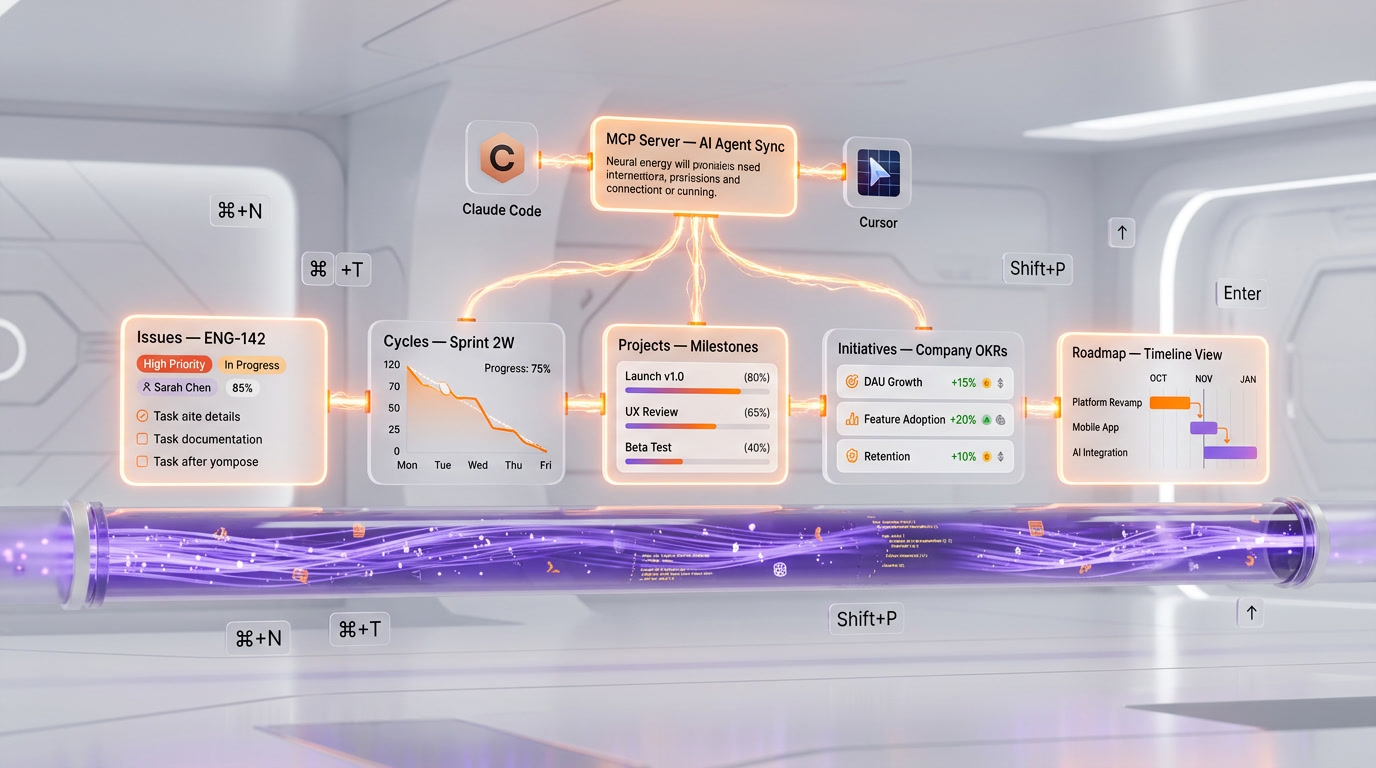
The platform is structured around three core building blocks: Issues (individual tasks, bugs, or feature requests), Projects (collections of related issues that represent larger pieces of work), and Cycles (time-boxed sprints, typically one or two weeks). On top of these, Linear offers Initiatives (groups of projects aligned to company objectives), Milestones (progress checkpoints within projects), and a Roadmap view that provides a visual timeline of planned work.
Linear's design philosophy stands in stark contrast to Jira. Where Jira gives you infinite configuration options — custom fields, workflows, schemes, screens, and permission matrices — Linear provides a carefully curated set of features with sensible defaults. You cannot customize issue statuses beyond Linear's predefined set (Backlog, Todo, In Progress, Done, Canceled). You cannot create custom workflows with approval gates. This is intentional. Linear's opinion is that teams spend more time configuring Jira than using it, and that an opinionated system that works out of the box is more productive than an infinitely configurable one that requires a dedicated administrator.
As of 2026, Linear has added significant depth to its platform. AI integration is a first-class feature: you can open issues directly in AI coding tools with all the context they need, and Linear's MCP server allows AI agents to read and write Linear data programmatically. The March 2026 UI refresh makes the interface calmer and more scannable, and mobile agent support lets teams monitor coding agent sessions on the go.
Key Features in 2026
Issue Tracking at the Speed of Thought
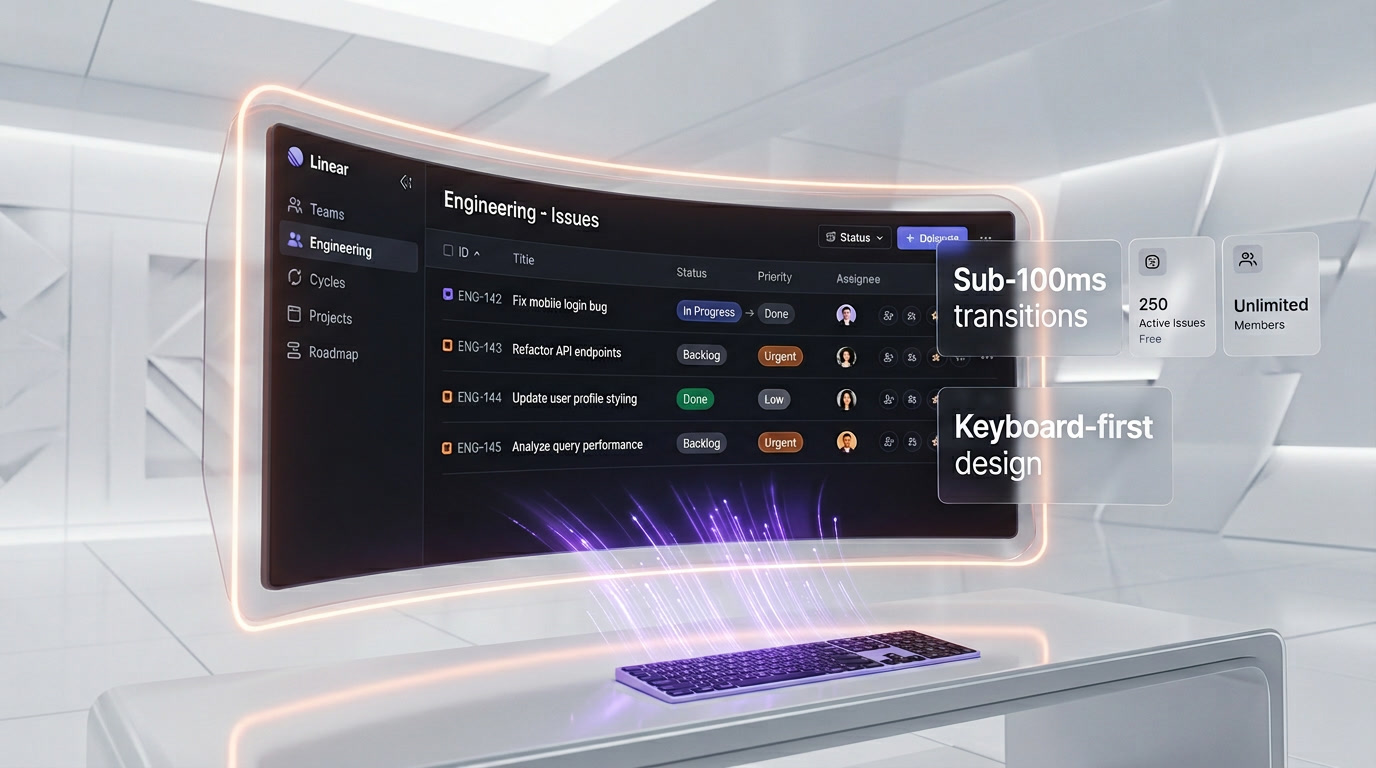
Linear's issue tracker is the fastest in the industry. The interface loads instantly, transitions are sub-100ms, and keyboard shortcuts cover every action. You can create an issue, assign it, set priority, add labels, and move it to a cycle without touching your mouse. The API reflects this speed — Linear's API returns issue updates in 47ms, compared to Jira's 3.2 seconds for identical queries (a 68x difference that compounds across thousands of API calls). Every issue has a unique identifier (e.g., ENG-142), a title, description with rich Markdown support, assignee, priority (Urgent, High, Medium, Low, No Priority), status, labels, project assignment, cycle assignment, and due date.
Cycles (Sprints)
Cycles are Linear's implementation of time-boxed sprints. You set a cycle duration (typically one or two weeks), add issues, and Linear automatically tracks progress with burndown charts, scope change indicators, and velocity metrics. At the end of a cycle, unfinished issues can automatically roll over to the next cycle. Unlike Jira's sprint management, which requires navigating multiple screens and configuring board settings, Linear's Cycles work immediately with zero configuration.
Projects and Milestones
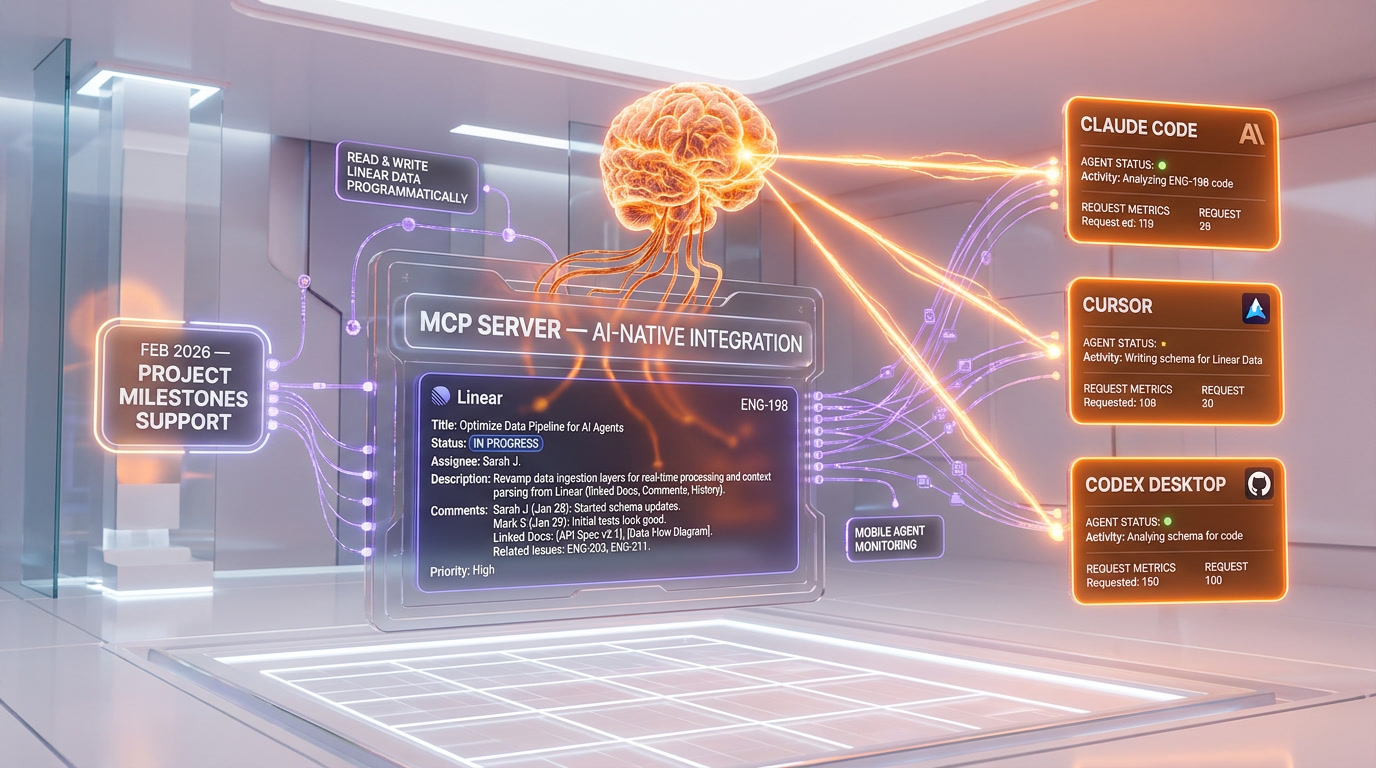
Projects group related issues around larger initiatives. Each project has a progress bar, a document (for specifications, design notes, or context), milestone tracking, and automated status updates. Milestones let you define checkpoints within a project — for example, "API complete," "Frontend integration done," "QA passed" — and track progress toward each one. Linear's MCP server expansion in February 2026 added support for project milestones and updates, enabling AI agents to programmatically check and update project progress.
Initiatives and Roadmaps
Initiatives sit above projects in Linear's hierarchy. An initiative represents a company-level objective — "Launch mobile app," "Migrate to microservices," "Improve page load time by 50%" — and groups the projects that contribute to it. Each initiative has an accompanying document, progress tracking across all child projects, and can be shared with stakeholders who need visibility without issue-level detail. The Roadmap view provides a visual timeline of all projects and their target dates, giving product managers and leadership a high-level view of planned work.
AI-Native Integrations
This is where Linear is making its most significant investment in 2026. Starting an issue now means assembling the right context so your coding agent can take a first pass. Linear supports deep linking to AI coding tools — you can open an issue directly in Claude Code, Cursor, or Codex desktop with all the context (description, comments, linked documents, related issues) automatically included. The February 2026 changelog introduced the ability to open agent sessions from the Linear mobile app, seeing real-time reasoning or reviewing past sessions on the go.
Official MCP Server
Linear's MCP (Model Context Protocol) server provides a standardized interface for AI models and agents to access your Linear data. The server is centrally hosted at mcp.linear.app — you do not need to run anything locally. It supports OAuth 2.1 with dynamic client registration (recommended), API keys, and OAuth bearer tokens. Compatible tools include Claude Desktop, Cursor IDE, VS Code with GitHub Copilot, Windsurf, Zed, and v0 by Vercel. The MCP server has tools for finding, creating, and updating issues, projects, comments, initiatives, milestones, and project updates. This enables workflows like: an AI agent creates a P1 issue in Linear, finds relevant code owners from GitHub history, creates a Slack channel for the incident, and posts a summary — all autonomously.
Advanced Filtering
Linear added the ability to refine searches, views, and dashboards with advanced filters. You can combine multiple AND/OR conditions across any field — status, assignee, priority, label, project, cycle, due date, created date, and custom properties. This makes it easy to create focused views like "All high-priority bugs assigned to me in the current cycle" or "Unassigned issues in the Authentication project created in the last 7 days."
Customer Requests
Support teams can convert user feedback into actionable development tasks through Linear's customer request features. When a customer reports a bug or requests a feature, support can link it to an existing Linear issue or create a new one. The issue maintains a count of customer requests, helping product teams prioritize work based on actual user demand rather than internal guesswork.
Integrations
Linear integrates natively with GitHub (automatic issue status updates when PRs are opened/merged), GitLab, Slack (create issues from messages, receive notifications), Figma, Zendesk, Intercom, Sentry, PagerDuty, and dozens of other tools. The API is GraphQL-based and well-documented, making custom integrations straightforward.
March 2026 UI Refresh
On March 12, 2026, Linear introduced a calmer, more consistent visual design. The refresh focuses on making information easier to scan, improving navigation between workflows, and reducing visual clutter. It is an evolution rather than a revolution — existing users will find everything where they expect it, but with improved typography, spacing, and color consistency.
Pricing Breakdown
| Plan | Monthly Price | Annual Price (per user/mo) | Active Issues | Members | Key Features |
|---|---|---|---|---|---|
| Free | $0 | $0 | 250 | Unlimited | Issues, Projects, Cycles, Roadmaps, GitHub/GitLab/Slack integrations |
| Basic | $8 per user/mo | $6.40 per user/mo | Unlimited | Unlimited | All Free features + unlimited issues, enhanced search, timeline view |
| Business | $12 per user/mo | $9.60 per user/mo | Unlimited | Unlimited | All Basic features + advanced analytics, custom roles, priority support |
| Enterprise | Custom | Custom (annual only) | Unlimited | Unlimited | All Business features + SAML SSO, audit logs, SCIM provisioning, dedicated support, SLA |
Billing Details
- Annual billing saves 20%: The Basic plan drops from $8 to $6.40 per user/month ($76.80 per user/year). The Business plan drops from $12 to $9.60 per user/month.
- Enterprise: Custom pricing based on team size and requirements. Annual billing only.
- Nonprofit discount: Eligible charities get 75% off Basic and Business plans.
- Startup program: Early-stage startups can get up to 6 months free on Basic or Business plans.
Pros and Cons — Our Honest Take
Pros
- Speed is not a feature — it is the product: Linear is the fastest project management tool available. Every interaction is near-instant. After using Linear, going back to Jira feels like switching from an SSD to a floppy disk.
- Keyboard-first design: Every action has a keyboard shortcut. Power users can manage their entire workflow without touching the mouse, which dramatically increases productivity.
- AI-native from the ground up: The MCP server, deep linking to coding agents, mobile agent monitoring, and context assembly for AI tools make Linear the most AI-friendly project management platform available.
- Generous free plan: 250 active issues with unlimited members is enough for small teams and startups to run their entire workflow at no cost.
- Beautiful design: Linear's interface is a genuine pleasure to use. The March 2026 UI refresh makes it even cleaner. This matters because tools that feel good to use get used more consistently.
- Opinionated workflow eliminates configuration debt: No admin required. No workflow schemes to configure. No custom field types to define. You start using Linear productively in minutes, not days.
- Excellent API: The GraphQL API is fast (47ms response times), well-documented, and supports webhooks. Building custom integrations is straightforward.
Cons
- Limited customization: You cannot create custom issue statuses, custom workflows, or approval gates. Teams with complex or regulated processes (SOX compliance, ITAR, FDA) may find Linear too rigid.
- Not suitable for non-technical teams: Linear is designed for software development. Marketing, HR, operations, and other non-technical teams would be better served by Asana, Monday.com, or Notion.
- 250 active issue limit on free plan: While generous for small teams, growing startups can hit this limit quickly. Once exceeded, you cannot create new issues until you archive old ones or upgrade.
- No built-in time tracking: Unlike Jira, Linear does not have native time tracking. You need a third-party integration like Everhour or Clockify.
- Smaller plugin ecosystem: Jira's marketplace has thousands of plugins. Linear's integration ecosystem is growing but significantly smaller.
- No on-premises option: Linear is cloud-only. Organizations that require on-premises deployment for regulatory reasons cannot use Linear.
Who Should Use Linear?
- Modern software development teams (5-500 people): Linear is purpose-built for engineering teams running sprints, managing backlogs, and shipping features. Teams in this range get the most value from Linear's speed and opinionated workflow.
- Startups that want to move fast: Zero configuration overhead means you spend time building product, not configuring your project management tool. The startup program offers up to 6 months free.
- Teams using AI coding agents: If your developers use Claude Code, Cursor, Copilot, or similar tools, Linear's MCP server and deep linking create a seamless loop between planning and coding.
- Teams migrating from Jira who want simplicity: If your Jira instance has become an over-configured monster that nobody enjoys using, Linear offers a refreshing reset with just enough structure.
- Product managers who need visibility without noise: Initiatives, Roadmaps, and project-level progress tracking give PMs the big picture without drowning in issue-level detail.
Who Should NOT Use Linear?
- Large enterprises with complex compliance requirements: If you need custom workflows, approval gates, audit trails beyond basic logging, or integration with enterprise GRC tools, Jira or ServiceNow is a better fit.
- Cross-functional organizations: If you need one tool for engineering, marketing, operations, and HR, Linear is too developer-focused. Asana or Monday.com handles cross-functional use cases better.
- Teams that need extensive customization: Custom issue types, custom fields, custom workflows, and custom permission schemes are not Linear's strength. Jira provides infinite configurability.
- Organizations requiring on-premises deployment: Linear is cloud-only with no self-hosted option. Regulated industries that mandate on-premises software cannot use it.
- Teams that need built-in time tracking: If time tracking is a core requirement (consulting firms, agencies billing by the hour), Linear requires a third-party integration.
Linear vs Competitors
| Feature | Linear | Jira | Asana | Shortcut |
|---|---|---|---|---|
| Target Audience | Software dev teams | Enterprise engineering + IT | Cross-functional teams | Small-mid engineering teams |
| Free Plan | 250 issues, unlimited users | 10 users, limited features | 15 users, basic features | 10 users, basic features |
| Starting Paid Price | $8 per user/mo | $8.15 per user/mo (Standard) | $10.99 per user/mo (Starter) | $8.50 per user/mo (annual) |
| Speed / Performance | Best in class (47ms API) | Slow (3.2s API for same queries) | Moderate | Fast |
| Customization | Opinionated, limited | Infinite (workflows, fields, schemes) | Moderate (custom fields, rules) | Moderate (custom workflows) |
| AI / MCP Integration | Official MCP server, AI deep links | Atlassian Intelligence, Rovo | Asana AI, limited MCP | Basic AI features |
| Keyboard Shortcuts | Comprehensive (every action) | Basic | Basic | Good |
| Sprint Management | Cycles (built-in, zero config) | Sprints (configurable) | Sprints (via Timeline) | Iterations |
| Roadmap | Built-in, initiative-level | Built-in (Advanced Roadmaps addon) | Timeline view | Built-in roadmaps |
| Time Tracking | No (third-party required) | Built-in | Built-in | No (third-party required) |
| Plugin Ecosystem | Growing (50+ integrations) | Massive (5,000+ marketplace apps) | Large (200+ integrations) | Moderate (50+ integrations) |
| Design / UX | Best in class (March 2026 refresh) | Functional, cluttered | Clean, versatile | Clean, developer-focused |
| Self-Hosted Option | No | Yes (Data Center) | No | No |
| Best For | Fast-moving dev teams | Complex enterprise environments | Cross-functional organizations | Small dev teams wanting balance |
What's New in March 2026
- UI refresh (March 12, 2026): A calmer, more consistent visual design with improved scanning, navigation, and focus. Typography, spacing, and color consistency have all been refined across every view.
- AI coding tool deep links (February 26, 2026): Issues can now be opened directly in AI coding tools like Claude Code, Cursor, and Codex desktop with full context included automatically.
- MCP server expansion (February 5, 2026): The official MCP server gained support for initiatives, project milestones, and project updates, enabling product managers to manage strategic planning through AI tools.
- Mobile agent support: The Linear mobile app now supports opening and monitoring coding agent sessions in real time, bringing AI workflow management to mobile.
- Advanced filtering: New AND/OR filter combinations across all views, dashboards, and search, enabling highly specific issue queries without custom JQL-style syntax.
Tips for Getting the Most Out of Linear
- Master the keyboard shortcuts: Press
?in Linear to see all shortcuts. The most important ones:Cto create an issue,Sto change status,Ato assign,Pto set priority,Lto add labels, andCmd+K(orCtrl+K) for the command palette. - Use Cycles religiously: Cycles work best when you commit to a fixed cadence (one or two weeks) and review velocity at the end of each cycle. Let unfinished issues auto-roll to the next cycle rather than extending deadlines.
- Connect your MCP server to AI tools: Set up the Linear MCP connection in Claude Desktop, Cursor, or your AI tool of choice. This lets your coding agent read issue context, create sub-issues, and update status without leaving the editor.
- Write detailed issue descriptions: AI coding agents work best when issues include clear acceptance criteria, relevant code references, and links to related design files. The better the issue, the better the agent's first pass.
- Use Initiatives for quarterly planning: Group projects under Initiatives that map to quarterly or annual OKRs. This gives leadership visibility into progress at the strategic level without micromanaging individual issues.
- Leverage customer request counts for prioritization: When deciding what to build next, sort by customer request count. Issues with many customer requests represent real user demand, not just internal opinions.
- Archive aggressively on the free plan: If you are on the free plan with a 250 active issue limit, archive completed and canceled issues regularly. Archived issues remain searchable but do not count toward your limit.
- Use project documents for specifications: Every project in Linear has an attached document. Use it for PRDs, technical specifications, or design context. AI coding agents can access this context when you deep link from an issue.

Frequently Asked Questions
Is Linear free?
Yes. Linear's free plan includes up to 250 active issues, unlimited members, Cycles, Projects, Roadmaps, and integrations with GitHub, GitLab, and Slack. There is no credit card required and no time limit on the free plan.
How much does Linear cost?
Basic costs $8 per user/month ($6.40 on annual billing), Business costs $12 per user/month ($9.60 annual), and Enterprise has custom pricing. The free plan works for small teams under 250 active issues.
Is Linear better than Jira?
For modern software development teams that value speed and simplicity, yes. Linear is dramatically faster (68x faster API responses), requires zero configuration, and has a far better user experience. However, Jira is better for large enterprises that need custom workflows, extensive plugin ecosystems, compliance features, and on-premises deployment.
Can Linear replace Jira?
For engineering-focused teams of 5-500 people, absolutely. Many teams have successfully migrated from Jira to Linear. However, if your organization relies on Jira's advanced workflow customization, Atlassian marketplace apps, or Jira Service Management for ITSM, the migration will require finding alternative solutions for those capabilities.
Does Linear have a free plan?
Yes. The free plan supports unlimited members and up to 250 active issues. It includes core features like Cycles, Projects, Roadmaps, and integrations. The main limitations are the active issue cap and the absence of advanced analytics, custom roles, and SAML SSO.
What is Linear's MCP server?
Linear's MCP (Model Context Protocol) server is a centrally hosted service at mcp.linear.app that allows AI models and agents to read and write Linear data. It works with Claude Desktop, Cursor, VS Code, Windsurf, and other MCP-compatible tools. You can use it to let AI agents create issues, update project status, and manage workflows programmatically.
Does Linear support Scrum?
Yes, through Cycles. Cycles are Linear's implementation of Scrum sprints. You can set fixed-length cycles, track velocity, view burndown charts, and auto-roll unfinished issues. Linear also supports Kanban workflows through its board view.
Can non-technical teams use Linear?
Linear is designed primarily for software development teams. While non-technical team members can use it (product managers, designers, QA), the workflow and terminology are developer-centric. Cross-functional organizations are better served by Asana, Monday.com, or Notion.
Does Linear integrate with GitHub?
Yes, deeply. Linear automatically updates issue status when pull requests are opened, reviewed, and merged. You can link commits and PRs to Linear issues, and branch names can be auto-generated from issue identifiers. The integration works with both GitHub and GitLab.
What is the 250 issue limit on Linear's free plan?
The free plan allows up to 250 active issues. "Active" means issues that are not archived. Once you hit 250, you cannot create new issues until you archive old ones or upgrade to the Basic plan ($8 per user/month) for unlimited issues. Archived issues remain fully searchable.
Does Linear have time tracking?
No. Linear does not have built-in time tracking. You can integrate third-party tools like Everhour, Clockify, or Toggl for time tracking functionality. This is a deliberate product decision — Linear focuses on throughput and velocity rather than hours worked.
How does Linear compare to Shortcut?
Both target developer teams and share a similar philosophy of simplicity over complexity. Linear is faster, has a better UI, and offers deeper AI/MCP integrations. Shortcut is slightly cheaper on annual billing ($8.50 per user/month vs Linear's $8) and offers a free plan for up to 10 users (vs Linear's 250-issue limit for unlimited users). For teams under 10 people, Shortcut's free plan may be more generous; for larger teams, Linear's unlimited free members is the better deal.
Is Linear secure enough for enterprise use?
The Enterprise plan includes SAML SSO, SCIM provisioning, audit logs, dedicated support, and SLA guarantees. Linear is SOC 2 Type II certified. However, there is no on-premises or self-hosted option, which may be a dealbreaker for organizations with strict data residency requirements.