
Notion has evolved from a simple note-taking app into one of the most ambitious productivity platforms on the planet. In 2026, it is an all-in-one workspace that combines documents, databases, project management, wikis, calendars, email, and AI-powered agents into a single interconnected system. Over 100 million users rely on Notion for everything from personal journaling to enterprise knowledge management.
But Notion's ambition is also its greatest challenge. By trying to be everything to everyone, does it end up being mediocre at everything? In this comprehensive review, we break down Notion's 2026 feature set, pricing structure, strengths, weaknesses, and how it compares to focused alternatives like Obsidian, Coda, and ClickUp. Whether you are evaluating Notion for your team or considering switching away, this guide has every detail you need.
What Is Notion?
Notion is an all-in-one workspace that unifies notes, documents, databases, and project management into a single flexible platform used by over 100 million people. Score: 8.7 out of 10 in our testing. Free plan available, paid plans from $10 per month — the broadest feature set of any productivity tool, though that breadth comes at the cost of a steep learning curve.
At its core, Notion is built around a block-based editing system. Every piece of content, whether it is text, an image, a database, a toggle, or an embedded file, is a "block" that can be nested, rearranged, and linked to other blocks. This modular architecture gives Notion extraordinary flexibility: the same platform can be a personal journal, a company wiki, a CRM, a project tracker, a meeting notes repository, or an employee directory.
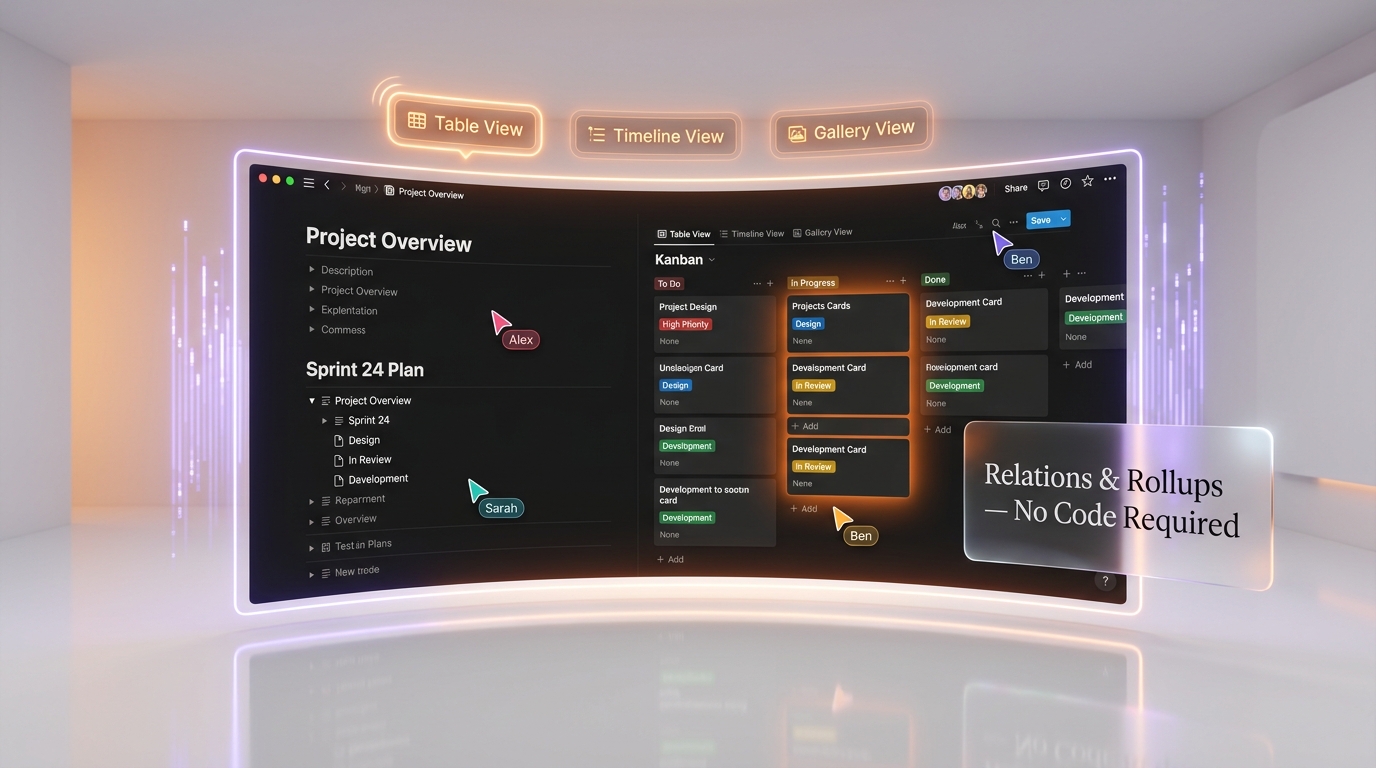
Notion's database system is what separates it from simple note-taking apps. Databases in Notion support multiple views (table, board, timeline, calendar, gallery, list), filters, sorts, formulas, relations (linking databases together), and rollups (aggregating data across related databases). This makes Notion more akin to a no-code application builder than a traditional document editor.
In 2025 and 2026, Notion has aggressively expanded beyond its core workspace. Notion Calendar (acquired from Cron) provides a full-featured calendar integrated with your workspace. Notion Mail is a revolutionary email client that transforms your inbox into customizable Notion databases with AI auto-labeling. And Notion AI has evolved from a simple writing assistant into a platform for building custom AI agents that can automate complex workflows across Notion, Slack, Gmail, Figma, Linear, and more.
Notion is used by individuals, startups, mid-size companies, and enterprises including Toyota, Figma, Pixar, Nike, and Uber. Its versatility is both its superpower and its curse: it can do almost anything, but it takes effort to set up well.

Key Features in 2026
Block-Based Editor and Documents
Notion's editor remains one of the most flexible document creation tools available. The slash command menu gives you access to dozens of content blocks: text, headings, bulleted and numbered lists, toggles, callouts, quotes, dividers, tables, code blocks, equations, embeds, and more. Synced blocks let you reuse content across multiple pages, updating everywhere when you edit the source. The editor supports real-time collaboration with multiple cursors, comments, and @mentions. In 2026, Notion's editor feels mature and polished, with performance improvements that address the sluggishness that plagued earlier versions.
Databases and Views
Notion's database system is the backbone of its power. You can create databases with custom properties (text, number, select, multi-select, date, person, files, checkbox, URL, email, phone, formula, relation, rollup, created time, last edited time, and more). Each database can be viewed as a table, Kanban board, timeline/Gantt chart, calendar, gallery, or list. Filters and sorts can be saved as named views, allowing different team members to see the same data in the way that makes sense for their role. Database relations and rollups let you build sophisticated relational data structures without any coding.
Notion AI and Custom Agents
Notion AI has undergone a radical transformation in 2025-2026. It started as a writing assistant (summarize, translate, improve writing) but has evolved into a full AI agent platform. The headline feature in 2026 is Custom Agents: autonomous AI teammates that handle recurring work 24/7 across Notion and connected apps.
Setting up a Custom Agent is remarkably simple: you write a short job description (e.g., "Triage incoming support tickets, categorize by urgency, and assign to the right team member"), chat with the agent to refine its behavior, and let it run. Agents can work across Notion, Slack, Gmail, Calendar, Figma, Linear, and custom MCP (Model Context Protocol) servers. They can read and write to Notion databases, send Slack messages, create calendar events, and more.
Notion AI routes across multiple large language models, automatically selecting one for each task. Notion's own security documentation describes these only as models "hosted by Notion as well as by organizations such as Anthropic and OpenAI", without committing publicly to specific model versions — a sensible caution on Notion's part, because those versions rotate fast. Anthropic, for example, retired Claude Opus 4.1 on the Claude API on August 5, 2026. Enterprise admins get clear visibility into AI usage over time, showing who is using it most, which features drive engagement, and where AI delivers value.
As of March 2026, Custom Agents are in free beta through May 3, 2026, after which they will transition to usage-based pricing.
Notion Calendar
Acquired from the Cron team, Notion Calendar is a full-featured calendar app that integrates deeply with Notion pages and databases. You can link calendar events to Notion pages, see database items on your calendar, and manage your schedule alongside your workspace. It supports Google Calendar sync and is available on desktop, web, and mobile.
Notion Mail
One of Notion's most innovative additions in 2026, Notion Mail transforms your email inbox into a customizable Notion-style interface. Features include AI auto-labeling of messages, custom views that organize emails by project or priority, and seamless connections between email context and workspace projects. It is designed to bridge the gap between communication and work management, a problem that has plagued productivity tools for decades.
AI Meeting Notes
One tap starts AI-powered meeting transcription, even when you switch apps or lock your screen. After the meeting, Notion automatically generates clear summaries, action items, and shareable docs in seconds. In March 2026, new consent controls were added that let workspace owners set workspace-wide policies for AI Meeting Notes audio consent, with a consent message that automatically plays at the start of each transcription.
People Directory
Introduced in Notion 3.2 (January 2026), the People Directory provides a centralized, searchable directory of everyone in your workspace. It integrates with your identity provider and displays role information, team membership, and recent activity. For larger organizations, this replaces the need for separate employee directory tools.
Enterprise Search
Notion AI can now search across your entire workspace and connected tools. As of 2026, it integrates with Salesforce data (accounts, leads, opportunities, contacts) alongside everything else in your workspace, making Notion a genuine knowledge hub that aggregates information from across your tech stack.
Database Permissions
A March 2026 addition, the new "can create pages" database permission lets users create new pages in a database while being restricted from viewing or editing other pages they should not have access to. This granular permission level is essential for use cases like employee directories, feedback forms, and application submissions where privacy is critical.
Pricing Breakdown
Notion offers four pricing tiers: Free, Plus, Business, and Enterprise. Annual billing provides a 20% discount on Plus and Business plans. A significant change in 2025-2026 is that Notion AI is now bundled into Business and Enterprise plans at no extra cost, while Free and Plus users only get a limited trial of AI features.
| Feature | Free | Plus ($10 per seat/mo) | Business ($18 per seat/mo) | Enterprise (Custom) |
|---|---|---|---|---|
| Monthly Price | $0 | $10 per seat/month | $18 per seat/month | Custom |
| Annual Price | $0 | $8 per seat/month | $15 per seat/month | Custom |
| Pages and Blocks | Unlimited (solo) / limited (team) | Unlimited | Unlimited | Unlimited |
| File Uploads | 5 MB per file | Unlimited | Unlimited | Unlimited |
| Version History | 7 days | 30 days | 90 days | Unlimited |
| Guests | 10 | Unlimited | Unlimited | Unlimited |
| Notion AI | Limited trial | Limited trial | Full access (included) | Full access (included) |
| Custom Agents | Free beta (until May 2026) | Free beta (until May 2026) | Free beta, then included | Full access + admin controls |
| Notion Calendar | Yes | Yes | Yes | Yes |
| Notion Mail | Yes | Yes | Yes | Yes |
| AI Meeting Notes | Limited | Limited | Yes | Yes + consent controls |
| Private Teamspaces | No | No | Yes | Yes |
| SAML SSO | No | No | Yes | Yes |
| SCIM Provisioning | No | No | No | Yes |
| Audit Log | No | No | No | Yes |
| Workspace Analytics | No | Basic | Advanced | Advanced + AI usage reporting |
| Customer Success Manager | No | No | No | Yes |
| Workspace Consolidation | No | No | No | Yes |
| Enterprise Search | No | No | Yes | Yes (+ Salesforce integration) |
Important pricing notes: The most significant change in Notion's pricing is the bundling of AI into Business and Enterprise plans. Previously, Notion AI was available as a separate add-on for any plan. Now, full AI access requires at minimum the Business plan at $18 per seat/month (annual) or $20 per seat/month (monthly). Free and Plus users only get a limited trial of AI features, and Notion does not publicly specify the exact limits of this trial. Guests are free on all plans and do not count toward paid seat totals. Enterprise pricing is custom and is recommended for organizations with 250+ users, compliance-heavy industries, and multi-entity organizations.
Pros and Cons — Our Honest Take
Pros
- Unmatched flexibility: No other tool lets you build such a wide variety of workflows in a single platform. From personal notes to company wikis to project trackers to CRMs, Notion adapts to almost any use case.
- Powerful database system: Relations, rollups, formulas, and multiple views make Notion's databases surprisingly capable for a tool that is not a dedicated database.
- Custom Agents are game-changing: The ability to create AI agents that automate workflows across Notion and connected apps is genuinely transformative. Setting them up is as simple as writing a job description.
- Notion Mail and Calendar integration: The addition of email and calendar transforms Notion from a workspace tool into a productivity hub that can replace multiple apps.
- Beautiful, clean interface: Notion's design is elegant and consistent. The block-based editor is intuitive once you learn it.
- Strong template ecosystem: Thousands of community-created templates cover every conceivable use case, from startup fundraising trackers to wedding planners.
- Generous free tier for individuals: Solo users get unlimited pages and blocks for free, which is exceptional for personal use.
- Real-time collaboration: Multiple users can edit the same page simultaneously with live cursors, comments, and @mentions.
- Cross-platform: Available on web, macOS, Windows, iOS, and Android with good sync across devices.
Cons
- Steep learning curve: Notion's flexibility is also its biggest drawback. Setting up an effective workspace requires significant upfront investment. Many teams spend weeks building their Notion setup before seeing value.
- Performance can lag: Large workspaces with many databases and interconnected pages can become sluggish. While performance has improved in 2026, Notion is still noticeably slower than lightweight alternatives like Obsidian.
- AI locked behind Business plan: Full Notion AI access requires the Business plan at $18-20/seat/month. For teams that want AI but do not need SAML SSO or private teamspaces, this feels like an expensive upsell.
- Offline support is limited: Notion requires an internet connection for most operations. While it caches recently viewed pages for offline reading, you cannot reliably create or edit content offline. This is a dealbreaker for some users.
- Not a great project management tool: While Notion can function as a project tracker, it lacks dedicated PM features like resource allocation, time tracking, dependencies, workload views, and sprints that tools like ClickUp, Asana, or Linear offer natively.
- Data portability concerns: Exporting data from Notion is clunky. While you can export to Markdown, CSV, or HTML, the results often lose formatting, database structure, and relational data. Migrating away from Notion is painful.
- No true local storage: All data lives on Notion's servers. Users concerned about data sovereignty or who need fully local storage should look at Obsidian or Logseq.
- Search could be better: Despite improvements, Notion's built-in search can be slow and imprecise in large workspaces. Enterprise Search with AI helps, but it is limited to Business and Enterprise plans.
Who Should Use Notion?
- Knowledge-heavy teams: If your team produces a lot of documentation, wikis, processes, and reference materials, Notion is an exceptional knowledge management platform.
- Startups and small teams: Notion can replace multiple tools (docs, wiki, basic project management, CRM) in a single platform, reducing tool sprawl and costs for growing companies.
- Individuals who want one app for everything: The free tier is generous, and Notion can genuinely serve as your personal journal, task manager, reading list, recipe collection, and more.
- Teams that want AI-powered automation: Custom Agents in 2026 make Notion one of the most AI-capable productivity platforms available.
- Companies needing a company wiki: Notion's wiki functionality, with nested pages, breadcrumbs, and database-powered knowledge bases, is among the best available.
- Creative professionals: Writers, designers, and content creators benefit from Notion's flexible content organization and visual presentation.
- Remote teams: Real-time collaboration, comments, and shared workspaces make Notion effective for distributed teams.
Who Should NOT Use Notion?
- Teams needing serious project management: If your primary need is project management with dependencies, Gantt charts, sprints, time tracking, and resource allocation, ClickUp, Asana, or Linear will serve you far better than Notion.
- Users who work offline frequently: Notion's offline capabilities are limited. If you need reliable offline editing, Obsidian (which works entirely locally) is a much better choice.
- Privacy-focused individuals: All Notion data lives on their servers. If you want local-first, end-to-end encrypted, or fully offline storage, look at Obsidian, Logseq, or Anytype.
- Teams on a tight budget who want AI: Full AI access starts at $18 per seat/month (annual Business plan). A 20-person team pays $360 per month. If AI is a must-have but budget is limited, other tools may offer better value.
- Users who hate setup complexity: Notion requires significant upfront configuration. If you want something that works out of the box with minimal setup, simpler tools like Todoist, Apple Notes, or Google Docs may be better fits.
- Large enterprises requiring advanced compliance: While Notion's Enterprise plan offers SCIM, audit logs, and SSO, it may not meet the compliance requirements of heavily regulated industries (healthcare, finance, government) as robustly as dedicated enterprise platforms.
- Developers who prefer plaintext and version control: If you want your notes in Markdown files that you can version-control with Git, Obsidian's local-file approach is fundamentally better suited to developer workflows.
Notion vs Competitors
| Feature | Notion | Obsidian | Coda | ClickUp |
|---|---|---|---|---|
| Starting Price | Free / $10 per seat Plus | Free (personal) / $50 per user/year (commercial) | Free / $12 per month per Doc Maker | Free Forever / $10 per seat Unlimited |
| Core Strength | All-in-one workspace | Local-first knowledge graph | App-like interactive docs | Project management + docs |
| Database/Tables | Excellent (relations, rollups, views) | Basic (via Dataview plugin) | Excellent (formulas, automation) | Good (custom fields, views) |
| AI Features | Custom Agents, AI writing, meeting notes, enterprise search | Community plugins only | Coda AI (writing, tables) | ClickUp Brain (AI assistant) |
| Offline Support | Limited (cached pages only) | Full (local files) | Limited | Limited |
| Data Storage | Cloud (Notion servers) | Local files (Markdown) | Cloud (Coda servers) | Cloud (ClickUp servers) |
| Project Management | Basic (boards, timelines) | Minimal (plugin-dependent) | Moderate (task tracking) | Excellent (sprints, Gantt, workloads) |
| Wiki/Knowledge Base | Excellent | Excellent (graph-based) | Good | Good |
| Calendar | Built-in (Notion Calendar) | Community plugins | Basic | Built-in |
| Built-in (Notion Mail) | No | No | Built-in (ClickUp Email) | |
| Automation | Notion Automations + Custom Agents | Community plugins | Excellent (buttons, rules, Packs) | Excellent (100+ triggers) |
| Plugin/Extension Ecosystem | Limited (integrations, not plugins) | Massive (1,500+ community plugins) | Packs (third-party integrations) | Integrations marketplace |
| Mobile App | Good | Good | Functional | Good |
| Free Tier Generosity | Very good (unlimited pages for solo) | Excellent (free for personal use) | Good (limited rows/objects) | Excellent (unlimited users) |
| Best For | Knowledge management, all-in-one workspace | Personal knowledge, privacy, developers | Interactive docs, app-like workflows | Project management, team ops |
Notion vs Obsidian: This is the most philosophically interesting comparison. Obsidian is the anti-Notion: it stores everything as local Markdown files, works fully offline, offers no cloud requirement, and is extensible through 1,500+ community plugins. Obsidian's knowledge graph, which visualizes connections between notes through bi-directional linking, is genuinely superior for building a personal knowledge base or "second brain." However, Obsidian has no native database system, no real-time collaboration, and limited team features. Choose Notion if you need team collaboration, databases, and an all-in-one workspace. Choose Obsidian if you value local-first storage, offline access, privacy, and deep knowledge linking.
Notion vs Coda: Coda is often described as "Notion but with more logic." Coda's documents behave like mini-applications: buttons trigger actions, formulas are more powerful, and automation is more sophisticated out of the box. Coda's "Packs" system for third-party integrations is also more capable than Notion's native integrations. However, Coda has a smaller user base, fewer templates, and a less polished interface. Its pricing is per "Doc Maker" rather than per seat, which can be confusing. Choose Notion for general-purpose workspace needs. Choose Coda when you need documents that function like interactive applications with complex logic and automation.
Notion vs ClickUp: ClickUp does everything Notion does (docs, wikis, databases) and adds significantly deeper project management features: sprints, Gantt charts, workload views, time tracking, resource allocation, and 100+ automation triggers. ClickUp's free tier is also more generous, supporting unlimited users. However, ClickUp's interface is more complex and less aesthetically polished than Notion. It tries to do even more than Notion, which can feel overwhelming. Choose Notion if your primary need is knowledge management and documentation with basic project tracking. Choose ClickUp if project management is your core requirement and you want docs and wikis as secondary features.

What's New in March 2026
Notion has shipped several notable updates in early 2026:
- Custom Agents (Free Beta): The biggest announcement of early 2026. Autonomous AI teammates that automate workflows across Notion, Slack, Gmail, Calendar, Figma, Linear, and custom MCP servers. The free beta runs through May 3, 2026, after which usage-based pricing kicks in. Setup is as simple as writing a job description and chatting with the agent.
- AI Meeting Notes Consent Controls (March 12, 2026): Workspace owners can now set a workspace-wide policy for AI Meeting Notes audio consent. A consent message automatically plays at the start of each transcription, addressing privacy and compliance concerns.
- New Database Permission — "Can Create Pages" (March 5, 2026): Users can now create pages in a database without being able to view or edit other pages. This enables use cases like anonymous feedback forms, application submissions, and directory entries.
- Salesforce Integration for AI Search: Notion AI can now search Salesforce data (accounts, leads, opportunities, contacts) alongside everything else in your workspace, making it a true cross-platform knowledge search tool.
- SDK Updates: Notion shipped v5.10.0 and v5.11.0 of its JavaScript/TypeScript SDK with a new Markdown Content API for pages, plus AI meeting notes and transcript support via the API. Context token reduction of approximately 91% in key tools by switching to SQL DDL-based schemas improves developer experience.
- Mobile AI Enhancements: Following the Notion 3.2 release in January 2026, mobile AI capabilities have continued to improve. One-tap AI transcription now works seamlessly even when switching apps or locking your screen.
Tips for Getting the Most Out of Notion
- Start with templates, not blank pages: Notion's template gallery has thousands of community-created templates. Find one that matches your use case and customize it rather than building from scratch. This saves hours of setup time.
- Use databases for everything structured: If you are tempted to create a bulleted list of items you will track over time, create a database instead. Databases are filterable, sortable, and can have multiple views, making them far more powerful than static lists.
- Master relations and rollups: The ability to link databases together and aggregate data across them is Notion's most underused power feature. Connect your tasks database to your projects database to your clients database for a complete view of your work.
- Set up a consistent page structure: Create a template for how your team writes meeting notes, project briefs, or documentation pages. Consistency makes information easier to find and reduces cognitive overhead.
- Use Custom Agents while they are free: The Custom Agents beta runs through May 2026. Take this opportunity to experiment with automating repetitive workflows. Even simple agents that triage incoming requests or organize meeting follow-ups can save hours per week.
- Leverage Notion Calendar for meeting management: Link calendar events directly to Notion pages so meeting notes, agendas, and action items are always connected to the event they came from.
- Create a team wiki with breadcrumb navigation: Use Notion's nested page structure to build a hierarchical wiki. Ensure every page has a clear home in the hierarchy so team members can navigate intuitively.
- Use synced blocks for reusable content: If you have content that appears on multiple pages (contact information, standard disclaimers, frequently referenced data), use synced blocks so changes propagate everywhere automatically.
- Audit your workspace quarterly: Notion workspaces tend to accumulate outdated pages and abandoned databases. Schedule regular cleanups to archive stale content and keep your workspace navigable.
- Optimize for mobile: If your team uses Notion on mobile, design your key pages with mobile in mind. Avoid overly wide tables, use toggle blocks to collapse sections, and keep the most important information at the top.

Frequently Asked Questions
Is Notion free?
Yes. Notion offers a free plan for individuals that includes unlimited pages and blocks for personal use. For teams, the free plan has some limitations (block limits for team spaces, 5 MB file upload cap, 10 guests). Most serious team usage requires the Plus ($10 per seat/month) or Business ($18 per seat/month) plan.
How much does Notion cost per user?
Notion's paid plans are: Plus at $10 per seat/month ($8 annual), Business at $18 per seat/month ($15 annual), and Enterprise at custom pricing. Guests are free on all plans. Annual billing saves approximately 20%.
Is Notion AI free?
Notion AI is included at no additional cost with Business and Enterprise plans. Free and Plus users get a limited trial of AI features. There is no longer a separate AI add-on that can be purchased for any plan, as was the case in previous years. Custom Agents are currently in free beta through May 3, 2026.
What are Notion Custom Agents?
Custom Agents are autonomous AI teammates that can automate recurring workflows across Notion and connected apps (Slack, Gmail, Calendar, Figma, Linear, and custom MCP servers). You set them up by writing a job description and chatting to refine their behavior. They can read and write to Notion databases, send messages, create events, and more. The free beta runs through May 2026.
Can I use Notion offline?
Notion has limited offline support. It caches recently viewed pages for offline reading, but creating and editing content offline is unreliable. If offline access is critical for your workflow, Obsidian (which stores files locally as Markdown) is a better choice.
Is Notion better than Obsidian?
They serve different needs. Notion is better for team collaboration, databases, and all-in-one workspace functionality. Obsidian is better for personal knowledge management, offline use, local file storage, and privacy. Notion is cloud-first and team-oriented; Obsidian is local-first and individual-oriented.
Is Notion good for project management?
Notion provides basic project management with Kanban boards, timelines, and database-based task tracking. For simple projects, it works well. For complex project management with sprints, dependencies, Gantt charts, time tracking, and resource allocation, dedicated tools like ClickUp, Asana, or Linear are significantly more capable.
Can Notion replace Google Docs?
For many use cases, yes. Notion's editor supports real-time collaboration, comments, and sharing. However, Google Docs has better offline support, more robust formatting options for long-form documents, and deeper integration with the Google Workspace ecosystem. For teams already invested in Google Workspace, Notion is more of a complement than a replacement.
What is Notion Mail?
Notion Mail is an email client built into Notion that transforms your inbox into a customizable database-like interface. It features AI auto-labeling, custom views organized by project or priority, and seamless connections between email and workspace projects. It is designed to integrate communication with work management.
Is Notion secure for enterprise use?
The Enterprise plan includes SAML SSO, SCIM provisioning, audit logs, workspace analytics, and a dedicated Customer Success Manager. However, all data is stored on Notion's cloud servers. Organizations with strict data sovereignty requirements or regulated industries should carefully evaluate whether Notion's security measures meet their compliance needs.
How does Notion compare to ClickUp?
Notion excels at knowledge management, wikis, and flexible workspace design. ClickUp excels at project management with deeper features for sprints, Gantt charts, workloads, and automation. ClickUp's free tier is more generous (unlimited users). Notion's interface is cleaner and more aesthetically pleasing. Choose based on whether your primary need is knowledge management (Notion) or project management (ClickUp).
Can I export my data from Notion?
Yes, Notion supports exporting to Markdown, CSV, PDF, and HTML. However, exports can lose formatting, database structure, and relational data. Migrating a complex Notion workspace to another tool is a significant undertaking. Consider data portability before deeply committing to Notion.