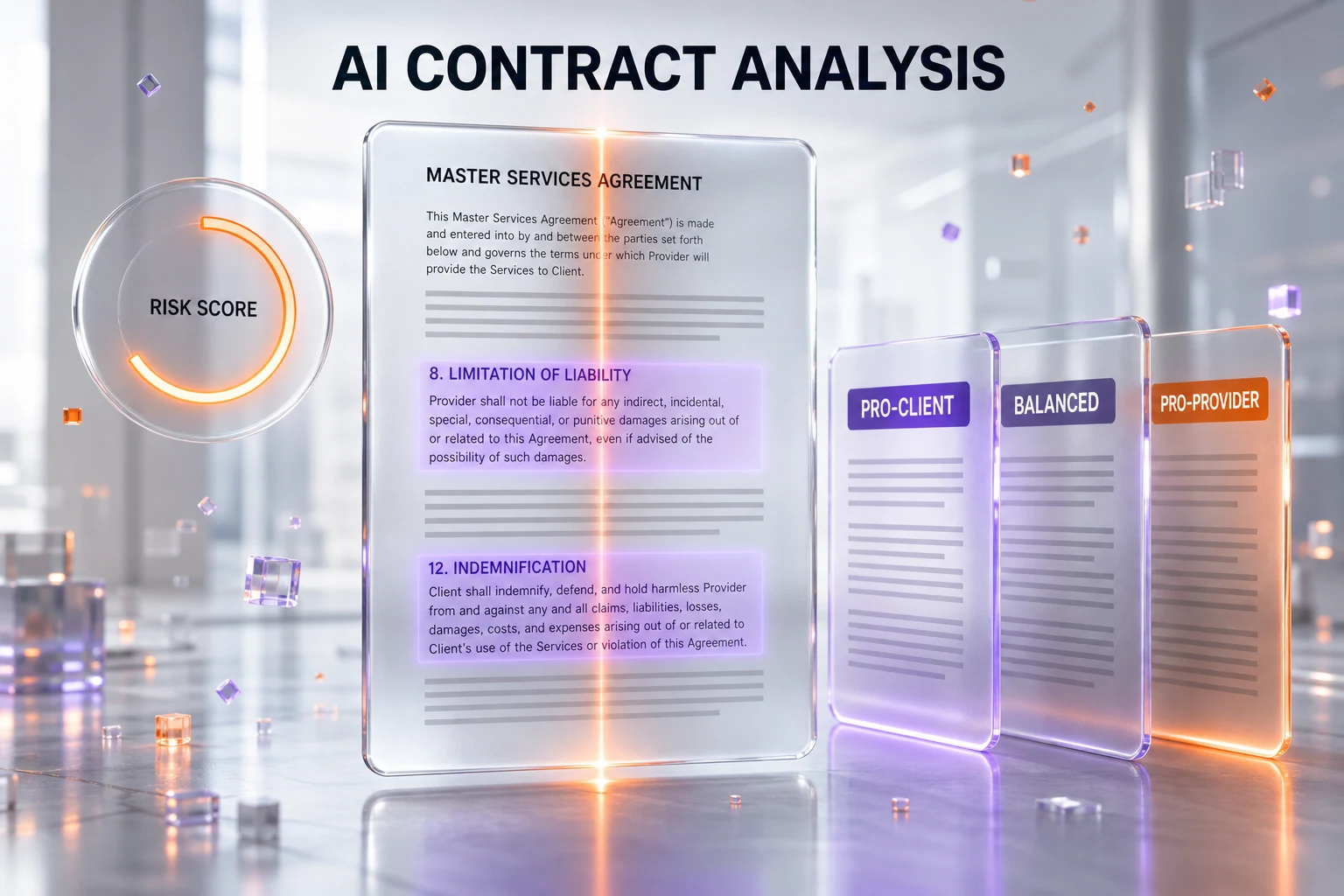
The Legal Prompts is a vertical AI tool we use ourselves to read, audit, and pressure-test contracts before we sign them. It is not a general chatbot with a legal coat of paint: it generates jurisdiction-aware legal documents, scores uploaded contracts clause by clause for risk, and — its signature move — produces the same document in three negotiating stances with its Interest Toggle™ (Pro-Client, Balanced, Pro-Provider). According to The Legal Prompts, it is built with anti-hallucination safeguards — "no fabricated case law, no phantom statutes, no invented legal standards" — and the company is explicit that it "is not a law firm and does not provide legal advice." We treat it exactly that way: as a powerful way to understand every clause, catch the traps the other side buried, and walk into a negotiation knowing where we are exposed — not as a replacement for an attorney.
This is a tool we run every contract through. Anthony Martinez, who runs ThePlanetTools.ai, has put his own agreements through it — including his apartment lease — to see exactly which clauses lean against him before signing anything. We are not affiliated with The Legal Prompts, we are not paid to write this, and there is no partnership here. This is an editorial recommendation based on first-hand use, with the honest caveats included.
What The Legal Prompts actually is
Most "legal AI" you bump into online is a thin wrapper around a general model: you paste a clause into a chat box and hope the answer is grounded in something real. The Legal Prompts is built the other way around. It is a dedicated legal-document SaaS with a structured intake, jurisdiction selection, and a reasoning layer that attaches a source and a risk rating to clauses rather than just spitting out paragraphs. The site describes the output as carrying a "legal source, risk mitigation, and reasoning log" for each clause, exportable on the higher tiers.
That grounding matters because of a story everyone in this space knows: Mata v. Avianca, the 2023 case where lawyers filed a brief full of citations a general chatbot had invented. The Legal Prompts leans directly into that failure mode, positioning its anti-hallucination safeguards — no fabricated case law, no phantom statutes — as a core feature rather than a footnote. We cannot independently audit their model internals, so we take that claim as the company's own positioning. But in practice, the output we have seen stays close to recognizable, checkable contract language instead of confidently inventing a statute number, which is the behavior that gets people sanctioned.
The product is multi-jurisdiction. According to The Legal Prompts, it covers California, Delaware, New York, Texas, Florida, the United Kingdom, France, and Canada, and adjusts the document to the jurisdiction, industry, and risk profile you select. It also ships actual legal prompts — structured templates for the documents it generates — so part of what you are buying is a curated prompt library tuned for legal drafting, not a blank box.
The Interest Toggle: the feature that changed how we read contracts
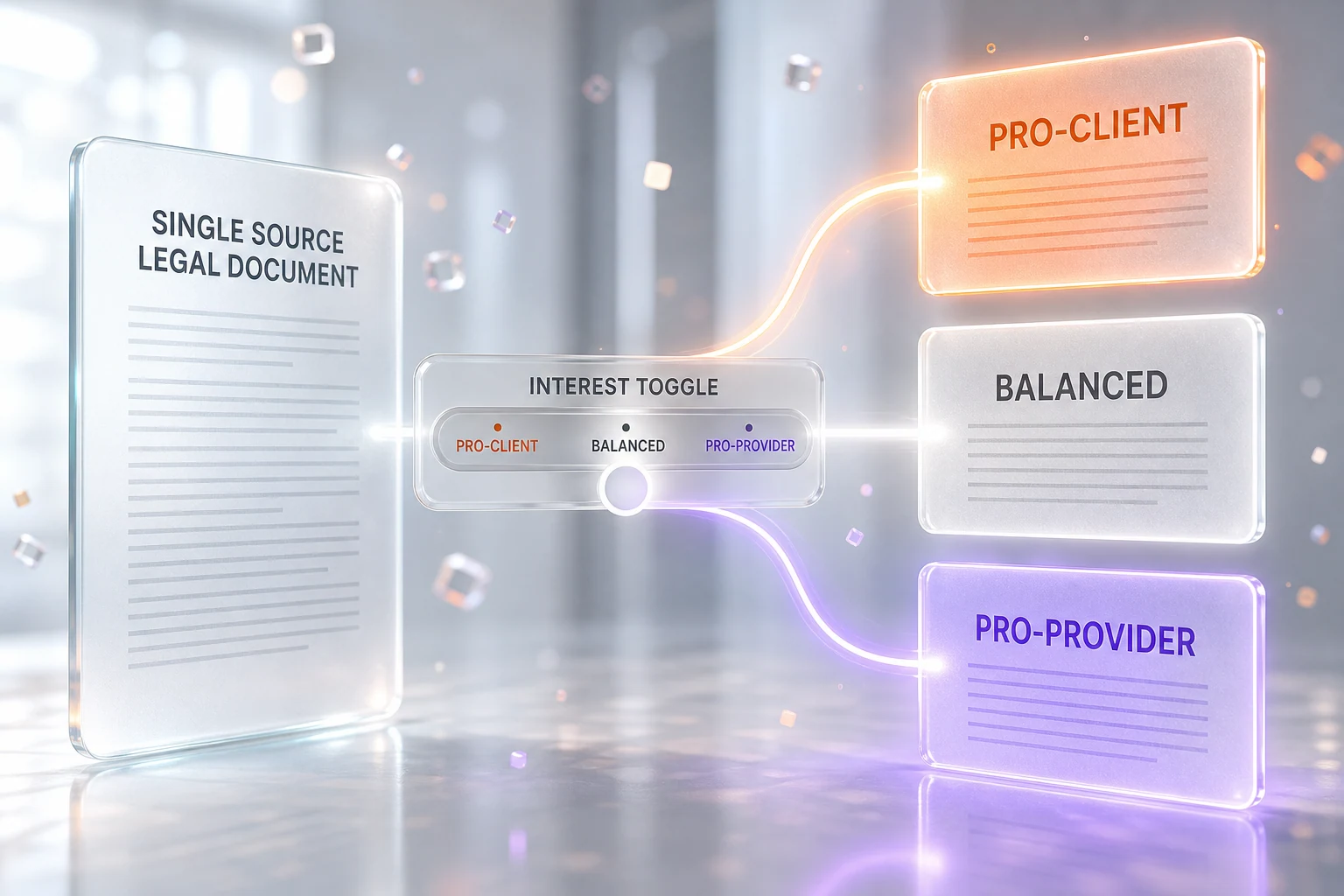
The Interest Toggle™ is the reason this tool earns its spot in our workflow. From a single intake, it generates three versions of the same document: Pro-Client, Balanced, and Pro-Provider. The site frames it as "the only legal AI with Interest Toggle™" and counts more than 208 unique variations across three perspectives, six industry presets, and its supported jurisdictions.
Here is why that is genuinely useful rather than a gimmick. When you are handed a contract by the other side, you are reading their Pro-Provider draft — but you usually do not have a clean mental model of what the Pro-Client or Balanced version of the same clause would look like. The Interest Toggle gives you that reference instantly. You can hold the draft you were sent next to a balanced version and a version written entirely in your favor, and the gap between them is where the negotiating leverage lives. It turns "this paragraph feels aggressive" into "this indemnity clause is two standard deviations toward their side, and here is what balanced looks like."
This is also the honest case for the tool: it does not tell you what to do. It shows you the spread. The judgment — how hard to push, what is worth fighting for, when to bring in a lawyer — stays yours.
The Contract Risk Analyzer: clause-by-clause scoring
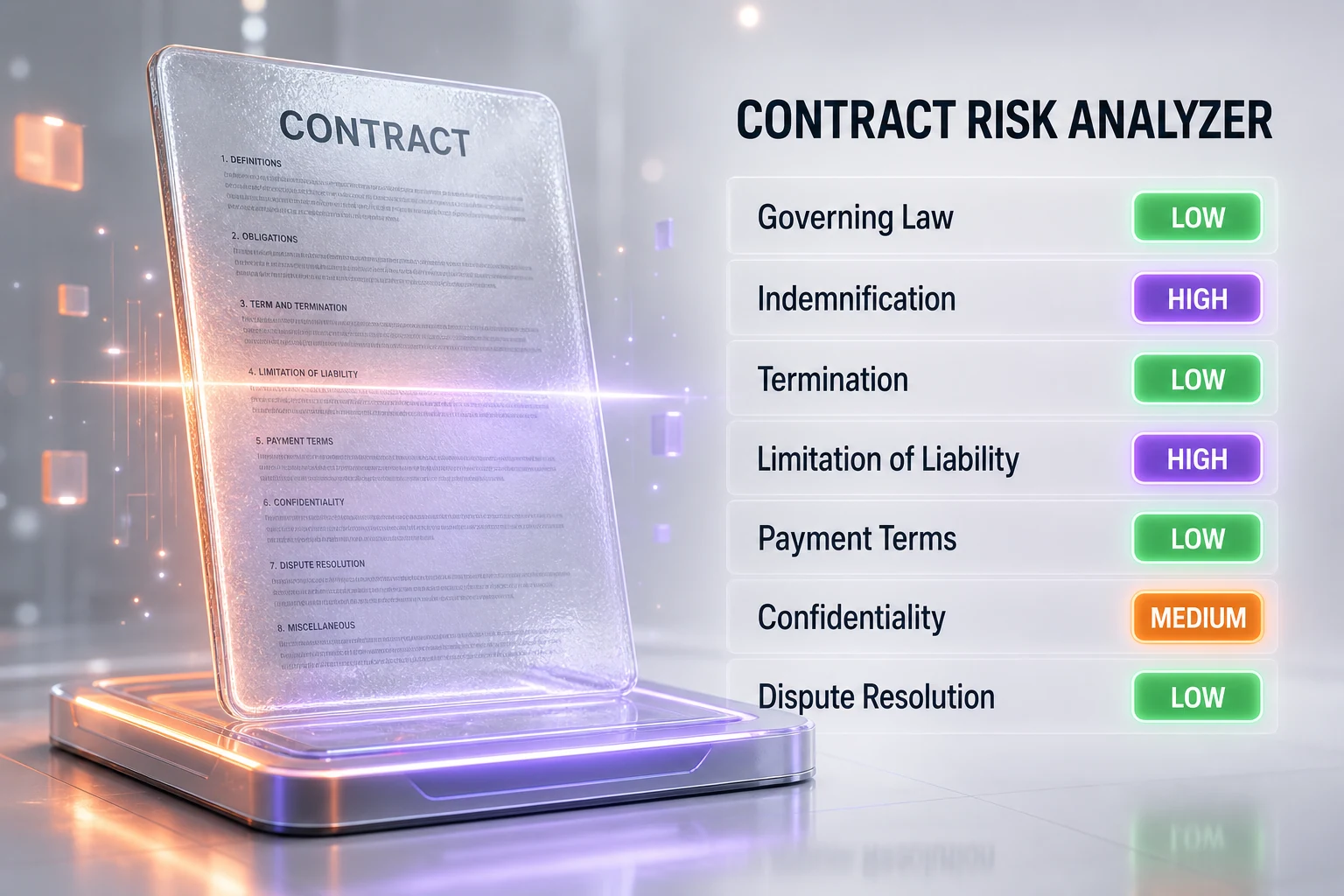
The second pillar is the Contract Risk Analyzer. You upload a contract you have been sent, and it scores it clause by clause for risk rather than giving you a single vague thumbs-up. This is the half we lean on most: it is one thing to draft a clean agreement from scratch, and another to be handed forty pages of someone else's paper and have to find the landmines fast.
This is exactly the use case that made Anthony run his own apartment lease through it. A residential lease is a dense document written by the landlord's side, full of auto-renewal language, fee triggers, and liability shifts that are easy to skim past. Running it through the Risk Analyzer surfaced the clauses worth a second read — the ones where a tenant quietly takes on more than they realize — in a way that reading it cold simply does not. That is the core value: it is a magnifying glass for the traps, not a signature-ready legal opinion.
On tiers, the Risk Analyzer is metered on Starter (the site lists 3 uses per month) and unlimited on Professional and above. If contract review is something you do regularly, the metered tier will feel tight fast — which is the natural nudge toward the Professional plan.
How we actually use it, step by step
Our workflow with The Legal Prompts is simple and repeatable. First, when a contract lands in our inbox, we run it through the Contract Risk Analyzer to get the clause-by-clause read and surface anything scored high-risk. Second, for any clause that looks one-sided, we use the Interest Toggle to generate the Balanced and Pro-Client versions of that same clause type, so we can see concretely what a fairer version reads like. Third, on the Strategic tier, we open the visible Reasoning Log to understand why a clause was flagged — the source and the risk rationale — instead of trusting a black-box score. Fourth, we export the annotated result as a PDF or DOCX to mark up before a call.
That sequence — analyze, compare, understand, export — is what turns a contract from an intimidating wall of text into a structured map of where we are exposed. And to be clear about the boundary: when the stakes are high or the matter is genuinely contested, that map is what we take to a lawyer, not instead of one. The tool makes the conversation with counsel shorter and sharper; it does not remove the need for it.
Who this is for
The Legal Prompts fits a specific gap, and it is worth being precise about who benefits. It is built for solo founders and small businesses who sign contracts constantly but cannot afford a lawyer on every NDA and service agreement; for in-house and operations people who need a fast first-pass read before routing something to outside counsel; for freelancers and consultants handed client paper they have to evaluate quickly; and, frankly, for anyone signing a lease or a vendor agreement who wants to understand what they are agreeing to before they sign.
The company states it has "500+ attorneys" using it, which positions it as a drafting and first-pass tool inside professional workflows, not only a consumer aid. We pass that figure along as the company's own claim — traction numbers like that are self-reported and we have not verified them independently. What we can speak to is the shape of the value: it compresses the time between "I was handed a contract" and "I understand this contract," which is exactly the bottleneck for everyone in that list.
Pricing, and how it compares to Harvey
Pricing is where The Legal Prompts makes its sharpest argument. According to the site, the plans are Starter at $29 per month (a thematic prompt pack, 15 generations per month, 3 Risk Analyzer uses per month, email support, TXT and DOCX export), Professional at $49 per month (unlimited generations, unlimited Risk Analyzer, the full Interest Toggle, 8 or more jurisdictions, six industry presets, priority support, 90-day history), Strategic at $99 per month (everything in Professional plus the visible Reasoning Log, traceability with export, visible anti-hallucination checks, and PDF export), and Enterprise on custom pricing (unlimited users, API access, SSO/SAML, dedicated account manager).
The contrast it draws is with the high end of legal AI. The site cites Harvey AI at "approximately $1,200 per month per seat" and Thomson Reuters CoCounsel at "$150 to 400 or more per month." Harvey is a different category of product — an enterprise-grade platform built for large firms, and one we have covered separately as it crossed an $11 billion valuation — so this is not strictly apples to apples. But for the solo founder or small business that is the entire point: you are not in the market for an enterprise seat, and a tool at $49 per month that reads your contracts and shows you the negotiating spread sits in a completely different affordability bracket. The right comparison is not "Harvey versus The Legal Prompts," it is "The Legal Prompts versus reading the contract blind and hoping."

The honest limits
We like this tool, and precisely because we like it, here is where we draw the line. It does not replace a lawyer, and it is not meant to. The company is explicit: "The Legal Prompts is a software provider, not a law firm, and does not provide legal advice. The templates and content generated by this Service are for drafting purposes only and not a substitute for the advice of an attorney." We endorse that framing without reservation. For a genuine dispute, a high-stakes deal, litigation, anything regulated, or any situation where a wrong call carries real financial or legal consequence, you need a human attorney licensed in your jurisdiction. Full stop.
Two more honest caveats. First, the traction numbers — the "500+ attorneys," the "4.7 based on 8 reviews" the site displays — are self-reported, and eight reviews is a small sample; treat them as early signal, not a verdict. Second, this is a Your-Money-or-Your-Life domain, which means the burden of verification never fully leaves you: an AI risk score is a prompt to look harder at a clause, not a guarantee that the clause is safe. The tool is a force multiplier for your own attention and, when it matters, for your lawyer's time. Used that way, it is excellent. Used as a substitute for legal judgment, it is a liability — and the company tells you so itself.
Our take
The Legal Prompts has become a standing part of how we handle contracts, and the reason is narrow and real: it makes us read better. The Interest Toggle reframes every one-sided clause against a balanced and a pro-client baseline, the Risk Analyzer turns a forty-page document into a ranked list of where to look, and the reasoning log on the Strategic tier explains the why instead of asking us to trust a score. At $49 per month for the unlimited Professional plan, it sits at a price where a single avoided bad clause pays for a year. We use it on our own agreements — leases included — and we recommend it the same way we use it: as a sharp, affordable instrument for understanding contracts and spotting the traps, and as a tool that makes the moment you do call a lawyer faster, cheaper, and far better prepared.
Frequently asked questions
Is The Legal Prompts a law firm?
No. According to The Legal Prompts, it "is a software provider, not a law firm, and does not provide legal advice." Its templates and generated content are for drafting purposes only and are not a substitute for the advice of an attorney. We use it as a tool to understand and audit contracts, not as a source of legal advice.
Does The Legal Prompts replace a lawyer?
No, and it is not designed to. It is a complement that helps you read contracts, spot one-sided clauses, and walk into a negotiation prepared. For a genuine dispute, a high-stakes deal, litigation, or anything regulated, you still need a human attorney licensed in your jurisdiction. The company states this directly, and we agree with it.
How much does The Legal Prompts cost?
According to the site, pricing is Starter at $29 per month, Professional at $49 per month (unlimited generations, unlimited Risk Analyzer, and the full Interest Toggle), Strategic at $99 per month (adds the visible Reasoning Log and PDF export), and Enterprise on custom pricing with API access and SSO/SAML.
What is the Interest Toggle?
The Interest Toggle™ generates the same legal document in three negotiating stances — Pro-Client, Balanced, and Pro-Provider — from a single intake. It lets you compare the draft you were sent against a balanced version and a version written in your favor, so you can see exactly where a clause leans and where your negotiating leverage is.
What is the Contract Risk Analyzer?
It is a feature where you upload a contract and it scores the document clause by clause for risk, rather than giving a single vague verdict. It surfaces the high-risk clauses worth a closer read. It is metered on the Starter plan (the site lists 3 uses per month) and unlimited on Professional and above.
Which jurisdictions does it support?
According to The Legal Prompts, it supports California, Delaware, New York, Texas, Florida, the United Kingdom, France, and Canada, and it adjusts the generated document to the jurisdiction, industry, and risk profile you select. Coverage and details can change, so confirm the current list on the site for your specific need.
How does it avoid AI hallucinations like fake case law?
The company positions anti-hallucination safeguards as a core feature, describing them as "no fabricated case law, no phantom statutes, no invented legal standards," with a reasoning log that attaches a source to clauses on its higher tiers. This addresses the failure mode behind Mata v. Avianca, where a general chatbot invented citations. We pass this along as the company's own positioning rather than an independently audited claim, and you should still verify anything load-bearing.
How is it different from using ChatGPT for legal documents?
The Legal Prompts is a dedicated legal-document SaaS, not a general chatbot. It has a structured intake, jurisdiction selection, a curated legal prompt library, clause-by-clause risk scoring, the Interest Toggle, and a reasoning log with sources. A general chatbot gives you free-form text with no built-in grounding or risk structure, which is exactly the setup that produced invented citations in the Mata v. Avianca case.
How does it compare to Harvey AI?
They target different markets. Harvey AI is an enterprise platform for large firms; the site cites its pricing at "approximately $1,200 per month per seat." The Legal Prompts is built for solos, small businesses, and individuals at $29 to $99 per month. For most people, the real comparison is not Harvey versus The Legal Prompts — it is The Legal Prompts versus reading the contract unaided.
What file formats can it export?
It exports to TXT and DOCX (Word) on the lower tiers, with PDF export added on the Strategic plan. That covers marking up an annotated contract before a call or handing a clean draft to the other side.
Is it safe to rely on for important contracts?
Treat it as a first-pass tool, not a final word. It is excellent for understanding a contract, ranking where the risk sits, and preparing for a negotiation — and it is a Your-Money-or-Your-Life domain, so the burden of verification stays with you. For anything important or contested, use it to prepare and then take the result to a licensed attorney. The company itself says its output is for drafting purposes only and not a substitute for an attorney's advice.
Do you have an affiliation with The Legal Prompts?
No. We are not affiliated with The Legal Prompts, we are not paid to write this, and there is no partnership or affiliate arrangement. This is an editorial recommendation based on our own first-hand use of the tool on our own contracts, including a lease, with the honest limitations stated.