Runway vs Kling AI: Best AI Video Generator for Filmmakers in 2026?


Runway is #1 with 1,247 Elo. Kling 3.0 has native audio + multi-shot for half the price. Tested both on real film projects. The gap is shrinking fast.
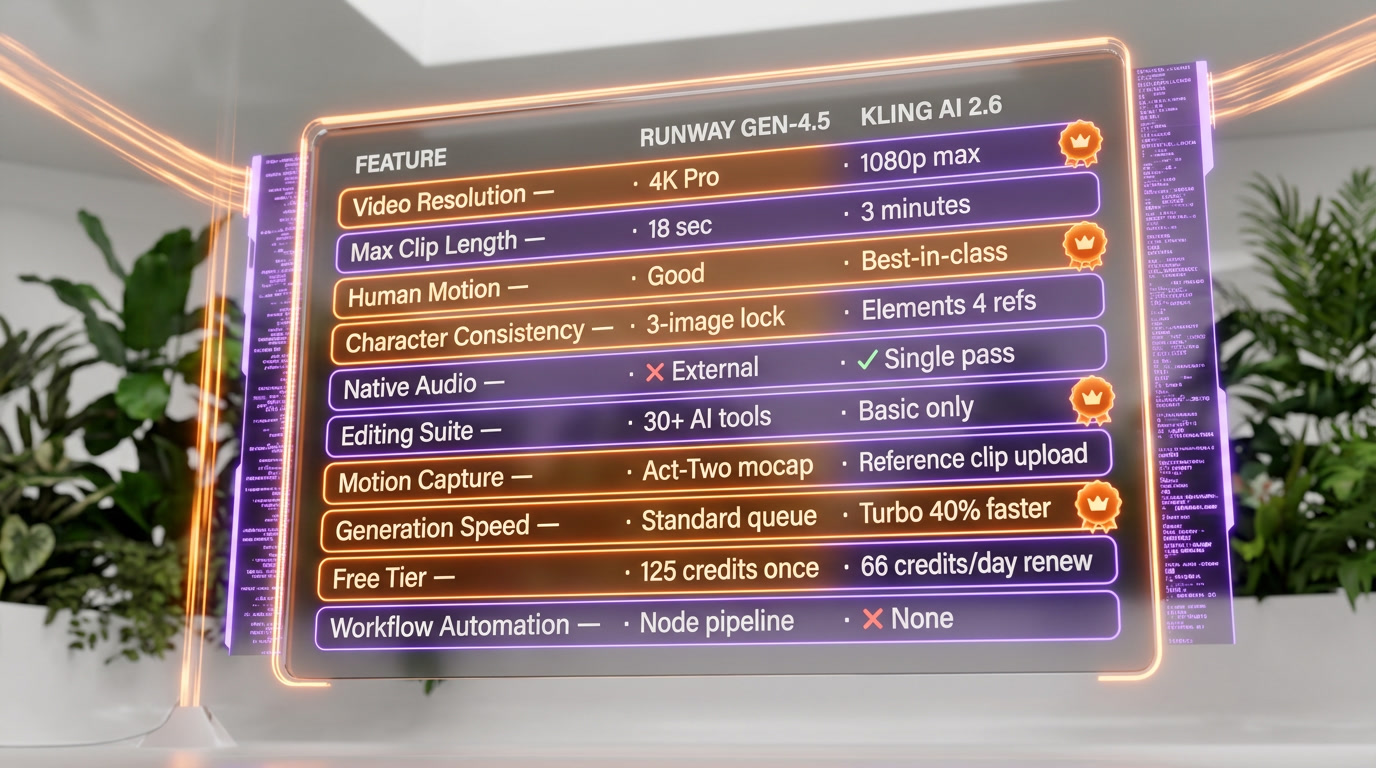
Feature Comparison
| Feature | Runway (Gen-4.5) | Kling AI |
|---|---|---|
| Video Resolution | Up to 4K on Pro plan ($28/mo) | Up to 1080p at 30–48 FPS across all plans |
| Max Video Length Per Clip | ~10–18 seconds per generation | Up to 3 minutes continuous video |
| Human Motion Realism | Good — occasional smoothing artifacts; simplified physics at edges | Best-in-class — 3D Spatiotemporal Joint Attention with natural secondary motion |
| Character Consistency | Excellent — 3-image identity lock stable across varied environments and lighting | Good — Elements feature supports up to 4 reference images, weaker cross-scene stability |
| Native Audio Generation | Not available — requires external tools (ElevenLabs, etc.) | Yes — simultaneous audio-visual in single pass; speech, SFX, ambience (Kling 2.6) |
| Editing Suite Depth | 30+ AI tools: Aleph AI editing, Act-Two mocap, Workflows node-based automation | Basic editing only — motion reference clip uploads, no AI editing layer |
| Motion Capture | Act-Two (Jul 2025): smartphone-based professional mocap, no suit or studio needed | Motion reference video upload (3–30 sec clip) for motion transfer |
| Generation Speed | Standard queue on base plan; priority rendering on Pro | Kling 2.5 Turbo: 40% faster than prior versions, sub-minute typical turnaround |
| Free Tier Sustainability | 125 one-time credits — expires, no renewal | 66 credits/day — renews every 24 hours for indefinite use |
| Workflow Automation | Node-based Workflows pipeline for chaining AI operations (launched Oct 2025) | No equivalent — no pipeline or automation tooling available |
| Starting Price | $12/month (Standard plan) | $6.99/month (Standard plan) |
| Enterprise & API Maturity | Robust API, Lionsgate studio partnership, custom enterprise contracts | API at $0.07–$0.14/sec, 30,000+ enterprise users, available via Fal.ai and Artlist |
Pricing Comparison
Runway (Gen-4.5)
Kling AI
Detailed Comparison
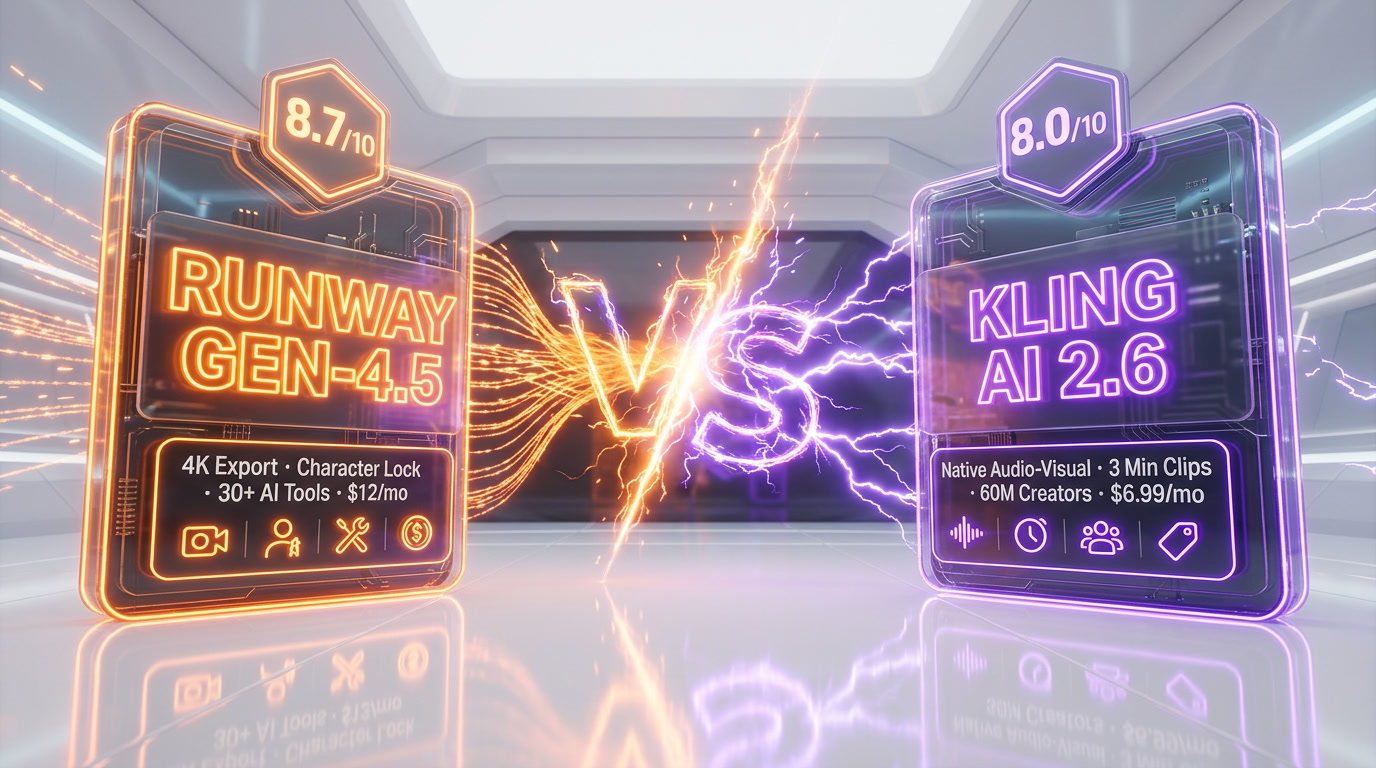
Runway Gen-4.5 vs Kling AI — the short answer: After spending serious time with both platforms, Runway Gen-4.5 is the stronger pick for professional filmmakers who need character consistency, cinematic precision, and a full editing pipeline. It scores 8.7 out of 10 on ThePlanetTools, starts at $12 per month, and is backed by a $5.3 billion company with real Hollywood studio partnerships. Kling AI scores 8.0 out of 10 and starts at just $6.99 per month — it wins on human motion realism, generation speed, and the industry's first native audio-visual generation via Kling 2.6. Best for narrative filmmaking and brand campaigns with recurring characters: Runway Gen-4.5. Best for fast, budget-friendly content with built-in audio for social media: Kling AI.
Quick Verdict at a Glance
| Criteria | Runway Gen-4.5 | Kling AI 2.6 |
|---|---|---|
| ThePlanetTools Score | 8.7 out of 10 | 8.0 out of 10 |
| Starting Price | $12 per month | $6.99 per month |
| Best For | Narrative filmmakers, VFX artists, brand studios | Social media creators, indie filmmakers, budget-conscious users |
| Max Resolution | 4K (Pro plan and above) | 1080p at 30–48 FPS |
| Max Video Length | ~10–18 seconds per clip | Up to 3 minutes continuous |
| Native Audio | No | Yes — simultaneous audio-visual (Kling 2.6) |
| Free Tier | 125 one-time credits | 66 credits per day, renews daily |
| Character Consistency | Excellent — 3-image identity lock | Good — Elements feature (up to 4 refs) |
| Editing Suite | 30+ AI tools: Aleph, Act-Two, Workflows | Basic editing and motion reference clips |
| Filmmaker Winner | ✅ Yes | — |
Overview: Two Completely Different Philosophies
We've been using both Runway and Kling AI for a while now, and here's the honest take: these are not two versions of the same thing. They're built on entirely different philosophies, and understanding that distinction saves you a lot of wasted time and credits.
Runway is a creative platform. It's not just a video generator — it's a full filmmaking suite that happens to use AI. From the moment you open it, you're in a production environment: storyboards, motion capture via Act-Two, node-based automation pipelines via Workflows, AI-powered video editing via Aleph, and a model ecosystem spanning Gen-3 through the newly released Gen-4.5. The company raised over $630 million in funding and hit a $5.3 billion valuation in February 2026, with active partnerships with studios like Lionsgate who use it for previz and VFX. This is not a toy. It's a professional tool built for people who make films.
Kling AI, developed by Chinese tech giant Kuaishou, bet everything on something different: generating the most realistic video possible, fast, and cheap. And it worked spectacularly. Kling hit $240 million ARR in December 2025 — just 19 months after launch — and now serves over 60 million creators who have collectively generated more than 600 million videos. The secret is best-in-class physics simulation, human motion realism that makes competitors look robotic, and a free tier that actually lets you do real work every single day.
After spending time with both tools across dozens of test clips, the first thing that stands out about Kling is raw generation speed. Kling 2.5 Turbo (released September 2025) is 40% faster than previous versions — you're seeing usable clips in under a minute on most prompts. Runway's queue stretches longer, especially on the Standard plan. When you're iterating quickly on a concept, that speed gap compounds across a session.
Feature-by-Feature Comparison
| Feature | Runway Gen-4.5 | Kling AI 2.6 | Winner |
|---|---|---|---|
| Video Resolution | Up to 4K (Pro plan, $28 per month) | Up to 1080p at 30–48 FPS | Runway |
| Max Video Length | ~10–18 seconds per clip | Up to 3 minutes continuous | Kling AI |
| Human Motion Realism | Good — occasional smoothing artifacts at edges | Best-in-class — 3D Spatiotemporal Attention mechanism | Kling AI |
| Character Consistency | Excellent — 3-image identity lock across settings | Good — Elements feature supports up to 4 reference images | Runway |
| Native Audio Generation | No — requires external tools (ElevenLabs, etc.) | Yes — video and audio generated in single pass | Kling AI |
| Editing Suite Depth | 30+ AI tools: Aleph editing, Act-Two mocap, Workflows automation | Basic editing; motion reference clip uploads only | Runway |
| Motion Capture | Act-Two: smartphone-based professional mocap (Jul 2025) | Motion reference upload (3–30 sec reference clip) | Runway |
| Generation Speed | Standard queue; priority rendering on Pro plan | Kling 2.5 Turbo: 40% faster than prior versions | Kling AI |
| Free Tier Sustainability | 125 one-time credits, then paid | 66 credits per day, renews every day | Kling AI |
| Workflow Automation | Node-based Workflows pipeline (launched Oct 2025) | No equivalent feature | Runway |
| 4K Export | Yes — Pro plan ($28 per month) and above | No — 1080p maximum across all tiers | Runway |
| Enterprise Integrations | Robust API, Lionsgate studio partnership, custom enterprise pricing | API at $0.07–$0.14 per sec, 30,000+ enterprise users | Tie |
Video Quality and Visual Fidelity: Where Gen-4.5 Pulls Ahead
Here's where the nuances really matter. Raw visual fidelity is one thing. The right kind of quality for your specific use case is another thing entirely, and conflating them leads to bad buying decisions.
Runway Gen-4.5 achieves something that earlier AI video models couldn't consistently pull off: genuine physical accuracy. Objects have real weight. Liquids behave like liquids. Hair strands don't morph into abstract texture fields two seconds into a clip. We tried generating a scene of a protagonist walking through rain in an urban environment — Gen-4.5 handled wet pavement reflections, rain interacting with a wool coat, and shallow depth of field with a level of detail that felt genuinely cinematic. Fine textures like fabric weave, leather grain, and material surfaces hold up during motion. That level of material fidelity is critical for anything that will sit on a large display or go through a color grading pass.
What also surprised us is temporal consistency — the way Gen-4.5 handles continuity between frames. Characters' faces don't drift. Lighting direction doesn't flip. A logo on a jacket stays a logo, not a smear of color. Earlier AI video models failed this test constantly; Gen-4.5 passes it well enough for narrative use.
Kling AI 2.6 brings a different kind of excellence to the quality conversation: photorealism in motion. Where Runway occasionally shows what critics call AI tells — unnatural smoothness, slight warping at the edges of complex scenes, simplified physics for secondary elements — Kling's motion engine, built on a 3D Spatiotemporal Joint Attention Mechanism, genuinely understands how bodies and objects move through space and time. We ran identical test prompts through both tools: a martial arts sequence, a dance performance, and a closeup of hands working with clay on a pottery wheel. Kling handled all three with markedly more natural motion. The hand movements in the pottery scene were precise and artifact-free — a notoriously difficult test. Facial expressions tracked cleanly. Secondary motion (hair, clothing) during fast movement felt real.
Resolution is where the gap becomes decisive for professional work. Runway Gen-4.5 supports 4K export on the Pro plan. Kling maxes out at 1080p across all tiers. For social media (TikTok, Instagram Reels, YouTube Shorts) 1080p is more than sufficient — and Kling's built-in support for vertical aspect ratios makes it genuinely optimized for that distribution context. For cinema screens, high-end commercials, or any deliverable where the client is going to zoom in, that resolution gap matters enormously in Runway's favor.
Native Audio: Kling 2.6's Most Disruptive Feature in 2026
Let's talk about the single most interesting development from either tool in the past 12 months: Kling 2.6's native audio-visual generation. This is not a minor update. It's a fundamental architectural shift that changes the production workflow for a significant chunk of AI video users.
Before Kling 2.6, the AI video workflow had a structural gap that nobody had solved cleanly. You generated your video, then you went to ElevenLabs for voice, to a music AI for soundtrack, to an ambient audio tool for environmental sound — and then you spent time in post stitching it all together and fixing sync problems. Every handoff introduced new quality inconsistencies and time overhead.
Kling 2.6, released during the December 2025 Omni Launch Week, changed this. It generates video and audio simultaneously in a single pass. Characters speak with accurate lip-syncing. Environmental sound matches on-screen action automatically. It supports speech, dialogue, narration, singing, rap, ambient soundscapes, and composite audio in both English and Chinese, with automatic translation support for other languages. Sound effects are generated to match actions without any manual assignment.
We tested it on a short scene of two characters having a conversation at a café counter. The audio-visual sync held up across the full clip — not broadcast-perfect, but genuinely usable as a first draft without any post work. For social media creators generating 10 to 30 second clips for TikTok or YouTube Shorts, this is transformative. The time savings from eliminating the separate audio pipeline are real.
For professional filmmakers who have dedicated sound departments and do location recording, native AI audio is more useful for previz and storyboarding than for final delivery. But as a prototyping tool, it's excellent — directors can pitch scenes with full audio context before committing to a location shoot. Runway has nothing comparable right now. Audio is entirely external. Given their development pace — Gen-4.5 in early 2026, Workflows in October 2025, Act-Two in July 2025 — native audio from Runway seems likely in the medium term, but it isn't here yet.
Editing and Workflow Depth: Runway's Professional Edge
This is where Runway really separates itself from every other AI video tool on the market, including Kling. After spending time with it, the thing that stands out most isn't the generation quality — it's the fact that Runway is trying to replace your entire post-production stack, not just your camera.
Aleph (AI Video Editing): This is the most powerful feature in Runway's current toolkit. You generate a scene with Gen-4.5, then use Aleph to add props that weren't in the original prompt, adjust lighting to match adjacent shots, remove unwanted background elements, or completely transform the visual style — all while maintaining temporal consistency and motion continuity. In practice, it works like this: we generated a scene of a product sitting on a concrete surface, then used Aleph to add a window with natural light streaming in, remove a visual element in the background that cluttered the frame, and shift the color grade toward a warmer, golden-hour palette. The whole process took about 12 minutes. Getting the same result with traditional compositing software would have taken considerably longer. For branded content where you're iterating on looks and style, Aleph is a genuine production accelerator.
Act-Two (Motion Capture, July 2025): Act-Two democratizes professional-grade motion capture for filmmakers who don't have access to a mocap studio. You shoot yourself or a performer doing a movement — on any camera, including a smartphone — upload it as a driving performance video, and Runway maps it onto an AI-generated character. No suit, no markers, no calibration rig, no specialized studio. We tested it with three movement types: a natural walking sequence, a stylized dance move, and a simple over-the-shoulder arm gesture. All three transferred cleanly onto the target character. The technology shows limits with complex multi-person interactions and highly dynamic full-body sequences, but for solo character animation it's a significant time saver compared to the alternatives.
Workflows (Node-Based Automation, October 2025): This is Runway's most ambitious feature and the one most relevant to agencies and production studios. It's a node-based pipeline system — conceptually similar to Blender's compositor or Unreal Engine's Blueprint visual scripting — that lets you chain multiple AI models and editing operations into a single automated workflow. Generate video with Gen-4.5, apply Aleph editing operations, export in multiple formats: all as one repeatable automated process. For studios handling regular content formats — weekly product videos, branded social templates, recurring campaign types — this shifts AI video from one-off generation into something closer to a production-scale system. Kling has no equivalent. Its editing capabilities are functional but basic: trim clips, upload motion reference, apply the Elements consistency feature. If you want to do meaningful editorial work on Kling-generated footage, you export it to DaVinci Resolve or Premiere Pro and work there. That's a legitimate workflow, but it's a different workflow with a different time cost.
Character Consistency: The Metric That Matters Most for Narrative Work
For anyone making a film, series, commercial campaign, or any content where a specific character needs to look visually identical across multiple shots — character consistency is the most important single metric in the comparison. Everything else is secondary.
Both tools have invested meaningfully here. Runway Gen-4.5 lets you lock an identity using up to three reference images. The system maintains that identity across varied settings, lighting conditions, camera angles, and motion states. We built a female protagonist from three reference photos, then generated her in eight different environments: a coffee shop interior, a rooftop at golden hour, a subway car, a dense forest, a rain-soaked street, a minimal white studio, a crowded market, and an underground parking garage. She remained visually coherent in all eight. Minor subtle drift in facial geometry occurs across extreme lighting changes — it's not magic — but it's within acceptable bounds for any narrative workflow that isn't a close-up-heavy drama requiring absolute precision.
Kling's Elements feature supports up to four reference images and produces strong photorealistic character likeness for individual shots. Where Kling underperforms relative to Runway is in maintaining that consistency across a multi-shot sequence with varied environments. Kling tends to be more reliable for a single highly-realistic character in a single context; Runway is more reliable when that character needs to travel across an entire story. For narrative filmmaking, that distinction is everything.
Pricing Comparison: Runway vs Kling AI
| Plan Tier | Runway | Kling AI |
|---|---|---|
| Free | 125 one-time credits (no renewal) | 66 credits per day — renews daily |
| Entry / Standard | $12 per month — 625 credits | $6.99 per month — 660 credits |
| Pro / Mid | $28 per month — 2,250 credits + 4K export + priority rendering | $37 per month — 3,000 credits |
| Premium / Premier | $76 per month — 7,500 credits | $92 per month — 8,000 credits |
| Enterprise | Custom pricing + dedicated support | Custom pricing + API access |
| Credit Rollover | No — expires each billing cycle | No — expires each billing cycle |
| Annual Discount | ~20% off monthly price | ~34% off monthly price |
| API Cost | $0.05–$0.40 per sec depending on model and priority | $0.07–$0.14 per sec standard to priority |
Kling wins on entry-level price — clearly and significantly. At $6.99 per month versus Runway's $12 per month for comparable credit volumes, and with a free tier that genuinely refreshes daily rather than evaporating after a single afternoon of experimentation, Kling is the more accessible tool for anyone not yet committed to full professional use. Runway's 125 one-time credits disappear fast; 66 daily credits on Kling let you build real muscle memory with the tool before spending anything.
At the Pro level, the math shifts. Runway's $28 per month includes 4K export, priority rendering, full Aleph access, Act-Two, and Workflows — features that have no equivalent in Kling regardless of subscription tier. When you factor in what you would spend replicating Runway's editing capabilities with separate tools (a video editor, a separate AI editor, a mocap tool), $28 per month starts looking competitive. The value comparison at the Pro level isn't Runway credits versus Kling credits — it's Runway's entire production stack versus Kling generation plus your existing post-production software.
One friction point worth flagging on both platforms: credits expire at billing reset, and neither platform rolls over unused credits. Kling's additional policy of no refunds for failed generations, combined with expiring credits, creates ongoing financial risk for production environments with variable usage patterns. Plan your monthly usage carefully on both platforms and don't over-subscribe.
Real-World Performance: What We Actually Observed
Benchmark numbers and feature lists tell part of the story. Here's what we observed in actual production-style testing across four content categories:
Short-form social content (10–30 seconds for TikTok, Instagram, YouTube Shorts): Kling wins, no contest. Generate a realistic 15-second clip with built-in ambient audio and dialogue, in the correct vertical aspect ratio, in under two minutes. The time-to-publish collapses dramatically when you eliminate the separate audio pipeline entirely. Kling 2.6's native audio doesn't just save steps — it changes the mental model of how you work.
Brand commercials and product videos (15–60 seconds): This is where both tools show real limitations. Kling can technically handle longer durations but video quality degrades noticeably after about 30 seconds of clip extension — the model loses consistency. Runway's clips are short per generation (10 to 18 seconds), requiring manual shot stitching for anything over that length. However, Aleph makes the stitching process smoother by maintaining visual and color consistency between adjacent shots. For polished 30 to 60 second branded content with a consistent look, we give Runway the edge — but only if you're using the Pro plan and Aleph actively.
Narrative filmmaking and previz: Runway by a significant margin. The combination of character consistency, Act-Two for performance capture, Aleph for editorial control, and Workflows for repeatable pipeline automation means you can genuinely build a production workflow around it. The fact that studios like Lionsgate have formal partnerships here is not marketing — it's validation that the tool holds up under professional production demands. Kling doesn't have the infrastructure for narrative production work. It's a generator, not a pipeline.
Action sequences and high-motion content: Kling is unambiguously better here, and it's not particularly close. We tested a parkour sequence across rooftops, a boxing match with two characters, and a contemporary dance performance. Kling's results in all three looked like real footage from a viewing distance. Runway's results in the same prompts showed the characteristic AI smoothness at the edges of the frame and slightly simplified physics during peak motion. If you're making anything where the movement itself is the point — sports, dance, action — Kling's physics engine is the right choice.
The workflow that's become genuinely popular among serious AI filmmakers in 2026 reflects this reality: use Runway Gen-4.5 to generate consistent character reference images, export those images to Kling AI for high-realism animation, then bring the footage back to Runway for Aleph-powered editing and color work. It's a workaround, not an ideal solution — but the fact that the community has organically developed it says something important about where each tool's actual strengths lie.
Who Should Choose Runway Gen-4.5
Runway Gen-4.5 is the right tool if you need professional character consistency across multi-shot narrative work, 4K export for cinema-quality or premium commercial deliverables, a full editing suite that handles generation, mocap, post-production, and automation in one platform, workflow automation for production-scale repeatable content formats, or enterprise-grade tools with API access and documented studio-level use cases.
It's specifically strong for: narrative short film production and indie features, brand video campaigns with recurring cast or visual identity, previz and storyboarding for larger productions, content agencies running repeatable social or ad templates at scale, VFX artists who want to integrate AI into an existing post-production workflow, and any creator whose work involves multiple production steps beyond raw generation.
The $12 per month Standard plan is a reasonable entry point for solo creators and freelancers. Most professional users will land on the $28 per month Pro plan once they start using Aleph and 4K export routinely — which happens quickly. At $28 per month with the full toolkit included, the value proposition versus assembling those capabilities from separate tools is genuinely strong.
Who Should Choose Kling AI
Kling AI is the right tool if you're a social media creator or content marketer who needs fast, realistic video generation with integrated audio, an indie filmmaker working on a tight budget where motion realism matters more than editorial control, someone generating product videos or e-commerce content where natural physics and surface textures drive purchase intent, a creator optimizing for short-form vertical platforms where 1080p is more than enough resolution, or anyone who wants the most convincing human motion simulation currently available in a commercial AI video tool.
Kling 2.6's native audio generation is genuinely category-defining for creators who need to turn around content at social media pace. If you're generating a 12-second product demonstration video with a voiceover and ambient sound for Instagram, and you want the whole thing done in under an hour with no post work, Kling is the faster path by a wide margin. No other mainstream AI video tool offers this yet.
The daily-renewing free tier is worth calling out explicitly for creators just entering the AI video space. Sixty-six credits per day lets you develop genuine competence with the tool — enough to complete real small projects — without any financial commitment. That's a meaningful and generous on-ramp that Runway simply doesn't offer with its one-time credit approach.
Our Verdict
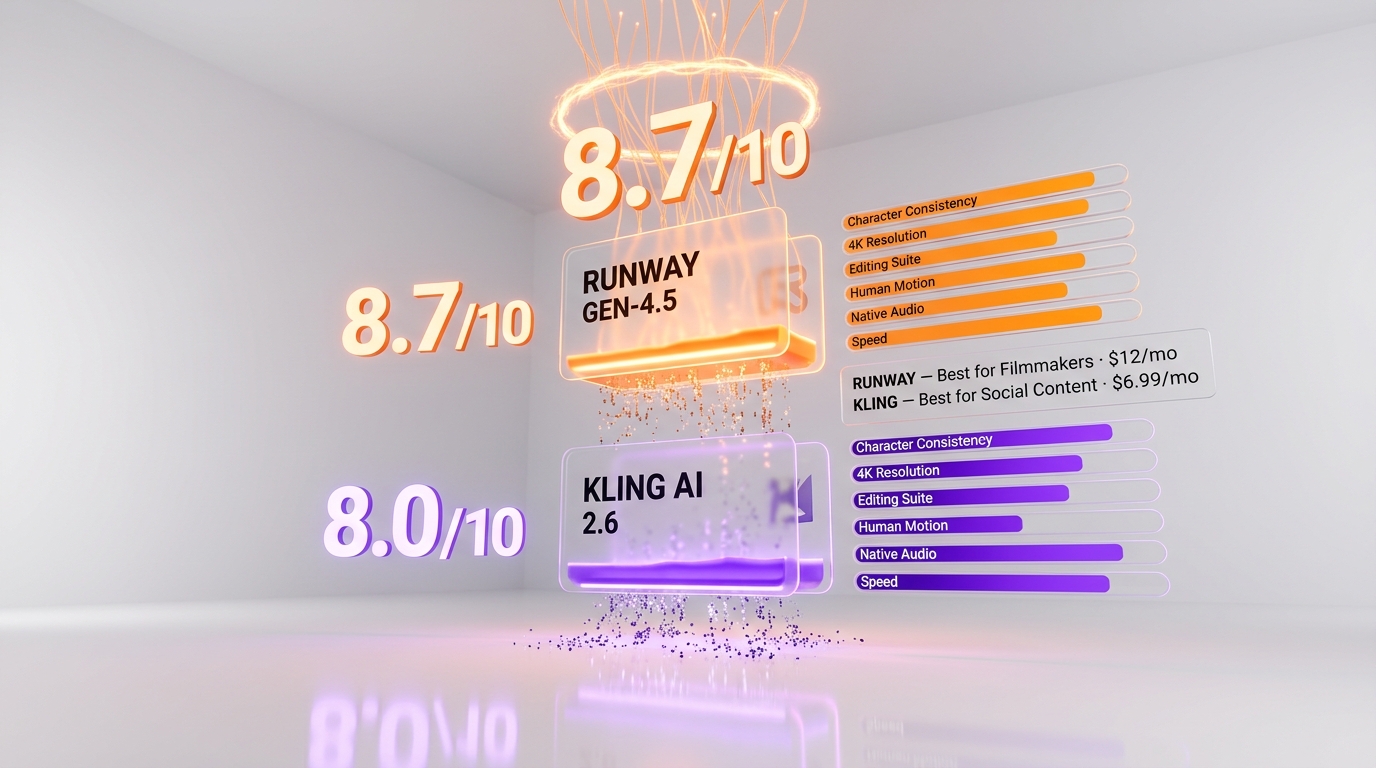
Runway Gen-4.5 is the better tool for filmmakers who are building narratives, working with recurring characters across multiple shots, or need professional-grade post-production capabilities alongside generation. Gen-4.5's physical accuracy and material fidelity are best-in-class for cinematic output. Act-Two brings affordable motion capture to indie productions. Aleph is genuinely the most useful AI editing tool we've used in this space. And Workflows opens the door to production-scale automation that no competitor is currently offering. The 8.7 out of 10 score reflects a mature, well-funded platform with a coherent vision for professional filmmaking.
Kling AI (8.0 out of 10) isn't losing this comparison — it's winning a different race entirely. Best-in-class human motion physics, native audio-visual generation in a single pass, the most generous daily free tier in the market, and a starting price of $6.99 per month make it the dominant tool for social media creators and any filmmaker who needs realistic footage fast. The 30% cost reduction that came with Kling 2.6 — combined with native audio — is a serious competitive move that's going to keep pulling creators toward the platform throughout 2026.
What genuinely surprised us, after testing both extensively, is how many serious AI filmmakers are using both tools in a complementary pipeline: Runway for identity consistency and editorial control, Kling for motion realism and animation. If you're committed to AI filmmaking and your budget allows, a combined $18.99 per month dual subscription might be the smartest toolkit investment of the year. Worth noting: Google's three-tier Veo 3.1 family is also reshaping the budget end of this market — see our Veo 3.1 Lite vs Fast vs Full comparison if cost-per-second is your primary lever.
But if you have to pick one: choose Runway Gen-4.5 for filmmaking. Choose Kling AI for social media and budget-driven production. That's the real answer, and it holds up after thorough testing.
Frequently Asked Questions
Is Runway Gen-4.5 better than Kling AI for video generation?
Runway Gen-4.5 (score 8.7 out of 10, from $12 per month) is the better tool for professional filmmakers who need character consistency, 4K resolution, and a full editing pipeline (Aleph, Act-Two mocap, Workflows automation). Kling AI (score 8.0 out of 10, from $6.99 per month) wins on human motion realism, generation speed (40% faster with Kling 2.5 Turbo), native audio-visual generation (Kling 2.6), video length (up to 3 minutes vs 10-18 seconds), and price. Choose Runway for narrative filmmaking; choose Kling for social media and budget-driven production.
Which is cheaper — Runway or Kling AI?
Kling AI is significantly cheaper. Entry plans: $6.99 per month (Kling, 660 credits) vs $12 per month (Runway, 625 credits). Pro plans: $37 per month (Kling, 3,000 credits) vs $28 per month (Runway, 2,250 credits + 4K + Aleph). Kling's free tier is also far more generous — 66 credits per day that renew daily vs Runway's 125 one-time credits. Kling also offers ~34% annual discount vs Runway's ~20%. API costs: Kling $0.07-$0.14 per sec vs Runway $0.05-$0.40 per sec.
Can Kling AI generate video with audio?
Yes — this is Kling 2.6's most disruptive feature. It generates video and audio simultaneously in a single pass. Characters speak with accurate lip-syncing, environmental sound matches on-screen action automatically, and it supports speech, dialogue, narration, singing, rap, and ambient soundscapes in English and Chinese. In our testing, a cafe conversation scene had genuinely usable audio-visual sync without any post work. Runway has no native audio generation — you need external tools like ElevenLabs.
Which has better character consistency across multiple shots?
Runway Gen-4.5. It locks character identity using up to 3 reference images and maintains visual coherence across varied settings, lighting conditions, and camera angles. We tested a protagonist across 8 different environments and she remained visually consistent in all of them. Kling's Elements feature (up to 4 reference images) produces strong likeness for individual shots but is less reliable when that character needs to travel across an entire multi-shot sequence. For narrative filmmaking, Runway's consistency is everything.
What is the maximum video length for each platform?
Kling AI generates up to 3 minutes of continuous video — significantly longer than Runway's 10-18 seconds per clip. However, Kling's video quality degrades noticeably after about 30 seconds of clip extension. Runway's clips are shorter but maintain higher visual fidelity, and the Aleph editing tool helps stitch adjacent shots with consistent visual and color continuity. For short-form social content (10-30 seconds), Kling's length is ideal. For cinematic work, Runway's quality-per-second is superior.
Can I use Runway and Kling AI together?
Yes, and many serious AI filmmakers do exactly this. A popular workflow is: use Runway Gen-4.5 to generate consistent character reference images, export those to Kling AI for high-realism animation (especially action and motion-heavy scenes), then bring the footage back to Runway for Aleph-powered editing and color work. A combined $18.99 per month dual subscription may be the smartest toolkit investment for AI filmmaking in 2026.
Which is better for TikTok and social media content?
Kling AI, no contest. Generate a realistic 15-second clip with built-in ambient audio and dialogue, in the correct vertical aspect ratio, in under two minutes. The native audio-visual generation eliminates the separate audio pipeline entirely, and 1080p at 30-48 FPS is more than sufficient for TikTok, Instagram Reels, and YouTube Shorts. Kling's $6.99 per month entry price and generous daily free credits (66/day) make it the clear choice for social media creators.
Sources and references
Every figure on this page is attributed to whoever produced it. Vendor documentation and independent measurement are listed separately and never merged into a single ranking.
- Runway — Research (model releases and capabilities)
- Kling AI (model versions and availability)
- Artificial Analysis — Model leaderboard (Intelligence Index scores and cost per task across configurations)
Our Verdict
Runway Gen-4.5 wins for professional filmmakers who need character consistency, 4K output, and a full post-production suite (Act-Two, Aleph, Workflows) — scoring 8.7/10 at $12/month. Choose Kling AI (8.0/10, from $6.99/month) if you prioritize best-in-class human motion realism, native audio-visual generation, and faster turnaround for social media content.
Choose Runway (Gen-4.5)
The world's top-rated AI cinematic video generator — now powered by Gen-4.5 and a General World Model.
Try Runway (Gen-4.5) →Choose Kling AI
Cinema-grade AI video generation with native audio, lip sync, and motion control — from the makers of Kuaishou
Try Kling AI →Frequently Asked Questions
Is Runway (Gen-4.5) better than Kling AI?
Runway Gen-4.5 wins for professional filmmakers who need character consistency, 4K output, and a full post-production suite (Act-Two, Aleph, Workflows) — scoring 8.7/10 at $12/month. Choose Kling AI (8.0/10, from $6.99/month) if you prioritize best-in-class human motion realism, native audio-visual generation, and faster turnaround for social media content.
Which is cheaper, Runway (Gen-4.5) or Kling AI?
Runway (Gen-4.5) starts at $12/month (free plan available). Kling AI starts at $6.99/month (free plan available). Check the pricing comparison section above for a full breakdown.
What are the main differences between Runway (Gen-4.5) and Kling AI?
The key differences span across 12 features we compared. For Video Resolution, Runway (Gen-4.5) offers Up to 4K on Pro plan ($28/mo) while Kling AI offers Up to 1080p at 30–48 FPS across all plans. For Max Video Length Per Clip, Runway (Gen-4.5) offers ~10–18 seconds per generation while Kling AI offers Up to 3 minutes continuous video. For Human Motion Realism, Runway (Gen-4.5) offers Good — occasional smoothing artifacts; simplified physics at edges while Kling AI offers Best-in-class — 3D Spatiotemporal Joint Attention with natural secondary motion. See the full feature comparison table above for all details.