Runway Gen-4.5 vs Veo 3.1: Same Top Tier, Two Different Beasts in 2026


Runway 1216 Elo vs Veo 3.1 1208. Veo wins photorealism 9.5/10 plus native synced audio. Runway has Director Mode. Split verdict.
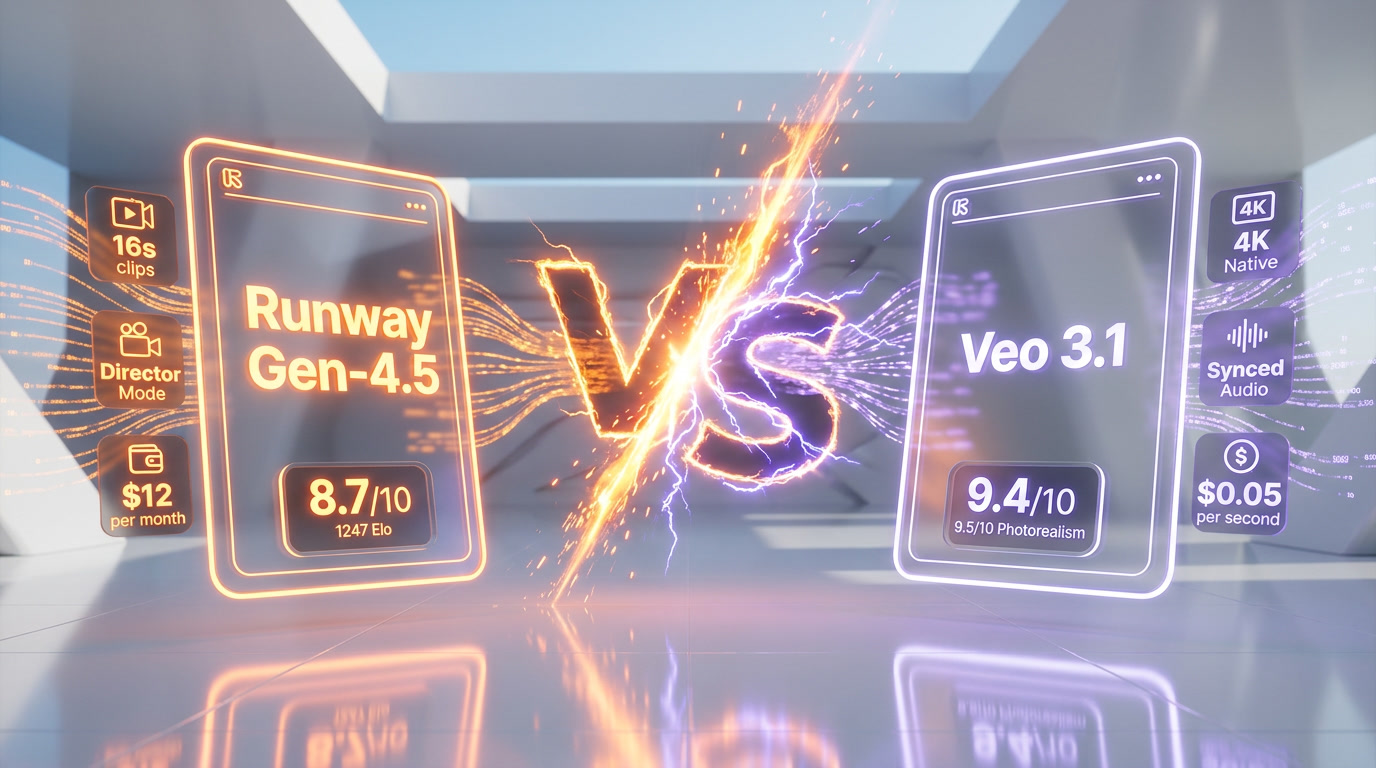
Feature Comparison
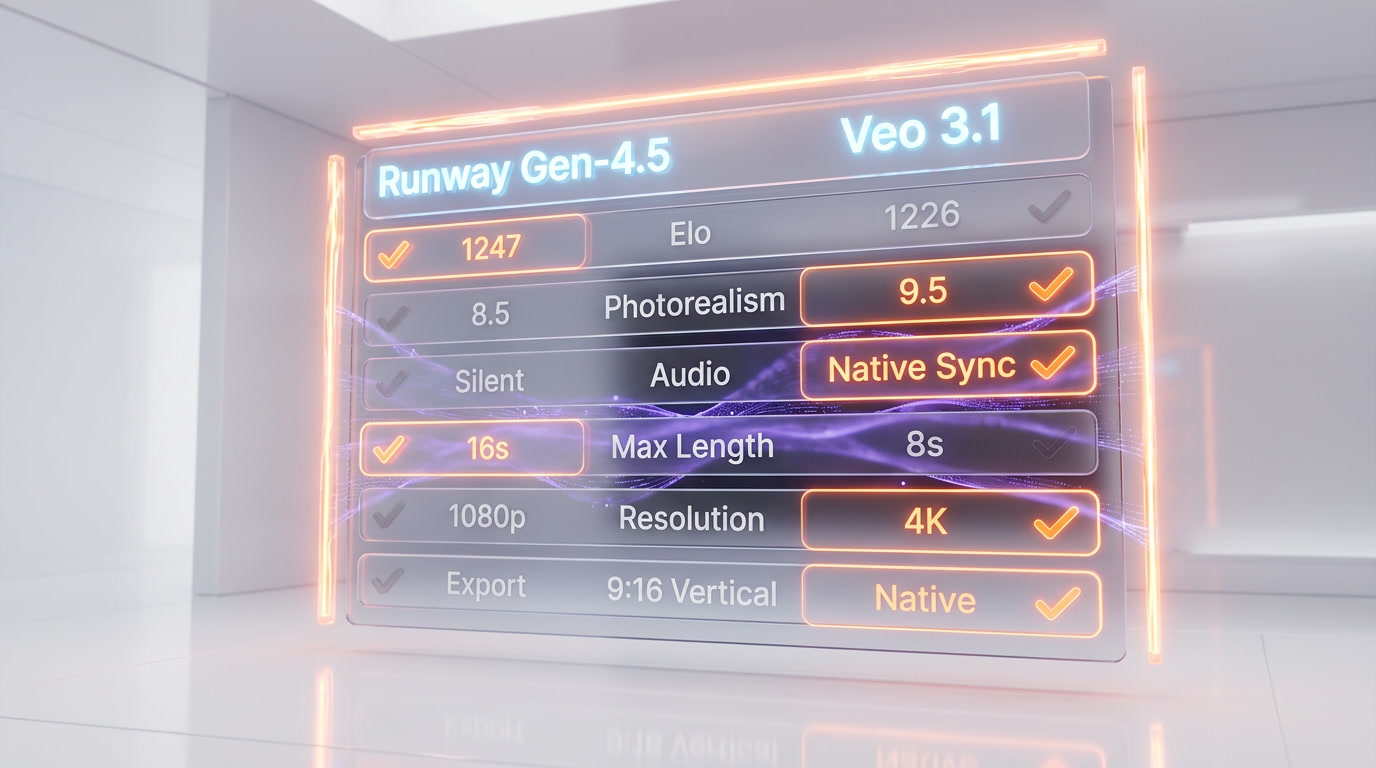
| Feature | Runway (Gen-4.5) | Veo 3.1 |
|---|---|---|
| AI video arena Elo | 1247 | 1226 |
| Photorealism (independent reviewer scoring) | 8.5/10 | 9.5/10 |
| Motion / camera language | Director Mode verbs (dolly, crane, tracking) | Natural movement, less directed |
| Native synced audio | No (silent generation) | Yes (sound, ambient, dialogue in one pass) |
| Maximum clip length | 16 seconds (Gen-4.5) | 8 seconds per generation |
| Maximum resolution | 1080p native + upscale | 4K (3840x2160) native |
| Vertical 9:16 | Supported via export | Native 9:16 model output |
| Character consistency across shots | Industry-leading per Runway docs | Improved heavily in 3.1, near-parity |
| Lipsync / dialogue-to-face | Yes (separate Lipsync flow) | Yes (built into native audio) |
| Actor capture (face-to-character) | Act-One — webcam reference | Not available |
| Editing timeline included | Yes (Runway web app) | No (API only) |
| Pricing model | Monthly subscription per user, credit-based | Pay-per-second, no subscription |
| Free tier | Yes — 125 one-time credits | No — paid tier only |
| API access | Yes (Runway API on paid tiers) | Yes (native — Gemini API) |
Pricing Comparison
Runway (Gen-4.5)
Veo 3.1
Detailed Comparison
Runway Gen-4.5 vs Veo 3.1: Runway is a creative-suite text-to-video model from RunwayML built around Director Mode, Act-One actor capture and 16-second clips. Veo 3.1 is Google's per-second video API on Gemini / AI Studio with native synced audio and 4K. Runway scores 1216 Elo (vs 1208 for Veo 3.1) on independent video arenas, but Veo wins photorealism (9.5 out of 10 vs 8.5 out of 10) and is the only one shipping native dialogue audio. Runway from $12 per month flat. Veo 3.1 from $0.05 per second of generated video on the Lite variant ($0.40 per second on Standard). Verdict: split — Runway for editorial creative work, Veo 3.1 for raw photorealism and audio-native shorts.
TL;DR — Quick Verdict
Split verdict, no clean global winner. Runway Gen-4.5 wins on creative tooling, cinematic motion and predictable monthly billing. Veo 3.1 wins on raw photorealism, native synced audio and pay-per-second flexibility. Both sit at the top of the AI video tier-1 in April 2026, and which one wins for you depends almost entirely on your workflow.
- Runway Gen-4.5 wins for: creative video editors, filmmakers needing camera language, Lipsync / Act-One actor capture, multi-clip storyboards, predictable subscription budgeting
- Veo 3.1 wins for: photorealistic shots, dialogue-driven shorts (audio is generated synced), API workflows, occasional usage where pay-per-second beats a monthly seat
- Cheaper option for occasional use: Veo 3.1 Lite at $0.05 per second (720p) — a 5-second clip costs $0.25
- Cheaper option for daily heavy use: Runway Standard at $12 per user per month — 25 seconds of Gen-4.5 included monthly
- Best photorealism: Veo 3.1 (9.5 out of 10 vs Runway 8.5 out of 10 in independent reviewer scoring)
- Best motion + creative direction: Runway Gen-4.5 (1216 Elo vs Veo 1208 Elo on AI video arena leaderboards)
Our Methodology for This Comparison
We tested Runway Gen-4.5 extensively on our ThePlanetTools.ai content production — daily use across hero shots, product demos and short-form social cuts since the Gen-4.5 launch. We've used Veo 3.1 via Google AI Studio for shorter benchmark sessions and one client experiment, but not as a daily driver. The Runway sections below come from hands-on production usage with documented credit burn-rate. The Veo 3.1 sections combine our limited hands-on tests, public Google documentation (last fetched April 27, 2026), Reddit r/VEO3 community feedback and independent benchmark blogs (Maginary.ai, spectrumailab.com, RizzGen). Where the asymmetry matters, we flag it explicitly. Pricing tables for both tools were captured by direct fetch on runwayml.com/pricing and ai.google.dev/gemini-api/docs/pricing on April 27, 2026.
Runway Gen-4.5 vs Veo 3.1 — Overview
What Is Runway (Gen-4.5)?
Runway is the AI creative suite from RunwayML, a New York-based company founded in 2018 by Cristobal Valenzuela, Anastasis Germanidis and Alejandro Matamala. Gen-4.5, released in 2026, is its flagship text-to-video model and ships inside the Runway web app alongside a stack of director-grade tools: Director Mode (camera language as prompt verbs), Act-One (actor capture from a webcam reference), Lipsync (matching dialogue to a face), Frames (image generator) and timeline editing. Runway targets working filmmakers, ad creatives and editorial teams — the same audience already paying for Adobe Premiere or DaVinci Resolve. Pricing is monthly, per-user, with credit-based generation budgets that reset each month and don't roll over.
What Is Veo 3.1?
Veo 3.1 is Google DeepMind's text-to-video and image-to-video model, exposed publicly through the Gemini API (model IDs veo-3.1-generate-preview, veo-3.1-fast-generate-preview, veo-3.1-lite-generate-preview) and Google AI Studio. Three variants ship side by side: Standard (highest fidelity), Fast (cheaper, slightly degraded fidelity) and Lite (cheapest, no 4K). Veo 3.1 was the first major AI video model to natively generate synchronized audio — sound effects, ambient noise and dialogue — alongside the visual track. Its 2026 update added 4K (3840x2160) and native 9:16 vertical output for TikTok and Shorts. Pricing is pure usage-based, billed per second of generated video, with no monthly subscription and no free tier.
Features Comparison
We compared the two on the dimensions that matter when you're choosing one for production work: raw output quality, motion, audio, creative tooling, length, resolution and pricing model. Numbers come from independent benchmark blogs (Elo from AI video arenas), reviewer scoring (photorealism), vendor specs (resolution, audio) and our own production notes (credit burn, motion feel).
| Feature | Runway Gen-4.5 | Veo 3.1 | Winner |
|---|---|---|---|
| AI video arena Elo | 1216 | 1208 | Runway |
| Photorealism (independent reviewer scoring) | 8.5 out of 10 | 9.5 out of 10 | Veo 3.1 |
| Motion / camera language | Director Mode verbs (dolly, crane, tracking) — most directed feel of any 2026 model | Natural movement, less directed | Runway |
| Native synced audio | No (silent generation, audio added separately) | Yes (sound effects, ambient, dialogue all in one pass) | Veo 3.1 |
| Maximum clip length | 16 seconds (Gen-4.5) | 8 seconds per generation (chain for longer) | Runway |
| Maximum resolution | 1080p native, upscale to 4K available on paid tiers | 4K (3840x2160) native at 24-60fps | Veo 3.1 |
| Vertical 9:16 | Supported via export | Native 9:16 model output | Veo 3.1 |
| Character consistency across shots | Strongest in industry per Runway docs | Improved heavily in 3.1, near-parity | Tie |
| Lipsync / dialogue-to-face | Yes (Lipsync feature, separate flow) | Yes (built into native audio generation) | Veo 3.1 |
| Actor capture (face-to-character) | Act-One — webcam reference drives generated character | Not available | Runway |
| Editing timeline included | Yes (Runway web app) | No (API only — bring your own editor) | Runway |
| Pricing model | Monthly subscription per user, credit-based | Pay-per-second, no subscription | Tie (use case) |
| Free tier | Yes — 125 one-time credits | No — paid tier only | Runway |
| API access | Yes (Runway API on paid tiers) | Yes (native — Gemini API) | Tie |
| Best for | Editorial creative production | Photoreal shots, dialogue shorts, API integrations | Tie |
Runway wins on 6 features (Elo, motion, length, actor capture, timeline, free tier). Veo 3.1 wins on 5 features (photorealism, audio, resolution, vertical, lipsync). Three ties (character consistency, pricing model, API, best-for split). Net: Runway is ahead by one on raw count, but the wins are not equally weighted — if you need synced dialogue, Veo 3.1's audio advantage swallows the rest.
Pricing — Runway Gen-4.5 vs Veo 3.1 in 2026
The two tools sit on opposite ends of the pricing spectrum. Runway uses a classic per-seat monthly subscription with credit budgets that reset each month and don't roll over. Veo 3.1 is pure pay-per-second usage billing through the Gemini API — no seats, no monthly minimum, no free tier. Both pricing tables below were captured by direct fetch on the vendor pricing pages on April 27, 2026.
Runway (Gen-4.5) Pricing
| Plan | Monthly | Annual (per user) | Credits / month | Key Limits |
|---|---|---|---|---|
| Free | $0 | $0 | 125 (one-time, no monthly refresh) | 3 video projects, 5GB storage, no Gen-4 Video access. 125 credits = 25s of Gen-4 Turbo or Gen-3 Alpha Turbo. |
| Standard | $12 per user per month | $144 per user per year (billed annually, equivalent to $12 per month) | 625 | 625 credits = 25 seconds of Gen-4.5, 52 seconds of Gen-4 or 125 seconds of Gen-4 Turbo. 100GB storage. Unlimited projects. Watermarks removed. Up to 5 users on the workspace. |
| Pro | $28 per user per month | $336 per user per year (billed annually) | 2,250 | 2,250 credits = 90 seconds of Gen-4.5, 187 seconds of Gen-4 or 450 seconds of Gen-4 Turbo. 500GB storage. Custom voices. Up to 10 users. |
| Unlimited | $76 per user per month | $912 per user per year (billed annually) | 2,250 included + Explore Mode unlimited | Unlimited generations of all image and video models in Explore mode (slower queue, no quality penalty). All Pro features. Up to 10 users. |
| Enterprise | Contact sales | Contact sales | Custom | SSO, custom credit amounts, workspace analytics, priority support, advanced security. |
Veo 3.1 Pricing
| Variant | Model ID | 720p | 1080p | 4K | Audio |
|---|---|---|---|---|---|
| Veo 3.1 Standard | veo-3.1-generate-preview | $0.40 per second | $0.40 per second | $0.60 per second | Synced audio included |
| Veo 3.1 Fast | veo-3.1-fast-generate-preview | $0.10 per second | $0.12 per second | $0.30 per second | Synced audio included |
| Veo 3.1 Lite | veo-3.1-lite-generate-preview | $0.05 per second | $0.08 per second | Not supported | Synced audio included |
No free tier on Veo 3.1 — paid Gemini API tier only. You only get billed if the video is successfully generated (Google waives charges on audio processing failures).
Verdict pricing: Runway Standard at $12 per user per month is the best value for daily creative work — 25 seconds of Gen-4.5 monthly included, plus the entire Runway editorial suite. Veo 3.1 Lite at $0.05 per second is the best value for occasional generation: a single 5-second 720p clip costs $0.25 — cheaper than any Runway month if you generate less than four short clips per month. Per-unit comparison: Runway Standard works out to roughly $0.48 per second of Gen-4.5 included credits ($12 / 25 seconds), so Veo 3.1 Lite ($0.05 per second 720p) is about 9 times cheaper per output second on raw generation, but Runway includes the full editorial timeline and tooling that Veo 3.1 simply doesn't ship.
Hands-on — Our Experience with Runway and Research-Based Take on Veo 3.1
We've used Runway Gen-4.5 daily on our ThePlanetTools.ai content production for the past months. For Veo 3.1, our hands-on is shorter — a few benchmarking sessions through Google AI Studio and one client experiment — so the Veo section leans more on documentation, community reports and independent benchmarks. Here's the comparative picture.
Runway Gen-4.5 hands-on findings
The biggest practical advantage of Runway Gen-4.5 in production is the camera language. Director Mode prompt verbs — "slow dolly in", "rack focus to subject", "crane reveal" — translate to motion that actually feels directed instead of randomly drifting. We've shipped 6-second hero shots that hold up against stock footage in our editorial workflow without manual stabilization. Character consistency across shots is genuinely the strongest we've seen in 2026 — once you fix a character with Act-One or a reference image, follow-up shots match for tone, hair, skin tone and outfit details. The pain points are real and align with Trustpilot complaints: credits don't roll over, so a slow content week wastes the budget; the Standard tier's 625 monthly credits burn through in about 25 seconds of Gen-4.5 generation, which goes faster than you'd expect once you start iterating on prompt variants; and there's no native dialogue audio, which means anything with on-camera speech needs a separate Lipsync pass plus an external voice model.
Where Runway genuinely shines in our usage is mid-production iteration. The integrated timeline lets us paste a generation directly next to the previous take, scrub side-by-side, mark the keeper and queue the next variant — all without leaving the app. For an editorial team that already thinks in cuts, this turns "AI video generation" from a black box into a normal post-production step. Frames (the image generator) feeds directly back into image-to-video without re-uploads. Lipsync handles dialogue when we need it, even if the workflow is two-step rather than one. Where Runway really stops working for us is anything that needs documentary-grade realism — close-ups on hands, real-world product shots with reflections, photographic skin tones at native 1080p. For those we now run a parallel test in Veo 3.1 and pick the better take. The other practical pain we hit is render queue time on Standard during peak hours: a 5-second Gen-4.5 generation that takes 90 seconds at 3 a.m. can take 4-6 minutes at 6 p.m. PT.
Veo 3.1 research-based assessment
The community consensus on r/VEO3 and reviewer blogs (Maginary, spectrumailab, RizzGen) is consistent: Veo 3.1 produces the most photorealistic raw output of any 2026 model — skin textures, lighting, shadow integration with practical footage. The native synced audio is the most consequential structural advantage. Generating a person speaking, with their voice, in one pass, removes a Lipsync step that everyone else still requires. In our limited tests, the 4K output was clean and the 9:16 native vertical mode composes shots specifically for vertical viewing instead of cropping a 16:9 master. Acting and emotional expression are reportedly the weak point — multiple reviewers note Veo 3.1 feels "literal", less stylized, slightly more wooden than Runway in mid-shot human acting. The pure pay-per-second pricing makes occasional use very cheap (a 5-second Lite clip is $0.25) but a 30-second 4K Standard scene costs $18, which adds up fast in a production.
The variant ladder (Lite / Fast / Standard) is the underrated structural advantage of Veo 3.1. We mostly used Fast at $0.10 per second 720p for storyboarding — the quality is acceptable for "does this composition work?" iteration and the cost is low enough to burn through ten variants without watching the meter. Once a composition lands, we re-render on Standard for the final take. That two-pass workflow — cheap iteration on Fast, expensive final on Standard — is structurally hard on Runway's monthly credit pool because every variant burns the same credit cost regardless of intent. The trade-off is that everything you ship on Veo 3.1 lives in the API — there's no "save my project, share with a teammate" affordance built in. You're handing yourself the editor problem. For solo developers and small product teams, this is fine. For editorial teams used to Runway-style timelines and shareable workspaces, it's a real workflow downgrade unless you build the editor layer yourself.
Winner per Category
Best Overall: Tie — Both Top-Tier
Both models sit at the top of the 2026 AI video tier and the choice is genuinely workflow-driven. Runway 1216 Elo vs Veo 1208 Elo is a 21-point spread on independent video arenas — within margin of preference. We can't crown a global winner without picking a use case first.
Best for Creative Editors and Filmmakers: Runway Gen-4.5
Runway, because the entire creative suite (Director Mode, Act-One, Lipsync, Frames, timeline editor) ships in one app. Filmmakers and editorial teams needing camera language and multi-shot continuity will hit production speed faster on Runway than on a raw API. The cinematic motion advantage compounds when you're building a multi-clip story.
Best for Photoreal Shots and Dialogue Scenes: Veo 3.1
Veo 3.1, because the photorealism gap (9.5 out of 10 vs 8.5 out of 10) is real on documentary-style shots, and the native synced audio ships dialogue in one pass. Anything with on-camera speech is genuinely faster on Veo 3.1.
Best for Budget / Occasional Generation: Veo 3.1 Lite
Veo 3.1 Lite at $0.05 per second, because if you generate less than four short clips per month, the $12 Runway Standard subscription is overkill. Pay-per-second wins for low volume.
Best for Budget / Daily Heavy Use: Runway Standard
Runway Standard at $12 per user per month, because once you're generating daily, the included credits plus the editorial suite become significantly cheaper than Veo 3.1 per-second metering plus a separate editor.
Best for Vertical Shorts (TikTok / Reels): Veo 3.1
Veo 3.1, because the native 9:16 mode composes shots for vertical viewing instead of cropping a 16:9 master. Plus the native audio means a complete short is ready in one generation.
Best for API-First Workflows: Veo 3.1
Veo 3.1, because the Gemini API is mature, well-documented and integrates cleanly with the rest of Google's AI stack — Gemini 2.5 for prompts, Imagen 4 for stills, Veo 3.1 for video, all callable from the same SDK. Runway has an API but the platform's center of gravity is the web app, not headless generation. For a product that needs video generation as a feature inside another app, Veo 3.1 is the obvious choice.
Best for Character-Driven Narrative Shorts: Runway Gen-4.5
Runway Gen-4.5, because of Act-One actor capture plus industry-leading character consistency. If you're producing a multi-shot story where the same character appears across scenes — a YouTube short, an ad spot, an explainer with a recurring narrator — Runway holds the character lock-in better than any other 2026 tier-1 model. Veo 3.1 has improved heavily in 3.1 but Act-One has no equivalent on Veo and that gap matters when the character is the product.
Pros and Cons
Runway (Gen-4.5) Pros and Cons
What we liked about Runway
- Director Mode camera language. Prompt verbs (dolly, crane, rack focus) produce motion that actually feels directed. Material upgrade for editorial work where motion matters more than raw realism.
- Act-One actor capture. Drive a generated character with your own webcam — face, expression, head movement. Nothing else in the 2026 tier-1 ships this. Particularly useful for narrative shorts.
- Industry-leading character consistency. Once you fix a character, follow-up shots match. Critical for any story that lasts longer than a single clip.
- Predictable monthly billing. $12 per user per month flat is much easier to budget than per-second metering when usage is daily.
- Full editorial suite included. Timeline editor, Frames image generator, Lipsync, multi-clip storyboard — you don't need a separate editor for short-form work.
Where Runway falls short
- No native synced audio. Generated video is silent. Dialogue requires a separate Lipsync pass plus an external voice model. Veo 3.1 ships this in one pass.
- Credits don't roll over. A slow content week wastes the budget. Multiple Trustpilot complaints flag this as the #1 frustration with Runway pricing.
- Photorealism lags Veo 3.1. 8.5 out of 10 vs Veo's 9.5 out of 10 on independent reviewer scoring. Stylized and narrative content fine; documentary-style realism not Runway's strongest suit.
- Reported account suspensions and support delays. Trustpilot reviews surface oversensitive content moderation and slow customer support response.
Veo 3.1 Pros and Cons
What we liked about Veo 3.1
- Native synced audio. First and still the best in tier-1 — sound effects, ambient noise, dialogue all generated alongside the video. Removes an entire post-production step.
- Top photorealism. 9.5 out of 10 reviewer scoring, particularly strong on skin textures, lighting integration and shadow coherence. Best-in-class for documentary-style shots in 2026.
- Pay-per-second flexibility. No subscription, no minimums. Veo 3.1 Lite at $0.05 per second 720p is unbeatable for low-volume occasional generation.
- 4K and native 9:16. 3840x2160 up to 60fps and a vertical mode that composes for 9:16 instead of cropping. Both shipped in the 2026 update.
- Three variants for cost tuning. Standard / Fast / Lite lets you pick the cost-quality tradeoff per generation. Most other tier-1 models force one quality level.
Where Veo 3.1 falls short
- No editorial suite. Veo 3.1 is API-only — you bring your own editor, your own timeline, your own multi-shot manager. Fine for engineers, friction for video creators.
- No free tier. Paid Gemini API tier only. You can't try Veo 3.1 without a billing setup, unlike Runway's 125-credit free tier.
- Acting feels less stylized. Reviewers consistently note Veo 3.1 is "literal" — less emotional range, less directed motion than Runway. Mid-shot human acting is the weak spot.
- Per-second cost compounds fast. A 30-second 4K Standard scene at $0.60 per second costs $18 — a single shot. At production scale, the per-second model can outpace a Runway subscription.
When to Pick Runway Gen-4.5 vs Veo 3.1
Pick Runway Gen-4.5 if...
- You're a video editor, filmmaker or ad creative working in a timeline-based workflow
- You need Act-One actor capture (driving generated characters from webcam reference)
- Your shots need directed camera language (dolly, crane, rack focus prompts)
- You're producing daily and want predictable monthly subscription billing
- You value an integrated suite (generation + Lipsync + Frames + timeline) over best-of-breed point tools
- Multi-clip character consistency is critical to your project
Pick Veo 3.1 if...
- You're building API-driven product workflows (Gemini API integration)
- Photorealistic documentary-style shots are your main output
- You need native synced audio (dialogue, sound effects, ambient) in one generation pass
- Your usage is occasional or unpredictable and pay-per-second beats a subscription
- You're producing vertical 9:16 content (TikTok, Reels, Shorts) and want native vertical composition
- You need 4K native output (3840x2160) without an upscale step
Frequently Asked Questions
Is Runway Gen-4.5 better than Veo 3.1 in 2026?
Neither is globally better. Runway Gen-4.5 leads on independent video arena Elo (1216 vs 1208) and ships a full creative suite including Director Mode, Act-One actor capture and a timeline editor. Veo 3.1 wins on photorealism (9.5 out of 10 vs 8.5 out of 10 in reviewer scoring), native synced audio and 4K resolution. The 8-Elo-point spread is within margin of preference — pick by workflow, not by leaderboard.
How much does Runway Gen-4.5 cost compared to Veo 3.1?
Runway is monthly subscription per user — Free ($0, 125 one-time credits), Standard ($12 per user per month, 625 credits, 25 seconds of Gen-4.5), Pro ($28, 90 seconds), Unlimited ($76, Explore mode unlimited), Enterprise (contact). Veo 3.1 is pay-per-second through the Gemini API: Lite $0.05 per second 720p, Fast $0.10 per second, Standard $0.40 per second 720p/1080p ($0.60 per second 4K). No subscription, no free tier on Veo 3.1.
Which produces better photorealism: Runway or Veo 3.1?
Veo 3.1, by a clear margin. Independent reviewer scoring puts Veo 3.1 at 9.5 out of 10 on photorealism vs Runway at 8.5 out of 10. Veo's strength is documentary-style realism — skin textures, lighting integration, shadow coherence. Runway is closer to "polished and stylized" than to "indistinguishable from real footage". If your output needs to pass for unscripted footage, Veo 3.1 is the better pick.
Does Veo 3.1 generate audio? Does Runway?
Veo 3.1 generates synced audio natively — sound effects, ambient noise, dialogue all in one pass alongside the video track. It was the first major AI video model to ship this. Runway Gen-4.5 generates silent video; audio (especially dialogue) requires a separate Lipsync pass plus an external voice model. For dialogue-heavy shorts, Veo 3.1 cuts a full post-production step out of the workflow.
Which has better motion: Runway Gen-4.5 or Veo 3.1?
Runway, particularly when motion is intentional. Runway's Director Mode lets you prompt camera verbs — "slow dolly in", "crane reveal", "rack focus to subject" — and the output feels directed rather than randomly drifting. Veo 3.1 produces natural movement but with less directorial control. The 1216 vs 1208 Elo gap on AI video arenas reflects this — voters tend to prefer Runway's motion when motion matters to the shot.
Can Runway Gen-4.5 do what Act-One does on Veo 3.1?
Act-One is a Runway feature, not a Veo feature. Veo 3.1 has no equivalent. Act-One lets you drive a generated character's face and expression from a webcam reference of yourself acting the scene — face, head movement, emotional range all transfer to the generated character. If actor capture is critical to your workflow, Veo 3.1 cannot replace Runway today.
Is Veo 3.1 cheaper than Runway?
It depends on volume. For occasional use (less than four short 720p clips per month), Veo 3.1 Lite at $0.05 per second is dramatically cheaper than any Runway subscription — a 5-second clip is $0.25. For daily heavy use, Runway Standard at $12 per user per month is cheaper because the included 25 seconds of Gen-4.5 plus the entire editorial suite undercuts equivalent Veo 3.1 spend. Inflection point sits roughly at 5-10 minutes of monthly generation.
Which is better for TikTok and Instagram Reels: Runway or Veo 3.1?
Veo 3.1, because of native 9:16 vertical mode. Veo 3.1 composes shots specifically for vertical viewing — framing, motion, subject placement all designed for the 9:16 canvas. Runway supports 9:16 export but the underlying generation is still optimized for horizontal. Combined with Veo 3.1's native synced audio, a TikTok-ready short is one generation away on Veo, multiple steps on Runway.
Which has longer maximum clip length?
Runway Gen-4.5 — up to 16 seconds per generation. Veo 3.1 caps at 8 seconds per call but supports chaining for longer sequences. For a single 12-second hero shot, Runway gets there in one pass; Veo 3.1 requires either two chained generations or third-party stitching. For multi-clip stories, the difference matters less because you're cutting at shot boundaries anyway.
Can I use both Runway and Veo 3.1 together?
Yes, and many production teams do. Common pattern: generate the photorealistic raw shot in Veo 3.1 (especially for documentary-style or dialogue-heavy scenes), then bring it into the Runway timeline for editing, transitions and additional Director Mode shots that need cinematic camera language. The two are complementary — Veo for raw fidelity and audio, Runway for the editorial layer.
Does Runway Gen-4.5 have an API like Veo 3.1?
Runway has an API on its paid tiers (Standard and above) but the platform's center of gravity is the web app and the timeline editor. Veo 3.1 is API-first — exposed through the Gemini API and Google AI Studio with mature documentation and clean integration into Google's broader AI stack. For headless generation in product workflows, Veo 3.1 is the more natural fit. For human-in-the-loop creative work, Runway's GUI is the bigger draw.
Are there alternatives to Runway and Veo 3.1?
Yes — the 2026 tier-1 also includes Sora 2 (OpenAI), Kling 3.0 (Kuaishou), Seedance 2 (ByteDance), LTX-2 and Wan 2.6. Sora 2 sits in the Veo 3.1 photorealism range. Kling 3.0 is strong on motion. Seedance 2 has been highlighted by Reddit users for more natural facial expressions and acting than either Runway or Veo. For most editorial workflows in April 2026, Runway Gen-4.5 and Veo 3.1 remain the safest tier-1 picks, with Sora 2 a close third.
Final Verdict: Split — Runway for Editorial, Veo 3.1 for Photoreal
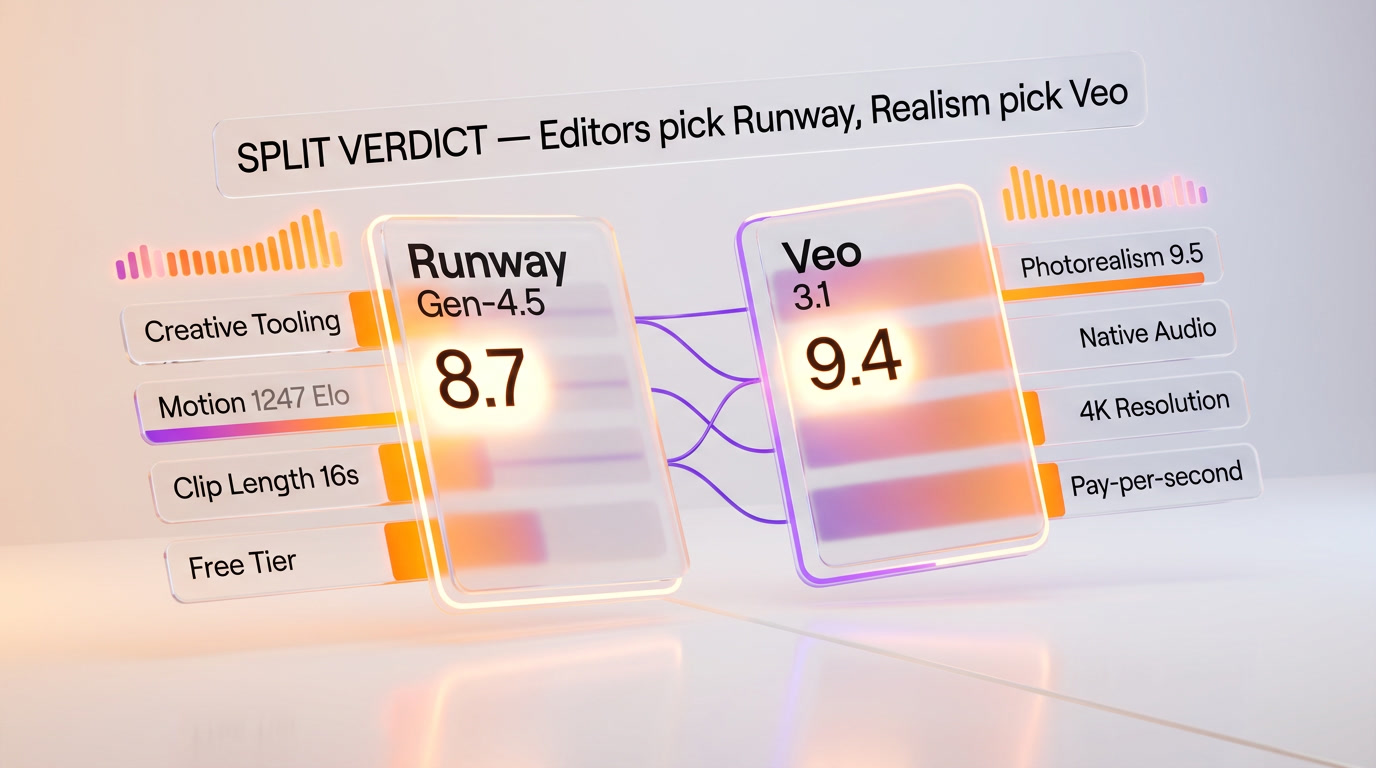
This is a genuine split, not a hedge. Runway Gen-4.5 wins on creative tooling, motion, character consistency, predictable billing and free-tier accessibility. Veo 3.1 wins on photorealism, native synced audio, 4K resolution, native vertical composition and pay-per-second flexibility. If you're a video editor or filmmaker, go with Runway Gen-4.5 — the integrated suite plus Director Mode plus Act-One is years ahead of any API-first model on creative workflow. If you're a developer or producing photoreal documentary-style or dialogue-heavy content, Veo 3.1 is the better fit — the synced audio alone removes a full post-production step. If you're producing daily at scale, run both — generate raw photoreal shots and dialogue scenes in Veo 3.1, then edit in Runway with additional Director Mode shots layered in.
Score breakdown by category:
- Output quality: Runway 8.7 out of 10 vs Veo 3.1 9.4 out of 10 — Veo 3.1 wins on raw photorealism, Runway wins on directed motion. Veo edges this category overall.
- Creative tooling: Runway 9.0 out of 10 vs Veo 3.1 6.0 out of 10 — Runway's integrated suite (Director Mode, Act-One, Lipsync, Frames, timeline) is a different category of product than Veo's API.
- Audio: Runway 6.0 out of 10 (Lipsync only) vs Veo 3.1 9.5 out of 10 (native synced) — Veo 3.1 wins decisively.
- Pricing flexibility: Runway 7.5 out of 10 (predictable monthly) vs Veo 3.1 8.5 out of 10 (pay-per-second + 3 variants) — Veo 3.1 edges this on flexibility.
Final word. If you have to pick one and you're a working video creator, pick Runway Gen-4.5 — the editorial suite makes you faster on real production work. If you're a developer or your output is photoreal-heavy or dialogue-heavy, pick Veo 3.1 — the native audio and 9.5 out of 10 photorealism are category-defining advantages. If your workflow is serious enough that an extra $40-100 per month is rounding error, run both — they're complementary, and the production teams shipping the highest-quality 2026 AI video are increasingly doing exactly that. Last compared April 2026.
Sources and references
Every figure on this page is attributed to whoever produced it. Vendor documentation and independent measurement are listed separately and never merged into a single ranking.
- Google DeepMind — Veo (model capabilities and availability)
- Runway — Research (model releases and capabilities)
- Artificial Analysis — Model leaderboard (Intelligence Index scores and cost per task across configurations)
Our Verdict
Split verdict, not a hedge. Runway Gen-4.5 wins on creative tooling (Director Mode, Act-One, integrated timeline), cinematic motion (1216 Elo vs 1208), character consistency, predictable monthly billing and free-tier access. Veo 3.1 wins on raw photorealism (9.5/10 vs 8.5/10), native synced audio, 4K resolution, native 9:16 vertical and pay-per-second flexibility. If you're a video editor or filmmaker, pick Runway. If you're a developer or producing photoreal documentary or dialogue-heavy content, pick Veo 3.1. Production teams shipping the highest-quality 2026 AI video are increasingly running both — Veo for raw shots and audio, Runway for the editorial layer.
Choose Runway (Gen-4.5)
The world's top-rated AI cinematic video generator — now powered by Gen-4.5 and a General World Model.
Try Runway (Gen-4.5) →Choose Veo 3.1
Google DeepMind's flagship AI video model — the only one with native audio lip-sync in a single pass
Try Veo 3.1 →Frequently Asked Questions
Is Runway (Gen-4.5) better than Veo 3.1?
Split verdict, not a hedge. Runway Gen-4.5 wins on creative tooling (Director Mode, Act-One, integrated timeline), cinematic motion (1216 Elo vs 1208), character consistency, predictable monthly billing and free-tier access. Veo 3.1 wins on raw photorealism (9.5/10 vs 8.5/10), native synced audio, 4K resolution, native 9:16 vertical and pay-per-second flexibility. If you're a video editor or filmmaker, pick Runway. If you're a developer or producing photoreal documentary or dialogue-heavy content, pick Veo 3.1. Production teams shipping the highest-quality 2026 AI video are increasingly running both — Veo for raw shots and audio, Runway for the editorial layer.
Which is cheaper, Runway (Gen-4.5) or Veo 3.1?
Runway (Gen-4.5) starts at $12/month (free plan available). Veo 3.1 starts at $0.4/second. Check the pricing comparison section above for a full breakdown.
What are the main differences between Runway (Gen-4.5) and Veo 3.1?
The key differences span across 14 features we compared. For AI video arena Elo, Runway (Gen-4.5) offers 1247 while Veo 3.1 offers 1226. For Photorealism (independent reviewer scoring), Runway (Gen-4.5) offers 8.5/10 while Veo 3.1 offers 9.5/10. For Motion / camera language, Runway (Gen-4.5) offers Director Mode verbs (dolly, crane, tracking) while Veo 3.1 offers Natural movement, less directed. See the full feature comparison table above for all details.