Kling AI
Cinema-grade AI video generation with native audio, lip sync, and motion control — from the makers of Kuaishou

Quick Summary
Kling AI is a freemium AI video generator by Kuaishou producing 4K/60fps clips with native audio and lip sync. Score: 8/10 in our testing. From $6.99/month with 66 free daily credits, no credit card required.
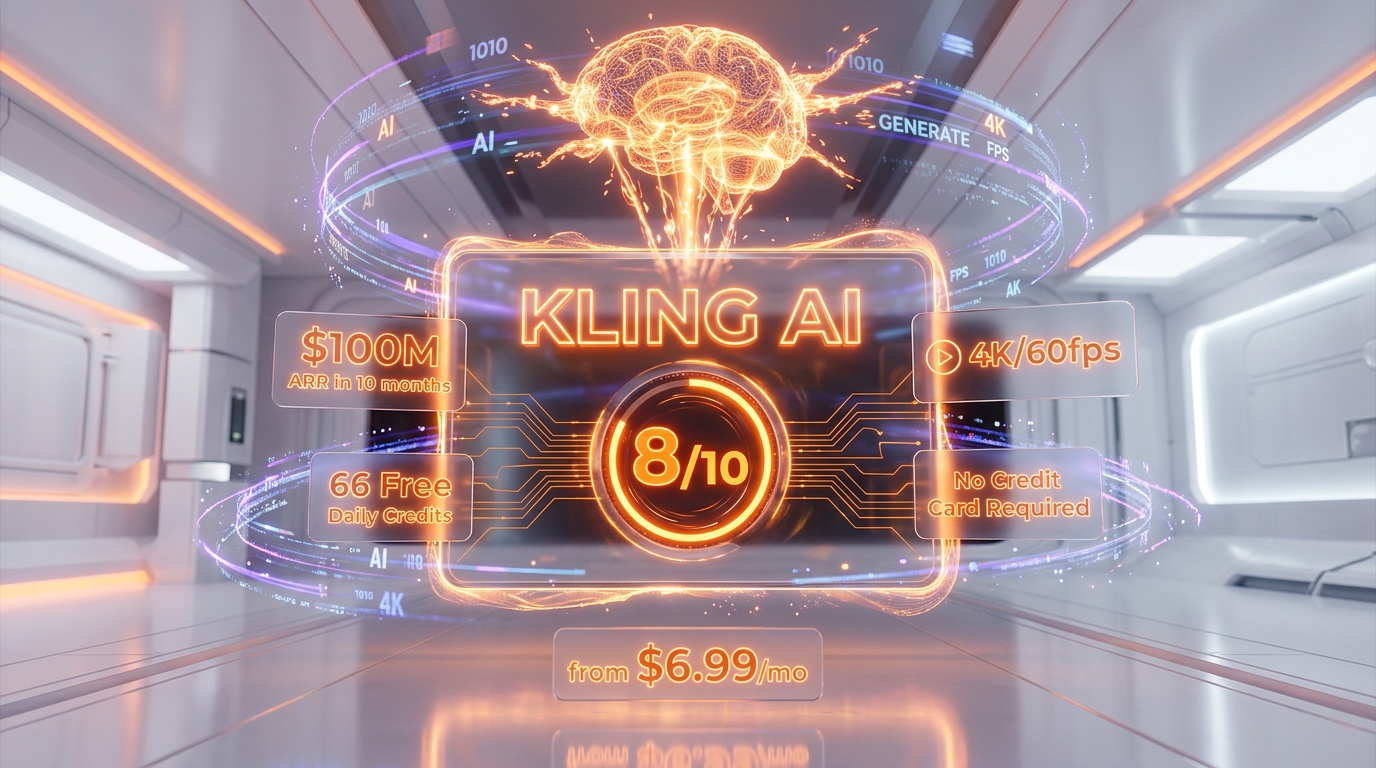
Kling AI is a freemium AI video generator by Kuaishou producing 4K/60fps clips with native audio and lip sync. Score: 8 out of 10 in our testing. From $6.99 per month with 66 free daily credits, no credit card required.
What is Kling AI?
Kling AI is a cutting-edge artificial intelligence platform for video and image generation developed by Kuaishou Technology, one of China's largest technology companies. Founded in 2011 and best known for its short video platform (similar to TikTok), Kuaishou first launched Kling AI in June 2024 as a public beta within its video editing app, KuaiYing. Since then, it has rapidly evolved into one of the most powerful AI video generators on the market, competing head-to-head with OpenAI's Sora, Google's Veo, and Runway's Gen-4 series.
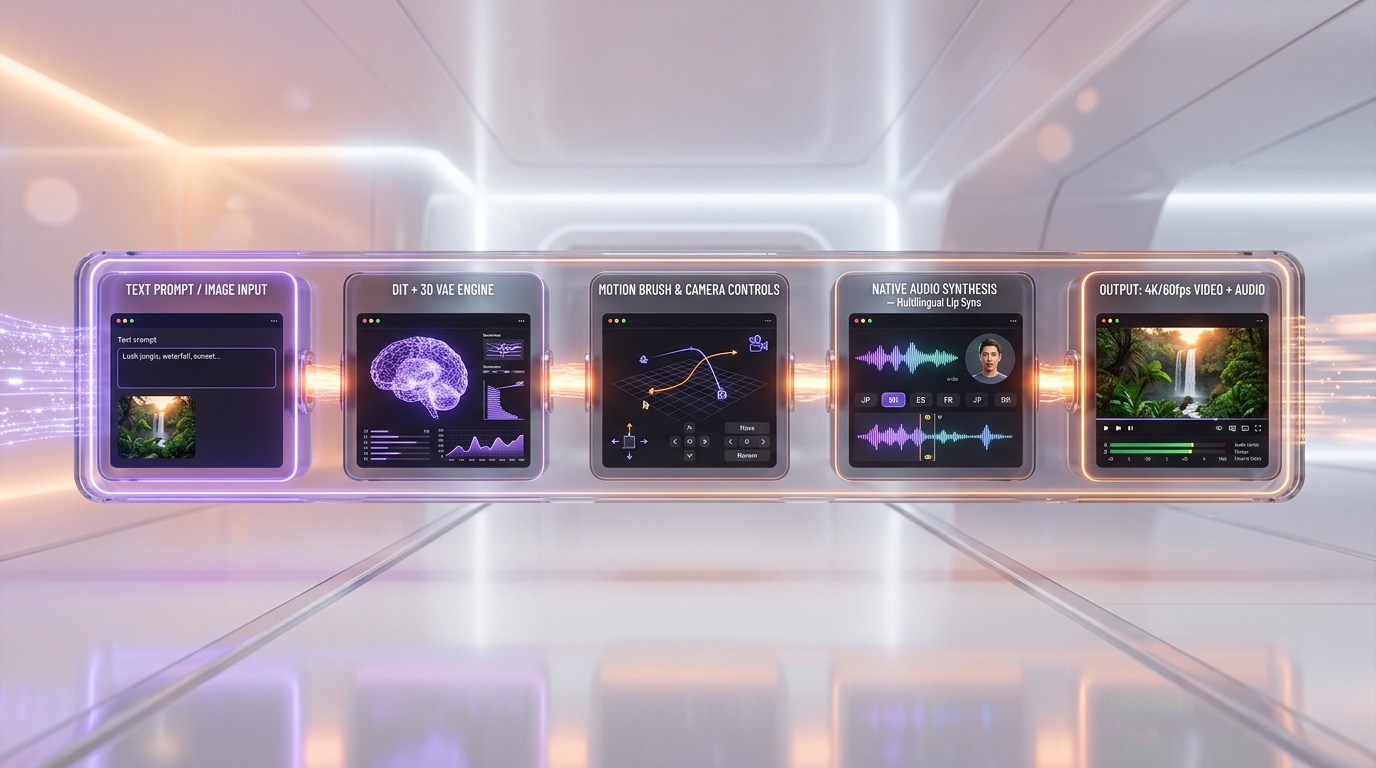
At its core, Kling AI uses a diffusion-based transformer architecture (DiT) enhanced with Kuaishou's proprietary 3D variational autoencoder (VAE) network. This technical foundation allows it to generate videos with remarkably realistic physics simulation, natural human movement, and consistent character appearance across frames. By February 2026, the platform had achieved an annualized revenue run rate surpassing $100 million within just 10 months of its commercial launch — a testament to how quickly creators and businesses have adopted it.
The platform serves a wide audience: social media creators looking for eye-catching clips, marketing teams producing product demos and ads, independent filmmakers experimenting with AI-assisted storytelling, and enterprise clients integrating video generation into their own products via API. Kling AI is accessible through its web application at klingai.com, mobile apps on both iOS and Android, and a developer API for programmatic access. As of March 2026, it supports users globally, though its roots remain firmly in Kuaishou's Beijing headquarters.
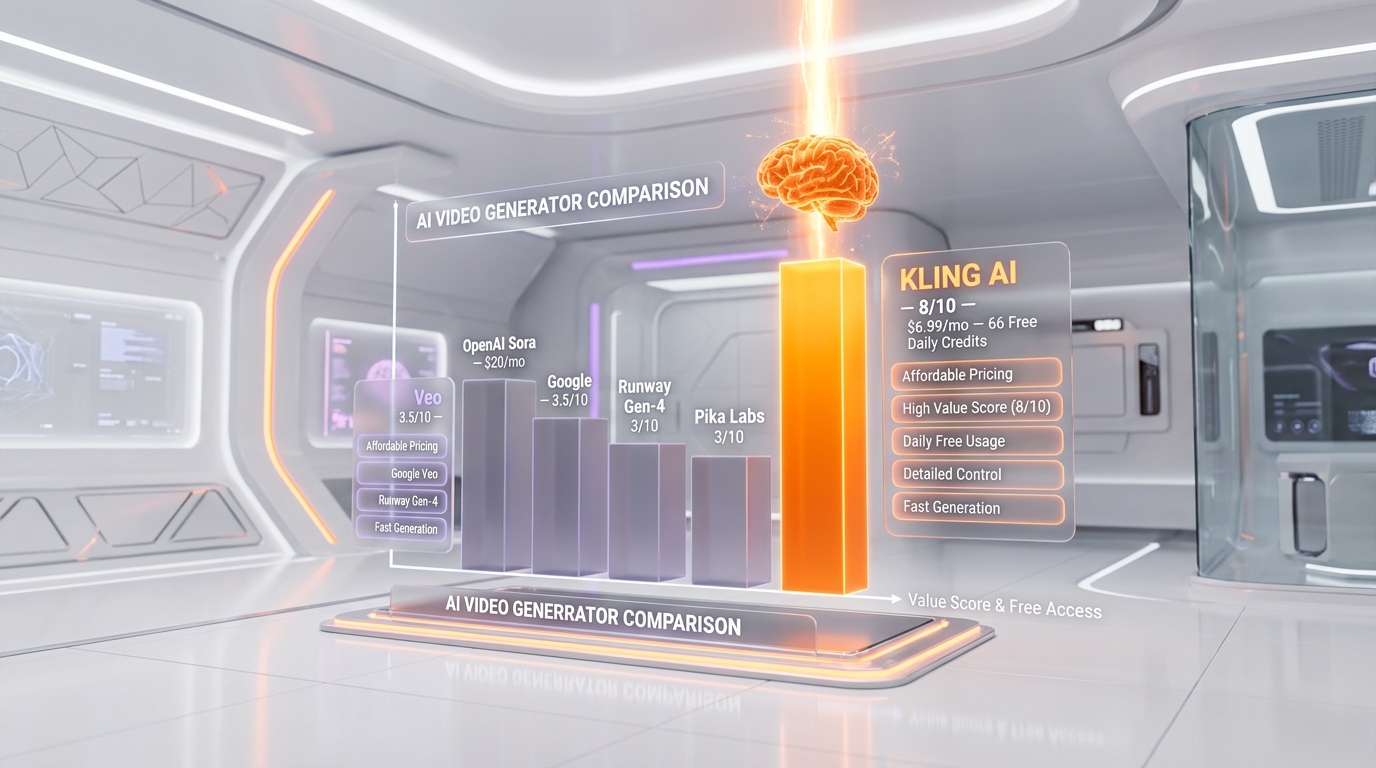
What makes Kling AI stand out in a crowded market is its combination of speed, affordability, and a generous free tier. While competitors like Sora require a $20 per month ChatGPT Plus subscription just to access basic features, Kling AI hands out 66 free credits every single day with no credit card required. That's enough to generate several test clips daily, making it one of the most accessible entry points into AI video generation.
Key Features in 2026
Kling AI's feature set has expanded dramatically with each version update. The current flagship, Kling 3.0, launched on February 4, 2026, represents a major leap forward with its unified multimodal framework that generates synchronized video and audio in a single pass. Here is everything the platform can do right now.
Text-to-Video Generation
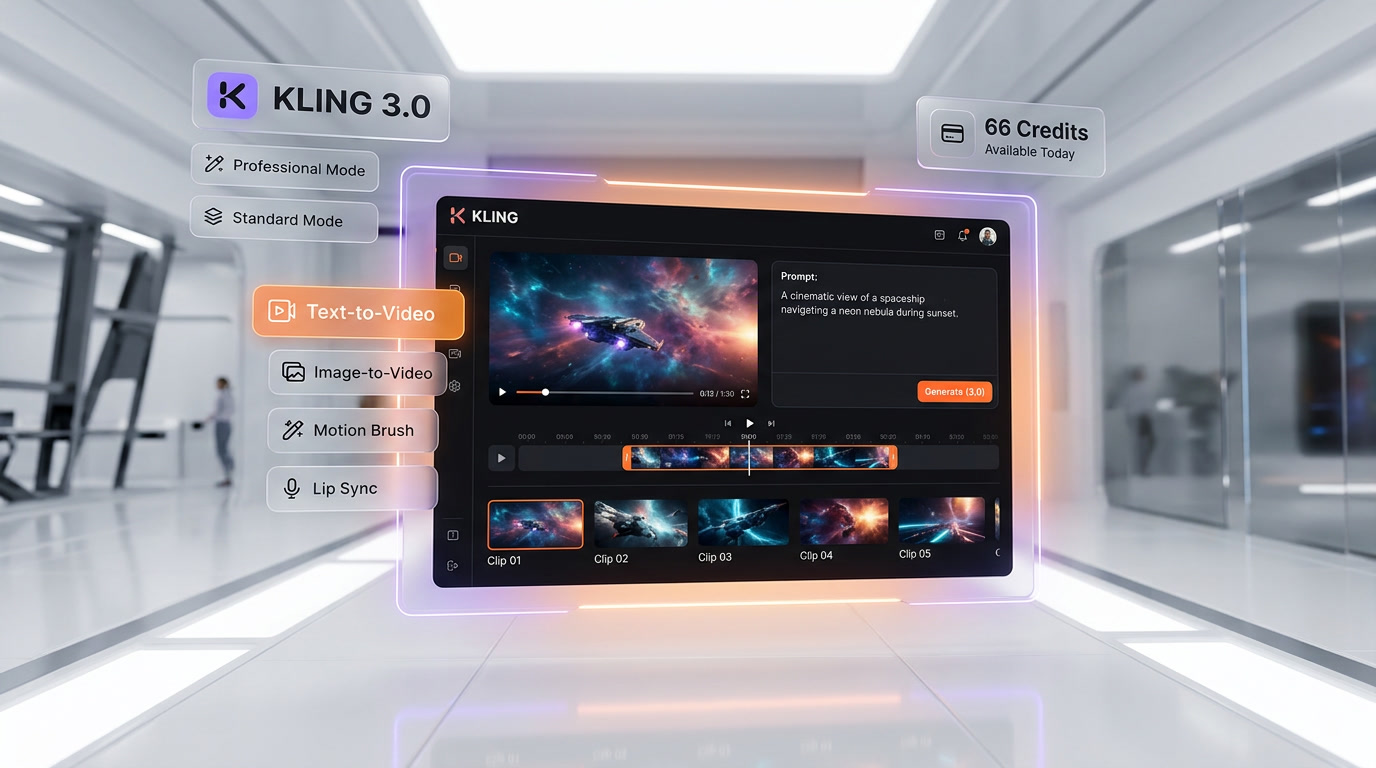
The bread-and-butter feature of Kling AI. Type a text prompt describing your scene, and the model generates a high-quality video clip. Kling 3.0 supports output at up to native 4K resolution at 60 frames per second, with clips up to 15 seconds in duration. The model excels at parsing complex, multi-element prompts — you can describe specific camera angles, lighting conditions, character actions, and environmental details, and the system will attempt to realize all of them in a coherent scene. Professional Mode delivers the best results with more inference steps, while Standard Mode offers faster generation at reduced quality.
Image-to-Video Generation
Upload a reference image and watch it come to life. This is particularly powerful for product photography, real estate walkthroughs, and character animation. Kling AI analyzes the spatial composition, lighting, and subjects in your uploaded image and generates natural motion while preserving the original aesthetic. With Kling 3.0, image-to-video consistency has improved substantially — characters maintain their appearance, clothing, and proportions throughout the generated clip.
Native Audio Generation
One of the most significant additions in Kling 3.0 is native audio synthesis. The model generates synchronized voiceovers, dialogue, sound effects, and ambient audio directly alongside the video — all in a single generation pass. This means a video of a person speaking in a cafe will include the character's voice, background chatter, and ambient coffee shop sounds, all perfectly timed. Audio generation supports multiple languages and dialects, making it useful for global content creation.
Lip Sync Technology
Kling AI's lip sync feature goes beyond simple mouth movement approximation. It generates character-specific dialogue in multiple languages with accurate lip synchronization, aligning speech, accents, and mouth movements directly to video frames. The Text-to-Speech voiceover functionality includes highly realistic voices that match character personality and appearance, supporting five different languages and many dialects. This makes it possible to create talking-head videos, animated characters with dialogue, and dubbed content without any post-production audio work.
Motion Brush and Motion Control
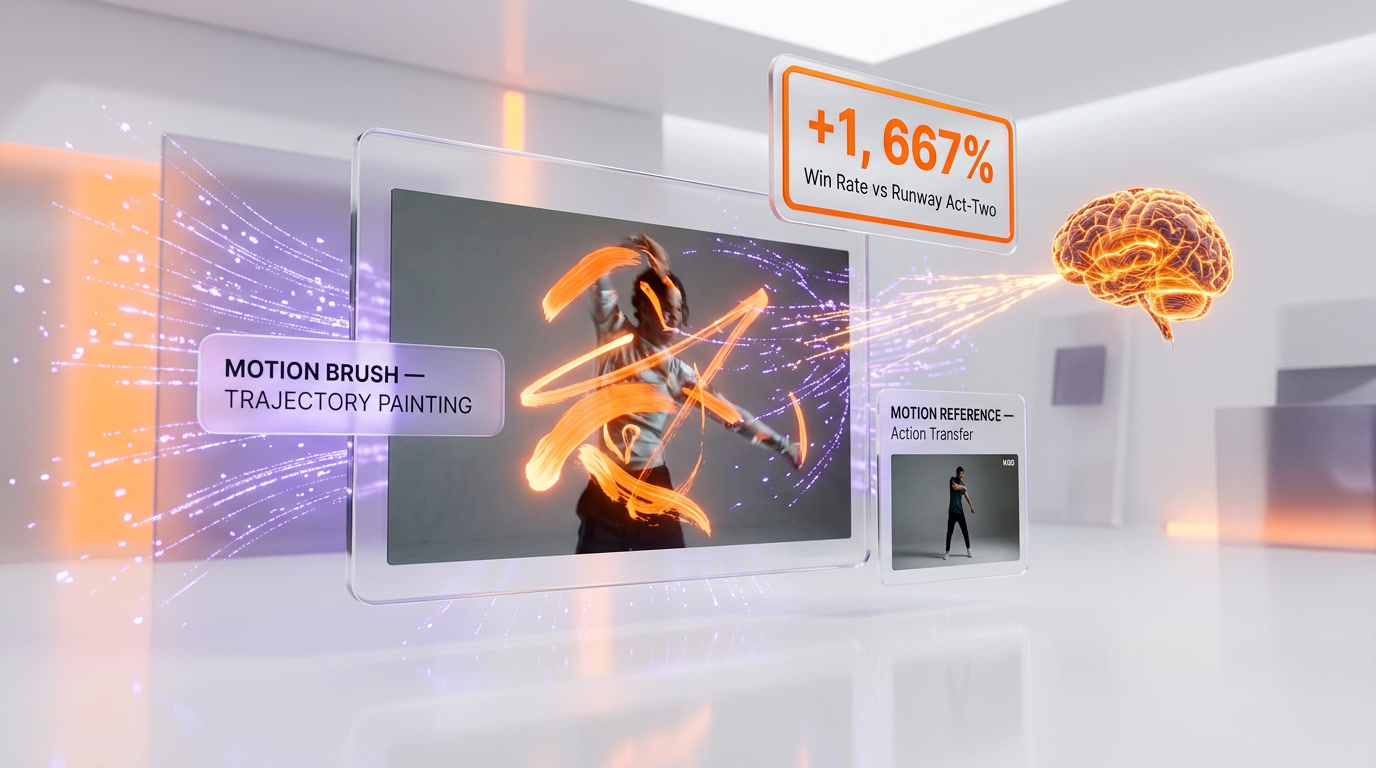
The Motion Brush is one of Kling AI's most intuitive creative tools. It lets you draw motion paths or trajectories directly on selected elements within a frame. Want a bird to fly from left to right while everything else remains static? Paint the path with Motion Brush and use the Static Brush to lock non-moving areas. Kling 3.0's Motion Control system has two primary pillars: Motion Reference (action transfer from a reference video) and Motion Brush (trajectory painting). The Motion Control variant launched on March 4, 2026 reportedly outperformed Runway Act-Two by a 1,667% win rate in head-to-head benchmarking — a staggering result even accounting for benchmark methodology differences.
Camera Controls
Kling 3.0 supports industry-standard camera terminology for precise shot composition. You can specify pan, tilt, zoom, dolly, rack focus, and tracking shots, all executed with physics-accurate motion. This gives creators a level of directorial control previously impossible with AI video tools. Combined with start/end frame keyframes, you can design exact camera movements that match professional cinematography standards.
Character Consistency (Elements Feature)
The Elements feature allows you to combine up to 4 reference images to maintain character consistency across multiple generated videos. This solves one of the biggest challenges in AI video generation — keeping the same character looking identical across different scenes, angles, and lighting conditions. For brands creating mascot-driven content or filmmakers building multi-scene narratives, this feature is a game-changer.
Video Extension
Kling AI can extend generated clips up to 3 minutes using its video extension feature. Start with a 10-second clip and iteratively extend it, maintaining visual consistency and narrative flow. While each extension costs additional credits, the ability to build longer-form content from an initial seed clip opens up possibilities for music videos, short films, and longer-format social content.
Multi-Shot Storyboarding
New in Kling 3.0, the multi-shot storyboard feature enables creators to generate cinematic multi-shot sequences from a single prompt. The system understands text, images, and video clips as parts of the same creative vision, maintaining subject consistency across different camera angles — a major technical breakthrough for AI video. Think of it as having an AI assistant director who keeps continuity across your entire edit.
Pricing Breakdown
Kling AI operates on a credit-based pricing system. Every action — generating a video, creating an image, using lip sync — consumes a specific number of credits. The cost per video depends on the generation mode, video duration, resolution, and additional features used.
Credit Costs Per Generation
| Generation Type | Duration | Credits Used |
|---|---|---|
| Standard Mode Video | 5 seconds | 10 credits |
| Professional Mode Video | 5 seconds | 35 credits |
| Professional Mode Video | 10 seconds | 70 credits |
| Video with Native Audio (Kling 3.0) | 5 seconds | ~50 credits |
| Video with Native Audio (Kling 3.0) | 10 seconds | ~100 credits |
Subscription Plans
| Plan | Monthly Price | Annual Price (per month) | credits per month | Max Resolution | Watermark | Key Perks |
|---|---|---|---|---|---|---|
| Free | $0 | $0 | 66/day (~1,980/mo) | 720p | Yes | No credit card required; daily credit reset |
| Standard | $6.99 | $6.60 | 660 | 1080p | No | Professional mode access; priority processing |
| Pro | $25.99 | $24.42 | 3,000 | 1080p | No | Higher priority queue; bulk credit value |
| Premier | $64.99 | $60.72 | 8,000 | 1080p | No | Heavy production workflows |
| Ultra | $180.00 | $119.16 | 26,000 | 4K | No | Early access to Kling 3.0 features; max priority |
Annual Billing Savings
Annual billing provides meaningful discounts across all tiers. The Ultra plan sees the best savings at 34% ($119.16 per month vs. $180 per month), while the Standard, Pro, and Premier plans save approximately 6-7% on annual billing. If you're committed to using Kling AI long-term, the Ultra annual plan at $1,429.99 per year offers the best per-credit value in the lineup.
API Pricing (For Developers)
Kling AI offers enterprise API access for developers integrating video generation into their own products. API pricing starts at approximately $4,200 for 30,000 units (90-day validity), working out to roughly $0.07–$0.14 per second of generated video depending on resolution and priority level. A 10-second Professional Mode video costs approximately $0.90–$1.00 via the API. This is enterprise-level pricing with a minimum 3-month commitment. For lower-volume needs, third-party platforms like Fal.ai offer pay-as-you-go access to Kling models at similar per-video rates without the upfront commitment.
Best Value Analysis
For casual creators and hobbyists, the Free plan is genuinely useful — 66 daily credits lets you generate at least one Professional Mode 5-second video per day at no cost. For regular content creators who need watermark-free 1080p output, the Standard plan at $6.99 per month is an excellent entry point. Production teams and agencies should jump to the Pro plan at $25.99 per month, where the per-credit cost drops significantly. The Premier and Ultra tiers are best suited for high-volume operations or studios that need priority queue access and the latest model features.
Pros and Cons — Our Honest Take
Pros
- Most generous free tier in the industry: 66 daily credits with no credit card required. No other major AI video generator gives you this much free access — Sora removed free access entirely as of January 2026, and Runway's free tier is extremely limited.
- Exceptional motion quality: Kling 3.0 produces some of the most fluid, realistic motion in the AI video space. Walking, running, and gesture animations feel natural, with compelling details like the sway of fabric, bounce of hair, and subtle weight shifts. The physics simulation is genuinely impressive.
- Native audio generation in a single pass: Generating synchronized voice, dialogue, and sound effects alongside video — rather than as a separate post-production step — is a significant workflow advantage. The multilingual lip sync across five languages is a feature competitors have not matched at this level.
- Affordable entry point: At $6.99 per month for the Standard plan, Kling AI undercuts Runway ($15 per month) and Sora (requires $20 per month ChatGPT Plus) significantly. For budget-conscious creators, this is a real differentiator.
- Advanced motion controls: The Motion Brush, Motion Reference, and camera control system give creators director-level control. The ability to specify dolly shots, rack focus, and tracking movements using industry terminology sets it apart from more basic text-to-video tools.
- Character consistency across scenes: The Elements feature maintaining character identity across up to 4 reference images addresses one of AI video's biggest pain points.
- 4K/60fps output on Ultra plan: For creators who need broadcast-quality resolution, Kling 3.0's native 4K at 60fps output is competitive with the best in the industry.
Cons
- Inconsistent output quality: This is Kling's Achilles' heel. Approximately 30-40% of prompts produce unusable clips with artifacts, stutters, or visual incoherence. Even successful generations sometimes contain minor glitches. This inconsistency means you'll burn through credits on failed attempts, which inflates your real cost per usable video.
- Credits expire and don't roll over: Free daily credits reset after 24 hours and cannot be saved. Paid credits are tied to monthly billing cycles. This 'use it or lose it' model penalizes irregular users who might need burst capacity.
- Customer support is essentially non-existent: Multiple reviews cite the lack of responsive customer support as a major frustration. If you encounter billing issues, technical problems, or account lockouts, you are largely on your own.
- 10-second base limit feels restrictive: While video extension can reach up to 3 minutes, the base generation limit is 10-15 seconds. Competitors are pushing into longer single-generation outputs, and the extension process costs additional credits and introduces consistency risks.
- Struggles with abstract concepts: Kling AI works best with concrete, visual prompts. Abstract concepts like 'happiness,' 'freedom,' or metaphorical scenes produce inconsistent results. You need to think visually and specifically when prompting.
- Native audio costs significantly more credits: Using Kling 3.0's native audio feature costs roughly 5x more credits than basic video-only generation. A 10-second video with audio burns approximately 100 credits vs. 10 credits in Standard Mode without audio. This feature tax adds up quickly.
- Confusing pricing structure: With five subscription tiers, variable credit costs based on mode/duration/features, and different discount rates for annual billing, calculating your actual per-video cost requires spreadsheet-level analysis.
Who Should Use Kling AI?
- Social media creators and content marketers: Kling AI's sweet spot is quick, eye-catching clips for Instagram Reels, TikTok, and YouTube Shorts. The fast generation speed, affordable pricing, and motion quality make it ideal for producing a steady stream of short-form visual content.
- E-commerce brands needing product videos: Turn product photos into dynamic videos with motion, camera sweeps, and professional lighting. At $6.99 per month, it's dramatically cheaper than hiring a videographer for product demo content.
- Independent filmmakers and visual storytellers: The multi-shot storyboarding, camera controls, and character consistency features make Kling AI a legitimate pre-visualization and concept development tool. Generate rough scene versions before committing to production resources.
- Marketing agencies handling multiple clients: The Pro or Premier plans give agencies enough credits to produce content across multiple client accounts, with Professional Mode quality suitable for client deliverables.
- Developers building AI-powered video products: Kling's API enables integration into custom applications, marketing automation tools, and content platforms. The $0.07-$0.14 per second API cost makes it viable for scaled production.
Who Should NOT Use Kling AI?
- Anyone needing 100% reliability on every generation: If you're in a high-stakes production environment where every prompt must produce a usable result, Kling AI's 30-40% failure rate is a dealbreaker. You'll waste credits and time re-generating until you get acceptable output.
- Teams requiring robust customer support: If your workflow depends on quick issue resolution — billing disputes, technical troubleshooting, enterprise-grade SLAs — Kling AI's minimal support infrastructure will frustrate you. Consider Runway, which offers dedicated enterprise support.
- Long-form video creators: If you routinely need videos longer than 30 seconds in a single coherent clip, Kling AI's 10-15 second base generation and iterative extension process is cumbersome. Sora 2 supports up to 20-second single generations at 1080p, and other tools are pushing even further.
- Users who need deterministic, repeatable results: AI video generation is inherently stochastic, and Kling AI offers limited controls for reproducing an exact previous result. If your workflow requires pixel-perfect repeatability, traditional video production tools are a better fit.
Kling AI vs Competitors
The AI video generation landscape in 2026 is fiercely competitive. Here is how Kling AI stacks up against its three biggest rivals.
| Feature | Kling AI 3.0 | Sora 2 (OpenAI) | Runway Gen-4.5 | Seedance 2.0 (ByteDance) |
|---|---|---|---|---|
| Developer | Kuaishou | OpenAI | Runway | ByteDance |
| Starting Price | Free / $6.99 per month | $20 per month (ChatGPT Plus) | $15 per month | ~$9.60 per month |
| Free Tier | 66 credits per day | None (removed Jan 2026) | Very limited | Limited free credits |
| Max Resolution | 4K @ 60fps | 1080p | 1080p (4K upscale) | 720p |
| Max Video Length (single gen) | 15 seconds | 20 seconds | 10 seconds | 15 seconds |
| Native Audio | Yes (multilingual) | No (separate step) | No | Yes |
| Lip Sync | Yes (5+ languages) | Limited | No built-in | Yes |
| Motion Brush | Yes | No | Yes | No |
| Camera Controls | Advanced (pan, dolly, rack focus) | Basic | Advanced | Basic |
| Character Consistency | Good (Elements: 4 refs) | Strong | Good | Excellent (up to 9 images) |
| Cinematic Quality | Very Good | Best in class | Excellent | Good |
| Prompt Reliability | 60-70% usable | 80-85% usable | 75-80% usable | 70-75% usable |
| API Available | Yes (~$0.07-$0.14 per sec) | Yes ($0.10-$0.50 per sec) | Yes | Yes (~$0.10-$0.80 per min) |
| Best For | Social content, marketing, speed | Cinematic storytelling | Creative experimentation | Character-driven content |
Kling AI vs Sora 2
Sora 2 is on the way out — OpenAI announced the Sora shutdown in March 2026 as Google undercut it on price (see how Veo 3.1 Lite's $0.05 per second launch killed Sora). For its remaining lifespan, Sora 2 still delivers the king of cinematic quality and narrative coherence. Its videos look more like professional film footage, with better long-range temporal stability and spatial consistency. However, Sora is locked behind a $20 per month ChatGPT Plus subscription (or $200 per month Pro for full features), has no free tier, and lacks Kling's native audio and lip sync capabilities. Choose Sora for story-heavy narrative videos and cinematic content. Choose Kling for affordable, high-volume social content with integrated audio.
Kling AI vs Runway Gen-4.5
Runway offers the most polished creative platform with excellent UI/UX, strong stylistic control, and the industry's best reputation for creative experimentation. At $15 per month for the Standard plan (vs. Kling's $6.99), it's pricier but delivers more consistent results. Runway's Explore Mode on the Unlimited plan ($95 per month) offers unlimited relaxed-rate generations — something Kling doesn't match. Choose Runway for professional post-production and stylized creativity. Choose Kling for budget-conscious creators who prioritize speed and native audio. The two get a full head-to-head in Runway Gen-4.5 versus Kling AI.
Kling AI vs Seedance 2.0
ByteDance's Seedance 2.0, launched February 2026, is Kling's closest rival from China's tech scene. Seedance excels in character consistency, supporting up to 9 reference images vs. Kling's 4. However, its maximum resolution is currently 720p compared to Kling's 4K capability, and its international pricing through third-party platforms can reach $41-$167 per month — significantly more than Kling. Choose Seedance when character consistency across complex multi-character scenes is paramount. Choose Kling for higher resolution output, better pricing, and more mature motion controls.
What's New in 2026
2026 has been a landmark year for Kling AI with several major releases and milestones:
- Kling 3.0 Launch (February 4, 2026): The biggest update yet, introducing a unified multimodal framework that generates synchronized video and audio in a single pass. The model series includes Video 3.0, Video 3.0 Omni, Image 3.0, and Image 3.0 Omni variants.
- Native 4K/60fps Output: Kling 3.0 supports native 4K resolution at 60 frames per second for Ultra subscribers — a first among mainstream AI video generators.
- Multi-Shot Storyboarding: A new feature enabling cinematic multi-shot sequences (3-15 seconds each) with subject consistency across different camera angles.
- Motion Control Update (March 4, 2026): The Kling 3.0 Motion Control variant launched with dramatically improved motion reference and trajectory painting capabilities, achieving a reported 1,667% win rate over Runway Act-Two in benchmarking tests.
- DeepSeek Integration: Kuaishou integrated DeepSeek into Kling AI to improve prompt understanding and lower the entry barrier for AI-powered creative content.
- $100 Million Revenue Milestone: Kling AI achieved an annualized revenue run rate surpassing $100 million within 10 months of its commercial launch, signaling strong market traction and ensuring continued investment in the platform.
Tips for Getting the Most Out of Kling AI
- Be specific and visual in your prompts: Kling AI responds best to concrete, descriptive prompts rather than abstract concepts. Instead of 'a happy scene,' try 'a young woman in a yellow sundress laughing while walking through a sunlit lavender field, golden hour lighting, shallow depth of field, medium tracking shot.' The more cinematographic detail you provide, the better the output.
- Start with Standard Mode, upgrade selectively: Don't burn Professional Mode credits (35 per 5-second clip) on initial ideation. Use Standard Mode (10 credits per 5-second clip) to test prompt concepts, then switch to Professional Mode only for your final generation. This can reduce your credit consumption by 70% during the experimentation phase.
- Use the free daily credits for experimentation: The 66 daily credits reset every 24 hours and don't carry over. Use them aggressively for testing new prompts, exploring features, and building your prompt library. Even if you have a paid plan, these free credits are essentially bonus generations on top of your subscription.
- Leverage negative prompts to avoid artifacts: Kling AI supports negative prompt controls — specify what you do NOT want in the video. Adding 'no blurry faces, no morphing, no extra fingers, no text artifacts' to your negative prompt can measurably improve output quality and reduce the need for re-generations.
- Use reference images for consistency: When working on multi-scene projects, always upload character reference images using the Elements feature. This dramatically improves character consistency across clips and reduces the jarring identity shifts that can occur with text-only prompts.
- Keep prompts under 200 words: While Kling AI can parse long, complex prompts, the best results typically come from focused descriptions under 200 words. If your scene is complex, break it into multiple generations and stitch them together rather than overloading a single prompt.
- Time your generations strategically: Queue times vary throughout the day. If you're on the Free or Standard plan without priority processing, generating during off-peak hours (early morning UTC) typically results in faster completion times.
- Save your best prompts: Build a personal prompt library of formulations that consistently produce good results. Kling AI's output quality varies significantly based on prompt structure, so documenting what works saves both time and credits in the long run.
Frequently Asked Questions
Is Kling AI free?
Yes. Kling AI offers a genuinely useful free tier with 66 credits per day, which is enough to generate at least one Professional Mode 5-second video or several Standard Mode clips daily. No credit card is required to sign up. However, free tier videos are limited to 720p resolution and include a watermark. Daily credits reset every 24 hours and do not accumulate.
How much does Kling AI cost per month?
Paid plans start at $6.99 per month for the Standard plan (660 credits), $25.99 per month for Pro (3,000 credits), $64.99 per month for Premier (8,000 credits), and $180 per month for Ultra (26,000 credits). Annual billing reduces costs, with the Ultra plan offering the biggest discount at 34% off ($119.16 per month when billed annually).
Is Kling AI better than Sora?
It depends on your priorities. Sora 2 produces higher cinematic quality with better narrative coherence, making it superior for filmmaking and storytelling. However, Kling AI is more affordable (free tier vs. Sora's minimum $20 per month), generates faster, and offers native audio with lip sync that Sora lacks. For high-volume social media content, Kling is often the better choice. For premium cinematic work, Sora leads.
Who made Kling AI?
Kling AI was developed by Kuaishou Technology, a Chinese technology company founded in 2011 and headquartered in Beijing. Kuaishou is best known for its short video platform (similar to TikTok) and is listed on the Hong Kong Stock Exchange. The company first launched Kling AI in June 2024.
What is the latest version of Kling AI?
As of March 2026, the latest version is Kling 3.0, released on February 4, 2026. This includes Video 3.0, Video 3.0 Omni, Image 3.0, and Image 3.0 Omni models. The Motion Control update for Kling 3.0 launched on March 4, 2026.
Can I use Kling AI for commercial purposes?
Yes. All paid subscription plans (Standard, Pro, Premier, Ultra) include commercial usage rights for generated content. The free plan's output includes watermarks, which may limit commercial viability. Always check the latest terms of service for specific restrictions on your intended use case.
How long of a video can Kling AI generate?
A single generation can produce up to 15 seconds of video with Kling 3.0. Using the video extension feature, you can iteratively extend clips to up to 3 minutes total. Each extension costs additional credits and works best when maintaining consistent scene elements.
Does Kling AI have an API?
Yes. Kling AI offers a developer API with enterprise pricing starting at approximately $4,200 for 30,000 units (90-day validity). Per-second costs range from $0.07 to $0.14 depending on resolution, priority level, and generation mode. Third-party platforms like Fal.ai also offer access to Kling models with pay-as-you-go pricing.
Is Kling AI safe to use?
Kling AI implements content moderation filters to prevent generation of explicit, violent, or harmful content. The platform requires account registration and enforces usage policies consistent with international content standards. As with any AI tool processing your prompts, review their privacy policy regarding data handling and prompt storage before uploading sensitive or proprietary content.
Why do my Kling AI videos have artifacts?
Artifacts — visual glitches, morphing faces, extra limbs, or flickering elements — are a known limitation. Approximately 30-40% of generations may produce unusable results. To minimize artifacts: use Professional Mode instead of Standard, write specific and detailed prompts, add negative prompts to exclude common issues, and keep scenes relatively simple. Complex multi-character interactions are more prone to artifacts than single-subject scenes.
Does Kling AI work on mobile?
Yes. Kling AI is available on iOS (via the App Store) and Android (via Google Play) as the 'Kling AI: AI Image & Video Maker' app. The mobile app provides access to the same generation features as the web interface, though the editing and control options may be somewhat simplified for the mobile experience.
Can Kling AI generate images too?
Yes. Alongside video generation, Kling AI offers text-to-image generation through its Image 3.0 and Image 3.0 Omni models. Image generation consumes fewer credits than video and can be used for creating reference images, concept art, thumbnails, and standalone visual content.
Key Features
Pros & Cons
Pros
- Most generous free tier in AI video (66 daily credits, no credit card)
- Exceptional motion quality with physics-accurate human movement
- Native audio generation with multilingual lip sync in a single pass
- Affordable starting price at $6.99/month vs $15-$20 competitors
- Advanced motion brush and cinema-grade camera controls
- Character consistency across scenes with Elements feature (4 reference images)
- Native 4K/60fps output on Ultra plan
Cons
- 30-40% of generations produce unusable clips with artifacts
- Credits expire and do not roll over between billing periods
- Customer support is practically non-existent
- Native audio generation costs 5x more credits than video-only
- Struggles with abstract concepts and metaphorical prompts
- Confusing pricing structure with variable credit costs
- 10-15 second base generation limit feels restrictive
Best Use Cases
Platforms & Integrations
Available On
Compare Kling AI
Active Deals for Kling AI
Annual Billing: 34% Off All Plans
Save 34% on all Kling AI plans when you switch to annual billing, significantly reducing the cost of AI video generation.

We're developers and SaaS builders who use these tools daily in production. Every review comes from hands-on experience building real products — DealPropFirm, ThePlanetIndicator, PropFirmsCodes, and many more. We don't just review tools — we build and ship with them every day.
Written and tested by developers who build with these tools daily.
Frequently Asked Questions
What is Kling AI?
Cinema-grade AI video generation with native audio, lip sync, and motion control — from the makers of Kuaishou
How much does Kling AI cost?
Kling AI has a free tier. Premium plans start at $6.99/month.
Is Kling AI free?
Yes, Kling AI offers a free plan. Paid plans start at $6.99/month.
What are the best alternatives to Kling AI?
Top-rated alternatives to Kling AI include Claude Code (9.9/10), Cursor (9.5/10), Veo 3.1 (9.4/10), Claude Opus 4.7 (9.4/10) — all reviewed with detailed scoring on ThePlanetTools.ai.
Is Kling AI good for beginners?
Kling AI is rated 7.5/10 for ease of use.
What platforms does Kling AI support?
Kling AI is available on web, ios, android, api.
Does Kling AI offer a free trial?
Yes, Kling AI offers a free trial.
Is Kling AI worth the price?
Kling AI scores 8.5/10 for value. We consider it excellent value.
Who should use Kling AI?
Kling AI is ideal for: Social media content creation (Reels, TikTok, Shorts), E-commerce product videos and demos, Marketing and advertising content, Pre-visualization for filmmakers, Multi-language video content with lip sync, Character-driven brand storytelling, Rapid prototyping of video concepts, API-powered automated video generation.
What are the main limitations of Kling AI?
Some limitations of Kling AI include: 30-40% of generations produce unusable clips with artifacts; Credits expire and do not roll over between billing periods; Customer support is practically non-existent; Native audio generation costs 5x more credits than video-only; Struggles with abstract concepts and metaphorical prompts; Confusing pricing structure with variable credit costs; 10-15 second base generation limit feels restrictive.
Best Alternatives to Kling AI




Ready to try Kling AI?
Start with the free plan
Try Kling AI Free →