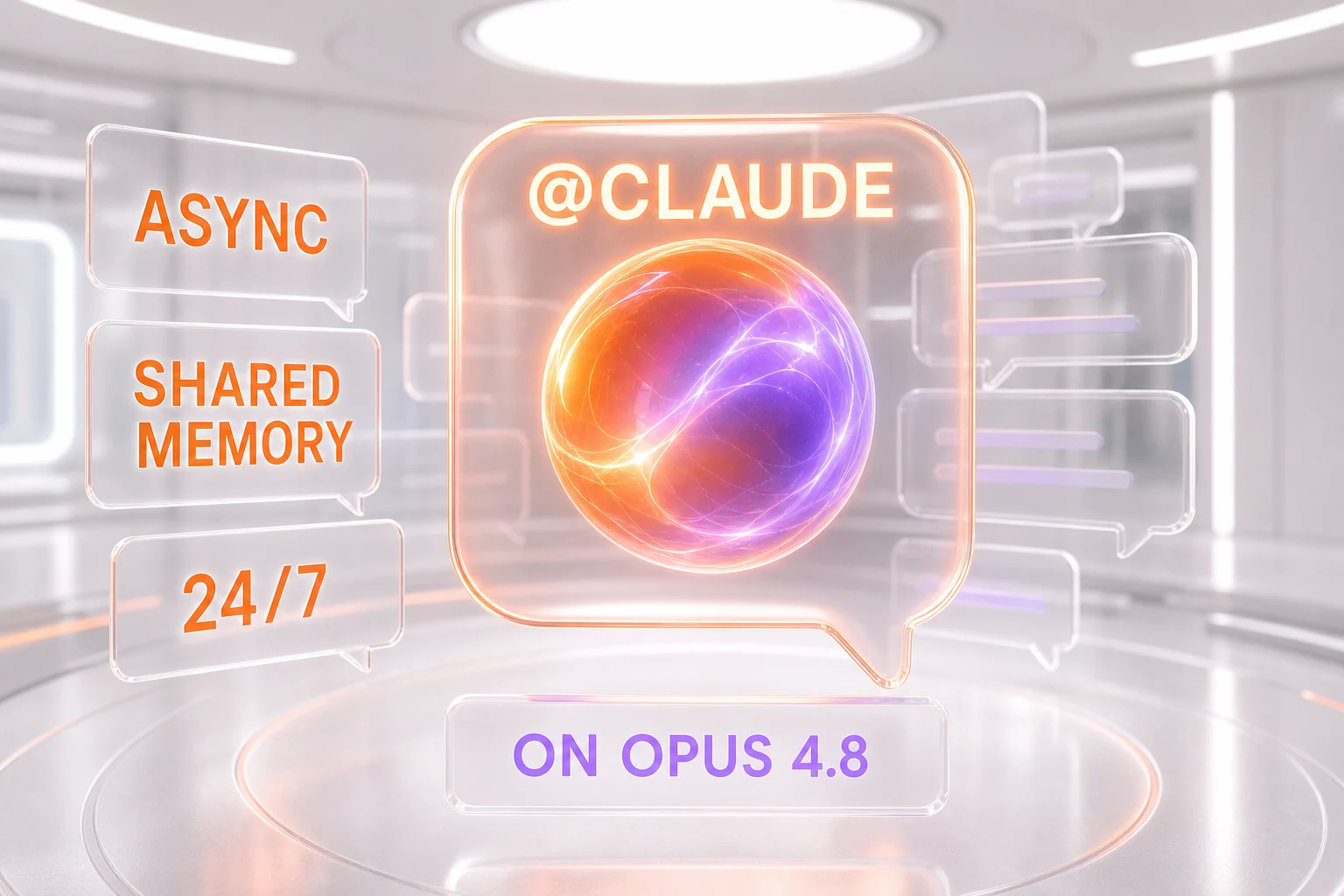
Claude Tag is a new way to work with Anthropic's Claude directly inside Slack: you tag @Claude in a channel, and a single shared AI teammate picks up the request, keeps the context of that channel over time, and works on tasks asynchronously over hours or days — even scheduling follow-up work for itself. Announced on June 23, 2026, it runs on Opus 4.8 and is available today in beta for Claude Enterprise and Team customers.
It is the clearest sign yet of where Anthropic is steering Claude: away from the one-off chat window and toward a persistent, autonomous coworker that lives where teams already talk. Instead of opening a separate app, you mention Claude the same way you would ping a colleague — and it answers in the thread, remembers what came before, and keeps going after you have logged off.
The facts, up front
- What it is: a taggable
@Claudeteammate inside Slack channels, not a sidebar chatbot. - One shared Claude per channel: everyone in a channel talks to the same Claude, with shared memory and context.
- Asynchronous by design: set a task and walk away — Claude can work on it over hours or days and can schedule tasks for itself.
- Model: runs on Opus 4.8, Anthropic's most capable publicly available model.
- Availability: launched June 23, 2026, in beta for Claude Enterprise and Team customers.
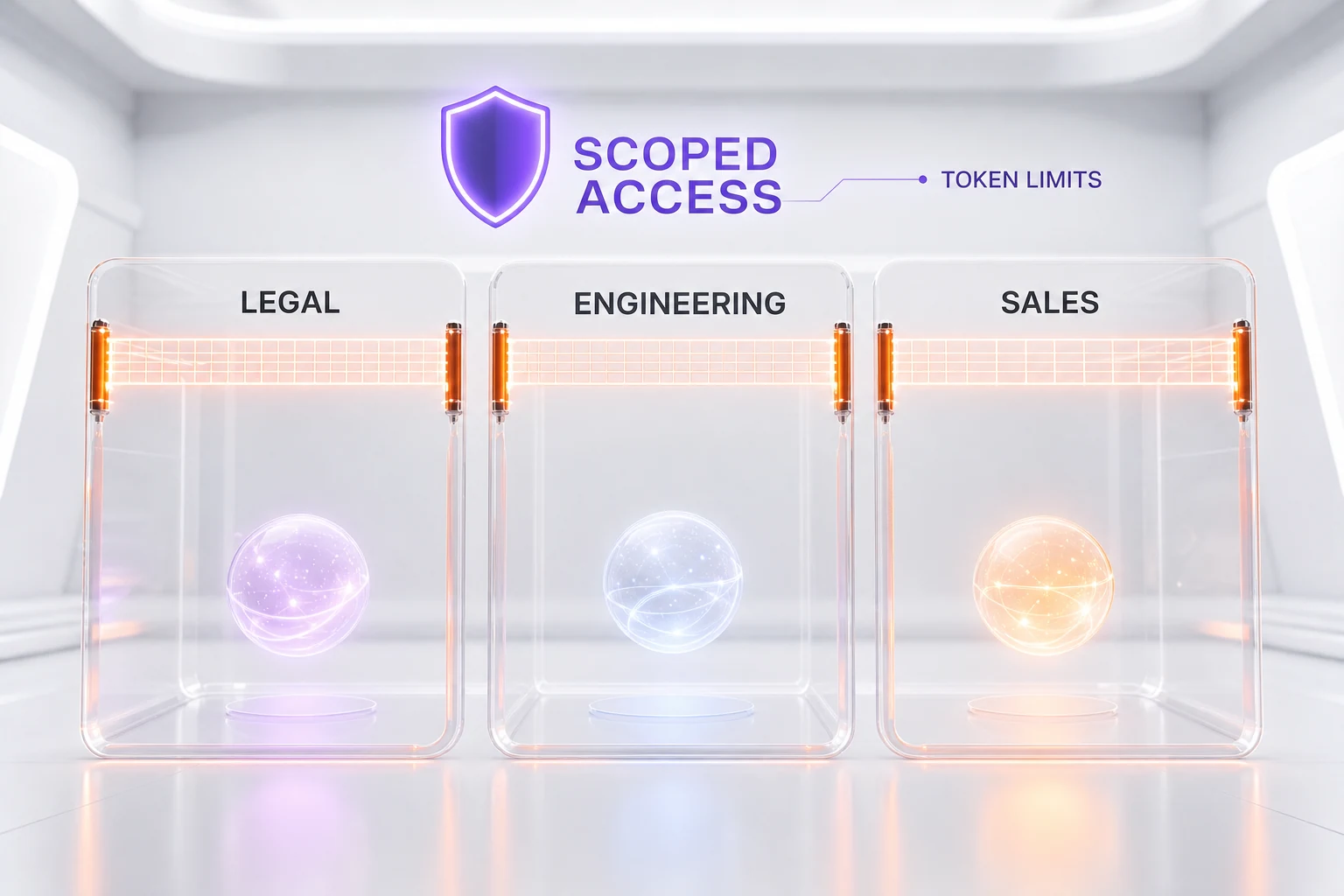
- Admin controls: administrators choose which tools and data Claude can access per channel, set token-spend limits, and review activity logs.
- Internal proof point: Anthropic says 65% of its product team's code is now created by its internal version of Claude Tag.
What is Claude Tag?
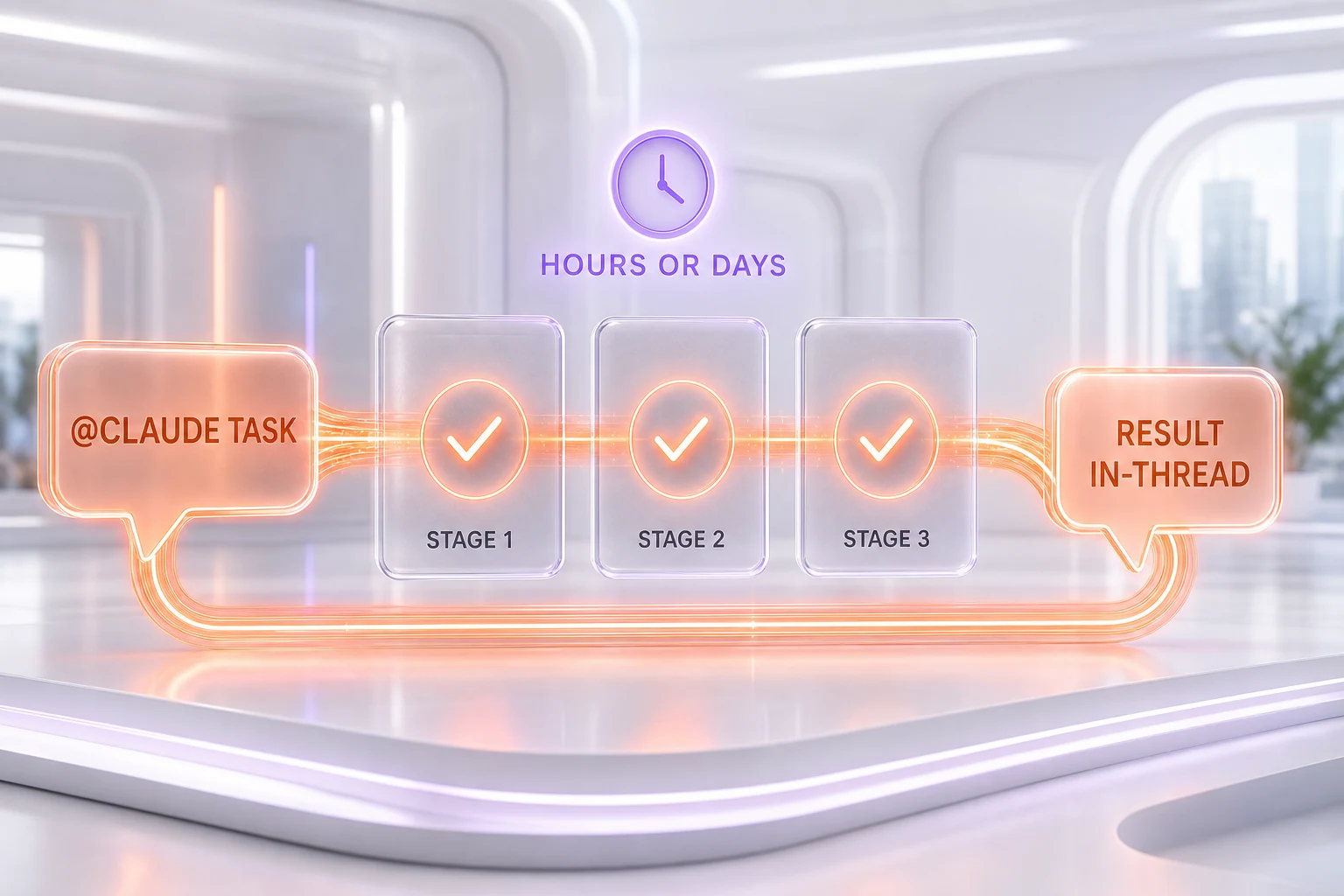
Claude Tag turns the act of @-mentioning into a work request. You type @Claude in a Slack channel, describe what you need, and Claude treats it as a job rather than a single reply. According to Anthropic, when you assign it specific work it "will break down the task into stages and will work through them using whichever tools it has access to, responding in a Slack thread with what it has created."
The structural shift is that there is one Claude per channel, shared by everyone in it. That means a teammate can see what Claude is working on, jump in, and pick up a conversation from where the last person left off — closer to how a shared team member behaves than to a private assistant that resets with every user. As Claude follows along in a channel, Anthropic says, it "builds context by remembering relevant information," so people do not have to re-explain the project from scratch each time.
How it works inside Slack
Mechanically, the loop is simple: a teammate mentions @Claude with a request, Claude breaks it into milestones, runs them with the tools it has been granted, and posts the results back in-thread. Because the memory is tied to the channel rather than to an individual, the work and the context stay visible to the whole group.
Three behaviors set it apart from the Slack bots teams have used before:
- Shared identity and memory. One Claude per channel, learning the channel's work over time, instead of a stateless bot that forgets between prompts.
- Asynchronous execution. "Set Claude a task, and you can focus on your other priorities while it works," Anthropic says. "It can also schedule tasks for itself, pursuing a project autonomously over hours or days."
- Ambient mode. If enabled, Claude "proactively" keeps the team updated — flagging information from across the channels and tools it is connected to, and following up on threads or tasks that have gone quiet without being resolved.
That last mode is the most aggressive departure from the old model. With ambient behavior on, Claude is not only reactive to mentions; it can speak up unprompted when it decides something is worth surfacing. Anthropic frames this as keeping work from falling through the cracks, but it also moves Claude from "tool you call" to "participant in the room."
What "async" actually means here
In most chat assistants, "asking" and "answering" happen in the same breath — you send a prompt and wait for a response. Claude Tag breaks that link. Async means the request and the result are decoupled in time: you hand Claude a task, close Slack, and it keeps working in the background, posting back when it has something. Anthropic says Claude can even "schedule tasks for itself, pursuing a project autonomously over hours or days."
Practically, that reframes Claude from a fast question-answer box into something that holds a workload. You are no longer blocked waiting for a reply; you are delegating and checking back — the same mental model you use with a human teammate working on a multi-step project. It is the difference between a calculator and a coworker.
Which model powers it
Claude Tag runs on Opus 4.8, the most capable model Anthropic currently offers to the public. That choice matters: the headline features here — breaking a request into stages, running tools, holding channel context, deciding what is worth surfacing in ambient mode — are exactly the long-horizon, agentic behaviors that a frontier-class model is built for. If you want to understand the engine under the hood, our review of Claude Opus 4.8 goes deep on its reasoning and tool-use profile.
Who can use it (and the admin controls)
At launch, Claude Tag is in beta and limited to Claude Enterprise and Team customers. This is not a consumer rollout to individual Claude.ai accounts — it is aimed squarely at organizations that already run Claude across their workspace.
Because a teammate that lives in your channels and connects to your tools is a security surface, Anthropic built in granular admin controls. Administrators can specify which tools and information Claude can access, and in which channels; set limits for token spend; and review activity logs. Crucially, each Claude identity stays scoped to the channels admins define — so, in Anthropic's example, "a Claude set up for legal work can't seed memories into the engineering channel." That channel-level scoping is what keeps a shared, memory-holding agent from quietly becoming a cross-department data leak.
Why this fits Anthropic's autonomous-agent trajectory
Claude Tag does not arrive in a vacuum. It is the next step in a year-long push by Anthropic to turn Claude from an assistant you query into an agent that runs work on its own clock. Claude Code already pioneered long-running, multi-step coding sessions in the terminal; Anthropic's earlier work on routines and self-directed tasks pointed at the same idea — a model that can plan and execute over time without a human babysitting every step.
The Slack move also lands in the middle of a broader race to embed frontier models inside the workplace tools people already use. Just days earlier, Microsoft's new AI teammate inside its own ecosystem was reported to run on Claude rather than a homegrown model — a sign of how central Anthropic's models have become to enterprise collaboration. (We unpacked that in our piece on Microsoft's AI teammate running on Claude.) Anthropic is now competing for the same real estate with a first-party product of its own.
The most striking signal is internal. Anthropic says 65% of its product team's code is created by its internal version of Claude Tag. Treat that as a vendor data point rather than an independent benchmark, but the direction is unmistakable: the company is dogfooding an autonomous Slack teammate at the core of how it ships software.
Why it matters
The interesting bet in Claude Tag is not the chat interface — it is the move into shared, persistent, async work. A single Claude per channel with memory changes the unit of collaboration: it is no longer "a person and their AI," but "a team and its AI," visible to everyone and accountable in the same thread. Add ambient mode and self-scheduling, and you have something that behaves less like software and more like a junior teammate who never logs off.
That is also where the open questions live. An agent with channel memory and proactive posting needs disciplined scoping, or it becomes noise — or worse, a data-governance problem. Anthropic's per-channel access controls and token-spend limits are clearly designed for exactly that risk, and how well they hold up in real deployments is the thing to watch as the beta widens. For now, the headline stands: Claude now lives in your Slack, and it is built to keep working after you stop typing.
Frequently asked questions
What is Claude Tag?
Claude Tag is Anthropic's way of putting Claude directly inside Slack as a taggable teammate. You mention @Claude in a channel with a request, and a single shared Claude picks it up, keeps the channel's context over time, and works through the task — responding in-thread with what it produced. It was announced on June 23, 2026, and is in beta for Claude Enterprise and Team customers.
How does Claude Tag work in Slack?
You tag @Claude with a request in a channel. Claude breaks the task into stages, runs them using whichever tools it has been granted access to, and posts results back in the Slack thread. There is one shared Claude per channel, so teammates can see what it is working on and pick up where someone else left off, and Claude remembers relevant context so you do not have to re-explain the project each time. An optional ambient mode lets Claude proactively flag information and follow up on stalled threads without being prompted.
Which model does Claude Tag run on?
Claude Tag runs on Opus 4.8, Anthropic's most capable publicly available model. That frontier-class model is what enables the agentic behaviors at the center of the product — breaking requests into milestones, using tools, holding channel context, and deciding what is worth surfacing in ambient mode.
Who has access to Claude Tag?
At launch it is in beta and limited to Claude Enterprise and Team customers — it is not a consumer feature for individual Claude.ai accounts. Administrators control which tools and data Claude can access in each channel, set token-spend limits, and review activity logs, and each Claude identity is scoped to the channels admins define.
What does "async" mean for Claude Tag?
Async means the request and the result are decoupled in time. Instead of waiting for an immediate reply, you hand Claude a task and it works in the background — over hours or days — posting back when it has something. Claude can also schedule tasks for itself and pursue a project autonomously, which makes it behave more like a teammate handling a workload than a chatbot answering one prompt at a time.