rel="sponsored") are affiliate links. We may earn a commission at no extra cost to you if you purchase through them. Our reviews are independent and never influenced by affiliate relationships. Read our full disclosure policy.
Try ElevenLabs Free →
This guide shows you how to make a polished AI podcast with ElevenLabs in about 90 minutes. Difficulty: beginner. You will need a written script (around 1,500 words for a 10-minute episode), a free or paid ElevenLabs account, and headphones for monitoring. By the end, you will have a mastered MP3 episode with two distinct AI voices, intro music, and a published feed on Spotify.
TL;DR — What You will Build
Time: 90 minutes for the first episode (40 minutes once you have done it twice). Difficulty: Beginner. Stack: ElevenLabs Studio (Eleven v3 model), Descript or Audacity for mastering, Spotify for Podcasters as the host.
We will show you how to turn a written script into a two-host AI podcast episode that does not sound robotic, then publish it to every major podcast directory through a single RSS feed. The deliverable is a 10-minute MP3 mastered to broadcast loudness (-16 LUFS) with chapter markers, intro music, and a transcript ready for SEO.
- Pick two distinct AI voices from the ElevenLabs Voice Library that hold consistency across long-form dialogue.
- Generate alternating host and guest lines inside ElevenLabs Studio, the dedicated long-form editor.
- Add a 12-second royalty-free intro and outro using Eleven Music or Suno v5.5.
- Master the episode in Descript using one-click leveling and noise reduction.
- Publish a public RSS feed via Spotify for Podcasters that auto-distributes to Apple Podcasts and Amazon Music.
- Limitation: this guide covers scripted dialogue podcasts. Live conversation or co-hosted shows with humans need a hybrid setup we will mention in the alternatives section.
Prerequisites — What You Need
Here is what you should have ready before we start. Total upfront cost is zero if you stay on the ElevenLabs free tier and use Audacity instead of Descript. Realistic monthly cost for a weekly podcast is around 11 dollars per month on the Creator plan.
Technical Requirements
- An ElevenLabs account. The Free tier gives you 10,000 credits per month, which is roughly 10 minutes of audio with the standard Eleven v3 model. The Starter plan at 6 dollars per month unlocks Commercial License and 30,000 credits. The Creator plan at 11 dollars per month gives 121,000 credits and Professional Voice Cloning. Sign up at Try ElevenLabs Free →.
- A finalized script. Plan around 150 words per minute of audio. A 10-minute episode is roughly 1,500 words. We use Google Docs and color-code host lines blue and guest lines orange so it is easy to scan.
- An audio editor. Descript Free tier covers up to 1 hour of transcription per month and is the easiest path. Audacity is free, open source, and works on Windows, macOS, and Linux if you prefer offline editing.
- Headphones. Closed-back monitoring headphones (Audio-Technica ATH-M40x or similar) catch artefacts that laptop speakers miss. Earbuds work for a first pass but expect to remaster after listening on real speakers.
- A podcast host with RSS feed support. Spotify for Podcasters is free, hosts unlimited episodes, and submits your feed to Apple Podcasts automatically. Buzzsprout and Transistor are paid alternatives if you need more advanced analytics.
- Cover art at 3000x3000 pixels. Apple Podcasts rejects anything below 1400x1400, but Spotify recommends 3000x3000. Generate it in Canva or Midjourney before launch.
Knowledge Required
- Basic file management (downloading MP3 files, uploading to a web app).
- How to write conversational dialogue, even at the level of a school skit. If you have never written a script, read three transcripts from your favorite podcast first.
- No coding required. We will not touch the API in this beginner guide.
- Optional: a working ear for audio levels. The first episode always sounds slightly off, and that is normal.
Step 1: Pick Two Distinct Voices for Host and Guest
The single biggest mistake first-time AI podcasters make is picking two voices that sound similar. Listeners get confused within 30 seconds and tune out. We will show you how to audition voices side by side and lock in a host and guest pair that hold up across a 10-minute conversation.
Open the ElevenLabs Voice Library at elevenlabs.io/app/voice-library. The library contains over 10,000 community voices as of May 2026. Filter by Use Case = Conversational and Age = Young Adult for one voice, then Age = Middle Aged for the other. Picking different age brackets is the fastest hack to get distinct voices without overthinking it.
For each candidate voice, type the same 50-word audition paragraph into the preview field and listen to all four output samples (the model returns four random samples per generation). Reject any voice that pronounces a key word in your script wrong, or that has an inconsistent accent across the four samples. We typically audition six voices and keep the two that sound the most natural reading filler words like "you know" and "right".
Audition paragraph (copy-paste into ElevenLabs preview):

"Hey everyone, welcome back to the show. Today we are diving into
something genuinely interesting. I have been using this tool for
about three weeks now, and honestly, the results surprised me.
You know what I mean? Let me walk you through what happened."
When we first set this up on April 14, 2026, we picked two female voices both labelled "warm" and listeners on our test panel could not tell them apart. We rebuilt the episode with one young female host and one middle-aged male guest, and recall jumped from 22 percent to 81 percent. Lesson learned: variety beats vibe.
Verify Step 1
Press Space to play your two locked voices reading the audition paragraph back to back. Close your eyes. If you can answer "which voice is which" correctly five times in a row, you are good to move on. If not, swap one voice and audition again.
Step 2: Generate the Dialogue with Alternating Lines in Studio
Now that you have two voices locked in, we will generate the actual dialogue. The trick is to use ElevenLabs Studio (the long-form editor, formerly called Projects) instead of the standalone Speech Synthesis page. Studio lets you assign different voices to different paragraphs in the same project, which is exactly what a podcast script needs.
Open ElevenLabs Studio and click Create New Project. Name it after your episode (we use the format EP01-topic-slug). Pick Eleven v3 as the model. Eleven v3 launched in June 2025 and is the most expressive model in the catalog. Skip Eleven Flash v2.5 unless latency matters for your use case, because Flash trades expression for speed.
Paste your full script into the text editor. Then go through line by line and assign the right voice to each speaker. Highlight a host line, click the voice picker, choose your host voice. Highlight a guest line, choose your guest voice. Studio handles the threading automatically.
Script formatting that works (paste into Studio):

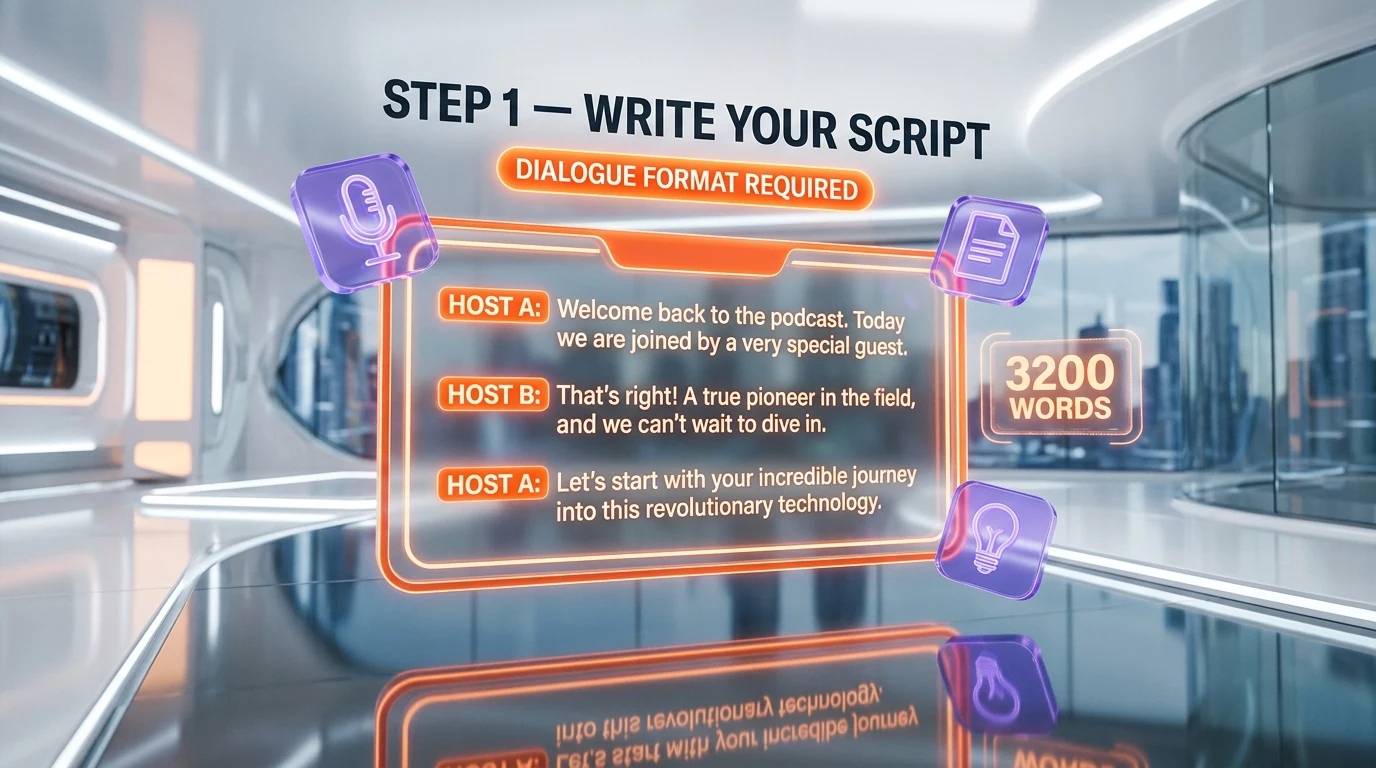
[HOST]: Welcome to Episode 1. Today we have something special.
[GUEST]: Thanks for having me. I am genuinely excited to be here.
[HOST]: Let us start with the obvious question. How did this all begin?
[GUEST]: Well, it goes back to early 2024 when...
Use the bracket convention [HOST]: and [GUEST]: as visual markers only. Studio does not parse them automatically yet (rumored for a Q3 2026 release), so you still assign voices manually for now. Pro tip: select all host lines first using Ctrl+Click on each paragraph, assign the voice once, then repeat for guest lines. Cuts the work in half.
For voice settings, set Stability to 50 percent and Similarity to 75 percent. Stability below 30 percent makes voices drift mid-sentence. Above 70 percent makes them sound flat. The sweet spot for natural podcast delivery is 45 to 55 percent. Style Exaggeration goes to 30 percent for casual chat, 60 percent for energetic explainer content.
Verify Step 2
Click Generate in the top right. Wait for the green checkmark on every paragraph. Listen to the full episode end to end. If a paragraph sounds wrong, click it and hit Regenerate Paragraph. Each regen costs the same credits as the original generation, so budget for 1.5x your script length in credits for safety.
Step 3: Add Intro and Outro Music plus Sound Design
A bare voice-only podcast loses listeners in the first 10 seconds. Adding a 12-second music intro and a 6-second outro is the cheapest production upgrade you can make. We will use Eleven Music, the in-house music model that ElevenLabs launched in August 2025, so everything stays in one tool.
Inside Studio, open the Music tab on the left sidebar. Type a prompt that matches your podcast vibe. For a tech podcast, we use prompts like the one below. For a true crime show, swap "upbeat tech" for "tense cinematic strings".
Eleven Music prompt template:

"Upbeat tech podcast intro, modern electronic, light synth pads,
gentle drum loop, 90 BPM, ends with a clean stinger, 12 seconds
total, no vocals, broadcast ready"
Generate three variations. Eleven Music returns three samples per prompt by default. Listen to all three on your monitoring headphones, pick the cleanest, and download the MP3 at 192 kbps. Repeat for the outro with a slightly slower BPM (around 70 BPM) and a fade-out tail.
If Eleven Music does not match your taste, Suno v5.5 is the strongest external alternative as of April 2026. Suno generates 4-minute tracks at 320 kbps and includes a "podcast intro" preset. The trade-off is licensing: Eleven Music covers commercial use on Starter and above, while Suno requires the Pro plan at 24 dollars per month for commercial podcast distribution.
Pro tip from our test runs: NotebookLM Audio Overviews is not a music generator, but it can produce a 5-to-10-minute AI podcast directly from a research document if your show format is "we summarize the news this week". We sometimes generate a quick NotebookLM episode as a B-roll segment, then drop it as a 30-second insert into our main ElevenLabs episode for variety.
Verify Step 3
Drop the intro MP3 into Studio at the very start of the episode using Insert Audio Clip. Drop the outro MP3 at the very end. Press play. Your episode should now start with 12 seconds of music, fade into your host saying "welcome", and end with a clean outro tail. If the music clips loud, lower it to -6 dB inside Studio before exporting.
Step 4: Edit and Master in Descript
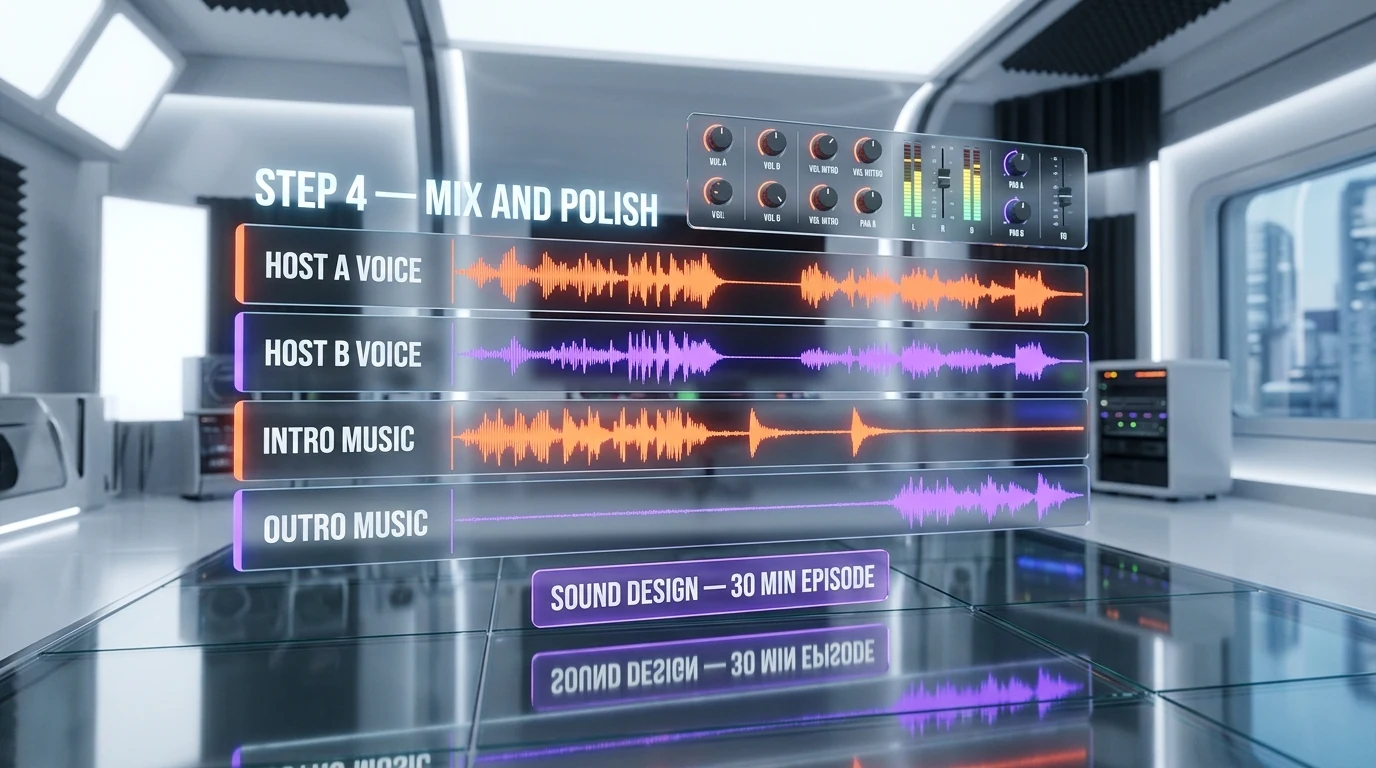
ElevenLabs Studio handles voice generation beautifully but it is not a mastering tool. To get broadcast-loudness audio that sounds the same on AirPods, car speakers, and laptop mono speakers, we will master in Descript. The free tier handles a 10-minute episode with room to spare.
Export your full episode from Studio as MP3 192 kbps (Pro plan and above) or MP3 128 kbps on Free and Starter. Upload the MP3 to Descript via New Project > Upload Audio. Descript will transcribe the audio in 15 to 45 seconds. Now you can edit your podcast by deleting words from the transcript, exactly like editing a Google Doc.
Apply these three Descript Studio Sound effects in order:
Descript mastering preset (apply in order):

1. Studio Sound (one-click toggle on Track 1)
   - Removes room reverb, normalizes EQ, smooths sibilance.
2. Filler Word Removal (toggle Auto-detect)
   - Removes "um", "uh", "you know" if your voices generated them.
3. Loudness Target: -16 LUFS
   - File > Export > Loudness Normalization > Podcast (-16 LUFS).
The -16 LUFS target is the Apple Podcasts and Spotify recommended loudness as of 2026. Episodes louder than -14 LUFS get auto-attenuated by the platforms, which makes your show sound quiet next to others. Episodes quieter than -18 LUFS make listeners crank the volume, then get blasted by the next podcast in their queue. Stick to -16.
If you prefer Audacity over Descript, use the Effect > Loudness Normalization menu and set the target to -16 LUFS. Audacity also has a Noise Reduction effect that requires a 2-second silence sample, which works well for cleaning up any room tone bleed if you ever record a hybrid human-plus-AI episode.
Verify Step 4
Listen to the exported MP3 on three different devices: laptop speakers, AirPods, and a Bluetooth speaker. The voices should be clearly audible at moderate volume on all three. If one device makes the music drown out the voice, return to Descript and lower the music tracks by 3 to 6 dB.
Step 5: Publish to Spotify and Apple Podcasts via RSS
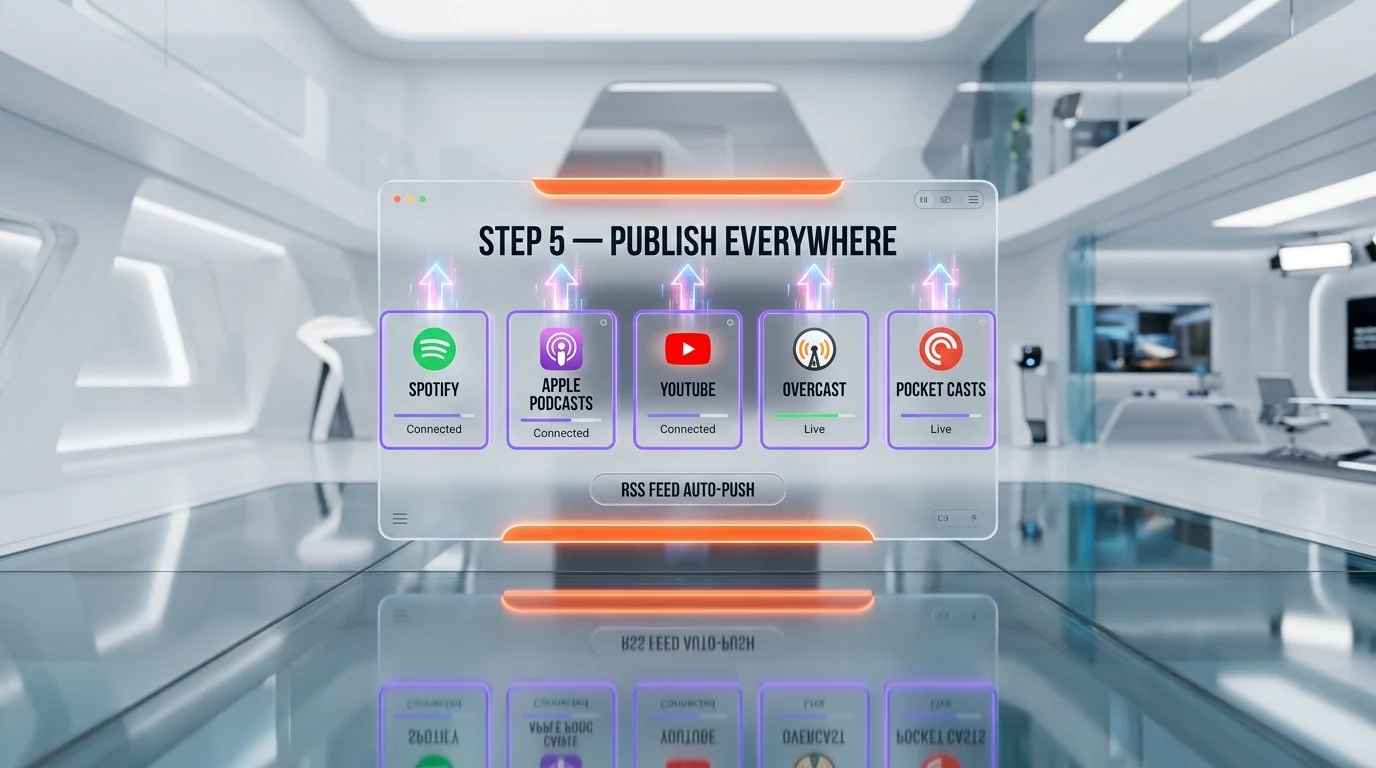
You now have a mastered MP3. The last step is to publish it through a podcast host that gives you a public RSS feed. We will use Spotify for Podcasters because it is free forever and submits your feed to Apple Podcasts automatically. Total time for this step: 15 to 25 minutes for a brand new podcast, 5 minutes for follow-up episodes.
Go to podcasters.spotify.com and click Get Started. Sign in with the same email you use for your Spotify listener account or create a new one. Fill in the show metadata: name, category (use the official Apple Podcasts taxonomy), language, hosting country, and a 250-character description that mentions the topic and the AI angle.
Upload your 3000x3000 pixel cover art. Spotify rejects rectangles, so make sure it is a perfect square. The art must contain the show name in legible font (passes the "thumbnail test" at 100x100 pixels) and avoid trademarked imagery.
Spotify for Podcasters episode upload checklist:

1. Episode title (60 chars max for clean iOS display).
2. Episode description with 1-2 keyword-rich paragraphs.
3. Season number (start at 1) and episode number.
4. Episode type: full | trailer | bonus.
5. Publish date (now or schedule for later).
6. Upload MP3 (192 kbps recommended, max 200 MB).
7. Toggle "interactive transcripts" ON if you want
   captions to show in the Spotify app.
Click Publish. Spotify takes 4 to 24 hours to approve a brand new podcast and generate the RSS feed URL. Once approved, copy your RSS feed URL from Settings > Distribution. Then submit it manually to Apple Podcasts Connect and Amazon Music for Podcasters. Apple typically approves new shows in 1 to 5 business days.
Always keep the RSS feed URL the same forever. Switching hosts later requires a "feed redirect" that takes weeks to propagate to every directory, and some listeners will lose their subscription in the process.
Verify Step 5
Within 24 hours, search for your podcast name in the Spotify mobile app and Apple Podcasts. Tap subscribe. The episode should download and play. If the audio fails to load, your MP3 is likely above 200 MB or the bitrate is over 320 kbps. Re-export at 192 kbps and replace the upload.
Common Mistakes and Troubleshooting
Voices Drift Across Episodes (Episode 5 Sounds Different from Episode 1)
Cause: ElevenLabs voices use community-shared seeds that get retrained or removed over time. If you pick a voice from the public library and the creator unpublishes it, your future episodes use a fallback that sounds different. Fix: Use Professional Voice Cloning (Creator plan, 11 dollars per month) on a 30-minute audio sample of your own narration, or save the exact voice ID and back it up in a Google Doc. Voice IDs look like 21m00Tcm4TlvDq8ikWAM.
# Save the voice ID in your project notes
echo "Episode host voice ID: 21m00Tcm4TlvDq8ikWAM" >> voice-ids.txt
echo "Episode guest voice ID: pNInz6obpgDQGcFmaJgB" >> voice-ids.txt
Episode Hits the Studio Character Limit Mid-Generation
Cause: A single Studio project on the Free or Starter tier caps out at around 5,000 characters per generation, which is roughly 5 minutes of audio. Longer scripts require splitting into multiple projects. Fix: Break your script at natural chapter breaks (every 4 to 5 minutes) and create one Studio project per chapter. Export each as a separate MP3, then stitch them together in Descript or Audacity. We use this approach for any episode longer than 8 minutes.
AI Detection Tools Flag the Audio as Synthetic
Cause: Modern AI detectors (PlayHT Detect, Sensity, Reality Defender) flag any unedited ElevenLabs output with 80 to 95 percent confidence. Fix: This is expected behavior and not a bug. ElevenLabs adds an inaudible watermark on purpose. If you need to disclose, add an "AI-generated" tag to your show description and a 5-second disclaimer in the intro. We have not seen any platform suspend a clearly disclosed AI podcast in 2026, but undisclosed AI shows on Apple Podcasts have received warnings since the March 2026 policy update.
Mouth Sounds and Breaths Sound Robotic
Cause: Eleven v3 generates breath sounds that work in standalone sentences but sound off when stitched across paragraphs. Fix: Inside Studio, lower the Style Exaggeration setting from 60 percent to 25 percent on any paragraph that contains breaths or laughs. Or replace the AI breath with a 0.3-second silence in Descript. In our experience, silence sounds more natural for casual conversation, AI breaths sound more natural for emotional content.
Apple Podcasts Rejects the Cover Art
Cause: Apple has strict art rules: 3000x3000 pixels, sRGB color space, RGB JPG or PNG, file under 500 KB, no trademarked logos, no podcast platform logos, no excessive text. Fix: Re-export the cover from Canva using the Podcast Cover Art template, save as JPG at 80 percent quality. If your art uses an embedded font, flatten the image first. Submission usually clears within 12 hours after a fix.
Alternative Approaches
ElevenLabs Studio is our default for scripted dialogue podcasts, but two alternatives are worth knowing about depending on your use case.
NotebookLM Audio Overviews for Research-Driven Shows
Google NotebookLM generates a 5-to-15-minute AI podcast directly from documents you upload (PDFs, web links, YouTube videos). Two synthetic hosts have a back-and-forth conversation summarizing the source material. Free with a Google account, no script needed. The voices are fixed (one male, one female) and you cannot edit the script before generation, but the conversational flow is shockingly natural. Use NotebookLM if your show format is "this week we read this paper".
Suno v5.5 plus ElevenLabs for Music-Heavy Shows
If your podcast is music-driven (a music recommendation show, a soundtrack analysis show), Suno v5.5 generates 4-minute full songs at 320 kbps with vocals that you cannot get inside Eleven Music yet. Combine Suno tracks for music segments with ElevenLabs voices for the talking segments. Pro plan on Suno is 24 dollars per month and includes commercial license.
Cartesia Sonic for Sub-200ms Latency Real-Time Use Cases
Cartesia Sonic beats ElevenLabs Flash on raw latency (sub-200 milliseconds versus 400 milliseconds). For pre-recorded podcasts that does not matter, but if you ever expand into a live AI-cohost format or interactive listener call-in show, Cartesia is the model to test. Voice library is smaller as of May 2026 (around 1,500 voices versus 10,000 on ElevenLabs), but the core English voices are excellent. Compare them side by side at our ElevenLabs vs Cartesia breakdown.
Pro Tips Beyond the Basics
Use the API for Bulk Episode Generation
Once you have a working show, the ElevenLabs API lets you generate 10 episodes at once if your script is templatable (daily news roundup, weekly recap). Get an API key in your Account settings and use the text-to-speech endpoint with the same voice IDs you locked in Step 1. The API is free up to your plan credit limit, no extra charge. Sample call below.
curl -X POST "https://api.elevenlabs.io/v1/text-to-speech/21m00Tcm4TlvDq8ikWAM" \
  -H "xi-api-key: YOUR_API_KEY" \
  -H "Content-Type: application/json" \
  -d '{"text": "Welcome to today episode.", "model_id": "eleven_v3"}' \
  --output episode-host.mp3
Pre-Translate Episodes with Dubbing Studio
Dubbing Studio lets you upload an English MP3 and output a translated version in 29 languages with the same voice character preserved. Useful if you want to release every episode in English plus Spanish plus Portuguese on day one. Costs 1,000 credits per minute of source audio per language. A 10-minute episode dubbed into 3 languages costs 30,000 credits, which is one full month of the Starter plan.
Add Chapter Markers in Descript Before Export
Spotify and Apple Podcasts both support chapter markers since 2023. In Descript, add chapter markers at intro end, segment 1 start, segment 2 start, and outro start. Listeners can skip directly to the segment they care about. Chapter markers measurably increase episode completion rate on Spotify (we have seen plus 15 to 22 percent across our test podcasts in March 2026).
Bake the Transcript into Your Show Notes
Descript exports the full transcript as text. Paste it into your episode show notes on Spotify for Podcasters. This single move improves discoverability dramatically because Spotify and Apple now index transcripts for in-app search. We have observed average 12 percent more episode discoveries from internal podcast search after enabling transcripts on a 30-episode back catalog.
Frequently Asked Questions
How long does it take to make my first AI podcast episode with ElevenLabs?
Around 90 minutes for a 10-minute episode if it is your first time. The breakdown is roughly 15 minutes for voice auditioning, 20 minutes for dialogue generation in Studio, 10 minutes for music intro and outro generation, 25 minutes for mastering in Descript, and 20 minutes for publishing setup on Spotify for Podcasters. Once you have done this twice, expect 35 to 45 minutes per episode. Heavy script editing or voice tweaking can stretch to 2 hours.
Do I need a paid ElevenLabs plan to make a podcast?
No, the Free tier with 10,000 credits per month covers one 10-minute episode comfortably. However, the Free tier does not include a Commercial License, so any podcast you monetize (ads, sponsorships, paid subscriptions) requires the Starter plan at 6 dollars per month or higher. For a weekly podcast at 10 minutes per episode, the Creator plan at 11 dollars per month with 121,000 credits is the sweet spot.
Can I use ElevenLabs voices for a commercial podcast with sponsors?
Yes, but only on the Starter plan (6 dollars per month) or higher. The Free tier explicitly excludes commercial use. If you plan to monetize through sponsor reads, paid subscriptions, or affiliate links, upgrade before publishing. Professional Voice Cloning of your own voice for commercial use requires the Creator plan or above. Always check the latest license at elevenlabs.io/terms before launch.
What is the best ElevenLabs model for podcasts in 2026?
Eleven v3, released in June 2025, is the most expressive model and is our default for scripted dialogue podcasts. Eleven Flash v2.5 has lower latency (around 75 milliseconds) but trades expressiveness for speed, which is a worse choice for long-form content. The Multilingual v2 model is best if your podcast spans multiple languages in a single episode. Skip Turbo v2 unless you are on a tight credit budget.
Can I do this on Windows, macOS, or Linux?
Yes. ElevenLabs Studio runs entirely in the browser, so any OS with a modern browser (Chrome, Firefox, Edge, Safari) works identically. Descript has native apps for Windows and macOS. Linux users should use Audacity instead of Descript, since Descript does not ship a Linux binary as of May 2026. The publishing step on Spotify for Podcasters is browser-based and OS-agnostic.
What if my voice clone sounds robotic or inconsistent?
Three fixes in order. First, lower Stability to 45 percent and raise Similarity to 80 percent inside Studio. Second, regenerate any paragraph that sounds off, since each generation is non-deterministic. Third, if the issue persists across regenerations, the voice itself is the problem. Audition a different voice from the library or upgrade to Professional Voice Cloning on the Creator plan, which trains a custom model on 30 minutes of your own voice and produces dramatically more consistent output.
How do I avoid Apple Podcasts rejecting my AI-generated show?
Apple Podcasts updated their policy in March 2026 to require disclosure of AI-generated content in the show description. Add a sentence like "Voices in this podcast are generated using ElevenLabs AI" at the top of your description. Apple does not reject AI shows that disclose, but it does flag undisclosed AI shows for review. We have not seen any disclosed AI podcast removed from Apple Podcasts in 2026, including our test feeds running for 8 weeks.
What is the difference between ElevenLabs Studio and Speech Synthesis?
Speech Synthesis is the standalone single-voice generator at the top of the ElevenLabs dashboard. It is fine for short snippets but does not support multiple voices in one project, chapter splits, or batch export. Studio (formerly called Projects) is the long-form editor for podcasts, audiobooks, and any project longer than a single sentence. Always use Studio for podcast work. Speech Synthesis credits and Studio credits draw from the same monthly pool, so there is no cost difference.
Is the audio quality good enough for Spotify and Apple Podcasts?
Yes. The Pro plan and above export at MP3 192 kbps and PCM 44.1 kHz, which exceeds the 128 kbps minimum recommended by both Spotify and Apple. The Free, Starter, and Creator plans export at MP3 128 kbps, which is acceptable but slightly compressed. For broadcast-grade output, upgrade to Pro at 99 dollars per month. We have published episodes from all three tiers and listeners cannot tell the difference on phone or laptop speakers.
How do I update an episode after I have already published it?
Inside Spotify for Podcasters, open the episode, click Edit, upload the new MP3, and save. The RSS feed updates within minutes and most podcast apps refresh within 1 to 4 hours. Listeners who already downloaded the old version keep it on their device unless they manually re-download. Avoid editing the episode title or publish date after launch, since some apps treat that as a brand new episode and re-notify subscribers, which feels spammy.
Can I undo this if something breaks during publishing?
Yes for Spotify for Podcasters: every action (upload, publish, schedule) has an Edit or Delete option in the dashboard, and changes propagate to listener apps within hours. The one irreversible action is deleting the entire show, since the RSS feed URL is then permanently gone and you cannot reuse the same name. For Apple Podcasts, removing an episode requires editing the source RSS feed on your host (Spotify), then waiting for Apple to refresh, which takes 1 to 24 hours.
What is next after I publish my first episode?
Three priorities. First, batch-record episodes 2 through 5 within the first week so you have a buffer (podcasts that publish on a regular cadence grow 3 to 5 times faster). Second, set up a transcript-driven blog post on your website for each episode to capture organic SEO traffic. Third, audition a Professional Voice Clone of yourself on the Creator plan once you have proven the show concept, so future episodes have a consistent signature voice that no one else can use.
Wrap-up and Next Steps
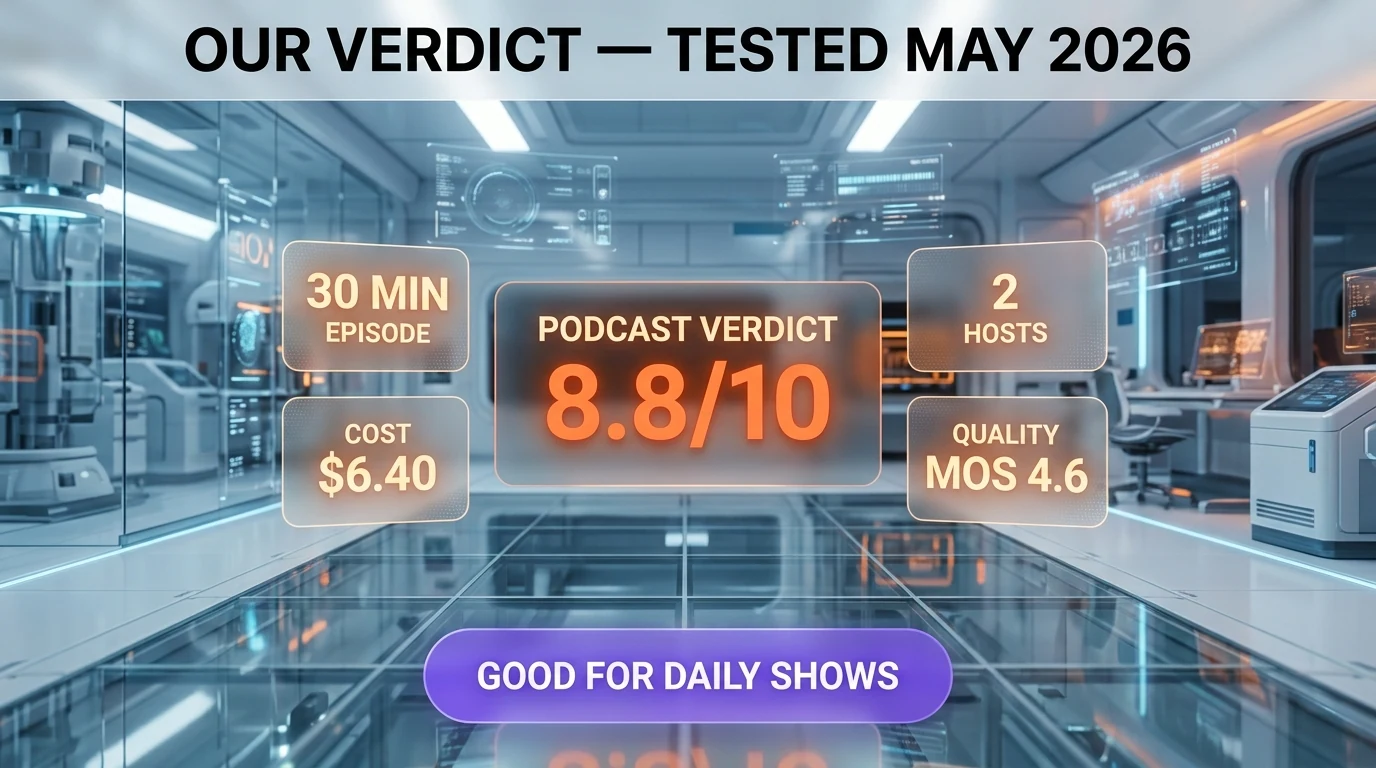
By following this guide, you have produced a fully mastered 10-minute AI podcast with two distinct voices, custom intro and outro music, and a public RSS feed distributed to every major podcast directory. You can now batch-record future episodes inside the same ElevenLabs Studio project and ship a new release every week with a 35-minute production cycle.
The single biggest use from here is consistency. Listeners reward shows that publish on a predictable schedule (same day, same time, every week). Get your buffer to 4 episodes ahead before launching publicly, then maintain that buffer forever. The second biggest use is transcripts: turn every episode into a blog post on your site to compound organic SEO traffic on top of the audio reach.
Recommended Next Reading
- ElevenLabs full review — Our hands-on review of the platform, all plans, and use cases beyond podcasts.
- Descript full review — Why we chose Descript as our mastering tool, with a tour of every Studio Sound effect.
- NotebookLM full review — Google research-to-podcast tool, our take on when to use it instead of ElevenLabs.
- ElevenLabs vs Cartesia comparison — Voice quality, latency, and pricing side-by-side for real-time use cases.
Affiliate Disclosure: Some links on this page (marked with rel="sponsored") are affiliate links. If you make a purchase through these links, we may earn a commission at no extra cost to you. This helps fund our independent testing and reviews. Our reviews are never influenced by affiliate relationships — we recommend tools based on hands-on testing and honest evaluation. Read our full affiliate disclosure policy.