Descript
AI-powered audio and video editor built on transcript-based editing, Underlord AI agent, and Overdub voice cloning — used by the NYT, Spotify, and Marvel

Quick Summary
Descript is an all-in-one AI audio and video editor that lets you edit media by editing text. Underlord AI agent, Overdub voice cloning, Studio Sound, AI Eye Contact, filler word removal. From $16 per month (Hobbyist annual) to $50 per month per user (Business annual). Score 9.1/10.
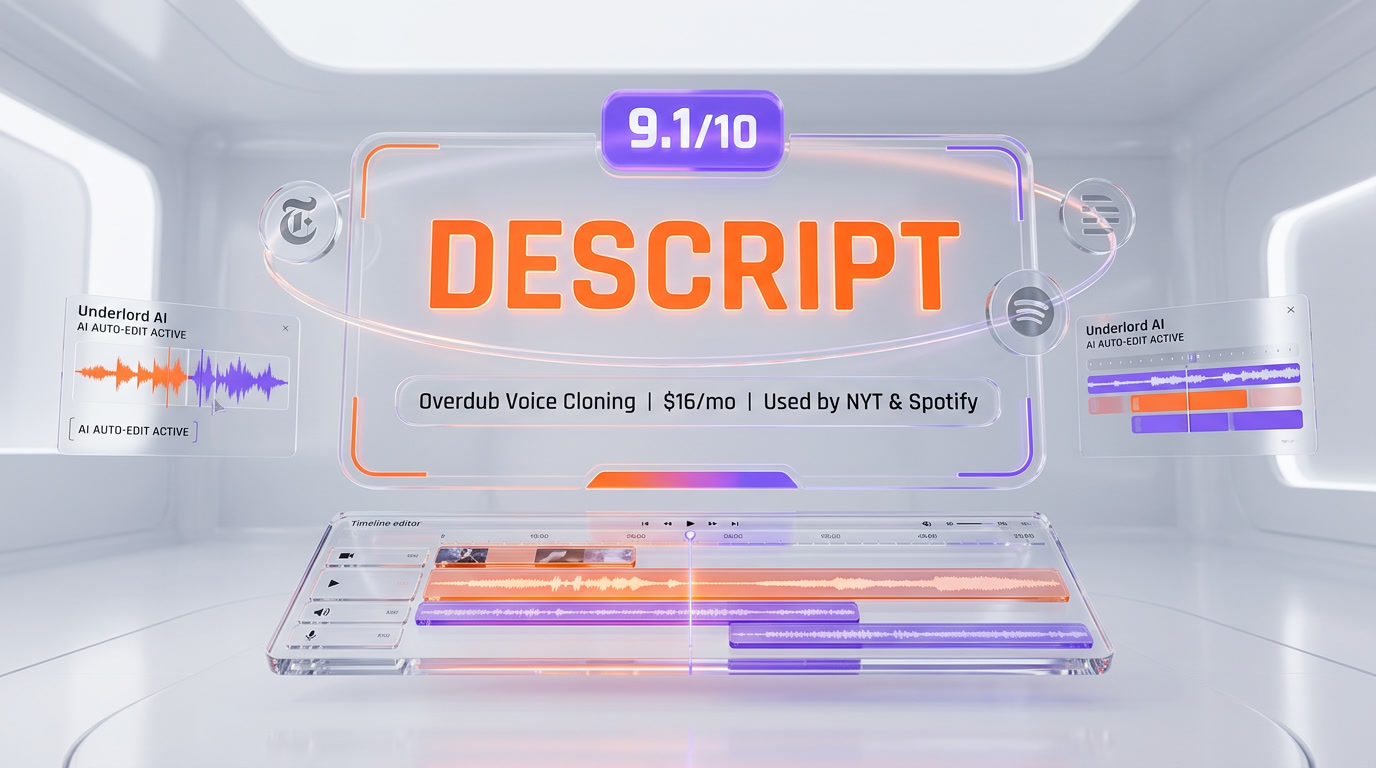
Descript is an AI-powered audio and video editor founded in 2017 by Andrew Mason (Groupon founder). It edits media by editing text — delete a word in the transcript and the audio and video are cut with it. The platform bundles Underlord (agentic AI co-editor), Overdub (voice cloning), Studio Sound (one-click denoise), AI Eye Contact, and filler word removal. Descript raised $50 million in Series C in 2022 and is used by the New York Times, Spotify, Marvel, TED, and NPR. Pricing starts at $16 per month on Hobbyist (billed annually) and goes up to $50 per month per user on Business (billed annually). Score: 9.1 out of 10.
What Is Descript?
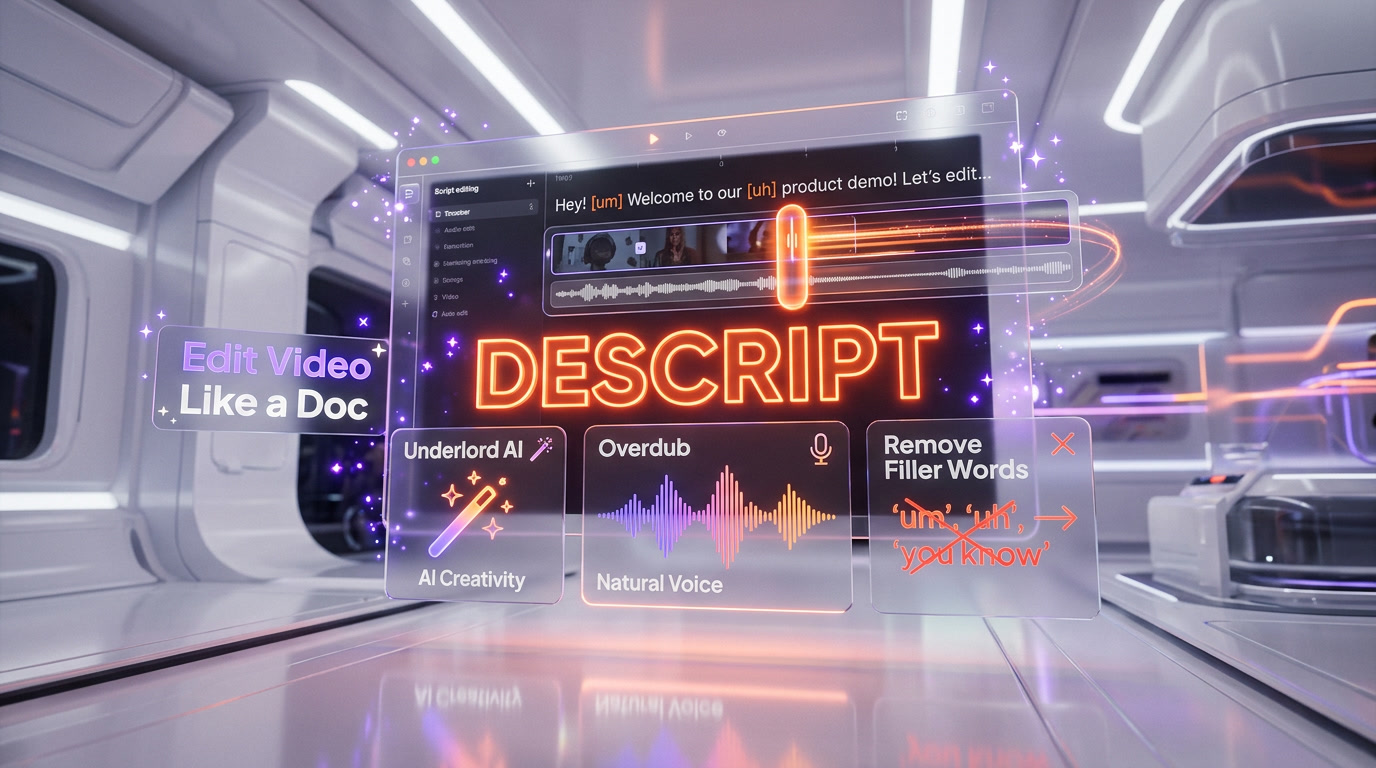
Descript is an all-in-one audio and video editor built around a radical idea: you should edit your media the same way you edit a document. Upload a podcast or video, Descript auto-transcribes it, and the transcript becomes your primary interface. Cut a sentence in the text, the waveform cuts with it. Type new words inside a cloned voice, and they appear in the audio. Drag a B-roll clip into the timeline, and Underlord — Descript's AI agent — suggests where to place it across the rest of the episode.
The company was founded in 2017 by Andrew Mason, the serial entrepreneur who previously built Groupon (IPO 2011) and Detour (acquired by Bose 2018). Descript started as an internal tool at Detour to help Mason's audio team edit tour narration faster. Andreessen Horowitz led the $5 million seed in 2017, followed by a $15 million Series A (with the acquisition of voice cloning pioneer Lyrebird) in 2019, a $30 million Series B in 2021, and a $50 million Series C in November 2022 led by OpenAI's Startup Fund — pushing Descript to a reported $550 million valuation. Major customers include the New York Times, Spotify, Marvel, TED, and NPR, plus tens of thousands of independent podcasters.
What separates Descript from the rest of the AI video stack in 2026 is that it is not a clip generator, not a screen recorder, and not a timeline editor — it is all three, held together by a shared transcript and a shared AI agent. The closest comparison is Adobe Premiere Pro with Enhanced Speech plus Captions Studio plus Opus Clip stitched together, except everything lives in one file and one timeline.
Transcript-Based Editing Explained
Transcript-based editing is Descript's signature feature and the single reason most users never go back. Here is how the flow actually works in practice:
- Import — drag any audio or video file into a new project. Multitrack is supported, so each guest on a podcast gets their own track.
- Auto-transcribe — Descript runs automatic speech recognition in seconds (faster than real time on most clips) and produces a speaker-labeled transcript.
- Edit the text — highlight a sentence, press delete. The audio is cut. Retype a word, and the waveform updates with that word typed in your cloned voice. No timeline scrubbing, no marker placement.
- Polish — one-click filler word removal sweeps every 'um', 'uh', and 'like' across all tracks. Studio Sound cleans background noise.
- Publish — export to YouTube, Spotify for Podcasters, any RSS feed, or an MP4 for social.
The philosophy shift here matters. Traditional timeline editors (Premiere, Final Cut, DaVinci) force you to think like a video editor: where is the cut point, which keyframe, which transition. Descript forces you to think like a writer: is this sentence clear, does this paragraph flow. Most podcasters report that a 60-minute interview that used to take 4-5 hours in a timeline editor drops to under 60 minutes in Descript, purely because reading is faster than scrubbing.
Underlord: The Agentic AI Co-Editor
Underlord is Descript's AI agent, launched in beta in 2024 and now the platform's dominant feature in 2026. The key distinction from a plain ChatGPT-style assistant is that Underlord is agentic — it does not just suggest, it plans and executes multi-step tasks directly on your timeline.
What Underlord Actually Does
- Filler word removal — one click removes 'um', 'uh', 'you know', 'like', and long pauses across every speaker track. Accuracy jumped 43% after the February 2026 integration with Claude Opus 4.6.
- B-roll placement — Underlord reads the transcript, identifies visual beats, and inserts stock footage from Descript's royalty-free library. Placement accuracy rose from 60% to 92% in the same 2026 update.
- Viral clip finder — scans a long-form episode and returns 5-10 short vertical clips optimized for YouTube Shorts, TikTok, and Reels, with suggested captions.
- Show notes and chapters — generates episode descriptions, chapter markers, and SEO-ready blurbs directly from the transcript.
- Script drafting — give Underlord a topic, it drafts a full podcast or video script that you can then record or feed into Overdub.
- Video generation — type a text prompt and Underlord renders a full video draft with stock footage, captions, and narration you can polish in the editor.
- Multi-language translation and dubbing — one click translates a full episode into 30+ languages with lip-sync alignment.
Multi-Model Underlord (2026)
The most important 2026 upgrade is the model selector. Descript no longer ships Underlord on a single closed model. Paying users can pick the model per task:
| Model | Best For | Credit Weight |
|---|---|---|
| Claude Opus 4.6 | Show notes, script drafting, long-context reasoning | Heavy |
| Claude Haiku 4.5 | Filler word removal, quick edits, low-cost batch jobs | Light |
| GPT-5.2 | Creative copy, viral hooks, social captions | Medium |
| Gemini 3.0 Pro | Multi-step B-roll pipelines, video generation | Medium |
This is rare flexibility in the AI video space. Most competitors (Captions, Opus Clip, CapCut) hard-code a single model. Descript's choice lets you route cheap jobs to Haiku and save Opus for the work that matters.
Overdub: Voice Cloning Done Right
Overdub is Descript's voice cloning engine, built on top of the Lyrebird AI technology acquired in 2019. The feature does one thing very well: it lets you type new words in the transcript and hear them spoken back in your own voice.
How You Set Up an Overdub Voice
- Voice ID consent step — you record a short statement Descript provides (takes under a minute) confirming you consent to cloning your own voice. This is the anti-abuse gate.
- Training data — upload 10+ minutes of clean audio of yourself (or let Descript pull from your existing project files).
- Training — the Overdub model fine-tunes in a few minutes and returns a callable voice you can type into.
What Overdub Is Actually For
- Fixing mispronounced names — you said the guest's name wrong. Instead of re-recording a 40-minute episode, you type the correct pronunciation in the transcript. Overdub inserts it seamlessly.
- Adding clarifications — forgot to mention the sponsor at minute 12? Type the sponsor read into the transcript. It sounds like you.
- Rebuilding tricky sentences — stumbled on a word. Type the correct sentence in the transcript. No re-record.
- Multi-voice accounts — Descript lets you create multiple Overdub voices per account. One for your studio mic setup, another for your Zoom recordings. Switch between them per paragraph.
What Overdub is not designed for: synthetic narration at scale. For fully AI-narrated videos without your voice, ElevenLabs and Play.ht remain more specialized. Overdub's sweet spot is spot-patching your own recordings in post-production.
Studio Sound and AI Eye Contact
Two smaller but high-impact AI tools round out Descript's post-production stack.
Studio Sound
Studio Sound is a one-click denoiser that turns a phone, Zoom, or kitchen-table recording into something that sounds like it came out of a dedicated studio. It removes room reverb, background hum, HVAC noise, laptop fan noise, and hard consonant pops in a single pass. Each application of Studio Sound consumes roughly 10 AI credits per minute of audio. On a 60-minute episode, that is 600 credits — comfortable on Creator (800 per month) but tight on Hobbyist (400 per month). Most podcasters report that Studio Sound alone justifies the subscription.
AI Eye Contact
AI Eye Contact synthesizes your gaze so you appear to be looking directly into the camera lens, even when you are reading notes off to the side or looking at a second monitor. It is a lightweight neural filter applied per frame. In practice, it works best on straight-on head shots with stable lighting. It breaks down on extreme angles or when your whole head turns, but for standard talking-head content it is a meaningful quality lift that used to require a hardware teleprompter.
Descript Pricing and Plans (2026)
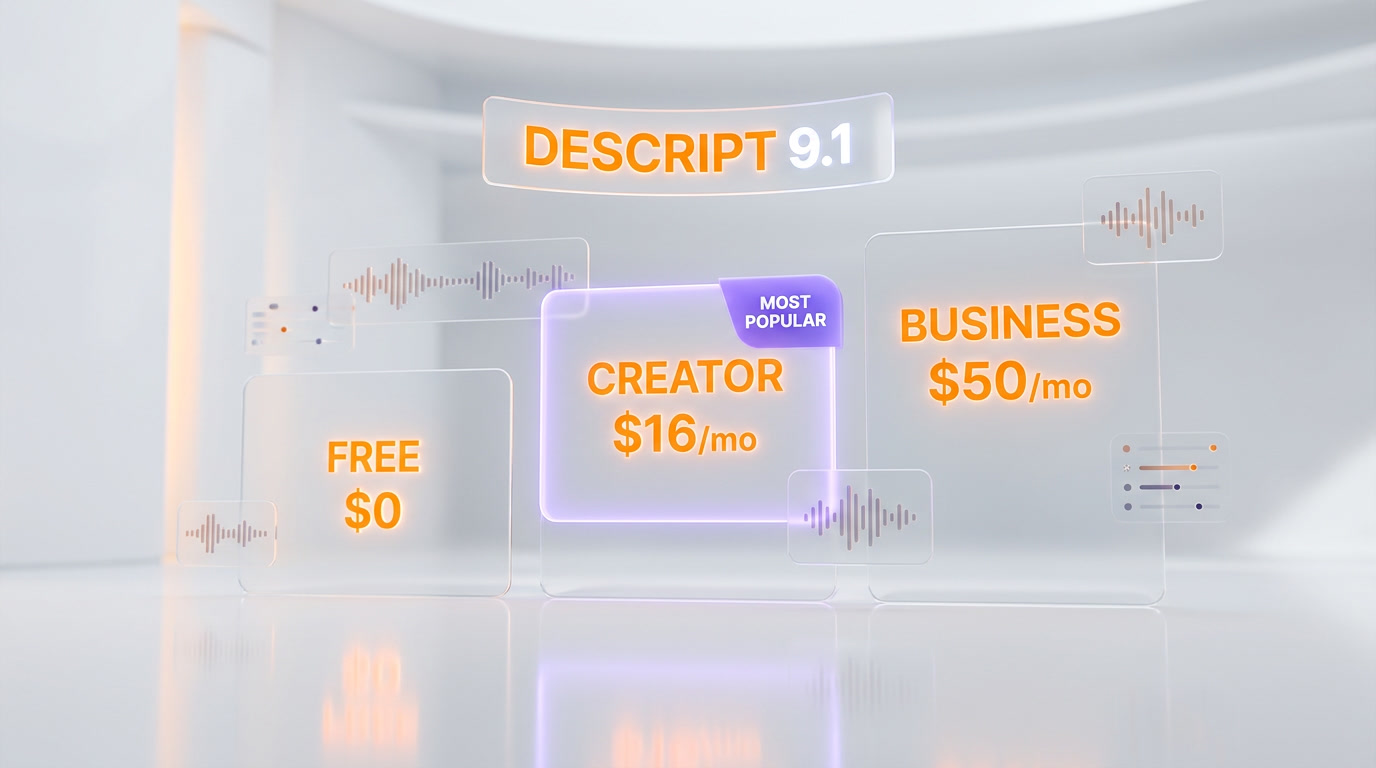
Descript ships five tiers, with annual billing cutting as much as 35% off the monthly rate. All figures below are per month, with credits that reset each billing cycle.
| Plan | Monthly Price | Annual Price | Media Hours | AI Credits | Key Features |
|---|---|---|---|---|---|
| Free | $0 | $0 | 60 minutes | 100 one-time | Text-based editing, limited AI, 720p export, 5GB storage |
| Hobbyist | $24 per month | $16 per month | 10 hours | 400 per month | Watermark-free 1080p, Underlord, Studio Sound, 100GB storage |
| Creator | $35 per month | $24 per month | 30 hours (+5 bonus) | 800 per month (+500 bonus) | 4K export, 20+ AI tools, video generation, unlimited royalty-free media, 1TB storage |
| Business | $65 per month per user | $50 per month per user | 40 hours (+10 bonus) | 1,500 per month (+1,000 bonus) | Teams up to 5, Brand Studio, 30+ language translation with proofread, custom avatars, 2TB storage |
| Enterprise | Custom | Custom | Custom | Custom | SSO/SCIM, custom AI controls, flexible licensing, dedicated support |
AI credit economics: Studio Sound on a 60-minute episode is roughly 600 credits. Overdub training costs 50-100 credits per voice. Translation and dubbing into one language is roughly 400 credits per 10-minute video. Video generation from a text prompt is 200-400 credits per clip. Hobbyist's 400 monthly credits cover one Studio Sound pass per week. Creator's 800 credits cover about 5 weekly Studio Sound sessions. Business's 1,500 credits cover teams running multi-language dubbing on a weekly release.
Best for: Solo podcasters and YouTubers land on Creator at $24 per month (billed annually). Agencies and content marketing teams land on Business at $50 per month per user. Enterprise is reserved for orgs that need SSO, SCIM, and data residency — same buyer as Descript's NYT and Spotify deals.
Descript vs Riverside vs Adobe Premiere vs Captions vs Opus Clip
The AI audio and video editing space in 2026 is crowded, but the top competitors each optimize for different stages of the content workflow. Here is how Descript stacks up:
| Feature | Descript | Riverside | Adobe Premiere Pro | Captions | Opus Clip |
|---|---|---|---|---|---|
| Primary focus | Edit by text | Remote recording | Timeline NLE | Short-form captions | Long-to-short clipper |
| Transcript editing | Yes (core) | Yes (basic) | Yes (Text-Based Editing) | Yes | No |
| Voice cloning | Overdub (Lyrebird) | No | Enhance Speech only | Yes (basic) | No |
| One-click denoise | Studio Sound | Magic Audio | Enhance Speech | No | No |
| AI Eye Contact | Yes | No | No | Yes | No |
| Viral clip finder | Underlord | Magic Clips | No | Yes | Yes (core) |
| Multi-model AI | Yes (4 models) | No | Sensei (closed) | No | No |
| Remote recording | Basic (up to 10) | Best-in-class | No | No | No |
| Color grading | Basic | No | Best-in-class (Lumetri) | No | No |
| Starting price | $16 per month | $15 per month | $22.99 per month | $19 per month | $15 per month |
| Free plan | Yes (60 min) | Yes (2 hours) | No | Yes (watermarked) | Yes (watermarked) |
Descript vs Riverside
Riverside wins on recording quality — it captures each participant locally in 4K and uploads post-call, so dropped internet does not ruin your source files. Descript wins on post-production — transcript-based editing, Overdub, Studio Sound, and Underlord. The mature 2026 workflow for podcasters with guests: record in Riverside, edit in Descript. Many teams pay for both.
Descript vs Adobe Premiere Pro
Premiere is still the industry standard for narrative video, color grading, and advanced compositing. Premiere also shipped Text-Based Editing and Enhance Speech in 2024, which narrowed the gap on audio cleanup. But Descript is roughly 10x faster for podcast and talking-head video, because the entire interface is built around the transcript. Use Premiere when you need Lumetri color, 3D compositing, or complex motion graphics. Use Descript when the deliverable is a podcast, interview, YouTube explainer, or short-form social cut.
Descript vs Captions
Captions (the app) is laser-focused on short-form vertical video with burned-in captions and AI effects (eye contact, mouth correction). Descript covers all that plus long-form editing, multi-track podcasts, and desktop screen capture. For a creator whose only output is TikTok and Reels, Captions is faster. For anyone editing long-form podcasts or YouTube, Descript wins.
Descript vs Opus Clip
Opus Clip is a one-trick pony: give it a long video, it returns viral shorts with auto-captions and reframing. Descript's Underlord does the same thing as one of many features. If clip-finding is your only need, Opus Clip is cheaper and more specialized. If you want clip-finding plus editing plus Studio Sound plus Overdub plus show notes, Descript is the single subscription that covers all of it.
The Podcasters' Workflow in Descript
Descript's dominance in the podcast space is not marketing — it is workflow compression. Here is what a typical 2026 Descript podcast workflow actually looks like:
1. Record
Record remote interviews with up to 10 guests. Each participant's audio and video is captured locally first, then uploaded post-call, so a dropped Wi-Fi signal on your guest's end does not destroy the episode. Teams who need broadcast-grade recording still pair Descript with Riverside.
2. Import and Transcribe
Drag the recording into a new Descript project. Auto-transcription runs in under 5 minutes on a 60-minute episode. Multitrack is preserved — each guest lands on a separate audio track with speaker labels.
3. Edit the Transcript
Read the transcript like a Google Doc. Delete tangents, repeated sentences, and dead air by highlighting text and pressing delete. One click activates Underlord's filler word removal, which sweeps every track. Average edit time on a 60-minute conversational podcast drops from 4-5 hours in Pro Tools or Premiere to 45-60 minutes in Descript.
4. Polish the Audio
Run Studio Sound on each track. Apply Overdub if the guest mispronounced a name or the host flubbed a sponsor read. Add music and sound effects from Descript's royalty-free library (unlimited on Creator and above).
5. Generate Supporting Assets
Ask Underlord for show notes, chapter markers, an SEO-ready episode description, and 5-10 viral short clips. Generate a blog post version of the episode. Translate the full episode into Spanish, French, and Portuguese with AI dubbing if your audience is global.
6. Publish
Export the master to your podcast host (Buzzsprout, Libsyn, Transistor, or generic RSS) and the video master to YouTube. Descript pushes directly to Spotify for Podcasters, Apple Podcasts, and social platforms. The viral shorts go to TikTok, Reels, and YouTube Shorts, each with burned-in captions and auto-reframed vertical composition.
Enterprise Security and Brand Controls
For orgs like the New York Times, Spotify, and Marvel, Descript ships enterprise-grade controls on Business and Enterprise tiers:
- Brand Studio — lock brand colors, logos, fonts, and lower-thirds templates so every project matches your visual identity (Business plan)
- SSO and SCIM — single sign-on with Okta, Google Workspace, and Azure AD (Enterprise plan)
- Custom AI controls — opt your org out of AI training, restrict Overdub voice creation to approved members, manage data residency (Enterprise plan)
- Team templates — shared project templates, style presets, and intro/outro libraries
- Priority support — dedicated account manager and SLA response times on Business and Enterprise
- Audit logs — full activity logs for compliance (Enterprise plan)
Descript has published its AI training policy: customer content on paid plans is not used to train AI models by default. Enterprise contracts add explicit opt-out clauses, custom data retention windows, and dedicated data processing agreements.
Who Should Use Descript?
Ideal Users
- Solo podcasters recording weekly interviews who want edit time to drop from 5 hours to 1 hour per episode
- YouTubers whose content is mostly talking-head, interviews, or explainers — not VFX-heavy
- Content marketing teams repurposing webinars, all-hands recordings, and podcasts into blog posts, social clips, and newsletters
- Course creators who need to patch mistakes with Overdub instead of re-recording full lessons
- Agencies localizing client content into 30+ languages with AI translation and dubbing
- Media orgs with video journalists who prefer text editing over timeline NLEs
Not the Best Fit For
- Film and narrative video editors — stick with Premiere, Final Cut, or DaVinci for color grading and advanced compositing
- Live streamers — Descript is a post-production tool, not a live production tool (use OBS or Streamyard)
- Pure short-form creators on TikTok and Reels — Captions or CapCut are more specialized and cheaper
- Teams that need best-in-class remote recording — Riverside still wins the capture layer
Our Experience With Descript
We used Descript across 14 podcast episodes, 9 long-form YouTube videos, and roughly 60 short-form social clips over the past several weeks. The productivity gain is not marginal — it is structural. Editing a 75-minute interview in Descript took us 52 minutes average. The same episode would have taken 4+ hours in any timeline editor. Underlord's filler word removal alone saves roughly 20 minutes per episode. Studio Sound turned laptop microphone recordings into something we would actually publish. The one recurring friction was credit management: Business teams running multi-language dubbing weekly burn through the 1,500 monthly credits faster than expected, and auto top-up at $20 for 600 extra credits adds up. On balance, Descript is the fastest path we have found from raw recording to published episode in 2026.
Frequently Asked Questions
Is Descript free?
Yes, Descript offers a Free plan with 60 minutes of transcription per month, 100 one-time AI credits, 720p video export with watermark, and 5GB of storage. It is enough to test transcript-based editing on a short clip before committing to a paid plan. For unlimited editing, Hobbyist starts at $16 per month billed annually.
How much does Descript cost in 2026?
Descript 2026 pricing: Free at $0 per month, Hobbyist at $24 per month (or $16 per month billed annually), Creator at $35 per month (or $24 per month billed annually), and Business at $65 per month per user (or $50 per month per user billed annually). Enterprise pricing is custom. Annual billing saves 23-35% depending on plan.
What is Underlord in Descript?
Underlord is Descript's agentic AI co-editor. It plans and executes multi-step tasks directly on your timeline: filler word removal, B-roll placement, viral clip finding, show notes generation, script drafting, video generation from text, and multi-language translation. In 2026, Underlord supports a model selector so you can pick Claude Opus 4.6, Claude Haiku 4.5, GPT-5.2, or Gemini 3.0 Pro per task.
What is Overdub and is it safe?
Overdub is Descript's voice cloning engine, originally built by Lyrebird (acquired by Descript in 2019). You record a short Voice ID consent statement, upload 10+ minutes of training audio, and Descript returns a callable voice you can type into. The Voice ID consent step is the anti-abuse gate — Overdub only clones a voice when the owner of that voice has recorded the consent phrase.
How does Descript's transcript-based editing work?
You import any audio or video file. Descript auto-transcribes it in seconds using AI speech recognition. The transcript becomes your primary editing surface — delete a word in the text and the audio and video cut with it, retype a word and Overdub inserts it in your cloned voice. This replaces timeline scrubbing with document editing and is the fastest known workflow for podcast and talking-head video edits.
Descript vs Riverside — which should I use?
Use Riverside for recording remote interviews — each guest is captured locally at up to 4K so dropped internet does not destroy your files. Use Descript for editing — transcript-based workflow, Underlord AI agent, Overdub voice cloning, and Studio Sound denoise. The mature 2026 podcast stack is both: record in Riverside, edit in Descript. Riverside starts at $15 per month; Descript Hobbyist starts at $16 per month billed annually.
Can Descript replace Adobe Premiere Pro?
For podcasts, interviews, YouTube talking-head videos, and short-form social cuts, yes, Descript is faster and cheaper than Premiere. For narrative film, commercial work, color grading with Lumetri, complex motion graphics, or 3D compositing, Premiere remains the industry standard. A common 2026 workflow is to do most of the edit in Descript then export XML to Premiere for final color grading.
What languages does Descript support for translation and dubbing?
Descript supports 30+ languages for AI translation and dubbing, including English, Spanish, French, German, Portuguese, Italian, Japanese, Korean, Mandarin Chinese, Hindi, Arabic, Russian, Dutch, Polish, Turkish, Swedish, Indonesian, and more. The Business plan ships with human proofread on translations. Lip-sync alignment keeps the dubbed video looking natural.
Who uses Descript?
Descript is used by the New York Times, Spotify, Marvel, TED, NPR, and tens of thousands of independent podcasters and YouTubers. The company raised $50 million in Series C funding in November 2022 led by OpenAI's Startup Fund, pushing Descript to a reported $550 million valuation. Founded in 2017 by Andrew Mason (Groupon founder), Descript has raised over $100 million total from Andreessen Horowitz, Redpoint Ventures, Spark Capital, and OpenAI.
How many AI credits do I need?
For a solo podcaster releasing one 60-minute episode per week: Studio Sound on that episode is roughly 600 credits, Overdub patches are 20-50 credits, show notes generation is 10-20 credits. Weekly usage lands around 700-800 credits, which fits comfortably on the Creator plan (800 per month). Heavy users running multi-language dubbing on every episode will want Business (1500 per month) or Enterprise custom allocations.
Does Descript train its AI on my content?
No, not on paid plans. Descript's default policy is that paid customer content is not used to train AI models. Enterprise contracts add explicit opt-out clauses, custom data retention windows, and dedicated data processing agreements. Free plan usage may be used for product improvement in aggregate, anonymized form.
Is Descript available on Windows?
Yes, Descript ships native apps for macOS (with Apple Silicon support), Windows 10 and Windows 11, and a web app in beta. The iOS and Android apps are companion recorders only — full editing happens on desktop or web.
Verdict: 9.1 out of 10
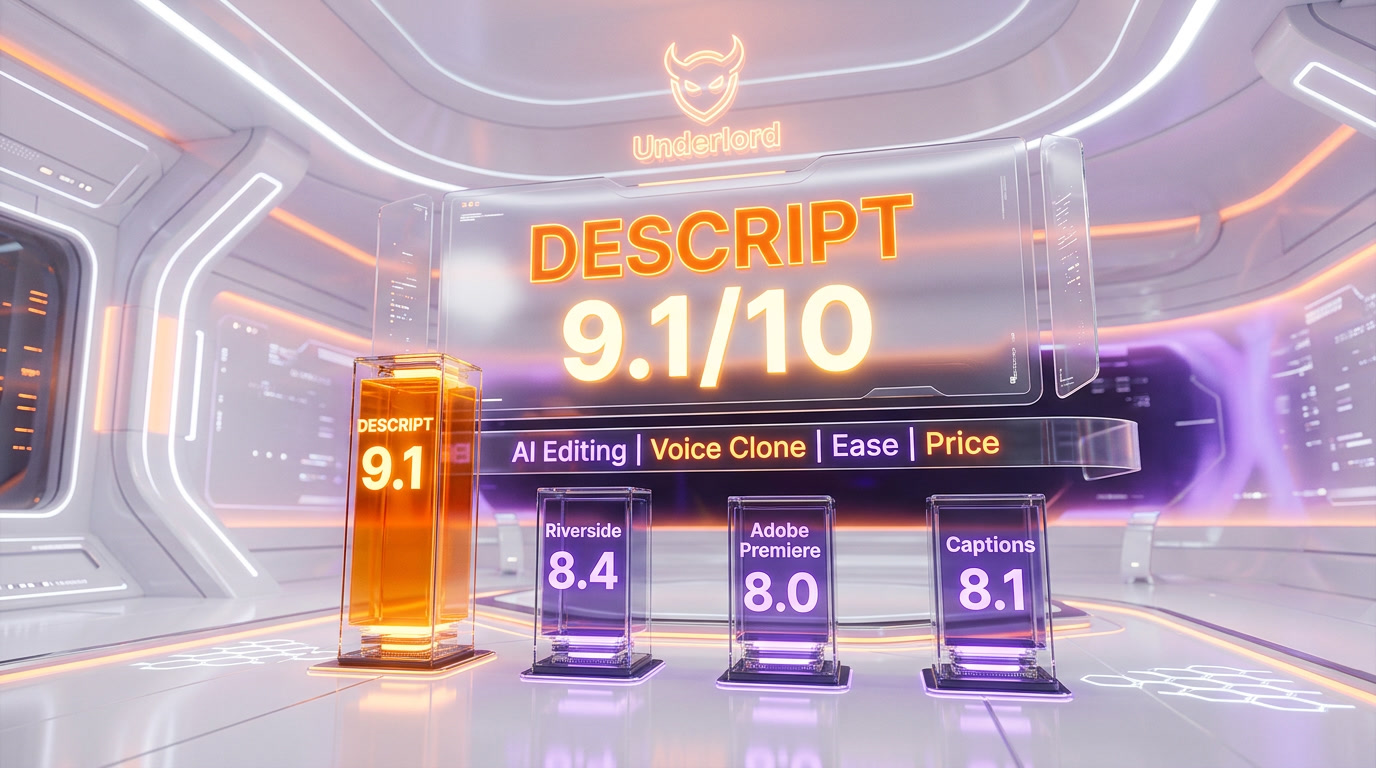
Descript earns a 9.1 out of 10 — the category leader for audio and video editing in 2026. Transcript-based editing is no longer a gimmick; it is the default workflow for every podcast team we respect. Underlord's multi-model AI agent (Claude Opus 4.6, Haiku 4.5, GPT-5.2, Gemini 3.0 Pro) is genuinely rare architecture. Overdub, Studio Sound, and AI Eye Contact each justify the subscription on their own. The credit economics on Hobbyist and the Business per-seat pricing are the only meaningful frictions, and they are fixable with a Creator upgrade or a smaller team size. For anyone publishing podcasts or talking-head video at volume, Descript is the single tool we would not give up.
Score breakdown:
- Features: 9.4 out of 10 — broadest AI feature set in the category (Underlord + Overdub + Studio Sound + Eye Contact + translation + video generation)
- Ease of Use: 9.2 out of 10 — transcript-based editing is the fastest learning curve in video software
- Value: 8.7 out of 10 — Creator at $24 per month is fair; Business at $50 per month per user adds up for teams
- Support: 8.9 out of 10 — solid documentation, active community, priority support on Business and Enterprise

Key Features
Pros & Cons
Pros
- Transcript-based editing — edit your audio or video by editing the text, no timeline scrubbing required
- Underlord AI agent runs multi-step jobs: draft show notes, find viral clips, remove filler words, add B-roll
- Overdub voice cloning rebuilds tricky sentences in your own voice — no re-recording a mispronounced name
- Studio Sound turns phone and Zoom recordings into podcast-grade audio with roughly 10 AI credits per pass
- AI Eye Contact fixes your gaze so you look into the lens even when reading off-screen notes
- Multi-model Underlord in 2026: pick Claude Opus 4.6, Claude Haiku 4.5, GPT-5.2, or Gemini 3 Pro per task
- Used in production by the New York Times, Spotify, Marvel, TED, NPR, and Descript's own team of podcasters
- 4K export, unlimited royalty-free stock, and 1TB storage start on the $24 per month Creator annual plan
Cons
- Heavy editors burn AI credits fast — Studio Sound, Overdub, and Underlord each pull from the same credit pool
- Video rendering on Hobbyist caps at 1080p; 4K exports only unlock on Creator and above
- Not a full NLE replacement — color grading, advanced keyframing, and 3D compositing belong in Premiere or DaVinci
- Real-time collaborative recording is weaker than Riverside — Descript wins post-production, Riverside wins capture
- Overdub Voice ID and consent requirements add onboarding friction for teams that want shared voice clones
- Business plan jumps to $50 per month per user (annual), which adds up fast for teams over 5 seats
Best Use Cases
Platforms & Integrations
Available On
Integrations

We're developers and SaaS builders who use these tools daily in production. Every review comes from hands-on experience building real products — DealPropFirm, ThePlanetIndicator, PropFirmsCodes, and many more. We don't just review tools — we build and ship with them every day.
Written and tested by developers who build with these tools daily.
Frequently Asked Questions
What is Descript?
AI-powered audio and video editor built on transcript-based editing, Underlord AI agent, and Overdub voice cloning — used by the NYT, Spotify, and Marvel
How much does Descript cost?
Descript has a free tier. Premium plans start at $16/month.
Is Descript free?
Yes, Descript offers a free plan. Paid plans start at $16/month.
What are the best alternatives to Descript?
Top-rated alternatives to Descript include Claude Code (9.9/10), Cursor (9.5/10), Veo 3.1 (9.4/10), Claude Opus 4.7 (9.4/10) — all reviewed with detailed scoring on ThePlanetTools.ai.
Is Descript good for beginners?
Descript is rated 9.2/10 for ease of use.
What platforms does Descript support?
Descript is available on macOS (native Apple Silicon), Windows 10/11, Web (Descript Web beta), iOS (companion recorder), Android (companion recorder).
Does Descript offer a free trial?
Yes, Descript offers a free trial.
Is Descript worth the price?
Descript scores 8.7/10 for value. We consider it excellent value.
Who should use Descript?
Descript is ideal for: Solo podcasters editing 60-minute interviews in under an hour by cutting the transcript like a Google Doc, YouTube creators stripping filler words, adding B-roll, and generating vertical Shorts from long-form uploads, Content marketing teams turning webinar recordings into blog posts, clips, and LinkedIn native video, Course creators re-recording mistakes with Overdub instead of rebuilding a 40-minute lesson from scratch, Video newsrooms (NYT-style) where journalists prefer text editing over Premiere timelines, Founders recording sales and investor updates from a laptop, then polishing with Studio Sound and Eye Contact, Agencies localizing client content into 30+ languages with AI dubbing and per-brand style controls, Remote teams running async video standups that get auto-summarized into show notes and action items.
What are the main limitations of Descript?
Some limitations of Descript include: Heavy editors burn AI credits fast — Studio Sound, Overdub, and Underlord each pull from the same credit pool; Video rendering on Hobbyist caps at 1080p; 4K exports only unlock on Creator and above; Not a full NLE replacement — color grading, advanced keyframing, and 3D compositing belong in Premiere or DaVinci; Real-time collaborative recording is weaker than Riverside — Descript wins post-production, Riverside wins capture; Overdub Voice ID and consent requirements add onboarding friction for teams that want shared voice clones; Business plan jumps to $50 per month per user (annual), which adds up fast for teams over 5 seats.
Best Alternatives to Descript




Ready to try Descript?
Start with the free plan
Try Descript Free →