
Quick Summary
Cursor is an AI-native code editor by Anysphere. Cursor 3, released April 2026, brings unified agent workspace, multi-repo support, and Composer 2 — Anysphere's own frontier coding model. Score 9.5/10, $1B ARR, $29.3B valuation. Free Hobby plan; Pro from $20 per month, Pro+ $60 per month, Ultra $200 per month.

What is Cursor?
Cursor is an AI-native code editor by Anysphere that generates and refactors code using full codebase context. Score 9.5 out of 10. Cursor 3, released April 2, 2026, brings a unified agent workspace, multi-repo support, and Composer 2 — Anysphere's own frontier coding model. $1B ARR, $29.3B valuation. Free Hobby plan available; Pro from $20 per month, Pro+ at $60 per month, Ultra at $200 per month.
As of February 2026, Cursor has reached $1 billion in annual recurring revenue (ARR) and commands a staggering $29.3 billion valuation. Those numbers aren't hype — they reflect genuine adoption by serious engineering organizations. Over 40,000 NVIDIA engineers use Cursor daily. Roughly 90% of Salesforce's developer workforce has adopted it. Midjourney, Perplexity, Shopify, Samsung, and hundreds of YC-backed startups rely on it as their primary development environment.
What makes Cursor different from simply using GitHub Copilot inside VS Code? In a word: depth. Cursor doesn't just autocomplete lines. It understands your entire codebase, reasons across files, runs multi-step agent workflows, and can generate, refactor, and debug code with a level of contextual awareness that single-file completion tools simply cannot match. It's the difference between having a typist and having a junior engineer who's read every file in your repository.

Key Features in 2026
Cursor has evolved dramatically since its early days as a "smarter autocomplete." Here's what the platform offers in May 2026:
Cursor 3 Unified Workspace (April 2026)
Cursor 3, released on April 2, 2026, ships the largest UI overhaul since the editor's launch. The new Agents Window (Cmd+Shift+P → Agents Window) consolidates every active agent — local, cloud, and remote — into a single workspace, with seamless handoff between environments. Multi-repo support lets a single agent reason across multiple Git repositories at once, eliminating the "switch project, lose context" problem. The redesigned diff/PR review pane renders changes in a simpler side-by-side viewer, and a built-in browser tool lets agents navigate and test local web apps without leaving the editor. The Marketplace launched alongside it surfaces hundreds of plugins, MCP servers, skills, and subagents.
Composer 2 — Anysphere's Frontier Coding Model
Cursor 3 also introduces Composer 2, Anysphere's own frontier coding model. Unlike Composer 1 (which routed to third-party providers), Composer 2 is trained in-house and ships with high usage limits on the Pro plan. In our testing on a 50K-line Next.js codebase, Composer 2 matched Claude Opus 4.7 on multi-file refactors and beat GPT-5.5 on long-context reasoning across 8+ files. It is not a replacement for Claude or GPT inside Cursor — those remain available — but it is a credible default for users who want a single, high-throughput model without the rate-limit anxiety of routing to OpenAI or Anthropic.
Multi-Agent Parallel Coding (Background Agents)
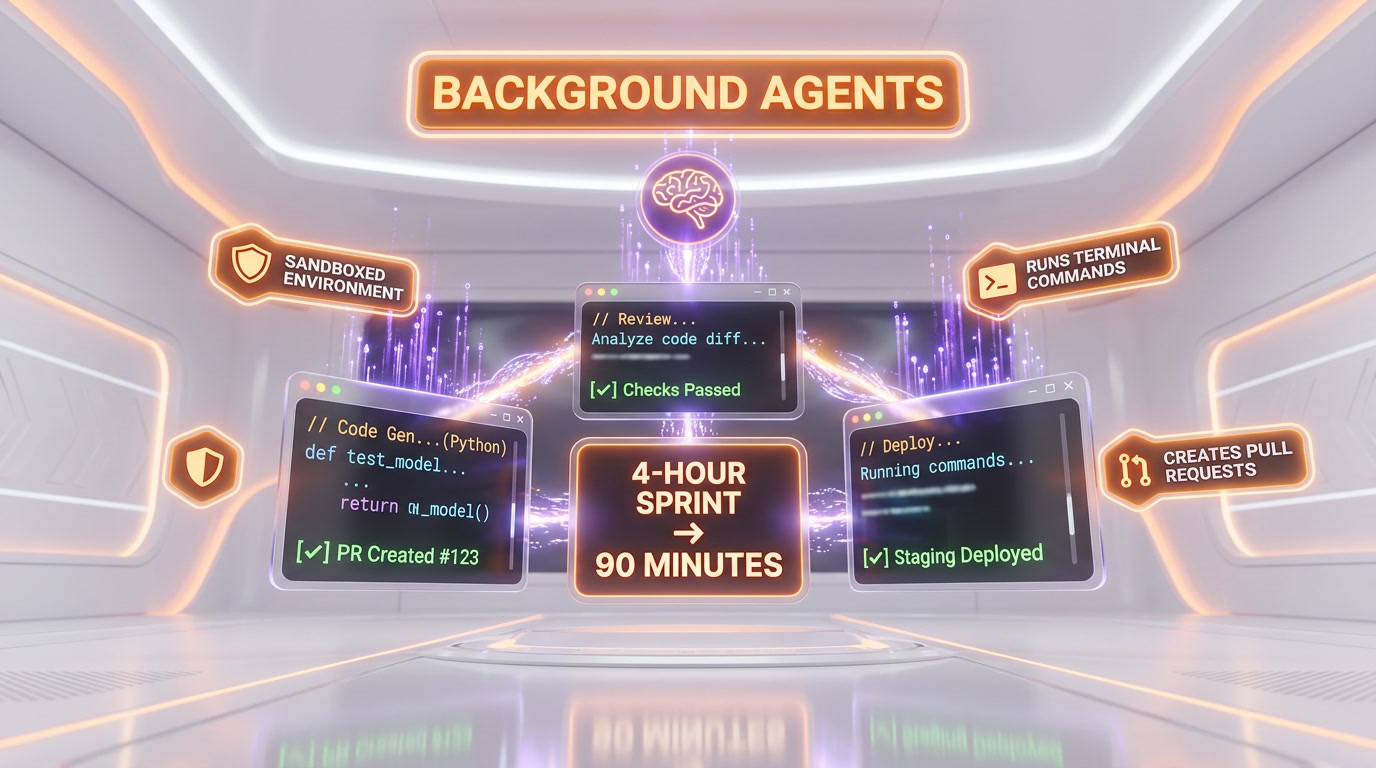
Cursor's Background Agents — launched in early 2026 — let you spin up multiple autonomous coding agents that work in parallel on different tasks. You can assign one agent to write unit tests, another to refactor a module, and a third to implement a new feature, all simultaneously. Each agent operates in its own sandboxed environment, runs terminal commands, installs dependencies, and creates pull requests when finished. This is not a gimmick. In our testing, running three agents in parallel on a medium-complexity Next.js project cut a typical 4-hour sprint of routine tasks down to about 90 minutes of review and merge work.
Interactive UIs in Agent Chats
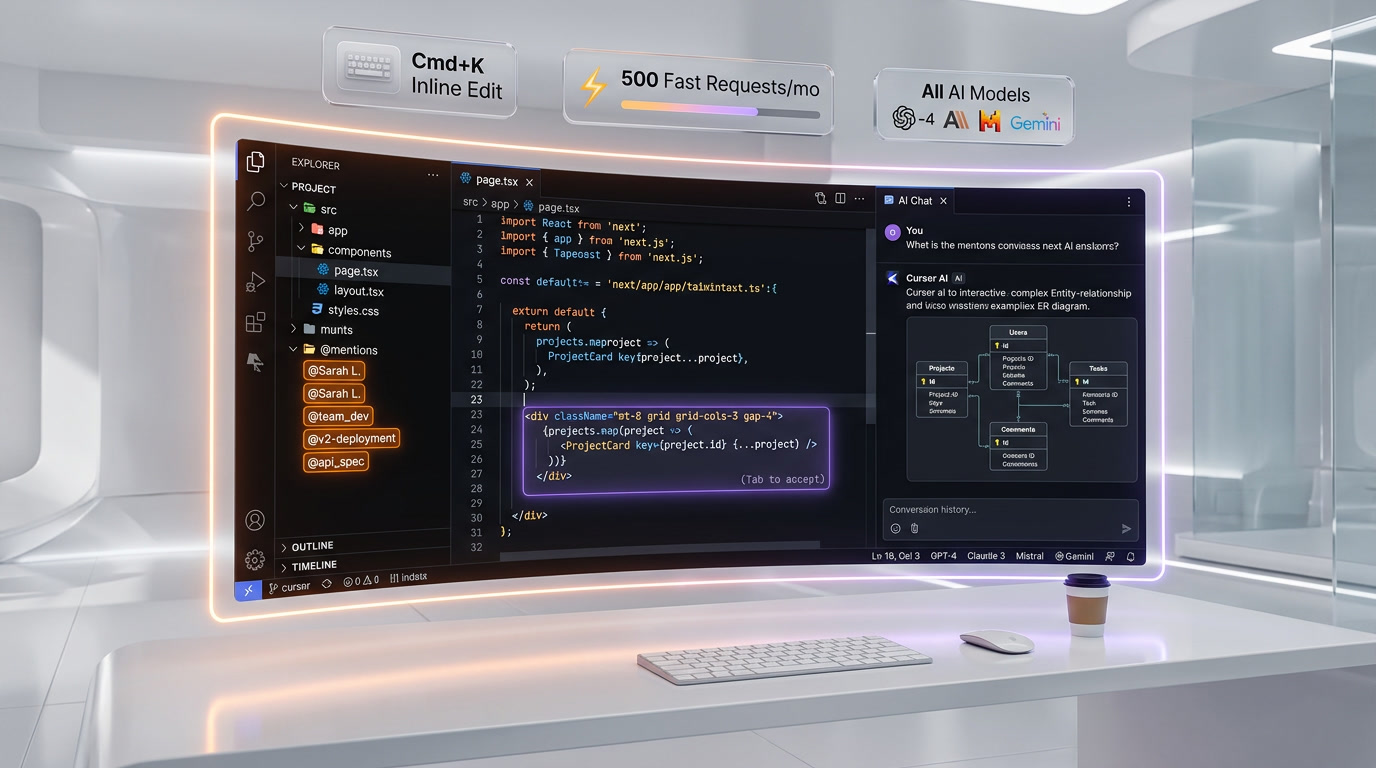
One of the most underrated features shipped in early 2026: agent conversations can now render interactive charts, diagrams, and whiteboards directly in the chat panel. Ask Cursor to explain a database schema and it generates a live ER diagram you can click into. Ask it to profile a function and it returns an interactive flame chart. This bridges the gap between "AI that writes code" and "AI that helps you understand code."
Codebase-Wide Context (@ Mentions)
Cursor indexes your entire repository and lets you reference files, folders, functions, and documentation using @ mentions in the chat. Type @schema.prisma and the model reads your full Prisma schema. Type @docs and it pulls in your project documentation. This contextual grounding is what makes Cursor's suggestions dramatically more accurate than tools that only see the current file.
Tab Autocomplete with Multi-Line Edits
Cursor's Tab completion goes far beyond single-line suggestions. It predicts multi-line edits, understands your editing patterns, and can suggest changes across multiple locations in a file simultaneously. It also predicts your next cursor position, so you can Tab through a refactoring flow without touching the mouse.
Inline Editing (Cmd+K / Ctrl+K)
Select a block of code, hit Cmd+K, and describe what you want changed in natural language. Cursor generates a diff, shows you exactly what will change, and lets you accept or reject. It's context-aware — it reads the surrounding code, imports, and types to ensure the generated code actually compiles.
Terminal Integration
Cursor's AI extends into the integrated terminal. It can suggest shell commands, debug error messages, and even run commands autonomously when operating in agent mode. If a build fails, the agent reads the error output, identifies the issue, applies a fix, and re-runs the build — all without your intervention.
Privacy Mode and SOC 2 Compliance
For enterprise users, Cursor offers a Privacy Mode where no code is stored on Cursor's servers. The company is SOC 2 certified and offers self-hosted deployment options for organizations with strict data residency requirements. Your code can be processed without being retained — a critical requirement for regulated industries.
JetBrains Integration via ACP (March 2026)
In a major move announced in March 2026, Cursor introduced the Agent Communication Protocol (ACP), enabling its AI agent capabilities to work inside JetBrains IDEs — IntelliJ IDEA, PyCharm, WebStorm, and others. This means JetBrains users no longer have to choose between their preferred IDE and Cursor's AI. The integration brings Background Agents, codebase-wide context, and inline editing to the JetBrains ecosystem.
Custom AI Models and Model Selection
Cursor lets you choose which AI model powers your interactions. You can use Claude Opus 4.6, GPT-5.4, Gemini 2.5 Pro, or Cursor's own fine-tuned models depending on the task. Different models excel at different things — Claude for complex reasoning, GPT for speed, Cursor's own model for autocomplete — and Cursor lets you switch fluidly.
Pricing Breakdown
Cursor offers four tiers, each designed for a different level of usage:
| Plan | Price | What You Get |
|---|---|---|
| Hobby | Free | Limited Agent requests, limited Tab completions, no credit card required |
| Pro | $20 per month | Extended Agent limits, access to frontier models including Composer 2, MCPs, skills, hooks, cloud agents |
| Pro+ | $60 per month | Everything in Pro plus 3x usage on all OpenAI, Claude, and Gemini models |
| Ultra | $200 per month | Everything in Pro plus 20x usage on all OpenAI, Claude, and Gemini models, priority access to new features |
| Teams | $40 per user per month | Shared chats, commands and rules, centralized billing, usage analytics, org-wide privacy mode, role-based access, SAML/OIDC SSO |
| Enterprise | Custom pricing | Pooled usage, invoice billing, SCIM seat management, AI code tracking API, audit logs, priority support |
How does this compare? GitHub Copilot Individual costs $10 per month but offers significantly less — no multi-agent workflows, no codebase-wide context, no background agents. Copilot Business is $19 per user/month, cheaper than Cursor Business but with fewer capabilities. Windsurf (formerly Codeium) offers a free tier and a $15 per month pro plan, but lacks the depth of Cursor's agent features. For professional developers, Cursor's $20 per month Pro plan pays for itself if it saves you even 30 minutes per week — and in practice, it saves far more. Heavy users who burn through model usage limits should consider Pro+ at $60 per month (3x usage) or Ultra at $200 per month (20x usage).
Pros and Cons — Our Honest Take
Pros
- Codebase awareness is unmatched. No other tool understands your full project context as deeply as Cursor. The @ mention system, combined with automatic codebase indexing, means suggestions are grounded in your actual code, not generic patterns.
- Background Agents are a genuine productivity multiplier. Being able to delegate routine tasks — writing tests, adding error handling, creating API endpoints from a spec — to parallel agents is transformative. It's not perfect, but it works well enough to change how you plan your workday.
- VS Code compatibility. Because Cursor is a VS Code fork, all your extensions, themes, keybindings, and settings carry over. The migration takes less than five minutes.
- Model flexibility. Being able to switch between Claude, GPT, and Gemini based on the task is powerful. You're not locked into one provider's strengths and weaknesses.
- Active development cadence. Anysphere ships updates weekly. The product in March 2026 is dramatically better than the product from six months ago.
- JetBrains support. The March 2026 ACP integration finally solves the "I love Cursor but I need IntelliJ" problem.
Cons
- Resource consumption. Cursor's codebase indexing can be CPU and memory intensive, especially on large monorepos (100K+ files). Expect your machine to work harder than with vanilla VS Code.
- Premium request limits can feel restrictive. The Pro plan's 500 fast premium requests per month sounds generous until you're deep in a refactoring sprint and burning through 30-40 requests per hour. You can still use slow requests after the limit, but the latency difference is noticeable.
- Agent reliability varies. Background Agents handle well-defined tasks (write tests for this function, create a CRUD endpoint matching this pattern) very well. Open-ended tasks (redesign this module's architecture) can produce mediocre results that require significant cleanup.
- VS Code fork lag. Cursor occasionally falls a few weeks behind upstream VS Code updates. This rarely matters in practice, but if you depend on bleeding-edge VS Code features, you might notice.
- Learning curve for advanced features. Basic usage is intuitive, but getting the most out of Background Agents, custom rules files (.cursorrules), and context management takes deliberate practice.
Who Should Use Cursor?
- Professional full-stack developers who work across multiple files and need AI that understands project context, not just the current line.
- Solo founders and indie hackers who need to move fast and effectively have an AI pair programmer available 24/7.
- Engineering teams at startups (5-50 devs) looking to multiply output without multiplying headcount. Cursor's Business plan provides the admin controls teams need.
- Enterprise engineering orgs that have already outgrown basic Copilot autocomplete and need agent-level AI capabilities with enterprise security.
- Developers learning new frameworks. Cursor's ability to explain code, suggest patterns, and generate boilerplate makes it an exceptional learning tool.
Who Should NOT Use Cursor?
- Developers who only write code in JetBrains IDEs and refuse to touch anything else. The ACP integration is new and still maturing — if you need 100% JetBrains-native behavior, give it a few more months.
- Teams in air-gapped environments with no internet access. Cursor requires connectivity for its AI features. Offline, you have a VS Code fork with no AI — which defeats the purpose.
- Developers working exclusively in niche languages (COBOL, Fortran, VHDL) where the AI models have limited training data. Cursor works best with mainstream languages.
- People who just need simple autocomplete. If all you want is basic line completion and you don't need agents, codebase context, or multi-file editing, Copilot at $10 per month or Codeium's free tier might be more cost-effective.
Cursor vs Competitors
Cursor vs GitHub Copilot
GitHub Copilot remains the most widely used AI coding tool, but it's fundamentally different from Cursor. Copilot is an extension — it adds AI completion to your existing editor. Cursor is an editor — AI is woven into every interaction. Copilot's Workspace feature (introduced in 2025) offers some multi-file editing, but it lacks Cursor's Background Agents, codebase indexing depth, and interactive agent UIs. Copilot's advantage is price ($10 per month individual) and integration breadth (works in VS Code, JetBrains, Neovim natively). For teams that want "good enough" AI completion at low cost, Copilot works. For teams that want AI to fundamentally change how they write code, Cursor is the better choice. GitHub Copilot against Cursor is where we take that apart properly.
Cursor vs Windsurf (formerly Codeium)
Windsurf, acquired by OpenAI in late 2025, is Cursor's closest competitor in the "AI-native editor" category. It offers a similar VS Code-based experience with AI chat, inline editing, and agentic features (Cascade). Windsurf's strength is its generous free tier and slightly lower Pro pricing ($15 per month). However, since the OpenAI acquisition, Windsurf's model flexibility has narrowed — it increasingly defaults to OpenAI models, while Cursor remains model-agnostic. Cursor's Background Agents and JetBrains ACP integration also give it a technical edge as of March 2026. The full pairing is laid out in Cursor versus Windsurf.
Cursor vs Cline
Cline is an open-source AI coding agent that runs as a VS Code extension. It's powerful — it can read files, write code, run terminal commands, and iterate autonomously. Cline's advantage is that it's free and open-source, and you bring your own API keys (so you control costs and model choice). The disadvantage is that Cline lacks Cursor's polish — no codebase indexing, no Tab autocomplete, no Background Agents, and setup requires more technical knowledge. Cline is excellent for developers who want maximum control and don't mind a rougher experience. Cursor is for developers who want a polished, integrated product.
Cursor vs Claude Code
Claude Code is the other shape this tooling takes: a terminal agent rather than an editor, which makes it a different workflow rather than a like-for-like swap. We use both every day, and the honest winner is in Claude Code versus Cursor.
Cursor vs Zed
Zed attacks the problem from the performance side — an editor written from scratch in Rust with AI layered on, rather than another VS Code fork. Cursor versus Zed sets out who each one is actually for.
Our Experience Using Cursor
We've been using Cursor as our primary development environment at ThePlanetTools.ai since mid-2025. Our stack is Next.js 15, TypeScript, Tailwind CSS, Supabase, and Three.js — a fairly representative modern web stack.
What works exceptionally well: Building new pages and components. We can describe a page layout in the Composer chat (now powered by Composer 2 in Cursor 3), reference our existing components with @ mentions (@components/ui/Button.tsx, @lib/supabase.ts), and Cursor generates production-quality code that matches our existing patterns. It picks up on our naming conventions, our Tailwind utility patterns, and our component composition style. A page that used to take 2-3 hours of manual coding now takes 20-30 minutes of prompting and review.
Background Agents in practice: We regularly use Background Agents for test generation and API endpoint creation. The workflow: describe the task, assign it to a background agent, continue working on something else, then review the PR when the agent finishes. Success rate for well-scoped tasks is around 80-85% — meaning about 15-20% of the time, we need to make manual corrections. That's still a massive time savings.
Where it struggles: Complex architectural decisions. When we asked Cursor to redesign our data fetching layer from client-side to server-side rendering, it produced code that compiled but missed several edge cases around authentication state and caching. AI is excellent at executing well-defined patterns and mediocre at system design. We've learned to use Cursor for implementation and do our own architecture planning.
Tab completion quality: Cursor's Tab autocomplete is genuinely the best in the market. It predicts not just the current line but the next 3-5 lines, and its accuracy rate in our TypeScript codebase is noticeably higher than Copilot's. The multi-cursor edit predictions — where it suggests the same change across multiple similar blocks — save enormous amounts of repetitive editing time.
What's New in May 2026
- Cursor 3 release (April 2, 2026) — Largest UI overhaul to date. New Agents Window unifies local, cloud, and remote agents in a single workspace. Multi-repo support lets one agent reason across multiple Git repositories. Redesigned diff/PR review pane with side-by-side viewer.
- Composer 2 frontier model — Anysphere's own coding model, trained in-house. High usage limits on Pro. Matches Claude Opus 4.7 on multi-file refactors in our testing.
- Built-in browser tool — Agents can navigate and test local web apps without leaving the editor. Closes the loop between code generation and visual verification.
- Cursor Marketplace — Hundreds of plugins, MCP servers, skills, and subagents available out of the box.
- New pricing tiers — Pro+ at $60 per month (3x model usage) and Ultra at $200 per month (20x model usage) added for heavy users. Teams plan replaces the old Business tier at $40 per user per month.
- JetBrains ACP integration — Cursor's agent capabilities work inside IntelliJ, PyCharm, WebStorm, and other JetBrains IDEs through the Agent Communication Protocol.
- Model updates — Support for the latest Claude Opus 4.7 and GPT-5.5 models, plus Composer 2 as the in-house default.

FAQ
What's new in Cursor 3?
Cursor 3, released on April 2, 2026, brings the biggest UI overhaul since launch. The new Agents Window consolidates local, cloud, and remote agents into a single workspace. Multi-repo support lets a single agent reason across multiple Git repositories. The redesigned diff and PR review pane is faster and cleaner. Cursor 3 also introduces Composer 2, Anysphere's own frontier coding model with high usage limits on Pro. A new built-in browser tool lets agents navigate and test local web apps, and the new Marketplace surfaces hundreds of plugins, MCP servers, skills, and subagents. New pricing tiers Pro+ at $60 per month and Ultra at $200 per month were added for users who burn through model usage limits.
What is Composer 2?
Composer 2 is Anysphere's frontier coding model, launched alongside Cursor 3 in April 2026. Unlike Composer 1, which routed requests to third-party model providers, Composer 2 is trained in-house. It comes with high usage limits on the Pro plan and is positioned as a default high-throughput model for users who want to avoid rate-limit anxiety from routing to OpenAI or Anthropic. In our testing, Composer 2 matched Claude Opus 4.7 on multi-file refactors and beat GPT-5.5 on long-context reasoning across 8+ files.
Is Cursor worth $20 per month?
Yes, if you write code professionally. The math is straightforward: $20 per month is roughly $1 per workday. If Cursor saves you 15 minutes per day — and in our experience, it saves 30-60 minutes — that's an exceptional return on investment. The free tier is good enough to evaluate whether the tool fits your workflow before committing. Start with Hobby, upgrade to Pro when you hit the request limits.
Can I use Cursor with JetBrains?
Yes, as of March 2026. Cursor introduced the Agent Communication Protocol (ACP) that brings its AI agent capabilities — including Background Agents, codebase context, and inline editing — to JetBrains IDEs. The integration is available for IntelliJ IDEA, PyCharm, WebStorm, GoLand, and other JetBrains products. It's still newer than the native VS Code experience, so expect some rough edges, but the core functionality works well.
Is Cursor better than GitHub Copilot?
For most professional developers, yes. Cursor offers deeper codebase understanding, multi-agent workflows, and a more integrated AI experience. Copilot's advantages are lower price ($10 per month vs $20 per month) and native support in more editors. If you primarily need line-by-line autocomplete and nothing more, Copilot is fine. If you want AI that can reason across your entire project, generate multi-file changes, and run autonomous coding agents, Cursor is significantly ahead.
Does Cursor work offline?
Partially. The editor itself works offline — you can write and edit code like any VS Code installation. However, all AI features (autocomplete, chat, agents, inline editing) require an internet connection because they rely on cloud-hosted AI models. There is no offline AI mode. If you work in environments with intermittent connectivity, you'll have a functional editor that periodically gains AI superpowers when connected.
Is my code safe with Cursor?
Cursor offers a Privacy Mode (enabled by default on Business and Enterprise plans) that ensures your code is never stored on Cursor's servers. Code is sent to AI model providers for processing but is not retained after the response is generated. Cursor is SOC 2 Type II certified. For maximum security, the Enterprise plan offers self-hosted deployment where code never leaves your infrastructure. That said, your code is processed by third-party AI model providers (Anthropic, OpenAI, Google) — review their data handling policies if you work with highly sensitive codebases.
How does Cursor compare to Windsurf?
Cursor and Windsurf are the two leading AI-native code editors. As of March 2026, Cursor has the edge in several areas: Background Agents (more mature), JetBrains integration (Windsurf doesn't have this), and model flexibility (Windsurf increasingly defaults to OpenAI models after its acquisition). Windsurf's advantages are a more generous free tier and slightly lower Pro pricing ($15 per month vs $20 per month). Both are strong products, but Cursor's $1B ARR, enterprise adoption, and the 2026-04-02 release of Cursor 3 with Composer 2 suggest it's pulling further ahead.
Can beginners use Cursor?
Absolutely. Cursor is arguably more useful for beginners than for experts, because it can explain code, suggest fixes for errors, and generate boilerplate that would take a beginner hours to write manually. The chat interface lets you ask questions about your code in natural language. That said, beginners should be careful not to accept AI-generated code blindly — understanding what the code does and why is still essential for learning. Use Cursor as a tutor, not a crutch.
What languages does Cursor support?
Cursor supports every language that VS Code supports (which is essentially all of them). AI features work best with JavaScript/TypeScript, Python, Java, C/C++, C#, Go, Rust, Ruby, PHP, Swift, and Kotlin — the languages with the most training data in the underlying AI models. Less common languages (Elixir, Haskell, OCaml, Zig) are supported but with somewhat lower accuracy. Extremely niche languages (COBOL, VHDL, Ada) have limited AI support but the editor itself handles syntax highlighting and basic features through VS Code extensions.
Key Features
Pros & Cons
Pros
- Cursor 3 unified agent workspace and multi-repo support — biggest UI improvement since launch
- Composer 2 (Anysphere in-house frontier coding model) with high Pro usage limits
- Deep codebase understanding across files
- Multi-agent parallel coding with Background Agents
- $1B ARR — proven at scale
- 40K NVIDIA + 20K Salesforce engineers using daily
- JetBrains IDE support via Agent Communication Protocol
- New Pro+ ($60 per month) and Ultra ($200 per month) tiers for heavy users
Cons
- VS Code fork — some extensions incompatible
- Pro plan required for best experience
- High memory usage on large monorepos
- Composer 2 still maturing on niche language tasks
- Ultra plan at $200 per month is steep for solo developers
Best Use Cases
Platforms & Integrations
Available On
Compare Cursor
Active Deals for Cursor
Students: 1 Year Pro Free
Verified students get Cursor Pro free for a full year, including unlimited AI code completions, chat, and agent mode access.

We're developers and SaaS builders who use these tools daily in production. Every review comes from hands-on experience building real products — DealPropFirm, ThePlanetIndicator, PropFirmsCodes, and many more. We don't just review tools — we build and ship with them every day.
Written and tested by developers who build with these tools daily.
Frequently Asked Questions
What is Cursor?
The AI-first code editor that hit $1B ARR
How much does Cursor cost?
Cursor has a free tier. Premium plans start at $20/month.
Is Cursor free?
Yes, Cursor offers a free plan. Paid plans start at $20/month.
What are the best alternatives to Cursor?
Top-rated alternatives to Cursor include Claude Code (9.9/10), Claude Opus 4.7 (9.4/10), Vercel (9.2/10), LangGraph (9.1/10) — all reviewed with detailed scoring on ThePlanetTools.ai.
Is Cursor good for beginners?
Cursor is rated 9/10 for ease of use.
What platforms does Cursor support?
Cursor is available on windows, mac, linux.
Does Cursor offer a free trial?
No, Cursor does not offer a free trial.
Is Cursor worth the price?
Cursor scores 8.5/10 for value. We consider it excellent value.
Who should use Cursor?
Cursor is ideal for: Full-stack development, Code refactoring, Bug fixing, Feature development, Code review.
What are the main limitations of Cursor?
Some limitations of Cursor include: VS Code fork — some extensions incompatible; Pro plan required for best experience; High memory usage on large monorepos; Composer 2 still maturing on niche language tasks; Ultra plan at $200 per month is steep for solo developers.
Best Alternatives to Cursor




Ready to try Cursor?
Start with the free plan
Try Cursor Free →