Dify
The open-source LLM app platform where you drag-and-drop your way to production RAG, agents, and chatbots — 138K+ GitHub stars

Quick Summary
Dify is an open-source platform for building production-grade LLM apps with a visual workflow builder, RAG pipeline, and agent framework. 138K+ GitHub stars, 1M+ apps deployed. Free self-hosted, Cloud from $59 per month. Score 8.9/10.
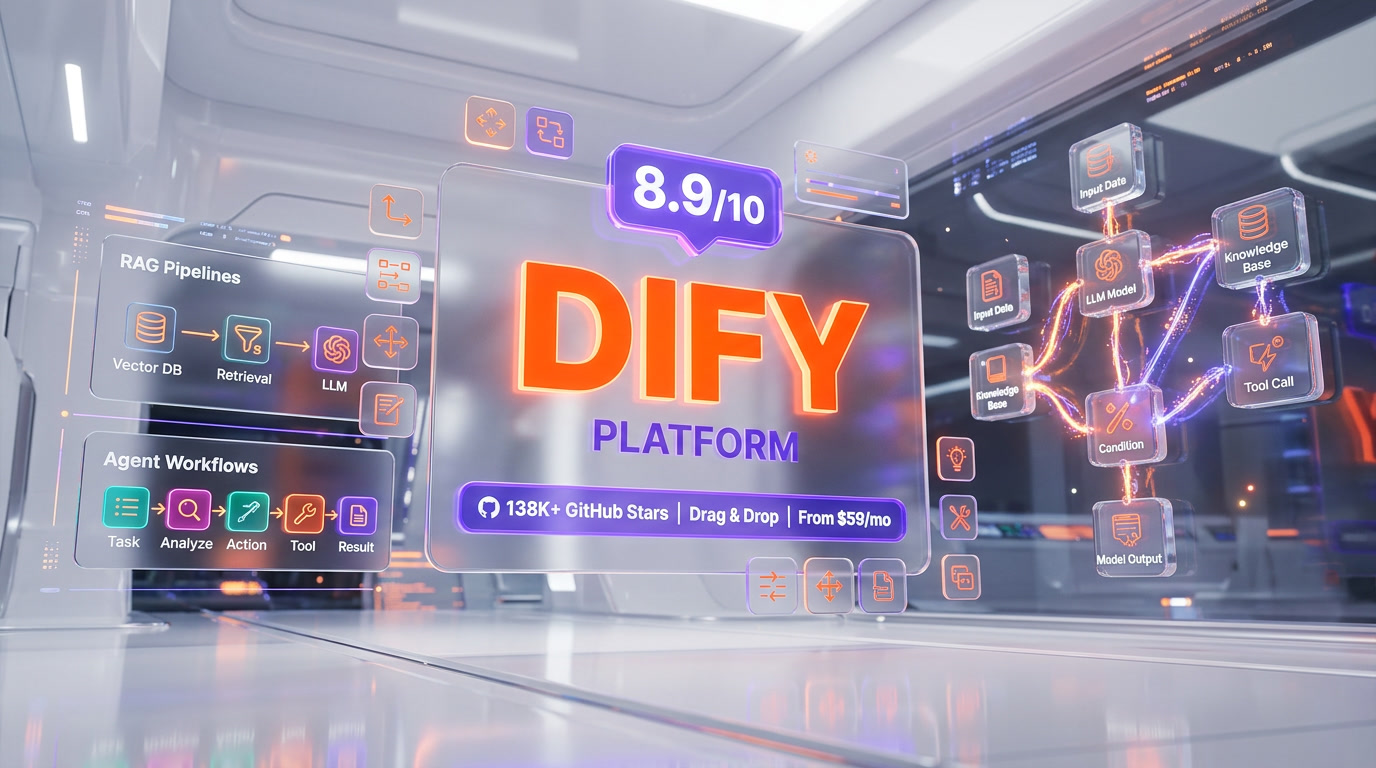
Dify is an open-source platform for building production LLM apps with a visual workflow builder, RAG pipeline, and agent framework. Created by LangGenius, the project has crossed 138,000 stars on GitHub (as of April 2026), surpassed 1 million deployed apps, and serves over 180,000 developers. Dify Cloud pricing starts at a free Sandbox (200 message credits), scales to Professional at $59 per month (5,000 credits) and Team at $159 per month (10,000 credits). The self-hosted Community Edition is free forever. Score: 8.9 out of 10.
What Is Dify?
Dify is a production-ready platform for agentic workflow development. It was launched in March 2023 by Chinese developer community LangGenius as an open-source alternative to proprietary LLM app builders, and as of April 2026 it holds 138,000+ stars on GitHub — ahead of Flowise (~40K) and closing in on n8n (~130K). The platform combines five capabilities in a single interface: visual workflow orchestration, RAG pipeline construction, agent framework, model management, and LLMOps observability.
What separates Dify from the field is the combination of open-source licensing (Apache 2.0-based with commercial conditions), visual drag-and-drop workflow building, and production-grade infrastructure. Teams that need to ship an internal copilot, a document Q&A system, a multi-agent workflow, or an embedded AI feature in a SaaS product can go from empty canvas to deployed API in under an hour. The self-hosted Community Edition has zero feature limits compared to Dify Cloud — the only difference is who runs the servers.
Dify reached 1 million deployed applications in early 2026 and counts among its users Fortune 500 teams, AI startups, academic researchers, and solo developers. The platform supports four distinct application archetypes — Chatflow, Workflow, Agent, and Text Generator — each optimized for a specific interaction pattern.
The Visual Workflow Builder, Explained
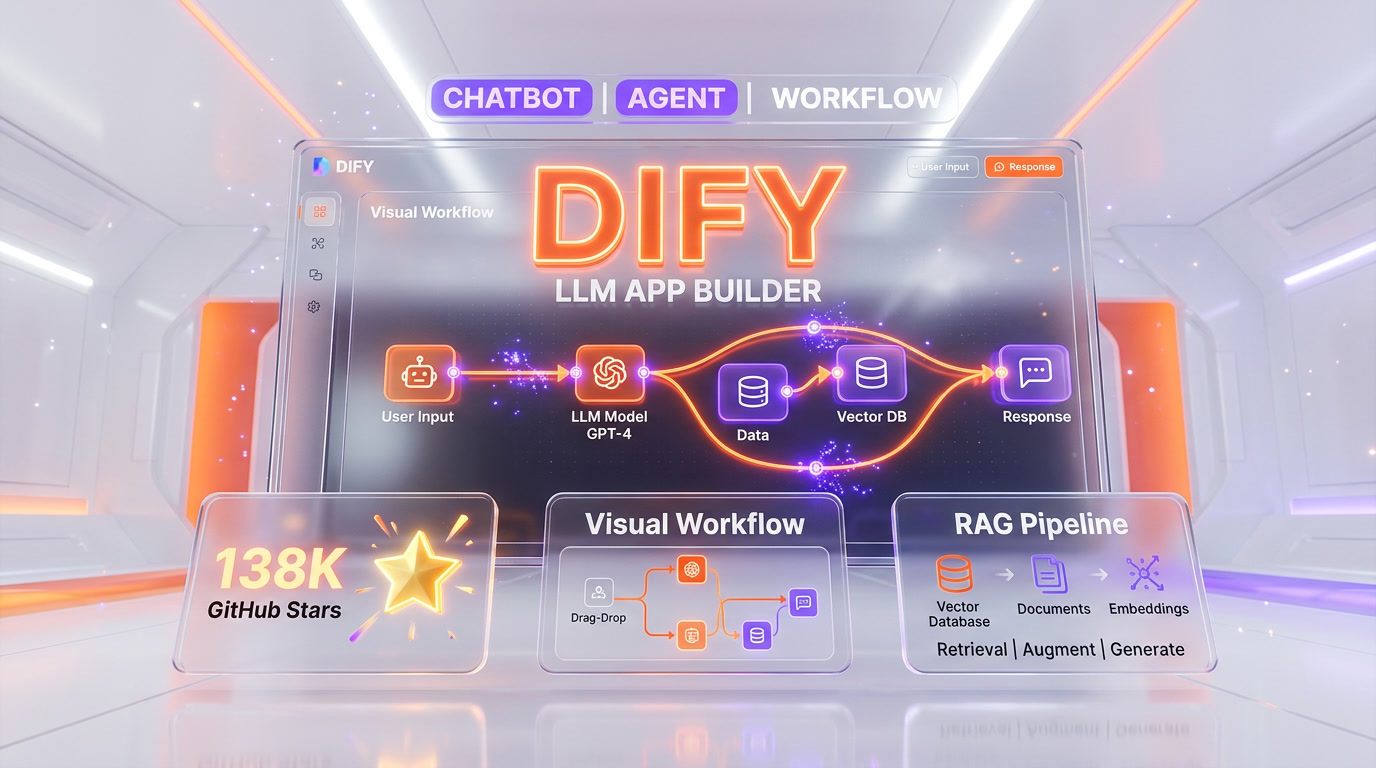
The workflow builder is the product. Dify's canvas is an infinite drag-and-drop surface where you build LLM apps by connecting nodes. Each node performs one job — call a model, query a vector database, transform text, branch on a condition, execute code. The output of one node flows into the input of the next. The whole graph executes end-to-end when a user (or API call) triggers it.
The core node types
As of v1.13 (March 2026), Dify ships with roughly a dozen first-class node types. The ones that matter in practice:
- Start node — defines the entry point. Two flavors: User Input (triggered by chat message or API call) and Trigger (scheduled cron or third-party webhook).
- LLM node — sends a prompt to any configured model and returns a response. You pick the model per node, so a single workflow can route cheap summarization to Haiku and complex reasoning to Claude Opus 4.6.
- Knowledge Retrieval node — queries a Dify knowledge base and returns the top-k relevant chunks. This is the core of RAG.
- IF/ELSE node — splits the workflow into branches based on conditional statements. Supports comparisons on string, number, and boolean fields.
- Code Execution node — runs arbitrary Python or NodeJS. Sandboxed execution environment, perfect for data transformation that would be painful to express as Jinja2.
- Template Transformation node — uses Jinja2 syntax for string templating and lightweight text manipulation.
- HTTP Request node — calls any external REST API. This is how workflows integrate with your existing stack — CRM, ticketing, analytics, payment providers.
- Agent node — introduced in early 2026, this node embeds an autonomous ReAct or Function-Calling agent inside a workflow. The agent can reason, select tools, and loop until it has an answer. You configure an Agent Strategy (plug-in logic module) to dictate how the LLM thinks and uses tools.
- Answer node — finalizes the workflow output. Supports streaming text, structured JSON, images and files.
The debugger — Dify's quiet superpower
Every node you drop onto the canvas can be inspected during execution. The workflow debugger shows, per node, the exact input received, the output produced, the execution time in milliseconds, and — critically — the token usage and cost. Neither Flowise nor LangFlow matches this level of observability in the default UI. If you are iterating on a prompt or a retrieval step and trying to figure out why output quality dropped, the debugger cuts hours off the feedback loop.
The RAG Pipeline — Production-Grade Document Q&A
RAG (Retrieval-Augmented Generation) is the second pillar of Dify. Most teams that adopt Dify do so because they need to ground a chatbot in internal documents. The RAG pipeline handles the entire lifecycle end-to-end.
Document ingestion
Drop PDF, PPT, Word, Markdown, HTML, CSV, or plain-text files into a knowledge base. Dify extracts text automatically, with out-of-box OCR for scanned PDFs and layout-aware parsing for structured documents. On the Sandbox tier you are limited to 50 documents. Professional raises that to 500. Team allows 1,000. Self-hosted is unlimited.
Chunking and embedding
Dify offers two chunking strategies: General (fixed-size chunks with overlap) and Parent-Child (a two-level hierarchy that retrieves a small chunk but passes the parent document to the LLM for context). Embeddings default to OpenAI's text-embedding-3-large, but you can swap in Cohere, Voyage, Jina, or any open-source model hosted on HuggingFace or Ollama. Vector storage uses Weaviate by default in self-hosted, with Qdrant, Milvus, and PGVector as officially supported alternatives.
Retrieval and reranking
Retrieval supports three modes: vector search (semantic), full-text search (keyword BM25), and hybrid (both combined). A reranking step using Cohere Rerank or a self-hosted cross-encoder is optional but recommended for production — it re-scores the top-20 candidates and returns the best 3-5 for the LLM to ground on. Answer-with-citation mode appends source references to the generated answer, critical for any use case where hallucination risk is unacceptable.
Agents — Autonomous Reasoning in a Workflow
Agents in Dify come in two flavors. The first is the standalone Agent app type, a conversational assistant that runs in a loop, decomposing tasks, selecting tools, and reasoning until it has completed the user's request. The second is the Agent Node inside a Workflow, which embeds agent behavior as one step of a larger deterministic graph.
Agent strategies — ReAct vs Function Calling
Dify supports both ReAct-style reasoning (Thought / Action / Observation loop, works with any model) and Function Calling (native tool-use API from OpenAI, Anthropic, Google). Function Calling is typically faster and more reliable on frontier models; ReAct is required for open-source models that lack native function calling.
50+ built-in tools
Agents can invoke 50+ tools out of the box: Google Search, DALL-E 3, Stable Diffusion, WolframAlpha, Bing Search, SerpAPI, ArXiv, YouTube, Yahoo Finance, weather APIs, calculator, Python interpreter. The plugin marketplace adds another 800+ community-built tools.
Self-Hosted vs Dify Cloud — Which Should You Pick?
This is the decision every team faces on day one. The short version: Cloud for speed, self-hosted for control and cost at scale.
Self-hosted: the case for owning the stack
The Community Edition is free forever with zero feature limits. You deploy via Docker Compose in under ten minutes on a $20 VPS, or scale to Kubernetes with the official Helm chart. Your data never leaves your infrastructure — critical for regulated industries, EU data residency requirements, or any company that has opinions about sending internal documents to a US SaaS. The only costs are infrastructure (servers, vector DB storage) and the LLM API calls themselves, which you pay directly to OpenAI, Anthropic, or whoever.
Dify Cloud: the case for shipping faster
Cloud removes the DevOps tax entirely. Sign up, get a workspace, start building. No Docker, no Postgres tuning, no vector DB provisioning, no SSL certificates, no monitoring setup. Cloud also ships features roughly one release cycle ahead of the community build — new node types, UI refinements, and plugin integrations land on Cloud first. For teams that want to prototype this week and ship next week, Cloud is the right call.
The decision framework
- Choose Cloud if you are a solo developer or small team without dedicated DevOps, you are prototyping or running under 10,000 messages per month, and your data is not regulated.
- Choose self-hosted Community if you have DevOps skills, you want zero ongoing SaaS fees, or your data must stay on-premise.
- Choose self-hosted Enterprise if you need SSO, audit logs, VPC isolation, dedicated support, and you are running at Fortune 500 scale.
Dify Pricing Tiers (2026)
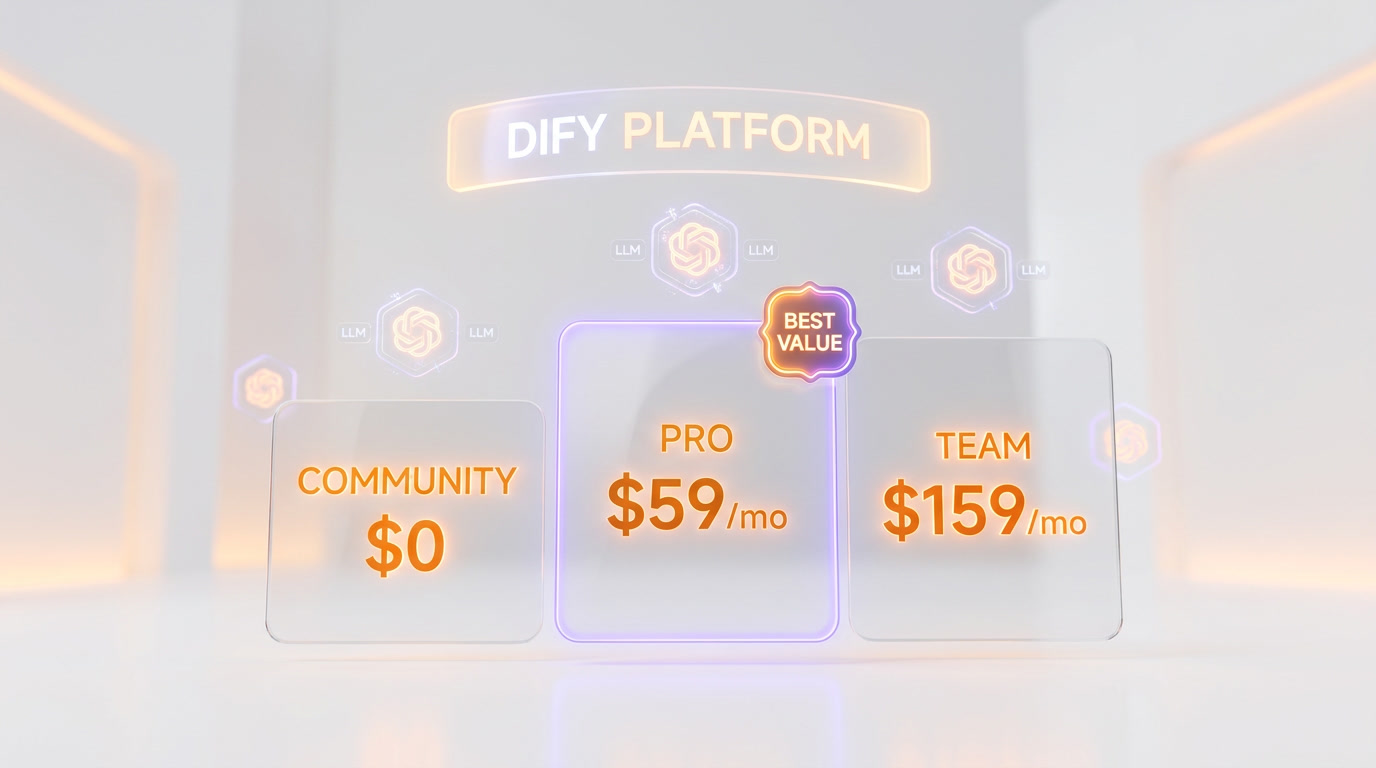
Dify Cloud uses a tiered subscription model with monthly or annual billing. The 17 percent annual discount is meaningful for teams that are committed.
| Plan | Price | Message Credits | Team Members | Apps | Knowledge Docs | Vector Storage |
|---|---|---|---|---|---|---|
| Sandbox | Free | 200 (one-time) | 1 | 5 | 50 | 50MB |
| Professional | $59 per month | 5,000 per month | 3 | 50 | 500 | 5GB |
| Team | $159 per month | 10,000 per month | 50 | 200 | 1,000 | 20GB |
| Enterprise | Custom | Custom | Unlimited | Unlimited | Unlimited | Custom |
| Community (self-host) | Free | Unlimited | Unlimited | Unlimited | Unlimited | Unlimited |
What a message credit costs: one LLM inference on a standard model consumes one credit. Premium models (Claude Opus, GPT-5 class) may consume more. Knowledge base retrieval calls are metered separately. Credits reset monthly and do not roll over — the single biggest complaint from Cloud users.
Annual billing: Professional drops to $408 per year ($34 per month effective), Team drops to $1,590 per year ($132.50 per month effective). That is a 17 percent discount that most serious users should take.
Enterprise: what you actually get
Enterprise is negotiated per contract. Standard inclusions: VPC or private-cloud deployment, SSO via OIDC or SAML, audit logs, dedicated Slack support, custom rate limits, and a dedicated customer success manager. Pricing is not published, but community reports suggest deals starting in the $30,000 to $50,000 per year range and scaling with seat count and message volume.
Dify vs n8n vs Flowise vs LangFlow — The 2026 Comparison
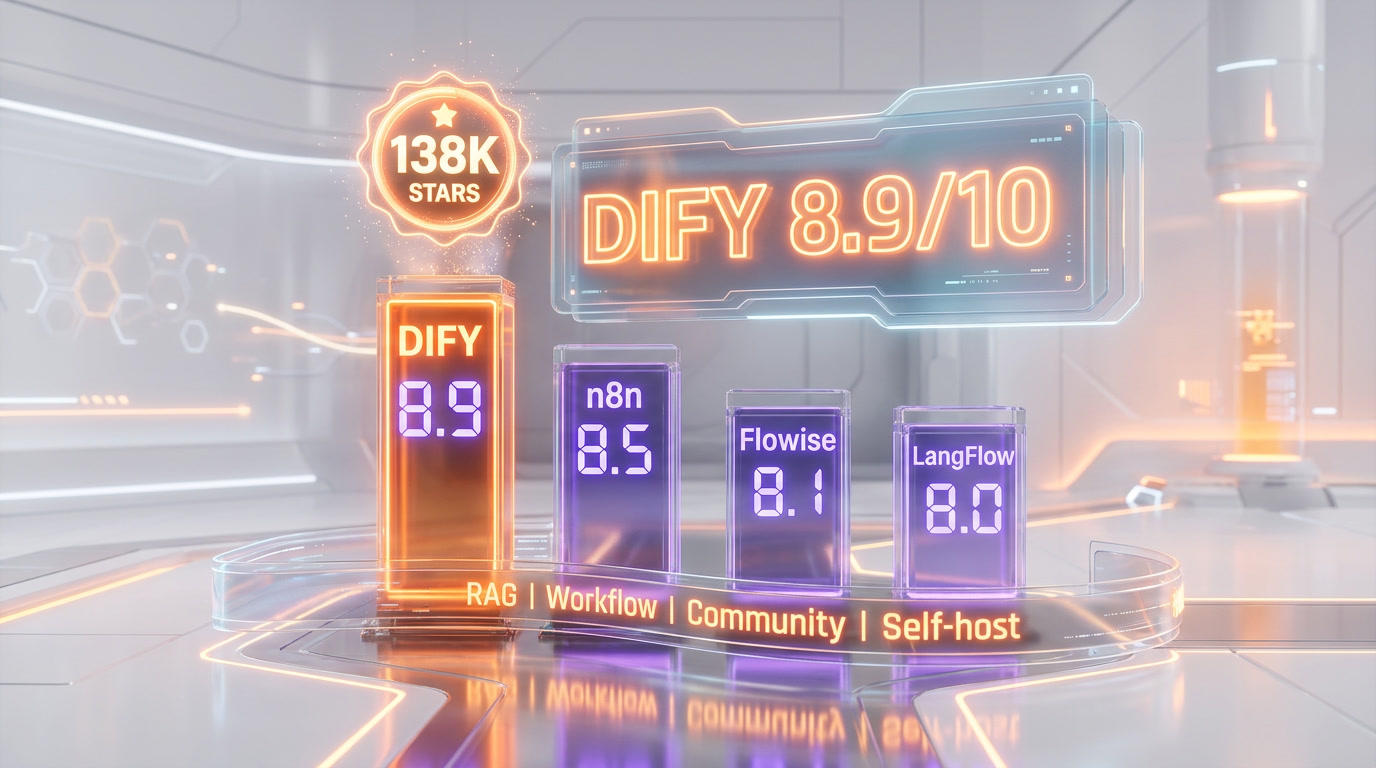
The low-code LLM platform space in 2026 has four serious contenders. We have used all four in production.
| Dimension | Dify | n8n | Flowise | LangFlow |
|---|---|---|---|---|
| GitHub stars (April 2026) | 138K+ | 130K+ | ~40K | ~60K |
| Primary focus | LLM apps end-to-end | General automation + LLMs | LangChain chatbot UI | LangChain/LangGraph UI |
| RAG pipeline | Production-ready, native | DIY with nodes | LangChain loaders | LangChain loaders |
| Agent support | Function Calling + ReAct, 50+ tools, 800+ plugins | AI Agent node, tool calling | LangChain agents | LangChain + LangGraph agents |
| Visual debugger | Best in class (per-node timing, tokens, cost) | Strong (execution logs) | Basic | Good |
| App types | 4 (Chatflow, Workflow, Agent, Text Gen) | 1 (Workflow) | 2 (Chatflow, Agentflow) | 1 (Flow) |
| Self-hosted free | Yes, zero feature limits | Yes, Community Edition | Yes | Yes |
| Cloud starting price | $59 per month | $24 per month | Self-host only | $20 per month |
| Non-AI automation | Weak (LLM-focused) | Best in class (400+ app integrations) | N/A | N/A |
| Custom Python | Code Execution node | Code node | Custom function | Custom Python nodes |
| Best for | Teams building AI-native apps at scale | General ops + light AI | Quick LangChain chatbots | Python-heavy AI teams |
When to pick n8n over Dify
Pick n8n if your workflow is 80 percent non-AI plumbing (Slack, CRM, Google Sheets, scheduled triggers, retries, webhooks) and 20 percent LLM calls. n8n's 400+ native integrations and mature automation primitives crush Dify in this profile. Recent benchmarks show n8n's engine can process roughly 12,000 records per minute on CSV-to-AI pipelines.
When to pick Flowise over Dify
Pick Flowise if your use case is "a LangChain chatbot with document retrieval" and you want the fastest, cheapest path to production. Flowise is thinner and less opinionated. For complex multi-step workflows, conditional logic, or non-chat use cases, Flowise runs out of runway fast — Dify handles those natively.
When to pick LangFlow over Dify
Pick LangFlow if your team lives in Python and wants a visual UI on top of LangChain and LangGraph. LangFlow's custom Python nodes and native LangGraph integration mean you will not outgrow it as quickly as Dify if you end up needing graph-based multi-agent orchestration with fine-grained control. The tradeoff: LangFlow's UI and debugger are less polished than Dify's.
And what about Coze?
ByteDance open-sourced Coze Studio in July 2025 and it has crossed 15,000 stars. It is aggressive competition — backed by ByteDance resources, frequent updates, and a strong Chinese-market user base. For now, Dify has the ecosystem lead (5M downloads, 800+ contributors, 800+ marketplace plugins) but Coze is the threat to watch for 2026-2027.
Use Cases — What Teams Actually Build on Dify
1. Internal copilots and knowledge bots
The most common Dify deployment: an internal chatbot grounded in company documentation. Upload the employee handbook, IT policies, sales playbooks, and CRM export into a knowledge base; wire a Chatflow app with the Knowledge Retrieval node; deploy as a Slack bot. One reported deployment serves 19,000+ employees across 20+ departments of a single enterprise. Time to first working prototype: about two hours.
2. Customer-facing support assistants
Embed a Dify chatbot on your website or in your mobile app. The RAG pipeline grounds the bot in your help center, product docs, and FAQ; the agent node handles escalation to a human when confidence drops below a threshold; HTTP Request nodes pull live order status, shipping data, and account information from your backend. Shipping this from scratch in code would take a month; in Dify, a week.
3. Document Q&A and research assistants
Upload a large library of PDFs (legal contracts, clinical research papers, financial filings, technical manuals) and deploy a Q&A interface. Answer-with-citation mode appends source references so users can verify every claim. This is the highest-ROI use case for professional services firms — law, medicine, finance, consulting — where hallucinations are unacceptable.
4. AI features embedded in SaaS products
Every app you build in Dify auto-generates a backend API with authentication, rate limiting, and streaming. Product teams use this to embed AI features (smart summarization, classification, extraction, translation) into existing SaaS without shipping a full AI team. The API is standard REST — any frontend framework consumes it.
5. Content automation at scale
Workflow apps excel at batch content generation. Feed a spreadsheet of product SKUs, generate optimized product descriptions in 10 languages, dump the output back into your CMS. Feed a CSV of customer conversations, generate sentiment classifications and tag them. The Workflow app type is designed exactly for this asynchronous, input-output batch pattern.
6. Multi-agent orchestration
Deploy a Workflow with multiple Agent Nodes acting as specialized roles — Researcher Agent queries the web and knowledge base, Writer Agent drafts based on research, Reviewer Agent critiques, Editor Agent finalizes. The visual graph makes the coordination pattern obvious and inspectable, which matters when you are debugging emergent agent behavior.
Our Hands-On Experience With Dify
We have built three production apps on Dify Cloud over the past four months: an internal documentation chatbot (Chatflow + knowledge base), a batch product-description generator (Workflow with HTTP Request nodes into our CMS), and a research assistant for our editorial team (Agent app with web search and ArXiv tools). Total engineering time across the three: under 20 hours. Total monthly Cloud cost: $59 on the Professional plan, which covers our 2,500 to 3,500 message volume comfortably.
The pattern that emerged: Dify's value is highest in the first 48 hours of a project. The visual builder shortcuts the "wire up an LLM with a prompt, a vector DB, a retrieval step, and an API wrapper" ceremony that takes a senior engineer a day or two in raw Python. Once the app is running, Dify stays out of your way. When you need to iterate on prompts, the debugger shows token usage per node so you catch regressions immediately.
The pattern that bit us: we outgrew the Agent node's default strategies on one project and had to write a custom Agent Strategy plugin. Doing this in Dify's plugin framework is possible but required more reading of Dify's internal APIs than we would have liked. For projects that push past Dify's defaults, you will write code — Dify is low-code, not no-code.
Pros and Cons — The Honest Read
Pros
- Open-source with zero self-hosted feature limits. Community Edition is the same platform as Dify Cloud. No watermarks, no nagware.
- Visual debugger is best-in-class. Per-node input, output, timing, and token usage. Saves hours on iteration cycles.
- Production-ready RAG pipeline out of the box. Document ingestion, chunking, embedding, retrieval, reranking — all handled. You do not build this yourself.
- Four app types cover 95 percent of LLM app archetypes. Chatflow, Workflow, Agent, Text Generator — pick the right tool for the job.
- Model-agnostic. OpenAI, Anthropic, Google, Mistral, Llama, Ollama, or any OpenAI-compatible API. No lock-in.
- Cloud pricing is honest. $59 per month for Professional is substantially cheaper than most alternatives in the $200 per month and up range.
- Massive community. 138K+ GitHub stars, 800+ plugins in the marketplace, active Discord, weekly releases.
Cons
- Opinionated architecture. Dify's abstractions do not always map cleanly to LangChain or LangGraph. Outgrowing Dify means rewriting, not porting.
- Message credits do not roll over. Unused Cloud credits reset monthly. Heavy usage on Sandbox burns through 200 credits in minutes of testing.
- Self-hosting requires DevOps. Docker Compose is easy; Kubernetes for production is not. Budget engineering time.
- Weak for non-AI automation. If 80 percent of your workflow is Slack-to-CRM-to-email plumbing, use n8n.
- Enterprise pricing is opaque. You have to call sales for SSO, VPC, and audit log pricing.
Who Should Use Dify?
Ideal users
- Product teams embedding AI features in existing SaaS without building an AI infra team
- Enterprise IT rolling out internal copilots grounded in company knowledge
- Startups prototyping AI-native products who need to ship this week
- Solo developers and indie hackers who want production-grade LLM infra without the infra bill
- Agencies and consultancies delivering custom AI solutions to clients
Not the best fit for
- Teams whose workflows are 80 percent non-AI business automation — pick n8n
- Python-first teams that want raw LangGraph control — pick LangFlow
- Teams with a single use case of "LangChain chatbot with retrieval" and tight constraints — pick Flowise
- Teams that know they will outgrow any low-code platform within six months — write it in code from day one
Verdict — 8.9 out of 10
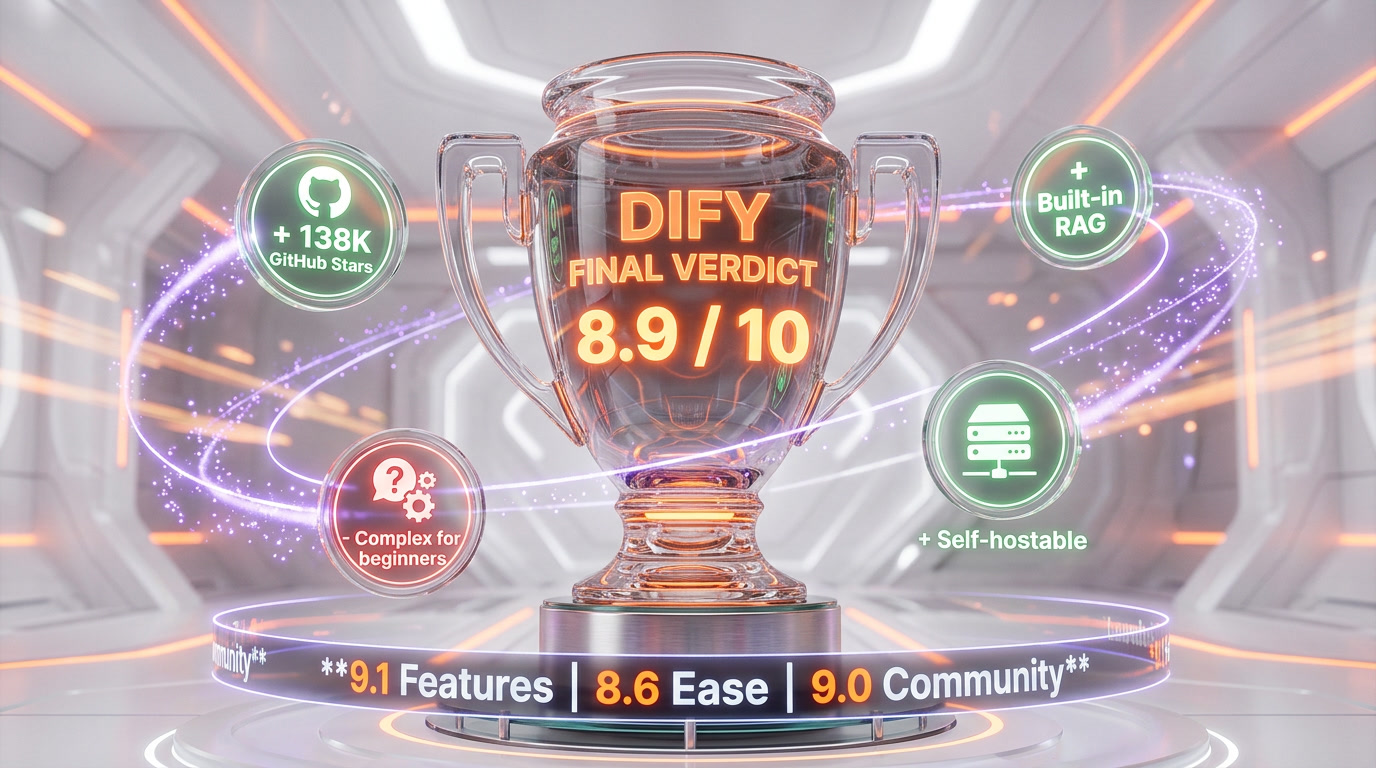
Dify earns an 8.9 out of 10. It is, right now, the default open-source platform for teams that want to ship production LLM apps without burning six months of engineering on infra. The combination of visual workflow builder, native RAG pipeline, agent framework, and open-source licensing is unmatched in 2026. The opinionated architecture and credit-reset policy are real weaknesses, but neither breaks the deal for the 95 percent use case.
Score breakdown:
- Features: 9.3 out of 10 — four app types, production RAG, native agents, MCP integration, 800+ plugins
- Ease of Use: 8.8 out of 10 — drag-and-drop canvas plus best-in-class debugger, offset by a learning curve on the node model
- Value: 9.4 out of 10 — free self-hosted with zero feature limits, $59 per month Cloud is a bargain
- Support: 8.1 out of 10 — strong Discord and docs, but official support is paid-tier only; Community users rely on peers
If you are evaluating LLM app platforms in 2026 and you are not at least prototyping on Dify this week, you are leaving time and money on the table. Read our coverage of the rest of the AI tools landscape in our tools directory, or dive into our blog for hands-on reviews.
Frequently Asked Questions
Is Dify free?
Yes. The Dify Community Edition is fully open-source under an Apache 2.0-based license and free to self-host with zero feature limits. Dify Cloud offers a free Sandbox plan with 200 message credits, 1 team member, 5 apps, and 50 documents. Paid Cloud plans start at $59 per month for Professional.
What is the difference between Dify Cloud and self-hosted Dify?
Feature parity is roughly 100 percent between Dify Cloud and the self-hosted Community Edition. The difference is who runs the servers. Cloud removes all DevOps work and tends to ship new features one release cycle earlier. Self-hosted keeps your data on your infrastructure, has no per-message costs, and is free forever. Enterprise self-hosted adds SSO, audit logs, VPC isolation, and dedicated support via paid contract.
How much does Dify cost?
Dify Cloud pricing: Sandbox free with 200 credits, Professional $59 per month with 5,000 credits per month, Team $159 per month with 10,000 credits per month. Annual billing saves 17 percent. Enterprise is custom quote. Self-hosted Community Edition is free forever.
What models does Dify support?
Dify supports hundreds of LLMs: OpenAI (GPT-4, GPT-5), Anthropic Claude (Haiku, Sonnet, Opus), Google Gemini, Mistral, Llama 3, and any OpenAI-compatible API. Self-hosted models via Ollama and Xinference are first-class citizens. You can mix models within a single workflow, routing cheap tasks to small models and complex reasoning to frontier models.
What is the difference between Chatflow and Workflow in Dify?
Workflow is designed for automation and batch tasks — translation, data analysis, content generation, email automation. It runs once per input and returns a result. Chatflow is a special workflow that triggers on every turn of a conversation and maintains custom conversation-specific variables, memory, and streaming output. Pick Chatflow for chatbots, pick Workflow for async batch jobs.
Can I build agents in Dify?
Yes, in two ways. The Agent app type is a standalone conversational assistant that decomposes tasks, selects tools, and loops until done — supporting ReAct or Function Calling strategies with 50+ built-in tools. The Agent Node inside a Workflow embeds agent behavior as one deterministic step of a larger graph. The Agent Node is the recommended approach for production multi-agent systems.
Dify vs n8n — which should I pick?
Dify wins for AI-native applications (copilots, RAG chatbots, multi-agent workflows, embedded AI features in SaaS). n8n wins for general automation where LLMs are one step in a larger Slack-to-CRM-to-email pipeline. n8n has 400+ app integrations and mature scheduling, triggers, and error handling. Dify has a better workflow debugger for LLM token usage and native RAG. If your workload is 80 percent AI, pick Dify; if 80 percent is plumbing, pick n8n.
Dify vs Flowise — which is better?
Dify is more feature-rich with four app types, a production RAG pipeline, and a superior visual debugger. Flowise is thinner and simpler, optimized for LangChain-based chatbots. If your use case is one conversational RAG app and you want the fastest path to production, Flowise is fine. For everything else, Dify wins.
Does Dify support MCP (Model Context Protocol)?
Yes. Dify has native MCP integration — you can publish any Dify app (Chatflow, Workflow, Agent) as an MCP server consumable by Claude Desktop, Cursor, or any MCP-enabled client. This means your Dify app becomes a tool that AI agents in other ecosystems can call. You can also consume external MCP tools inside a Dify workflow.
How many GitHub stars does Dify have?
Dify has over 138,000 GitHub stars as of April 2026, making it one of the fastest-growing open-source AI platforms. The project has 800+ contributors, 10,273+ commits, and ships weekly releases. It is ahead of Flowise (~40K) and LangFlow (~60K) in stars, and is closing in on n8n (~130K).
Is Dify production-ready?
Yes. Over 1 million apps have been deployed on Dify across the Cloud and self-hosted editions. Enterprise deployments include chatbots serving 19,000+ employees across 20+ departments in a single organization. The platform includes LLMOps observability (message logs, token metering, latency tracking), API-first architecture with rate limiting, and Kubernetes/Helm charts for high-availability cluster deployment.
What is the Dify plugin marketplace?
The Dify marketplace hosts 800+ community and official plugins that extend workflows with external tools, data sources, and custom logic. Plugins can add tool integrations (new APIs for agents to call), custom model providers (bring your own inference endpoint), or custom node types. The marketplace is open-contribution — anyone can publish a plugin.
Key Features
Pros & Cons
Pros
- Fully open-source under Apache 2.0-based license — self-host for free with zero feature limits vs Cloud
- 138K+ GitHub stars and 1M+ deployed apps — one of the fastest-growing LLM platforms on the planet
- Visual workflow debugger shows execution time, input/output values, and token usage per node — neither Flowise nor LangFlow matches this
- Production-ready RAG pipeline handles PDF, PPT, Word, CSV ingestion end-to-end with native vector storage
- Four distinct app types (Chatflow, Workflow, Agent, Text Generator) cover conversational AI, automation, autonomous agents and batch content
- Supports hundreds of LLMs — OpenAI, Anthropic Claude, Google Gemini, Mistral, Llama, plus any OpenAI-compatible API and Ollama self-hosted models
- Marketplace of 800+ plugins and native Model Context Protocol (MCP) integration — publish any Dify app as an MCP server
- Professional plan at $59 per month is substantially cheaper than comparable low-code LLM platforms that cost $200 per month and up
Cons
- Opinionated platform architecture — outgrowing Dify means rewriting in LangChain or LangGraph, not porting
- Cloud message credits reset monthly and do not roll over — heavy usage on the Sandbox (200 credits) runs out fast
- Self-hosted deployment requires Docker Compose or Kubernetes expertise and a DevOps team for production hardening
- Workflow nodes still lack deep branching primitives compared to n8n for non-AI business automation
- Enterprise pricing is not published — procurement teams must contact sales for quotes on VPC, SSO, and private cloud deployment
Best Use Cases
Platforms & Integrations
Available On
Integrations

We're developers and SaaS builders who use these tools daily in production. Every review comes from hands-on experience building real products — DealPropFirm, ThePlanetIndicator, PropFirmsCodes, and many more. We don't just review tools — we build and ship with them every day.
Written and tested by developers who build with these tools daily.
Frequently Asked Questions
What is Dify?
The open-source LLM app platform where you drag-and-drop your way to production RAG, agents, and chatbots — 138K+ GitHub stars
How much does Dify cost?
Dify has a free tier. Premium plans start at $59/month.
Is Dify free?
Yes, Dify offers a free plan. Paid plans start at $59/month.
What are the best alternatives to Dify?
Top-rated alternatives to Dify include Claude Code (9.9/10), Cursor (9.5/10), Veo 3.1 (9.4/10), Claude Opus 4.7 (9.4/10) — all reviewed with detailed scoring on ThePlanetTools.ai.
Is Dify good for beginners?
Dify is rated 8.8/10 for ease of use.
What platforms does Dify support?
Dify is available on Web (Dify Cloud), Self-hosted (Docker Compose), Enterprise (Kubernetes/Helm), API (REST), MCP Server, Embeddable widget.
Does Dify offer a free trial?
Yes, Dify offers a free trial.
Is Dify worth the price?
Dify scores 9.4/10 for value. We consider it excellent value.
Who should use Dify?
Dify is ideal for: Internal copilots — company-wide chatbots grounded in internal documentation, policies, and CRM data via RAG, Customer-facing support bots — deploy multi-turn conversational agents on websites and mobile apps with escalation to humans, Document Q&A — upload a knowledge base of PDFs or PPTs and let users ask natural-language questions with citations, AI-powered SaaS features — embed Dify workflows as backend APIs in product features (smart summarization, classification, extraction), Content automation — batch-generate translations, product descriptions, SEO articles, email copy via Workflow app type, Multi-agent orchestration — coordinate specialized agents (researcher, writer, reviewer) using the Agent Node in workflows, Internal tool building — build low-code AI utilities for ops, HR, sales enablement, replacing custom code with visual flows, Rapid prototyping — go from prompt idea to production API in under 30 minutes, shipping proof-of-concepts before committing engineering time.
What are the main limitations of Dify?
Some limitations of Dify include: Opinionated platform architecture — outgrowing Dify means rewriting in LangChain or LangGraph, not porting; Cloud message credits reset monthly and do not roll over — heavy usage on the Sandbox (200 credits) runs out fast; Self-hosted deployment requires Docker Compose or Kubernetes expertise and a DevOps team for production hardening; Workflow nodes still lack deep branching primitives compared to n8n for non-AI business automation; Enterprise pricing is not published — procurement teams must contact sales for quotes on VPC, SSO, and private cloud deployment.
Best Alternatives to Dify




Ready to try Dify?
Start with the free plan
Try Dify Free →