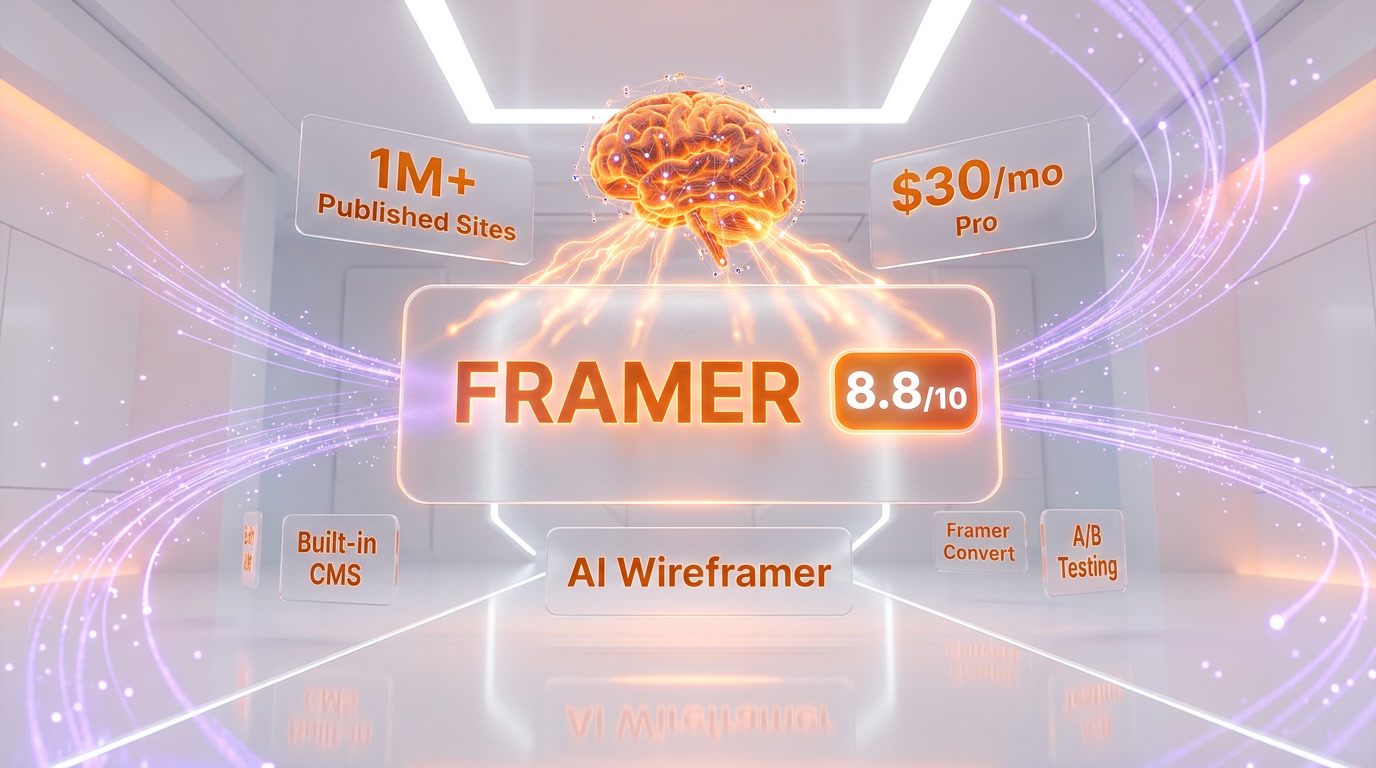
If you have ever opened a blank browser tab, stared at a wireframe on Figma, and thought "I wish this could just be the website," Framer is the platform that finally makes that feeling real. Originally launched as a prototyping tool for interaction designers, Framer has reinvented itself into one of the most polished, design-forward website builders on the market. In March 2026, it sits comfortably at the intersection of visual design and functional web publishing -- a space that neither Webflow nor Squarespace fully owns.
This review covers everything you need to know: the latest pricing, features, AI tools, honest pros and cons, head-to-head competitor comparisons, and 10+ frequently asked questions real users are Googling right now.
What Is Framer?
Framer is a no-code website builder built for designers who want pixel-perfect creative control without writing a single line of JavaScript or CSS. Unlike template-first builders such as Squarespace, Framer gives you a freeform canvas that feels closer to Figma than to a traditional CMS dashboard. You drag elements, set breakpoints visually, and publish directly to a global CDN -- all from one interface.
The platform has grown far beyond prototyping. Today, Framer ships with a built-in CMS, AI-powered wireframing, automatic localization, SEO controls, analytics, and -- as of March 2026 -- a brand-new conversion optimization suite called Framer Convert that bundles A/B testing, funnels, and dynamic triggers into one add-on.
Framer is used by startups launching MVPs, agencies building client portfolios, SaaS companies shipping marketing sites, and freelance designers who want to deliver production-ready pages without handing off to a developer. The platform hosts over 1 million published sites and has been a consistent favorite of the design community on X, Product Hunt, and Awwwards.

Key Features in 2026
AI-Powered Design Tools
Framer's AI suite is one of its strongest differentiators. The Wireframer tool takes a text prompt and generates a full page layout -- hero section, navigation, feature grids, footer -- ready for editing. It does not produce a finished design, but it eliminates the blank-canvas problem and gives you a structural starting point in seconds.
Beyond layout generation, Framer offers an AI Text Rewriter that adjusts copy tone and length, an AI Style tool that suggests color palettes and typography pairings, and AI Translate that can localize an entire site into dozens of languages with a single click. Third-party AI Plugins extend the platform further, enabling image generation, automatic alt-text, and SEO optimization powered by external models.
Framer Convert (New -- March 2026)
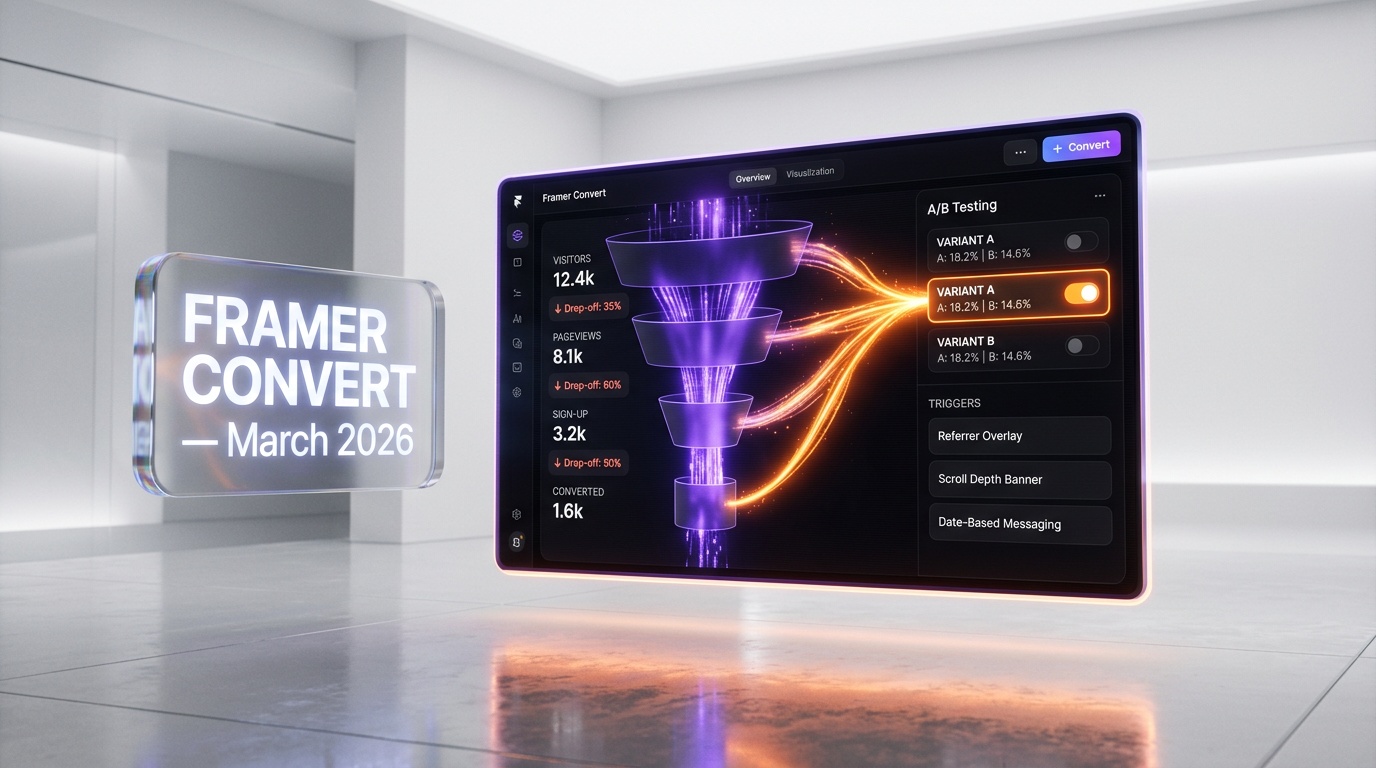
Announced on March 9, 2026, Framer Convert is a paid add-on that brings serious conversion-rate optimization tools into the builder. It includes:
- Funnels -- Visualize user journeys across pages and track drop-off points.
- A/B Tests -- Create variant pages and split traffic to measure performance.
- Triggers -- Show banners to visitors from a specific referrer, display overlays on scroll depth, update messaging on specific dates, and more.
This is a significant addition. Previously, Framer users had to rely on third-party tools like Google Optimize (now sunset) or Optimizely for this functionality. Having it native to the builder simplifies the workflow considerably.
Built-In CMS
Framer's CMS lets you create collections (think blog posts, team members, product pages) and bind them to visual components on the canvas. Key capabilities include unlimited references between collections, conditional visibility rules, and dynamic filtering. The Free plan includes 10 collections and 1,000 pages. Paid plans separate page limits from CMS item limits, so your dynamic content pages no longer count against your static page quota.
That said, Framer's CMS is more limited than Webflow's. Each collection can hold up to 10,000 items, and the formatting tools inside the CMS editor are basic -- no callout boxes, tables, or multi-column layouts. For content-heavy sites with thousands of pages and complex content structures, Webflow remains the stronger choice.
Animations and Interactions
This is where Framer truly shines. Scroll-triggered animations, page transitions, hover effects, and micro-interactions are all configured visually with a few clicks. The February 2026 update added Flow Effect support to Layout Templates, letting you animate entire sections in response to interactions or component state changes. If motion design is central to your brand, Framer gives you more creative latitude than any competing no-code builder.
On-Page Editing and Collaboration
Framer's on-page editing feature lets you click into a live page in the browser and make text or image changes without opening the full editor. For teams, real-time collaboration means multiple editors can work on the same project simultaneously -- a workflow that mirrors Figma's multiplayer model.
Performance and Hosting
All Framer sites are statically generated and served from a global edge network. This results in fast load times and strong Core Web Vitals scores out of the box. Custom domains, SSL, and automatic sitemap generation are included on all paid plans.
Pricing Breakdown
Framer simplified its pricing in late 2025. There are now four main tiers, plus an Enterprise option. All prices below reflect annual billing; monthly billing costs approximately 30-40% more.
| Plan | Price (Annual) | Pages | CMS Collections | CMS Items | Custom Domain | Editors | Key Extras |
|---|---|---|---|---|---|---|---|
| Free | $0 per month | 1,000 | 10 | Included | No (framer.app subdomain) | 1 | "Made in Framer" banner; 1 locale; 5 MB file uploads |
| Basic | $10 per month | 30 | 1 | Included | Yes | 2 | 1 locale add-on; no Framer banner |
| Pro | $30 per month | Expanded | 10 | Up to 10,000 per collection | Yes | Multiple | Staging; .well-known file hosting; advanced SEO |
| Scale | $100 per month | Expanded | Up to 40 | Up to 40,000 | Yes | Multiple | A/B tests (add-on); reverse proxy support; priority performance |
| Enterprise | Custom | Up to 100K+ | Custom | Up to 100K+ | Yes | Custom | Annual billing; dedicated support; custom limits |
Add-on: Framer Convert -- A/B Tests, Funnels, and Triggers are bundled as a single add-on available on the Scale plan and above. Pricing details for Convert are part of the Scale plan cost.
Pros and Cons -- Our Honest Take
Pros
- Unmatched design freedom. The freeform canvas is the closest thing to "Figma that publishes websites." No grid constraints, no template lock-in.
- Best-in-class animations. Scroll effects, page transitions, and micro-interactions are easy to build and look stunning.
- AI tools actually save time. Wireframer, AI Translate, and AI Rewriter are practical, not gimmicky.
- Fast sites out of the box. Static generation plus edge hosting delivers strong Core Web Vitals.
- Framer Convert. Native A/B testing and funnel tracking eliminates the need for third-party CRO tools.
- Generous free plan. 1,000 pages and 10 CMS collections at $0 is hard to beat for experimentation.
- Real-time collaboration. Multiplayer editing works smoothly, just like Figma.
Cons
- No e-commerce. There is no native shopping cart, product management, or checkout flow. You must integrate third-party tools like Shopify Buy Button or Snipcart.
- CMS limitations. Formatting inside the CMS editor is basic. No tables, callout boxes, or multi-column layouts. Collections top out at 10,000 items each.
- Learning curve for non-designers. If you have never used Figma or Sketch, the freeform canvas can feel overwhelming compared to Squarespace's structured templates.
- SEO ceiling. For aggressive, content-heavy SEO strategies with thousands of blog posts, Webflow's CMS and routing capabilities are more mature.
- No code access to CMS. You can no longer access CMS collections via code overrides or code components, limiting developer customization.
- Basic plan is restrictive. Only 30 pages and 1 CMS collection -- a tight fit even for small business sites.

Who Should Use Framer?
- Designers and creative agencies who want full visual control and portfolio-quality output without a developer handoff.
- Startup founders shipping marketing sites and landing pages fast -- Framer's AI wireframing can produce a first draft in minutes.
- SaaS companies that need a polished marketing site with staging, localization, and now A/B testing via Convert.
- Freelancers building client sites who want to deliver on-brand, interactive pages that stand out.
- Anyone prioritizing motion design. If your brand identity relies on smooth animations and scroll effects, Framer is the strongest no-code option.
Who Should NOT Use Framer?
- E-commerce businesses. If you need product pages, inventory management, or a checkout flow, look at Shopify, Squarespace, or Webflow E-commerce instead.
- Content-heavy publishers. Blogs with thousands of posts and complex content structures will hit CMS limits. Webflow or WordPress are better fits.
- Complete beginners with no design background. If you want to pick a template and type in your info, Squarespace is simpler and more guided.
- Teams needing advanced backend logic. Framer is a front-end builder. If you need user authentication, databases, or server-side logic, you will need to pair it with external services.
- Budget-sensitive businesses needing e-commerce. Squarespace includes e-commerce on every plan starting at $16 per month. Framer requires third-party tools at additional cost.
Framer vs Competitors
| Feature | Framer | Webflow | Squarespace | WordPress |
|---|---|---|---|---|
| Starting Price (Annual) | $0 (Free) / $10 per month Basic | $18 per month Basic | $16 per month Basic | Free (self-hosted) / $4 per month (WordPress.com) |
| Design Freedom | Freeform canvas -- full control | Freeform with CSS box model | Template-based with limited customization | Theme-based; full control with code |
| Animations | Best-in-class visual editor | Interactions 2.0 -- powerful but technical | Basic fade-ins and hover effects | Plugin-dependent |
| CMS | Built-in; up to 10K items/collection | Built-in; up to 10K+ items; more robust | Built-in; blog and product pages | The gold standard for CMS |
| E-Commerce | None (third-party only) | Native e-commerce ($42+/mo) | Native e-commerce on all plans | WooCommerce plugin (free) |
| AI Features | Wireframer, Translate, Rewriter, Plugins | AI Assistant (copy, SEO) | Squarespace AI (copy, images) | Plugin-dependent |
| SEO | Good; meta tags, sitemap, clean URLs | Excellent; advanced routing and CMS SEO | Good; built-in SEO tools | Excellent with Yoast / RankMath plugins |
| Learning Curve | Moderate (designer-friendly) | Steep (CSS knowledge helps) | Easy (template-first) | Variable (easy to steep with code) |
| Collaboration | Real-time multiplayer | Team workspaces | Limited (contributor roles) | Multi-user roles |
| Best For | Designers, startups, marketing sites | Agencies, CMS-heavy sites, e-commerce | Small businesses, beginners | Blogs, complex sites, full customization |
What's New in March 2026
March 2026 has been a significant month for Framer:
- Framer Convert launched (March 9, 2026). This is the headline update. The new add-on packages Funnels, A/B Tests, and Triggers together, giving teams native CRO capabilities without leaving the builder. Triggers are particularly versatile -- you can show banners based on referral source, update messaging on specific dates, or display overlays at specific scroll depths.
- Flow Effect in Layout Templates (February 2026 rollout, now stable). Layout Templates can now use Flow Effects to animate sections in response to interactions or component state changes, opening up more complex motion design patterns.
- Dynamic Filters. Fully customizable filtering for CMS content is now available, allowing visitors to sort and filter dynamic pages without code.
- Components in the CMS. You can now drop Canvas Components directly into CMS content fields, enabling animated galleries, interactive embeds, and newsletter signup forms inside blog posts or product pages.
- Muzli Integration. Framer added integration with Muzli and Mobbin, giving designers access to design inspiration and pattern references directly within their workflow.
Tips for Getting the Most Out of Framer
- Start with Wireframer. Do not spend hours on a blank canvas. Type a prompt, let the AI generate a page structure, then customize. It saves significant time on layout decisions.
- Use the Free plan to prototype. With 1,000 pages and 10 CMS collections, the Free plan is generous enough to build and test a full site before committing to a paid plan.
- Pair with Figma for complex design systems. Design your components and tokens in Figma, then rebuild them in Framer. The canvas model is similar enough that the transition is smooth.
- Leverage AI Translate for international sites. If your audience spans multiple countries, a single click can localize your entire site. This is far cheaper than manual translation services.
- Use Framer Convert for landing page optimization. If you are running paid traffic, the new A/B testing and funnel tools let you optimize without adding Google Tag Manager hacks or third-party scripts.
- Keep CMS collections lean. Since each collection caps at 10,000 items and formatting tools are basic, structure your content to use multiple smaller collections rather than one massive one.
- Explore the template marketplace. Framer has a growing library of community and premium templates. Starting from a template and customizing is often faster than building from scratch.
- Use Triggers for personalization. The new Triggers feature in Convert lets you show different messaging based on referral source, scroll depth, or date -- use it to personalize the experience for different audience segments.
- Optimize images before uploading. Framer serves static sites, so pre-optimized images will keep your load times fast. Use WebP or AVIF formats where possible.
- Test on mobile early and often. Framer's responsive design tools are powerful, but they require manual breakpoint adjustments. Do not wait until the end of the project to check mobile layouts.

Frequently Asked Questions
Is Framer free to use?
Yes. Framer offers a genuinely useful Free plan that includes up to 1,000 pages, 10 CMS collections, and basic hosting on a framer.app subdomain. The main limitations are the "Made in Framer" banner and the lack of a custom domain. For personal projects, portfolios, and testing, the Free plan is more than sufficient.
How does Framer compare to Webflow?
Framer is faster to learn, has superior animation tools, and offers a more intuitive design canvas. Webflow has a more robust CMS, native e-commerce, and better SEO capabilities for content-heavy sites. Choose Framer for design-forward marketing sites; choose Webflow for CMS-driven or e-commerce projects.
Can I build an online store with Framer?
Not natively. Framer does not include e-commerce features like product management, carts, or checkout. You can integrate third-party tools like Shopify Buy Button, Snipcart, or Lemonsqueezy, but if e-commerce is central to your business, Squarespace or Webflow are better options.
Does Framer have a CMS?
Yes. Framer includes a built-in CMS with collections, references, conditional visibility, and dynamic filtering. The Free plan includes 10 collections. However, the CMS editor's formatting tools are basic compared to Webflow or WordPress, and each collection is capped at 10,000 items.
Is Framer good for SEO?
Framer provides solid SEO fundamentals: meta tags, Open Graph settings, automatic sitemaps, clean URLs, and fast load times from static generation. For standard business sites and landing pages, this is more than adequate. For aggressive content SEO strategies with thousands of pages, Webflow or WordPress offer more advanced routing and CMS capabilities.
What is Framer Convert?
Framer Convert is a new add-on launched on March 9, 2026, that bundles A/B testing, funnel visualization, and dynamic triggers into one package. It is available on the Scale plan and above, and it allows teams to optimize conversion rates without leaving the Framer builder or adding third-party scripts.
Can I use Framer with a custom domain?
Yes, on all paid plans (Basic at $10 per month and above). The Free plan only supports a framer.app subdomain.
How fast are Framer websites?
Very fast. Framer statically generates all pages and serves them from a global CDN. This approach delivers excellent Core Web Vitals scores. Performance is one of Framer's strongest selling points compared to heavier platforms like WordPress.
Does Framer support team collaboration?
Yes. Framer supports real-time multiplayer editing, similar to Figma. The Basic plan includes 2 editors, while Pro and Scale plans support larger teams. This is a significant advantage for agencies and in-house design teams.
Is Framer better than Squarespace for beginners?
It depends on the beginner. If you have design experience (even basic Canva or Figma skills), Framer's canvas will feel intuitive and empowering. If you have zero design background and just want to pick a template and fill in your content, Squarespace is simpler and more guided. Squarespace also includes e-commerce on every plan, which Framer does not.
Can I export code from Framer?
No. Framer does not offer a code export feature. Your site lives on Framer's hosting infrastructure. If you need code export, Webflow offers this on its paid workspace plans.
Does Framer have analytics?
Yes. Framer includes built-in analytics for pageviews and visitor data. For more advanced analytics, you can integrate Google Analytics, Plausible, or other tools via custom code embedding.