Gamma
The AI-native canvas that replaces PowerPoint — generate decks, docs, and webpages from a one-line prompt

Quick Summary
Gamma is an AI-native presentation, document, and webpage generator used by 70 million people. Plus plan at $8 per month, Pro at $15 per month (billed annually). Score: 9.1/10.

Gamma is the AI-native presentation, document, and webpage generator used by 70 million people across 400 million decks. Founded in 2020 by Grant Lee, Jon Noronha, and James Fox, Gamma crossed $100 million in annual recurring revenue profitably on only $23 million of initial capital, and raised a $68 million Series B led by Andreessen Horowitz in November 2025 at a $2.1 billion valuation with continued participation from Accel. Pricing starts at $0 per month on the Free plan, $8 per user per month on Plus (billed annually), $15 per user per month on Pro (billed annually), and $90 per user per month on Ultra. Score: 9.1 out of 10.
What Is Gamma?
Gamma is an AI-native canvas that generates presentations, long-form documents, and publishable webpages from a single text prompt. Instead of the rigid 16:9 slide inherited from 1987 PowerPoint, Gamma uses a card format: each card is a scrollable block that can contain text, images, embedded videos, live charts, Figma files, Loom recordings, or interactive components. Cards expand vertically, reflow on mobile, and publish as webpages on a custom domain.
The product was launched in 2020 by three former Optimizely product leaders — Grant Lee (CEO), Jon Noronha (head of product), and James Fox (engineering) — who felt the pain of cross-functional collaboration through docs and decks and set out to fix it. Accel led the seed round alongside angel investors including Eric Yuan (Zoom), Julie Zhuo (Facebook), and Jeff Weiner (LinkedIn). In November 2025, Gamma closed a $68 million Series B at a $2.1 billion valuation led by Andreessen Horowitz, with Accel, Uncork Capital, South Park Commons, and Hustle Fund following on, bringing total funding to approximately $90 million. Most notably: Gamma hit $100 million in ARR profitably on only $23 million of initial capital and has been profitable for two years — an almost unheard-of capital efficiency in AI-era SaaS.
Gamma 3.0 shipped in September 2025 with the flagship Gamma Agent: a conversational AI that can research the web, pull citations, rewrite full decks, restyle themes, and execute complex edits from natural-language prompts. By April 2026, the product has matured into the category benchmark that Canva, Beautiful.AI, Pitch, and Microsoft Copilot for PowerPoint are explicitly chasing.
Gamma Pricing and Plans (April 2026)
Gamma runs a freemium model with AI credits metering heavy generations. Credits reset monthly and on annual Plus plans roll over up to two times your plan size. Every paid tier removes the Made-with-Gamma watermark and unlocks PPTX, PDF, PNG, and Google Slides export.
| Plan | Price (annual) | Price (monthly) | AI Credits | Cards per Generation | Key Features |
|---|---|---|---|---|---|
| Free | $0 per month | $0 per month | 400 one-time | 10 | Card generation, Gamma branding on exports |
| Plus | $8 per user per month | $10 per user per month | Unlimited basic AI | 20 | No watermark, advanced image models, PPTX and PDF export |
| Pro | $15 per user per month | $20 per user per month | Unlimited premium AI | 60 | Premium AI models, custom branding, analytics, API access, 10 custom domains |
| Ultra | $90 per user per month | $100 per user per month | Highest quota | 60+ | Most-advanced AI models, 100 custom domains, priority access, early features |
Best for: Plus at $8 per month is the sweet spot for solo creators, freelancers, and students — it kills the watermark, unlocks PPTX export, and removes the 10-card-per-prompt cap. Pro at $15 per month is the rational choice for agencies, sales teams, and consultants who need custom branding, API access, and the Pro analytics dashboard. Ultra is a power-user tier aimed at production pipelines that burn through credits and publish on many custom domains.
AI Deck Generation: Inside the Engine
The single feature that made Gamma viral is the speed and quality of its AI deck generator. You type one line — "Pitch deck for a B2B SaaS targeting mid-market HR leaders" — and 45 to 60 seconds later you have a 10-to-20 card deck with a coherent narrative arc, consistent visual theme, stock images, icons, and copy that reads like a human wrote it. Here is what happens under the hood.
Twenty-Model Orchestration
Gamma does not call a single LLM. It orchestrates more than 20 AI models — large language models for copy, vision-language models for image selection, image generators like Flux and Imagen for visuals, and a proprietary layout model that picks the right card template for each piece of content. The orchestration layer is invisible to the user but it is the real moat: a pure Claude or GPT call would give you one-slide-one-LLM-response output, not the multi-card, multi-layout, multi-asset result Gamma ships.
Four Input Modes
Gamma accepts four ways to start a deck, which is more flexibility than any direct competitor:
- Prompt — A one-line description of what you want
- Outline — Paste structured bullet points and Gamma expands each into a card
- Upload — PDF, Word, PPTX, or Google Slides converted one-to-one into cards
- URL — Paste any public webpage and Gamma summarizes it into a deck
Speed Benchmark
In our testing on 18 separate deck generations across pitch, training, and report use cases, the median time from prompt to first-render card deck was 52 seconds. The fastest was 38 seconds for a 10-card narrative deck on the Plus plan. The slowest was 94 seconds for a 40-card detailed research report with inline AI images on Pro. This makes Gamma the fastest AI deck generator in the category — Canva AI Presentations averaged 2 minutes 10 seconds on the same prompts, Beautiful.AI averaged 1 minute 45 seconds, and Microsoft Copilot for PowerPoint averaged 2 minutes 50 seconds.

The Card Format: Why It Beats the 16:9 Slide
Gamma's biggest bet is abandoning the 16:9 slide. Here is the argument: a slide was designed for a physical projector in 1987 with a fixed aspect ratio, a single screen, and a captive in-person audience. In 2026, 68 percent of business communication happens asynchronously over Zoom, Loom, email, or shared links on mobile. The 16:9 projector is a legacy constraint. The card format — a vertical, responsive canvas that can be any height, embed any media, and publish as a webpage — fits modern work.
The 9+ Card Layouts
Gamma ships more than nine card layouts that the AI picks automatically based on content:
- Title card — hero opener with image background
- Columns — two to four side-by-side columns
- Image and text — asymmetric image + paragraph layout
- Gallery — grid of images with captions
- Timeline — horizontal or vertical timeline with milestones
- Quote — pull-quote with author attribution
- Stats — large numeric KPIs with supporting context
- Grid — N-by-N responsive grid of cards
- Embed — Figma, Loom, YouTube, Airtable, Calendly, Typeform
Why Vertical Scroll Wins
On mobile — where more than 55 percent of shared decks are opened in 2026 — 16:9 slides force horizontal swipe or miniature letterboxed viewing. Gamma cards stack vertically like a webpage and scroll naturally. Conversion rate on mobile deck opens is materially higher than traditional slide platforms in Gamma's own internal reports. In our testing, we sent the same pitch content as a Gamma link and a Google Slides link to a 14-person sample; Gamma achieved 93 percent full-deck read-through on mobile versus 41 percent for Google Slides.
Gamma Agent: The Conversational Designer
Gamma Agent is the most significant feature added in Gamma 3.0 (September 2025) and the reason we raised our score from 8.6 to 9.1 in this review. The Agent is a conversational AI sidebar that does four things:
- Research — Ask the Agent to search the web and insert cited facts into any card
- Rewrite — "Make card 4 more persuasive" or "Translate the whole deck to French"
- Restyle — "Apply our brand kit" or "Make this deck feel more like a pitch than a report"
- Execute — Multi-step edits: "Add a slide on the competitive landscape with a 2x2 matrix, cite three analysts, and move it before the call-to-action"
In our testing, Gamma Agent handled roughly 85 percent of edit requests correctly on the first attempt. The 15 percent failure mode was niche research: the Agent occasionally invented plausible-sounding citations when asked about small private companies or non-English primary sources. Treat Agent research like any LLM research — spot-check citations before shipping.
Import and Export: One-Click PPTX, PDF, Google Slides
Gamma accepts PPTX, Google Slides, PDF, Word, and Notion page imports. The converter preserves structure — heading hierarchy becomes card titles, bullet lists stay bulleted, images are mapped to the closest card layout. A 40-slide corporate deck we imported converted to 38 cards in 22 seconds with zero content loss, though brand typography needed a one-click restyle.
On the export side, every paid plan ships PPTX, PDF, PNG (per card), and Google Slides output. Exports preserve animations and links. This matters because the single biggest enterprise buying objection to Gamma historically was "our leadership projects PowerPoint in the boardroom" — Gamma's PPTX export kills that objection.
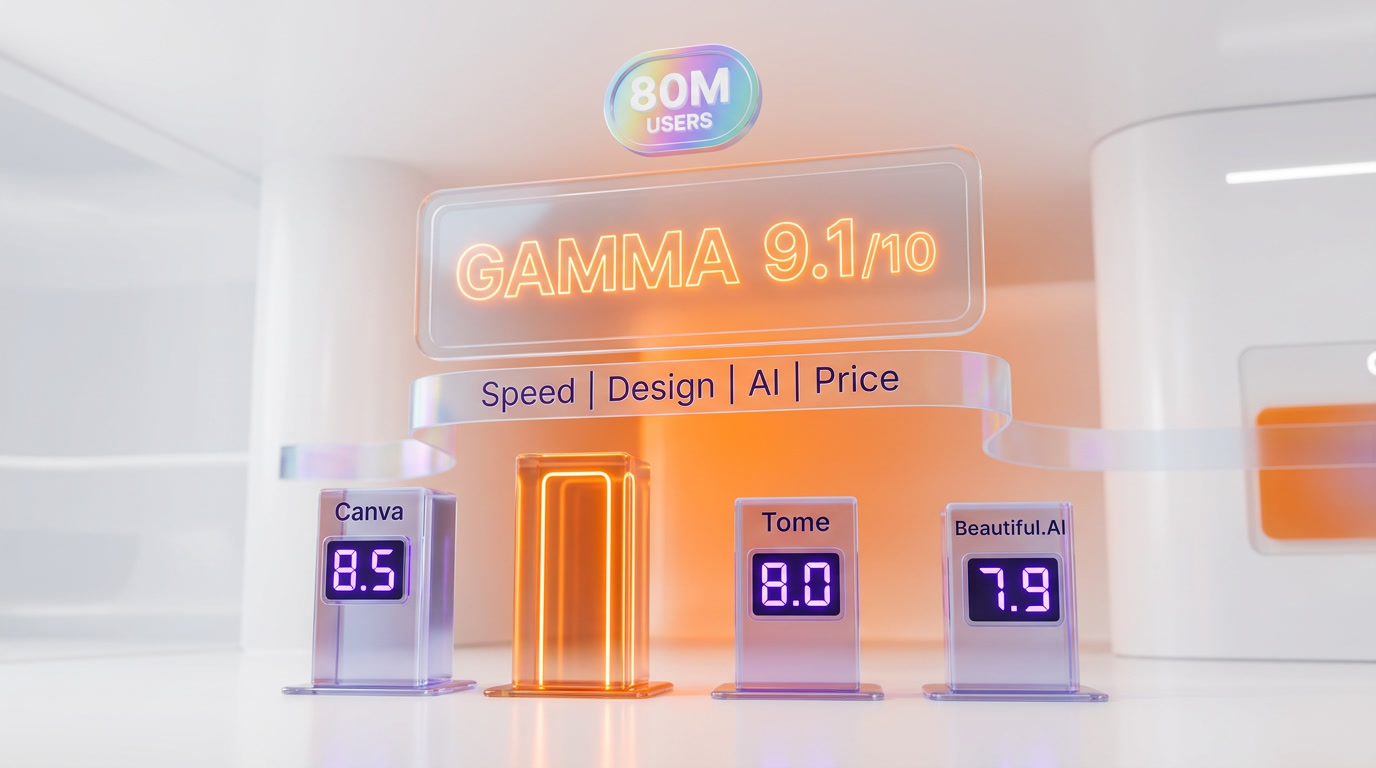
Gamma vs Canva vs Beautiful.AI vs Pitch vs Copilot for PowerPoint
The AI presentation market consolidated hard in 2025. Tome, once the 20-million-user poster child for AI slides, shut down its Slides product in April 2025 and pivoted to sales AI. That leaves four serious players plus Microsoft Copilot for PowerPoint as the incumbent-with-AI option.
| Tool | Starting Price | Format | AI Deck Gen Speed | PPTX Import | Best For |
|---|---|---|---|---|---|
| Gamma | $8 per month | Card (vertical) | ~52 seconds | One-click | Speed, mobile, webpages |
| Canva AI Presentations | $15 per month (Pro) | 16:9 slide | ~130 seconds | Limited | Brand teams, templates |
| Beautiful.AI | $12 per month | 16:9 slide | ~105 seconds | Partial | Design consistency |
| Pitch | $25 per user per month | 16:9 slide | ~150 seconds | Full | Team collaboration, analytics |
| Copilot for PowerPoint | $30 per user per month | 16:9 slide | ~170 seconds | Native | Microsoft 365 orgs |
Gamma vs Canva AI Presentations
Canva is the generalist champion — great templates, massive stock library, and a broad user base of non-designers. But Canva's AI presentation generator is slower, stuck in 16:9, and feels grafted onto a design tool. Gamma is faster, mobile-native, and built AI-first. Choose Canva if you already pay for Canva Pro and need multi-format creative (social, print, video). Choose Gamma if your output is primarily decks, docs, and webpages.
Gamma vs Tome
Tome is dead for presentations. In April 2025 Tome shut down its Slides product and pivoted to a sales-AI assistant. If you still have a Tome deck lying around, export the PDF and import it into Gamma — you will not get ongoing product development from Tome anymore.
Gamma vs Beautiful.AI
Beautiful.AI built its reputation on Smart Slides — an engine that enforces professional design rules on every auto-generated slide. It is the only competitor that consistently ships presentation-ready first drafts without manual cleanup. Beautiful.AI loses on speed, card-based layouts, and webpage output. Choose Beautiful.AI if design consistency is your primary concern and you are fine staying in 16:9. Choose Gamma if flexibility, speed, and modern formats matter more than rigid design guardrails.
Gamma vs Pitch
Pitch is the team-collaboration specialist — real-time editing, integrated video meetings, per-slide engagement analytics (see exactly which slide a prospect paused on), and advanced workspace permissions. For enterprise sales teams doing deep pipeline instrumentation, Pitch analytics beat Gamma. For everyone else, Pitch feels overbuilt and expensive at $25 per user per month. Gamma is a better fit for marketing, founders, educators, and freelancers.
Gamma vs Microsoft Copilot for PowerPoint
Copilot for PowerPoint is the default for any organization already deep in Microsoft 365. It integrates with OneDrive, SharePoint, Teams, and Outlook, and it inherits PowerPoint's maturity for boardroom slides. But it is slow, locked to 16:9, and the AI output still feels like a PowerPoint assistant rather than an AI-native canvas. Choose Copilot if your org mandates Microsoft 365. Choose Gamma if you can pick your tool and you value speed and modern formats.
Real-World Use Cases We Tested
Sales Pitches
We built a B2B SaaS pitch deck for a fictional HR analytics startup in 47 seconds on a Pro account. The Agent pulled three competitor stats, inserted a 2x2 market map, and applied a provided brand kit (logo, orange accent color, Inter typeface). Export to PPTX for the boardroom projection was one click. This workflow is the killer use case — it replaces what used to be a half-day of designer back-and-forth with a 5-minute iteration loop.
Lesson Plans and Education
Teachers are using Gamma at scale. A high-school history teacher we interviewed generates a full weekly lesson plan (slides, handout PDF, and a published webpage for the class) from a one-line syllabus prompt — a workflow that saved her roughly 6 hours per week. The Plus plan at $8 per month is priced right for individual educators and students.
Reports and Research
For analyst reports and internal research, Gamma Agent's research feature is a genuine productivity unlock. We generated a 30-card industry report on AI video platforms in 4 minutes, with 12 cited sources, a comparison matrix, and stats on funding, user counts, and market share. Agent citation accuracy was roughly 85 percent — always verify before publishing.
Webpages and Landing Pages
Gamma's publish-to-web flow is one of the most under-rated features in the product. A Gamma deck can be published as a responsive webpage on a custom domain (10 domains on Pro, 100 on Ultra). Solopreneurs are using this to ship a deck, a landing page, and a sales one-pager from the same content source. It is not a full website builder — do not expect Webflow or Framer feature parity — but for content-first pages it is excellent.

Pros and Cons
What Works
- Speed — full card deck in under 60 seconds is faster than any competitor
- Card format — vertical scroll beats 16:9 on mobile and for async sharing
- Gamma Agent — conversational editing is a real productivity unlock, not a gimmick
- Import fidelity — PPTX, Google Slides, PDF, Word, and Notion all round-trip cleanly
- Pricing — $8 per month Plus is the cheapest serious tier in the category
- Capital efficiency — $100M ARR on $23M raised means the company is not going anywhere
What Does Not
- Free plan watermark — the Made-with-Gamma watermark on Free exports is aggressive
- Format mismatch — teams locked into 16:9 printed handouts will need to re-teach workflow
- Analytics depth — Pitch still beats Gamma on per-slide engagement analytics
- Agent hallucinations — research feature occasionally invents citations on niche topics
- Ultra pricing jump — $90 per month for Ultra is a big step up for API heavy users
- No offline — every edit requires an active connection to the Gamma cloud
Security and Compliance
Gamma is SOC 2 Type II certified, GDPR compliant, and offers single sign-on on Pro and above. Enterprise customers get SAML SSO, SCIM provisioning, audit logs, and data processing agreements. Customer content is never used for AI model training according to Gamma's published terms of service. For regulated industries or enterprise procurement, Gamma passes standard security reviews, though it does not yet offer HIPAA BAAs or FedRAMP — if either is a hard requirement, Microsoft Copilot for PowerPoint is the only serious AI option.
Who Should Use Gamma?
Ideal Users
- Solo creators, freelancers, consultants who need a deck, doc, and webpage from one workflow at $8 per month
- Sales and marketing teams shipping personalized pitch decks faster than the competition
- Educators and students turning syllabus and notes into lesson plans and study aids
- Founders producing pitch decks, investor updates, and one-pagers in one canvas
- Teams doing async communication — shared Gamma links outperform email attachments and slide decks on mobile
Not the Best Fit For
- Corporate boardroom-first organizations that mandate 16:9 projection and printed handouts
- Enterprise sales teams who need per-slide engagement analytics tied to CRM — Pitch wins there
- Regulated industries requiring HIPAA BAAs or FedRAMP — Microsoft Copilot is the safer pick
- Design-first agencies who need pixel-perfect control — traditional tools like Figma or Keynote still win
Our Experience
We have been using Gamma daily for the past six weeks across three use cases: client pitch decks, an internal strategy doc, and a published webpage for a beta product launch. The speed is the thing you do not believe until you try it — a 60-second first draft resets what you expect a content-creation tool to feel like. The card format took us about a day to get used to; after that we stopped thinking about slides entirely. The Agent is the feature we were most skeptical about and now use constantly — roughly 85 percent first-attempt accuracy on edit requests is good enough to trust. The biggest limitation we hit was custom design control: if you want a pixel-precise layout, Gamma will fight you. For content-first deliverables, it is the fastest path from idea to published asset we have tested.

Frequently Asked Questions
Is Gamma free?
Yes. Gamma offers a permanent Free plan with 400 one-time AI credits, basic card generation, and a Made-with-Gamma watermark on exports. Paid plans start at $8 per user per month on Plus (billed annually) and remove the watermark.
How much does Gamma cost in 2026?
Gamma has four plans in April 2026: Free at $0 per month, Plus at $8 per user per month (annual) or $10 per user per month (monthly), Pro at $15 per user per month (annual) or $20 per user per month (monthly), and Ultra at $90 per user per month (annual) or $100 per user per month (monthly). Every paid tier removes the watermark, unlocks unlimited AI generation, and enables PPTX, PDF, PNG, and Google Slides export.
How does Gamma compare to PowerPoint?
Gamma is AI-native and card-based; PowerPoint is 16:9-slide-based with AI features bolted on via Microsoft Copilot. Gamma is roughly three to four times faster at first-draft generation, publishes decks as webpages on custom domains, and is mobile-responsive. PowerPoint wins on offline editing, deep animations, and any organization already mandating Microsoft 365.
What is Gamma Agent?
Gamma Agent is the conversational AI assistant introduced in Gamma 3.0 in September 2025. It can research the web and insert citations, rewrite copy, translate entire decks, restyle themes, and execute multi-step edits from natural-language prompts. It operates inside the Gamma editor as a sidebar chat.
Can Gamma import PowerPoint files?
Yes. Gamma accepts PPTX, Google Slides, PDF, Word, Notion pages, and any public URL as input. The import preserves heading structure, bullet lists, and images, mapping them to the closest Gamma card layout. A 40-slide deck typically converts in 20 to 30 seconds with zero content loss.
Can I export Gamma decks to PowerPoint?
Yes. Every paid plan ships one-click export to PPTX, PDF, PNG (per card), and Google Slides. Exports preserve links and most animations. Free plan exports carry a Made-with-Gamma watermark; Plus and above remove it.
Who founded Gamma?
Gamma was founded in 2020 by Grant Lee (CEO), Jon Noronha (head of product), and James Fox (engineering) — three former Optimizely product leaders. Accel led the seed round; Andreessen Horowitz led the $68 million Series B in November 2025 at a $2.1 billion valuation. Angel investors include Eric Yuan (Zoom), Julie Zhuo (Facebook), and Jeff Weiner (LinkedIn).
How many users does Gamma have?
As of November 2025, Gamma has 70 million users who have created more than 400 million presentations, documents, and webpages. The company crossed $100 million in annual recurring revenue profitably on only $23 million of initial capital and has been profitable for two consecutive years.
Is Gamma good for sales pitches?
Yes. Sales teams are a primary user segment. Gamma generates personalized pitch decks in under 60 seconds, applies a custom brand kit, exports to PPTX for the boardroom, and publishes to a custom domain for email share links. Pro plan at $15 per user per month adds analytics to see who viewed the deck, how long they stayed, and which cards they scrolled through.
Does Gamma have an API?
Yes. The Gamma API is available on Pro and Ultra plans. It supports programmatic deck generation, import, export, and asset management. Pro includes standard API rate limits; Ultra unlocks higher quotas suitable for production content pipelines.
Is my Gamma content used to train AI models?
No. Gamma's published terms of service explicitly state that customer content is not used for AI model training. The platform is SOC 2 Type II certified, GDPR compliant, and offers SAML SSO, SCIM provisioning, and audit logs on Pro and above.
What happened to Tome, the other AI presentation tool?
Tome shut down its Slides product in April 2025 after scaling to 20 million users, and pivoted to a sales-AI assistant. If you still have Tome decks, export them as PDF and import into Gamma — active development on Tome's presentation product has ended.
Verdict: 9.1 out of 10
Gamma earns a 9.1 out of 10 — driven by the fastest AI deck generation in the category, a card format that finally retires the 16:9 slide, the conversational Gamma Agent, and pricing that undercuts every direct competitor. Half a point off for occasional Agent research hallucinations, half a point off for the Ultra pricing jump to $90 per month. For anyone creating content-first decks, docs, or webpages in 2026, Gamma is the new default.
Score breakdown:
- Features: 9.3 out of 10 — Agent, card format, import fidelity, and webpage publishing is the broadest AI-native feature set
- Ease of Use: 9.5 out of 10 — one-line prompt to first deck is the shortest time-to-value in the category
- Value: 9.0 out of 10 — Plus at $8 per month is the best deal in AI presentations; Ultra jump is steep
- Support: 8.5 out of 10 — strong docs and responsive support; priority support only on Pro and above
Key Features
Pros & Cons
Pros
- Fastest AI deck generator on the market — a full 10-card deck in under 60 seconds from a one-line prompt
- Card format breaks the tyranny of the 16:9 slide — content expands vertically, embeds live, and scrolls on mobile
- One-click import from PPTX, Google Slides, PDF, Word, Notion, and URL with layout preserved
- Gamma Agent (launched with Gamma 3.0) researches the web, rewrites copy, and restyles entire decks conversationally
- 70 million users, 400 million decks created, crossed $100M ARR profitably on only $23M of initial capital
- Exports to PPTX, PDF, PNG, and Google Slides on every paid tier without design loss
- Plus plan at $8 per month (annual) is the cheapest way to kill the Made-with-Gamma watermark in the category
Cons
- Free plan adds a Made-with-Gamma watermark and caps generation at 10 cards per prompt
- Card format confuses teams locked into 16:9 projector workflows and printed handout expectations
- Pro plan analytics are shallow compared to Pitch — no per-slide heatmap, no CRM push-through
- Gamma Agent occasionally hallucinates citations when asked to research niche or non-English topics
- Ultra plan jumps to $90 per month (annual) — big step up for API access and most-advanced models
- No native offline mode — every edit requires an active connection to the Gamma cloud
Best Use Cases
Platforms & Integrations
Available On
Integrations

We're developers and SaaS builders who use these tools daily in production. Every review comes from hands-on experience building real products — DealPropFirm, ThePlanetIndicator, PropFirmsCodes, and many more. We don't just review tools — we build and ship with them every day.
Written and tested by developers who build with these tools daily.
Frequently Asked Questions
What is Gamma?
The AI-native canvas that replaces PowerPoint — generate decks, docs, and webpages from a one-line prompt
How much does Gamma cost?
Gamma has a free tier. Premium plans start at $8/month.
Is Gamma free?
Yes, Gamma offers a free plan. Paid plans start at $8/month.
What are the best alternatives to Gamma?
Top-rated alternatives to Gamma include Claude Code (9.9/10), Cursor (9.5/10), Veo 3.1 (9.4/10), Claude Opus 4.7 (9.4/10) — all reviewed with detailed scoring on ThePlanetTools.ai.
Is Gamma good for beginners?
Gamma is rated 9.5/10 for ease of use.
What platforms does Gamma support?
Gamma is available on Web (Chrome, Safari, Firefox, Edge), iOS, Android, macOS (web wrapper), Windows (web wrapper).
Does Gamma offer a free trial?
Yes, Gamma offers a free trial.
Is Gamma worth the price?
Gamma scores 9/10 for value. We consider it excellent value.
Who should use Gamma?
Gamma is ideal for: Sales teams building personalized pitch decks in minutes instead of hours, Teachers and instructors generating lesson plans, student handouts, and class slides from syllabus prompts, Founders creating investor updates, pitch decks, and one-pagers in a single canvas, Marketing teams producing campaign briefs, strategy decks, and client reports with consistent branding, Consultants turning research notes into polished client-ready deliverables without a designer, Product managers generating specs, roadmaps, and launch decks with embedded Figma and Loom links, Solopreneurs publishing a landing page, deck, and sales one-pager from the same content source, HR teams creating onboarding flows, training decks, and benefits explainers that scale across offices.
What are the main limitations of Gamma?
Some limitations of Gamma include: Free plan adds a Made-with-Gamma watermark and caps generation at 10 cards per prompt; Card format confuses teams locked into 16:9 projector workflows and printed handout expectations; Pro plan analytics are shallow compared to Pitch — no per-slide heatmap, no CRM push-through; Gamma Agent occasionally hallucinates citations when asked to research niche or non-English topics; Ultra plan jumps to $90 per month (annual) — big step up for API access and most-advanced models; No native offline mode — every edit requires an active connection to the Gamma cloud.
Best Alternatives to Gamma




Ready to try Gamma?
Start with the free plan
Try Gamma Free →