Gemini Code Assist
Google's AI coding assistant with 180K free completions and multi-agent code review

Quick Summary
Gemini Code Assist is Google's AI coding assistant for VS Code, JetBrains, Android Studio. Score 8.2/10. Free: 180K completions/mo (90x Copilot). Gemini 2.5, 1M token context on paid.
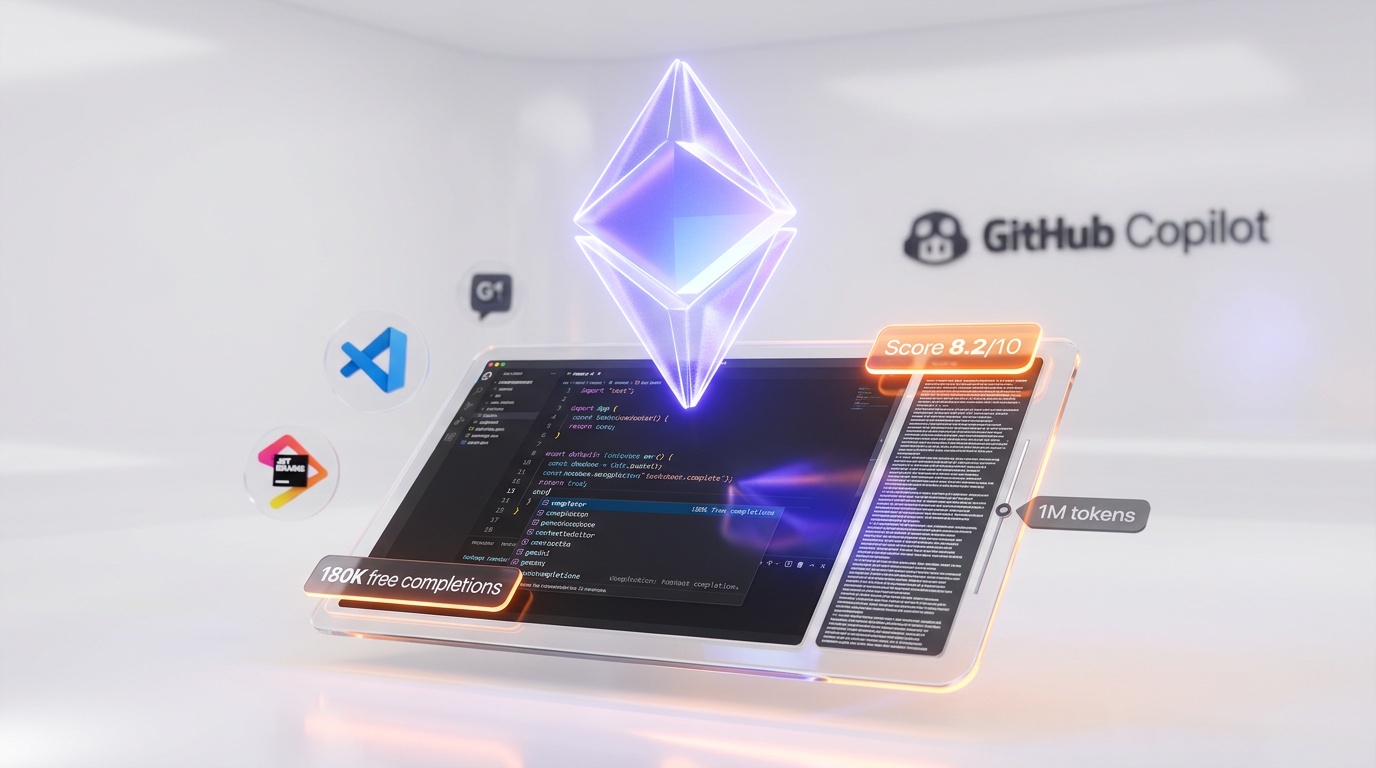
Gemini Code Assist is Google's AI coding assistant powered by Gemini 2.5 with a 1M token context window — the largest among mainstream coding tools. We scored it 8.2 out of 10. Free tier includes 180,000 code completions per month (90x more than GitHub Copilot's free plan). Standard starts at $22.80 per user/month, Enterprise at $45 per user/month. Scores 63.8% on SWE-bench Verified. Available in VS Code, JetBrains IDEs, and Android Studio. Uses a "mixture of agents" architecture with specialized developer, tester, and security analyst agents.
What Is Gemini Code Assist?
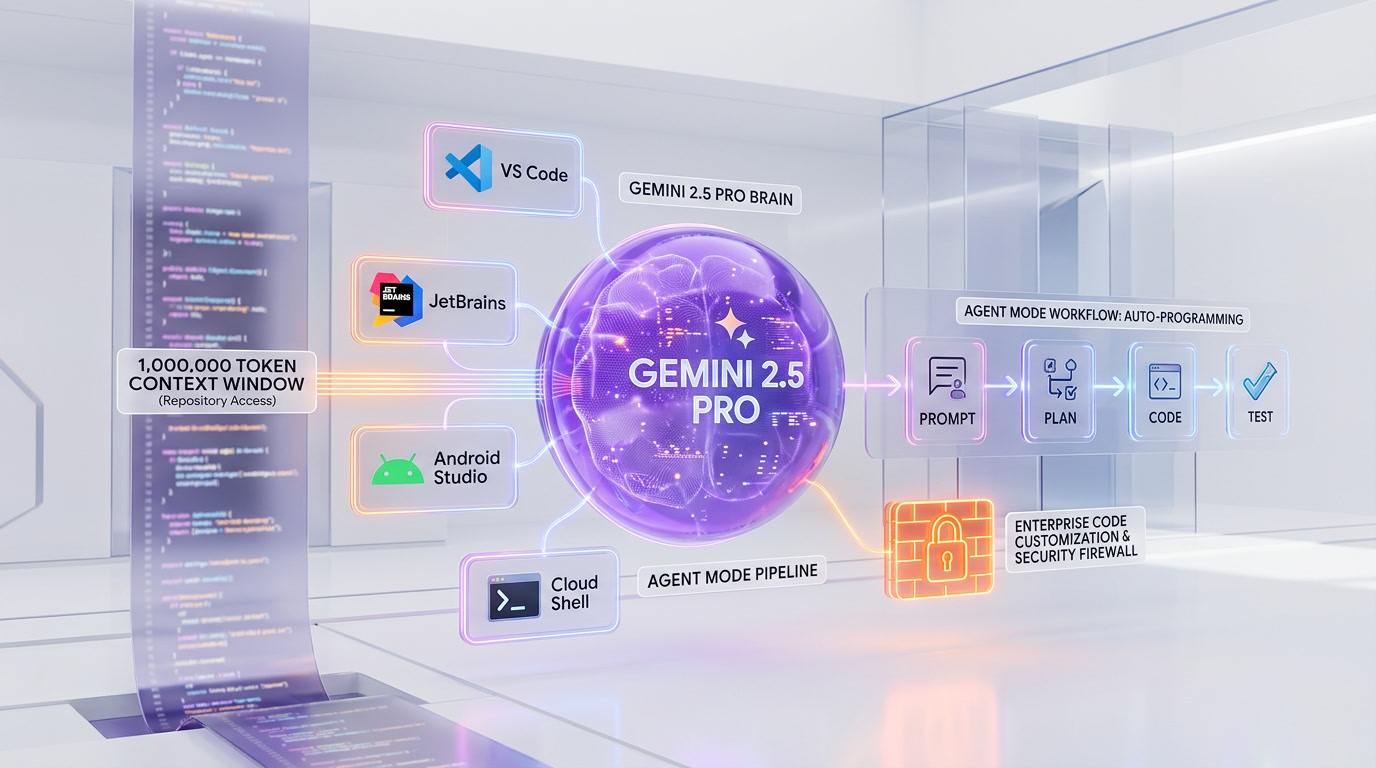
Gemini Code Assist is Google's AI-powered coding assistant that provides code completions, chat-based help, agent mode for autonomous multi-step tasks, and automated pull request reviews across the software development lifecycle. It runs on the Gemini 2.5 model (with Gemini 3 models now available in preview) and integrates directly into VS Code, JetBrains IDEs (IntelliJ, PyCharm, GoLand, WebStorm, CLion, Rider), Android Studio, Cloud Shell, Cloud Workstations, and the Firebase console.
What makes Gemini Code Assist stand out is value. The free tier offers 180,000 code completions per month — that is 90 times more than GitHub Copilot's free plan caps at 2,000. Google also open-sourced Gemini CLI, a terminal-based agent with 1,000 free requests per day. For developers on a budget, there is simply nothing else that comes close to this level of free AI-assisted coding.
We scored Gemini Code Assist 8.2 out of 10, with Value scoring highest at 9.0 out of 10. Best for: individual developers who want powerful AI coding assistance without paying, Google Cloud teams who need native GCP integrations, and enterprises requiring strict data governance with private codebase indexing.
Pricing at a Glance
| Plan | Price | Daily Requests | Key Features |
|---|---|---|---|
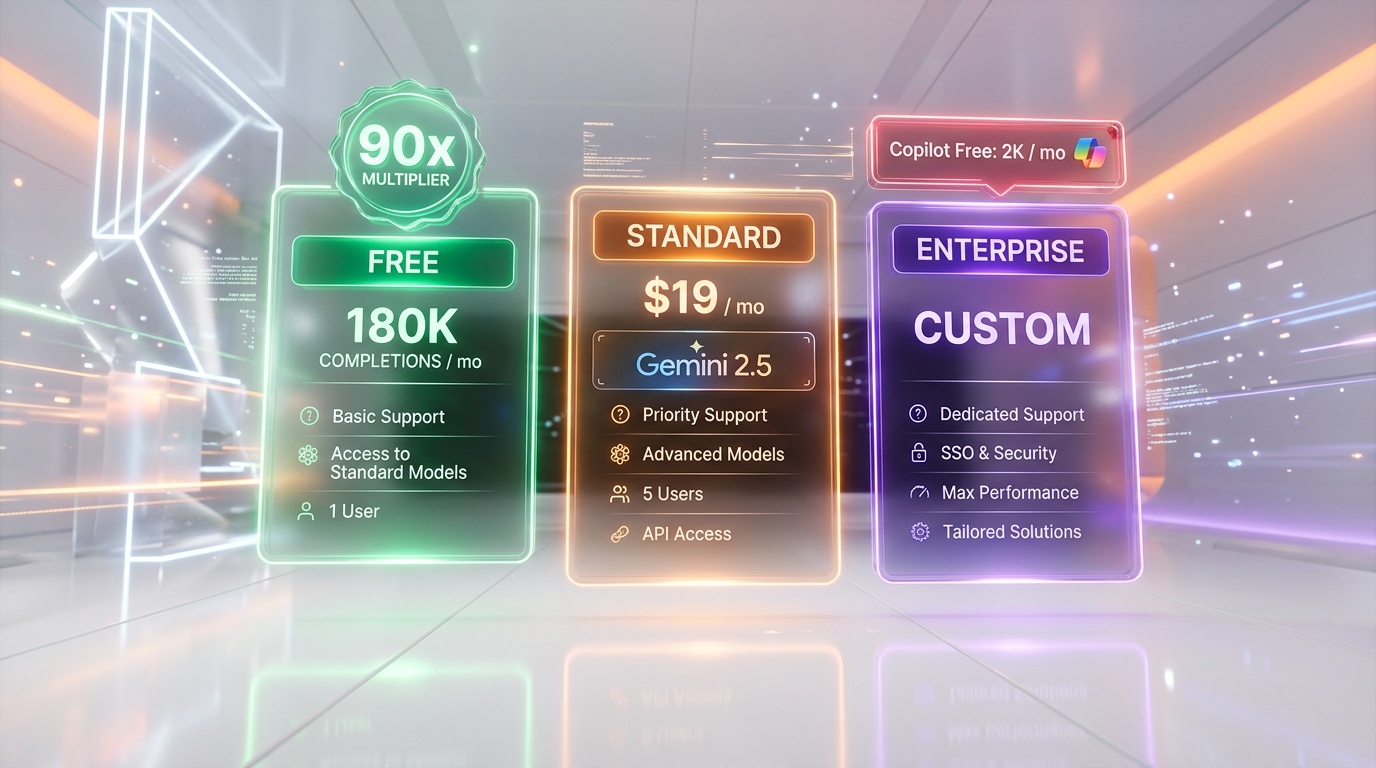
| Free | $0 | 1,000/day (180K completions per month) | Code completions, chat, agent mode, smart actions |
| Google AI Pro | ~$20 per month (individual) | 1,500/day | Higher limits shared across CLI + IDE |
| Standard | $22.80 per user/mo | 1,500/day | Private codebase indexing, higher quotas, GCP integrations |
| Enterprise | $45 per user/mo | 2,000/day | Code customization, Apigee, Application Integration, pooled usage |
Gemini Code Assist at $0 per month for 180K completions vs GitHub Copilot Free at $0 per month for 2,000 completions vs Cursor Free with limited completions. On pure free-tier value, Gemini Code Assist dominates the market by an order of magnitude. The Standard plan at $22.80 per user/month competes directly with GitHub Copilot Business ($19 per user/month) and Cursor Pro ($20 per month), while the Enterprise tier at $45 undercuts some competitors while adding GCP-native features that no rival can match.
Our Experience with Gemini Code Assist
We tested Gemini Code Assist across VS Code and IntelliJ over several weeks of daily development. The code completions are solid — contextually aware, surprisingly good at inferring intent from variable names and function signatures, and the 1M token context window means it genuinely understands large codebases without losing track of distant files. Agent mode handled multi-file refactors competently, planning changes across 8-10 files in a Next.js project and executing them without breaking imports. The latency, however, is the main pain point. Completions frequently take 5-10+ seconds to appear, and agent mode responses sometimes stall for minutes during peak usage. Google has acknowledged this and shipped performance improvements, but it remains noticeably slower than Copilot's sub-second suggestions. The free tier data training policy is the other concern — your prompts and code on the free plan may be used to improve Google's models, though you can opt out. Paid plans have a clear no-training guarantee.
Key Features Deep Dive
Code Completions — 180K/Month Free
The headline feature is the free tier's generosity. Google offers 180,000 code completions per month (6,000 per day) at zero cost — a number so high that even full-time developers working 8+ hours daily are unlikely to hit the ceiling. By comparison, GitHub Copilot Free caps at 2,000 completions per month, making Gemini's free tier 90x more generous. Completions are powered by the Gemini 2.5 model and support 20+ programming languages including Python, JavaScript, TypeScript, Go, Java, C++, Rust, Kotlin, Dart, PHP, C#, Swift, Ruby, SQL, and Bash.
In practice, the completions range from single-line suggestions to full function generation from comments. Smart actions let you right-click selected code to trigger specific operations like "explain this code," "generate unit tests," or "add error handling." The quality is competitive with Copilot for common patterns but falls slightly behind on niche frameworks and less common languages where Copilot benefits from GitHub's massive training corpus.
Chat — Contextual IDE Conversations
The chat panel in VS Code and JetBrains provides a conversational interface where you can ask questions about your code, request explanations, debug errors, and generate documentation. Gemini automatically includes context from your currently open files and workspace. Source citations are provided for suggestions that reference public documentation — a useful transparency feature that Copilot lacks by default.
Smart commands via the / slash menu offer quick access to common operations: /test generates unit tests, /fix addresses errors, /doc adds documentation, and /explain breaks down complex code. The chat interface also supports image inputs — you can paste screenshots of error messages or UI designs and ask Gemini to help debug or implement them.
Agent Mode — Autonomous Multi-Step Tasks
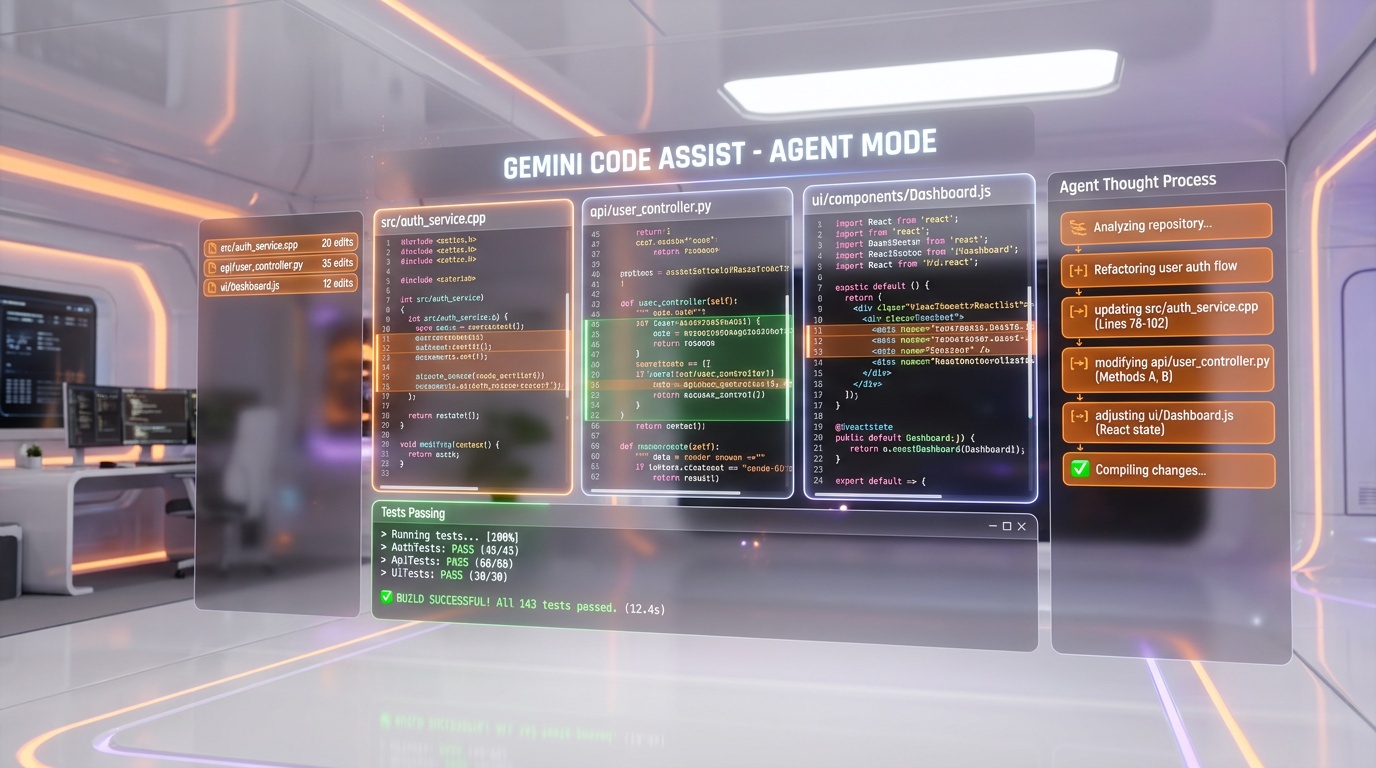
Launched in mid-2025, agent mode transforms Gemini Code Assist from a suggestion engine into an autonomous pair programmer. You describe a task in natural language — "add authentication to this Express API using JWT tokens" — and the agent analyzes your codebase, creates a multi-step plan, and executes changes across multiple files. It can read and write files, run shell commands, use Git, and interact with MCP (Model Context Protocol) servers for external integrations.
In VS Code, agent mode has access to all Gemini CLI built-in tools: file operations, grep, find, shell execution, and Google Search grounding for real-time information. In IntelliJ, it uses tools like read_file, write_file, analyze_current_file, resolve_symbol, grep, find_files, find_usages, git, and list_vcs_roots. For complex tasks, Gemini shows a high-level plan for approval before executing — you can refine the plan, ask questions, and control the level of autonomy.
Agent mode operates within your daily request quota: 1,000 requests per day on free, 1,500/day on Standard, and 2,000/day on Enterprise. One limitation: recitation and source citations are not available in agent mode, so you lose the transparency that standard chat provides.
PR Reviews — Automated Code Review on GitHub
Gemini Code Assist integrates with GitHub, GitLab, and Bitbucket as an automated code reviewer. When a pull request is opened, the gemini-code-assist bot automatically posts an initial review within five minutes, including a PR summary and inline code comments highlighting potential issues — bugs, style violations, security concerns, and performance problems. Developers can interact with the bot directly in PR comments, asking it to explain suggestions or generate alternative implementations.
The free tier allows 33 pull request reviews per day. Enterprise users get at least 100 reviews per day, scaling based on codebase complexity. For teams that struggle with PR review bottlenecks, this automated first-pass review catches low-hanging fruit before human reviewers even look at the code.
Google Cloud Platform Integration
This is where Gemini Code Assist has a structural advantage no competitor can replicate. The Standard and Enterprise editions integrate natively with GCP services: Cloud Run, BigQuery, Cloud Functions, Apigee, Application Integration, Firebase, Colab Enterprise, and Cloud Workstations. When writing Cloud Functions, Gemini understands GCP-specific APIs, IAM patterns, and infrastructure-as-code templates. BigQuery users get SQL assistance with context about their specific datasets and schemas.
Enterprise users gain access to Gemini Cloud Assist features like Application Design Center for AI-assisted infrastructure design and Investigations for AI-assisted troubleshooting. For teams already invested in Google Cloud, this native integration eliminates the context gap that competitors have — Copilot and Cursor treat GCP as just another set of APIs, while Gemini understands it as a first-class platform.
Gemini CLI — Open-Source Terminal Agent
Google open-sourced Gemini CLI under the Apache 2.0 license, making it the only major AI coding CLI that is fully open source. It provides 1,000 free requests per day (60 per minute) with a personal Google account — the industry's largest free terminal agent allowance. Gemini CLI supports the 1M token context window, Google Search grounding, file operations, shell command execution, web fetching, and MCP server integrations.
Installation is straightforward: npx @google/gemini-cli for immediate use, or install globally via npm, Homebrew, or MacPorts. The CLI supports GEMINI.md project rules files (similar to CLAUDE.md or Cursor rules), conversation checkpointing to save and resume sessions, headless/scripting mode with JSON output, and GitHub Actions integration for automated PR reviews and issue triage.
For developers who prefer working in the terminal, Gemini CLI competes directly with Claude Code. Claude Code has deeper reasoning (Opus 4) and better performance on complex architectural tasks, but Gemini CLI's 1,000 free daily requests vs Claude Code's limited free tier makes it the more accessible option for budget-conscious developers.
Multi-Agent Architecture — Mixture of Agents
Under the hood, Gemini Code Assist uses what Google calls a "mixture of agents" approach. Rather than relying on a single AI model for all tasks, the system deploys multiple specialized agents — acting in the roles of developer, tester, and security analyst — that function as adversarial collaborators. Each agent checks the others' work, catching bugs, security vulnerabilities, and test coverage gaps that a single-model approach would miss.
This architecture is particularly evident in agent mode and PR reviews. When the developer agent generates code, the tester agent evaluates whether the changes are properly tested, and the security analyst agent scans for vulnerabilities. The adversarial design means agents are incentivized to find flaws in each other's output rather than rubber-stamping it. Google has stated that custom agent definitions — letting developers define their own specialized experts — are on the roadmap but not yet available.
The mixture of agents approach represents a fundamentally different philosophy from single-model tools like GitHub Copilot or Claude Code. It trades raw reasoning depth for breadth of validation, which explains why Gemini Code Assist excels at catching edge cases in code reviews but may produce less sophisticated solutions for complex architectural problems compared to Opus 4-powered tools.
Privacy and Data Governance
Privacy is a nuanced topic with Gemini Code Assist because the policy differs significantly between free and paid tiers.
Free tier: Google collects your prompts, related code, generated output, code edits, and feature usage information to "provide, improve, and develop Google products and services and machine learning technologies." Human reviewers may read, annotate, and process this data. You can opt out of model training, but the default is opt-in. This is the main trade-off for 180K free completions — your code data may be used to train future models.
Paid tiers (Standard and Enterprise): Your prompts and responses are not used to train any shared models. Code stays within your organization's data boundary. Repository indexing on Enterprise stores vector embeddings rather than plain source code. Enterprise adds VPC Service Controls, Private Google Access, and full compliance certification. Data governance is enforced at the organizational level, not just individual user settings.
For individual developers working on open-source or personal projects, the free tier's data policy is a reasonable trade-off. For teams working on proprietary code, the paid tiers' no-training guarantee is essential — and it matches what GitHub Copilot Business and Cursor Team offer. The confusion in the developer community stems from Google's documentation mixing these two very different policies across free and paid tiers without always making the distinction clear.
Benchmarks and Performance
| Metric | Gemini Code Assist | Key Competitors |
|---|---|---|
| SWE-bench Verified | 63.8% (Gemini 2.5 Pro) | Claude Code ~72%, Copilot ~56%, Cursor ~52% |
| Free completions per month | 180,000 | Copilot Free: 2,000, Cursor Free: limited |
| Context Window | 1,000,000 tokens | Copilot: 64K, Cursor: 200K |
| Free CLI requests per day | 1,000 (Gemini CLI) | Claude Code: limited free tier |
| PR Reviews/Day (Free) | 33 | Copilot: included in paid plan |
The 63.8% SWE-bench Verified score places Gemini Code Assist in solid mid-tier territory — significantly above GPT-4o's 33.2% baseline but below Claude Code's ~72% and leading agentic tools. This score reflects the Gemini 2.5 Pro model; newer Gemini 3 models (now available in preview) score higher, with Gemini 3 Flash reaching 78% on SWE-bench Verified in standalone benchmarks. As Gemini 3 models roll out to Code Assist users, the benchmark performance should improve substantially.
The 1M token context window is the largest in the mainstream AI coding market. For monorepos and large codebases, this means Gemini can hold significantly more of your project in context simultaneously compared to Copilot's 64K or Cursor's 200K. In practice, this translates to better cross-file understanding and fewer hallucinations about imports, types, and function signatures in large projects.
Pricing Breakdown
Gemini Code Assist offers four distinct tiers targeting different user profiles:
- Free ($0 per month): 180,000 code completions per month. 1,000 daily requests for agent mode and CLI. Full code completions, chat, smart actions, and agent mode. 33 PR reviews/day on GitHub. 1M token context. Requires personal Google account (not Workspace). Code may be used for model training (opt-out available).
- Google AI Pro (~$20 per month individual): 1,500 daily requests shared across Code Assist and Gemini CLI. Higher rate limits and priority access. Same IDE features as free tier with increased quotas.
- Standard ($22.80 per user/month): 1,500 daily requests/user. Private codebase indexing for tailored suggestions from your repositories. Google Cloud integrations (Cloud Run, BigQuery, Cloud Functions). Code review on GitHub, GitLab, and Bitbucket. Enterprise-grade security. Data NOT used for model training.
- Enterprise ($45 per user/month with annual commitment): 2,000 daily requests/user with pooled usage across teams. All Standard features plus code customization from private repositories (GitHub, GitLab, Bitbucket — up to 20,000 repos). Gemini in Apigee and Application Integration. Gemini Cloud Assist features. VPC-SC and Private Google Access. IP indemnification for generated code. Advanced compliance certifications.
For individuals, the free tier is unbeatable — 180K completions per month with zero spend. The jump to Standard at $22.80 makes sense only when you need private codebase indexing or team-level data governance. Enterprise at $45 is primarily for GCP-heavy organizations that need deep cloud integrations and compliance features. Compared to GitHub Copilot Business at $19 per user/month, Gemini Standard is slightly more expensive but includes GCP integrations and a larger context window. Compared to Cursor Business at $40 per user/month, Gemini Enterprise at $45 offers broader cloud platform integration at a similar price point.
Who Should Use Gemini Code Assist?
Gemini Code Assist fits different profiles depending on the tier:
- Budget-conscious individual developers who want the most AI coding assistance possible for free — the 180K completions per month and 1,000 CLI requests per day are unmatched at $0.
- Google Cloud teams building on GCP who want AI assistance that natively understands Cloud Run, BigQuery, Cloud Functions, Firebase, and Apigee.
- Android developers using Android Studio who want integrated AI assistance from the same company that builds the platform.
- Enterprise organizations with strict data governance requirements who need VPC-SC, Private Google Access, IP indemnification, and guaranteed no-training data policies.
- Open-source contributors who want powerful AI assistance without subscription costs — the free tier is generous enough for full-time development.
- Teams evaluating AI coding tools who want to start with a risk-free trial that has no artificial usage cliffs or credit card requirements.
Gemini Code Assist is less ideal for developers who need the absolute fastest completions (Copilot is consistently quicker), those working on highly specialized or niche frameworks where training data matters (Copilot benefits from GitHub's corpus), or power users who need the deepest reasoning capabilities (Claude Code with Opus 4 is stronger on complex architectural tasks).
Gemini Code Assist vs GitHub Copilot vs Cursor
Gemini Code Assist vs GitHub Copilot
GitHub Copilot ($10 per month Pro, $19 per user/month Business) has the advantage of speed, polish, and ecosystem integration. Copilot's sub-second completions feel seamless — they appear inline before you finish thinking about the next line. Copilot also now offers model selection including GPT-4o, Claude Sonnet, and Gemini 2.5 Pro, giving users flexibility. However, Copilot's free tier caps at 2,000 completions per month — a fraction of Gemini's 180,000. On context window, Gemini's 1M tokens dwarfs Copilot's 64K. For GCP teams, Gemini's native cloud integrations are a clear differentiator. For GitHub-centric teams, Copilot's native GitHub integration and faster response times give it the edge. On SWE-bench, Copilot scores ~56% vs Gemini's 63.8%, giving Gemini a meaningful accuracy advantage on complex coding tasks.
Gemini Code Assist vs Cursor
Cursor ($20 per month Pro, $40 per user/month Business) is a dedicated AI-first IDE built on VS Code. It offers deeper codebase awareness through local indexing, superior tab autocomplete, Composer mode for multi-file orchestration, and access to top models including GPT-5.4, Claude Opus 4.6, and Gemini 3 Pro. Cursor excels at complex refactoring where deep project understanding matters. Gemini Code Assist works as an extension inside your existing IDE — no IDE switching required — and offers the massive free tier advantage. Cursor's codebase indexing is more mature, but Gemini's 1M token context window partially compensates by holding more code in context natively. For cost-sensitive developers, the choice is clear: Gemini's free tier delivers 90% of the value at 0% of the cost. For developers who want the absolute best AI coding experience regardless of price, Cursor's purpose-built IDE with frontier model access remains the premium choice.

The Bottom Line
Gemini Code Assist is Google's strongest play in the AI coding assistant market, and its free tier is a category-defining move. Offering 180,000 completions per month when competitors cap at 2,000 is not incremental generosity — it fundamentally changes the economics of AI-assisted development for individual developers and small teams. The 1M token context window is the largest available, and it makes a tangible difference when working on large codebases.
The mixture of agents architecture is genuinely innovative — having specialized developer, tester, and security analyst agents adversarially validate each other's work produces more robust output than single-model approaches, even if it sacrifices some of the raw reasoning depth you get from tools like Claude Code. The GCP integration story is compelling for Google Cloud teams: no competitor can match the native understanding of Cloud Run, BigQuery, Firebase, and Apigee that Gemini brings.
The weaknesses are real. Latency is the most frequent complaint — completions arriving 5-10 seconds after you type break the flow state that Copilot preserves. The free tier's data training policy requires developers to actively opt out if they want to keep their code private. And the 63.8% SWE-bench score, while respectable, puts Gemini behind the leaders in raw coding accuracy. Google is shipping improvements fast — Gemini 3 models in preview show significantly better benchmarks — but as of now, Gemini Code Assist trades speed and peak intelligence for unmatched value and the broadest free access in the market.
We scored Gemini Code Assist 8.2 out of 10. For developers who want maximum AI coding power at minimum cost, especially those building on Google Cloud, it is the most rational choice available.
Frequently Asked Questions
Is Gemini Code Assist really free?
Yes. The free tier provides 180,000 code completions per month, 1,000 daily agent mode and CLI requests, and 33 PR reviews per day on GitHub — all at zero cost with a personal Google account. No credit card required. The trade-off is that your data may be used for model training on the free plan (you can opt out).
How does Gemini Code Assist compare to GitHub Copilot?
Gemini offers 90x more free completions (180K vs 2K/month), a 15x larger context window (1M vs 64K tokens), and scores higher on SWE-bench (63.8% vs ~56%). Copilot is faster (sub-second vs 5-10 second completions), more polished, and has deeper GitHub integration. For free users, Gemini is the clear winner. For paid users prioritizing speed, Copilot edges ahead.
Does Google use my code to train AI models?
On the free tier, yes by default — Google collects prompts, code, and outputs to improve its models. You can opt out. On paid tiers (Standard and Enterprise), Google explicitly guarantees your data is NOT used for model training, and enterprise-grade data governance applies.
What programming languages does Gemini Code Assist support?
Gemini Code Assist supports 20+ languages including Python, JavaScript, TypeScript, Go, Java, C++, C#, Dart, Kotlin, Rust, Swift, Ruby, PHP, SQL, and Bash. The Gemini model can provide assistance in additional languages beyond the officially verified list.
What is agent mode in Gemini Code Assist?
Agent mode is an autonomous pair programming feature that can analyze your entire codebase, plan multi-step changes across multiple files, and execute them using built-in tools including file operations, shell commands, Git, and MCP servers. It is available in VS Code and IntelliJ IDEs and shares your daily request quota.
Frequently Asked Questions
Is Gemini Code Assist better than GitHub Copilot?
For free-tier value, Gemini Code Assist is not even close — it offers 180K completions per month vs GitHub Copilot Free's 2,000/month, making it 90x more generous. For speed and accuracy, Copilot wins: it returns suggestions in under 1 second vs Gemini's 5-10+ second latency, and outperforms on niche frameworks due to GitHub's training corpus. Copilot Business costs $19 per user/month vs Gemini Standard at $22.80 per user/month. Choose Gemini for value; choose Copilot for speed.
Is Gemini Code Assist better than Cursor?
Cursor Pro at $20 per month delivers a more polished agent mode with lower latency than Gemini Code Assist Standard at $22.80 per user/month. However, Gemini Code Assist has a decisive edge for Google Cloud teams: native BigQuery, Firestore, Cloud Run, and Firebase integrations that Cursor simply cannot match. If your stack lives on GCP, Gemini Code Assist is the stronger pick. For general full-stack development, Cursor Pro currently offers a faster, more refined experience.
Who should use Gemini Code Assist?
Gemini Code Assist is best for three profiles: (1) budget-conscious individual developers who want maximum free AI coding assistance — 180K completions per month at $0 with no credit card; (2) Google Cloud teams needing native integrations with BigQuery, Firestore, Cloud Run, and the Firebase console; (3) enterprises that require strict data governance with private codebase indexing and guaranteed no-training policies on the $22.80-$45 per user/month paid plans.
What are Gemini Code Assist's limitations?
Five key limitations: (1) Latency — code completions frequently take 5-10+ seconds, significantly slower than Copilot's sub-second responses; (2) Free tier data training — prompts and code on the free plan may be reviewed by humans and used to train Google's models; (3) Agent mode is still in preview and not production-ready; (4) Completion accuracy trails GitHub Copilot for niche frameworks and less common languages; (5) Enterprise at $45 per user/month requires a minimum 10-license purchase.
Does Gemini Code Assist integrate with GitHub?
Yes. Gemini Code Assist integrates with GitHub, GitLab, and Bitbucket as an automated code reviewer. When a pull request is opened, the gemini-code-assist bot automatically posts a review within five minutes, including a PR summary and inline comments flagging bugs, style violations, security issues, and performance problems. The free tier allows 33 PR reviews per day. Enterprise users get 100+ reviews per day with support for custom style guides.
How much does Gemini Code Assist cost?
Gemini Code Assist has four pricing tiers: Free ($0 per month, 180K completions per month, 1,000 requests per day), Google AI Pro (~$20 per month for individuals, 1,500 requests per day), Standard ($22.80 per user/month, private codebase indexing, GCP integrations, 1,500 requests per day), and Enterprise ($45 per user/month, minimum 10 licenses, code customization, Apigee and Application Integration, 2,000 requests per day with pooled usage).
Does Gemini Code Assist work in VS Code and JetBrains?
Yes. Gemini Code Assist supports VS Code, all major JetBrains IDEs (IntelliJ, PyCharm, GoLand, WebStorm, CLion, Rider), Android Studio, Cloud Shell, and Cloud Workstations. It covers 20+ programming languages including Python, JavaScript, TypeScript, Go, Java, C++, Rust, Kotlin, Dart, PHP, C#, Swift, Ruby, SQL, and Bash. The open-source Gemini CLI also brings agent capabilities to any terminal with 1,000 free requests per day.
Is Gemini Code Assist's free tier safe for private code?
No — with caveats. On the free plan, your prompts and code may be used to improve Google's models, and human reviewers may access your code. There is no opt-out on the free tier. If your code is proprietary or sensitive, you should upgrade to the Standard ($22.80 per user/month) or Enterprise ($45 per user/month) plan, both of which come with explicit no-training guarantees and private codebase indexing.
Key Features
Pros & Cons
Pros
- 180K free code completions/month — 90x more than Copilot free tier
- 1M token context window on paid tiers for full-codebase understanding
- Multi-agent architecture with developer, tester, and security agents
- Deep Google Cloud integration with BigQuery, Firestore, Cloud Run
- Automated PR reviews on GitHub with code suggestions
- Gemini CLI is fully open-source with 1,000 free requests/day
- 20+ programming languages across VS Code, JetBrains, Android Studio
Cons
- Noticeable latency — responses often take 10+ seconds vs Copilot 1-3 seconds
- Free tier data used for model training with no opt-out — human reviewers may access code
- Code completion accuracy trails Copilot in some scenarios
- Enterprise at $45/mo requires minimum 10-license purchase
- Agent mode still in preview — not production-ready
Best Use Cases
Platforms & Integrations
Available On
Integrations

We're developers and SaaS builders who use these tools daily in production. Every review comes from hands-on experience building real products — DealPropFirm, ThePlanetIndicator, PropFirmsCodes, and many more. We don't just review tools — we build and ship with them every day.
Written and tested by developers who build with these tools daily.
Frequently Asked Questions
What is Gemini Code Assist?
Google's AI coding assistant with 180K free completions and multi-agent code review
How much does Gemini Code Assist cost?
Gemini Code Assist has a free tier. Premium plans start at $22.8/month.
Is Gemini Code Assist free?
Yes, Gemini Code Assist offers a free plan. Paid plans start at $22.8/month.
What are the best alternatives to Gemini Code Assist?
Top-rated alternatives to Gemini Code Assist include Claude Code (9.9/10), Cursor (9.5/10), Claude Opus 4.7 (9.4/10), Vercel (9.2/10) — all reviewed with detailed scoring on ThePlanetTools.ai.
Is Gemini Code Assist good for beginners?
Gemini Code Assist is rated 7.8/10 for ease of use.
What platforms does Gemini Code Assist support?
Gemini Code Assist is available on Web, macOS, Windows, Linux.
Does Gemini Code Assist offer a free trial?
No, Gemini Code Assist does not offer a free trial.
Is Gemini Code Assist worth the price?
Gemini Code Assist scores 8.8/10 for value. We consider it excellent value.
Who should use Gemini Code Assist?
Gemini Code Assist is ideal for: Individual devs needing generous free AI completions, Google Cloud teams on GCP, Android developers in Android Studio, Enterprise teams needing data privacy guarantees, Open-source contributors wanting free high-quota assistant, Teams automating PR code reviews, DevOps engineers using Gemini CLI, Large codebases needing 1M token context.
What are the main limitations of Gemini Code Assist?
Some limitations of Gemini Code Assist include: Noticeable latency — responses often take 10+ seconds vs Copilot 1-3 seconds; Free tier data used for model training with no opt-out — human reviewers may access code; Code completion accuracy trails Copilot in some scenarios; Enterprise at $45/mo requires minimum 10-license purchase; Agent mode still in preview — not production-ready.
Best Alternatives to Gemini Code Assist




Ready to try Gemini Code Assist?
Start with the free plan
Try Gemini Code Assist Free →