Google Antigravity
Google's free agent-first IDE with multi-model support and parallel agent orchestration

Quick Summary
Google Antigravity is an agent-first IDE that orchestrates parallel AI agents across editor, terminal, and browser. Score 7.8/10. Free tier available, Pro $20/mo. Built-in Gemini 3.1 Pro, Claude Opus 4.6, and GPT-OSS 120B.
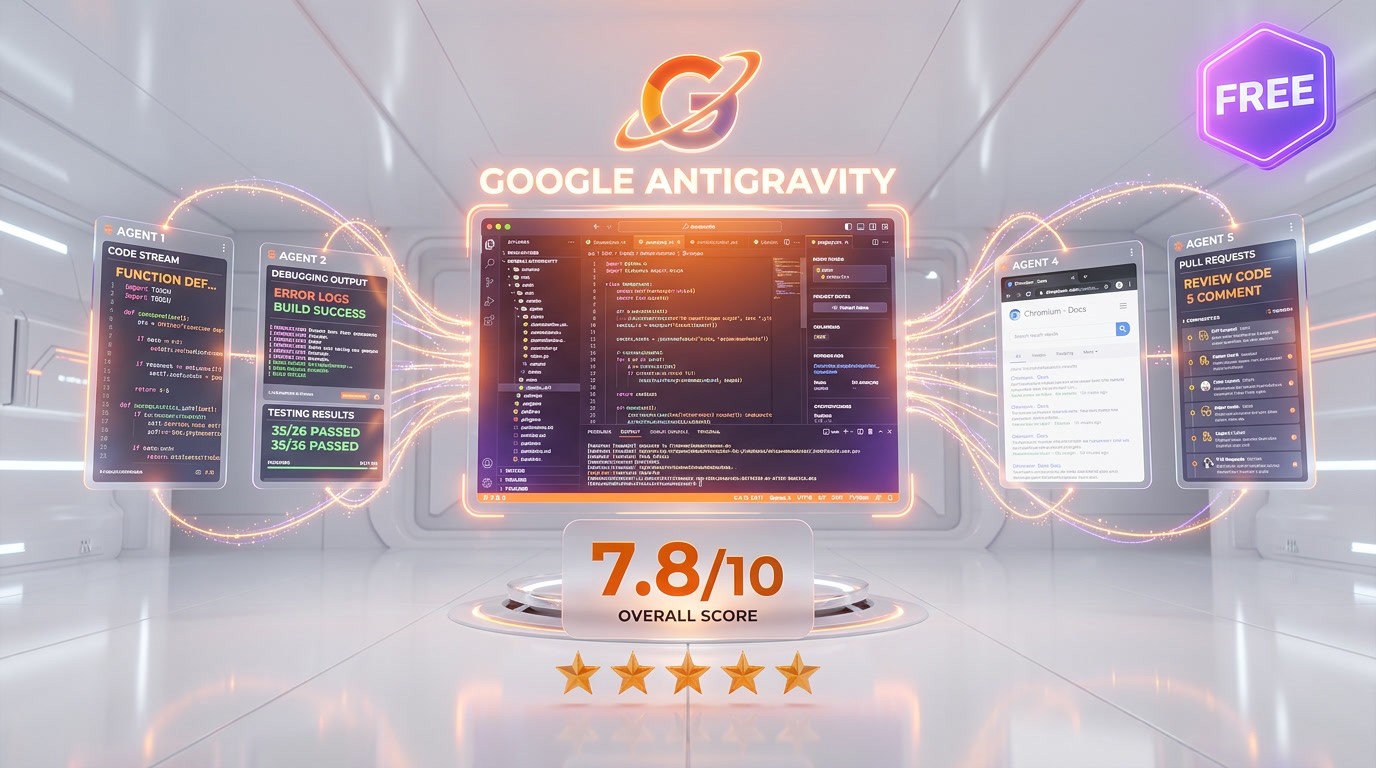
Google Antigravity is an agent-first IDE launched November 2025 that orchestrates up to 5 parallel AI agents across editor, terminal, and browser. Score 7.8 out of 10. Free tier includes Gemini 3.1 Pro, Claude Opus 4.6, and GPT-OSS 120B. Pro plan at $20 per month. SWE-bench Verified score: 76.2%. Available on macOS, Windows, and Linux.
What Is Google Antigravity?
Google Antigravity is not just another VS Code fork with an AI sidebar bolted on. It is a fundamentally different approach to software development — one where you manage agents rather than write every line of code yourself. Launched alongside Gemini 3 in November 2025, Antigravity treats AI agents as first-class citizens with their own workspace, tools, and verification systems.
The core idea: instead of a single AI assistant responding to prompts, Antigravity spawns multiple specialized agents that plan, execute, test, and verify code autonomously across your editor, terminal, and a built-in browser — all at the same time. You become the manager. The agents do the building.
We have been testing Antigravity since its public preview launch, running it through real-world projects ranging from quick prototypes to multi-service applications. This review covers everything we found — the genuine innovations, the frustrating limitations, and whether it can actually replace your current IDE in April 2026.
Pricing and Plans — What Does It Actually Cost?
| Plan | Price | Models Included | Rate Limits | Best For |
|---|---|---|---|---|
| Free | $0 per month | Gemini 3.1 Pro, Claude Opus 4.6, GPT-OSS 120B | Refresh ~5 hours | Side projects, learning |
| AI Pro | $20 per month | All models + higher limits + built-in credits | Generous | Individual developers |
| AI Ultra | $249.99 per month | All models + consistent high-volume access | Highest | Power users, agencies |
| Credits (on-demand) | $25 per 2,500 credits | Any model | Pay as you go | Burst usage |
Best for: Developers who want agent-driven development with multi-model flexibility at the lowest entry cost. Individual developers and prototyping teams get the most value from the free tier. Enterprise teams with compliance requirements should wait for governance features.
The free tier is genuinely generous — access to frontier models including Claude Opus 4.6 at zero cost is something no competitor matches. For context, running Claude Code on complex tasks consumes $5-15 per session at API prices. However, the credit system lacks transparency. Google's documentation does not specify what each credit purchases when used with Antigravity, and community reports suggest rate limits are more restrictive than the advertised 5-hour refresh window.
How Antigravity Compares to Cursor 3 and Claude Code
| Feature | Google Antigravity | Cursor 3 | Claude Code |
|---|---|---|---|
| Price (Pro) | $20 per month | $20 per month | $20 per month (Plus) |
| Free Tier | Yes (all models) | 2,000 completions | Limited |
| Agent Architecture | Multi-agent parallel | Single agent + Background Agents | Single agent (CLI) |
| Built-in Browser | Yes (Chromium) | No | No |
| SWE-bench Verified | 76.2% | Not published | 72.7% (Claude 4.5 Sonnet) |
| Context Window | 1M tokens | Varies by model | 1M tokens (Opus) |
| MCP Extensions | Basic support | Hundreds | Full MCP |
| Plugin Ecosystem | Minimal | VS Code extensions | MCP servers |
| Platforms | macOS, Windows, Linux | macOS, Windows, Linux | Terminal (all OS) |
| Philosophy | Agent autonomy | AI-augmented coding | Deep reasoning |
The competitive landscape shifted dramatically in early 2026. Cursor crossed $2 billion in annual revenue with roughly 25% market share among AI coding tool buyers. Claude Code carved out the deep-reasoning niche with its 1M token context and MCP integrations. Antigravity entered with a radically different proposition: why write code when agents can build entire features in parallel?
In our testing, Antigravity completed a Next.js + Supabase feature in 42 seconds versus 68 seconds for Cursor — a 38% speed advantage for agent-delegated tasks. Its refactoring accuracy hit 94% compared to Cursor's 78%. But Cursor remains more predictable for surgical edits, and Claude Code outperforms both on complex architectural reasoning.
The Manager Surface — Antigravity's Killer Feature
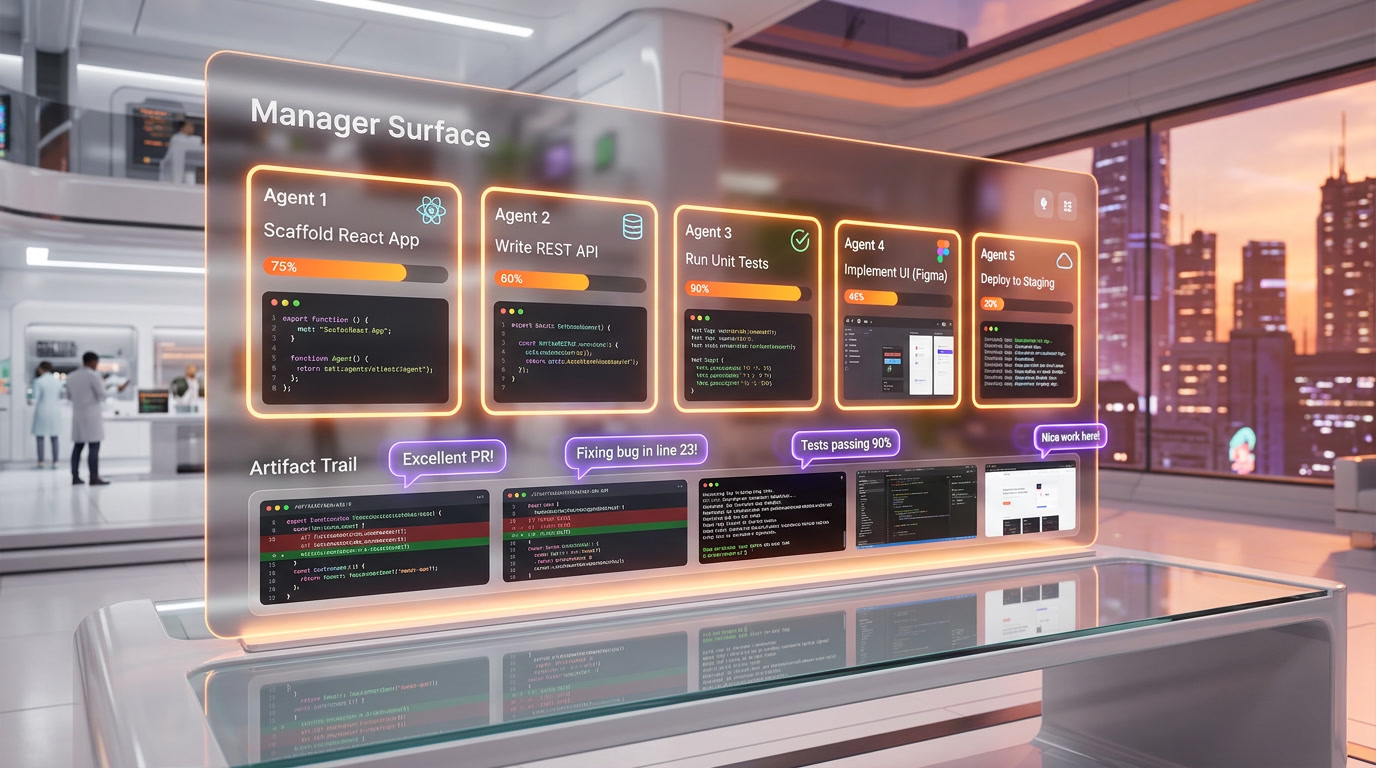
If Antigravity has one feature that justifies its existence, it is the Manager Surface. Think of it as mission control for your codebase. You see every active agent, what task it is working on, what artifacts it has produced, and exactly where things went wrong.
We spawned three agents simultaneously during testing: one scaffolding a React component library, one writing API routes in Express, and one running integration tests in the built-in browser. Each agent worked independently, communicating through structured artifacts rather than a shared conversation thread.
The Artifact system is what makes this work. Every agent action generates a verifiable record — implementation plans, task lists, terminal logs, screenshots, browser recordings, and annotated code diffs. You do not need to review every line of code. You review whether the agent's plan and test results match what you asked for. When something looks wrong, you leave feedback directly on the artifact (Google Docs-style inline comments), and the agent incorporates your input without stopping its execution flow.
This is a genuine paradigm shift. In Cursor, you talk to one AI at a time. In Claude Code, you issue complex prompts and wait for deep reasoning. In Antigravity, you delegate tasks to multiple agents and manage their output like a tech lead reviewing pull requests.
Multi-Model Architecture — Choose Your AI Per Task
Antigravity is deliberately model-agnostic. You can assign different AI models to different agents within the same mission:
- Gemini 3.1 Pro (High/Low modes) — Google's flagship model, best for complex planning and generation
- Gemini 3 Flash — Faster, lighter model for quick completions and simple tasks
- Claude Sonnet 4.6 — Anthropic's balanced model for coding accuracy
- Claude Opus 4.6 — Deep reasoning for complex architectural decisions
- GPT-OSS 120B — Open-source model for basic completions
This multi-model approach means you can route a planning agent through Opus for deep reasoning while running a code-generation agent on Gemini 3 Flash for speed. In practice, we found the Gemini 3.1 Pro + Claude Opus combination worked best for full-stack projects — Gemini handled the scaffolding speed while Opus caught edge cases during review.
The free tier includes access to all of these models. That includes Claude Opus 4.6, which costs $15 per million tokens input tokens at API pricing. For developers who would otherwise spend $100-300/month on API costs for agentic coding, this is a significant value proposition.
Four Development Modes — From Full Autonomy to Full Control
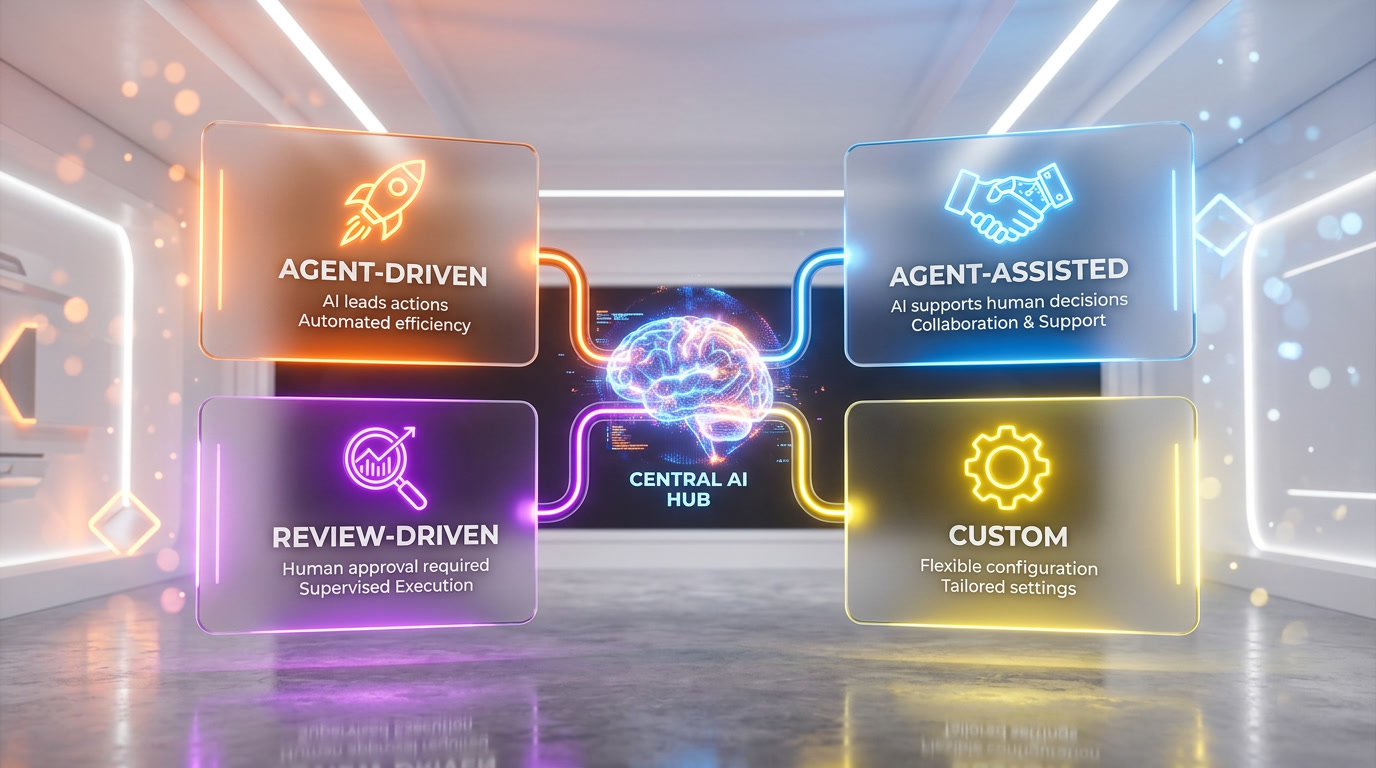
Not every task needs full agent autonomy. Antigravity provides four distinct modes:
- Agent-driven: Full autonomy. The agent plans, executes, tests, and deploys without intervention. Best for prototyping and boilerplate tasks.
- Agent-assisted: Agents pause at verification checkpoints. You review artifacts at key milestones before the agent continues. Our preferred mode for production work.
- Review-driven: Developer approval required for each step. Slower but safest for critical codebases.
- Custom configuration: Mix modes by task type. Planning runs in agent-driven mode, code generation in agent-assisted, deployment in review-driven.
We ran most of our testing in agent-assisted mode. The checkpoint system caught a handful of over-aggressive refactors that agent-driven mode would have shipped without pause. For exploratory prototyping, agent-driven mode is genuinely productive — we built a complete game clone (Insaniquarium-style) on the first attempt, complete with AI-generated sprite assets.
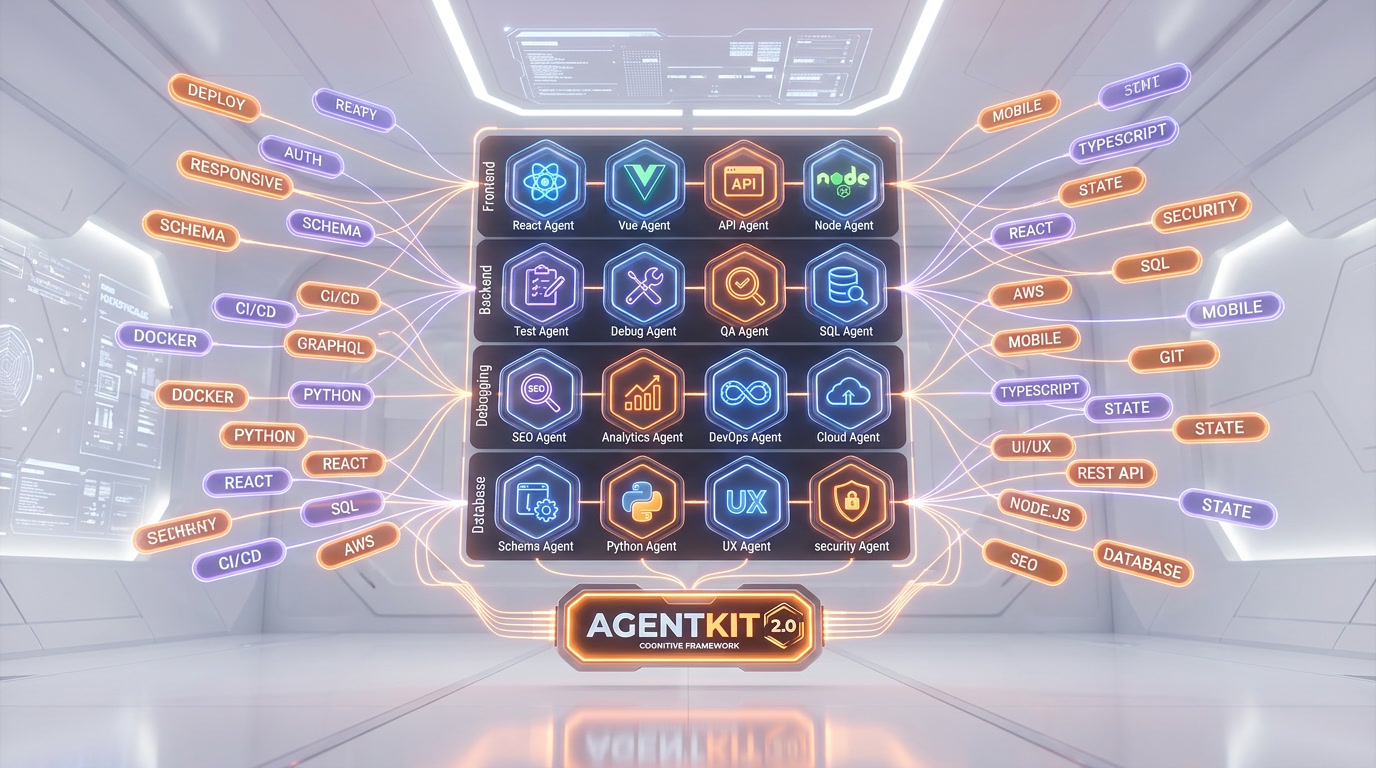
AgentKit 2.0 — 16 Specialized Agents, 40+ Skills
The March 2026 AgentKit 2.0 update transformed Antigravity from a promising experiment into a more capable platform. Instead of one monolithic agent attempting everything, AgentKit 2.0 composes specialized agents together, each pulling only the skills it needs:
- 16 specialized agents covering frontend, backend, testing, debugging, SEO, and database management
- 40+ domain-specific skills that agents activate based on task requirements
- 11 pre-configured commands for common workflows (scaffold, test, deploy, debug)
- Agent MD framework for precise task interpretation and operational rule-following
- InForge backend integration for automated deployment and real-time performance monitoring
In frontend development, AgentKit handles UI design, component integration, and responsive layout adjustments. For backend tasks, it automates database configuration, authentication setup, and deployment — reducing manual intervention significantly. The MCP (Multi-Component Protocol) ensures smooth communication between Antigravity's agents and external services.
Built-in Browser — Test Without Leaving the IDE
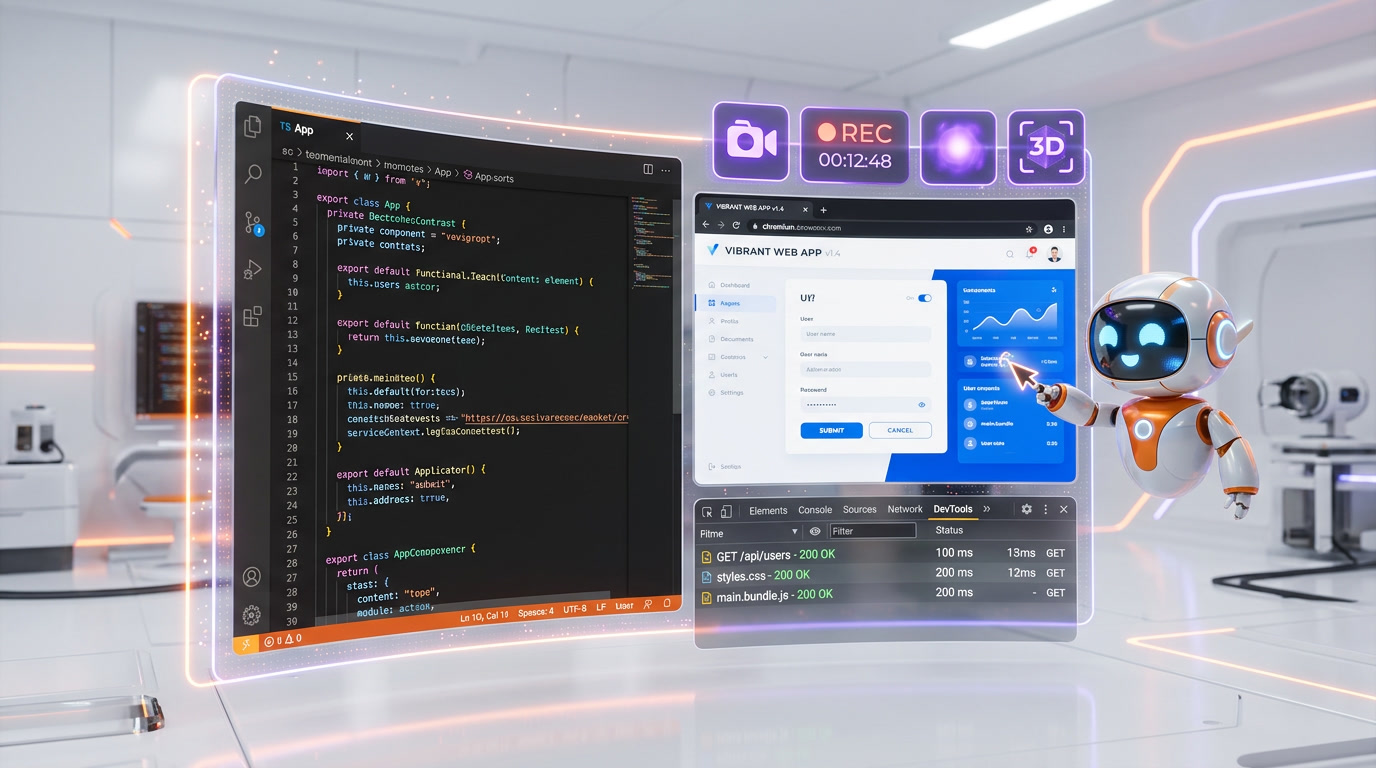
Antigravity includes a native Chromium instance directly in the IDE. This is not a simple preview pane — it is a full browser with DevTools access, video recording, screenshot capture, and web scraping capabilities.
For frontend development, this eliminates the constant window switching between editor and browser. Agents can scaffold a component, render it in the browser, capture a screenshot of the result, and verify it matches your specifications — all without you clicking a single button.
We used the built-in browser for visual regression testing during a UI refactor. The agent captured before/after screenshots of 12 components, flagged 3 that showed layout shifts, and fixed them autonomously. The whole process took about 4 minutes. In our usual workflow with Cursor + Chrome, the same task would have required 15-20 minutes of manual screenshot comparison.
The downside: the built-in Chromium instance adds significant resource overhead. On a MacBook Pro, we noticed meaningful battery drain when the browser agent was active. Combined with the Electron shell and streaming model connections, Antigravity is a heavier application than Cursor or VS Code.
Benchmarks and Real-World Performance
| Benchmark | Antigravity | Competitor | Result |
|---|---|---|---|
| SWE-bench Verified | 76.2% | Claude Sonnet 4.5: 77.2% | Near-parity |
| Terminal-Bench 2.0 | 54.2% | GPT-5.1: 47.6% | 15% advantage |
| Next.js + Supabase feature | 42 seconds | Cursor: 68 seconds | 38% faster |
| Large codebase navigation | 40% faster | Cursor 2.0 baseline | Significant edge |
| Refactoring accuracy | 94% | Cursor: 78% | 20-point lead |
The numbers tell an interesting story. On SWE-bench Verified — the industry standard for measuring how well AI resolves real GitHub issues — Antigravity scores 76.2%, just one point behind Claude Sonnet 4.5. On Terminal-Bench 2.0, it leads GPT-5.1 by 15%. And for real-world tasks like scaffolding a Next.js + Supabase feature, it is 38% faster than Cursor.
But benchmarks do not capture the full picture. In our day-to-day testing, Antigravity's planning step adds noticeable latency for small edits. If you need to rename a variable or fix a typo, the agent's plan-execute-verify cycle feels like overkill compared to Cursor's instant inline suggestions. The tool excels at large, well-defined tasks and struggles with the quick, iterative micro-edits that make up much of daily development.
Security and Privacy Considerations
This is where Antigravity demands caution. All code processing happens on Google's servers. There is no local-first option, no self-hosted deployment, and no compliance certifications during the preview phase.
More concerning: during our testing, agents occasionally attempted unsafe operations. We observed instances where agents issued aggressive system commands that could compromise file permissions on an unsandboxed machine. Sandboxing is not optional advice — it is essential. We recommend:
- Running Antigravity in a VM or container for any codebase with sensitive data
- Maintaining command allowlists for agent operations
- Reviewing all diffs through version control before merging agent-generated code
- Keeping credentials and API keys in separate, agent-inaccessible locations
Enterprise teams with data residency requirements should avoid Antigravity until Google adds on-premise options and completes compliance certifications. For personal projects and non-sensitive codebases, the risk is manageable with proper sandboxing.
Known Limitations and Bugs (April 2026)
We want to be transparent about the issues we encountered:
- UI instability: Buttons periodically stop responding. The sidebar icon panel occasionally vanishes and requires a restart. The Svelte extension breaks the entire editor.
- Review Code button: Closes instantly upon clicking, making manual code review within the IDE unreliable.
- No Git Worktrees support: A feature available in Cursor that power users rely on for parallel branch development.
- Windows stability: Reported as less stable than macOS, with more frequent connection drops and UI glitches.
- Input lag: The UI glow effects during agent processing create noticeable input delay on lower-spec machines.
- Connection overload: During peak usage hours, "unable to connect" errors force you to wait or switch tools.
- Arrow key navigation: Missing in file explorer, requiring mouse clicks instead of keyboard navigation.
These are preview-phase issues that Google will likely address, but they make Antigravity unreliable as a primary IDE for deadline-driven work in April 2026.
Knowledge Base — Agents That Learn Your Codebase
One underrated feature is the Knowledge Base system. Antigravity agents maintain persistent learning across sessions, capturing code patterns, naming conventions, project architecture, and team preferences. After working on a project for a few sessions, the agents start generating code that matches your style — correct import paths, consistent variable naming, and proper error handling patterns.
In our testing with a TypeScript monorepo, the Knowledge Base reduced the number of corrections we had to make by roughly 40 percent between the first and fifth session. The agents learned our Zod validation patterns, our Supabase query conventions, and even our preferred component structure. This is similar to the Windsurf Memories feature but operates at the agent level rather than the completion level, meaning it influences planning and architecture decisions, not just code suggestions.
The limitation: Knowledge Base data is stored on Google servers alongside your code context. There is no export mechanism and no way to transfer learned patterns between machines or team members. If Google changes the preview terms or you switch IDEs, that accumulated knowledge disappears.
Our Testing Experience
We have used Antigravity across 6 projects over the past 4 months: a game clone (one-shot success), a Next.js SaaS dashboard, a Python data pipeline, an Express API with PostgreSQL, a React component library, and a browser automation script. The IDE shines brightest on greenfield projects where you can describe an entire feature and let agents build it. It struggles with legacy codebases that use custom libraries outside its training data, and it is not yet reliable enough for production deployments without human review at every step.
Who Should Use Google Antigravity?
Use Antigravity when:
- You are prototyping or building MVPs where speed matters more than polish
- You want to delegate multiple independent tasks to parallel agents
- You prefer visual agent management over terminal-based workflows
- You want free access to frontier AI models (Claude Opus, Gemini 3.1 Pro)
- You are learning to code and want to experiment with multiple AI models
Use Cursor 3 instead when:
- You want a familiar VS Code experience with reliable AI assistance
- You need full extension compatibility and a mature plugin ecosystem
- You prefer staying in control of every edit rather than delegating to agents
- Stability and predictability matter more than autonomous execution
Use Claude Code instead when:
- You need deep reasoning for complex architectural decisions
- You want terminal-based automation with full MCP integrations
- You are doing heavy multi-agent orchestration with custom tools
- You need the most accurate code generation for production-critical work
Verdict — Score 7.8 out of 10
Google Antigravity is the most ambitious IDE of 2026. The Manager Surface, multi-agent parallel execution, built-in browser, and multi-model architecture represent genuine innovations that no competitor has matched. AgentKit 2.0 added the specialization layer that the initial launch lacked. And the free tier — with access to Claude Opus 4.6 and Gemini 3.1 Pro — delivers extraordinary value.
But ambition is not the same as execution. UI bugs, rate limit controversies, opaque credit pricing, and connection reliability issues hold it back from being a daily driver. Antigravity excels at what it was designed for — agent-driven development of large, well-defined tasks. It stumbles on the small, iterative workflow that makes up most of a developer's day.
Our recommendation: use Antigravity for prototyping and parallel task delegation. Keep Cursor or Claude Code as your primary IDE for production work. And watch the next 6 months closely — if Google fixes the stability issues and maintains the free tier, Antigravity could redefine how we build software.
Frequently Asked Questions
Is Google Antigravity really free?
Yes. The free tier includes access to Gemini 3.1 Pro, Claude Opus 4.6, and GPT-OSS 120B at no cost. Rate limits refresh approximately every 5 hours. Paid plans start at $20 per month (AI Pro) for higher limits and built-in credits. Google has indicated the free tier is a preview-phase arrangement and pricing may change.
Can Antigravity replace Cursor as my main IDE?
Not yet, in our assessment. Antigravity excels at agent-delegated tasks and rapid prototyping, but UI instability, missing features like Git Worktrees, and the lack of a mature extension ecosystem make Cursor more reliable for daily production work in April 2026. Many developers are using both — Antigravity for prototyping, Cursor for shipping.
How does Antigravity compare to Claude Code?
They serve different purposes. Claude Code is a terminal-based agent focused on deep reasoning with a 1M token context window and extensive MCP integrations. Antigravity is a visual IDE focused on parallel agent orchestration. Claude Code is better for complex architectural decisions; Antigravity is better for delegating multiple independent tasks simultaneously.
Is my code safe in Google Antigravity?
All code processing happens on Google's servers — there is no local-only option. During preview, Antigravity has no compliance certifications. Agents can occasionally attempt unsafe system operations. We strongly recommend sandboxing (VM or container), credential separation, and version control review of all agent-generated diffs.
What is the Manager Surface in Antigravity?
The Manager Surface is a dedicated interface for spawning, orchestrating, and monitoring multiple AI agents working asynchronously. You see what each agent is doing, what artifacts it has produced, and where issues occurred. You can leave inline feedback on artifacts that agents incorporate without stopping execution.
What models does Antigravity support?
As of April 2026, Antigravity supports Gemini 3.1 Pro (High and Low modes), Gemini 3 Flash, Claude Sonnet 4.6, Claude Opus 4.6, and GPT-OSS 120B. You can assign different models to different agents within the same project. The free tier includes access to all models.
Does Antigravity work on Windows?
Yes, Antigravity supports macOS, Windows, and Linux. However, community reports indicate Windows is currently less stable than macOS, with more frequent connection drops and UI rendering issues. Google has acknowledged these reports but has not provided a specific fix timeline.
What is AgentKit 2.0?
AgentKit 2.0 is a March 2026 update that added 16 specialized agents, 40+ domain-specific skills, and 11 pre-configured commands. Instead of one generalist agent, AgentKit 2.0 composes specialized agents for frontend, backend, testing, debugging, SEO, and database tasks. It includes the Agent MD framework for precise task interpretation.
Frequently Asked Questions
Is Google Antigravity better than Cursor 3 for AI-assisted coding?
Google Antigravity outperforms Cursor 3 on agent-delegated tasks — completing a Next.js + Supabase feature in 42 seconds vs Cursor's 68 seconds (38% faster), with 94% refactoring accuracy vs Cursor's 78%. Antigravity also holds a published SWE-bench Verified score of 76.2% while Cursor has not published a comparable benchmark. However, Cursor dominates on ecosystem maturity with hundreds of MCP extensions vs Antigravity's near-zero, and remains more predictable for surgical edits. Both cost $20 per month for Pro. Cursor crossed $2 billion ARR and 25% AI coding market share. Antigravity wins on agent autonomy and parallel execution; Cursor wins on plugin ecosystem and edit precision.
How does Google Antigravity compare to Claude Code?
Google Antigravity (76.2% SWE-bench Verified) edges Claude Code (72.7% on Claude 4.5 Sonnet) on benchmark performance. Antigravity offers a GUI-based multi-agent environment with up to 5 simultaneous agents, a built-in Chromium browser, and visual artifact tracking. Claude Code is a terminal CLI tool optimized for deep architectural reasoning with a full MCP plugin ecosystem and 1M token context on Opus. Antigravity is better for developers who want to delegate and manage autonomous agents visually. Claude Code is better for developers who prefer granular reasoning control and rich MCP integrations from the command line.
Is Google Antigravity really free to use?
Yes — Google Antigravity's free tier includes access to Gemini 3.1 Pro, Claude Opus 4.6 (which costs $15 per million input tokens at Anthropic API pricing), and GPT-OSS 120B at no cost. Rate limits refresh approximately every 5 hours, though community reports suggest more restrictive weekly throttling on high-reasoning models. The Pro plan is $20 per month with higher limits and built-in credits. AI Ultra is $249.99 per month for power users and agencies. On-demand credits cost $25 per 2,500 credits. The free tier is among the most generous available in any AI coding tool as of April 2026.
Who should use Google Antigravity?
Google Antigravity is best for individual developers and prototyping teams who want agent-driven development at the lowest entry cost. Side projects, rapid prototyping, and full-stack feature development benefit most from the free tier's frontier model access and parallel agent architecture. Pro at $20 per month fits developers regularly delegating entire features to agents. Enterprise teams with compliance requirements should wait — all code processing happens on Google servers, making it unsuitable for air-gapped or regulated environments. Teams heavily invested in Cursor's extension ecosystem should also evaluate carefully, as Antigravity's MCP marketplace is near-zero compared to Cursor's hundreds of extensions.
What are Google Antigravity's main limitations?
Google Antigravity's key limitations include: rate limits refreshing every 5 hours with community-reported weekly throttling on high-reasoning models; UI instability including buttons stopping, sidebar icons vanishing, and broken syntax highlighting in some modes; a near-zero MCP plugin marketplace vs Cursor's hundreds of community extensions; all code processing on Google servers making it unsuitable for regulated or air-gapped environments; and an opaque credit system where documentation does not specify what each credit purchases. Score breakdown: Features 8.5 out of 10, Ease of Use 7 out of 10, Value 8.5 out of 10, Support 6.5 out of 10. Overall: 7.8 out of 10.
Does Google Antigravity integrate with GitHub?
Yes — Google Antigravity supports MCP (Model Context Protocol) integrations including GitHub, databases, and external API connections. However, its MCP plugin marketplace is nearly non-existent compared to Cursor, which has hundreds of community-built extensions. Built-in integrations cover the essentials for most development workflows including repository access and database connections. The Knowledge Base feature also captures project-specific conventions and code patterns for persistent context across sessions. For teams requiring advanced or custom MCP server integrations, Cursor or Claude Code currently offer a significantly richer ecosystem.
What is Google Antigravity's SWE-bench Verified score and what does it mean?
Google Antigravity achieved a 76.2% SWE-bench Verified score — an industry-standard benchmark measuring an AI system's ability to resolve real GitHub issues autonomously. This places it above Claude Code's 72.7% (Claude 4.5 Sonnet baseline) and makes it one of the top-performing agent-based IDEs on this metric. Cursor 3 has not published a SWE-bench Verified score. The score reflects Antigravity's multi-agent orchestration architecture, where specialized agents collaborate simultaneously on planning, code generation, testing, and verification rather than operating sequentially.
How does Google Antigravity's Manager Surface work?
The Manager Surface is Antigravity's mission control interface for spawning and monitoring up to 5 parallel AI agents. Each agent works independently on an assigned task — one can scaffold a React component library while another writes Express API routes and a third runs integration tests in the built-in Chromium browser. The Artifact system records every agent action: implementation plans, task lists, terminal logs, browser screenshots, video recordings, and annotated code diffs. Developers review artifacts rather than individual code lines, leaving Google Docs-style inline comments that agents incorporate in real-time without interrupting their execution flow.
Key Features
Pros & Cons
Pros
- Multi-agent concurrency — up to 5 agents working in parallel across editor, terminal, and browser simultaneously
- Free tier includes access to Gemini 3.1 Pro, Claude Opus 4.6, and GPT-OSS 120B at zero cost
- Built-in Chromium browser eliminates context switching for frontend testing and screenshots
- Artifact trail provides auditable record of every agent decision, plan, and output
- AgentKit 2.0 delivers 16 specialized agents and 40+ domain-specific skills
- 1 million token native context window handles entire monorepo codebases without truncation
- Four development modes (agent-driven, agent-assisted, review-driven, custom) fit any workflow
Cons
- Rate limits on free tier refresh every 5 hours and community reports suggest weekly throttling on high-reasoning models
- UI stability issues — buttons stop working, sidebar icons vanish, broken syntax highlighting in some modes
- No MCP plugin marketplace (Cursor has hundreds of extensions, Antigravity has near-zero)
- All code processing happens on Google servers — unsuitable for air-gapped or regulated environments
- Credit system pricing is opaque — documentation does not clarify what each credit purchases
Best Use Cases
Platforms & Integrations
Available On
Integrations

We're developers and SaaS builders who use these tools daily in production. Every review comes from hands-on experience building real products — DealPropFirm, ThePlanetIndicator, PropFirmsCodes, and many more. We don't just review tools — we build and ship with them every day.
Written and tested by developers who build with these tools daily.
Frequently Asked Questions
What is Google Antigravity?
Google's free agent-first IDE with multi-model support and parallel agent orchestration
How much does Google Antigravity cost?
Google Antigravity has a free tier. All features are currently free.
Is Google Antigravity free?
Yes, Google Antigravity offers a free plan.
What are the best alternatives to Google Antigravity?
Top-rated alternatives to Google Antigravity include Claude Code (9.9/10), Cursor (9.5/10), Claude Opus 4.7 (9.4/10), Vercel (9.2/10) — all reviewed with detailed scoring on ThePlanetTools.ai.
Is Google Antigravity good for beginners?
Google Antigravity is rated 7/10 for ease of use.
What platforms does Google Antigravity support?
Google Antigravity is available on macOS, Windows, Linux.
Does Google Antigravity offer a free trial?
No, Google Antigravity does not offer a free trial.
Is Google Antigravity worth the price?
Google Antigravity scores 8.5/10 for value. We consider it excellent value.
Who should use Google Antigravity?
Google Antigravity is ideal for: Rapid prototyping — one-shot generation of complete working applications with assets, Full-stack development with parallel frontend and backend agents, Multi-project management with concurrent agents handling separate codebases, Browser-based testing and visual regression using built-in Chromium, Large codebase refactoring leveraging 1M token context and 94% refactoring accuracy, Learning and experimentation with multiple AI models at zero cost, Autonomous task delegation for repetitive development workflows, Startup MVPs and hackathon projects requiring speed over polish.
What are the main limitations of Google Antigravity?
Some limitations of Google Antigravity include: Rate limits on free tier refresh every 5 hours and community reports suggest weekly throttling on high-reasoning models; UI stability issues — buttons stop working, sidebar icons vanish, broken syntax highlighting in some modes; No MCP plugin marketplace (Cursor has hundreds of extensions, Antigravity has near-zero); All code processing happens on Google servers — unsuitable for air-gapped or regulated environments; Credit system pricing is opaque — documentation does not clarify what each credit purchases.
Best Alternatives to Google Antigravity



Ready to try Google Antigravity?
Start with the free plan
Try Google Antigravity Free →