GPT Image 2
OpenAI's flagship image model — 99% text accuracy, native 4K, reasoning before generation. Pay-per-image API.

Quick Summary
GPT Image 2 is OpenAI's state-of-the-art image generation model launched April 21 2026. Native 4K (4096x4096), ~99% text rendering accuracy across Latin/CJK/Arabic, reasoning mode. Low quality $0.006 per image; medium $0.053; high $0.211 (1024x1024). Score: 8.6/10.
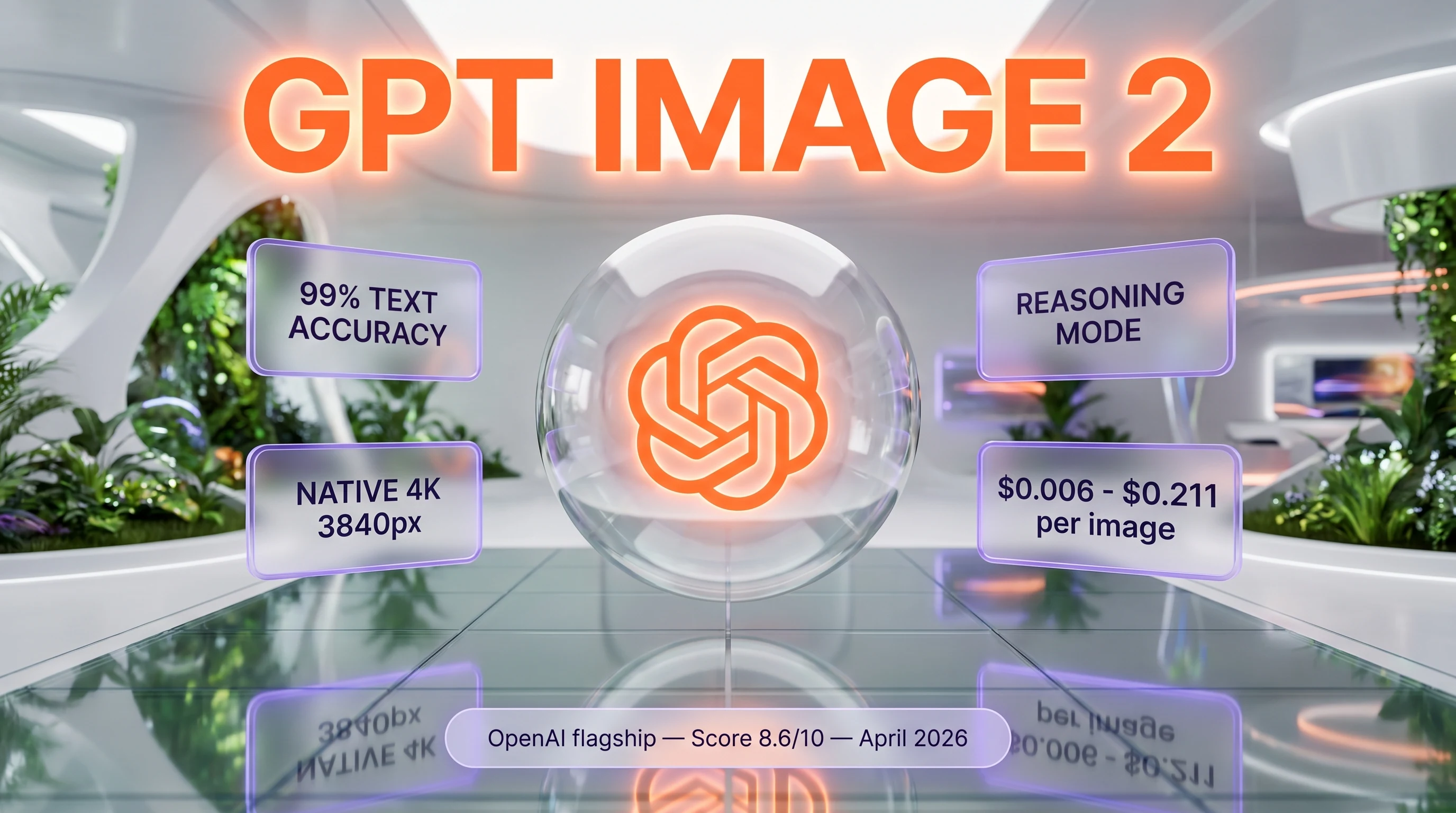
GPT Image 2 is OpenAI's flagship image generation model released April 21 2026. It delivers approximately 99 percent text rendering accuracy across Latin, CJK, Hindi, Bengali, and Arabic scripts, native 4K output up to 3840 pixels per side, and the first reasoning-enabled image generation pipeline from OpenAI. Pricing is token-based — examples at 1024x1024 cost about 0.006 dollars per image at low quality, 0.053 dollars at medium, and 0.211 dollars at high. Score: 8.6 out of 10.
TL;DR — Our Verdict
Score: 8.6 out of 10. GPT Image 2 is the new bar for AI text rendering inside images, with reasoning baked in before pixels are drawn. It is the right pick for design-critical workloads where every character has to be spelled correctly. It is the wrong pick if you are price-sensitive, generate millions of images per month, or need transparent backgrounds out of the box.
- ✅ Around 99 percent text rendering accuracy across Latin and non-Latin scripts — beats Nano Banana Pro and FLUX
- ✅ Native 4K up to 3840 pixels per side, flexible sizes with multiples of 16 and aspect ratios up to 3:1
- ❌ Premium pricing — high-quality 1024x1024 lands near 0.21 dollars per image, roughly 1.5x Nano Banana Pro
- ❌ No transparent backgrounds and no free tier — opaque output only and every call bills tokens
Our Methodology for This Review
We have not run GPT Image 2 in a paid production workload at the time of writing. The model launched on April 21 2026 — eight days before this review — and our daily content workflow at ThePlanetTools is currently anchored on Google's Nano Banana Pro for image generation, including the visuals you see on this very page (the irony is not lost on us — Google's image model generated the brand assets for OpenAI's competing image model, which is a fair stress test).
This review compiles the official OpenAI developer documentation as last checked on April 29 2026 (developers.openai.com/api/docs/models/gpt-image-2, image generation guide, and API pricing page), the OpenAI launch announcement, the Microsoft Foundry release notes, third-party benchmarks from LM Arena and independent technical blogs (Atlas Cloud, WaveSpeed, Bind AI, Analytics Vidhya), and Reddit sentiment threads on r/OpenAI and r/StableDiffusion published between April 21 and April 28 2026. Pricing was captured by direct WebFetch on the OpenAI pricing page rather than search snippets — a hard rule we enforce after a previous bug where merged snippets produced fake tier numbers on a different tool review.
Our score reflects feature completeness measured against the 2026 image-model competitive landscape (Nano Banana Pro, Midjourney v8, FLUX 2, Recraft V4, Stable Diffusion 4), pricing transparency benchmarked against per-image costs at common resolutions, and the maturity of OpenAI's API ecosystem. External community ratings on G2, Trustpilot, and Capterra are not yet available — the model is too new for aggregable reviews — so the score weights feature-set analysis and benchmark consensus more heavily than usual. We will revisit and update once 90 days of production usage data and platform reviews accumulate.
What Is GPT Image 2?
GPT Image 2 is OpenAI's third-generation image generation model and the direct successor to GPT Image 1.5 (which itself replaced DALL-E 3 in October 2025). The model went live on April 21 2026 inside ChatGPT for Plus, Pro, and Business subscribers, and the gpt-image-2 API endpoint opened to all developer tiers in early May 2026. It also ships in Microsoft Foundry and Azure OpenAI Service, and is exposed via third-party API gateways including fal.ai and Replicate.
The model represents a category shift from earlier OpenAI image systems. Previous generations were diffusion-based generators trained primarily on caption pairs. GPT Image 2 is the first OpenAI image model to integrate the company's O-series reasoning architecture. Before pixels are sampled, the model researches the prompt, plans the spatial layout, and self-evaluates intermediate outputs — a process OpenAI calls "thinking before drawing." For complex compositions like multi-panel infographics, dense typography mockups, or branded marketing assets, that reasoning step is what produces the leap in text fidelity.
The model is positioned as production infrastructure, not a hobbyist toy. OpenAI's launch materials and the API documentation emphasize design, marketing, and enterprise workflows: branding deliverables, on-image headlines, multilingual ad creatives, infographic generation, and storyboard production. The pricing structure (token-based, four quality tiers, batch discounts) and rate-limit tier ladder (from 5 images per minute on Tier 1 up to 250 images per minute on Tier 5) confirm that positioning.
Key Features
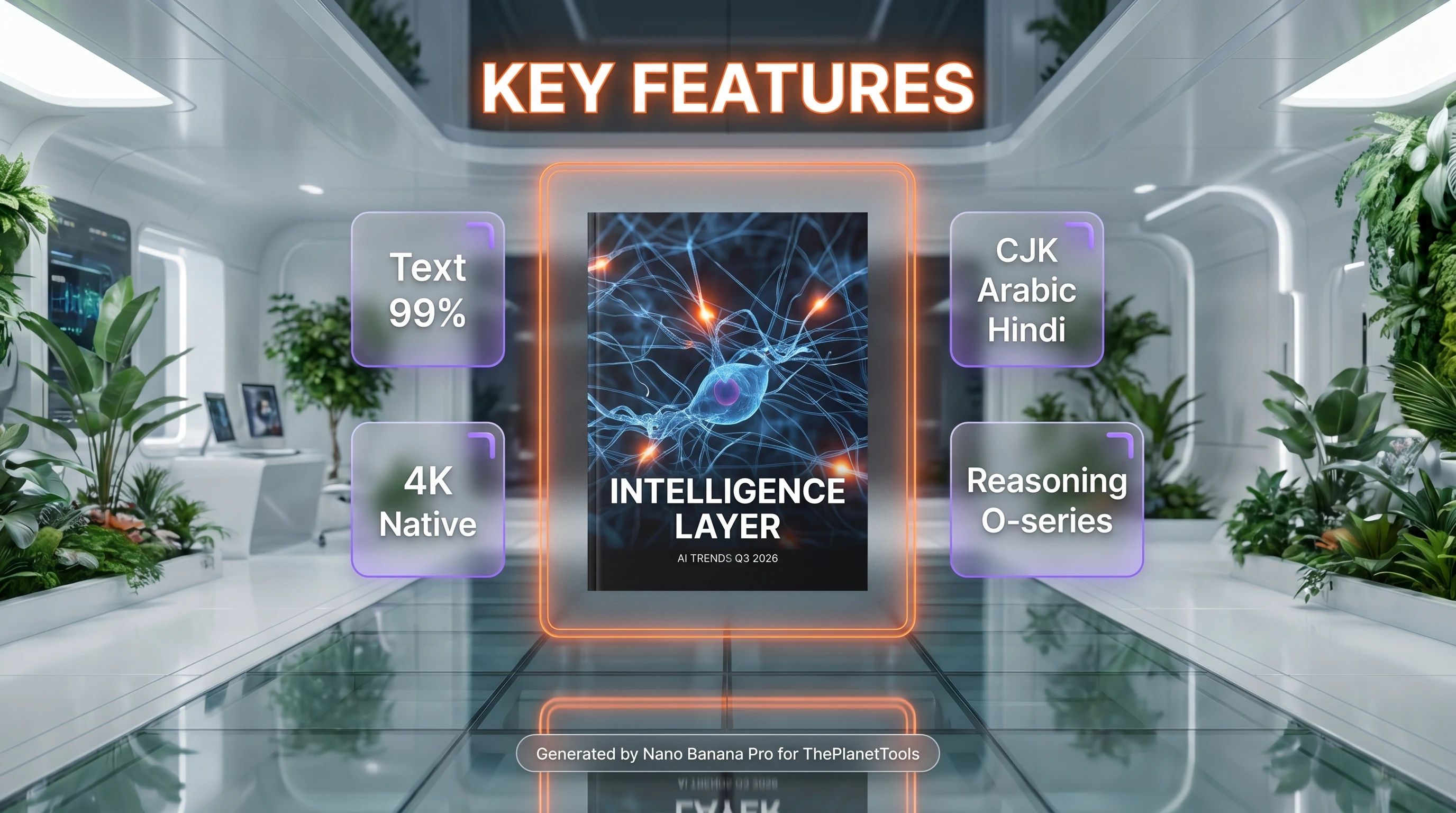
Near-perfect text rendering
The headline capability. LM Arena blind tests and independent benchmarks consistently rank GPT Image 2 around 99 percent character-level accuracy on rendered text, across Latin, Chinese, Japanese, Korean, Hindi (Devanagari), Bengali, and Arabic scripts. For comparison, Nano Banana Pro sits around 94 percent, Midjourney v7 lands closer to 71 percent on dense layouts, and FLUX 2 typically falls in the 80 to 90 percent range depending on font weight and language. This is the feature that closes the long-standing gap that made AI image tools unreliable for branding, packaging, advertising, and any deliverable where letters have to be letters.
Native 4K and flexible sizing
The size parameter accepts any resolution where each edge is a multiple of 16, the longest edge does not exceed 3840 pixels, total pixel count sits between 655,360 and 8,294,400, and the aspect ratio stays inside 3:1. Common production sizes include 1024x1024, 1536x1024, 1024x1536, 2048x2048, and 3840x2160. There is no upscaling pipeline required for print deliverables — the output is native at the requested resolution.
Reasoning before generation
Quality tier auto and the dedicated thinking mode trigger an internal reasoning pass before the model generates the image. The model researches the request, plans the composition, and can search the web or reference connected tools when integrated through ChatGPT or Microsoft Foundry. For multi-element layouts (think infographics with axes, legends, numbered callouts) this reasoning step is what produces coherent spatial relationships rather than the scrambled placement common to single-pass diffusion models.
Quality tiers
Four levels — low, medium, high, and auto (default). Each tier maps to a different token consumption budget and therefore a different per-image price. Low is suited to thumbnails and placeholder content. Medium is the workhorse setting for most production work. High is reserved for hero assets, print, or anything zoomed beyond 1024 pixels. Auto lets the model pick based on prompt complexity — a sensible default but harder to predict for budgeting.
Image editing and reference inputs
The v1/images/edits endpoint accepts a base image, an optional alpha-channel mask matching the source dimensions, and a text instruction. The model edits within the masked region while preserving the rest. Reference images can be passed for style transfer or composition guidance. Critically, every reference image bills at the high-fidelity input rate regardless of output quality setting — a cost trap to watch on iterative workflows.
Streaming with partial images
The partial_images parameter (0 to 3) lets the API stream progressively refined outputs. The first partial is low-fidelity and arrives quickly, subsequent partials refine, and the final image lands at the requested quality. Useful for UI feedback during long high-quality generations where users would otherwise wait 10 to 30 seconds without visual progress.
Output formats and compression
PNG by default, with JPEG and WebP available via output_format. The output_compression parameter (0 to 100) controls JPEG and WebP compression. Backgrounds are opaque only — there is no transparent-background mode in the current preview, which limits direct asset overlay use cases without post-processing.
Moderation
Two strictness levels — auto (default, standard OpenAI safety filters) and low (less restrictive, available on approved accounts). C2PA content credentials and provenance metadata are embedded in outputs by default for downstream verification.
GPT Image 2 Pricing in 2026
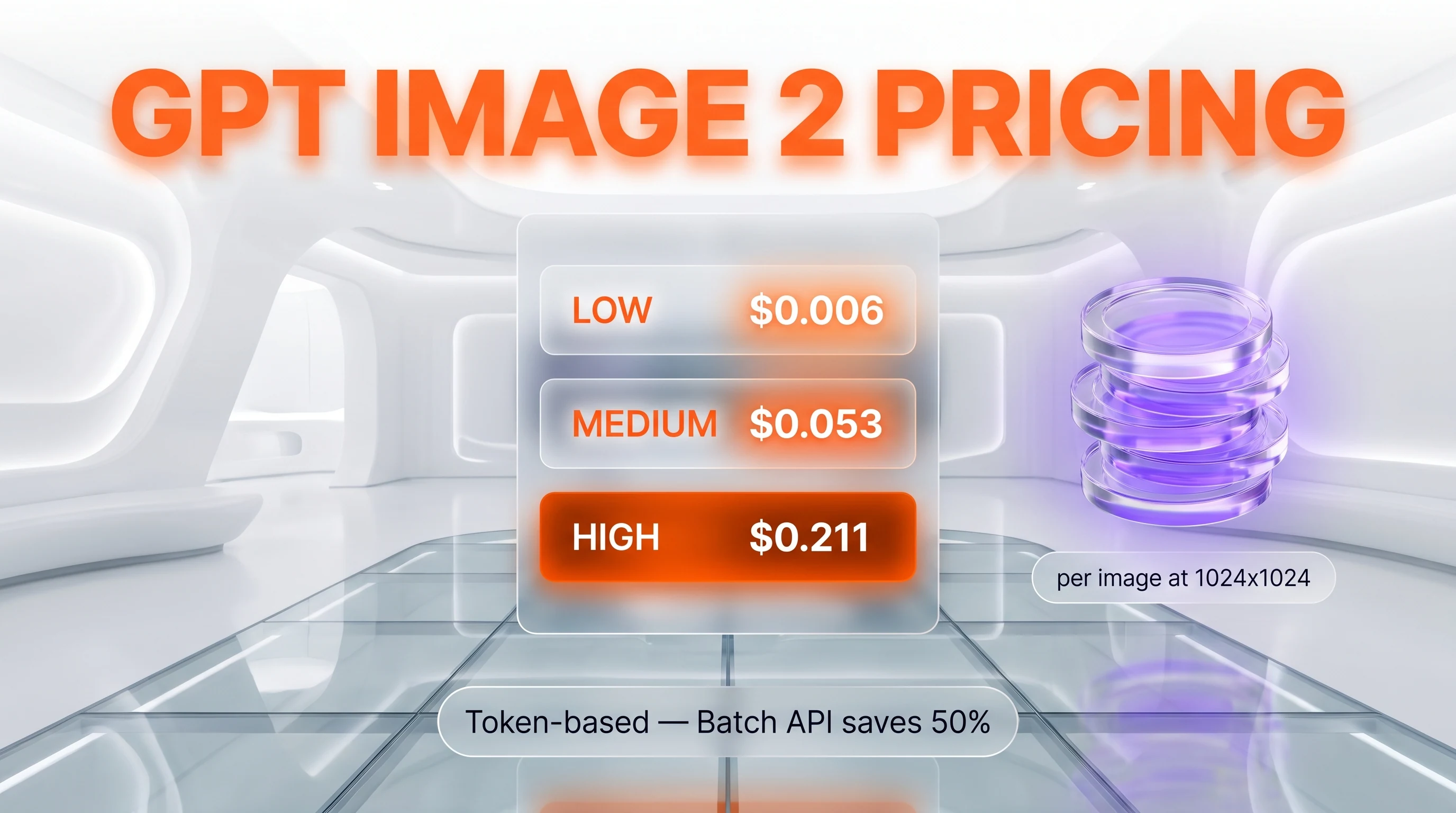
GPT Image 2 uses token-based pricing rather than flat per-image rates. The published rates on the OpenAI pricing page (verified April 29 2026) are 8 dollars per 1 million image input tokens, 2 dollars per 1 million cached image input tokens, 30 dollars per 1 million image output tokens, 5 dollars per 1 million text input tokens, and 1.25 dollars per 1 million cached text input tokens. Batch API processing halves all rates.
| Quality (1024x1024) | Per image (estimate) | Best for |
|---|---|---|
| Low | ~0.006 USD per image | Thumbnails, placeholders, internal mockups |
| Medium | ~0.053 USD per image | Standard production work, social assets, blog hero images |
| High | ~0.211 USD per image | Print-ready, hero campaigns, marketing deliverables |
| Auto | Varies by prompt complexity | Default, when budget tolerance is flexible |
The per-image numbers are estimates derived from OpenAI's calculator, not list prices, because token consumption varies with size, quality, edits, prompt length, and how cleanly the prompt is structured. Larger resolutions cost more — 1920x1080 and 1024x1536 at high quality typically land in the 0.15 to 0.22 dollar range, while 3840x2160 at high pushes well above that.
| Token type | Standard (per 1M) | Batch (per 1M) |
|---|---|---|
| Image input | 8.00 USD | 4.00 USD |
| Cached image input | 2.00 USD | 1.00 USD |
| Image output | 30.00 USD | 15.00 USD |
| Text input | 5.00 USD | 2.50 USD |
| Cached text input | 1.25 USD | 0.625 USD |
Hidden cost trap: reference images used for editing bill at the high-fidelity input rate regardless of the output quality setting. A workflow that edits an existing image three times can land at 2x to 3x the quoted per-image cost. Budget accordingly — and watch the OpenAI usage dashboard during early integration.
Best for: design-led teams that need text-perfect outputs and are willing to absorb a premium versus FLUX or Stable Diffusion alternatives. Not for pure-volume image generation pipelines where unit economics matter more than per-image quality.
Rate limits and tier ladder
OpenAI gates GPT Image 2 capacity behind its standard developer tier ladder. The tiers are based on cumulative spend and account standing:
- Tier 1: 100,000 tokens per minute, 5 images per minute
- Tier 2: 250,000 tokens per minute, 20 images per minute
- Tier 3: 800,000 tokens per minute, 50 images per minute
- Tier 4: 3,000,000 tokens per minute, 150 images per minute
- Tier 5: 8,000,000 tokens per minute, 250 images per minute
Tier 1's 5-images-per-minute ceiling is the bottleneck most early adopters hit immediately. Production workflows that need batch generation should route through the Batch API (50 percent discount, no rate-limit pressure on synchronous endpoints) or move to fal.ai or Microsoft Foundry where tier mapping is more generous.
GPT Image 2 vs Nano Banana Pro vs Midjourney v8 vs FLUX 2
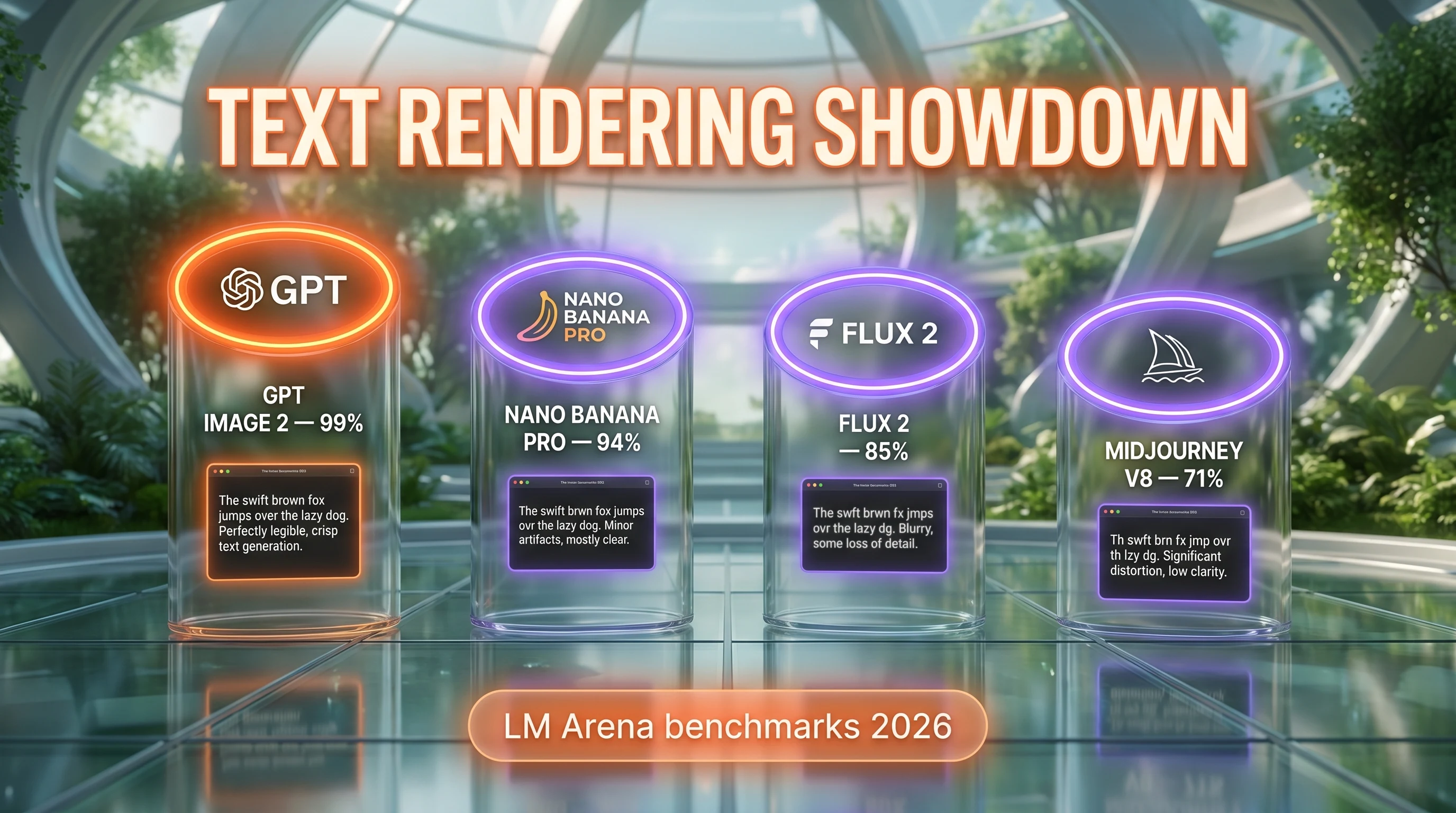
The 2026 AI image generation landscape is the most competitive it has ever been. Four flagship models matter for production workloads — GPT Image 2, Nano Banana Pro, Midjourney v8, and FLUX 2 — each with a different center of gravity.
| Capability | GPT Image 2 | Nano Banana Pro | Midjourney v8 | FLUX 2 |
|---|---|---|---|---|
| Text accuracy | ~99% | ~94% | ~71% | ~85% |
| Max resolution | 3840 px (native) | 4096 px (native) | 2048 px | 2048 px |
| Reasoning before generation | Yes (O-series) | Partial (thinking mode) | No | No |
| Per-image cost (high, 1024x1024) | ~0.21 USD | ~0.13 USD | Fixed plan | ~0.04 USD |
| Multi-script support | Latin, CJK, Arabic, Devanagari, Bengali | Latin, CJK, Arabic | Latin only | Latin, partial CJK |
| Transparent background | No | Yes | No | Yes |
| API maturity | OpenAI SDK, Azure, Foundry | Google AI Studio, Vertex AI | Discord-first | fal.ai, Replicate |
Pick GPT Image 2 for text-heavy design work where every character matters — branding, infographics, ad creatives, packaging mockups, multilingual marketing. Its reasoning step makes it the safest choice for compositions where layout matters as much as the image content.
Pick Nano Banana Pro when photorealism and multi-reference workflows are the priority — portraiture, product photography, e-commerce catalog shots, face consistency across assets. Native 4096 px output and 14-reference image inputs are still the leader in that category. Read our Nano Banana Pro review for the full breakdown, and GPT Image 2 versus Nano Banana Pro for the head-to-head.
Pick Midjourney v8 when artistic stylization is the goal — illustration, concept art, mood boards, editorial. Midjourney still owns the aesthetic high ground for stylized output even if its text rendering and resolution lag the API-first competitors. See our Midjourney review for context. GPT Image 2 versus Midjourney weighs that precision-against-aesthetics call directly.
Pick FLUX 2 when unit economics dominate the brief — high-volume product image generation, programmatic asset pipelines, A/B test variants at scale. FLUX 2 at roughly 0.04 dollars per image is 5x cheaper than GPT Image 2 at high quality, and its text rendering is good enough for most use cases that do not demand near-perfection. Other competitive baselines worth knowing include Leonardo.ai for stylized creative work and Adobe Firefly for commercially safe, IP-cleared output inside the Adobe creative stack. The cost argument gets its own page in FLUX 2 versus GPT Image 2.
Real-World Use Cases
Marketing creative production with on-image headlines
Generate ad banners, social posts, and landing-page heroes with brand copy rendered correctly the first time. The 99 percent text accuracy eliminates the typical Photoshop retouching pass for headlines, CTAs, and pricing labels.
Multilingual campaign localization
Render the same creative concept in English, Mandarin, Japanese, Hindi, or Arabic without typography errors. The multi-script coverage is unique among current API-first models and removes the need for region-specific designer rounds.
Infographic and data visualization generation
Reasoning before generation produces coherent charts with axes, legends, and numbered callouts. For editorial or research publications, GPT Image 2 can prototype infographic concepts directly from a structured prompt.
UI mockups with realistic placeholder text
Button labels, menu items, form fields, and navigation rendered with correct typography for design reviews and stakeholder presentations. Faster than spinning up a Figma mockup for early concept rounds.
E-commerce product banners at scale
Generate consistent hero images with product names, SKU codes, and promotional pricing rendered on-image. Combined with the Batch API discount, suitable for periodic catalog refreshes.
Print-ready editorial illustrations
Native 4K output means assets land directly in print pipelines without upscaling. Captions, citations, and credits embedded in the image stay legible at A4 and larger.
Storyboard panels for video pre-production
Annotation labels, scene numbers, and timing notes render correctly inside generated panels. Useful for animation and live-action pre-production before locking final shots.
Branded presentation slides through Microsoft Foundry
Inside Foundry, GPT Image 2 generates slide visuals with brand-consistent typography pulled from connected reference assets. Reduces the design-bottleneck round on internal decks.
Pros and Cons After Research
What stands out
- Best-in-class text rendering. Around 99 percent character accuracy across Latin and non-Latin scripts beats every flagship competitor. This is the headline reason to pay the premium.
- Native 4K up to 3840 pixels. Print-ready output without an upscaler in the pipeline. Aspect ratios and sizes are flexible up to 3:1 with multiples-of-16 sides.
- Reasoning before generation. The O-series integration means complex compositions hold together — labels go where they should, axes align, callouts make sense.
- Multilingual coverage. CJK, Arabic, Hindi, and Bengali at design-grade quality opens the door to global campaign workflows that previously required region-specific designers.
- Mature OpenAI ecosystem. Same SDK, same auth flow, same dashboard as the rest of the OpenAI platform. Enterprise teams already wired into OpenAI face zero integration friction.
- Streaming with partial_images. Progressive UI feedback during long high-quality generations keeps users engaged on consumer-facing applications.
- C2PA content credentials. Provenance metadata is embedded in outputs by default for downstream verification — a meaningful trust signal for editorial and brand use.
Where it falls short
- Premium pricing. High quality 1024x1024 lands near 0.21 dollars per image — roughly 1.5x Nano Banana Pro and 5x FLUX 2. Volume workflows feel that gap fast.
- No transparent backgrounds. Opaque output only. Design overlays require alpha extraction post-processing, which is friction for asset pipelines that expect PNG with alpha out of the box.
- Reference images bill at high-fidelity rate. Every edit pass with reference inputs costs full-quality input tokens regardless of output setting, multiplying real cost 2x to 3x for iterative workflows.
- Tier 1 rate limits are stingy. 5 images per minute on entry tier means small teams must climb the spend ladder or route through Batch API to scale.
- No free tier. Unlike Nano Banana Pro's Google AI Studio free playground (1,500 images per day for testing), GPT Image 2 charges from the first call. Promotional credits via Microsoft Foundry are the closest workaround.
Frequently Asked Questions
Is GPT Image 2 free?
No. GPT Image 2 is a paid API with no free tier and no free trial. Every API call charges tokens at OpenAI's published rates — 8 dollars per 1 million image input tokens and 30 dollars per 1 million image output tokens, with batch processing offering 50 percent discount. ChatGPT Plus, Pro, and Business subscribers can use the model inside the ChatGPT interface as part of their subscription, but direct API access is pay-per-use only. The closest workaround for free testing is Microsoft Foundry promotional credits, but these are time-limited and capped by quota.
How much does GPT Image 2 cost in 2026?
At 1024x1024 resolution, per-image cost estimates land around 0.006 dollars at low quality, 0.053 dollars at medium, and 0.211 dollars at high. The model uses token-based pricing — 8 dollars per 1 million image input tokens, 2 dollars per 1 million cached image input tokens, 30 dollars per 1 million image output tokens, 5 dollars per 1 million text input tokens. Batch API processing halves all rates. Larger resolutions and reference-image edits push real costs higher because every reference image bills at the high-fidelity input rate regardless of output quality.
What is GPT Image 2?
GPT Image 2 is OpenAI's flagship image generation model launched on April 21 2026. It is the third-generation image system from OpenAI, replacing GPT Image 1.5 and the legacy DALL-E 3. It delivers approximately 99 percent text rendering accuracy across Latin, CJK, Hindi, Bengali, and Arabic scripts, native 4K output up to 3840 pixels per side, and the first reasoning-enabled image generation pipeline from OpenAI. Available through the v1/images/generations and v1/images/edits API endpoints, inside ChatGPT, and via Microsoft Foundry, Azure OpenAI Service, fal.ai, and Replicate.
How does GPT Image 2 compare to Nano Banana Pro?
GPT Image 2 wins on text rendering — 99 percent character accuracy versus Nano Banana Pro's 94 percent — and on reasoning-driven layout coherence. Nano Banana Pro wins on photorealism, supports up to 14 reference images at once for style transfer, and offers transparent backgrounds plus a free playground tier of 1,500 images per day on Google AI Studio. Pricing favors Nano Banana Pro at roughly 0.13 dollars per image versus GPT Image 2's 0.21 dollars at high quality 1024x1024. Pick GPT Image 2 for text-heavy design and pick Nano Banana Pro for portraits, product photography, and e-commerce shots.
Does GPT Image 2 support transparent backgrounds?
Not currently. The OpenAI documentation explicitly notes that GPT Image 2 does not support transparent backgrounds in the current preview — output is opaque only. Workflows that need PNG with alpha for design overlays must run a post-processing pass to extract the subject from the background. Nano Banana Pro and FLUX 2 both support transparent output natively if that is a hard requirement for your asset pipeline.
What languages and scripts does GPT Image 2 render correctly?
GPT Image 2 achieves around 99 percent character accuracy across Latin scripts (English, Spanish, French, German, Italian, Portuguese), CJK scripts (Chinese, Japanese, Korean), Hindi (Devanagari), Bengali, and Arabic. Independent benchmarks confirm legible output for headlines, body copy, and small print across these scripts. Right-to-left layout for Arabic and Hebrew is handled correctly. This multi-script coverage is unique among current API-first image models and is the strongest argument for picking GPT Image 2 on global campaign work.
What resolutions does GPT Image 2 support?
The size parameter accepts any resolution where each edge is a multiple of 16 pixels, the longest edge does not exceed 3840 pixels, total pixel count sits between 655,360 and 8,294,400, and the aspect ratio stays inside 3:1. Common production sizes include 1024x1024, 1536x1024, 1024x1536, 2048x2048, and 3840x2160 (4K landscape). There is no upscaling pipeline required — the model outputs natively at the requested resolution.
Can GPT Image 2 edit existing images?
Yes. The v1/images/edits endpoint accepts a base image, an optional alpha-channel mask defining the editable region, and a text instruction. The model edits inside the masked area while preserving the rest. Reference images can be passed for style guidance or composition matching. Important cost note: reference images always bill at the high-fidelity input rate regardless of output quality, so iterative editing workflows can land at 2x to 3x the quoted per-image cost.
What are the rate limits on GPT Image 2?
OpenAI gates GPT Image 2 with five tiers based on cumulative spend. Tier 1 allows 100,000 tokens per minute and 5 images per minute. Tier 2 allows 250,000 tokens per minute and 20 images per minute. Tier 3 allows 800,000 tokens per minute and 50 images per minute. Tier 4 allows 3,000,000 tokens per minute and 150 images per minute. Tier 5 allows 8,000,000 tokens per minute and 250 images per minute. The Batch API has separate, more generous quotas at 50 percent discount on token rates.
Does GPT Image 2 support streaming?
Yes. The partial_images parameter accepts values from 0 to 3, controlling how many progressively refined frames are streamed back during generation. Setting partial_images to 3 returns a low-fidelity first frame quickly, two intermediate refinements, and the final image at requested quality. Useful for consumer-facing UIs where users would otherwise wait 10 to 30 seconds without visual progress on high-quality generations. Each partial frame adds 100 tokens to the request cost.
Is GPT Image 2 better than DALL-E 3?
Yes, decisively. DALL-E 3 was deprecated and replaced first by GPT Image 1.5 in October 2025, then by GPT Image 2 in April 2026. The capability gap is substantial — GPT Image 2 delivers around 99 percent text accuracy versus DALL-E 3's 80 to 85 percent, native 4K versus DALL-E 3's 1792-pixel ceiling, multilingual rendering versus Latin-only output, reasoning before generation, and flexible aspect ratios versus DALL-E 3's three fixed shapes. DALL-E 3 access is being phased out across OpenAI surfaces through May 2026.
Where can I access GPT Image 2 outside the OpenAI API?
Microsoft Foundry and Azure OpenAI Service expose GPT Image 2 with enterprise SLAs, regional deployment, and VNet support. Third-party API gateways including fal.ai and Replicate offer the model with their own pricing layer (often slightly cheaper for low-volume access but with their own rate limits). Inside ChatGPT, Plus, Pro, and Business subscribers use the model directly in the chat interface as part of their subscription. The Vercel AI SDK includes a GPT Image 2 provider for Next.js integration.
Verdict: 8.6 out of 10
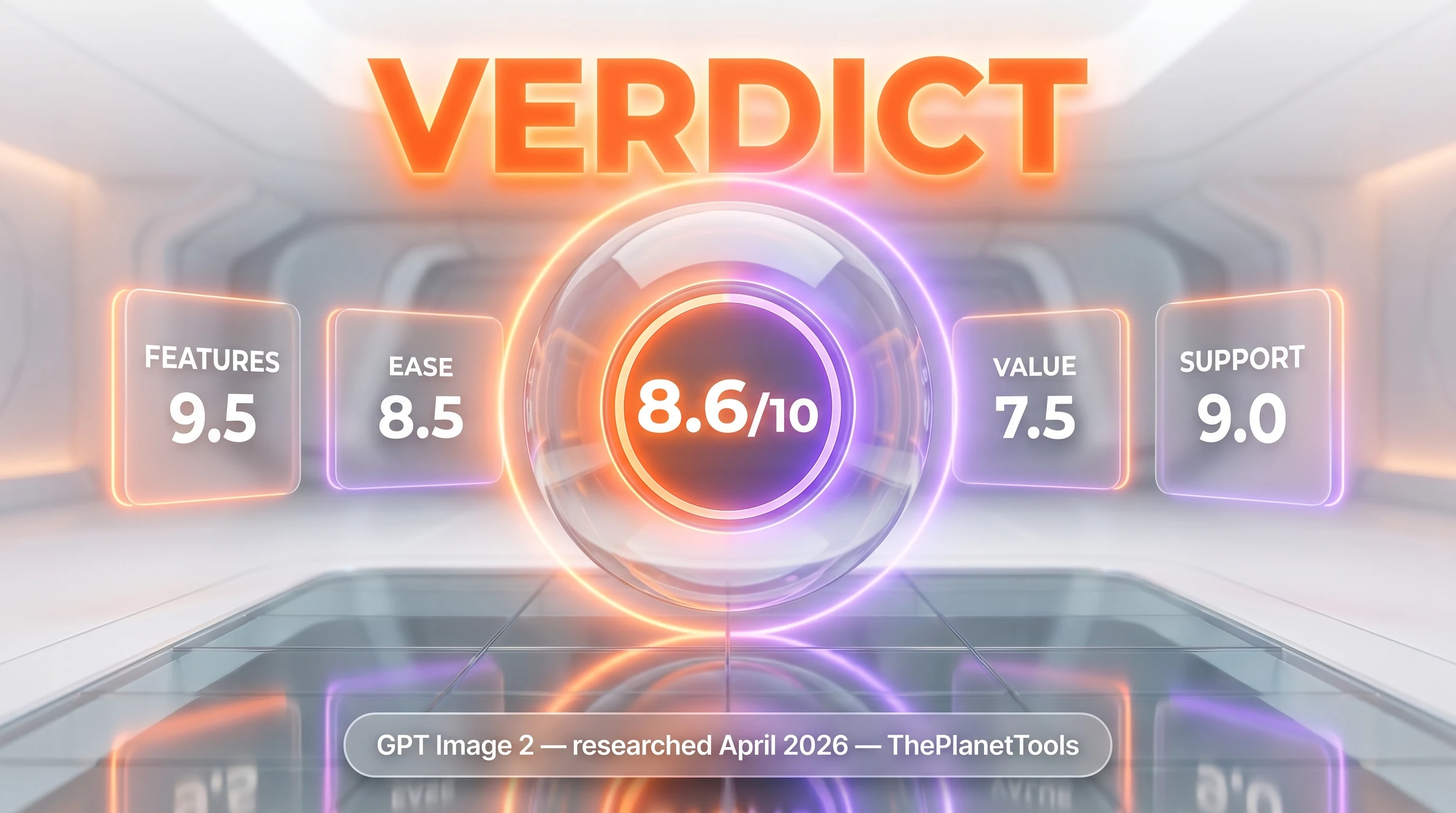
GPT Image 2 earns an 8.6 out of 10 on three reasons: best-in-class text rendering at around 99 percent character accuracy across Latin and non-Latin scripts, native 4K output without an upscaler, and the first reasoning-enabled image generation pipeline from OpenAI. What raises it is the maturity of the OpenAI API ecosystem and the multilingual coverage that opens global campaign workflows. What holds it back from a higher score is premium pricing — high quality at 1024x1024 lands near 0.21 dollars per image, roughly 1.5x Nano Banana Pro — combined with no transparent backgrounds, no free tier, and a stingy Tier 1 rate limit that makes it expensive to prototype with at scale.
Score breakdown:
- Features: 9.5 out of 10 — 99 percent text accuracy, native 4K, reasoning, multilingual coverage, streaming, and edit endpoints all check out
- Ease of Use: 8.5 out of 10 — standard OpenAI SDK, predictable API surface, but learning curve on cost forecasting and quality tier selection
- Value: 7.5 out of 10 — premium pricing, no free tier, reference-image cost trap drag the score; batch discounts and Foundry credits soften it
- Support: 9.0 out of 10 — mature OpenAI ecosystem, enterprise availability through Microsoft Foundry and Azure, predictable rate-limit ladder
Final word: If your workflow involves any text on images and you serve global markets, GPT Image 2 is the safe pick — the 99 percent text accuracy and multilingual rendering remove a class of design defects that has plagued AI image work for three years. Volume teams generating hundreds of thousands of images per month will land on FLUX 2 or self-hosted Stable Diffusion 4 for unit economics. Photo-first teams will stay on Nano Banana Pro for portraiture and reference-heavy workflows. For everyone in between — design-led marketing, editorial illustration, multilingual ad creative — GPT Image 2 is the new default. Last researched: April 29 2026. Read also our coverage of the ChatGPT Images 2.0 launch and the LMArena leak that previewed the specs.
Key Features
Pros & Cons
Pros
- Best-in-class text rendering — ~99% character accuracy beats Nano Banana Pro and crushes the gap that crippled DALL-E 3, Midjourney, and FLUX for design work
- Native 4K resolution up to 3840 pixels per side without upscaling — print-ready output direct from the API
- Reasoning before generation — model researches, plans layout, and self-checks outputs, especially valuable for complex compositions like infographics
- Multilingual text rendering covering CJK (Chinese, Japanese, Korean), Arabic, Hindi, and Bengali scripts at design-grade quality
- Flexible sizing — any size with 16-pixel-multiple sides up to 3:1 aspect ratio, far beyond DALL-E 3's three fixed shapes
- Streaming with partial_images parameter for progressive UI display — low quality refines to high in 0 to 3 partial frames
- Mature OpenAI API ecosystem — SDK in every language, Microsoft Foundry deployment, predictable rate-limit tier ladder
Cons
- Premium pricing — high quality 1024x1024 lands near $0.21 per image, roughly 1.5x Nano Banana Pro at the same resolution and 5x FLUX Pro 1.1
- No free tier or free trial — every call charges tokens unless you consume credits via Microsoft Foundry promotional grants
- No transparent backgrounds — opaque output only, requires post-processing alpha extraction for design overlays
- Reference images for editing always bill at high-fidelity rate regardless of output quality, multiplying real cost 2x to 3x for iterative workflows
- Tier-1 rate limits are stingy — 5 images per minute on entry tier means small teams must buy upgrades to scale beyond prototyping
Best Use Cases
Platforms & Integrations
Available On
Integrations
Compare GPT Image 2

We're developers and SaaS builders who use these tools daily in production. Every review comes from hands-on experience building real products — DealPropFirm, ThePlanetIndicator, PropFirmsCodes, and many more. We don't just review tools — we build and ship with them every day.
Written and tested by developers who build with these tools daily.
Frequently Asked Questions
What is GPT Image 2?
OpenAI's flagship image model — 99% text accuracy, native 4K, reasoning before generation. Pay-per-image API.
How much does GPT Image 2 cost?
GPT Image 2 costs $0.01/month.
Is GPT Image 2 free?
No, GPT Image 2 starts at $0.01/month.
What are the best alternatives to GPT Image 2?
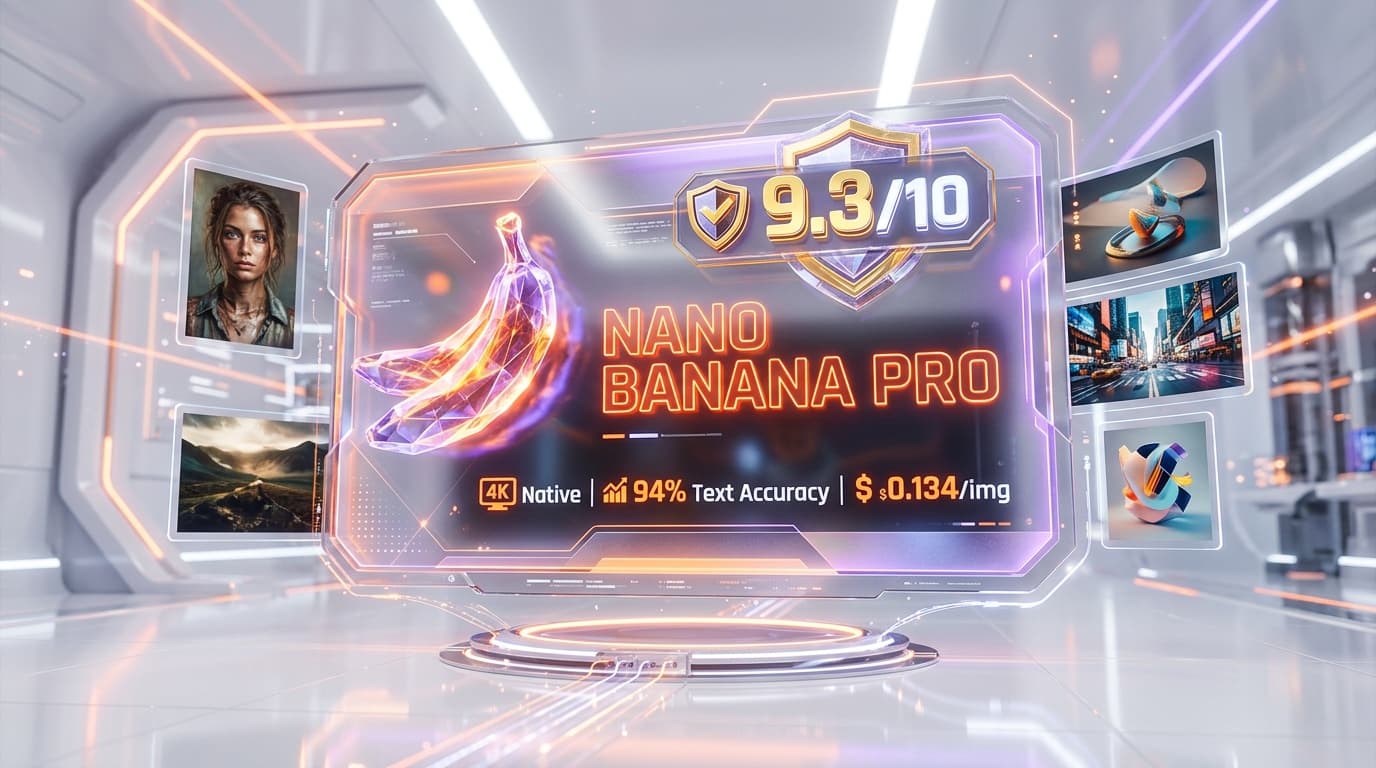
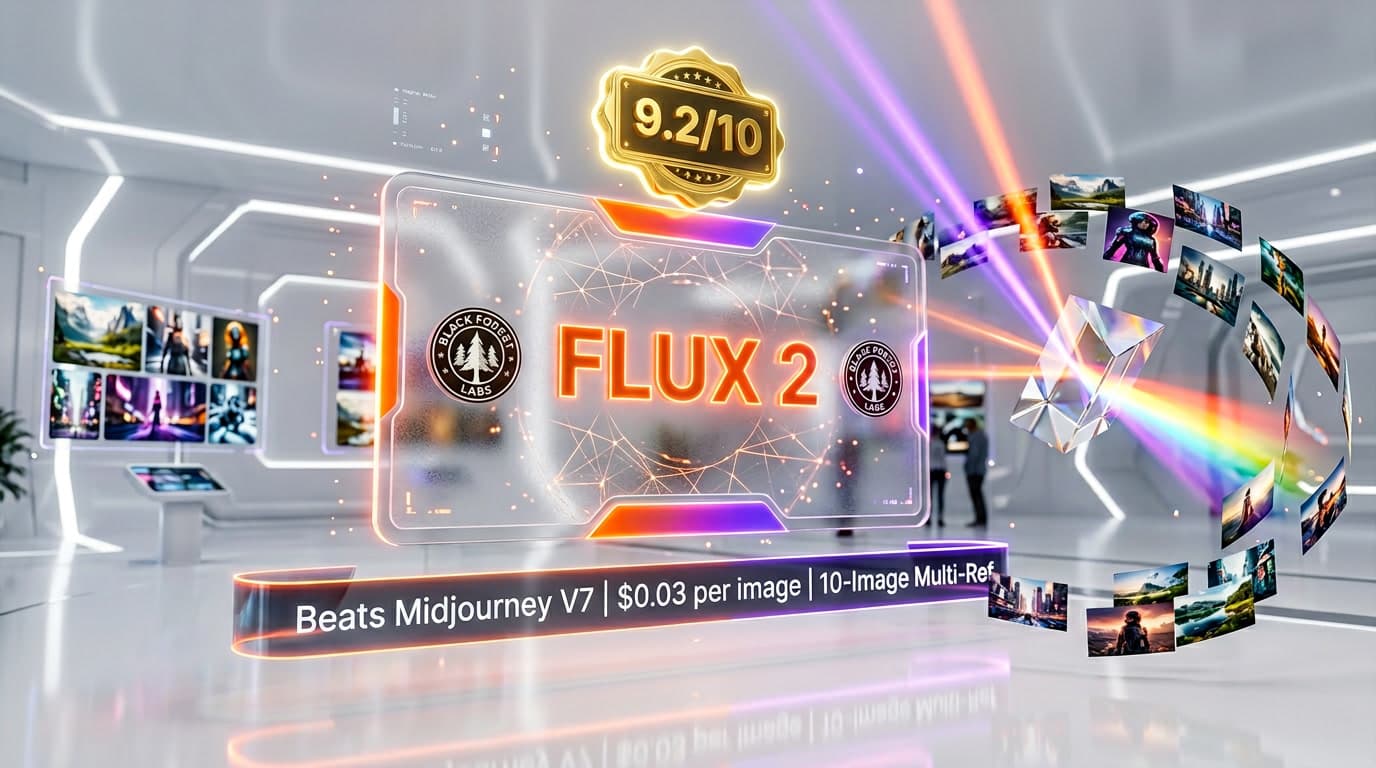
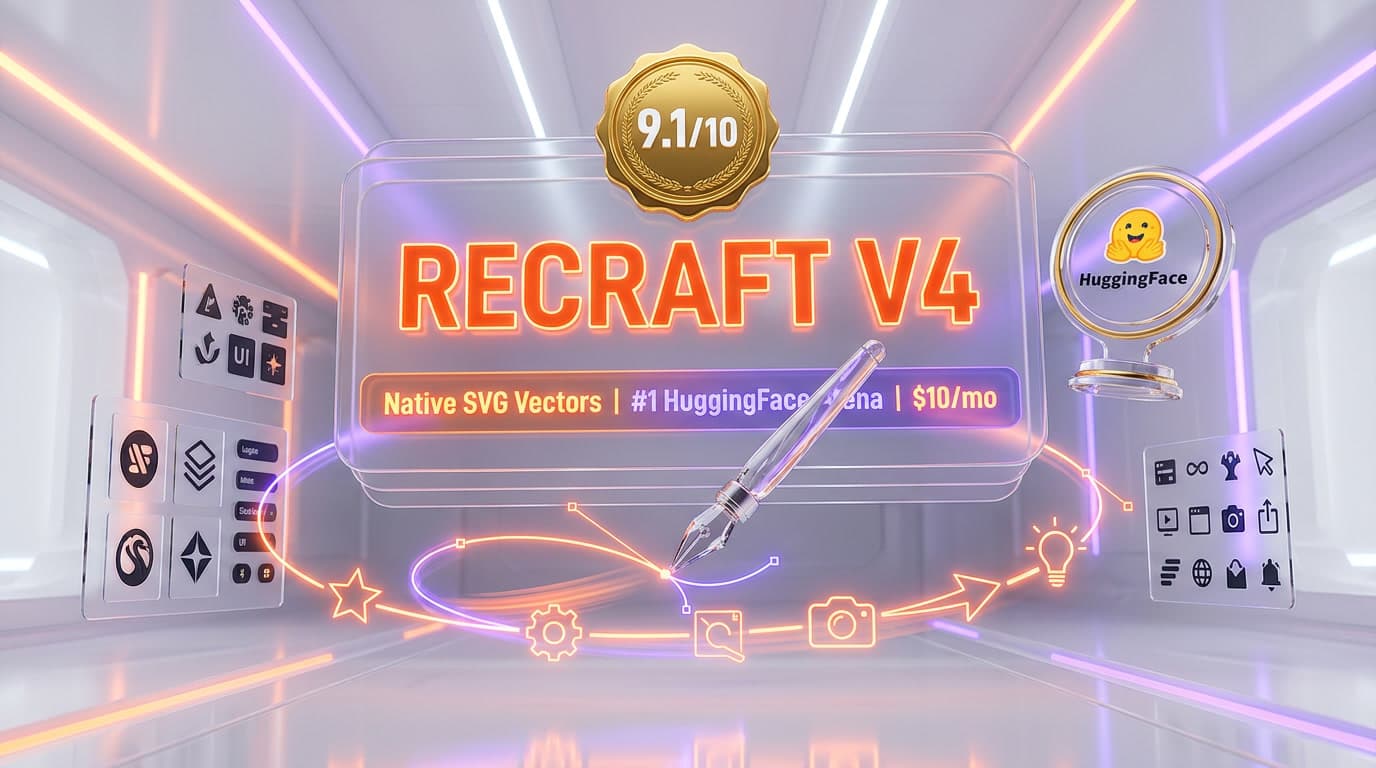
Top-rated alternatives to GPT Image 2 include Nano Banana Pro (9.3/10), FLUX 2 (9.2/10), Recraft V4 (9.1/10), Nano Banana 2 (9/10) — all reviewed with detailed scoring on ThePlanetTools.ai.
Is GPT Image 2 good for beginners?
GPT Image 2 is rated 8.5/10 for ease of use.
What platforms does GPT Image 2 support?
GPT Image 2 is available on REST API, Web (ChatGPT), Microsoft Foundry, Azure OpenAI, fal.ai.
Does GPT Image 2 offer a free trial?
No, GPT Image 2 does not offer a free trial.
Is GPT Image 2 worth the price?
GPT Image 2 scores 7.5/10 for value. It offers good value.
Who should use GPT Image 2?
GPT Image 2 is ideal for: Marketing creatives with on-image text — headlines, CTAs, brand copy rendered correctly without manual retouching, Infographics and data visualizations with embedded labels, axes, legends in design-grade typography, Multilingual product banners — CJK and Arabic typography render at near-print quality, UI mockups with realistic placeholder text — button labels, menu items, form fields, E-commerce hero images requiring consistent brand text overlays at scale, Print-ready assets at native 4K — direct deliverable to designers without upscaling, Editorial illustrations for publishers needing accurate captions and citations baked in, Storyboard panels for video pre-production with annotation labels intact.
What are the main limitations of GPT Image 2?
Some limitations of GPT Image 2 include: Premium pricing — high quality 1024x1024 lands near $0.21 per image, roughly 1.5x Nano Banana Pro at the same resolution and 5x FLUX Pro 1.1; No free tier or free trial — every call charges tokens unless you consume credits via Microsoft Foundry promotional grants; No transparent backgrounds — opaque output only, requires post-processing alpha extraction for design overlays; Reference images for editing always bill at high-fidelity rate regardless of output quality, multiplying real cost 2x to 3x for iterative workflows; Tier-1 rate limits are stingy — 5 images per minute on entry tier means small teams must buy upgrades to scale beyond prototyping.
Best Alternatives to GPT Image 2
Ready to try GPT Image 2?
Get started today
Try GPT Image 2 Now →