
Quick Summary
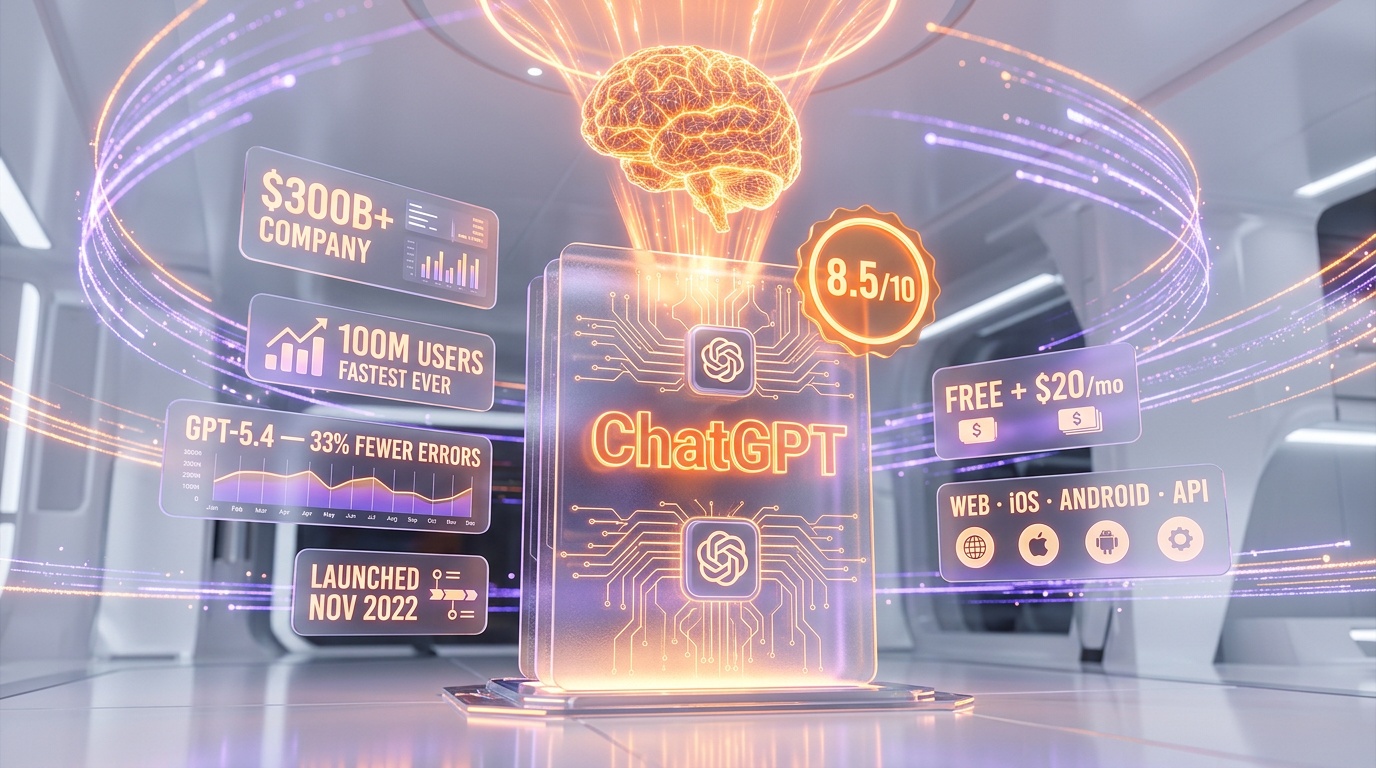
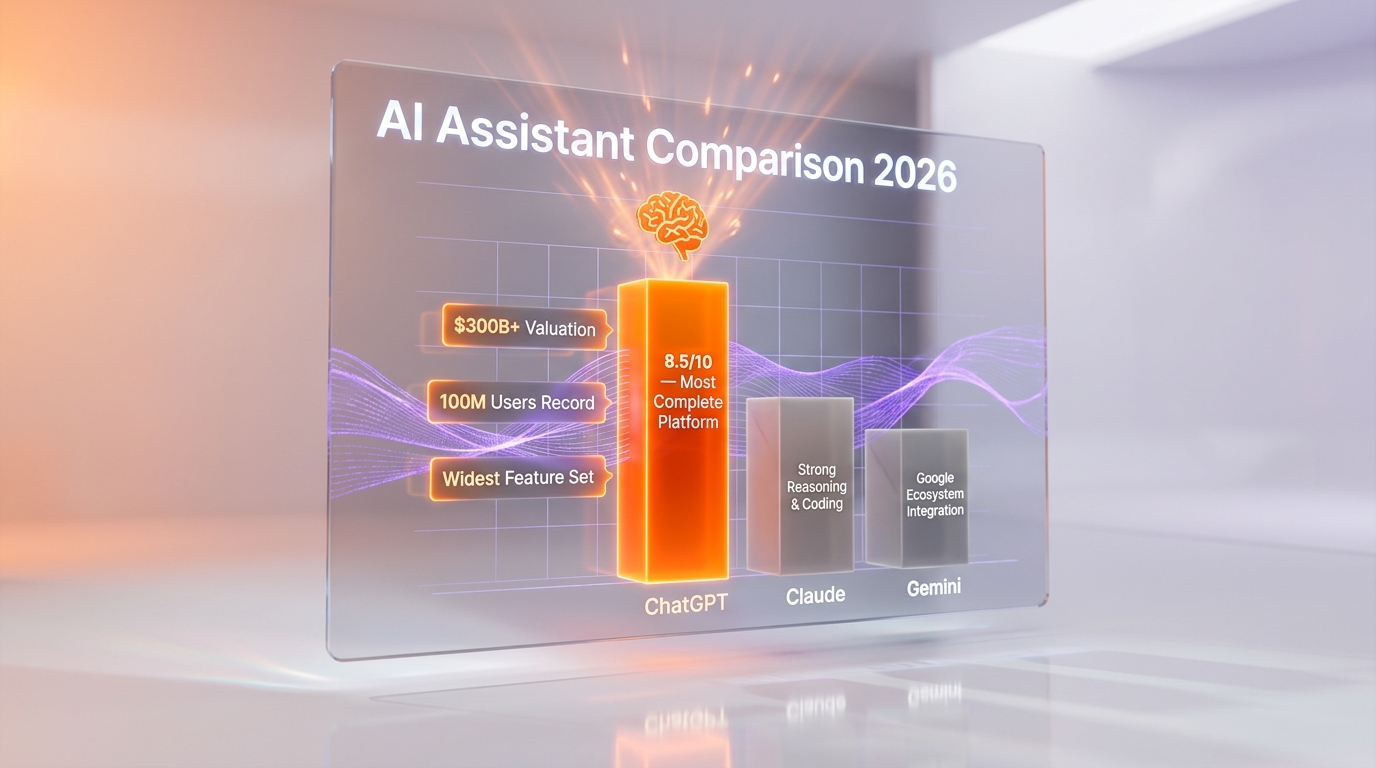
ChatGPT is OpenAI's flagship AI assistant powered by GPT-5.4, combining text generation, DALL-E image creation, Codex-Spark code generation (1,000+ tokens/sec), web browsing, voice mode, and deep Google/Microsoft app integrations into the most complete AI platform available. Score: 8.5/10. Free plan available, Plus from $20/mo — the broadest feature set of any AI assistant, though Claude Opus 4.6 outperforms it on reasoning and coding quality.
What is ChatGPT?
ChatGPT is OpenAI's flagship AI assistant powered by GPT-5.4, combining text generation, DALL-E image creation, Codex-Spark code generation (1,000+ tokens per second), web browsing, voice mode, and deep Google/Microsoft app integrations into the most complete AI platform available. Score: 8.5 out of 10. Free plan available, Plus from $20 per month — the broadest feature set of any AI assistant, though Claude Opus 4.6 outperforms it on reasoning and coding quality.
OpenAI, the company behind ChatGPT, was founded in 2015 by Sam Altman, Greg Brockman, Ilya Sutskever, and others (including early backing from Elon Musk). What started as a nonprofit AI research lab has become a $300 billion+ company with close partnerships with Microsoft and an ecosystem that spans consumer products, enterprise APIs, and developer tools. ChatGPT is the centerpiece of this ecosystem.
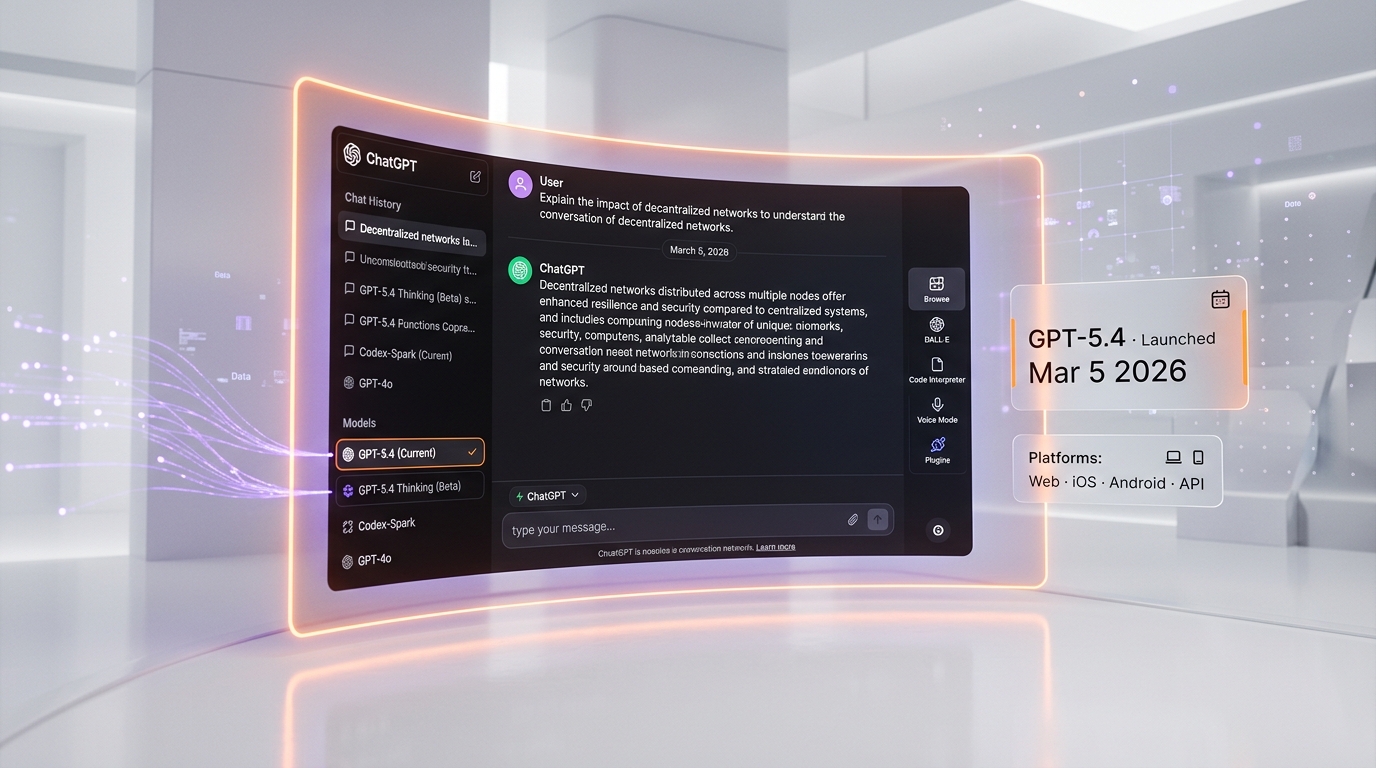
The current version runs on GPT-5.4, launched on March 5, 2026, which represents OpenAI's latest push to close the gap with competitors like Anthropic's Claude and Google's Gemini. GPT-5.4 brings a new "Thinking" mode for complex reasoning, the blazing-fast Codex-Spark model for code generation, improved accuracy (33% fewer errors than GPT-5.2), and deep integration with Google and Microsoft applications. OpenAI moves fast — GPT-5.1 was already retired by March 11, 2026, just weeks after GPT-5.4's launch.
Whether ChatGPT is still the best AI assistant is a more nuanced question in 2026 than it was in 2023. Claude has surpassed it in reasoning and coding quality. Gemini has deeper integration with Google's ecosystem. But ChatGPT remains the most complete AI platform — the widest feature set, the largest ecosystem, and the most polished user experience. It's the Swiss Army knife of AI: maybe not the absolute best at any single thing, but remarkably good at everything.
Key Features in 2026
GPT-5.4 — The Latest Model
Released March 5, 2026, GPT-5.4 is OpenAI's most capable model to date. The key improvements over its predecessors:
- 33% fewer errors compared to GPT-5.2 across reasoning, factual accuracy, and instruction following benchmarks.
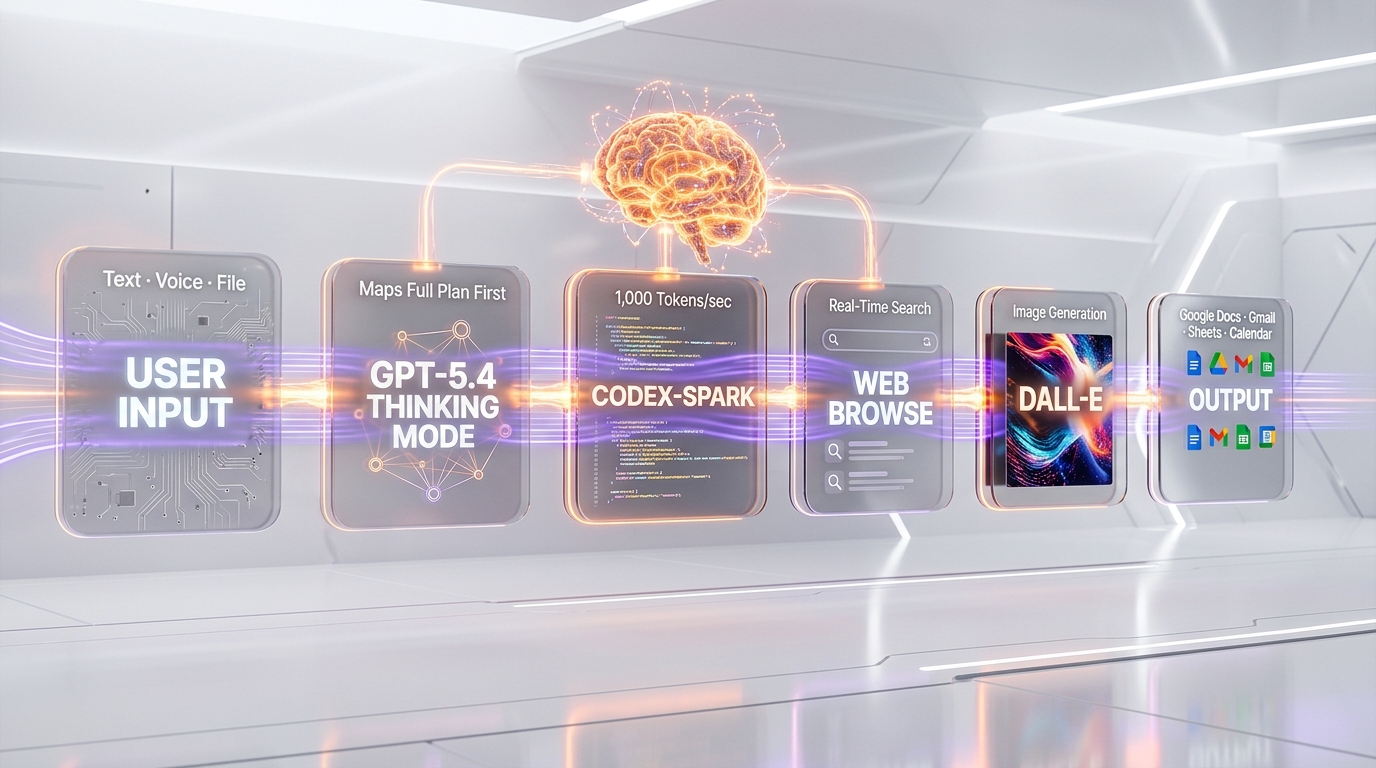
- GPT-5.4 Thinking — A new reasoning mode where the model creates an upfront thinking plan before generating its response. Unlike chain-of-thought approaches that think step-by-step during generation, Thinking mode maps out the entire approach first, then executes. This produces more structured, comprehensive answers for complex queries.
- Improved multilingual performance — Significant gains in non-English languages, particularly Chinese, Japanese, Arabic, and Hindi.
- Better instruction following — GPT-5.4 is more reliable at following complex, multi-constraint instructions without dropping requirements.
GPT-5.3 Codex-Spark — Blazing Fast Code
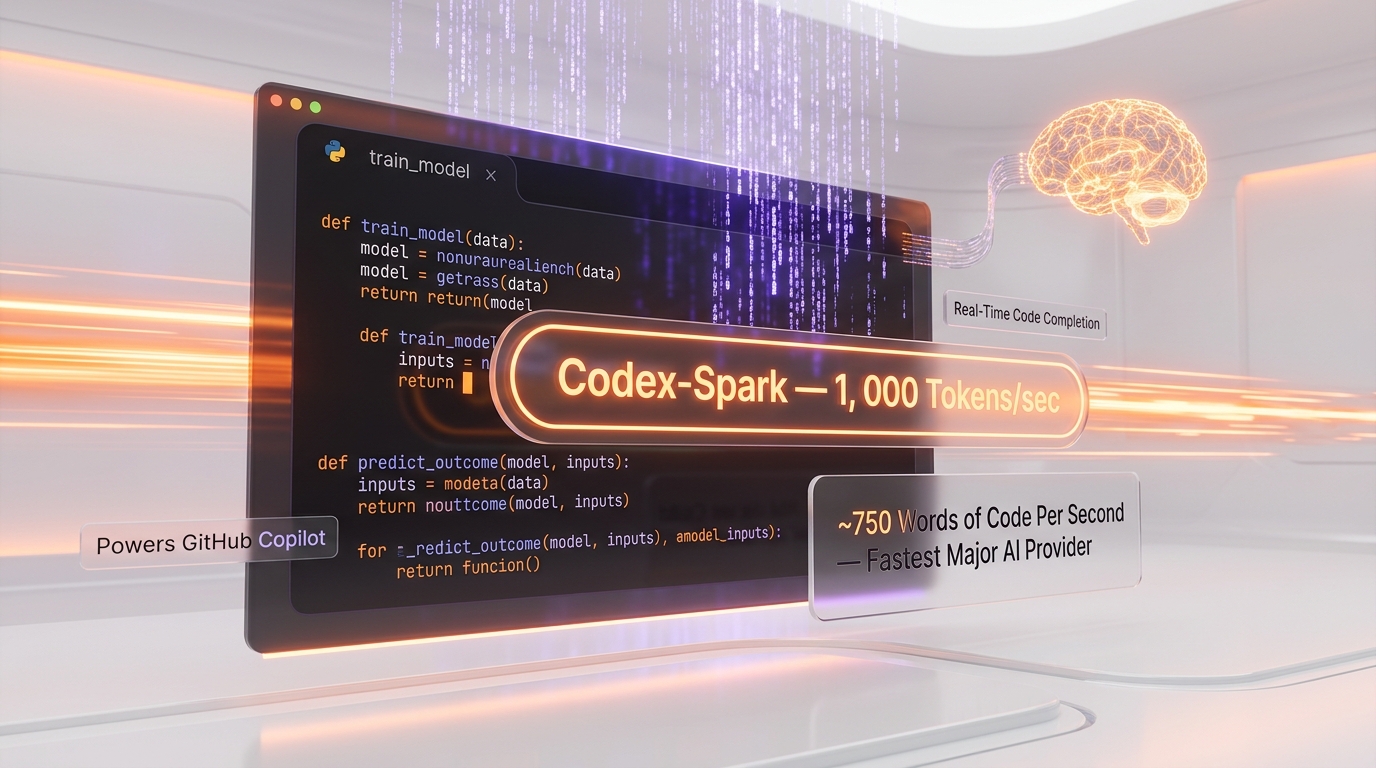
One of the most impressive models in OpenAI's lineup isn't the flagship — it's Codex-Spark, introduced with GPT-5.3. This specialized code generation model produces over 1,000 tokens per second, making it the fastest code generation engine available from any major AI provider. For context, that's roughly 750 words of code per second — fast enough that code generation feels instant, even for large functions. Codex-Spark powers ChatGPT's coding features as well as GitHub Copilot, making real-time code completion feel seamless rather than laggy.
Google and Microsoft App Integration
This is where ChatGPT pulls significantly ahead of Claude and most competitors. GPT-5.4 introduces deep integration with both Google and Microsoft application ecosystems:
- Email drafting and management — ChatGPT can read your Gmail or Outlook inbox, draft replies, summarize email threads, and send messages on your behalf.
- Document creation — Ask ChatGPT to create a Google Doc or Word document, and it generates the file directly in your cloud storage.
- Scheduling — ChatGPT can access your Google Calendar or Outlook Calendar to schedule meetings, check availability, and send invitations.
- Spreadsheet analysis — Upload data or connect to Google Sheets/Excel, and ChatGPT can create charts, run analyses, and generate reports.
This integration turns ChatGPT from an AI chat tool into an AI-powered productivity suite. For knowledge workers who live in Google Workspace or Microsoft 365, this is a genuine game-changer.
Web Browsing and Research
ChatGPT's Browse feature remains best-in-class among AI assistants. It performs real-time web searches, reads web pages, synthesizes information from multiple sources, and cites its sources with links. For research tasks — market analysis, competitor research, fact-checking, staying current on news — ChatGPT's browsing is more polished and reliable than Claude's or Gemini's equivalents.
Image Generation with DALL-E
ChatGPT includes built-in image generation via DALL-E 3 (and its successors). Describe an image in natural language and ChatGPT generates it inline. You can iterate on images, ask for modifications, and generate variations — all within the same conversation. The quality has improved significantly and is competitive with Midjourney for many use cases, though Midjourney and Flux still produce more aesthetically refined results for artistic work.
Code Interpreter (Advanced Data Analysis)
ChatGPT can execute Python code in a sandboxed environment, enabling it to perform data analysis, create visualizations, process files, run statistical analyses, and build interactive charts. Upload a CSV, PDF, or Excel file and ChatGPT can clean the data, generate insights, create publication-quality charts, and export results. This feature alone replaces the need for basic data analysis tools for many knowledge workers.
Voice Mode
ChatGPT's Advanced Voice Mode provides natural, real-time voice conversations with low latency. The AI can adjust its tone, speak in multiple languages, and handle interruptions naturally. It's the closest thing to conversing with a knowledgeable human that any AI product offers. Use cases range from language practice to hands-free coding assistance to brainstorming sessions.
Custom GPTs and GPT Store
OpenAI's GPT Store lets users create and share custom versions of ChatGPT tailored to specific tasks — writing assistants, coding helpers, research tools, game masters, tutors, and thousands of other specialized applications. While the ecosystem hasn't reached "app store" levels of quality, there are several genuinely useful custom GPTs that save significant time for niche workflows.
Memory and Personalization
ChatGPT remembers information across conversations — your preferences, your projects, your communication style, your role, and your recurring tasks. Over time, it becomes increasingly personalized to your needs. You can review, edit, and delete memories at any time. This persistent memory makes ChatGPT more useful the longer you use it, as it accumulates context about your work and preferences.
Pricing Breakdown
OpenAI now offers six plans for ChatGPT — from free to enterprise. The lineup expanded in early 2026 with the addition of the Go tier.
Individual Plans
| Plan | Price | Model | Key Features |
|---|---|---|---|
| Free | $0 | GPT-5.2 Instant | ~10 messages/5h, basic access, no image generation |
| Go | $8 per month | GPT-5.2 | 3x Free limits, DALL-E image gen, file uploads |
| Plus | $20 per month | GPT-5.4 + Thinking | 5x Free limits, priority access, all tools, Sora video |
| Pro | $200 per month | GPT-5.4 Pro (max compute) | Unlimited access, Sora 2 Pro, maximum reasoning, o1 pro mode |
Team & Business Plans
| Plan | Price | Details |
|---|---|---|
| Business | $25 per user/mo (annual) or $30 per user/mo (monthly) | Admin console, no training on data, workspace sharing, min 2 users |
| Enterprise | Custom pricing | SSO/SAML, SCIM, extended context, data residency, audit logs, 24/7 SLA support |
API Pricing (per million tokens, March 2026)
| Model | Input | Output | Notes |
|---|---|---|---|
| GPT-5.4 | $2.50 | $10 | Latest frontier model |
| GPT-5.4 Thinking | $5 | $20 | Reasoning mode with visible plan |
| GPT-5.3 Codex-Spark | $0.50 | $2 | 1000+ tokens per second, coding optimized |
| GPT-4o | $2.50 | $10 | Being deprecated Q2 2026 |
Which Plan Should You Choose?
Free is fine for occasional use — quick questions, simple tasks. But the 10-message limit per 5 hours is restrictive.
Go at $8 per month is new for 2026 and hits a sweet spot: you get DALL-E, file uploads, and 3x the limits. Perfect for casual users who want a bit more.
Plus at $20 per month is the most popular tier. You get GPT-5.4 with Thinking mode, Sora video generation, and enough capacity for daily professional use. If you use ChatGPT for work, this is the minimum.
Pro at $200 per month is for power users who need maximum reasoning compute. The GPT-5.4 Pro model runs with more compute per query, producing noticeably better results on complex tasks like coding, math, and research. Also includes unlimited Sora 2 Pro for video generation.
ChatGPT vs Claude Pricing
Both charge $20 per month for their standard paid tier. The key difference: Claude offers Max plans at $100 and $200 per month for higher limits, while ChatGPT Pro at $200 per month focuses on better model quality (more compute) rather than just more messages. For heavy users who want volume, Claude Max 5x at $100 per month is better value. For users who want the absolute best output quality, ChatGPT Pro's extra compute may be worth it.
Pros and Cons — Our Honest Take
Pros
- The most complete AI platform available. No other AI assistant combines text generation, image creation, code execution, web browsing, voice interaction, and app integrations into a single product as seamlessly as ChatGPT. It's genuinely an all-in-one tool.
- App integrations are a genuine differentiator. Being able to draft emails in Gmail, create Google Docs, schedule meetings, and analyze spreadsheets directly from ChatGPT eliminates significant context-switching. Claude and Gemini are playing catch-up here.
- Codex-Spark speed is impressive. At 1,000+ tokens per second, code generation feels instant. For developers who use ChatGPT for coding, this speed advantage is noticeable and meaningful.
- Best-in-class web browsing. ChatGPT's Browse feature is the most polished and reliable web research tool among AI assistants. It finds relevant sources, synthesizes information, and cites properly.
- Ecosystem depth. Custom GPTs, plugins, the GPT Store, API access, voice mode, DALL-E integration — ChatGPT has the broadest feature set and the largest community of any AI assistant.
- Generous free tier. The free plan now includes GPT-5.4 access (with limits), Browse, Code Interpreter, and limited DALL-E — more than many competitors offer for free.
- Memory and personalization. ChatGPT gets better the more you use it, remembering your preferences, projects, and communication style across conversations.
Cons
- Reasoning quality trails Claude Opus 4.6. On complex reasoning tasks, multi-step logic, and nuanced coding challenges, GPT-5.4 is measurably behind Claude Opus 4.6. The gap has narrowed with GPT-5.4 Thinking, but it's still there.
- Writing quality feels more "AI-like." ChatGPT's prose is competent but has a detectable AI style — slightly generic, occasionally verbose, with telltale patterns. Claude produces more natural, human-sounding writing. If you create content professionally, this matters.
- Context window is smaller than competitors. GPT-5.4's context window, while large, doesn't match Claude's 1M tokens or Gemini's 1M tokens. For tasks involving very large documents or codebases, this is a limitation.
- Pro plan is expensive. At $200 per month, ChatGPT Pro is the most expensive consumer AI plan from any major provider. Claude's Max plan offers comparable unlimited usage at $100 per month. Unless you need specific ChatGPT features, the Pro plan is hard to justify.
- Rapid model deprecation. OpenAI moves fast, which means older models get retired quickly. GPT-5.1 was retired by March 11, 2026 — just weeks after GPT-5.4's launch. If your workflows depend on a specific model version, this churn can be disruptive.
- Privacy concerns. OpenAI's data handling has been scrutinized by regulators. While Team and Enterprise plans exclude data from training, Free and Plus users' conversations may be used to improve models. If you work with sensitive information, review the data policy carefully.
Who Should Use ChatGPT?
- Knowledge workers who live in Google Workspace or Microsoft 365. The app integrations — email drafting, document creation, calendar management, spreadsheet analysis — make ChatGPT an AI-powered productivity layer on top of your existing tools. No other AI assistant does this as well.
- Generalists who need one tool for everything. If you write, code, research, create images, analyze data, and browse the web, ChatGPT does all of it in one interface. You don't need Midjourney AND Claude AND a data analysis tool — ChatGPT handles all three.
- Teams and enterprises. The Team and Enterprise plans offer robust admin controls, data protection, and shared workspaces. OpenAI's enterprise sales organization is mature, and the onboarding process is well-established.
- Non-technical users. ChatGPT has the most intuitive, polished user interface of any AI assistant. If you're not technically inclined, ChatGPT is the easiest to start with and get value from immediately.
- Developers who prioritize speed. Codex-Spark's 1,000+ tokens per second makes ChatGPT the fastest code generation tool available. For real-time coding assistance where latency matters, ChatGPT has an edge.
Who Should NOT Use ChatGPT?
- Developers who need the most capable coding AI. Claude Opus 4.6 and Claude Code are superior for complex coding tasks. If coding is your primary use case and you want the highest quality, Claude is the better choice.
- Professional writers who need natural-sounding prose. Claude produces more human-like, less detectable AI writing. If you create content for a living, the quality difference is noticeable and worth the switch.
- Users working with very large documents or codebases. Claude's 1M token context window and 128K output tokens significantly outperform ChatGPT's context capabilities. For large-scale document analysis or codebase-wide coding, Claude handles more context more accurately.
- Budget-conscious power users. ChatGPT's Pro plan at $200 per month is twice the price of Claude's Max at $100 per month. If you're a heavy user who needs unlimited access, Claude offers better value.
- Privacy-sensitive users on free/Plus plans. If data privacy is a top priority and you're not willing to pay for Team/Enterprise plans, Claude's privacy-by-default approach (no training on conversations at any tier) may be preferable.
ChatGPT vs Competitors
ChatGPT vs Claude
The fundamental trade-off: ChatGPT is the more complete platform, Claude is the more capable model. Claude Opus 4.6 produces better code, better writing, and better reasoning than GPT-5.4. Claude's 1M token context window and 128K output tokens are larger. Claude Code is a more powerful developer tool. But ChatGPT has image generation, voice mode, app integrations, web browsing, Code Interpreter, custom GPTs, and a larger ecosystem. If you need one tool that does everything, ChatGPT. If you need the best possible AI output quality, Claude. Many professionals (including us) use both — ChatGPT for everyday tasks and integrations, Claude for serious coding and writing. The full side-by-side lives in ChatGPT versus Claude.
ChatGPT vs Gemini
Google's Gemini 2.5 Pro is ChatGPT's most direct competitor for users in the Google ecosystem. Gemini integrates more deeply with Google services (Search, Gmail, Docs, Drive, Maps, YouTube) and offers a 1M token context window. Gemini also generates images and has strong multimodal capabilities (it can process video and audio natively). ChatGPT's advantages over Gemini include better code generation (Codex-Spark), more polished UX, a larger third-party ecosystem (GPTs, plugins), and Microsoft integration. Gemini's advantages include Google ecosystem depth, more generous free-tier limits, and stronger performance on multimodal tasks involving video. The choice often comes down to ecosystem: Google users lean Gemini, Microsoft users lean ChatGPT.
ChatGPT vs Grok
Grok is the third assistant that regularly comes up alongside ChatGPT and Claude, and it competes on personality and real-time X data rather than on ecosystem breadth. Grok versus ChatGPT is where we settle that one.
Our Experience Using ChatGPT
At ThePlanetTools.ai, ChatGPT is our second-most-used AI tool after Claude. We use it daily, but for different purposes than Claude. Here's how it fits into our workflow:
Research and web browsing: When we need to research a new tool for the site — gathering pricing data, reading recent news, checking user reviews, comparing features — ChatGPT's Browse feature is our go-to. It's faster and more reliable than manually searching and reading multiple web pages. We can say "find the latest pricing for [tool], check their recent changelog, and summarize user sentiment from Reddit and Twitter" and get a comprehensive summary in 30 seconds.
Email and scheduling: The Google Workspace integration has saved us significant time. "Draft a reply to the last email from [contact] confirming the meeting and proposing Thursday at 2 PM" — and ChatGPT reads the email thread, drafts the reply, and sends it. This isn't revolutionary technology, but the polish and reliability of the integration makes it genuinely useful rather than gimmicky.
Data analysis: We regularly upload analytics data (CSV exports from our dashboard) into ChatGPT and ask for analysis. "Compare this month's traffic to last month, identify the top-performing pages, and create a chart showing traffic trends by category." Code Interpreter handles this in seconds, producing clean Matplotlib visualizations and actionable insights.
Image generation: For quick social media graphics, blog post thumbnails, and concept visualizations, DALL-E through ChatGPT is convenient. It's not Midjourney-quality for artistic work, but for functional images — diagrams, icons, illustrations — it's good enough and the convenience of staying in one interface is valuable.
Where we DON'T use ChatGPT: Serious coding (we use Claude Code), long-form content writing (Claude produces better prose), and tasks requiring large context windows (Claude's 1M tokens handles our full codebase). ChatGPT is our productivity tool; Claude is our quality tool.
What's New in March 2026
- GPT-5.4 launch (March 5, 2026) — The latest flagship model with Thinking mode, 33% fewer errors, and improved multilingual performance.
- GPT-5.4 Thinking — A new reasoning approach where the model creates an upfront thinking plan before generating responses, producing more structured outputs for complex queries.
- GPT-5.1 retirement (March 11, 2026) — OpenAI deprecated GPT-5.1, continuing their aggressive model lifecycle management. Users are automatically migrated to newer models.
- Enhanced app integrations — Google and Microsoft integrations now support more actions: creating presentations in Google Slides, managing tasks in Microsoft To-Do, and updating CRM entries.
- Codex-Spark optimizations — The 1,000+ tokens per second code generation engine received accuracy improvements while maintaining its speed advantage.
- Voice Mode updates — Advanced Voice Mode now supports more languages, has lower latency, and can handle more complex multi-turn conversations without losing context.
FAQ
Is ChatGPT still the best AI assistant in 2026?
It depends on what you mean by "best." ChatGPT is the most complete AI platform — it has the widest feature set (text, images, code, voice, web browsing, app integrations) and the largest ecosystem. However, it's no longer the most capable model. Claude Opus 4.6 outperforms GPT-5.4 on reasoning, coding, and writing quality benchmarks. If you need one tool that does everything, ChatGPT is arguably still the best. If you need the highest quality output for specific tasks, Claude or Gemini may be better choices.
What is GPT-5.4 Thinking mode?
GPT-5.4 Thinking is a new reasoning feature where the model creates an upfront thinking plan before generating its response. Instead of thinking step-by-step during generation (like chain-of-thought), Thinking mode maps out the entire approach, identifies potential issues, and organizes its thoughts first, then produces a more structured and comprehensive answer. It's particularly effective for complex math problems, multi-step analysis, and tasks with multiple constraints. Thinking mode is available on ChatGPT Plus and Pro plans.
How fast is GPT-5.3 Codex-Spark?
Codex-Spark generates code at over 1,000 tokens per second, making it the fastest code generation model from any major AI provider. In practical terms, that's approximately 750 words of code per second — fast enough that even large function implementations appear nearly instantly. This speed makes real-time code completion feel seamless and is a significant advantage for developers who use ChatGPT or GitHub Copilot for coding. The speed doesn't compromise quality — Codex-Spark maintains strong accuracy while operating at these speeds.
Is ChatGPT Plus worth $20 per month?
For most users, yes. The Plus plan unlocks GPT-5.4 Thinking mode, higher message limits, Advanced Voice Mode, more DALL-E generations, Google and Microsoft app integrations, and custom GPTs. If you use ChatGPT daily for work, the productivity gains from these features easily justify $20 per month. If you only use ChatGPT occasionally for simple questions, the free tier is sufficient. The sweet spot user for Plus is a knowledge worker who uses ChatGPT for email management, research, data analysis, and content creation daily.
Is ChatGPT better than Claude for coding?
No. As of March 2026, Claude Opus 4.6 outperforms GPT-5.4 on coding benchmarks including SWE-bench and HumanEval. Claude Code (the CLI tool) is also a more capable autonomous coding agent than anything ChatGPT offers. ChatGPT's advantage in coding is speed — Codex-Spark at 1,000+ tokens per second is faster than Claude. But for complex coding tasks where quality matters more than speed — debugging, refactoring, architecture, writing production code — Claude is the better choice. For real-time autocomplete and quick code generation, ChatGPT's speed advantage matters more.
Can ChatGPT access my email and calendar?
Yes, with your permission. ChatGPT's GPT-5.4 integrates with both Google Workspace (Gmail, Google Calendar, Google Docs, Google Sheets) and Microsoft 365 (Outlook, Microsoft Calendar, Word, Excel). You authorize the connection through OAuth, and ChatGPT can then read your emails, draft replies, schedule meetings, create documents, and analyze spreadsheets. You control exactly what ChatGPT can access, and you can revoke permissions at any time. This feature is available on the Plus plan and above.
Why did OpenAI retire GPT-5.1 so quickly?
OpenAI has adopted an aggressive model lifecycle strategy, retiring older models quickly to consolidate infrastructure costs and push users to newer, better versions. GPT-5.1 was retired by March 11, 2026 — just weeks after GPT-5.4's launch. This is normal for OpenAI but can be disruptive for developers who have built applications on specific model versions. For API users, OpenAI provides migration guides and typically gives 2-4 weeks notice before retirement. Consumer ChatGPT users are automatically upgraded to the latest model.
Is ChatGPT safe to use for business?
It depends on your plan. On the Free and Plus plans, OpenAI may use your conversations to improve their models (you can opt out in settings). On Team and Enterprise plans, your data is explicitly excluded from training, and you get additional security features including SSO, admin controls, audit logs, and data retention policies. For businesses handling sensitive data, the Team plan ($25 per user/month annually) is the minimum recommended tier. Enterprise offers the most comprehensive security with custom data handling, SLA guarantees, and dedicated support. OpenAI is SOC 2 Type II certified.
How does ChatGPT compare to Google Gemini?
ChatGPT and Gemini are the two broadest AI platforms available. ChatGPT's advantages: better code generation (Codex-Spark), more polished UX, larger third-party ecosystem (Custom GPTs, plugins), Microsoft integration, and Advanced Voice Mode. Gemini's advantages: deeper Google ecosystem integration (Search, Gmail, Docs, Drive, Maps, YouTube), 1M token context window (larger than GPT-5.4), native video and audio processing, and more generous free-tier limits. For Google Workspace users, Gemini is often the better choice due to seamless integration. For Microsoft users or those who need the broadest feature set, ChatGPT wins. Both are $20 per month for their premium consumer plans.
Key Features
Pros & Cons
Pros
- Excellent general knowledge
- Strong coding abilities
- Plugin ecosystem
- Image generation with DALL-E
- Voice conversations
Cons
- Can hallucinate facts
- GPT-4 has usage caps
- Privacy concerns with data training
- Expensive team plans
Best Use Cases
Platforms & Integrations
Available On
Compare ChatGPT
Active Deals for ChatGPT

We're developers and SaaS builders who use these tools daily in production. Every review comes from hands-on experience building real products — DealPropFirm, ThePlanetIndicator, PropFirmsCodes, and many more. We don't just review tools — we build and ship with them every day.
Written and tested by developers who build with these tools daily.
Frequently Asked Questions
What is ChatGPT?
The most popular AI assistant by OpenAI
How much does ChatGPT cost?
ChatGPT has a free tier. Premium plans start at $20/month.
Is ChatGPT free?
Yes, ChatGPT offers a free plan. Paid plans start at $20/month.
What are the best alternatives to ChatGPT?
Top-rated alternatives to ChatGPT include Claude Code (9.9/10), Cursor (9.5/10), Veo 3.1 (9.4/10), Claude Opus 4.7 (9.4/10) — all reviewed with detailed scoring on ThePlanetTools.ai.
Is ChatGPT good for beginners?
ChatGPT is rated 9/10 for ease of use.
What platforms does ChatGPT support?
ChatGPT is available on web, ios, android, api.
Does ChatGPT offer a free trial?
No, ChatGPT does not offer a free trial.
Is ChatGPT worth the price?
ChatGPT scores 7.5/10 for value. It offers good value.
Who should use ChatGPT?
ChatGPT is ideal for: Content creation, Coding assistant, Research, Customer support, Education.
What are the main limitations of ChatGPT?
Some limitations of ChatGPT include: Can hallucinate facts; GPT-4 has usage caps; Privacy concerns with data training; Expensive team plans.
Best Alternatives to ChatGPT




Ready to try ChatGPT?
Start with the free plan
Try ChatGPT Free →