
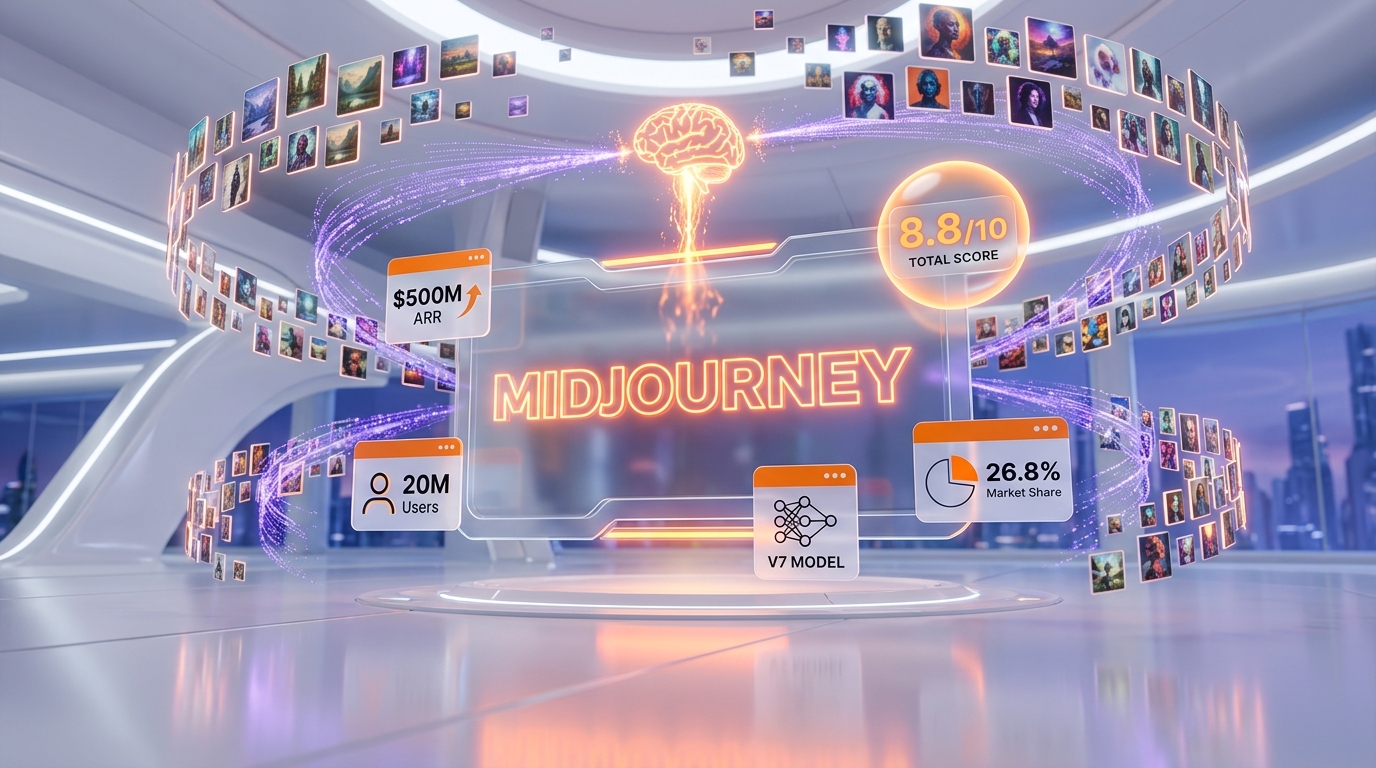
Midjourney has redefined what is possible with AI-generated imagery. Since its launch in 2022, the platform has grown from a niche experiment into a creative powerhouse used by nearly 20 million people worldwide, generating hundreds of millions of images each month. In a market crowded with AI image generators, Midjourney consistently leads in artistic quality, photorealism, and aesthetic sophistication.
As of May 2026, Midjourney is running its V7 model in production, with the new V8 alpha available for testing on alpha.midjourney.com (released March 17, 2026). V7 powers the overhauled web editor, voice prompting, and text-to-video pipeline; V8 alpha brings native 2K rendering, dramatically improved text rendering, and roughly 5x faster generation. With no free tier, increasing competition from DALL-E, Stable Diffusion, and newcomers like Ideogram, is Midjourney still worth the subscription? In this thorough review, we cover every detail: features, pricing, pros, cons, and how Midjourney stacks up against every major competitor.
What Is Midjourney?
Midjourney is an AI image generation platform that transforms text prompts into high-quality visual art. Founded by David Holz (co-founder of Leap Motion), Midjourney operates as an independent, self-funded research lab based in San Francisco. The company is notable for having never taken outside venture capital funding, instead sustaining itself entirely through subscription revenue, which is projected to reach $500-600 million in annual recurring revenue by 2026.
Unlike competitors that offer APIs or integrate into existing platforms, Midjourney originally operated exclusively through Discord, requiring users to type commands in chat channels to generate images. This unconventional approach was both its charm and its biggest barrier to entry. In 2025 and 2026, Midjourney has progressively invested in a standalone web experience at midjourney.com, featuring a unified image editor, gallery, and generation interface that no longer requires Discord.
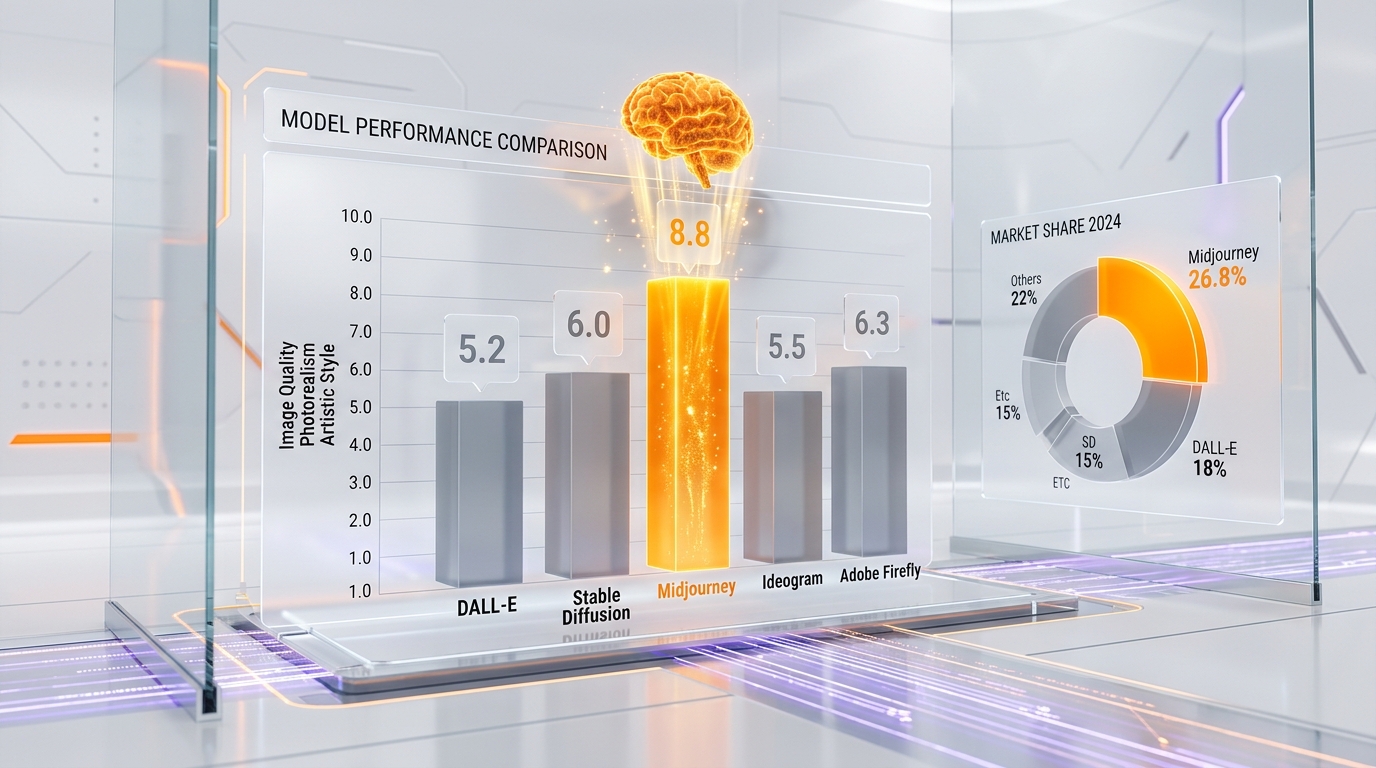
Midjourney's core strength has always been aesthetic quality. While other generators may excel at prompt accuracy or text rendering, Midjourney produces images with a distinctive artistic sensibility: rich lighting, cinematic composition, and a painterly quality that makes its outputs instantly recognizable. This is why Midjourney commands a 26.8% global market share in AI image generation, the largest of any single platform.
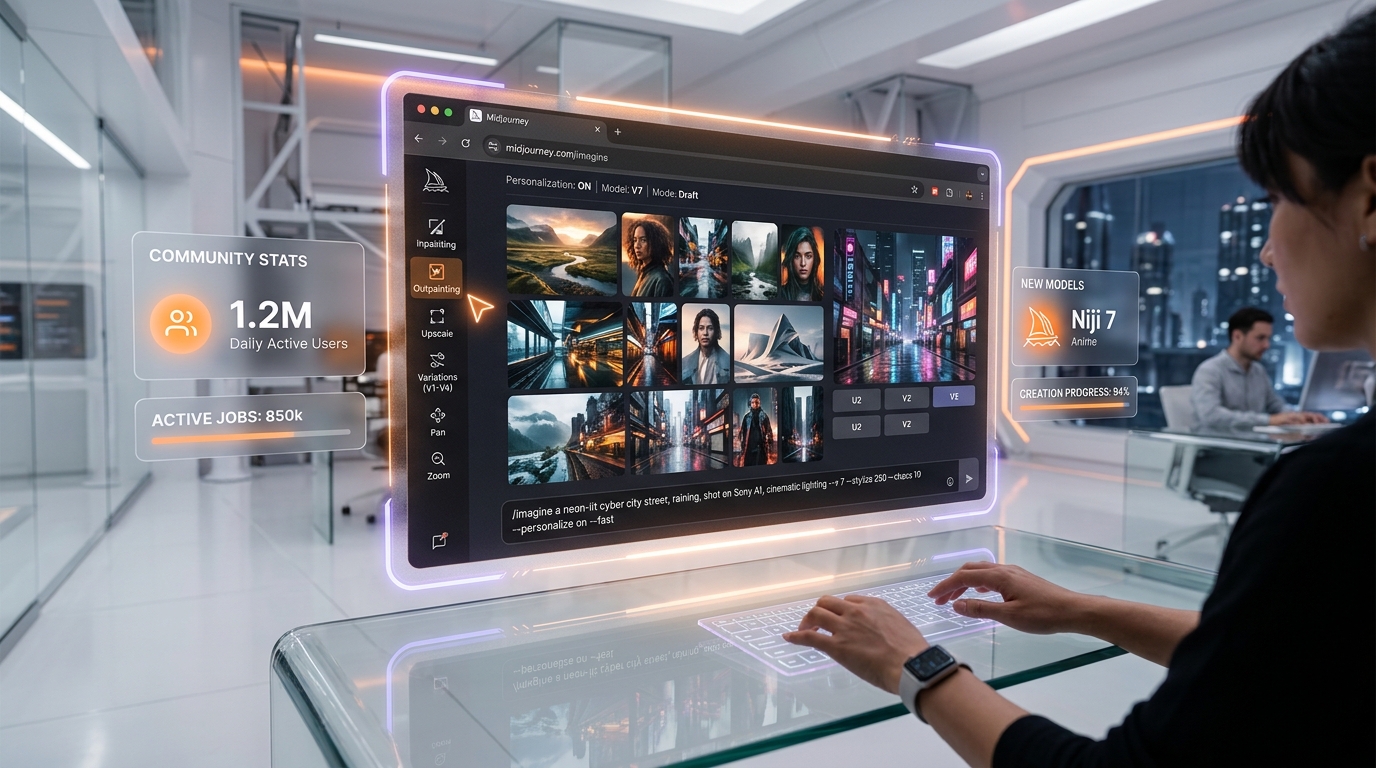
The platform serves a diverse user base spanning digital artists, graphic designers, marketing teams, game developers, architects, interior designers, fashion designers, and hobbyists. Its demographic skews slightly male (59.9%) with the 25-34 age group being the largest segment. Daily active users fluctuate between 1.2 million and 2.5 million.
Key Features in 2026
Midjourney V7 Model
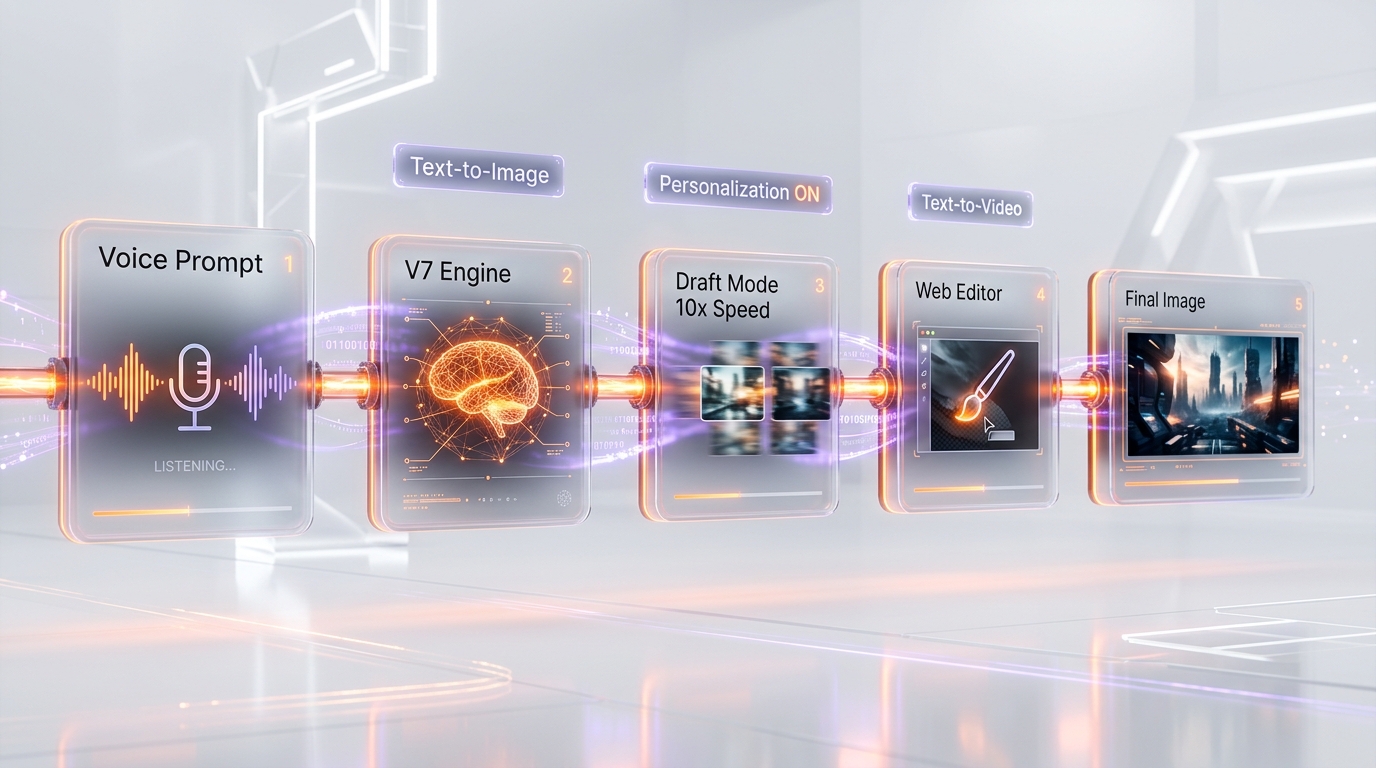
Midjourney V7, released on April 3, 2025 and made the default model on June 17, 2025, represents a ground-up rebuild of Midjourney's image generation system. The improvements over V6 are substantial: richer textures, dramatically better coherence for human bodies, hands, and facial features, more precise prompt interpretation, and a level of photorealism that blurs the line between AI-generated and photographed images. V7 was rebuilt on a new architecture, delivering faster processing times alongside quality improvements.
Midjourney V8 Alpha (March 17, 2026)
The V8 alpha, released for testing at alpha.midjourney.com on March 17, 2026, is Midjourney's biggest step since V7. Three headline upgrades: native 2K resolution via the new --hd mode (no third-party upscaler needed), dramatically improved text rendering when text is placed in quotation marks within the prompt, and roughly 5x faster generation than V7. New parameters include --chaos, --weird, --exp, --raw, and a --q 4 quality mode. Personalization profiles, moodboards, and style references from V7 transfer to V8 alpha. Note that --hd, --q 4, style references, and moodboard jobs cost approximately 4x standard rates because they run 4x slower on the test cluster, and Relax Mode is not yet supported on the alpha. The Midjourney team is building a dedicated server cluster before promoting V8 from alpha to default.
Draft Mode
One of V7's most practical innovations is Draft Mode, which renders images at 10x the speed and half the GPU cost of standard mode. Draft images are lower quality but serve as excellent rapid previews. If you like what you see, you can enhance the draft to full quality. This workflow dramatically speeds up the creative iteration process: generate dozens of draft concepts quickly, then polish the ones that work. For high-volume creators, Draft Mode effectively doubles the value of their subscription.
Voice Prompting
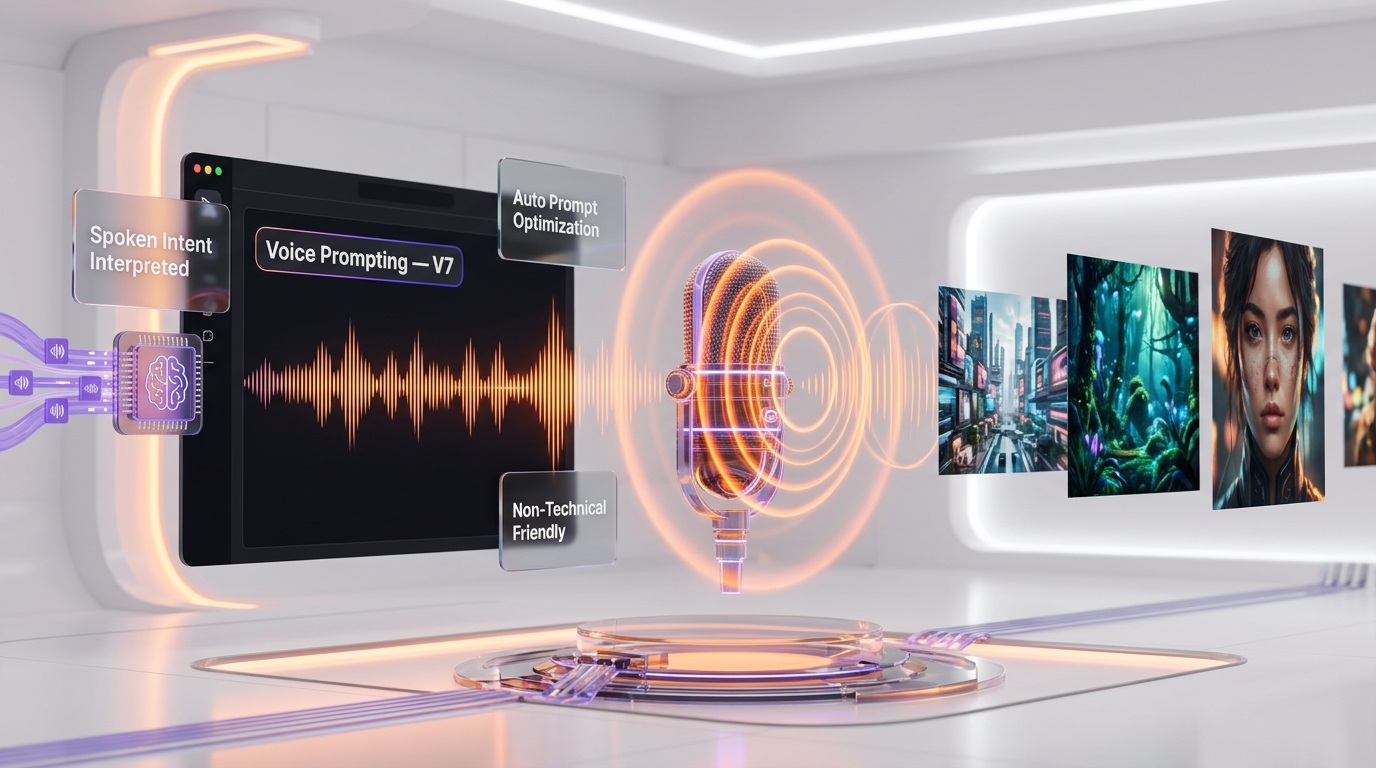
Midjourney V7 introduced voice prompting on the alpha website, allowing users to describe images verbally. The system listens to spoken descriptions, interprets the intent, and generates its own optimized text prompts based on the audio input. This is more than just speech-to-text; Midjourney's AI interprets the creative intent behind your words and often produces better prompts than most users would type manually. Voice prompting makes Midjourney more accessible to non-technical users and speeds up workflows for power users.
Unified Web Editor
The new web editor at midjourney.com/imagine unifies inpainting, outpainting (canvas extension), image variation, and upscaling into a single cohesive interface. The editor features a virtual brush tool for precise inpainting, replacing the previous square selector and lasso tools. This makes editing specific areas of generated images far more intuitive and precise. The web editor is available to all users who have created at least 10 images on the platform.
Personalization
V7 is the first Midjourney model to have personalization enabled by default. The system learns your aesthetic preferences over approximately five minutes of use and then applies those preferences to future generations. This means your outputs gradually become more aligned with your personal style, reducing the need for complex prompt engineering. You can adjust the strength of personalization or disable it entirely.
Text-to-Video
Midjourney has expanded into video generation, allowing users to create short video clips from text prompts. While this feature is still in its early stages compared to dedicated video AI tools, it leverages Midjourney's strength in visual aesthetics to produce cinematic, stylistically rich video content. This is particularly useful for social media content, animated mood boards, and concept visualization.
Niji 7 (Anime Model)
Launched on January 9, 2026, Niji 7 is Midjourney's specialized anime and illustration model. It brings a major boost in coherency, with fine details like eyes, reflections, and small background elements rendered much more clearly than previous Niji versions. For anime artists, manga creators, and illustration-focused users, Niji 7 is the best AI anime generator available.
Image Resolution and Upscaling
Midjourney V7 generates images at a default resolution of 2048 x 2048 pixels at a 1:1 aspect ratio. The maximum output is capped at 3 megapixels (roughly 2048 x 1536 at wider ratios). V7 includes Creative and Subtle upscalers that can increase resolution by 2x. For users needing higher resolutions (4K or 8K for print), third-party upscaling tools can be used after generation.
Pricing Breakdown
Midjourney operates on a subscription model with four tiers. As of January 2026, there is no free plan or free trial available. Annual billing provides a 20% discount.
| Feature | Basic ($10 per month) | Standard ($30 per month) | Pro ($60 per month) | Mega ($120 per month) |
|---|---|---|---|---|
| Monthly Price | $10 per month | $30 per month | $60 per month | $120 per month |
| Annual Price | $96 per year ($8 per month) | $288 per year ($24 per month) | $576 per year ($48 per month) | $1,152 per year ($96 per month) |
| Fast GPU Hours | ~3.3 hours per month | ~15 hours per month | ~30 hours per month | ~60 hours per month |
| Relax Mode (Unlimited) | No | Yes | Yes | Yes |
| Stealth Mode (Private) | No | No | Yes | Yes |
| Concurrent Fast Jobs | 3 | 3 | 12 | 12 |
| Image Generation | ~200 images per month | ~900 images per month (fast) + unlimited (relax) | ~1,800 images per month (fast) + unlimited (relax) | ~3,600 images per month (fast) + unlimited (relax) |
| Draft Mode | Yes (uses fewer GPU hours) | Yes | Yes | Yes |
| Voice Prompting | Yes | Yes | Yes | Yes |
| Web Editor | Yes (after 10 images) | Yes | Yes | Yes |
| Video Generation | Limited | Yes | Yes | Yes |
| Commercial License | Yes (under $1M revenue) | Yes (under $1M revenue) | Yes (all businesses) | Yes (all businesses) |
| Max Resolution (1:1) | 2048 x 2048 | 2048 x 2048 | 2048 x 2048 | 2048 x 2048 |
Important pricing notes: Companies with annual gross revenue exceeding $1 million USD are required to subscribe to the Pro or Mega plan. The Basic plan at $10 per month provides approximately 200 images in fast mode, which can feel limited for professional use. The Standard plan at $30 per month is the sweet spot for most users because Relax Mode provides unlimited generations (at slower speeds) after fast GPU hours are exhausted. Stealth Mode, which keeps your images private and out of the public gallery, is exclusive to Pro and Mega tiers.
Pros and Cons — Our Honest Take
Pros
- Unmatched aesthetic quality: Midjourney consistently produces the most visually striking, artistically sophisticated images of any AI generator. The lighting, composition, and texture quality are in a league of their own.
- V7's photorealism: The V7 model handles human anatomy, hands, faces, and fine details far better than any previous version, making it viable for professional photography-style outputs.
- Draft Mode saves time and money: 10x faster generation at half the cost makes iteration dramatically more efficient.
- Personalization learns your style: The default personalization feature reduces prompt engineering overhead over time.
- Strong community: The Discord community provides inspiration, technique sharing, and prompt ideas. The public gallery is a goldmine for learning.
- Web editor improvements: The unified editor finally makes Midjourney usable outside of Discord, with professional inpainting and outpainting tools.
- Self-funded independence: No VC pressure means Midjourney can focus on quality over growth metrics.
- Niji 7 for anime: The best AI anime/illustration model available, period.
Cons
- No free tier or trial: Unlike DALL-E (free via ChatGPT) or Stable Diffusion (free and open-source), Midjourney requires a paid subscription from day one. This is a significant barrier for curious newcomers.
- Poor text rendering: Despite V7 improvements, Midjourney still struggles with generating accurate text within images. DALL-E 3 is significantly better at typography.
- Stealth Mode costs $60 per month: If you need your images to be private (essential for many commercial projects), you need the Pro plan. This is expensive compared to alternatives where private generation is default.
- 2x upscaling limit: V7's native upscaler only supports 2x magnification. Getting to 4K or 8K requires third-party tools, unlike the 4x upscaler available in the older V5.2 model.
- Limited prompt control: Midjourney interprets prompts creatively, which is great for artistic output but frustrating when you need precise, literal adherence to your description.
- No API for most users: Unlike Stable Diffusion or DALL-E, Midjourney does not offer a public API for integration into custom workflows or applications.
- Discord dependency still lingers: While the web experience has improved massively, some features and community aspects still funnel through Discord.
Who Should Use Midjourney?
- Digital artists and illustrators: Midjourney's aesthetic quality is unmatched. If you care about the artistic merit of your AI-generated images, this is the tool.
- Marketing and social media teams: The ability to generate scroll-stopping visuals quickly makes Midjourney ideal for social content, ad creatives, and brand imagery.
- Concept artists and game developers: Rapid concept exploration with Draft Mode, followed by refinement with the full model, fits perfectly into game and film pre-production workflows.
- Interior designers and architects: Midjourney excels at generating realistic interior and architectural visualizations with beautiful lighting and materials.
- Fashion designers: From fabric textures to full outfit concepts, Midjourney's understanding of fashion aesthetics is remarkably sophisticated.
- Content creators and bloggers: Custom imagery for blog posts, thumbnails, and presentations without stock photo licensing headaches.
- Anyone who values artistic quality over technical control: If you want images that look genuinely beautiful rather than technically perfect, Midjourney is your best bet.
Who Should NOT Use Midjourney?
- Users who need accurate text in images: If your workflow requires logos, signage, or typography in generated images, DALL-E 3 is a much better choice.
- Budget-conscious hobbyists: With no free tier, the $10 per month minimum is a hard sell when DALL-E offers free daily generations through ChatGPT and Stable Diffusion is free to run locally.
- Developers needing API access: If you need to integrate AI image generation into an application or automated workflow, Stable Diffusion's open-source models or OpenAI's DALL-E API are better options.
- Users requiring precise prompt adherence: If you need the AI to follow your description literally and exactly, DALL-E 3's superior prompt adherence will serve you better. Midjourney interprets prompts more creatively.
- Privacy-focused users on a budget: Private generation (Stealth Mode) requires the $60 per month Pro plan. If all your work must stay private, this cost adds up quickly.
- Users who need full control over the generation process: Stable Diffusion offers parameters like CFG scale, sampling methods, ControlNet, and LoRA models that give granular control impossible on Midjourney.
- Companies with over $1M revenue on a basic plan: Midjourney's terms require enterprises to use Pro or Mega plans. Make sure you are in compliance.
Midjourney vs Competitors
| Feature | Midjourney V7 | DALL-E 3 (ChatGPT) | Stable Diffusion 3.5 | Ideogram 2.0 |
|---|---|---|---|---|
| Starting Price | $10 per month | Free (3 images per day via ChatGPT) or $20 per month Plus | Free (local) or $0.01-0.03/image (DreamStudio) | Free (limited) or $7 per month Basic |
| Image Quality | Best artistic/photorealistic | Very good, clean style | Good to excellent (model-dependent) | Good, strong typography |
| Text Rendering | Poor to moderate | Best in class | Moderate | Excellent |
| Prompt Adherence | Creative interpretation | Highly literal | Variable (depends on model/settings) | Good |
| Max Resolution | 2048 x 2048 (3MP max) | 1024 x 1024 | Up to 2048 x 2048 (model-dependent) | Up to 2048 x 2048 |
| API Available | No (limited/unofficial) | Yes (OpenAI API) | Yes (open-source + API) | Yes |
| Open Source | No | No | Yes | No |
| Local Running | No | No | Yes (free) | No |
| Inpainting/Editing | Yes (web editor) | Yes (via ChatGPT) | Yes (extensive) | Yes (background control) |
| Video Generation | Yes (early stage) | Via Sora (separate) | Via community models | No |
| Voice Prompting | Yes | Yes (via ChatGPT voice) | No | No |
| Customization | Personalization, style presets | Limited | Extensive (LoRA, ControlNet, CFG) | Style presets |
| Private by Default | No (requires Pro $60 per month) | Yes | Yes (local) / Varies (cloud) | No (requires paid plan) |
| Best For | Artistic quality, marketing visuals | Quick generations, text in images | Technical control, custom pipelines | Typography, logo concepts |
Midjourney vs DALL-E 3: This is the most common comparison. DALL-E 3, accessible through ChatGPT, offers superior prompt adherence: it follows your instructions more literally and accurately. It also generates far better text within images, making it ideal for mockups with signage, logos, or labels. However, Midjourney's artistic quality, lighting, and compositional sophistication remain clearly ahead. DALL-E images often look clean but flat compared to Midjourney's cinematic depth. For marketing visuals and artistic projects, Midjourney wins. For accurate, literal illustrations and anything involving text, DALL-E 3 wins. The biggest advantage of DALL-E 3 is accessibility: you can generate three images per day for free through ChatGPT, while Midjourney has no free tier. OpenAI has since carried that line on to GPT Image 2, which sharpens the argument rather than settling it — near-perfect text rendering and an official API on one side, aesthetics and a flat fee on the other. GPT Image 2 versus Midjourney scores that one job by job.
Midjourney vs Stable Diffusion: These tools serve fundamentally different philosophies. Stable Diffusion is open-source, free to run locally, and offers unmatched customization through LoRA models, ControlNet, custom samplers, and community-built extensions. Power users can achieve extraordinary results, but the learning curve is steep and requires decent hardware (8GB+ VRAM GPU). Midjourney, by contrast, is plug-and-play: type a prompt, get a stunning image. For users who want maximum control and are willing to invest time in learning, Stable Diffusion is more powerful. For everyone else, Midjourney delivers better results with far less effort.
Midjourney vs Ideogram: Ideogram has carved out a niche as the best AI image generator for text and typography. If your work involves generating images with accurate text, logos, or signage, Ideogram at $7 per month is a compelling and affordable alternative. Its overall artistic quality does not match Midjourney, but for specific use cases involving text, it is genuinely superior. Ideogram also offers a free tier with limited credits, something Midjourney does not.
Midjourney vs Adobe Firefly and Nano Banana Pro: two rivals that did not exist in this form when the table above was drawn. Adobe Firefly gives up peak artistic quality in exchange for commercially indemnified assets and Photoshop round-tripping — for a freelancer billing client work, that indemnity can matter more than the prettier render, and Midjourney versus Adobe Firefly weighs exactly that trade. Google's Nano Banana Pro comes at it from the correctness side instead, with legible in-image text, native 4K and per-image billing; Nano Banana Pro versus Midjourney ends split, correctness against beauty.
What's New in May 2026
Here are the most notable recent developments in the Midjourney ecosystem:
- V8 alpha (March 17, 2026): The biggest model release since V7. Native 2K rendering via
--hd, dramatically improved in-image text rendering when prompts use quotation marks, roughly 5x faster generation than V7. New parameters:--chaos,--weird,--exp,--raw, and--q 4mode. Backward compatible with V7 personalization, moodboards, and style references. - V8 alpha pricing caveats:
--hd,--q 4, style references, and moodboard jobs run 4x slower on the alpha cluster and cost 4x standard rates. Relax Mode not yet supported on V8 alpha — the team is building dedicated infrastructure before promoting it to default. - Niji 7 maturation: Since its January 2026 launch, Niji 7 has received several updates improving eye detail, reflection quality, and background coherency. The anime community has embraced it as the definitive AI anime generation model.
- Web editor expansion: The unified web editor continues to receive updates, with improved brush precision, better outpainting algorithms, and faster load times. Non-Discord usage has grown by over 50% since the editor's overhaul.
- V7 refinements: V7 remains the production default, with ongoing updates improving hand rendering, reduced artifacting in complex scenes, and personalization accuracy.
- Video pipeline improvements: Text-to-video capabilities continue to mature, with better temporal consistency and longer clip durations on Pro and Mega.
- Community and marketplace growth: The Midjourney community now exceeds 21 million registered Discord users.
Tips for Getting the Most Out of Midjourney
- Use Draft Mode for exploration: Generate dozens of draft concepts at 10x speed and half cost before committing to full-quality renders. This is the most efficient way to iterate on ideas.
- Lean into personalization: Let Midjourney learn your style. Rate images you like in your gallery to train the personalization system faster. Over time, your default outputs will more closely match your aesthetic preferences.
- Master aspect ratios: Different aspect ratios suit different content types. Use --ar 16:9 for cinematic landscapes, --ar 9:16 for mobile content, --ar 3:2 for photography-style outputs. The aspect ratio significantly influences composition.
- Use the web editor for refinements: Instead of re-rolling entire images, use inpainting to fix specific areas. The new brush tool gives precise control over edits.
- Study the community gallery: Browse top-rated images on midjourney.com to see what prompts and styles produce the best results. This is the fastest way to improve your prompting skills.
- Combine style references: Use --sref with image URLs to guide Midjourney toward specific visual styles. Combining multiple style references can produce unique hybrid aesthetics.
- Use negative prompts wisely: The --no parameter lets you exclude specific elements. Use --no text, watermark, blur to improve output quality for professional use.
- Choose the right plan for your volume: If you generate more than 200 images per month, the Standard plan's Relax Mode (unlimited generations at slower speeds) is essential. Do not overpay for Fast GPU hours you do not need.
- Upscale strategically: Only upscale images you plan to use. Upscaling costs GPU time, and you can always upscale later from your gallery.
- Try voice prompting for brainstorming: Describing images verbally often produces more creative, unexpected results than carefully typed prompts. Use voice prompting when you want to break out of your usual prompt patterns.
Frequently Asked Questions
Is Midjourney free?
No. As of January 2026, Midjourney does not offer a free plan or free trial. The cheapest option is the Basic plan at $10 per month ($8 per month with annual billing). Unlike DALL-E 3 (which offers free daily generations through ChatGPT) and Stable Diffusion (which is free and open-source), Midjourney is strictly subscription-based.
How much does Midjourney cost per month?
Midjourney offers four tiers: Basic at $10 per month, Standard at $30 per month, Pro at $60 per month, and Mega at $120 per month. Annual billing provides a 20% discount, bringing the Basic plan to $8 per month and the Standard plan to $24 per month.
What is Midjourney V8 alpha?
V8 alpha is Midjourney's next-generation image model, released for testing at alpha.midjourney.com on March 17, 2026. It introduces native 2K resolution rendering via the --hd mode (no external upscaler required), dramatically better in-image text rendering when prompts use quotation marks, and approximately 5x faster generation than V7. New parameters include --chaos, --weird, --exp, --raw, and --q 4. V7 remains the production default; V8 is alpha-only until Midjourney's dedicated infrastructure is ready. Note that --hd, --q 4, style references, and moodboard jobs cost 4x standard rates on the alpha because they run 4x slower.
How is V8 different from V7?
Three main differences: V8 alpha renders at native 2K resolution out of the box (V7 caps at roughly 3 megapixels), V8 generates images about 5x faster than V7, and V8 handles in-image text far better when text is placed in quotation marks. V8 also adds new parameters (--chaos, --weird, --exp, --raw, --q 4) and an updated Grid Mode. Personalization profiles, moodboards, and style references from V7 transfer to V8 alpha automatically.
What is Midjourney V7?
V7 is Midjourney's latest and default image generation model, released in April 2025. It features dramatically improved photorealism, better handling of human anatomy and hands, Draft Mode for 10x faster generation, voice prompting, and default personalization. It represents a ground-up rebuild of Midjourney's architecture.
Can I use Midjourney images commercially?
Yes, all paid subscribers can use Midjourney images commercially, with one important caveat: companies with annual gross revenue exceeding $1 million USD must subscribe to the Pro ($60 per month) or Mega ($120 per month) plan. Basic and Standard plan commercial licenses only apply to individuals and smaller businesses.
Do I still need Discord to use Midjourney?
No. Midjourney now offers a comprehensive web experience at midjourney.com with image generation, a unified editor, gallery management, and voice prompting. While Discord remains supported and the community there is active, the web interface is now fully functional for all core features.
What is Midjourney's Stealth Mode?
Stealth Mode keeps your generated images private and out of Midjourney's public gallery and community feed. It is only available on the Pro ($60 per month) and Mega ($120 per month) plans. On Basic and Standard plans, all generated images are publicly visible.
How does Midjourney compare to DALL-E 3?
Midjourney excels in artistic quality, photorealism, and visual sophistication. DALL-E 3 excels in prompt adherence (following instructions literally), text rendering within images, and accessibility (free tier via ChatGPT). For artistic and marketing use cases, Midjourney is generally superior. For accurate illustrations and anything involving text in images, DALL-E 3 is better.
What is Draft Mode in Midjourney?
Draft Mode generates images at 10x the normal speed and uses half the GPU time. The resulting images are lower quality but useful for rapidly exploring concepts and compositions. You can then enhance promising drafts to full quality. It is available on all subscription tiers.
Can Midjourney generate videos?
Yes, Midjourney has introduced text-to-video capabilities. While still in its early stages, the feature produces short video clips with Midjourney's characteristic aesthetic quality. Video generation is primarily available on Standard, Pro, and Mega plans.
What is Niji 7?
Niji 7 is Midjourney's specialized model for anime and illustration-style images, launched on January 9, 2026. It produces highly coherent anime art with improved detail in eyes, reflections, and background elements. Access it by using the --niji 7 parameter or selecting it in the web interface settings.
What resolution does Midjourney output?
Midjourney V7 generates images at a maximum of approximately 3 megapixels. At a 1:1 aspect ratio, this means 2048 x 2048 pixels. The built-in upscaler can increase resolution by 2x. For higher resolutions (4K, 8K), third-party upscaling tools are recommended.
Is Midjourney better than Stable Diffusion?
It depends on your needs. Midjourney produces higher quality output with minimal effort and no technical setup. Stable Diffusion is free, open-source, and offers far more customization and control. If you want beautiful images quickly, Midjourney wins. If you want maximum control, can run models locally, and are willing to invest in learning, Stable Diffusion is more versatile.




