Adobe Firefly
Adobe's all-in-one creative AI studio for images, video, audio, and vectors — commercially safe and deeply integrated with Creative Cloud.

Quick Summary
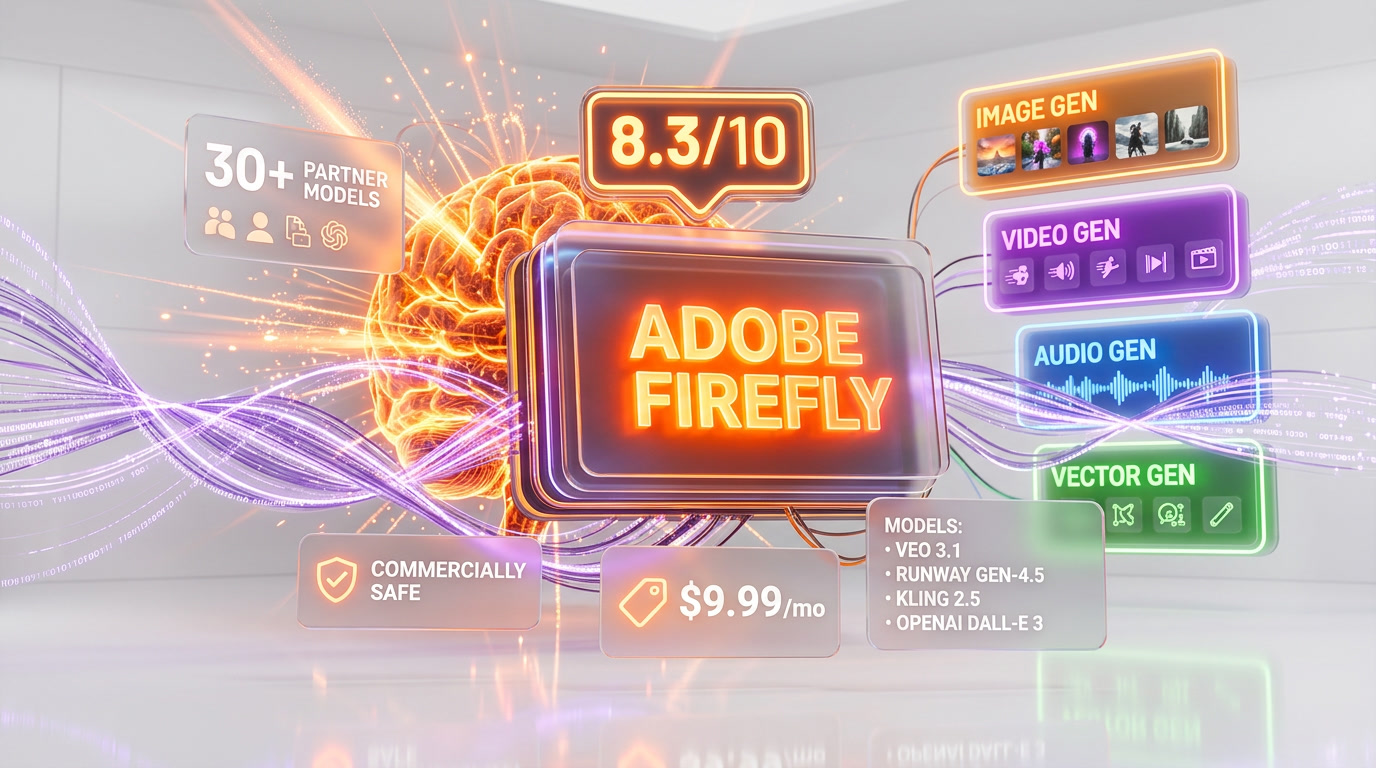
Adobe Firefly is a commercially safe generative AI platform for images, video, audio, and vectors, trained on licensed Adobe Stock content. Scored 8.3/10 with 30+ partner models including Google Veo 3.1 and Runway Gen-4.5. Freemium from $9.99/mo with unlimited standard generations.
What is Adobe Firefly?
Adobe Firefly is a commercially safe generative AI platform for images, video, audio, and vectors, trained on licensed Adobe Stock content. Scored 8.3 out of 10 with 30+ partner models including Google Veo 3.1 and Runway Gen-4.5. Freemium from $9.99 per month with unlimited standard generations.
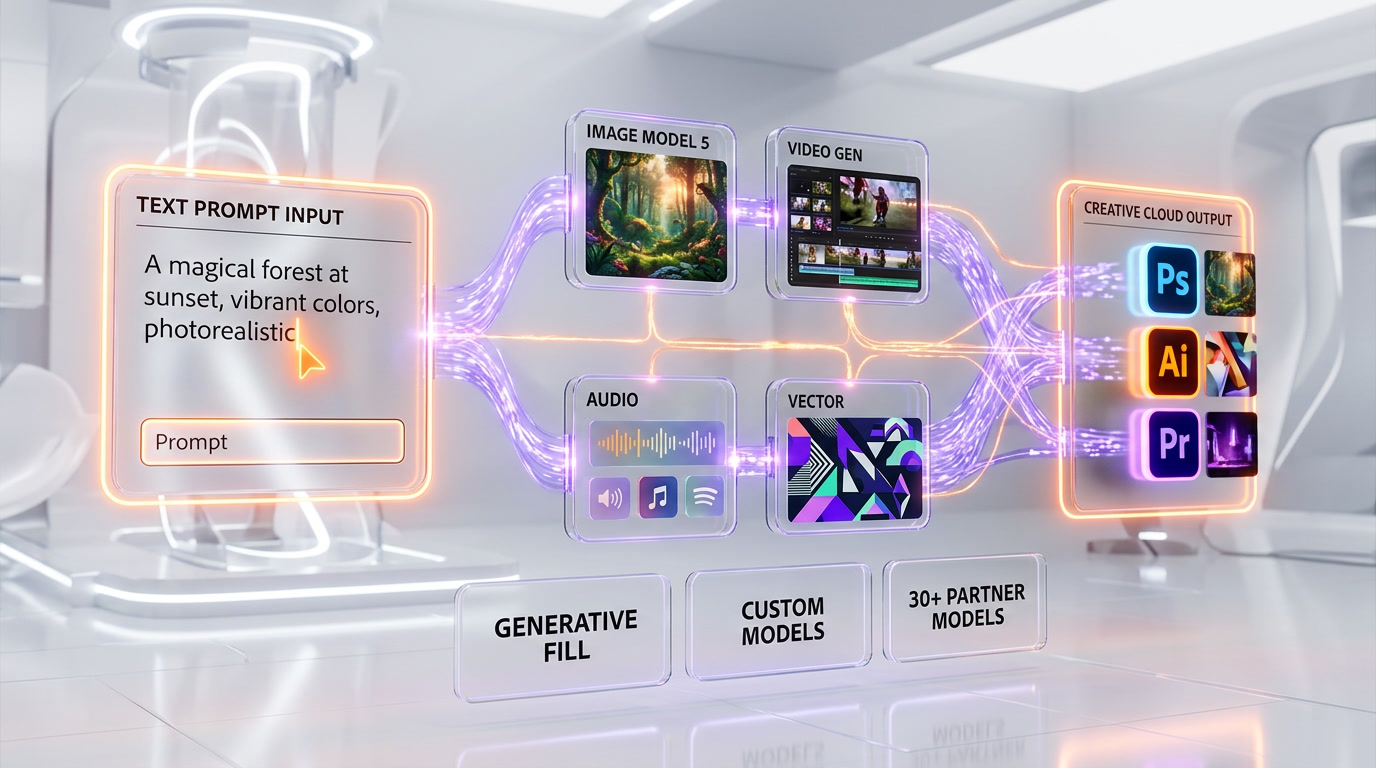
At its core, Firefly gives creators the ability to generate images, video, audio, and vector graphics from text prompts. But the differentiator that has kept Adobe in the conversation with Midjourney and the new wave of image generators isn't raw artistic flair — it's the ecosystem play. Firefly is baked directly into Photoshop, Illustrator, Premiere Pro, After Effects, Adobe Express, and Acrobat. It's the generative AI layer woven into software that professional creatives already live in every single day.
Then there's the commercial safety angle. Adobe trained Firefly exclusively on Adobe Stock imagery, licensed content, and public domain material — no scraped internet data, no copyright landmines. For agencies, enterprise marketing teams, and anyone producing content for clients, this is not a minor footnote. It's the whole pitch.
The platform operates on a credit-based model. A free tier gives you 25 credits per month. Paid plans starting at $9.99 per month unlock 2,000 premium credits plus unlimited standard generations for core features like text-to-image, Generative Fill, and vector recoloring. Premium credits are reserved for heavier tasks: video generation, audio translation, lip sync, and outputs from partner models like Google's Veo 3.1 or Runway's Gen-4.5.
After going through the official docs, user reviews across G2, Capterra, Gartner Peer Insights, TrustRadius, and extensive community feedback on Reddit and design forums, here's everything we've gathered about what Firefly actually delivers in early 2026.
Our Experience with Adobe Firefly
We didn't run Firefly through a hands-on test lab ourselves — we did something arguably more useful: we spent serious time synthesizing hundreds of real user reviews, professional benchmarks, community forum discussions, and the official Adobe documentation so you don't have to wade through all of it.
What's immediately clear from the community feedback is that Firefly occupies a specific, well-defined niche. If you're already in Adobe's ecosystem and you need AI-assisted creative work that is commercially safe and tightly integrated with your existing tools, Firefly is an easy recommendation. If you want the absolute highest quality artistic output for stylized editorial or concept work, Midjourney still holds that crown. Those two positions are not in conflict — plenty of professionals use both.
The March 2026 update changed the calculus considerably. Prior to this, Firefly's weakness was that its image model — while good — couldn't match Midjourney's aesthetic depth or DALL-E 3's prompt accuracy. Now, with 30+ partner models available directly inside Firefly — including Google's Veo 3.1 for video, Runway's Gen-4.5, and Kling's 2.5 Turbo — Adobe has effectively turned Firefly into a model aggregator. You get Adobe's own commercially safe models when compliance matters, and you get the best third-party models when quality is the priority. That's a significant strategic move.
Users on Gartner Peer Insights consistently give it high marks for ease of use and ecosystem integration, rating it around 4/5 overall. G2 reviewers highlight Generative Fill in Photoshop as a genuine workflow game-changer — saving hours of manual retouching work. The criticism that surfaces most consistently: the credit system feels restrictive for heavy users, and video generation in particular burns through credits fast. Output quality for people and text rendering also still lags behind dedicated tools.
From what we've seen on Reddit's r/AdobeFirefly and various design communities, the Custom Models feature (currently in public beta) is generating the most excitement. The ability to train Firefly on 20+ of your own images and have it consistently reproduce your brand's illustration style, color palette, and character features is exactly what marketing teams have been asking for. At 500 credits per training run, it's accessible for most paid subscribers.
Key Features
Text-to-Image Generation with Firefly Image Model 5
Adobe's own image model — now at version 5 and generally available as of early 2026 — has made meaningful leaps in photorealism compared to earlier versions. You can describe edits and compositions in everyday language, and the model interprets them with considerably less prompt engineering than previous iterations required. It handles photographic styles, product shots, and brand-friendly visuals well. Where it still struggles relative to Midjourney is raw artistic expressiveness and dramatic stylized aesthetics — Firefly's output tends toward the polished and professional rather than the cinematic and painterly.
Generative Fill, Remove, and Expand
These are the features that have earned Firefly its strongest user reviews, and they're deeply embedded into Photoshop. Generative Fill lets you select any area of an image and describe what should replace it — context-aware and, in most cases, seamlessly natural. Generative Remove eliminates unwanted objects with no visible seam. Generative Expand extends images beyond their original boundaries to fit new aspect ratios or compositions. For photo editors, retouchers, and art directors, these tools genuinely eliminate entire categories of tedious manual work. Multiple professional users describe these features as the primary reason they justify an Adobe subscription in 2026.
30+ Partner Models in One Workspace
This is the big move from the March 2026 update. Inside a single Firefly workspace, you can now access over 30 models from Google (Nano Banana 2, Veo 3.1), Runway (Gen-4.5), Kling (2.5 Turbo), OpenAI, and Adobe's own Firefly Image Model 5. The intelligence of this approach is significant: Adobe positions itself not as a model competitor but as a model aggregator. You use Adobe's commercially safe models when provenance matters (client work, brand campaigns), and you pull in the best third-party model for the task when quality is the priority. No other platform in 2026 offers this range inside a single unified workspace.
Custom Models (Public Beta)
Custom Models let users train Firefly on their own images to capture specific visual styles, characters, or photographic aesthetics. Upload 20+ reference images — your brand's illustration style, a specific character's look, a signature photographic treatment — and Firefly fine-tunes itself to reproduce those details consistently. Stroke weight, color palettes, lighting, character features: all preserved across new generations. Each training run costs 500 credits. For brands and agencies doing high-volume content production, this is the feature that turns Firefly from a useful tool into an essential workflow infrastructure component.
Firefly Video Editor with Quick Cut
The Quick Cut feature — announced in February 2026 and highlighted further in the March update — is Adobe's answer to the growing demand for AI-assisted video editing. Users describe in natural language what the video should accomplish, and Quick Cut automatically edits raw footage and B-roll to create a structured first draft: cutting irrelevant sections, assembling takes, creating transitions. It's positioned as a first-draft tool that gets you from raw footage to a workable cut without the manual timeline work. It connects directly to Premiere Pro for professional finishing. Early feedback from TechCrunch and community users is positive for the concept, with some caveats around complex multi-camera setups.
Project Moonlight — Agentic AI Assistants
Currently in private beta, Project Moonlight is Firefly's most ambitious feature: a conversational, turn-by-turn interface that understands what you want to create and autonomously executes creative tasks using Adobe's full tool suite. Describe what you want in plain language — it executes inside Photoshop, Express, or Acrobat. Adobe frames this as agentic AI: the system doesn't just suggest, it acts. It integrates with your personal asset libraries and style preferences. The full rollout timeline hasn't been confirmed, but Adobe opened expanded private beta access in March 2026 alongside the NVIDIA strategic partnership announcement.
Firefly Design Intelligence
Available inside Illustrator, Firefly Design Intelligence lets teams generate on-brand content at scale. It learns your brand's visual rules — colors, fonts, logos, layouts — and builds smart, reusable designs. Quick Guides inside Firefly Boards add structured workflow templates to help creative teams move from brief to output faster, especially for teams with less design experience.
Audio Translation and Lip Sync
A frequently overlooked feature: Firefly can translate audio and synchronize lip movements in video to match translated dialogue. This is a premium-credit feature, but for global content teams producing video in multiple languages, it's a meaningful capability that would otherwise require dedicated third-party tools. Adobe has hinted at expanding its audio capabilities further as part of the ElevenLabs partnership ecosystem.
Content Credentials
Firefly attaches Content Credentials — a form of digital provenance metadata — to all generated content. This marks the content as AI-generated and records the model and tools used to create it. For organizations that need to demonstrate transparency in their AI use, or for those concerned about deepfake attribution, this is an important compliance feature that few competitors offer at the same level of implementation.
Pricing Breakdown
Adobe Firefly uses a credit-based model. Standard generations — text-to-image, Generative Fill, text effects, vector recoloring — are unlimited on all paid plans and do not consume credits. Premium credits are consumed only by higher-intensity features: video generation, audio translation, lip sync, and outputs from partner models.
Free Plan: 25 credits per month. Enough to explore the platform and run a handful of standard generations, but limited for any serious production use. Unlimited standard generations are not included on the free tier.
Firefly Standard — $9.99 per month: Unlimited standard generations plus 2,000 monthly premium credits. Adobe estimates this covers roughly 20 five-second video clips or approximately 6 minutes of video/audio translation per month. A solid entry point for individual creators who primarily need image generation with occasional video or partner model access.
Firefly Pro — $19.99 per month: Same unlimited standard generations with 4,000 monthly premium credits. The right tier for creators doing regular video work or who want to experiment more freely with partner models like Veo 3.1 or Runway Gen-4.5.
Firefly Premium — $199.99 per month: 50,000 monthly premium credits plus unlimited video generation on Adobe's Firefly Video model. Designed for power users, production studios, or agencies with high-volume video demands.
Teams & Enterprise: Teams plans mirror individual pricing but require annual commitment and are designed for 2–50 seat organizations. Enterprise plans (50+ seats) unlock Custom Models, advanced brand management, and dedicated support. Custom pricing on request.
Creative Cloud Pro (Bundle): Worth noting — Creative Cloud Pro includes 4,000 Firefly premium credits per month as part of the bundle. If you're already paying for Creative Cloud, upgrading to Pro may be more cost-efficient than a separate Firefly subscription.
Current Promotion: Through April 22, 2026, eligible paid plans (Firefly Pro and above) include unlimited generations across select models and resolutions — effectively a stress-free trial period for heavy users to assess actual credit consumption before the standard limits kick back in.


Who Should Use Adobe Firefly?
Adobe Firefly is built for a specific kind of professional, and it's unusually honest about that positioning. If you fit this profile, there's little on the market that competes with it directly.
Adobe Creative Cloud users: If you work in Photoshop, Illustrator, Premiere Pro, or After Effects every day, Firefly is already inside your tools. You don't add a new platform — you add capabilities to the ones you already know. The Generative Fill workflow alone is worth the $9.99 per month Standard plan for most professional photo editors.
Agency and in-house marketing teams: The commercial safety and Content Credentials features make Firefly the default choice for teams producing work for clients or for brands with legal oversight. Custom Models in the enterprise tier allow brand-consistent AI generation at scale — a capability that previously required bespoke fine-tuning solutions.
Video content teams: Quick Cut and the integration with Premiere Pro and After Effects position Firefly as the first AI video workflow that doesn't require leaving Adobe's ecosystem. If your video team already operates inside Adobe's suite, the February/March 2026 video features deserve serious evaluation.
Brand designers and creative directors: Firefly Boards for ideation, Design Intelligence for brand-consistent Illustrator work, and Custom Models for style preservation make this a strong choice for brand-focused work where consistency is non-negotiable.
Firefly is probably not the right primary tool if you need the highest quality artistic and stylized image output (Midjourney wins here), if you're a solo creator on a tight budget who doesn't use other Adobe products (the value proposition weakens significantly without the ecosystem), or if you need deep text rendering in images (Firefly still struggles here).
Adobe Firefly vs Competition
The competitive landscape for Firefly in early 2026 has three main players worth comparing directly: Midjourney, Canva AI, and Leonardo.ai (also in our database).
Adobe Firefly vs Midjourney: This is the comparison most creative professionals are running. Midjourney wins on raw artistic output quality — its imagery has emotional depth, dramatic lighting, and a distinctive cinematic aesthetic that Firefly's models haven't matched. But Firefly wins on commercial safety, ecosystem integration, and workflow depth. Midjourney operates through Discord and a standalone web app; Firefly is inside Photoshop. For concept art, editorial, and pure creative exploration, Midjourney. For commercial deliverables inside a professional Creative Cloud workflow, Firefly. Many professionals use both, and that's not irrational. We take that duel apart, prompt by prompt, in Midjourney versus Adobe Firefly.
Adobe Firefly vs Canva AI: The more interesting comparison for marketers and content teams. Canva lowered the technical barrier for AI design dramatically and, after acquiring Leonardo.ai's technology, now offers genuinely photorealistic image generation. Canva wins on accessibility and social media content production velocity. Firefly wins on professional depth, video editing integration (Premiere Pro vs Canva's basic video), and commercial safety documentation. Canva's Brand Guardrails vs Firefly's Custom Models is a real fight — they're solving the same brand consistency problem with different approaches. The honest answer: if you're a non-designer producing social media content, Canva. If you're a professional creative or a team running through Adobe's suite, Firefly.
Adobe Firefly vs Leonardo.ai: Leonardo.ai (now Canva-owned) offers more fine-grained control over generation parameters and caters to users who want deeper customization and a broader model selection at competitive pricing. Firefly beats it on ecosystem integration and commercial provenance. Leonardo beats it on model flexibility and pricing for pure image generation volume.
The most significant competitive development in March 2026 is Firefly's own answer to the model fragmentation problem: instead of competing with Google's Veo 3.1 or Runway's Gen-4.5 on model quality, Adobe made them available inside Firefly. It's a smart positioning move that neutralizes the "Midjourney has better images" argument by letting you use Midjourney-quality third-party models directly inside the Adobe workflow.

The Bottom Line
Adobe Firefly in 2026 is a more complete and compelling product than it has ever been, and the March 2026 expansion meaningfully changes its competitive position. It is no longer just "the Adobe image generator." With 30+ partner models, Custom Model training, Quick Cut video editing, Project Moonlight's agentic AI pipeline, and deep integration across the entire Creative Cloud suite, Firefly is now the most comprehensive creative AI platform available for professional use.
Based on everything we've gathered — official docs, community reviews, changelogs, and user feedback across multiple platforms — the score we'd put on Firefly reflects a tool that excels within its intended context. Within the Adobe ecosystem, for commercial-safe creative work, it's close to essential. Outside that context, its value proposition weakens.
The $9.99 per month Standard plan is genuinely good value if you're already in Creative Cloud. The $199.99 per month Premium plan is significant spend that only makes sense for studios doing serious video production volume. The Enterprise Custom Models tier is priced for organizations, not individuals — and that's appropriate given what it delivers.
The weaknesses are real: Firefly still struggles with text rendering in images, video output can be inconsistent with complex footage, and the credit system causes frustration for users who hit limits mid-project. These are the honest caveats.
But the trajectory is clear. Adobe is building an agentic AI creative platform that aims to automate entire segments of the creative production workflow — from first draft to delivery — while keeping it commercially safe and rooted in the tools professionals already trust. Whether that vision fully materializes in 2026 or 2027, Firefly is the most strategically positioned creative AI platform in the market right now for professional teams.
Frequently Asked Questions
Is Adobe Firefly free to use?
Adobe Firefly offers a free plan with 25 credits per month, enough for basic exploration. All paid plans starting at $9.99 per month include unlimited standard generations for text-to-image, Generative Fill, text effects, and vector recoloring. Premium credits are only consumed by advanced features like video generation, audio translation, and partner model outputs.
How does Adobe Firefly compare to Midjourney for image generation?
Midjourney produces superior artistic and cinematic imagery with more emotional depth and dramatic lighting. Adobe Firefly wins on commercial safety (trained exclusively on licensed Adobe Stock content), ecosystem integration with Photoshop and Illustrator, and workflow depth. Many professionals use both — Midjourney for creative exploration and Firefly for commercial deliverables within Creative Cloud.
What are Adobe Firefly's 30+ partner models?
As of March 2026, Firefly integrates over 30 third-party models inside a single workspace, including Google Veo 3.1 for video, Runway Gen-4.5, Kling 2.5 Turbo, and OpenAI models. Adobe positions Firefly as a model aggregator — use commercially safe Adobe models for client work, and pull in best-in-class third-party models when quality is the priority.
Is Adobe Firefly content safe for commercial use?
Yes. Adobe Firefly is trained exclusively on licensed Adobe Stock imagery, public domain content, and openly licensed material — no scraped internet data. All outputs include Content Credentials metadata documenting AI provenance. This makes it the safest option for agencies, brands, and enterprise teams producing client-facing content with legal oversight.
What is Adobe Firefly Custom Models?
Custom Models (currently in public beta) lets you train Firefly on 20+ of your own images to reproduce specific brand styles, characters, color palettes, and illustration aesthetics consistently. Each training run costs 500 credits. It is available on enterprise plans and is designed for high-volume brand content production at scale.
What are Adobe Firefly's main limitations?
Firefly still struggles with text rendering inside generated images, producing garbled or stylized text. Image quality for cinematic and stylized output lags behind Midjourney. The credit system feels restrictive for heavy video users, and the Premium plan at $199.99 per month is expensive for individual creators. Full value requires being inside the Adobe Creative Cloud ecosystem.
Key Features
Pros & Cons
Pros
- Commercially safe outputs — trained exclusively on licensed Adobe Stock and public domain content, zero copyright risk
- 30+ partner models (Google Veo 3.1, Runway Gen-4.5, Kling 2.5 Turbo) available in one unified workspace as of March 2026
- Deep Creative Cloud integration — Generative Fill, Remove, and Expand live directly inside Photoshop and Illustrator
- Custom Models (public beta) allow brands to train Firefly on their own visual style for consistent output at scale
- Quick Cut AI video editor turns raw footage into a first-cut draft in minutes, connected directly to Premiere Pro
- Content Credentials metadata provides AI provenance documentation for compliance-heavy use cases
- Standard generations (text-to-image, Generative Fill, text effects) are unlimited on all paid plans
Cons
- Image quality for stylized or cinematic output still lags behind Midjourney — Firefly excels at polished and professional, not raw artistic expressiveness
- Credit system can feel restrictive for heavy video users; video generation burns through premium credits quickly
- Text rendering inside generated images remains inconsistent — garbled or stylized text is a recurring complaint
- Full value is contingent on being inside the Adobe Creative Cloud ecosystem — standalone value proposition is weaker for non-Adobe users
- Premium plan at $199.99/month is expensive for individual creators; enterprise Custom Models pricing is not transparent
Best Use Cases
Platforms & Integrations
Available On
Integrations
Compare Adobe Firefly

We're developers and SaaS builders who use these tools daily in production. Every review comes from hands-on experience building real products — DealPropFirm, ThePlanetIndicator, PropFirmsCodes, and many more. We don't just review tools — we build and ship with them every day.
Written and tested by developers who build with these tools daily.
Frequently Asked Questions
What is Adobe Firefly?
Adobe's all-in-one creative AI studio for images, video, audio, and vectors — commercially safe and deeply integrated with Creative Cloud.
How much does Adobe Firefly cost?
Adobe Firefly has a free tier. Premium plans start at $9.99/month.
Is Adobe Firefly free?
Yes, Adobe Firefly offers a free plan. Paid plans start at $9.99/month.
What are the best alternatives to Adobe Firefly?
Top-rated alternatives to Adobe Firefly include Claude Code (9.9/10), Cursor (9.5/10), Veo 3.1 (9.4/10), Claude Opus 4.7 (9.4/10) — all reviewed with detailed scoring on ThePlanetTools.ai.
Is Adobe Firefly good for beginners?
Adobe Firefly is rated 8.5/10 for ease of use.
What platforms does Adobe Firefly support?
Adobe Firefly is available on Web, macOS, Windows, iPad.
Does Adobe Firefly offer a free trial?
No, Adobe Firefly does not offer a free trial.
Is Adobe Firefly worth the price?
Adobe Firefly scores 7.6/10 for value. It offers good value.
Who should use Adobe Firefly?
Adobe Firefly is ideal for: Commercial product photography and ad creative with copyright-safe AI generation, Photo retouching and compositing via Generative Fill and Remove in Photoshop, Brand content at scale using Custom Models trained on proprietary visual assets, AI-assisted video first-cut editing with Quick Cut connected to Premiere Pro, On-brand social media and marketing asset creation inside Adobe Express, Multilingual video content production with AI audio translation and lip sync, Creative ideation and moodboarding with Firefly Boards, Enterprise AI creative workflows with Custom Models and Content Credentials for compliance.
What are the main limitations of Adobe Firefly?
Some limitations of Adobe Firefly include: Image quality for stylized or cinematic output still lags behind Midjourney — Firefly excels at polished and professional, not raw artistic expressiveness; Credit system can feel restrictive for heavy video users; video generation burns through premium credits quickly; Text rendering inside generated images remains inconsistent — garbled or stylized text is a recurring complaint; Full value is contingent on being inside the Adobe Creative Cloud ecosystem — standalone value proposition is weaker for non-Adobe users; Premium plan at $199.99/month is expensive for individual creators; enterprise Custom Models pricing is not transparent.
Best Alternatives to Adobe Firefly




Ready to try Adobe Firefly?
Start with the free plan
Try Adobe Firefly Free →