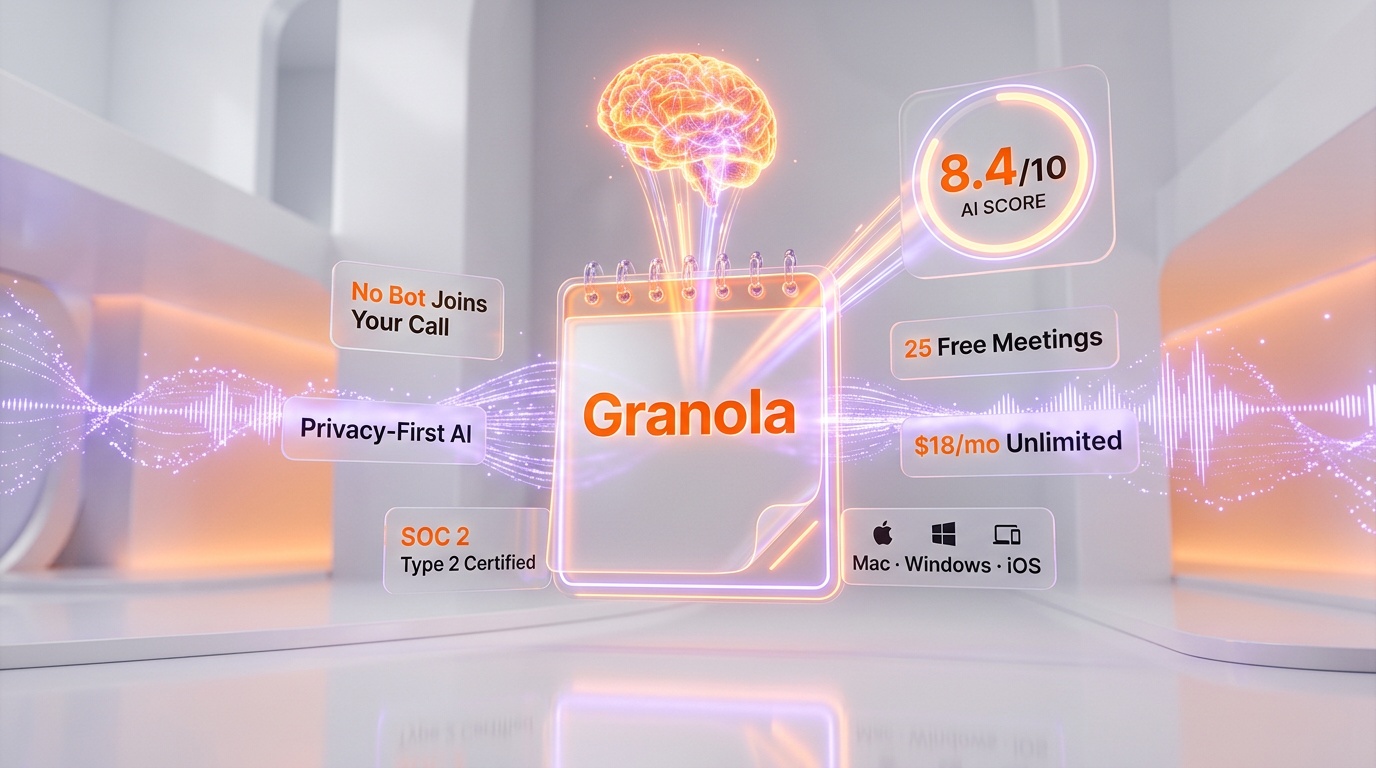
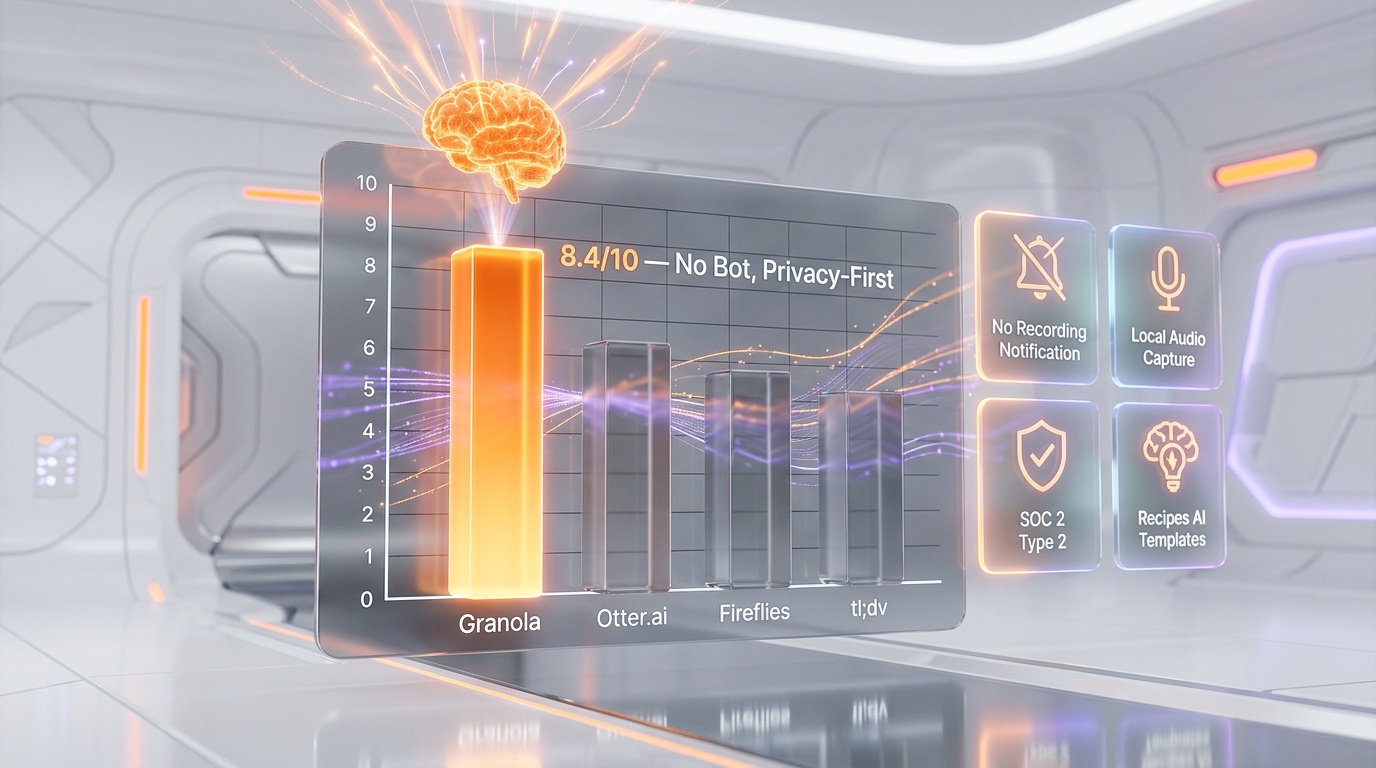
Every knowledge worker has the same dirty secret: meeting notes are either nonexistent or useless. You either spend the whole meeting typing frantically and miss the conversation, or you "listen actively" and walk away with nothing written down. Granola is the tool that finally solves this tension. It is an AI-powered notepad that listens to your meetings locally -- no bot joins the call, no recording notification appears -- and then enhances your rough jottings into polished, structured notes with summaries, action items, and decisions.
In a market crowded with meeting assistants that send conspicuous bots into your Zoom calls, Granola takes a fundamentally different approach: privacy first, discretion always. This review covers the full picture as of March 2026 -- features, pricing, honest pros and cons, detailed competitor comparisons, and every question real users are asking.
What Is Granola?
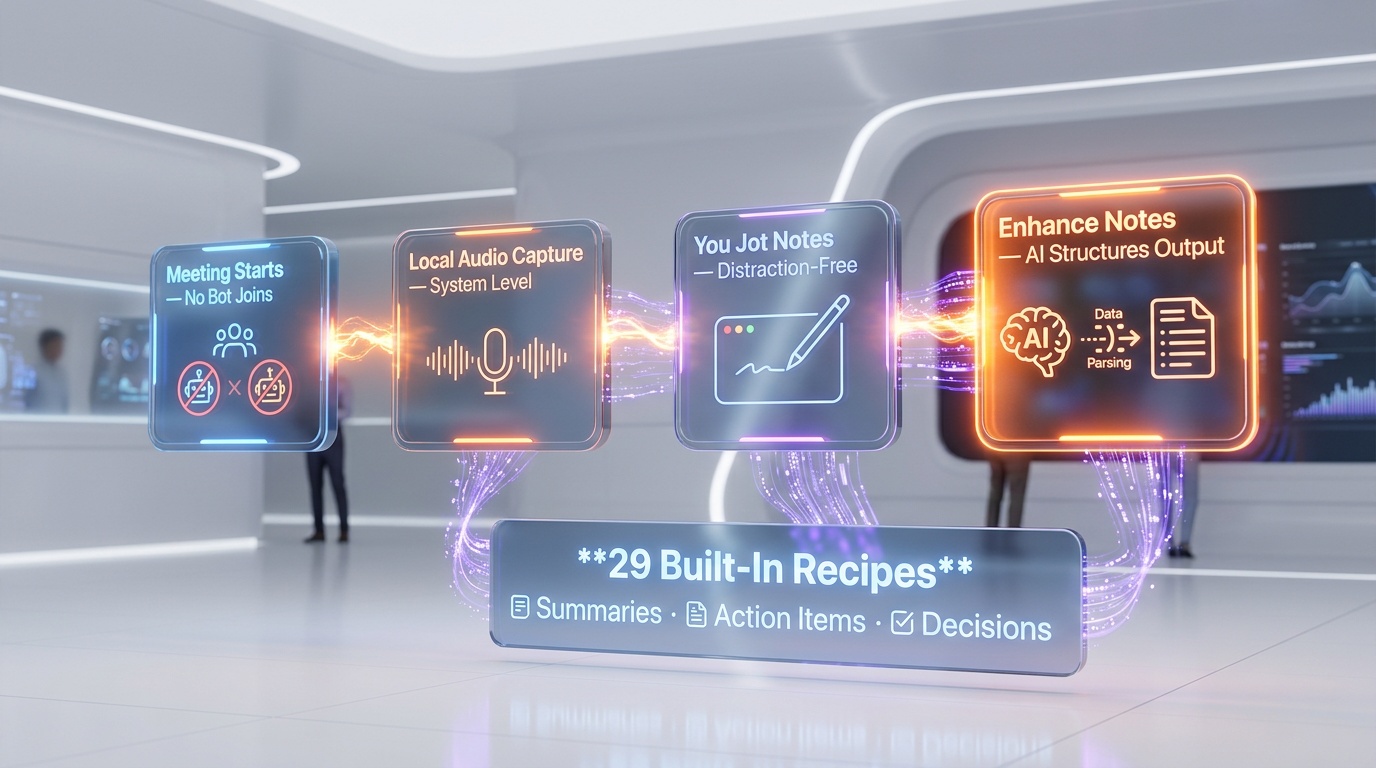
Granola is an AI meeting notepad that runs locally on your Mac, Windows PC, or iPhone. Instead of joining your call as a visible bot (like Otter.ai, Fireflies, or tl;dv), Granola captures audio directly from your device's speakers and microphone. No bot appears in the participant list. No "this meeting is being recorded" notification triggers. The app sits quietly in the background while you take brief notes in a clean, distraction-free notepad interface.
When the meeting ends, you click "Enhance Notes" and Granola's AI fills in everything you missed: full summaries, action items, key decisions, and relevant quotes. The result is not a raw transcript -- it is a structured, readable document that combines your own context with the AI's comprehension of the full conversation.
Granola was founded by Chris Pedregal, previously of Twitter and Spotify, and has raised significant venture funding. The company positions itself as the tool for "people in back-to-back meetings" -- executives, VCs, founders, consultants, and anyone whose calendar is a wall of colored blocks. As of early 2026, Granola has become particularly popular among investors and venture capitalists, where having a bot in a founder pitch meeting is seen as a social faux pas.
Key Features in 2026
No-Bot Audio Capture
This is Granola's defining feature and the reason most users choose it over alternatives. The app captures audio directly from your system's audio output and microphone input. It works with Zoom, Google Meet, Microsoft Teams, and any other conferencing tool because it operates at the system level, not through a meeting integration. There is no bot to admit, no recording consent banner, and no awkward moment where you have to explain to a client why "Fireflies Notetaker" just joined their call.
AI-Enhanced Notes with Recipes
Granola does not just transcribe -- it transforms. After a meeting, clicking "Enhance Notes" triggers the AI to combine your typed notes with the full audio context. The output is structured and readable: summaries, action items, decisions, and key quotes organized in a clean format.
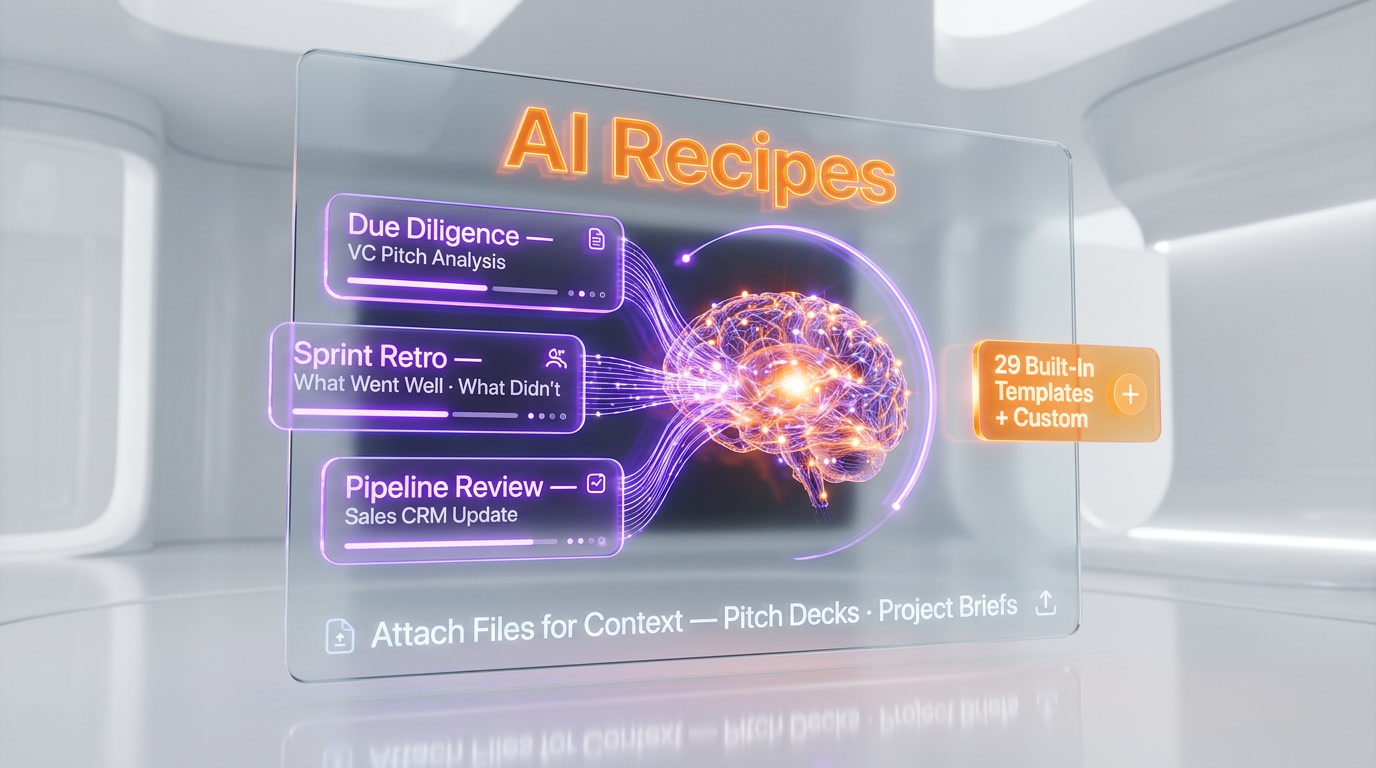
The Recipes feature, introduced in late 2025, takes this further. Recipes are saved AI prompts written by domain experts that process your meeting notes through a specific lens. For example, a VC might use a "Due Diligence" recipe that extracts financial metrics, competitive positioning, and risk flags from a founder pitch. A product manager might use a "Sprint Retro" recipe that organizes feedback into what went well, what did not, and action items. There are 29 built-in templates covering everything from Project Kick-Offs to Pipeline Reviews, and you can create custom recipes for your specific workflow.
People and Companies CRM
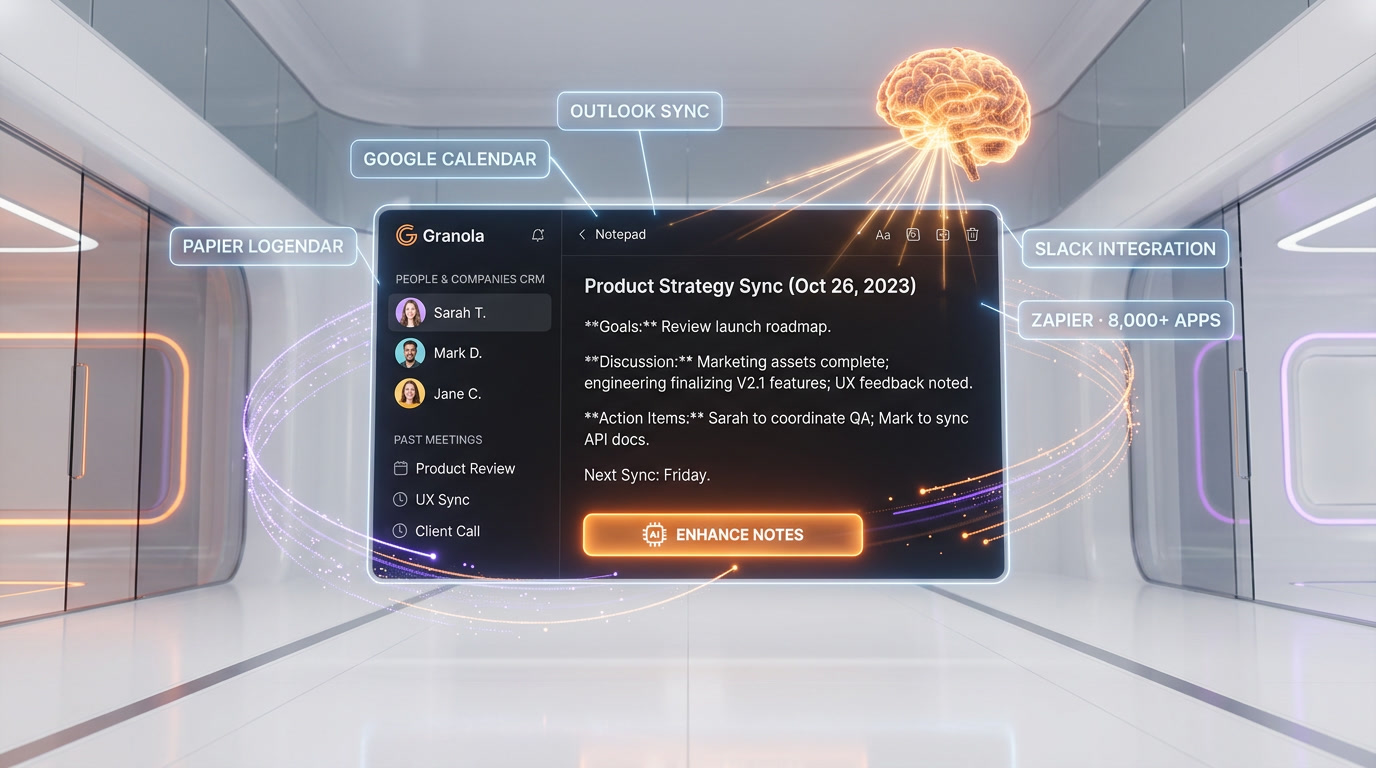
Granola now includes lightweight CRM functionality. The People and Companies views automatically track who you have met with and surface past meeting notes organized by person or organization. This means you can open a contact card before a follow-up meeting and instantly see everything discussed in previous conversations -- no digging through folders or searching Notion pages.
Integrations: Slack, Zapier, and Beyond
Granola shipped a Slack integration that lets you post meeting notes to any Slack channel in a few clicks when a meeting ends. The Zapier integration connects Granola to over 8,000 apps, enabling automated workflows like pushing action items to Asana, syncing notes to Notion, or updating a CRM record after every sales call. Outlook calendar integration -- one of the most requested features throughout 2025 -- is now fully available, joining the existing Google Calendar support.
File Support and Context
You can now attach files to Granola for additional context. Upload a pitch deck before a meeting, and the AI will reference it when generating notes. Upload a project brief, and the action items will be more specific and relevant. This feature bridges the gap between a standalone note-taker and a contextual work assistant.
Cross-Platform Availability
Granola is available on macOS, Windows, and iOS. An Android launch is anticipated later in 2026, with Google Drive synchronization and Google Assistant integration planned alongside it. The Windows version, launched in 2025, brought Granola to the large population of enterprise users on PC.
Note Editing with AI
After enhancement, you can further refine notes by asking the AI to adjust tone, change length, or make precise edits. This is useful for turning internal meeting notes into client-facing summaries or executive briefs without rewriting from scratch.
Pricing Breakdown
Granola's pricing is refreshingly simple. There are no AI credit systems, no hidden storage fees, and no complex tiers based on meeting volume. You pay per user, and meetings are unlimited on all paid plans.
| Plan | Price | Meetings | Key Features | Best For |
|---|---|---|---|---|
| Free | $0 | 25 total (lifetime) | Core AI notepad; basic templates; single user | Trying Granola before committing |
| Individual | $18 per month | Unlimited | All Recipes; People & Companies views; file attachments; Slack & Zapier integrations | Solo professionals, freelancers, consultants |
| Business | $14 per user/month | Unlimited | Everything in Individual; team-wide folders; consolidated billing; admin controls | Teams and departments |
| Enterprise | $35 per user/month | Unlimited | Everything in Business; opt out of model training; usage analytics; meeting link sharing controls; priority support | Security-conscious organizations |
Note: The Business plan is actually cheaper per user than the Individual plan ($14 vs. $18), which is unusual. This pricing structure incentivizes team adoption. The Free plan's 25-meeting limit is lifetime, not monthly -- once you use your 25 meetings, you must upgrade to continue.
Pros and Cons -- Our Honest Take
Pros
- No bot, no awkwardness. This is Granola's killer advantage. No one in your meeting knows you are using an AI note-taker. For client calls, investor meetings, and sensitive conversations, this is invaluable.
- Notes, not transcripts. Granola produces readable, structured notes -- not 40-page raw transcripts you will never read. The AI combines your own context with the full audio to create genuinely useful output.
- Recipes are powerful. Domain-specific templates that process notes through expert lenses save significant post-meeting work. The 29 built-in templates cover most professional use cases.
- Simple pricing. No credit systems, no per-minute charges, no hidden fees. Unlimited meetings on all paid plans.
- Lightweight CRM. People and Companies views save you from "wait, what did we discuss last time?" moments before follow-up meetings.
- Cross-platform. Mac, Windows, and iPhone coverage means most professionals are covered.
- Fast Slack and Zapier integrations. Getting notes into your team's workflow takes seconds, not minutes of copy-pasting.
Cons
- No speaker identification. Granola does not label who said what in the transcript. In multi-participant meetings, attributing comments to specific people is a manual process.
- No video or screen recording. If you need to capture presentations, screen shares, or visual demos, Granola cannot help. Competitors like tl;dv and Fireflies offer video recording.
- Single-meeting context only. Granola processes one meeting at a time. It cannot analyze patterns across multiple meetings, identify recurring themes in sales calls, or provide cross-meeting strategy insights. tl;dv can.
- No Android app yet. Android users are left out as of March 2026, though a launch is planned for later this year.
- 25-meeting free limit is tight. Otter's free plan offers 300 minutes per month (recurring). Granola's 25 meetings are lifetime, which barely covers two weeks of active use.
- AI chatbot quality lags behind. Granola's in-app AI assistant for querying meeting content is not as capable as those offered by tl;dv or Fireflies.
- Requires local audio access. Because Granola captures system audio, it may conflict with certain audio routing setups or corporate security policies that restrict microphone access.
Who Should Use Granola?
- VCs and investors who conduct multiple founder meetings daily and cannot have a bot present during sensitive pitch conversations.
- Consultants and client-facing professionals who need discreet note-taking during client calls without drawing attention to recording tools.
- Executives in back-to-back meetings who need structured notes and action items without spending 30 minutes post-meeting writing them up.
- Solo professionals and freelancers who want a lightweight, no-setup solution that does not require IT approval or meeting platform integrations.
- Anyone who values privacy. If you or your clients are uncomfortable with cloud-based recording bots, Granola's local audio capture model is the answer.
- Product managers and team leads who need to quickly share meeting outcomes with their team via Slack or project management tools.
Who Should NOT Use Granola?
- Sales teams needing call analytics. If you need conversation intelligence -- talk-time ratios, sentiment analysis, keyword tracking across calls -- Granola does not offer this. Look at Gong, tl;dv, or Fireflies instead.
- Teams needing speaker identification. If knowing who said what is critical (legal depositions, compliance reviews, multi-stakeholder negotiations), Granola's lack of speaker diarization is a dealbreaker.
- Organizations requiring video recording. If you need to capture screen shares, presentations, or visual demos, you need a tool with video recording like tl;dv or Fireflies.
- Android users. As of March 2026, there is no Android app. If your team is split between iOS and Android, this creates an uneven experience.
- Large teams needing cross-meeting analytics. If you want to analyze trends across hundreds of sales calls or identify coaching opportunities, tools like Gong or tl;dv are purpose-built for this.
- Budget-conscious users who need a generous free tier. 25 lifetime meetings is not enough for serious evaluation. Otter gives 300 minutes per month for free, recurring indefinitely.
Granola vs Competitors
| Feature | Granola | Otter.ai | Fireflies.ai | tl;dv |
|---|---|---|---|---|
| Starting Price | $14 per user/mo (Business) | $8.33 per month (Pro, annual) | $10 per user/mo (Pro, annual) | $29 per seat/mo (Pro) |
| Free Plan | 25 meetings (lifetime) | 300 minutes per month (recurring) | 800 minutes per month (recurring) | Unlimited meetings (basic features) |
| Bot in Meeting | No -- local audio capture | Yes -- visible bot joins | Yes -- visible bot joins | Yes -- visible bot joins |
| Speaker Identification | No | Yes | Yes | Yes |
| Video Recording | No | No | Yes (Business plan) | Yes |
| Output Quality | Structured notes (enhanced from your input) | Raw transcript with AI summaries | Transcript + AI summaries + Smart Highlights | Transcript + AI summaries + clips |
| Custom Templates | 29 built-in Recipes + custom | Limited templates | Smart Highlights + custom prompts | Custom templates + coaching |
| CRM Integration | Built-in People & Companies views | Salesforce, HubSpot | Salesforce, HubSpot (strong automation) | 6,000+ integrations |
| Cross-Meeting Analysis | No | Limited | Yes | Yes (multi-meeting reports) |
| Platforms | Mac, Windows, iOS | Web, iOS, Android | Web, iOS, Android | Web (Chrome extension) |
| Best For | Privacy-first professionals, VCs, consultants | Budget-conscious teams, education | Sales teams with CRM workflows | Sales coaching, call analytics |
What's New in March 2026
- MCP Integration (February 2026). Granola now supports the Model Context Protocol, allowing it to connect with AI agents and external tools that use the MCP standard. This means your meeting notes can feed directly into AI-powered workflows.
- Outlook Calendar Integration. After being one of the most requested features throughout 2025, full Outlook calendar support is now live. Granola automatically detects meetings from your Outlook calendar just as it does with Google Calendar.
- Improved Paste Formatting. A fix addressed formatting that would break when pasting notes into Slack. Paste-without-formatting (Cmd+Shift+V / Ctrl+Shift+V) is now fully supported.
- Focus Steal Fix. Granola no longer steals focus from other apps after a background update -- a small but critical fix for users who are mid-presentation or watching fullscreen content.
- File Attachments. You can now add files (PDFs, images, documents) to Granola for meeting context, allowing the AI to reference them when enhancing notes.
- Android Launch on the Horizon. While not yet available, Granola has confirmed an Android app is in development for 2026, along with Google Drive synchronization.
Tips for Getting the Most Out of Granola
- Take brief notes during the meeting. Granola works best when you give it some context. Even bullet-point keywords help the AI understand what you found important and structure the output accordingly.
- Use Recipes for every meeting type. Do not rely on the default template. Pick a Recipe that matches your meeting format -- 1:1, sprint retro, sales call, investor update -- and the output will be dramatically more useful.
- Create custom Recipes for recurring workflows. If you have a specific format for client updates or board reports, create a custom Recipe once and reuse it for every meeting.
- Check People and Companies views before follow-ups. Before any follow-up meeting, open the contact card to review what was discussed previously. This context makes you look prepared and attentive.
- Set up Slack integration immediately. The fastest way to share meeting outcomes with your team is the Slack integration. Configure it once and you can post notes to any channel in two clicks.
- Use Zapier for CRM automation. Connect Granola to your CRM via Zapier so that meeting notes and action items automatically sync after every sales call or client meeting.
- Attach relevant files before important meetings. Upload the pitch deck, project brief, or contract before the meeting so the AI can reference it when generating notes.
- Edit notes before sharing. Use the AI editing feature to adjust tone or length before sending notes externally. Internal notes can be casual; client-facing summaries should be polished.
- Use the free 25 meetings strategically. Do not waste your free meetings on internal standups. Use them for high-stakes calls where you can truly evaluate whether Granola's no-bot approach delivers value for your workflow.
- Combine with a project management tool. Granola captures action items, but it does not manage them. Use Zapier to push action items to Asana, Linear, or Notion for tracking.
Frequently Asked Questions
Does Granola record my meetings?
Granola captures audio locally from your device's speakers and microphone to process the conversation. However, it does not store raw audio files long-term and does not send a recording bot into your call. The audio is processed by the AI to enhance your notes, and privacy is a core design principle.
Does a bot join my meeting when I use Granola?
No. This is Granola's primary differentiator. No bot appears in the participant list, no recording notification is triggered, and no one in the meeting knows you are using an AI note-taker unless you tell them.
How does Granola compare to Otter.ai?
Granola is privacy-first (no bot) and produces enhanced structured notes rather than raw transcripts. Otter is cheaper ($8.33 per month vs. $18 per month), has speaker identification, runs on more platforms (including Android and web), and offers a much more generous free tier (300 minutes per month vs. 25 meetings lifetime). Choose Granola for discretion and quality; choose Otter for budget and features.
Does Granola work with Microsoft Teams?
Yes. Because Granola captures audio at the system level rather than through a platform integration, it works with any conferencing tool: Zoom, Google Meet, Microsoft Teams, Webex, and even phone calls if they are on speaker.
Is there an Android app for Granola?
Not yet as of March 2026. Granola is available on macOS, Windows, and iOS. An Android app is in development and expected to launch later in 2026.
What are Granola Recipes?
Recipes are saved AI prompts that process your meeting notes through a specific lens. Think of them as templates with intelligence. There are 29 built-in Recipes covering meeting types from Project Kick-Offs to Pipeline Reviews, and you can create custom Recipes for your specific workflow.
Can Granola identify who said what in a meeting?
No. Granola does not currently offer speaker identification or diarization. In multi-participant meetings, attributing specific statements to individuals is a manual process. If speaker identification is critical for your use case, Otter.ai, Fireflies, or tl;dv all offer this feature.
Is Granola HIPAA compliant?
Granola's Enterprise plan ($35 per user/month) allows organizations to opt out of model training and provides additional admin controls. For specific HIPAA compliance questions, contact Granola's sales team directly, as compliance certifications may vary.
How does Granola handle data privacy?
Granola processes audio locally on your device and does not require a cloud-based recording bot. The Enterprise plan includes the option to opt out of model training entirely, ensuring your meeting data is not used to improve Granola's AI models.
Can I share Granola notes with my team?
Yes. You can share notes via the Slack integration, export them to other tools via Zapier, or simply copy and paste. The Business and Enterprise plans include team-wide folders for organized collaboration.
Is Granola worth $18 per month?
If you are in 3 or more meetings per day and currently spend time writing up notes afterward, Granola likely pays for itself in the first week. The time saved on post-meeting documentation, combined with better note quality and the CRM-like People and Companies views, makes it a strong value proposition for meeting-heavy professionals. For occasional meeting-goers, the value is less clear -- consider whether the free tier of Otter or tl;dv covers your needs first.
Does Granola work for in-person meetings?
Yes, with limitations. If you have your laptop open during an in-person meeting, Granola can capture audio from the built-in microphone. However, audio quality will depend on room acoustics and distance from speakers. It works best for virtual or hybrid meetings where audio comes through your device's speakers.