n8n
The open-source AI agent and workflow automation platform built for technical teams

Quick Summary
n8n is a fair-code workflow automation platform with 400+ integrations and 70+ AI nodes for building LangChain-powered agents. Scored 8.8/10 in our testing. Free self-hosted, $20/mo cloud — the most cost-effective Zapier alternative for technical teams.

n8n is a fair-code workflow automation platform with 400+ integrations and 70+ AI nodes for building LangChain-powered agents. Scored 8.8 out of 10 in our testing. Free self-hosted, $20 per month cloud — the most cost-effective Zapier alternative for technical teams.
What is n8n?
n8n (pronounced "n-eight-n" or just "n-eight-n") launched in 2019 under a fair-code license — meaning it's open source, free to self-host, and you're not locked into a proprietary cloud. The core idea is simple: connect apps, automate processes, and chain AI models together using a visual, node-based editor. But where n8n diverges from the competition is in the depth it allows. You can drop into raw JavaScript or Python at any point. You can build multi-agent AI systems with LangChain. You can run the whole thing on your own server for pennies a month.
In December 2025, the team shipped n8n 2.0 — a significant overhaul that addressed technical debt, introduced sandboxed code execution, and hardened the AI agent layer. And by mid-2025, the company had reached a $1.5 billion valuation, largely driven by the explosion of interest in agentic AI. That context matters: this isn't a niche tool anymore. It's infrastructure.
Our Experience With n8n
After spending significant time with it, the first thing that stands out is how much the platform trusts you. There's no hand-holding wizard. You get a blank canvas, a node library, and the expectation that you'll figure it out. That can be either liberating or intimidating depending on your background.
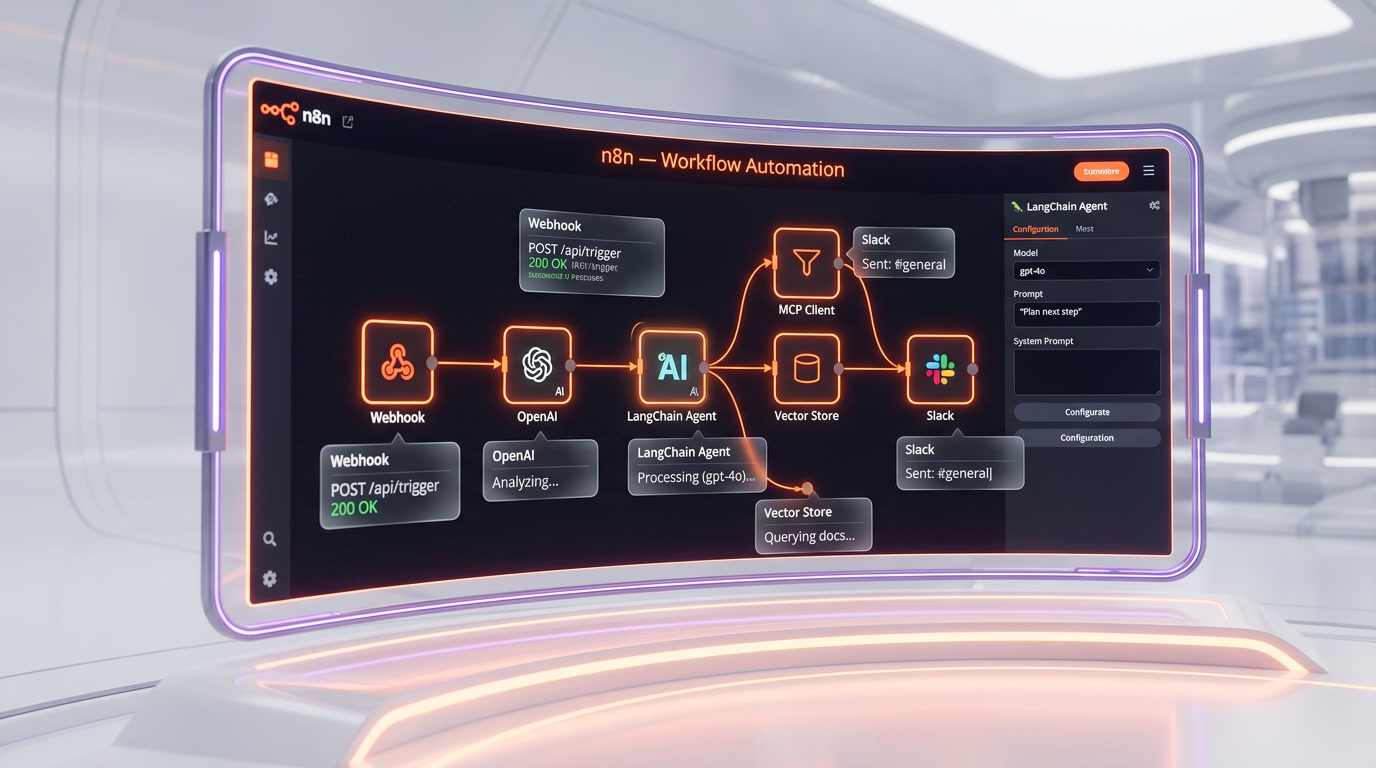
We started with a relatively straightforward workflow: pulling data from a webhook, running it through an OpenAI node, and posting the result to Slack. Took us maybe 20 minutes to get working end-to-end. The real-time execution preview — where you can see sample data flowing through each node as you build — genuinely makes debugging faster than anything we've used in Zapier or Make. You click a node, see exactly what data comes in and out, and adjust. No guessing.
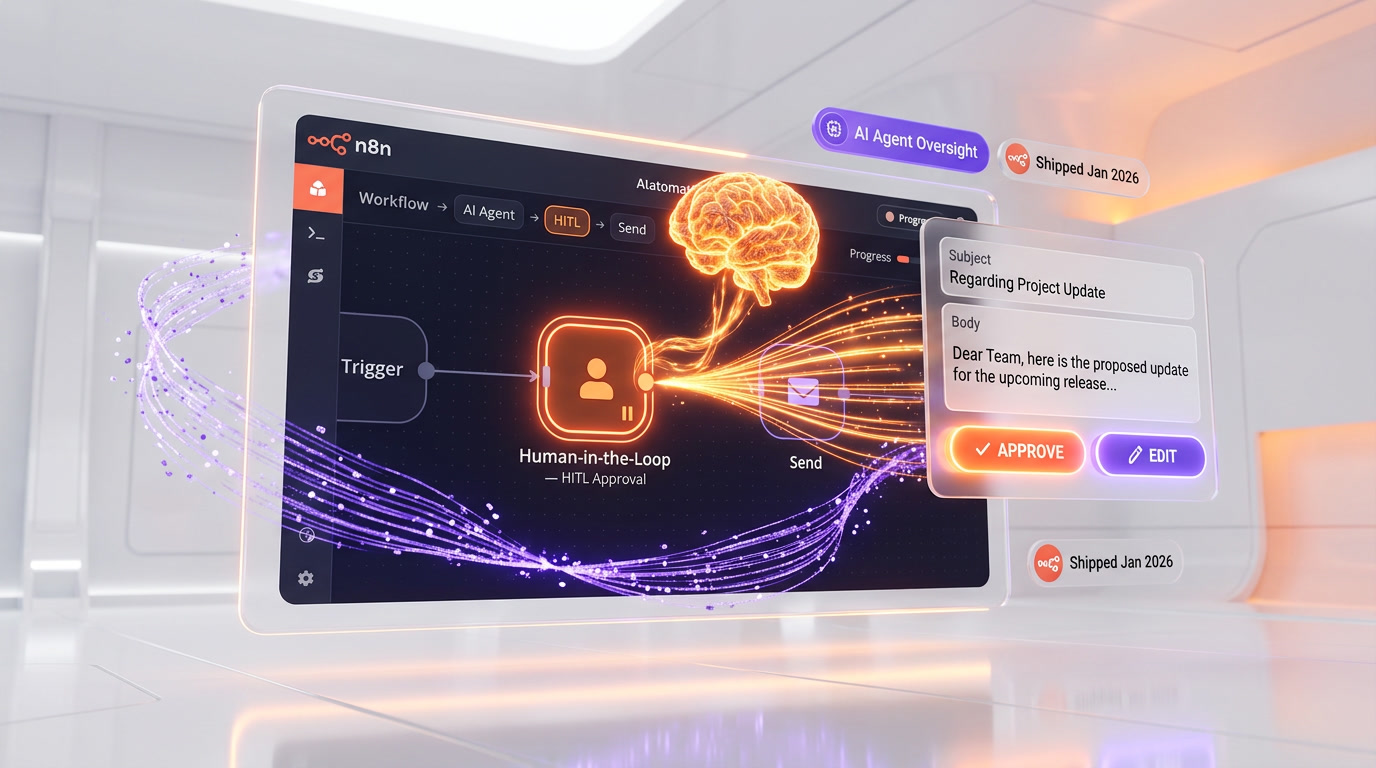
What surprised us is how capable the AI agent layer has become. We built a customer support triage agent that reads incoming emails, queries a vector database for relevant documentation using RAG (Retrieval Augmented Generation), and drafts a response via Claude — all without leaving n8n. The new Human-in-the-Loop feature (shipped January 2026) lets you pause the agent mid-execution and require human approval before it takes an action. In practice, it works like this: the agent drafts the response, flags it for review, a team member approves or edits, and then it sends. That kind of oversight is table stakes for production AI systems, and n8n now handles it natively.
We also tried the MCP Client Node — released November 2025 — which lets you connect to any Model Context Protocol server directly from your workflow, not just through an AI agent. It opens up some genuinely powerful patterns, like calling a Playwright browser tool or a Brave Search server as a standard workflow step.
Self-hosting on a $10 per month VPS worked without drama. Docker Compose setup, reverse proxy through Caddy, and we had a persistent instance running in under an hour. The SQLite pooling improvements in 2.0 eliminated the occasional "Database Locked" errors we'd seen in v1.x. Production feels stable now in a way it didn't always before.
The honest friction point: if you're not comfortable with JSON data structures, HTTP concepts, and at least a passing familiarity with how APIs work, n8n will fight you. It's not designed for the non-technical user who wants to connect Gmail to Google Sheets in three clicks. Zapier does that better. n8n is for people who want to build something real.

Key Features
Visual Node-Based Workflow Builder
The canvas is where everything happens. You drag nodes from the library, connect them with edges, and configure each one with a sidebar panel. Trigger nodes kick off workflows — on a schedule, via webhook, when an email arrives, when a file changes. Action nodes do the work: call an API, transform data, write to a database, send a message. The layout is flexible; you can build linear chains or complex branching logic with conditional paths, loops, and merge nodes. The real-time execution preview shows you exactly what data each node is producing as you build, which cuts debugging time dramatically.
AI Agents with LangChain Integration
n8n ships 70+ AI-specific nodes covering large language models, embeddings, vector databases, speech, OCR, and image models. The LangChain integration is deep — you can build agents that use tools, maintain memory, and make multi-step decisions. Agent nodes can call sub-agents, making multi-agent orchestration possible directly in the visual editor. The AI Workflow Builder (currently in beta) also lets you describe an automation in plain English and have n8n generate a starting workflow structure automatically.
Human-in-the-Loop (HITL) Controls
Shipped in January 2026, HITL lets you inject human review at any point in an agentic workflow. You can require approval before an AI agent executes a specific tool — for example, before it sends an email, makes an API call, or deletes a record. You define the approver, the approval message, and the available actions. The Chat node also supports "Send a message and wait for response" actions, so agents can request clarification from users mid-task before proceeding.
MCP Client Node
The Model Context Protocol (MCP) Client Node, released November 2025, connects your workflow to any MCP-compatible tool server — browser automation, web search, database connectors — from any step in the flow, without needing to route through an AI agent. This gives developers dramatically more flexibility in how they compose tool-augmented automations.
Guardrails Node
For teams running AI agents in production, the Guardrails node provides content filtering and safety policy enforcement. It can check inputs and outputs for NSFW content, prompt injection attempts, PII exposure, and other defined violations — then block, flag, or sanitize them before they propagate through the workflow.
Self-Hosting with Complete Data Sovereignty
This is the killer feature for regulated industries and privacy-conscious teams. n8n runs on your infrastructure — a VPS, your AWS account, an on-premise server. No data leaves your environment unless you route it there explicitly. The Community Edition is free and has no execution limits. For teams in healthcare, finance, or legal sectors where data residency isn't optional, this is often a hard requirement that Zapier and Make simply cannot meet.
Code Nodes (JavaScript and Python)
At any point in a workflow, you can insert a Code node and write arbitrary JavaScript or Python. Need to parse a malformed API response? Write a function. Need to compute something n8n doesn't have a native node for? Write it. You can also install npm packages within Code nodes for even more flexibility. This blend of visual building and raw code is what separates n8n from purely no-code platforms.
Git Version Control and Environments
Available on Business and Enterprise plans, Git integration lets you push and pull workflows between branches — enabling proper dev/staging/production environment management. Teams can do code reviews on workflow changes, track history, and roll back if something breaks in production. For organizations with any kind of change management process, this is non-negotiable, and it's something no other mainstream automation platform offers at this level.
Execution-Based Pricing Model
Unlike Zapier, which charges per action step, n8n charges per workflow execution — regardless of how many nodes run inside it. A 50-step workflow costs one execution. This pricing model becomes dramatically cheaper than Zapier at scale. A workflow that runs 10,000 times a month with 10 steps costs 10,000 Zapier tasks but only 10,000 n8n executions — and n8n's execution quota is vastly cheaper per unit.
400+ Native Integrations
n8n ships connectors for over 400 apps including Slack, HubSpot, Salesforce, Airtable, Google Workspace, Notion, GitHub, PostgreSQL, MySQL, Redis, and all major AI providers. For anything not natively supported, the HTTP Request node can connect to any REST API. Custom nodes can be built and shared via npm.
Workflow Templates Library
The community template library contains 1,700+ pre-built workflows covering everything from CRM automation to AI-powered document processing. Templates are a fast starting point — import one, connect your credentials, and adapt it to your needs rather than building from scratch.
Pricing Breakdown
n8n overhauled its pricing in August 2025, removing active workflow limits across all plans and switching to a pure execution-based model. Here's how it breaks down:
Community Edition (Self-Hosted) — Free: Unlimited workflows, unlimited executions, unlimited users. You pay only for hosting infrastructure, typically $5–20/month for a VPS. This is the most cost-effective option for technical teams with the capacity to manage their own server. No execution caps, no feature limitations beyond the enterprise-specific tier (SSO, Git, multiple environments).
Starter (Cloud) — $20 per month: 2,500 executions per month, one shared project. Designed for freelancers and small projects that want the managed cloud experience without self-hosting overhead. Annual billing saves 20%.
Pro (Cloud) — $50 per month: 10,000 executions per month, three shared projects, workflow history, environment variables, webhook authentication, and priority support. Suitable for small teams with moderate automation volume.
Business (Cloud) — Custom pricing: Aimed at organizations with 100+ employees. Adds SSO (SAML/LDAP), Git version control, multiple environments, advanced access control (RBAC), and higher execution limits. The Startup program offers the Business plan at approximately $333 per month for qualifying early-stage companies.
Enterprise (Cloud or Self-Hosted) — Custom: Mission-critical deployments with dedicated SLAs, on-premise options, high availability configurations, audit logs, log streaming, and dedicated support. Pricing is negotiated directly with the sales team.
The key number to remember: at $50 per month for 10,000 executions, n8n's Pro plan is roughly comparable to Zapier's Professional tier — except in Zapier, 10,000 tasks covers fewer total workflow runs if your workflows have multiple steps. For complex automations, n8n wins on cost by a significant margin.
Who Should Use n8n
n8n is best suited for developers, DevOps engineers, and technical product teams who need more than a simple "if this, then that" tool. If you're building AI agents that chain multiple LLMs, connect to internal databases, and need to run reliably in production, n8n is currently the most capable open-source platform for that job.
It's also a strong fit for data-sensitive organizations — healthcare providers, financial services firms, legal teams — where sending workflow data through a third-party cloud like Zapier's is not an option. Self-hosting resolves that constraint entirely.
Startups building automation-heavy products will find n8n's self-hosted free tier extremely cost-effective in the early stages, and the cloud plans reasonable as they scale. Agencies building automations for clients benefit from the white-label potential of self-hosting and the template library.
Who should not use n8n: non-technical business users who want a zero-code experience. If your team has no developers and you need to connect Mailchimp to a Google Sheet, Zapier is still faster and more approachable. n8n has a real learning curve, and you'll hit walls quickly without some technical fluency.
n8n vs Competition
The three tools that come up in every comparison are Zapier, Make (formerly Integromat), and n8n. Here's an honest breakdown based on what we've seen.
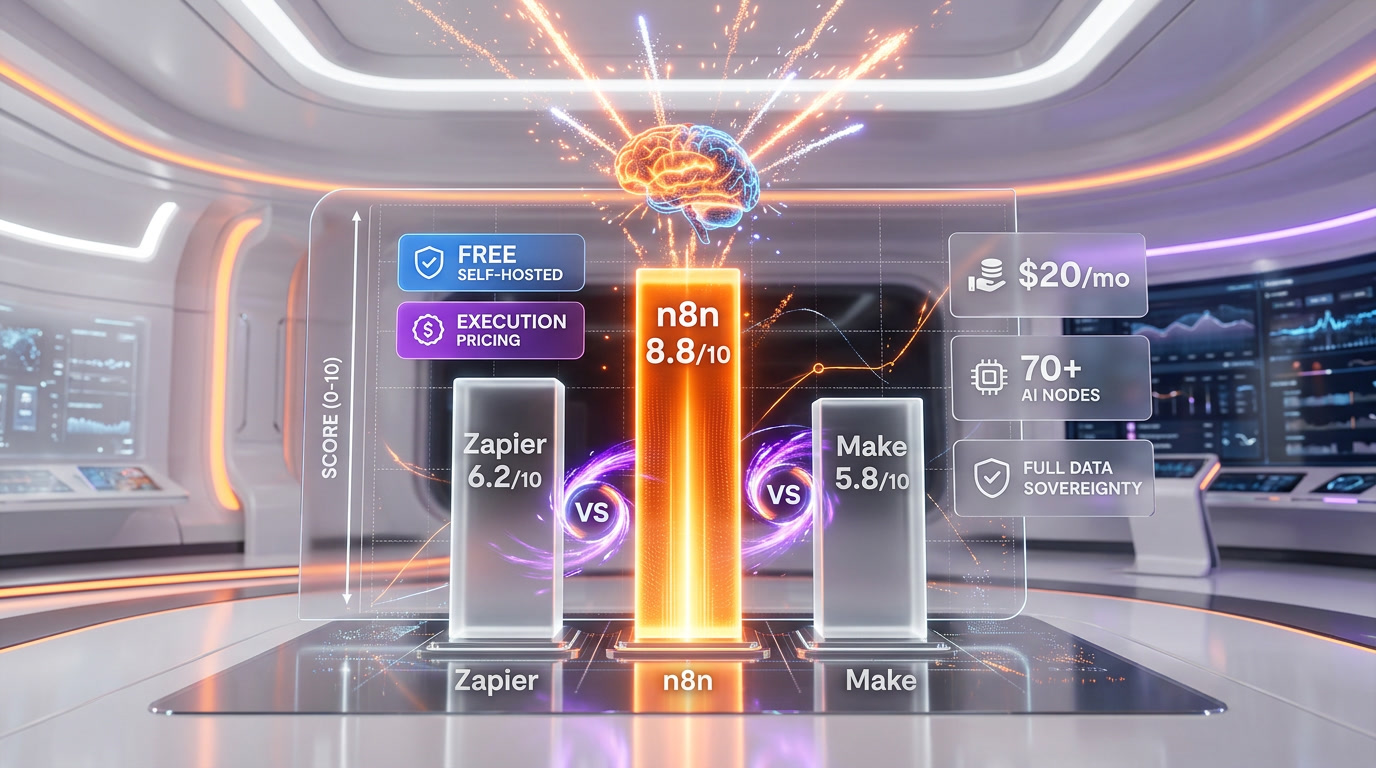
n8n vs Zapier: Zapier is the gold standard for ease of use and integration breadth — 7,000+ apps versus n8n's ~400 native connectors. If your automation involves connecting mainstream SaaS tools with simple linear logic, Zapier is faster to set up. But Zapier charges per task step, which gets expensive fast on complex workflows. It's also cloud-only with no self-hosting option, which is a hard blocker in some industries. For AI-heavy workflows, Zapier's AI capabilities are basic compared to n8n's LangChain-powered agent layer. n8n wins on cost at scale, AI depth, and data control. Zapier wins on breadth and simplicity.
n8n vs Make: Make sits in the middle — more visual and capable than Zapier, less technically demanding than n8n. Make has 3,000+ integrations, scenario-based pricing similar to n8n's execution model, and a more generous free tier. But Make is cloud-only, has no self-hosting, and its AI agent capabilities (added October 2025) are not as mature as n8n's. For purely visual automation without self-hosting needs, Make is a legitimate alternative. For AI-first or data-sensitive workflows, n8n is the stronger choice.
n8n vs Activepieces / Temporal / Prefect: There are other open-source contenders in the space. Activepieces is simpler and more beginner-friendly but significantly less capable for AI workflows. Temporal and Prefect are more suited to long-running orchestration and data pipelines than business automation. n8n occupies a unique space between business automation (Zapier territory) and engineering orchestration tools — and currently does that better than anything else available.
The market context matters: n8n hit a $1.5 billion valuation in mid-2025 because agentic AI became the dominant software architecture pattern of 2026. Proprietary platforms like Zapier and Make are retrofitting AI onto automation tools originally designed for simple app-to-app connections. n8n was rebuilt with AI agents as a first-class concept. That architectural advantage is real and it shows in practice.
The Bottom Line
n8n is the most powerful open-source workflow automation and AI agent builder available in 2026. For technical teams, it's genuinely hard to argue against — especially when the self-hosted Community Edition is free, the AI capabilities are best-in-class, and the execution-based pricing model makes complex automations dramatically cheaper than Zapier at scale.
The caveats are real though. You need technical confidence to get the most out of it. Self-hosting adds operational overhead. And if you need connectors for hundreds of niche SaaS tools, you may hit gaps that require custom HTTP nodes. These are solvable problems for engineers — but they're genuine barriers for non-technical teams.
What we keep coming back to is the combination of freedom and capability. You own your data. You own your infrastructure. You can write code when you need to and use visual nodes when you don't. And the AI agent layer in 2026 is sophisticated enough to build production-grade multi-agent systems — not just toy demos. For teams serious about automation as a competitive advantage, n8n is the platform we'd build on.
Frequently Asked Questions
Is n8n free to use?
Yes. The self-hosted Community Edition is completely free with no execution limits, no workflow limits, and no user limits. You only pay for hosting infrastructure, typically $5-20/month for a VPS. Cloud plans start at $20 per month for 2,500 executions. The free Community Edition is the most cost-effective option for technical teams.
How does n8n compare to Zapier?
Zapier offers 7,000+ integrations versus n8n's ~400 and is much easier for non-technical users. However, Zapier charges per action step while n8n charges per workflow execution — a 50-step workflow costs one execution on n8n but 50 tasks on Zapier. n8n also offers self-hosting for complete data sovereignty, 70+ AI nodes with LangChain integration, and custom JavaScript/Python code nodes. For simple automations, Zapier wins on ease. For complex AI workflows at scale, n8n is dramatically cheaper and more capable.
Can n8n build AI agents?
Yes. n8n ships 70+ AI-specific nodes covering LLMs, embeddings, vector databases, speech, OCR, and image models. The LangChain integration enables building agents with tool use, memory, and multi-step decision making. The Human-in-the-Loop feature (shipped January 2026) lets you require human approval before an agent executes specific actions. The MCP Client Node connects to any Model Context Protocol server for additional tool access.
Can I self-host n8n?
Yes, and it is one of n8n's strongest advantages. The Community Edition runs on your infrastructure via Docker — a VPS, your AWS account, or an on-premise server. No data leaves your environment unless you route it there explicitly. Setup with Docker Compose and Caddy reverse proxy takes under an hour. There are no execution caps or feature limitations beyond enterprise-specific features like SSO and Git environments.
What is n8n's pricing model?
n8n uses execution-based pricing. The self-hosted Community Edition is free. Cloud Starter is $20 per month for 2,500 executions. Cloud Pro is $50 per month for 10,000 executions with workflow history and priority support. Business and Enterprise plans offer custom pricing with SSO, Git version control, and multiple environments. Unlike Zapier, a single workflow execution counts as one unit regardless of how many nodes run inside it.
Is n8n suitable for non-technical users?
No, n8n has a steep learning curve that requires familiarity with JSON data structures, HTTP concepts, and basic API knowledge. If you need to connect Gmail to Google Sheets in three clicks, Zapier does that better. n8n is built for developers, DevOps engineers, and technical product teams who want maximum flexibility, custom code nodes, and AI agent capabilities. The AI Workflow Builder (beta) is adding natural language automation generation, but the platform remains developer-oriented.
How does n8n compare to Make (Integromat)?
Make offers 3,000+ integrations (vs n8n's ~400), a more visual builder, and scenario-based pricing similar to n8n's execution model. However, Make is cloud-only with no self-hosting option, and its AI agent capabilities (added October 2025) are less mature than n8n's LangChain-powered agent layer. For visual automation without self-hosting needs, Make is a legitimate alternative. For AI-first or data-sensitive workflows requiring full data sovereignty, n8n is the stronger choice.
Key Features
Pros & Cons
Pros
- Free self-hosted Community Edition with no execution or workflow limits
- 70+ AI nodes with native LangChain integration for building production-grade AI agents
- Execution-based pricing is dramatically cheaper than Zapier for complex, multi-step workflows
- Full data sovereignty — runs entirely on your own infrastructure
- MCP Client Node and Human-in-the-Loop controls make agentic workflows safer and more composable
- Seamless blend of visual no-code building and custom JavaScript/Python code nodes
- 1,700+ community workflow templates plus 200,000+ active community members
Cons
- Steep learning curve — requires familiarity with JSON, APIs, and basic programming concepts
- Only ~400 native integrations versus Zapier's 7,000+; niche apps may need custom HTTP nodes
- Self-hosting adds operational overhead (server maintenance, updates, backups)
- Enterprise features like SSO and Git environments require paid Business/Enterprise plans
- AI Workflow Builder (natural language to workflow) still in beta as of early 2026
Best Use Cases
Platforms & Integrations
Available On
Integrations

We're developers and SaaS builders who use these tools daily in production. Every review comes from hands-on experience building real products — DealPropFirm, ThePlanetIndicator, PropFirmsCodes, and many more. We don't just review tools — we build and ship with them every day.
Written and tested by developers who build with these tools daily.
Frequently Asked Questions
What is n8n?
The open-source AI agent and workflow automation platform built for technical teams
How much does n8n cost?
n8n has a free tier. Premium plans start at $20/month.
Is n8n free?
Yes, n8n offers a free plan. Paid plans start at $20/month.
What are the best alternatives to n8n?
Top-rated alternatives to n8n include Claude Code (9.9/10), Cursor (9.5/10), Claude Opus 4.7 (9.4/10), Vercel (9.2/10) — all reviewed with detailed scoring on ThePlanetTools.ai.
Is n8n good for beginners?
n8n is rated 7/10 for ease of use.
What platforms does n8n support?
n8n is available on Web, Self-Hosted (Linux), Docker, Cloud (Managed).
Does n8n offer a free trial?
Yes, n8n offers a free trial.
Is n8n worth the price?
n8n scores 9.5/10 for value. We consider it excellent value.
Who should use n8n?
n8n is ideal for: Building multi-step AI agents that chain LLMs with Slack, HubSpot, and databases, RAG-powered customer support bots using internal documentation, Automated lead enrichment and CRM data synchronization, Internal operations automation with full data residency compliance, AI-driven content pipelines and publishing workflows, Data extraction, transformation, and loading (ETL) between business systems, Automated monitoring, alerting, and incident response workflows, Agentic research assistants that browse the web, summarize, and report.
What are the main limitations of n8n?
Some limitations of n8n include: Steep learning curve — requires familiarity with JSON, APIs, and basic programming concepts; Only ~400 native integrations versus Zapier's 7,000+; niche apps may need custom HTTP nodes; Self-hosting adds operational overhead (server maintenance, updates, backups); Enterprise features like SSO and Git environments require paid Business/Enterprise plans; AI Workflow Builder (natural language to workflow) still in beta as of early 2026.
Best Alternatives to n8n



Ready to try n8n?
Start with the free plan
Try n8n Free →