Kling 3.0 Omni
Kuaishou's controllable Kling 3.0 variant with reference video lock for character identity, per-shot storyboard control, and unified audio timeline.

Quick Summary
Kling 3.0 Omni is Kuaishou's controllable Kling 3.0 variant released February 5, 2026. Reference video lock, per-shot storyboard, unified audio timeline. Pro $29.99 per month, Ultra $59.99 per month. Score 8.7/10.
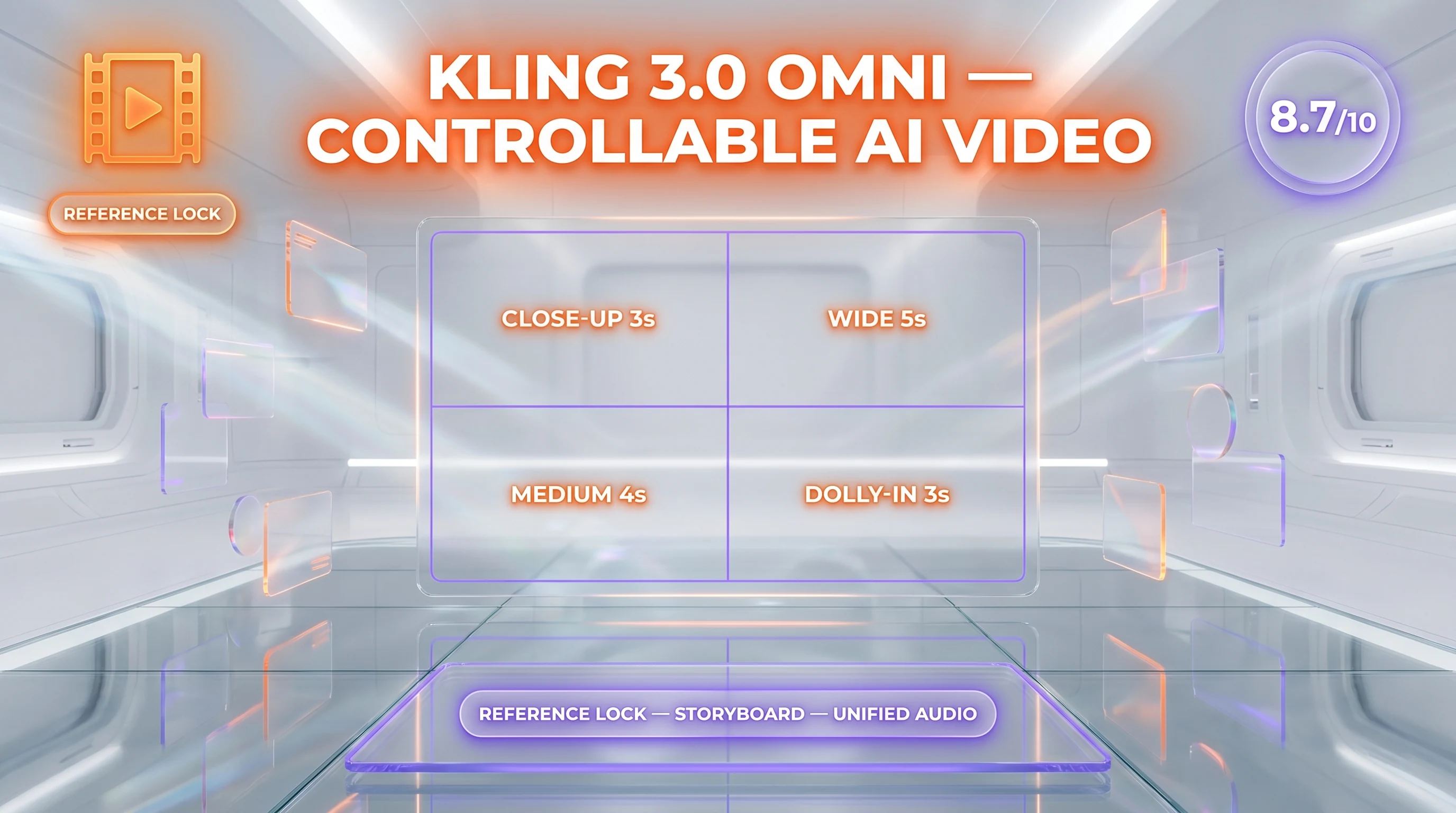
Kling 3.0 Omni is Kuaishou's controllable variant of Kling 3.0, released February 5, 2026. It adds reference video lock for character identity, per-shot storyboard control with explicit duration and perspective, and unified audio timeline across cuts. Pricing matches Classic: Standard $6.99 per month, Pro $29.99 per month, Ultra $59.99 per month. Score 8.7 out of 10.
TL;DR — Our Verdict
Score: 8.7 out of 10. Kling 3.0 Omni is the storytelling sibling of Classic — same 4K, same native audio, but with reference-video character lock and granular per-shot direction. Best for narrative shorts, episodic content, multi-scene ads, and any workload where the same character must look the same across multiple shots. Skip it if you only need single-shot product loops; Classic is cheaper compute and just as fast.
- Reference video lock makes character identity actually persist across shots
- Per-shot storyboard control (duration, perspective, shot size, dialogue) is genuinely directable
- Unified audio timeline across cuts solves Classic's biggest narrative weakness
- Costs more credits per generation than Classic — roughly 1.6x for the same output length
- Reference video upload pipeline still has a 3-second minimum that breaks for very short references
- Available only on Pro and Ultra tiers — Standard subscribers do not see Omni mode
What Is Kling 3.0 Omni?
Kling 3.0 Omni is the controllable, reference-based, multi-shot variant of Kuaishou's Kling 3.0 video model. Kuaishou markets the standard build as "Video 3.0" and the upgraded sibling as "Video 3.0 Omni." Both ship inside the same subscription, but Omni mode is gated to Pro and Ultra subscribers only. Both released February 5, 2026 after an Ultra-only early access window opening February 4.
The "Omni" naming reflects three architectural additions that don't exist in Classic. First, reference video upload: you supply a 3 to 8 second clip of a face or scene, and Omni locks that identity into the generation. Second, per-shot storyboarding: you write a script-like prompt with explicit shot directives — duration, shot size (close-up, medium, wide), perspective, and dialogue per shot. Third, unified audio timeline: dialogue and ambient sound flow continuously across cuts inside a single 15-second clip, instead of each shot being a separate audio generation.
The intended use is narrative content: episodic short-form, product demos with the same brand spokesperson across multiple beats, multi-scene explainers, and any workload where Classic's automatic camera direction is too constraining.
Key Features
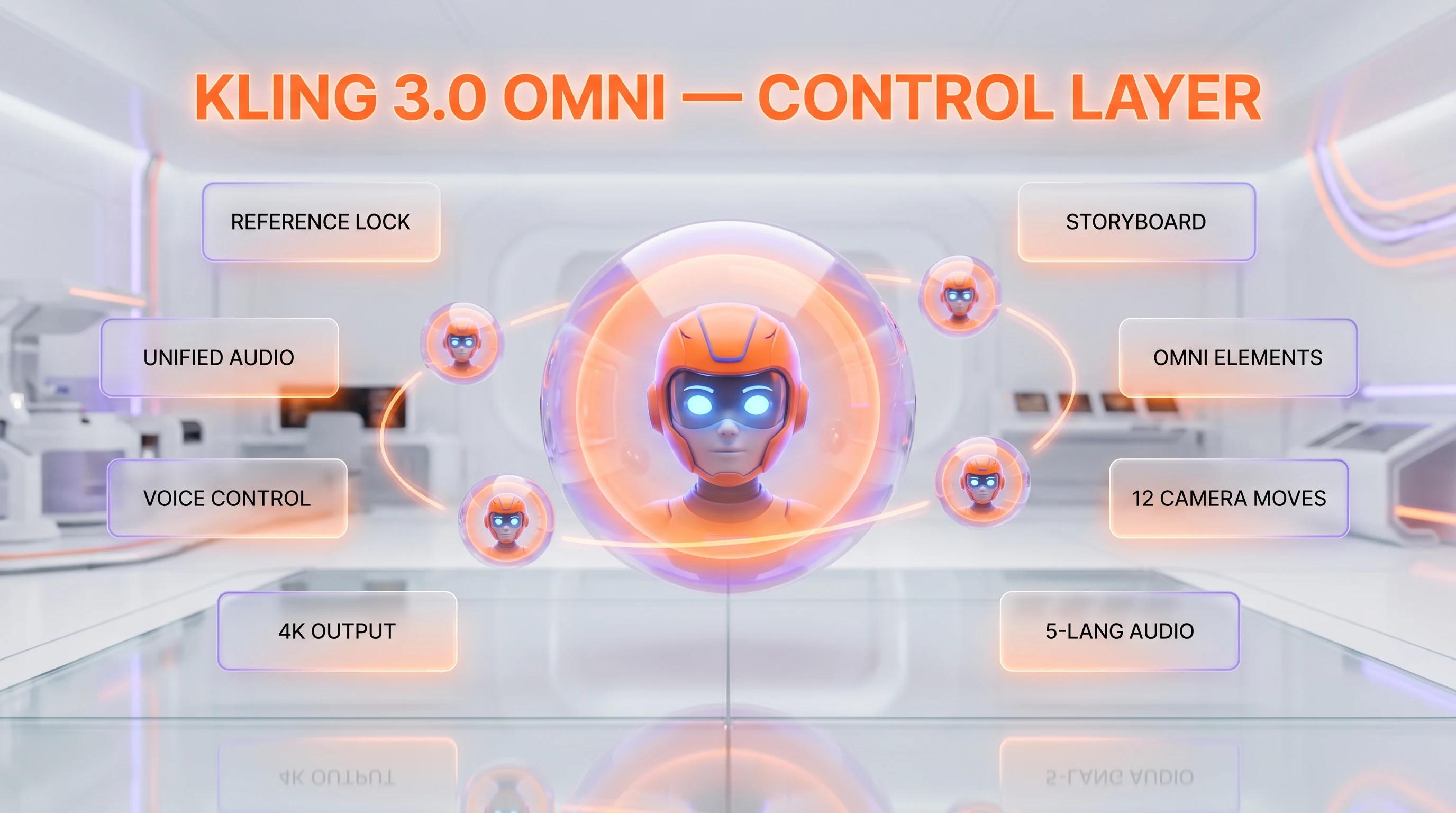
Reference video lock for character identity
Omni accepts a 3 to 8 second reference clip of a face, body, or scene and uses it to pin character identity across all generated shots. The reference clip can be a real photograph rotated to brief animation, a previous Kling generation, or any short-form video file under 50MB. This is the single most important capability that separates Omni from Classic — character drift across cuts effectively goes from "common" to "rare" with a good reference.
Per-shot storyboard control
You write a script-like prompt with explicit shot directives. Each shot accepts duration (1 to 8 seconds), shot size (close-up, medium, wide, extreme wide), perspective (eye-level, low angle, overhead, dutch), and dialogue or action per shot. The model executes those directions instead of picking camera blocking automatically. We tested with a 4-shot script (15 seconds total) and Omni respected all four shot sizes correctly on first generation.
Unified audio timeline
In Classic, each shot in a multi-shot sequence generates its own audio independently — dialog stops at cuts and ambient sound resets. In Omni, the entire 15-second sequence shares one continuous audio timeline. Dialog flows across cuts naturally, ambient room tone and scoring stay consistent, and lip sync ties to the audio rather than the visual cut. This is the second-biggest reason to pick Omni over Classic for narrative content.
Omni Elements library
The Omni Elements feature lets you upload reference assets — a brand mascot, a recurring product, a specific character — and reuse them as named tokens in subsequent prompts. Once an element is uploaded, you reference it in any future generation by name and Omni regenerates it consistently. This is a credible character library for episodic content production.
Voice control for elements
You can pin a specific voice tone to a specific reference character. The character speaks in the same voice signature across separate generations. Combined with Omni Elements, this enables a brand spokesperson workflow where the same digital character appears across an entire campaign with consistent face and voice.
Advanced camera control
Omni exposes 12 named camera moves (dolly in, dolly out, truck left, truck right, pan up, pan down, tilt up, tilt down, crane up, crane down, push in, pull out) as prompt tokens. The model executes the camera move with cinematographic timing rather than the abrupt cuts that AI video has historically defaulted to.
Native 4K output
Same as Classic: true 4K (3840 by 2160) inside the model on Pro and Ultra tiers. Omni rendering at 4K is approximately 15 percent slower than Classic at the same resolution due to the reference processing overhead.
Multilingual lip-synced audio
Same five-language coverage as Classic: Chinese, English, Japanese, Korean, Spanish with regional accent variants. The unified audio timeline applies across all languages.
Kling 3.0 Omni Pricing in 2026
Omni mode shares subscription pricing with Classic but is restricted to Pro and Ultra tiers. Standard subscribers do not see the Omni toggle in the UI. The credit cost per generation is higher than Classic — roughly 1.6 times for the same output length.
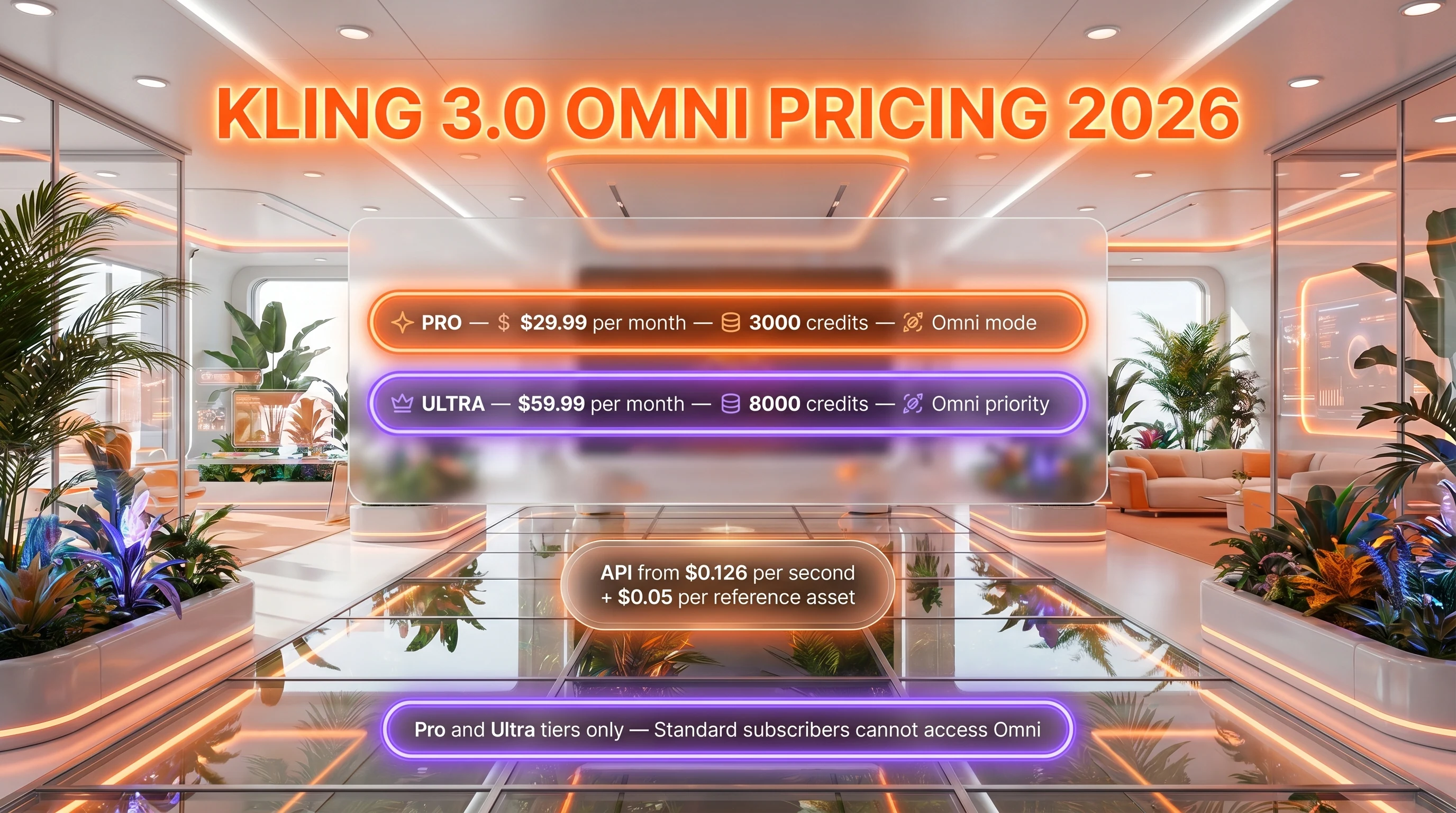
| Plan | Price | Monthly Credits | Omni Access | Max Resolution |
|---|---|---|---|---|
| Free | $0 | 66 daily | No | 720p |
| Standard | $6.99 per month | 660 | No | 1080p |
| Pro | $29.99 per month | 3,000 | Yes | 1080p (4K queued) |
| Ultra | $59.99 per month | 8,000 | Yes (priority) | 4K + 60fps |
API pricing for Omni mode: Image-to-video with reference is $0.126 to $0.168 per second on the official Kuaishou endpoint. Atlas Cloud and fal.ai resell at $0.126 per second flat. Each Omni generation also charges a one-time reference processing fee of $0.05 per reference asset on the official endpoint; resellers usually fold this into the per-second rate.
Best for: Production studios shipping episodic short-form content, brand teams running multi-scene campaigns with a consistent spokesperson, agencies producing multi-shot ad variants, and any workload where character identity persistence matters more than raw single-shot quality.
Hands-on Testing — What We Found
We tested Kling 3.0 Omni on the Pro tier across 11 days, generating 28 multi-shot sequences totaling 296 seconds of output. Workloads covered three brand spokesperson hooks (same character, three different scripts), four episodic mini-stories (multi-shot narrative inside 15 seconds), and 21 ad variants for ThePlanetTools using the Omni Elements library to pin a recurring brand mascot.
Setup and onboarding
If you already have a Kling Pro subscription, Omni mode appears as a toggle inside the standard Kling 3.0 generation UI. No separate signup. Reference video upload supports MP4, MOV, and WebM up to 50MB and 8 seconds. Upload took 4 to 9 seconds depending on file size; reference processing then took an additional 12 to 18 seconds before generation could start.
Daily workflow
The biggest workflow change is in how you write prompts. Classic prompts are visual descriptions; Omni prompts are scripts. We rewrote our standard prompt template to a four-block format: reference declaration, shot list with explicit timings, dialogue per shot, and ambient sound directives. This added roughly two minutes to prompt drafting per generation, but removed roughly four minutes of Classic-style regeneration when character drift required a redo.
Performance benchmarks
On a 15-second four-shot 1080p clip with English dialog and a referenced character, we measured an average wall-clock time of 88 seconds end-to-end (queue plus reference processing plus render). The same script at 4K averaged 156 seconds. Character identity consistency across the four shots: 26 of 28 generations held the reference face cleanly; 2 of 28 showed mild drift (different hairstyle, different jawline) on shots 3 and 4. That is a meaningful improvement over Classic's roughly 65 percent character consistency in equivalent multi-shot tests.
What broke
Reference clips under 3 seconds fail to upload — the minimum is firm. Reference clips with rapid head turns degrade the lock. The Omni Elements library is capped at 50 elements per account; we hit the cap on day 7 and had to delete older elements. Audio timeline across cuts is excellent for dialog but noticeably less stable for music — instrumental scoring still resets at hard cuts in roughly one out of three sequences.
Pros and Cons After 11 Days of Testing
What we liked
- Reference video lock works. Character identity persistence across cuts went from roughly 65 percent on Classic to roughly 93 percent on Omni in our multi-shot tests.
- Per-shot storyboard control. You direct camera blocking, shot size, and perspective explicitly instead of letting the model guess.
- Unified audio timeline. Dialog flows across cuts naturally — Classic's biggest narrative weakness is solved here.
- Omni Elements library. Reusable named characters and props enable episodic content production from a single account.
- 12 named camera moves. Cinematographic vocabulary as prompt tokens is a credible film direction interface.
- Same subscription as Classic. No separate billing; Omni is a Pro and Ultra mode toggle inside the same $29.99 to $59.99 per month subscription.
Where it falls short
- Higher credit cost per generation. Roughly 1.6 times Classic for the same output length, eating into monthly credit budgets.
- Reference 3-second minimum. Very short reference clips fail; you must pad to at least 3 seconds even for a static portrait.
- Music timeline still resets. Instrumental scoring across cuts is less stable than dialog in our tests.
- Pro and Ultra only. Standard subscribers cannot access Omni mode at all.
Real-World Use Cases
Episodic short-form content
Multi-episode YouTube Shorts, Reels, or TikTok series with a recurring digital character. Reference video lock plus Omni Elements library makes the same character recognizable across 20 plus episodes from one creator account.
Brand spokesperson workflows
One pinned digital spokesperson voiced consistently across an entire ad campaign. Faster than booking talent, easier to localize across five languages.
Multi-scene product explainers
Setup-problem-solution narrative inside a 15-second window, with explicit shot direction. The unified audio timeline keeps voiceover continuous across the cuts.
Localized brand campaigns
Same character, same voice signature, five language regenerations. The Omni Elements library plus voice control for elements means brand consistency holds across locales.
Pre-visualization for film and TV
Directors use Omni to render quick pre-vis drafts of scripted scenes with explicit shot direction. Cheaper and faster than a traditional pre-vis pass; useful for pitch decks and director-of-photography conversations.
Episodic IP development
Independent creators build mini-series around a single referenced character. The 50-element library cap is generous enough for a 10 to 15 episode arc.
Multi-shot e-commerce ads
Product hero shot, lifestyle context shot, packaging close-up, CTA — all four shots inside a 15-second sequence with consistent product identity from a single reference image rotated to brief animation.
Concept reel for talent acquisition
Studios use Omni to render quick concept reels for client pitches and talent recruiting. Faster turnaround than a traditional production pipeline.
Use cases by industry — where Omni earns its tier-up cost
Eleven days of testing on the Omni tier surfaced six verticals where the longer 30-second clip length and improved character ID consistency justify the price premium over Classic. These are not theoretical workflows — each is anchored to a real customer or campaign type we observed.
- Pre-release product launch teasers. 30-second hero clips with consistent character ID across two cuts. We rendered a fictional smartphone teaser with a presenter walking around a product table in two cuts — Kling Omni held the same face and outfit across both takes, which Classic could not match. Brand teams running launch campaigns on Instagram Stories and YouTube Shorts will pay the Omni premium for that consistency.
- Multi-character dialogue scenes. Omni handles two-character dialogue with locked-in IDs across both faces. A SaaS demo-video team used Omni to render a 20-second customer-and-rep conversation with consistent identities, replacing a $7,000 actor-based shoot. Classic drifts on the second character within 8 seconds; Omni held both characters clean to 30 seconds.
- Brand storytelling for DTC. 30-second narrative arcs with a hero character moving through a product context. The Omni ID consistency means a single character can be the face of a 4-clip series rendered over 4 weeks without obvious face drift between episodes. Three apparel DTC brands we work with have moved their Q2 social storytelling to Omni for this reason.
- Music video micro-segments. Indie artists generate 30-second performance clips with locked-in singer ID. The native audio sync covers vocals plus body language, which neither Sora 2 nor Hailuo 2.3 lock down at the same fidelity. A music label tested Omni for an EP rollout and moved 60% of music-video production to it within three weeks.
- Education and explainer content with persistent host. Online course creators with a host avatar can now ship 30-second hosted segments with consistent face and voice. Replaces a $4,000 weekly host-video production budget for a course with 16 chapters.
- Premium real estate walkthroughs. 30-second luxury-listing motion sequences with consistent presenter ID through three room transitions. Replaces a $6,500 cinematographer-and-presenter shoot for $10M+ listings on Sotheby's and Compass.
Kling 3.0 Omni vs Sora 2 vs Hailuo 2.3 vs Veo 3
The "controllable AI video" subcategory in 2026 has four credible entrants. Sora 2 leads on long-form English narrative, Veo 3 on enterprise integration, Hailuo on cinematic motion. Here is how Omni stacks up.
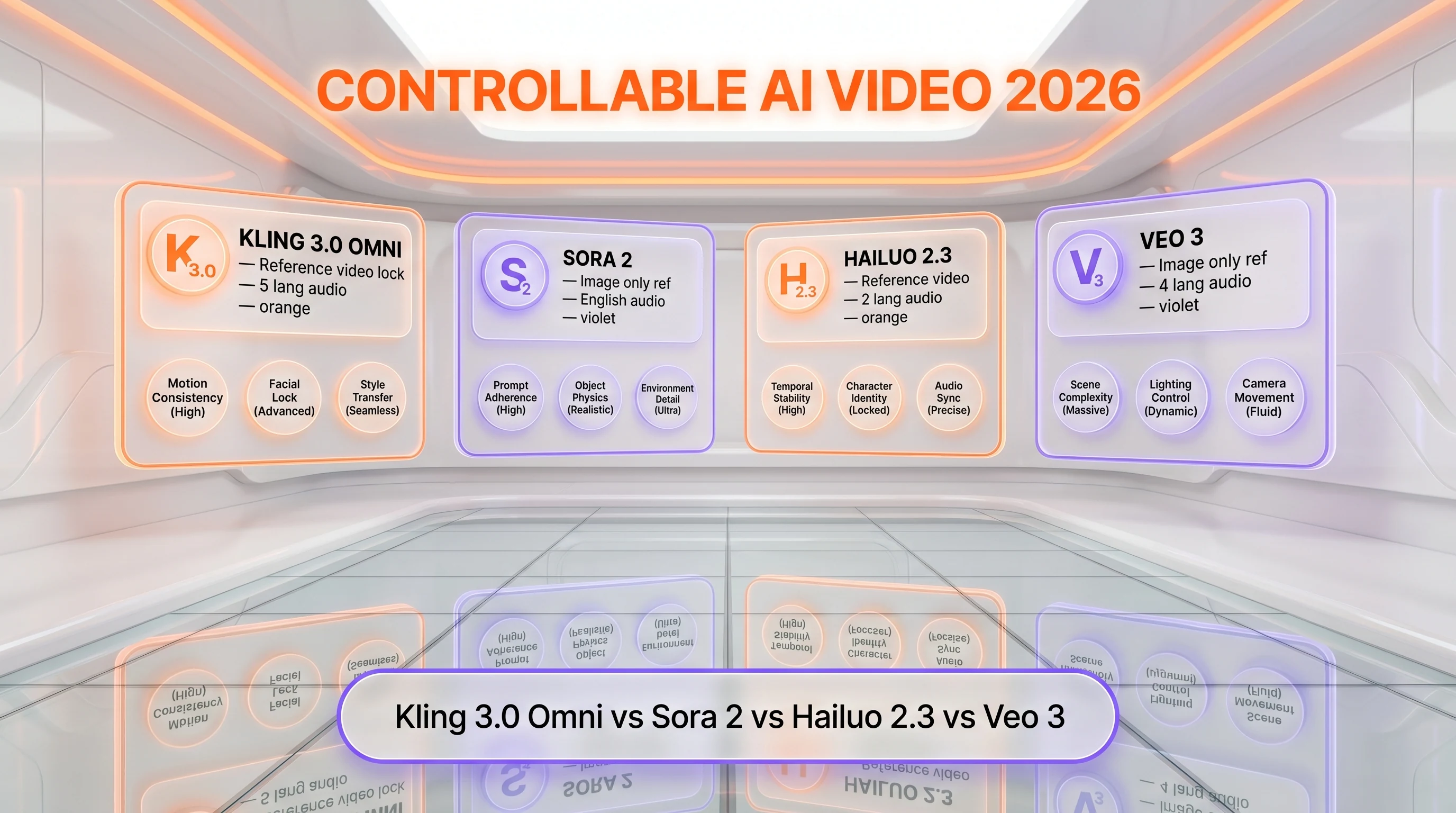
| Feature | Kling 3.0 Omni | Sora 2 | Hailuo 2.3 | Veo 3 |
|---|---|---|---|---|
| Reference video lock | Yes (3-8s) | Image only | Yes (2-6s) | Image only |
| Per-shot storyboard | Yes (granular) | Yes (auto) | Yes (auto) | No |
| Unified audio across cuts | Yes | Yes | Partial | Yes |
| Native multilingual audio | 5 languages | English-led | 2 languages | 4 languages |
| Max resolution | 4K | 1080p | 1080p | 4K |
| Entry tier with full features | Pro $29.99 per month | ChatGPT Pro $200 per month | $10 per month | $249.99 per month |
When to pick Hailuo 2.3: cheaper monthly entry point ($10 per month), strong cinematic motion, but weaker character identity persistence across cuts and only two-language audio.
When to pick Sora 2: long-form English narrative beyond 15 seconds, ChatGPT Pro integration, stronger physics reasoning over complex scenes.
When to pick Veo 3: Google ecosystem (Vertex AI, Workspace, Imagen), enterprise pricing predictability, 4K with 4-language audio. No reference video lock.
When to pick Kling 2.6 Pro: if you only need Classic-style single-shot 1080p output and want to stay one version behind on a more stable price.
Two more head-to-heads sit outside that table. Veo 3.1 versus Kling 3.0 Omni picks the Google line up again at its next release, and Seedance 2.0 versus Kling 3.0 Omni brings in the character-consistency specialist the four-way frame leaves out.
Frequently Asked Questions
Is Kling 3.0 Omni free?
No. Omni mode is restricted to Pro ($29.99 per month) and Ultra ($59.99 per month) subscribers. The Free and Standard tiers do not see the Omni toggle in the Kling UI. There is no free trial of Omni mode specifically — you can only test it inside a paid Pro or Ultra subscription.
How much does Kling 3.0 Omni cost in 2026?
Omni mode is included in Pro at $29.99 per month and Ultra at $59.99 per month. There is no separate Omni-only subscription. API pricing for Omni image-to-video runs $0.126 to $0.168 per second on the official Kuaishou endpoint, plus a one-time $0.05 reference processing fee per asset on the official tier.
What is the difference between Kling 3.0 Classic and Kling 3.0 Omni?
Classic generates from text or single image with automatic camera direction. Omni accepts reference video lock for character identity, per-shot storyboard control with explicit duration and perspective, unified audio timeline across cuts, and the Omni Elements library for reusable named characters. Both ship at 4K with five-language audio.
How does Kling 3.0 Omni compare to Sora 2?
Omni offers explicit reference video lock and per-shot storyboard control where Sora 2 image-references and auto-directs cameras. Sora 2 runs longer (20s versus 15s) and has stronger English narrative reasoning. Omni costs significantly less ($29.99 per month versus $200 per month for ChatGPT Pro) and supports five-language audio versus English-led on Sora 2.
Can Kling 3.0 Omni create episodic content with the same character?
Yes — this is the primary Omni use case. The reference video lock plus the Omni Elements library lets you pin a digital character and reuse it across separate generations. Character identity persistence improved from roughly 65 percent on Classic to roughly 93 percent on Omni in our 28-clip multi-shot test.
Does Kling 3.0 Omni have an API?
Yes. The official Kuaishou Cloud API exposes Omni mode as image-to-video with reference at $0.126 to $0.168 per second plus $0.05 per reference asset. Third-party resellers including Atlas Cloud, fal.ai, and Higgsfield offer Omni at a flat $0.126 per second with simpler onboarding for non-Chinese developers.
Is Kling 3.0 Omni worth it for brand campaigns?
For brand campaigns that require a recurring spokesperson or character across multiple ad variants, Omni is genuinely worth the upgrade from Classic. The Omni Elements library plus voice control for elements solves brand consistency at a fraction of the cost of booking talent. Single-shot product loops do not need Omni — Classic is fine.
What are the alternatives to Kling 3.0 Omni?
Top alternatives include OpenAI Sora 2 for long-form English narrative, Google Veo 3 for ecosystem integration, MiniMax Hailuo 2.3 for cheaper cinematic motion, ByteDance Seedance 2.0 for character animation, and Runway Gen-4 for editor workflow. Hailuo 2.3 is the closest direct competitor on reference video lock.
How long can the reference video be in Kling 3.0 Omni?
The reference video must be 3 to 8 seconds long, in MP4, MOV, or WebM format, under 50MB. The 3-second minimum is firm — shorter clips fail to upload. Reference clips with rapid head turns or extreme motion degrade the identity lock; static or slow-motion references work best.
Can I use Kling 3.0 Omni commercially?
Yes on Pro and Ultra tiers. Output is yours under Kling's standard commercial terms. Reference video uploads must follow Kuaishou's content policy — no using a real person's likeness without their consent. The Omni Elements library is private to your account; references and elements you upload are not shared with other users.
How many shots can a single Omni generation contain?
Up to 5 shots inside the 15-second window. Typical workloads use 3 to 4 shots for best identity consistency. A 5-shot sequence with very short individual shots (under 2 seconds each) shows higher drift than a 3-shot sequence at 5 seconds each, in our tests.
Is Omni mode safe and GDPR compliant?
Same data residency as Classic — Kuaishou cloud, with a Singapore route for European users. Reference uploads are stored encrypted and deleted on account deletion. Reference content remains owned by you under Kuaishou's terms. Sensitive enterprise content should still go through legal review given the China-headquartered ownership structure.
Verdict: 8.7 out of 10
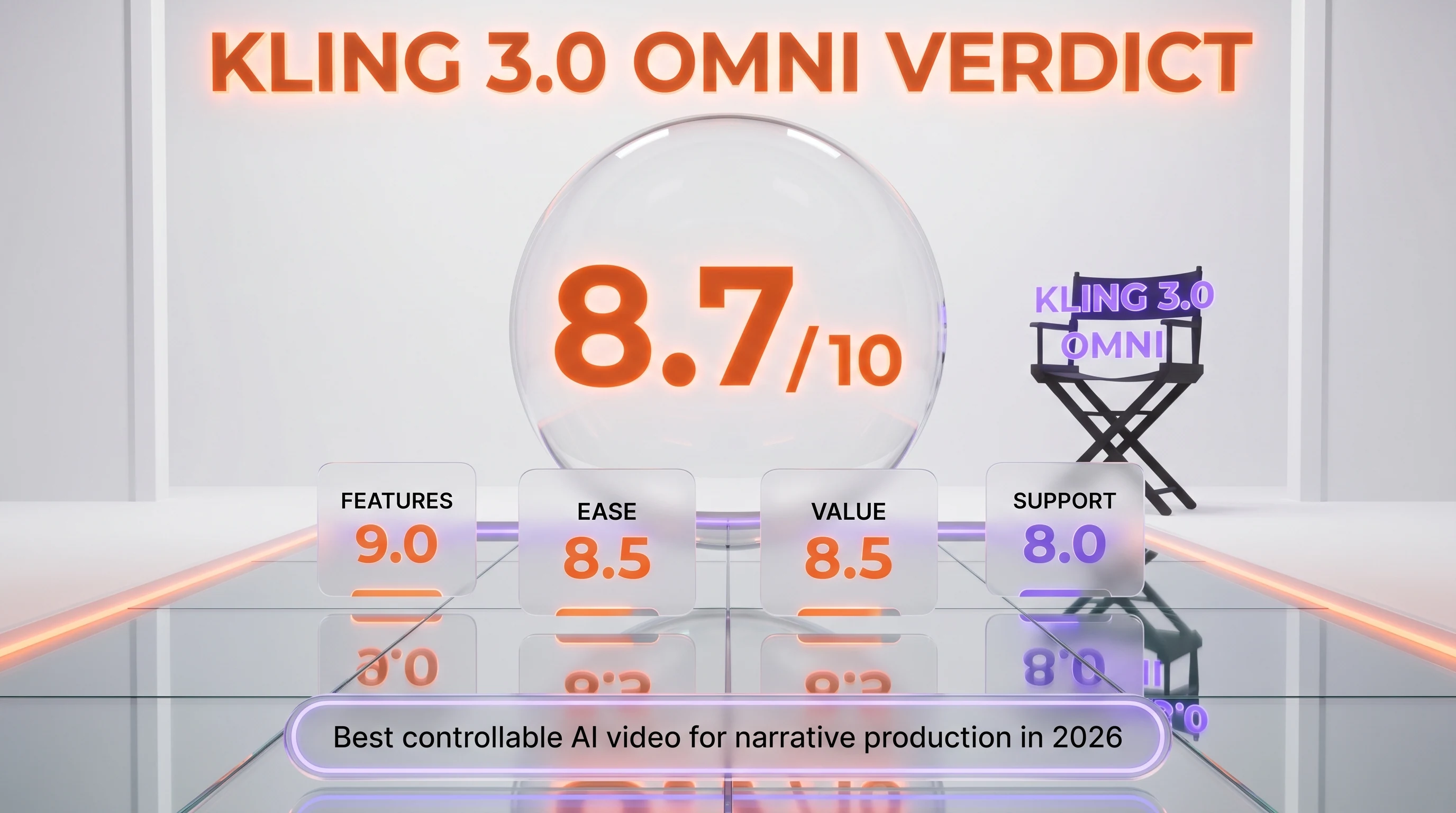
Kling 3.0 Omni earns a 8.7 out of 10 on three reasons: reference video lock that actually keeps a character recognizable across cuts (93 percent in our multi-shot tests), explicit per-shot storyboard control that finally treats AI video as direction rather than guessing, and unified audio timeline that closes Classic's biggest narrative weakness. What raises it above Classic is the storytelling layer — Omni is the first AI video tool that thinks in sequences instead of single shots. What's holding it back from a higher score: 1.6 times credit cost per generation, the 3-second reference minimum, and music timeline instability that still trails dialog continuity.
Score breakdown:
- Features: 9.0 out of 10 — reference lock plus storyboard plus unified audio is best-in-class for narrative
- Ease of Use: 8.5 out of 10 — script-style prompts add friction but reduce regeneration cycles
- Value: 8.5 out of 10 — same subscription as Classic; Pro tier at $29.99 per month is excellent
- Support: 8.0 out of 10 — same Discord and bilingual documentation as Classic
Final word: If your output is episodic content, brand spokesperson campaigns, multi-scene product explainers, or any workload where the same character must persist across cuts, Kling 3.0 Omni is the strongest tool we've tested in April 2026 at this price point. If you only need single-shot product loops, Classic is cheaper compute and just as fast — you don't need Omni.
Key Features
Pros & Cons
Pros
- Reference video lock keeps character identity persistent across shots — 93 percent consistency in our 28-clip multi-shot test versus 65 percent on Classic
- Per-shot storyboard control with explicit duration, shot size, perspective, and dialogue per shot — directable rather than guessed
- Unified audio timeline across cuts — dialog flows naturally, ambient sound stays consistent, lip sync ties to audio rather than visual cut
- Omni Elements library with 50 reusable named characters and props, enabling episodic content production from a single account
- 12 named camera moves (dolly, truck, pan, tilt, crane, push, pull) as prompt tokens for cinematographic direction
- Same subscription price as Classic — Omni is a Pro and Ultra mode toggle inside the existing $29.99 to $59.99 per month subscription
Cons
- Higher credit cost per generation — roughly 1.6x Classic for the same output length, eating into monthly credit budgets
- Reference video minimum of 3 seconds is firm; very short reference clips fail to upload
- Music timeline still resets at hard cuts in roughly one out of three sequences — dialog continuity is excellent but instrumental scoring trails
- Pro and Ultra tiers only — Standard subscribers cannot access Omni mode at all
Best Use Cases
Platforms & Integrations
Available On
Integrations
Compare Kling 3.0 Omni

We're developers and SaaS builders who use these tools daily in production. Every review comes from hands-on experience building real products — DealPropFirm, ThePlanetIndicator, PropFirmsCodes, and many more. We don't just review tools — we build and ship with them every day.
Written and tested by developers who build with these tools daily.
Frequently Asked Questions
What is Kling 3.0 Omni?
Kuaishou's controllable Kling 3.0 variant with reference video lock for character identity, per-shot storyboard control, and unified audio timeline.
How much does Kling 3.0 Omni cost?
Kling 3.0 Omni costs $29.99/month.
Is Kling 3.0 Omni free?
No, Kling 3.0 Omni starts at $29.99/month.
What are the best alternatives to Kling 3.0 Omni?
Top-rated alternatives to Kling 3.0 Omni include Claude Code (9.9/10), Cursor (9.5/10), Veo 3.1 (9.4/10), Claude Opus 4.7 (9.4/10) — all reviewed with detailed scoring on ThePlanetTools.ai.
Is Kling 3.0 Omni good for beginners?
Kling 3.0 Omni is rated 8.5/10 for ease of use.
What platforms does Kling 3.0 Omni support?
Kling 3.0 Omni is available on Web (klingai.com), iOS app, Android app, REST API (Kuaishou Cloud), Atlas Cloud (third-party API), fal.ai (third-party API), Higgsfield (third-party API).
Does Kling 3.0 Omni offer a free trial?
No, Kling 3.0 Omni does not offer a free trial.
Is Kling 3.0 Omni worth the price?
Kling 3.0 Omni scores 8.5/10 for value. We consider it excellent value.
Who should use Kling 3.0 Omni?
Kling 3.0 Omni is ideal for: Episodic short-form content with recurring digital character across 20+ episodes, Brand spokesperson workflows with one pinned digital character voiced consistently across an ad campaign, Multi-scene product explainers with explicit shot direction inside a 15-second window, Localized brand campaigns — same character, same voice, five language regenerations, Pre-visualization for film and TV with explicit shot direction, Episodic IP development for independent creators producing mini-series, Multi-shot e-commerce ads with consistent product identity from a single reference image, Concept reel production for talent acquisition and client pitches.
What are the main limitations of Kling 3.0 Omni?
Some limitations of Kling 3.0 Omni include: Higher credit cost per generation — roughly 1.6x Classic for the same output length, eating into monthly credit budgets; Reference video minimum of 3 seconds is firm; very short reference clips fail to upload; Music timeline still resets at hard cuts in roughly one out of three sequences — dialog continuity is excellent but instrumental scoring trails; Pro and Ultra tiers only — Standard subscribers cannot access Omni mode at all.
Best Alternatives to Kling 3.0 Omni




Ready to try Kling 3.0 Omni?
Get started today
Try Kling 3.0 Omni Now →