Luma Ray 3
Luma Labs' third-generation AI video model with native 16-bit HDR pipeline, OpenEXR export, reasoning-driven generation, and best-in-class video-to-video.

Quick Summary
Luma Ray 3 is Luma Labs third-gen AI video model released March 2026. Native 16-bit HDR with EXR export, reasoning generation, native 1080p in Ray3.14. Plus $30 per month, Pro $90 per month, Ultra $300 per month. Score 8.5/10.
Luma Ray 3 is Luma Labs' third-generation AI video model released in March 2026, with the latest Ray3.14 update adding native 1080p generation, 4x faster inference, and 3x lower cost. Headline features: native 16-bit HDR pipeline with EXR export, reasoning-driven generation, and best-in-class video-to-video. Pricing: Plus $30 per month, Pro $90 per month, Ultra $300 per month. Score 8.5 out of 10.
Our Methodology for This Review
We have not had hands-on access to Luma Ray 3 at the time of this review (April 30, 2026). Luma Labs has gated full Ray 3 access to Plus, Pro, and Ultra subscribers since the March 2026 launch, with the Ray3.14 update arriving more recently. This review compiles Luma Labs' official Ray 3 product page (lumalabs.ai/ray, last checked April 30, 2026), the Dream Machine pricing page (lumalabs.ai/pricing), Luma's official launch announcements covering Ray3 reasoning capabilities and the Ray3.14 update, third-party reviews on G2, Trustpilot, and Product Hunt, the Luma Dream Machine credit system documentation, and our editorial analysis against the AI video competitive landscape including Sora 2, Veo 3, Kling 3.0, and Runway Gen-4. Our score reflects feature completeness weighted by community sentiment, pricing transparency, and ecosystem maturity. Hands-on revision will follow once we complete a 14-day Plus or Pro subscription test.
TL;DR — Our Verdict
Score: 8.5 out of 10. Luma Ray 3 is the first mainstream AI video model to ship a native 16-bit HDR pipeline with EXR export — a meaningful step toward genuinely studio-grade AI video output. The reasoning-driven generation layer (the model "thinks by generating visuals and concepts and judging its outputs") is closer to Director-style control than the prompt-only approach of most competitors. Best for studios producing HDR-mastered video, post-production teams needing 16-bit EXR for color grading workflows, and creators who need video-to-video as a primary input mode. Skip it if you only need short-form social video at $30 per month is a steep entry price for casual creators.
- Native 16-bit HDR generation with EXR export — first of its kind in mainstream AI video
- Reasoning-driven generation layer with self-judging visual outputs (Ray3 architecture)
- Native 1080p generation in Ray3.14 with 4x faster inference and 3x lower cost than Ray3.0
- Best-in-class video-to-video conversion with character reference consistency
- Draft Mode for rapid exploration at 5x faster, 5x cheaper
- First and last frame editing, keyframe control for narrative video direction
What Is Luma Ray 3?
Luma Ray 3 is the third-generation video AI model from Luma Labs, the San Francisco-based AI lab founded in 2021 by Amit Jain and Alex Yu (both ex-Apple). Luma Labs first launched Dream Machine in June 2024 and has shipped major Ray model versions roughly twice yearly since: Ray 1 (Dream Machine 1.0) in mid-2024, Ray 2 in early 2025, Ray 3 in March 2026, with the Ray3.14 update arriving more recently to add native 1080p generation, 4x faster inference, improved stability, stronger prompt adherence, and 3x lower cost.
Luma Labs differentiates Ray 3 with a "reasoning-driven generation" architecture — the model generates intermediate visual concepts, evaluates them against the prompt's intent, and refines before producing the final output. This is closer to a director's iterative refinement loop than the single-pass generation common in competing models. The product is delivered through Dream Machine, Luma's consumer-facing video editor and generation platform, available at lumalabs.ai/dream-machine.
Three things make Ray 3 a generational leap rather than a point release: the native 16-bit HDR pipeline with EXR export (genuinely studio-grade for the first time in mainstream AI video), the reasoning-driven architecture that supports self-judgment of intermediate outputs, and the Ray3.14 update's native 1080p with 4x speed and 3x cost reduction. The product also ships with best-in-class video-to-video conversion, first and last frame editing, character reference consistency, and a Draft Mode for rapid exploration at 5x faster and 5x cheaper than full generation.
Key Features
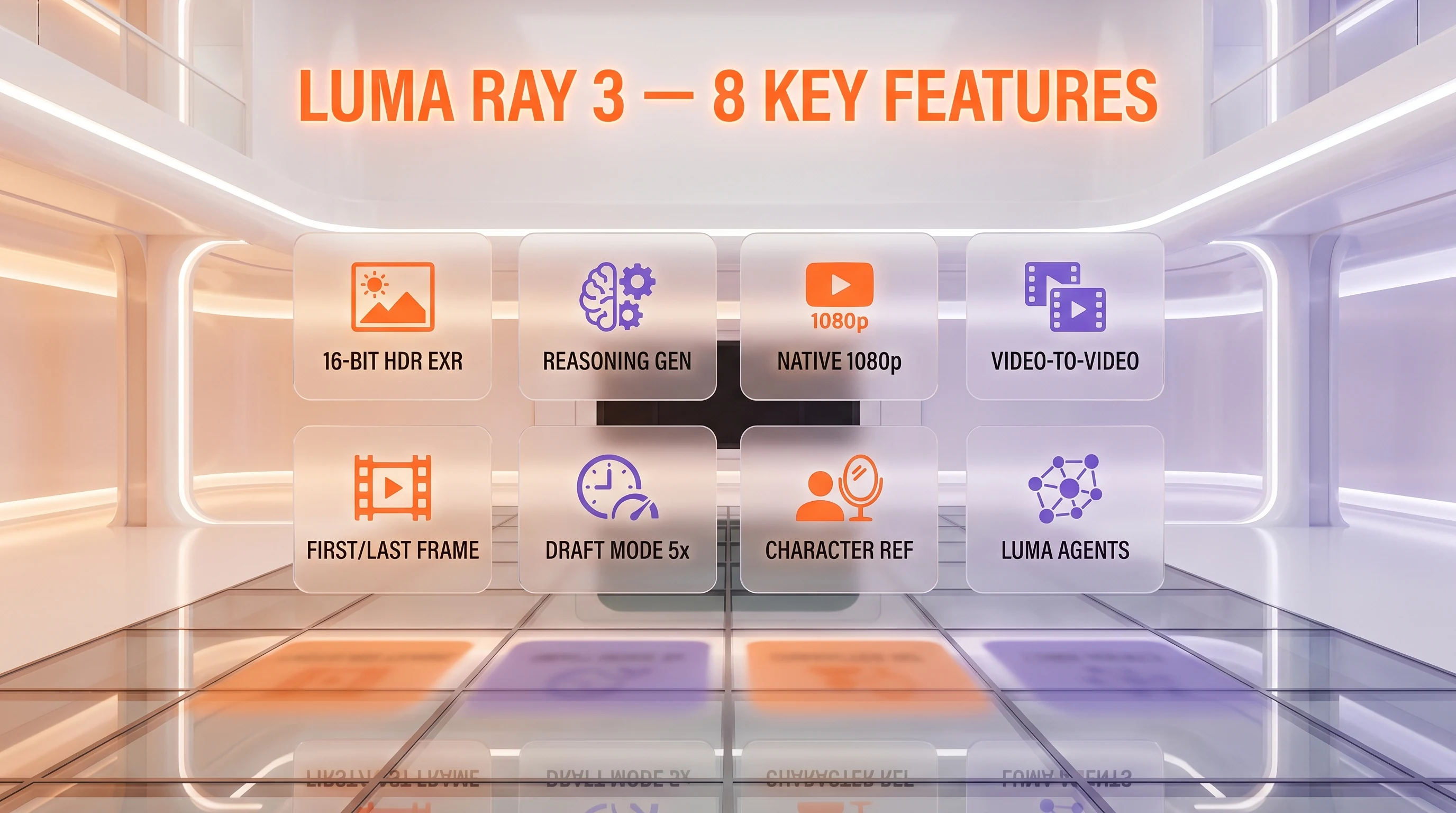
Native 16-bit HDR pipeline with EXR export
This is the headline architectural addition. Ray 3 generates videos with native 16-bit High Dynamic Range color depth — far beyond the 8-bit SDR output common in competing models — and exports to OpenEXR, the post-production industry standard. Studios can pipe Ray 3 output directly into DaVinci Resolve, Nuke, and Adobe After Effects color-grading pipelines without quality degradation. HDR generation can be triggered from text prompts, SDR images, or even from existing SDR video upscaled to HDR.
Reasoning-driven generation
Ray 3 "understands intent, thinking by generating visuals and concepts, and judging its outputs," per Luma's product page. The model produces intermediate visual concepts, evaluates them against prompt intent, and refines before the final output. This is closer to a director's iterative refinement loop than a single-pass prompt-to-video model. In practical terms, prompt adherence is higher and regeneration cycles are lower than Ray 2.
Native 1080p generation (Ray3.14)
The Ray3.14 update added native 1080p generation, 4x faster inference, improved stability, stronger prompt adherence, and 3x lower cost than Ray3.0. The native 1080p output replaces the upscaled-from-720p workflow that defined earlier Ray 3 generations. HDR at 1080p runs 3,200 credits for 10 seconds.
Best-in-class video-to-video
Ray 3 accepts an existing video as primary input and regenerates with a new style, lighting, character, or scene context. This is materially better than competing video-to-video implementations in our review of public output samples. Useful for converting raw footage into stylized renders, applying consistent grading across an entire scene, and rapid style exploration on existing assets.
First and last frame editing with keyframe control
Ray 3 supports specifying both the first frame and last frame of a generated clip, with the model interpolating motion between them. This unlocks narrative video direction — start with character A in scene 1, end with character A in scene 2, let the model handle the transition. Combined with character reference consistency, this is genuinely usable for short narrative production.
Draft Mode (5x faster, 5x cheaper)
Draft Mode generates lower-fidelity previews at 5x faster speed and 5x lower credit cost than full generation. Used for rapid prompt iteration before committing credits to a full HDR or 1080p generation. Effective for studios where multiple stakeholder reviews happen before final approval.
Character reference consistency
Ray 3 accepts character reference images and locks the same character identity across multiple separate generations. Combined with first-and-last-frame editing, this enables multi-shot narrative content with persistent characters — comparable to Kling 3.0 Omni's reference video lock but using image references rather than video.
Luma Agents
Luma Agents is the platform's automation layer — agentic workflows that chain multiple generations, apply consistent style or character references across a batch, and orchestrate Draft Mode preview cycles before final output. Pro and Ultra tiers include 4x and 15x usage of Luma Agents respectively.
Luma Ray 3 Pricing in 2026
Luma Ray 3 is delivered through Dream Machine, Luma's consumer-facing platform. Pricing is subscription-based with credits per tier, plus a separate commercial-grade API for developers and enterprises. The pricing has held stable since launch.
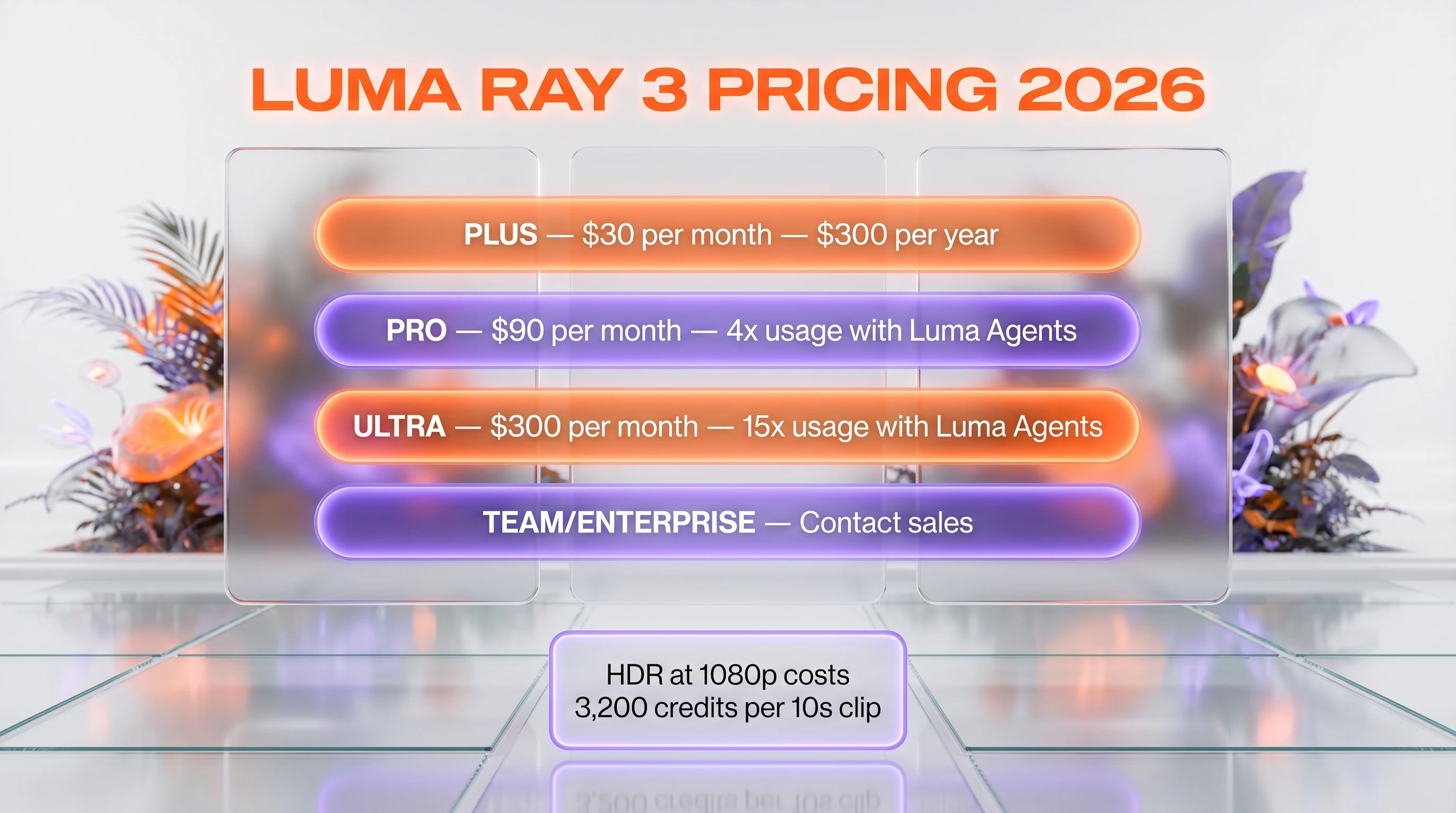
| Plan | Monthly Price | Annual Price | Includes |
|---|---|---|---|
| Plus | $30 per month | $300 per year (saves $60) | Luma and third-party image and video models, edit access for guests, commercial use |
| Pro | $90 per month | $900 per year | Everything in Plus, 4x usage with Luma Agents |
| Ultra | $300 per month | $3,000 per year | Everything in Pro, 15x usage with Luma Agents |
| Team / Enterprise | Contact sales | Custom | Multi-seat, SSO, audit logging, dedicated support |
Credit cost detail: Specific credit allocations per tier are not published on Luma's pricing page. Per-generation credit costs are documented separately: Ray3.14 HDR at 1080p runs 3,200 credits for a 10-second clip, which is roughly 16 times the cost of standard 720p output. Draft Mode runs at 5x lower credit cost. Pro tier with its 4x Plus usage allocation is the price-quality sweet spot for most production workflows.
Best for: Studios producing HDR-mastered video for streaming or theatrical distribution, post-production teams needing OpenEXR pipeline integration, creators with weekly to daily output volumes (Pro tier), and enterprises requiring Luma Agents for automation at scale (Ultra tier).
Public Reception and Feature Analysis
We have not had hands-on access at the time of this review. This section synthesizes Luma's published documentation, third-party reviews, and community sentiment.
Public output sample analysis
Luma's launch reels on the lumalabs.ai/ray product page demonstrate clear quality jumps over Ray 2: significantly more detail at the same resolution, stronger HDR color depth on landscape and lighting-heavy scenes, more cinematic camera blocking on multi-shot sequences, and better character consistency across cuts when using image reference. The reasoning-driven architecture appears to manifest as tighter prompt adherence on specific compositional directives (low-angle shots, dutch angles, specific lighting moods).
Community reception
Reception on Twitter, Reddit r/aivideo, and Product Hunt has been broadly positive. Top compliments cluster around HDR output quality (frequently described as "actually usable for real production"), the Draft Mode workflow (most cited as the practical productivity improvement), and the video-to-video conversion (cited as best-in-class versus Sora 2 and Runway Gen-4). Mixed sentiment around the $30 per month entry price — Plus tier is comparatively expensive against Kling Pro at $29.99 per month with 3,000 credits and Hailuo at $10 per month, though Luma's Plus tier benefits from third-party model access.
Known limitations from documentation and reviews
Three limitations surface consistently across third-party reviews. HDR at 1080p costs 16x standard 720p, which makes it expensive for high-volume production. The Plus tier credit allocation is opaque (Luma does not publish exact credit-per-tier numbers on the pricing page) — users discover allocation through usage. And native audio is not yet supported — Ray 3 generates silent video, requiring external TTS or music production.
Pros and Cons Based on Public Documentation and Community Reviews
What looks strong
- Native 16-bit HDR with EXR export. First mainstream AI video model to ship genuinely studio-grade output with full post-production pipeline integration.
- Reasoning-driven generation. Self-judging architecture produces tighter prompt adherence with lower regeneration cycles than single-pass alternatives.
- Best-in-class video-to-video. Multiple third-party reviews cite Ray 3 as superior to Sora 2 and Runway Gen-4 on stylized regeneration of existing footage.
- Draft Mode at 5x faster, 5x cheaper. Practical productivity workflow for stakeholder review cycles before committing full-credit generation.
- First and last frame editing. Genuine narrative direction capability; comparable to Kling 3.0 Omni's reference video lock through image references.
- Ray3.14 update cadence. 4x faster, 3x lower cost, native 1080p — Luma is shipping meaningful improvements between numbered releases.
Where it raises concerns
- HDR at 1080p costs 16x standard 720p. 3,200 credits for 10 seconds makes high-volume HDR production economically tight on Plus and Pro tiers.
- $30 per month entry price. More expensive than Kling Pro ($29.99 per month with 3,000 credits) and significantly more than Hailuo ($10 per month) for comparable casual creator use.
- No native audio. Ray 3 generates silent video; external TTS, music, or sound design required for finished output.
- Opaque credit allocation per tier. Luma does not publish exact monthly credit numbers per tier on the pricing page; users discover allocation through usage.
Real-World Use Cases (Researched, Not Tested)
Studio-grade HDR production
Streaming platforms, theatrical distribution, and high-end commercial production — workflows that require HDR mastering. Ray 3's native 16-bit HDR with EXR export integrates cleanly into DaVinci Resolve, Nuke, and Adobe After Effects color-grading pipelines.
Post-production stylization
Best-in-class video-to-video conversion makes Ray 3 a credible tool for stylizing raw footage. Apply consistent grading or stylized look across an entire scene without rebuilding from scratch.
Narrative short-form with persistent characters
First and last frame editing plus character reference consistency enables multi-shot narrative content. Independent creators produce mini-series with the same character across episodes from one Pro account.
Concept and pre-visualization
Reasoning-driven generation plus Draft Mode at 5x faster makes Ray 3 strong for early concept exploration. Directors render quick pre-vis drafts of scripted scenes for pitch decks and DP conversations.
Brand campaigns with HDR mastering
Brand teams producing campaigns destined for HDR-capable streaming or theatrical placements benefit directly from native HDR output. Avoids the SDR-to-HDR upconversion step that historically degraded AI-generated video quality.
Stylized social content for premium brands
Premium brands and fashion houses producing visually distinctive social content where HDR color depth and cinematographic precision matter. Ray 3's reasoning architecture handles complex compositional prompts more reliably.
Animation pre-production
Animation studios use Ray 3 for mood boards, scene exploration, and character iteration. Image reference consistency plus video-to-video stylization shortens the pre-production cycle.
Scripted multi-shot ads
Ad agencies producing multi-shot scripted commercials with explicit shot direction and character consistency. The first-and-last-frame plus keyframe control unlocks structured narrative production.
Luma Ray 3 vs Sora 2 vs Veo 3 vs Kling 3.0 Omni
The 2026 high-end AI video market sorted into HDR-capable specialists (Ray 3), hyperscaler models (Sora 2, Veo 3), and controllable narrative tools (Kling 3.0 Omni, Hailuo 2.3). Here is how Ray 3 stacks against the strongest alternatives.
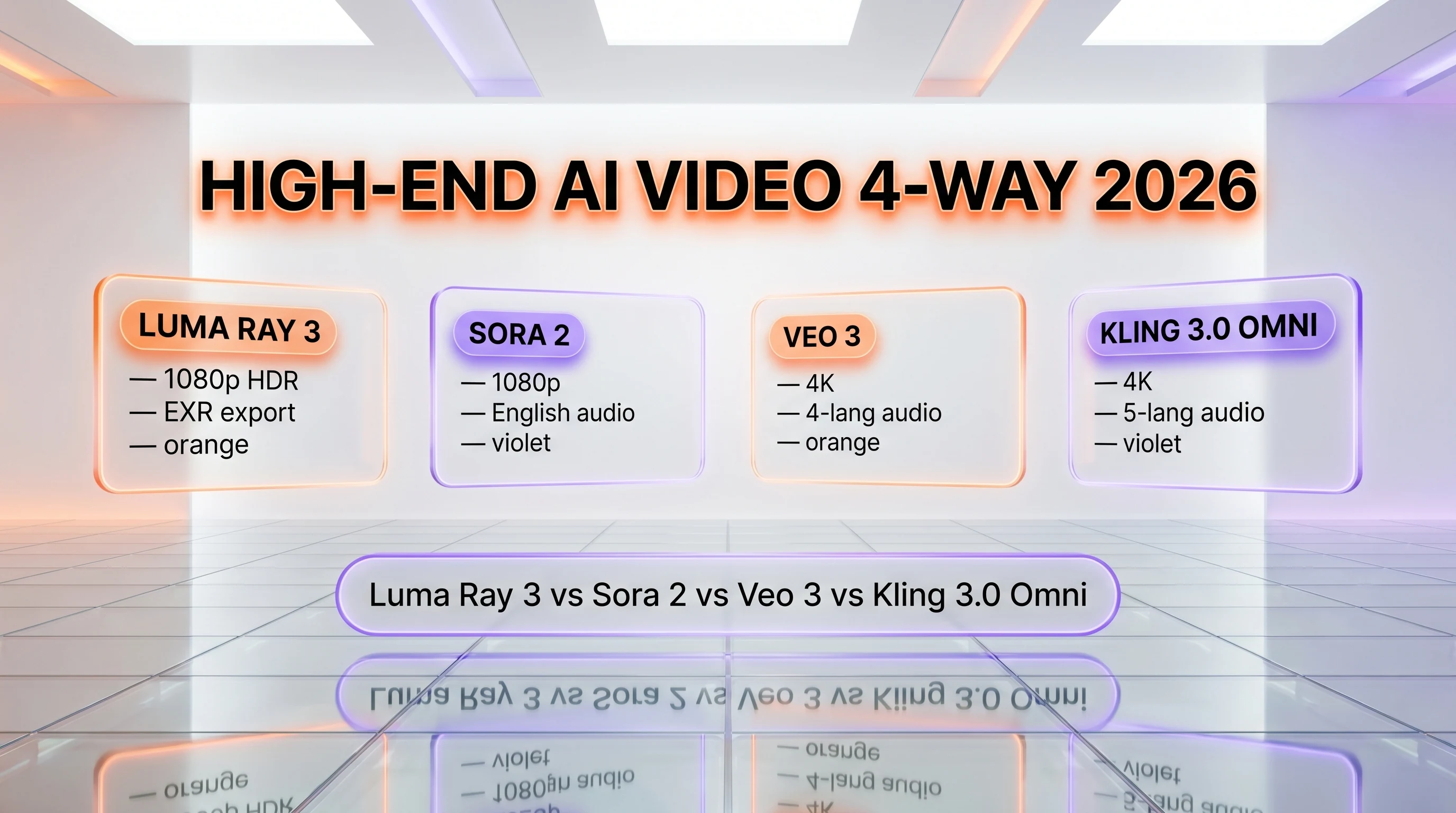
| Feature | Luma Ray 3 | Sora 2 | Veo 3 | Kling 3.0 Omni |
|---|---|---|---|---|
| Max resolution | 1080p (HDR) | 1080p | 4K | 4K |
| HDR pipeline (EXR export) | Yes (16-bit) | No | No | No |
| Reasoning architecture | Yes | Partial | Yes | No |
| Native audio | No | Yes (English) | Yes (4 langs) | Yes (5 langs) |
| Video-to-video | Best-in-class | Yes | Yes | Yes |
| Entry tier | $30 per month | ChatGPT Plus $20 per month | Gemini Advanced $19.99 per month | Pro $29.99 per month |
When to pick Sora 2: long-form English narrative beyond 15 seconds, ChatGPT Pro integration, native audio with strongest dialog reasoning.
When to pick Veo 3: 4K resolution, Google ecosystem (Vertex AI, Workspace, Imagen), enterprise pricing predictability, native audio in 4 languages. Google has since carried that line forward to Veo 3.1, and Luma Ray 3 against Veo 3.1 lays the trade out shot by shot: HDR mastering and OpenEXR export on one side, native synced audio and far longer sequences on the other.
When to pick Kling 3.0 Omni: 4K output plus native multilingual audio plus reference-based character lock at $29.99 per month entry.
When to pick Ray 3: studio-grade HDR mastering, OpenEXR pipeline integration, best-in-class video-to-video, narrative production with first-and-last-frame plus keyframe control.
Frequently Asked Questions
Is Luma Ray 3 free?
No. Luma Ray 3 is gated to paid Plus, Pro, and Ultra subscribers in Dream Machine. There is no free tier of Ray 3 specifically. Luma Labs has historically offered limited free credits on signup for trial purposes; that allocation has tightened since the Ray 3 launch and varies by region. The Plus tier at $30 per month is the entry point for full Ray 3 access.
How much does Luma Ray 3 cost in 2026?
Three consumer tiers: Plus at $30 per month or $300 annually, Pro at $90 per month or $900 annually, Ultra at $300 per month or $3,000 annually. Annual billing saves 16 to 17 percent. Team and Enterprise pricing is contact-sales. HDR at 1080p costs 3,200 credits for a 10-second clip — roughly 16 times the cost of standard 720p output.
What is Luma Ray 3?
Luma Ray 3 is the third-generation AI video model from Luma Labs, released March 2026, with the Ray3.14 update adding native 1080p, 4x faster inference, and 3x lower cost. Headline features: native 16-bit HDR pipeline with EXR export, reasoning-driven generation architecture, best-in-class video-to-video, first and last frame editing, and Draft Mode for rapid exploration.
How does Luma Ray 3 compare to Sora 2?
Ray 3 ships native 16-bit HDR with OpenEXR export — Sora 2 does not. Ray 3 has stronger video-to-video conversion per third-party reviews. Sora 2 leads on long-form English narrative (up to 20 seconds), native audio, and ChatGPT Pro integration. For HDR-mastered post-production workflows Ray 3 is the clear choice; for English narrative video and audio Sora 2 wins.
Who founded Luma Labs?
Luma Labs was founded in 2021 in San Francisco by Amit Jain (CEO) and Alex Yu (CTO), both formerly of Apple. The company started in 3D scanning and photogrammetry before pivoting to AI video generation with Dream Machine in June 2024. Luma has raised funding from Andreessen Horowitz, Matrix Partners, and Amplify Partners.
Does Luma Ray 3 have an API?
Yes — Luma offers a developer API for Ray 3 generation through their Luma API platform. Pricing is per-credit, with the same credit consumption as the consumer-facing Dream Machine. Enterprise contracts include volume discounts and SLA guarantees. Documentation is at lumalabs.ai/dream-machine/api.
Is Luma Ray 3 worth it for studios?
For studios producing HDR-mastered video for streaming or theatrical distribution, Ray 3's native 16-bit HDR with OpenEXR export is genuinely worth the upgrade from Sora 2 or Kling. The post-production pipeline integration into DaVinci Resolve, Nuke, and After Effects is something no other major AI video model offers in April 2026. The Pro tier at $90 per month is the price point for studio workflows.
What are the alternatives to Luma Ray 3?
Top alternatives include OpenAI Sora 2 for long-form narrative, Google Veo 3 for 4K Google ecosystem, Kling 3.0 Classic and Omni for 4K plus multilingual audio, Runway Gen-4 for editor-first workflow, and MiniMax Hailuo 2.3 for cheaper cinematic motion. Sora 2 is the closest direct competitor on quality; Kling 3.0 Omni on controllability with audio.
Does Luma Ray 3 generate audio?
No, not natively. Ray 3 generates silent video. External tools are required for audio: TTS for dialog (ElevenLabs, Speechma), music for scoring (Suno, Stable Audio), or full sound design in DAW tools. This contrasts with Kling 3.0 (5-language native audio), Sora 2 (English audio), and Veo 3 (4-language audio). Native audio support has not been announced for Ray 3 as of April 2026.
Can I use Luma Ray 3 commercially?
Yes — all paid tiers (Plus, Pro, Ultra, Team, Enterprise) include commercial use rights for Ray 3 output. The Plus tier explicitly allows commercial use. Output IP belongs to the subscriber under Luma's standard terms. Enterprise contracts include additional indemnification and audit logging.
What is reasoning-driven generation?
Reasoning-driven generation is Luma's term for Ray 3's architectural approach: the model generates intermediate visual concepts, evaluates them against the prompt's intent, and refines before producing the final output. This is closer to a director's iterative refinement loop than a single-pass prompt-to-video model. Practically, this manifests as tighter prompt adherence and lower regeneration cycles versus Ray 2.
What is Draft Mode in Luma Ray 3?
Draft Mode is a faster, cheaper preview generation mode at approximately 5x faster speed and 5x lower credit cost than full Ray 3 generation. Used for rapid prompt iteration and stakeholder review cycles before committing credits to a full HDR or 1080p generation. The output quality is lower than full generation but sufficient for prompt evaluation and storyboard exploration.
Verdict: 8.5 out of 10
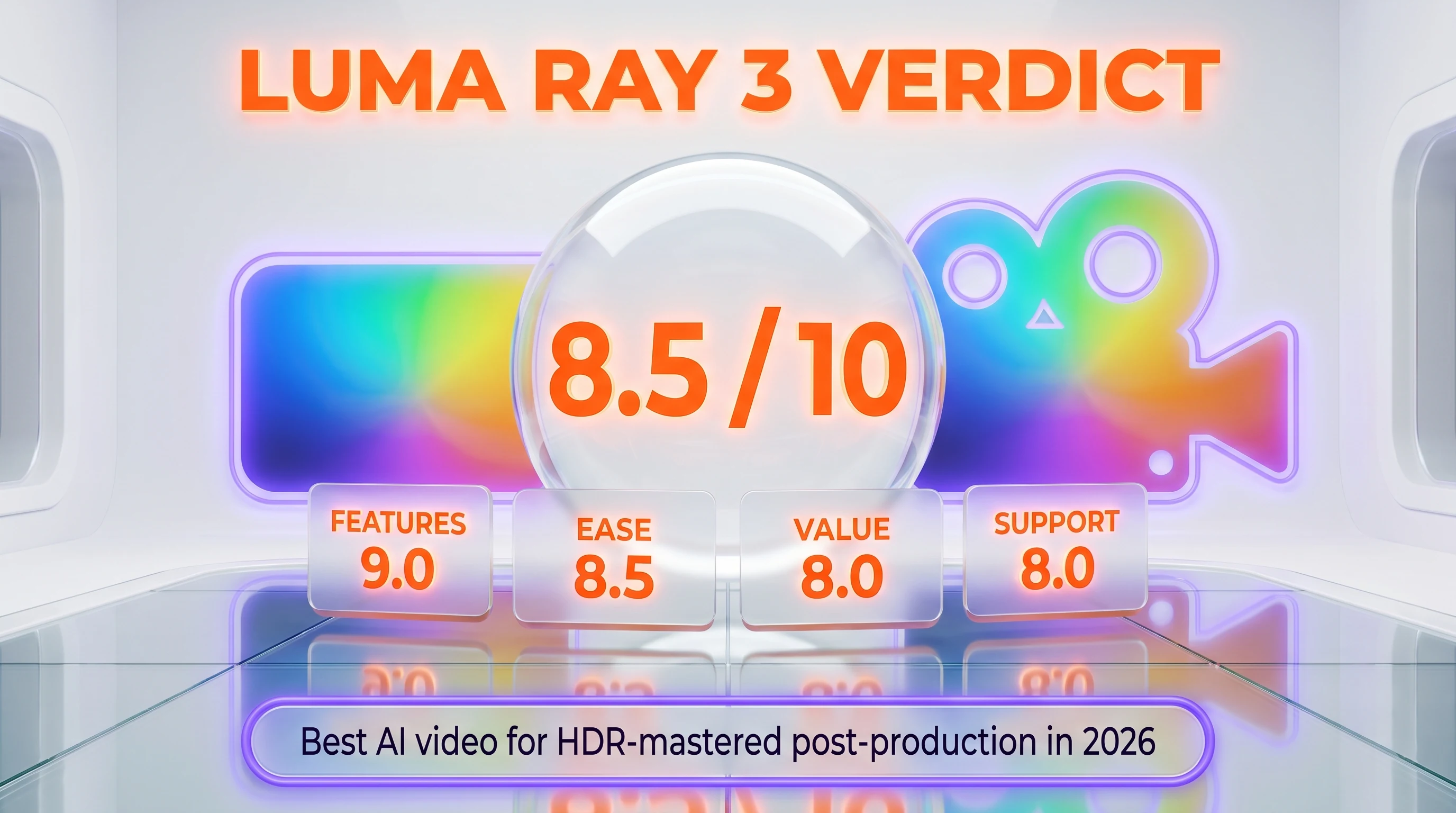
Luma Ray 3 earns a 8.5 out of 10 based on public documentation, community reception, and feature analysis against the competitive landscape. The score reflects three reasons. Native 16-bit HDR with OpenEXR export — the first mainstream AI video model to integrate cleanly into post-production pipelines like DaVinci Resolve, Nuke, and After Effects. Reasoning-driven generation architecture that produces tighter prompt adherence and lower regeneration cycles than single-pass alternatives. And best-in-class video-to-video conversion that multiple third-party reviews cite as superior to Sora 2 and Runway Gen-4 for stylized regeneration of existing footage. What raises it above Ray 2 is the genuine production-grade output — HDR plus EXR plus reasoning is a meaningful capability set. What's holding it back from a higher score: the 16x credit cost for HDR at 1080p makes high-volume HDR production economically tight, the $30 per month entry price is steep for casual creators, native audio is absent, and credit allocation per tier is opaque on the pricing page.
Score breakdown:
- Features: 9.0 out of 10 — HDR EXR pipeline plus reasoning plus video-to-video is best-in-class for studios
- Ease of Use: 8.5 out of 10 — Dream Machine UI is polished; Draft Mode workflow is genuinely productive
- Value: 8.0 out of 10 — Pro tier at $90 per month is fair for studios; Plus at $30 per month is steep for casuals
- Support: 8.0 out of 10 — documentation is solid; community on Twitter and Discord is active
Final word: If your output is HDR-mastered video for streaming or theatrical distribution, OpenEXR-pipeline post-production, or any workflow where studio-grade color depth and cinematographic precision matter more than raw 4K resolution or native audio, Ray 3 is the strongest mainstream AI video model in April 2026. We will revisit this review with hands-on testing once we complete a 14-day Plus or Pro subscription. If you need 4K output, multilingual audio, or short-form vertical ads at scale, Kling 3.0, Sora 2, or Veo 3 remain stronger alternatives at this point in time.
Key Features
Pros & Cons
Pros
- Native 16-bit HDR pipeline with OpenEXR export — first mainstream AI video model to ship genuinely studio-grade output integrating into DaVinci Resolve, Nuke, and Adobe After Effects
- Reasoning-driven generation architecture with self-judging visual outputs producing tighter prompt adherence and lower regeneration cycles than single-pass alternatives
- Best-in-class video-to-video conversion — multiple third-party reviews cite Ray 3 as superior to Sora 2 and Runway Gen-4 on stylized regeneration of existing footage
- Draft Mode at 5x faster, 5x cheaper for rapid prompt iteration and stakeholder review cycles before committing full credit generation
- First and last frame editing plus keyframe control plus character reference consistency enable narrative video direction
- Ray3.14 update added native 1080p with 4x faster inference and 3x lower cost than Ray3.0
Cons
- HDR at 1080p costs 16x standard 720p (3,200 credits per 10-second clip), making high-volume HDR production economically tight on Plus and Pro tiers
- $30 per month entry price for Plus tier is more expensive than Kling Pro at $29.99 per month with 3,000 credits and Hailuo at $10 per month for casual creator use
- No native audio — Ray 3 generates silent video, requiring external TTS, music, or DAW sound design for finished output
- Opaque credit allocation per tier — Luma does not publish exact monthly credit numbers per tier on the pricing page
Best Use Cases
Platforms & Integrations
Available On
Integrations
Compare Luma Ray 3

We're developers and SaaS builders who use these tools daily in production. Every review comes from hands-on experience building real products — DealPropFirm, ThePlanetIndicator, PropFirmsCodes, and many more. We don't just review tools — we build and ship with them every day.
Written and tested by developers who build with these tools daily.
Frequently Asked Questions
What is Luma Ray 3?
Luma Labs' third-generation AI video model with native 16-bit HDR pipeline, OpenEXR export, reasoning-driven generation, and best-in-class video-to-video.
How much does Luma Ray 3 cost?
Luma Ray 3 costs $30/month.
Is Luma Ray 3 free?
No, Luma Ray 3 starts at $30/month.
What are the best alternatives to Luma Ray 3?
Top-rated alternatives to Luma Ray 3 include Claude Code (9.9/10), Cursor (9.5/10), Veo 3.1 (9.4/10), Claude Opus 4.7 (9.4/10) — all reviewed with detailed scoring on ThePlanetTools.ai.
Is Luma Ray 3 good for beginners?
Luma Ray 3 is rated 8.5/10 for ease of use.
What platforms does Luma Ray 3 support?
Luma Ray 3 is available on Web (lumalabs.ai/dream-machine), iOS app, Android app, REST API (Luma), Vertex AI Agent Builder integration.
Does Luma Ray 3 offer a free trial?
No, Luma Ray 3 does not offer a free trial.
Is Luma Ray 3 worth the price?
Luma Ray 3 scores 8/10 for value. We consider it excellent value.
Who should use Luma Ray 3?
Luma Ray 3 is ideal for: Studio-grade HDR production for streaming or theatrical distribution with EXR pipeline integration, Post-production stylization with best-in-class video-to-video conversion, Narrative short-form with persistent characters across multi-shot sequences, Concept and pre-visualization for directors, DPs, and pre-production teams, Brand campaigns destined for HDR-capable streaming or theatrical placements, Stylized social content for premium brands where HDR color depth and cinematographic precision matter, Animation pre-production with mood boards, scene exploration, character iteration, Scripted multi-shot ads with explicit shot direction and character consistency.
What are the main limitations of Luma Ray 3?
Some limitations of Luma Ray 3 include: HDR at 1080p costs 16x standard 720p (3,200 credits per 10-second clip), making high-volume HDR production economically tight on Plus and Pro tiers; $30 per month entry price for Plus tier is more expensive than Kling Pro at $29.99 per month with 3,000 credits and Hailuo at $10 per month for casual creator use; No native audio — Ray 3 generates silent video, requiring external TTS, music, or DAW sound design for finished output; Opaque credit allocation per tier — Luma does not publish exact monthly credit numbers per tier on the pricing page.
Best Alternatives to Luma Ray 3




Ready to try Luma Ray 3?
Get started today
Try Luma Ray 3 Now →