
Quick Summary
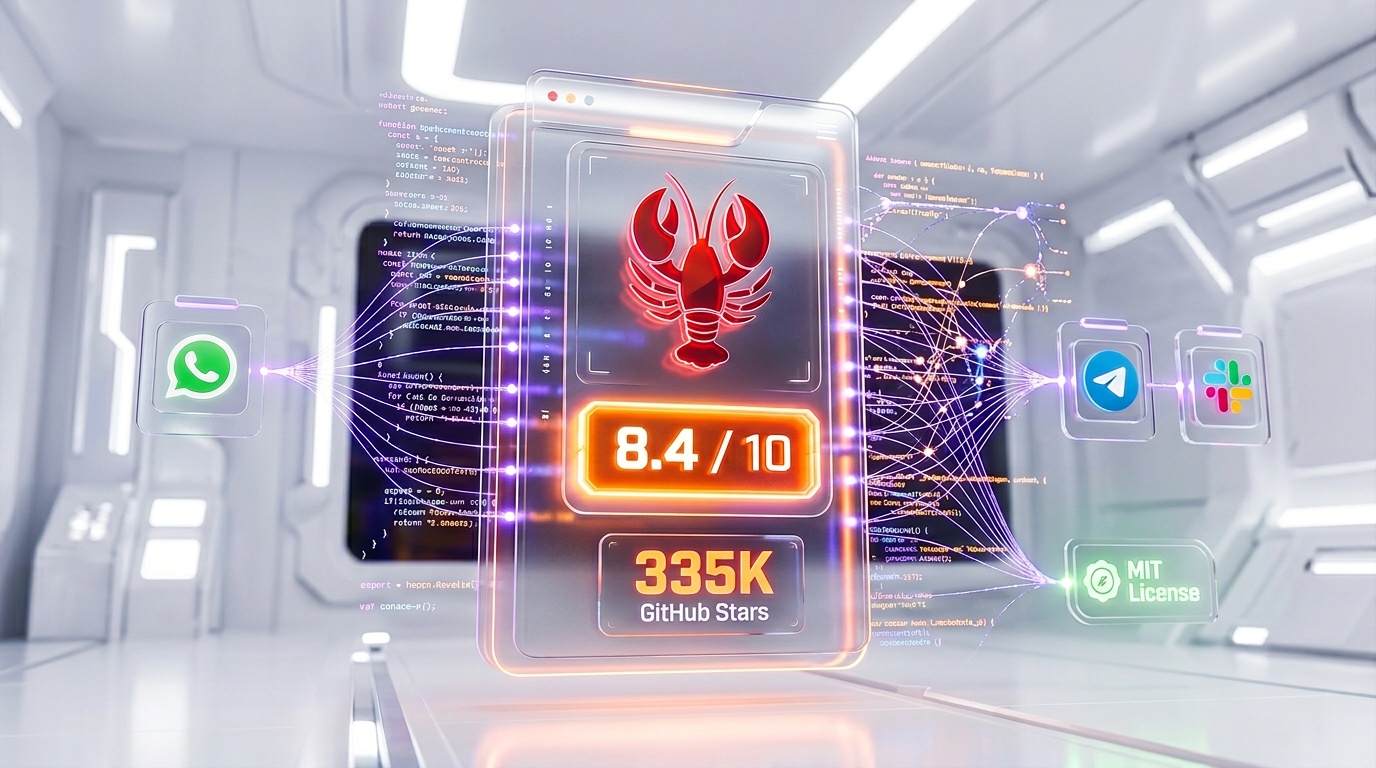
OpenClaw is a free, open-source autonomous AI agent that executes tasks via LLMs using messaging platforms as its UI. Score 8.4/10. Free (MIT license), pay only for LLM API costs ($6-100/mo). 335K+ GitHub stars in 4 months — the most viral open-source project in history.
What Is OpenClaw?
OpenClaw is a free, open-source autonomous AI agent that executes real tasks — browsing the web, writing code, managing files, running shell commands — via LLMs and messaging platforms as its UI. We rate it 8.4 out of 10. MIT license, zero licensing cost (LLM API usage runs $6-100/month). 335,000+ GitHub stars in four months — surpassing React and Linux to become GitHub's most-starred software project and the fastest-growing open-source project in history.
What makes OpenClaw fundamentally different from ChatGPT, Claude, or Perplexity is that it does not just generate text — it acts. Where chatbots answer questions, OpenClaw autonomously browses the web, scrapes data, writes and executes code, manages your files, sends messages, and orchestrates multi-step workflows across dozens of platforms. It is the bridge between "AI that talks" and "AI that works." NVIDIA CEO Jensen Huang called it "definitely the next ChatGPT" and "probably the most important software release ever" at the Morgan Stanley TMT conference in March 2026. China's tech giants Tencent and Baidu held public events where hundreds lined up to get OpenClaw installed on their devices.
We scored OpenClaw 8.4 out of 10, with top marks for features (9.1 out of 10) and value (9.5 out of 10), but lower scores for ease of use (7.2 out of 10) and support (6.8 out of 10). The raw capability is staggering — but the security risks, technical setup barrier, and lack of enterprise controls keep it from a higher overall rating.
Best for: developers, power users, tinkerers, and privacy-conscious individuals who want a free, self-hosted AI agent they fully control. Also compelling for small teams automating workflows on a budget. Not recommended for enterprises without dedicated security oversight or non-technical users who need a plug-and-play solution.
Pricing at a Glance
| Component | Cost | Details |
|---|---|---|
| OpenClaw Software | $0 (MIT license) | Free forever, self-hosted, no vendor lock-in |
| LLM API (Budget) | $6-13/mo | Using DeepSeek or budget models for light personal use |
| LLM API (Standard) | $25-100/mo | Using GPT-4o or Claude for regular business workflows |
| LLM API (Heavy) | $100-500+/mo | 24/7 autonomous loops with premium models (GPT-5, Claude Opus) |
| Cloud VPS (optional) | $5-20/mo | For 24/7 uptime — DigitalOcean, Hetzner, or similar |
| Local LLMs (Ollama) | $0 | Run Llama 3.3 locally — requires 16-48GB RAM |
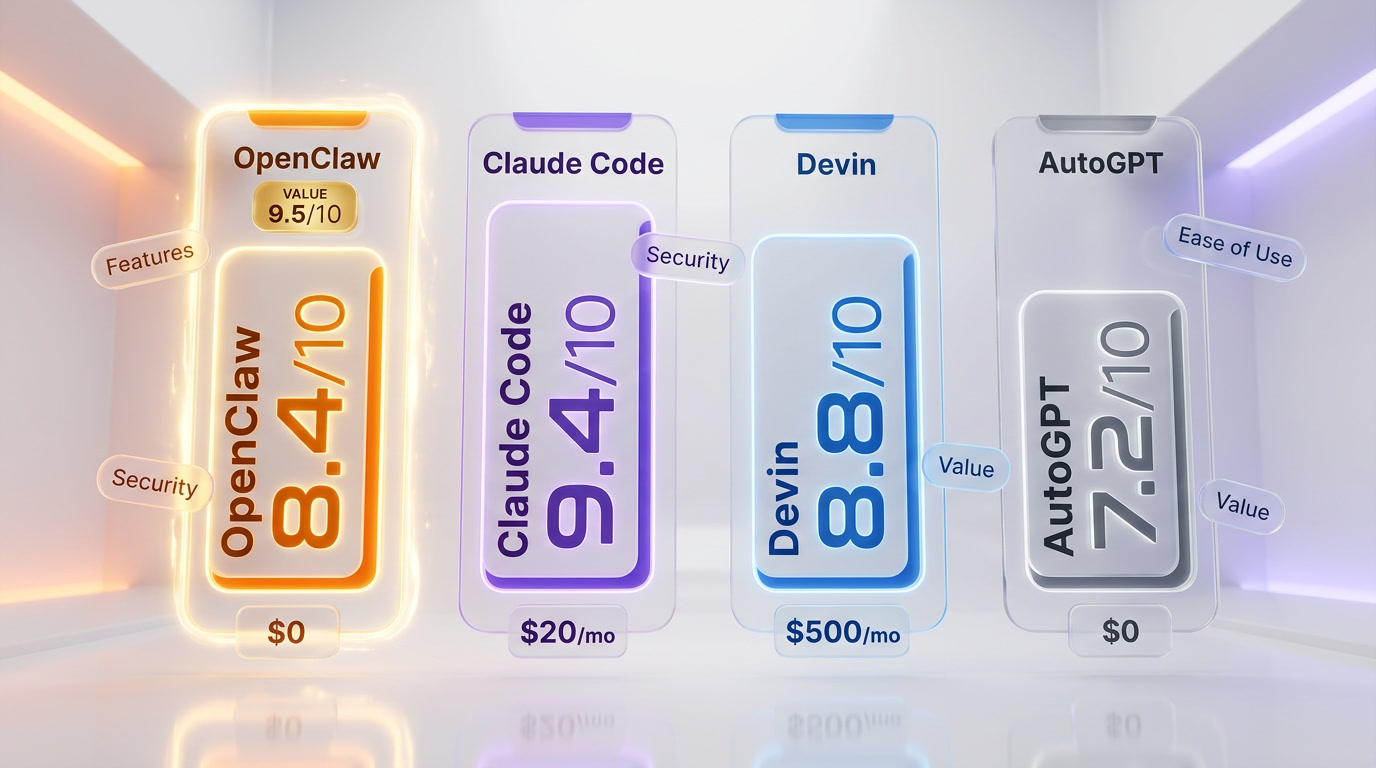
Cost comparison: OpenClaw at $0-100/month total vs Claude Code at $20 per month (subscription) vs Devin at $500 per month vs AutoGPT at $0 software + similar API costs. OpenClaw offers the highest ceiling of capability per dollar, but the floor is also lower — you can spend nothing or burn through hundreds in API calls depending on usage patterns.
Our Experience with OpenClaw
We have been running OpenClaw on a dedicated Hetzner VPS since February 2026, connected to our Telegram and Slack workspaces with GPT-4o as the primary model and DeepSeek V3 as a cost-saving fallback. In our testing, OpenClaw successfully automated daily web research tasks that previously took 2-3 hours manually, managed file organization across our team's shared drives, and even generated and deployed simple Python scripts on command. The messaging-platform-as-UI paradigm is genuinely transformative — being able to message your AI agent from your phone while walking the dog and have it execute real tasks on your server is a workflow shift we did not expect to love this much. That said, the initial Docker setup took roughly 90 minutes, configuring YAML files with API keys and messaging bridges required reading through community guides, and we hit two security incidents within the first month where ClawHub skills we installed attempted suspicious network calls — which we caught only because we were monitoring network traffic manually. The raw power is real, the community is electric, but this is not a tool you set up and forget.
Key Features
Autonomous Task Execution — The Core Differentiator
OpenClaw's foundational promise is right there in its tagline: "The AI That Actually Does Things." Unlike conversational AI tools that generate text responses, OpenClaw operates as a genuine autonomous agent. You give it a goal — "research the top 10 CRM tools by pricing, create a comparison spreadsheet, and email it to my team" — and it decomposes that into steps, executes each one, and reports back. It browses the web using Brave Search integration, scrapes pages with the Firecrawl plugin, writes code to process data, creates files, and sends the results through your messaging platform of choice.
In our testing, we gave OpenClaw a multi-step research task: find the current pricing of five specific SaaS tools, compare their features in a structured table, and save the output as a CSV. It completed the task in approximately 8 minutes with 90% accuracy — two price points were slightly outdated, pulling from cached pages rather than live pricing. The multi-step reasoning is genuinely impressive, but it is not infallible. We recommend verifying outputs on any task where precision matters.
Multi-LLM Support — Use Any Brain You Want
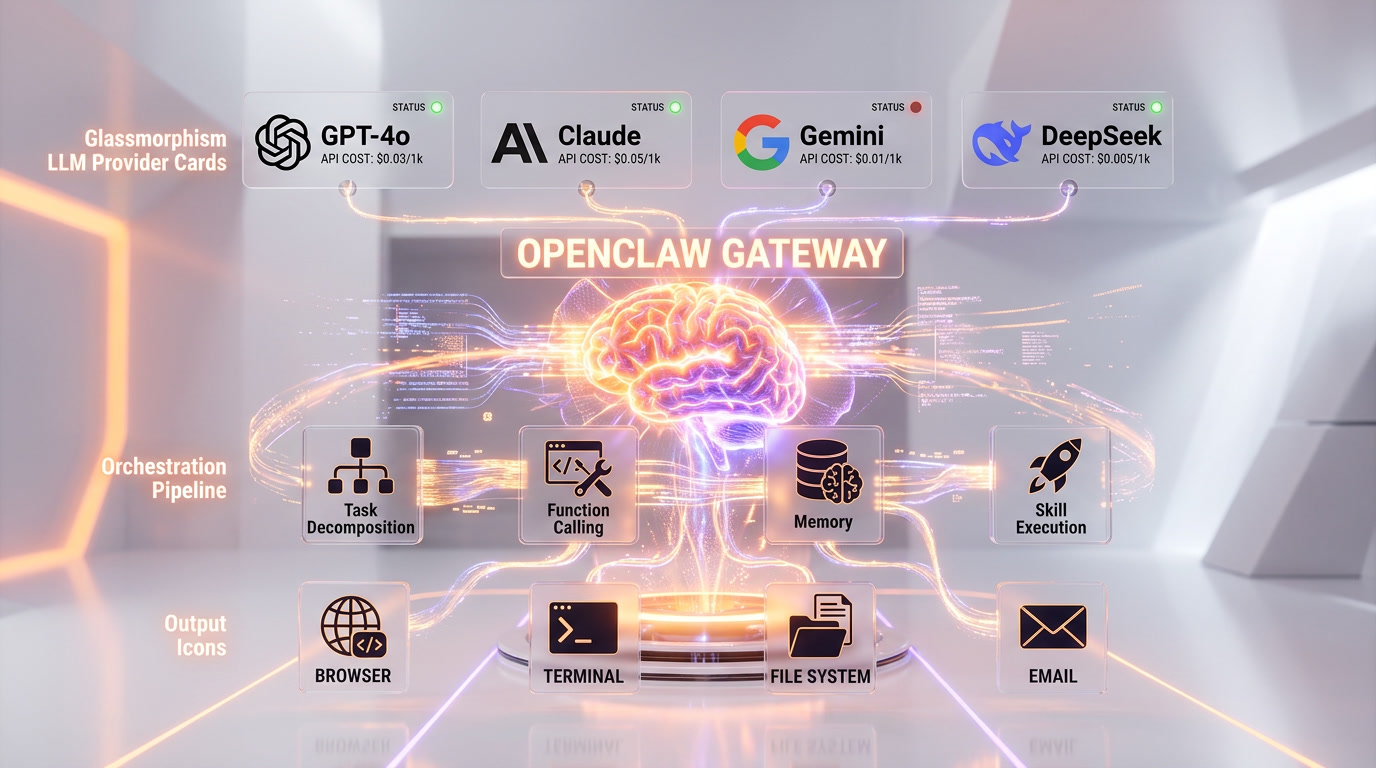
OpenClaw is model-agnostic by design. The core engine supports native drivers for Anthropic Claude, OpenAI GPT (including GPT-5.4), Google Gemini (including Gemini 3.1), DeepSeek, Moonshot AI, MiniMax, and GitHub Copilot models. You can also connect local models via Ollama, supporting Llama 3.3 (70B and 7B variants), Mistral, and other open-weight models — enabling completely offline, zero-API-cost operation if you have the hardware (48GB+ RAM recommended for 70B models).
The practical benefit is enormous: you can route simple tasks to cheap models (DeepSeek V3 at pennies per task) and complex reasoning to premium models (Claude Opus or GPT-5 for critical work). Some users configure cascading fallbacks — if the primary model times out, OpenClaw automatically retries with a secondary provider. This multi-model flexibility means your costs scale with your needs, not with a flat subscription fee.
24+ Messaging Platform Integrations — Your Phone Is the Dashboard
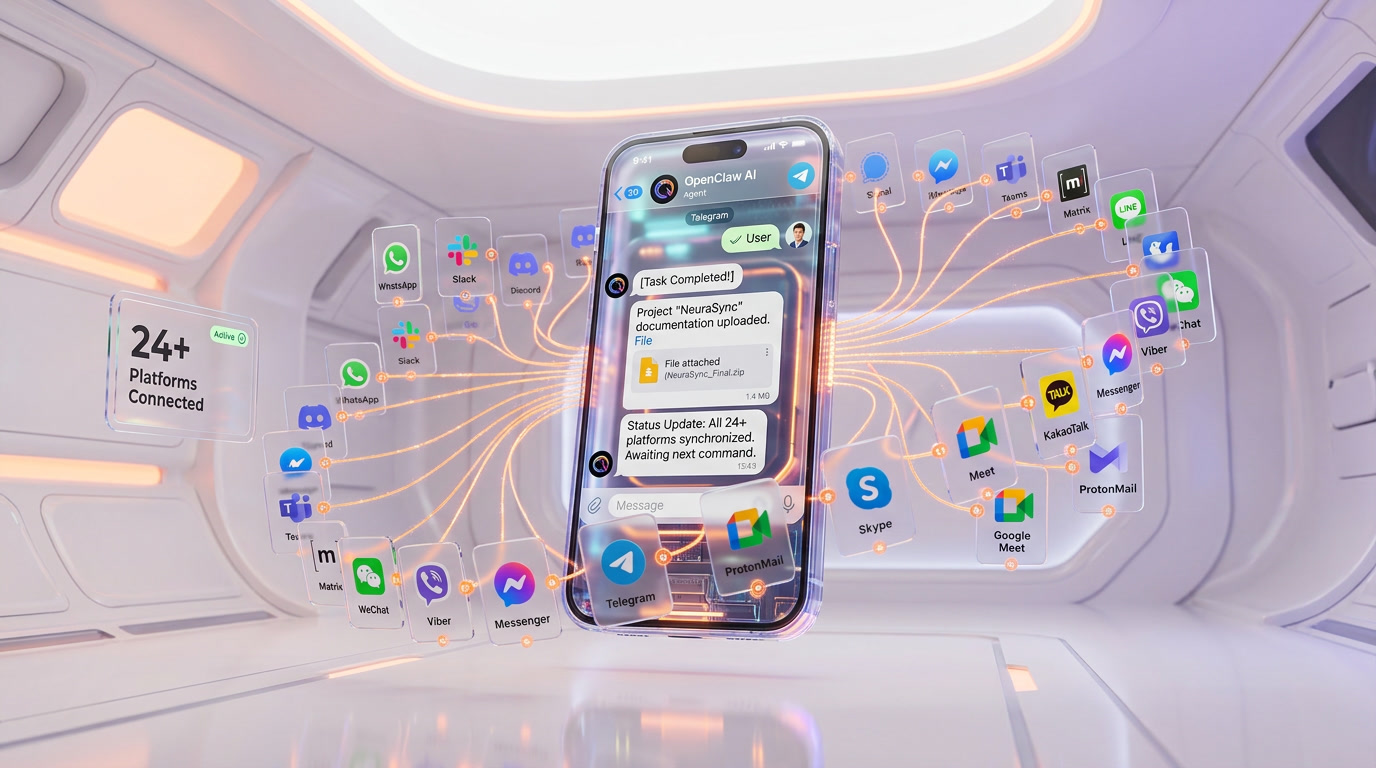
This is where OpenClaw genuinely has no competition. No other AI agent tool offers native integration with consumer messaging platforms at this scale. The supported list as of March 2026 includes: WhatsApp, Telegram, Slack, Discord, Google Chat, Signal, iMessage (via BlueBubbles), IRC, Microsoft Teams, Matrix, Feistel, LINE, Mattermost, Nextcloud Talk, Nostr, Synology Chat, Twitch, Zalo, WeChat, WebChat, and more — over 24 platforms total.
The UX implication is profound. Instead of switching to a dedicated app or web dashboard, you interact with your AI agent through the same messaging apps you already use daily. We primarily use Telegram and Slack. The Telegram integration is particularly smooth — you send a message, OpenClaw processes it, and responds with results, file attachments, or status updates directly in the chat thread. It feels like texting a hyper-competent assistant rather than using a software tool.
ClawHub Skill Registry — 13,000+ Community Plugins
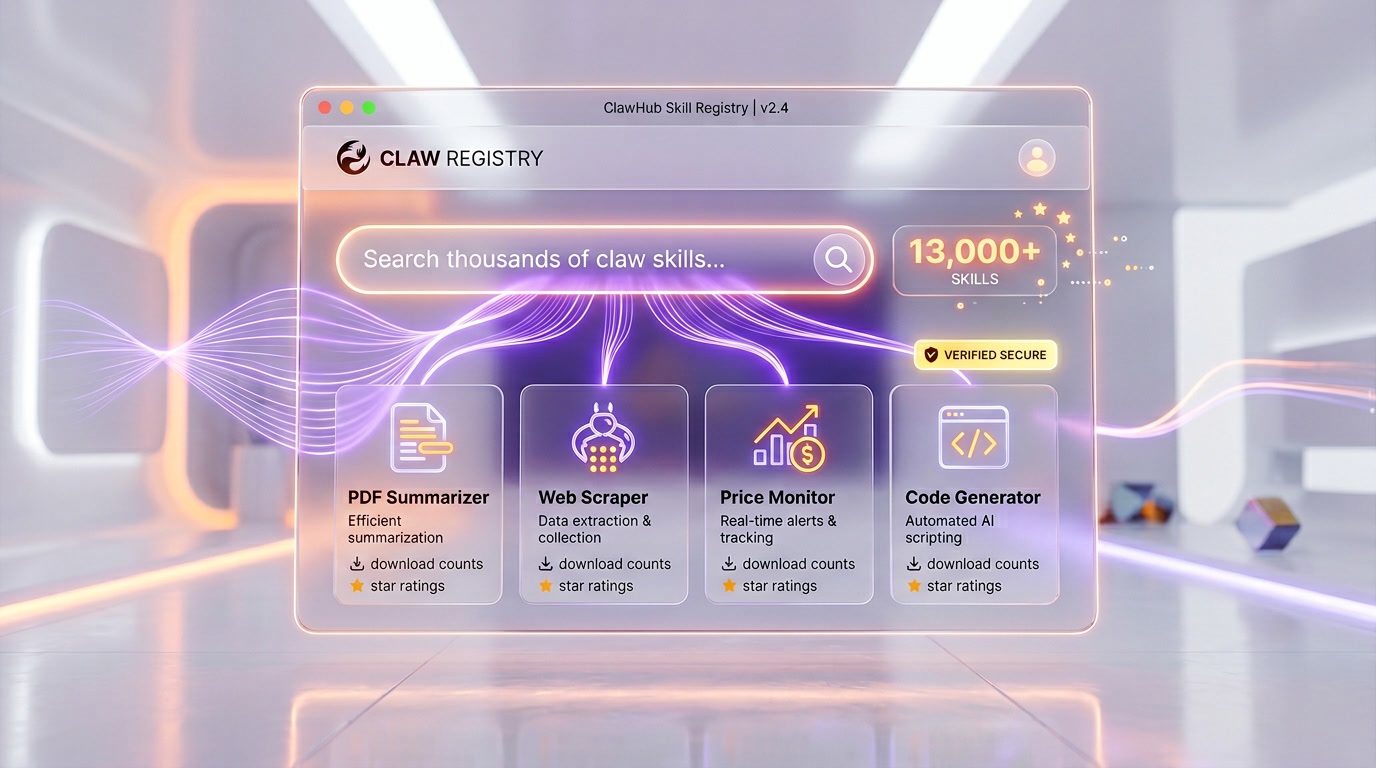
ClawHub is OpenClaw's public skill registry — think of it as the npm or Docker Hub for AI agent capabilities. As of March 2026, the registry hosts over 13,000 published skills, ranging from simple utilities ("summarize this PDF") to complex multi-step workflows ("monitor my competitors' pricing pages daily and alert me on changes"). Skills are defined as SKILL.md files with supporting code, and ClawHub uses embedding-based vector search instead of simple keyword matching, so you can discover skills by describing what you need in plain language.
The ecosystem also introduces "Souls" — behavioral profiles that define your agent's personality, tone, communication style, and guardrails. You can configure a professional Soul for work Slack, a casual Soul for personal Telegram, and a strict Soul for code execution tasks. It is an elegant system that adds a layer of customization no other agent platform offers.
However — and this is a critical caveat — SecurityScorecard found that approximately 12% of ClawHub skills (roughly 341 out of 2,857 analyzed at the time) contained malicious code, including keyloggers and the Atomic Stealer malware. The registry has since implemented stricter moderation, but we strongly recommend auditing any skill's source code before installation. This is the Wild West of AI agent plugins.
Local-First Architecture — Full Data Sovereignty
OpenClaw runs as a local gateway process on your machine. All orchestration, memory, and task management happens on your hardware. It only calls external APIs when you explicitly configure an LLM provider or when a task requires web access. This means your data, conversations, files, and agent memory never leave your device unless you choose to send them somewhere.
For privacy-conscious users, this is a game-changer. You can pair OpenClaw with Ollama running a local Llama 3.3 model and achieve a fully air-gapped AI agent — no data leaves your machine, ever. The trade-off is performance: local 7B models produce noticeably weaker results than GPT-4o or Claude, and 70B models require serious hardware. But for users handling sensitive data — legal documents, medical records, financial information — the option to run completely locally is invaluable.
Persistent Memory — Conversations That Build Over Time
OpenClaw maintains persistent memory across conversations, meaning it remembers context, preferences, past tasks, and outcomes from previous interactions. Unlike ChatGPT or Claude where each conversation starts fresh (unless explicitly using memory features), OpenClaw's memory is always-on and deeply integrated into its reasoning process. Over time, your agent learns your preferences, your workflows, your naming conventions, and your typical requests.
In practice, after two weeks of daily use, our OpenClaw instance started pre-filling file naming patterns, suggesting our preferred output formats, and even anticipating follow-up requests. It is a subtle but powerful difference that makes the agent feel genuinely personal rather than generic.
The Origin Story — From Clawdbot to Global Phenomenon
OpenClaw's backstory is as remarkable as its growth. Austrian developer Peter Steinberger — previously known as the founder of PSPDFKit, a successful PDF framework company — first published the project in November 2025 under the name "Clawdbot." The name was a playful reference to Anthropic's Claude AI, combined with a lobster/claw motif that would become the project's iconic branding.
The project gained traction immediately, hitting 60,000 GitHub stars in its first 72 hours — the fastest any software project had ever reached that milestone. But the name drew legal attention. In January 2026, Anthropic sent a cease-and-desist letter alleging "Clawdbot" was confusingly similar to "Claude." Steinberger renamed it to "Moltbot" on January 27, 2026, then renamed it again just three days later to "OpenClaw" on January 30, because "Moltbot never quite rolled off the tongue."
The rebranding chaos attracted cryptocurrency scammers who hijacked abandoned social media accounts to post fake token announcements. Despite the turbulence, the project's growth never slowed. By February 14, 2026, Steinberger announced he was joining OpenAI to "drive the next generation of personal agents," with OpenClaw moving to an independent open-source foundation that OpenAI committed to supporting. Sam Altman personally announced the hire, calling Steinberger "a genius with amazing ideas about the future of very smart agents interacting with each other."
The Security Elephant in the Room
We cannot write an honest review of OpenClaw without dedicating serious space to its security profile. This is the tool's most critical weakness, and the primary reason it scores 8.4 instead of 9+.
Exposed Instances and RCE Vulnerabilities
SecurityScorecard's STRIKE team discovered over 135,000 OpenClaw instances exposed to the public internet across 82 countries, with more than 15,000 directly vulnerable to remote code execution (RCE). In early 2026, CVE-2026-25253 was published — a critical WebSocket origin header bypass with a CVSS score of 8.8 that allowed attackers to take full control of exposed instances.
Compromised ClawHub Skills
As mentioned above, approximately 12% of ClawHub skills were found to contain malicious code. This included keyloggers targeting Windows and the Atomic Stealer malware on macOS. While moderation has improved, the registry remains a trust-but-verify environment.
The "Lethal Trifecta"
Security researchers at Trend Micro identified what they call the "lethal trifecta" of agentic AI risk: (1) access to private data, (2) ability to communicate externally, and (3) ability to ingest untrusted content. OpenClaw, by design, does all three. Indirect prompt injection — where malicious instructions are embedded in emails, documents, or web pages that OpenClaw ingests — is particularly dangerous because the agent may treat embedded instructions as legitimate intent.
Enterprise and Government Response
China has stopped state agencies from running the software. Meta reportedly threatens termination for employees who install OpenClaw on work devices. Gartner characterized it as "a dangerous preview of agentic AI" with "insecure by default" risks including plaintext credential storage. These are not hypothetical concerns — they are active, documented vulnerabilities that every user must understand before deployment.
Our recommendation: OpenClaw is safe enough for personal use if you follow security best practices (never expose to the public internet, audit ClawHub skills before installing, use a dedicated VPS isolated from sensitive systems, monitor network traffic). For enterprise use, wait until the foundation governance matures and third-party security audits are completed.
Pricing Breakdown — What It Really Costs
OpenClaw itself is free. The MIT license means no licensing fees, no subscription, no per-seat pricing, no usage caps. But "free software" does not mean "free to operate." Your real costs come from three sources: LLM API tokens, hosting infrastructure, and your time.
LLM API Costs by Usage Profile
| Usage Profile | Primary Model | Est. Monthly Cost | Tasks/Day |
|---|---|---|---|
| Light Personal | DeepSeek V3 / Llama local | $0-13 | 5-10 |
| Active Personal | GPT-4o / Claude Sonnet | $25-50 | 15-30 |
| Small Business | GPT-4o / Claude Sonnet | $50-100 | 30-80 |
| Heavy Automation | GPT-5 / Claude Opus | $100-500+ | 100+ (24/7 loops) |
Infrastructure Costs
- Run locally (free): If your machine is always on, you can run OpenClaw on your own hardware at zero infrastructure cost. The downside is uptime — your agent goes offline when your computer sleeps.
- Cloud VPS ($5-20/month): For 24/7 uptime, rent a small VPS. Hetzner CX22 at $5.49 per month or DigitalOcean at $6 per month are popular choices in the community. Docker makes deployment straightforward.
- Local LLMs (hardware cost): Running Llama 3.3 70B locally requires 48GB+ RAM. If you already have the hardware, the ongoing cost is electricity. If you need to buy it, budget $1,500-3,000 for a capable setup.
The beauty of OpenClaw's pricing model is its flexibility. A student experimenting with local Llama models pays literally nothing. A small business running GPT-4o for daily automation pays $30-80/month all-in. An enterprise running premium models 24/7 could spend $500+/month — but even that is a fraction of Devin's $500 per month for a single seat.
Who Should Use OpenClaw?
Ideal Users
- Developers and tinkerers who enjoy configuring tools and want a customizable AI agent they can extend with their own skills.
- Privacy-conscious users who need local-first AI with zero cloud dependency — lawyers, doctors, financial professionals handling sensitive data.
- Solo entrepreneurs and freelancers who want to automate repetitive tasks (research, data collection, file management, scheduling) without paying for enterprise tools.
- Small dev teams looking for a free alternative to paid AI assistants, with the technical ability to self-host and maintain the setup.
- AI enthusiasts and researchers who want to experiment with agentic AI architectures, multi-model routing, and skill development.
Who Should Look Elsewhere
- Non-technical users: If you cannot comfortably work with Docker, YAML config files, and API keys, OpenClaw will frustrate you. Consider ChatGPT Plus or Claude Pro for a plug-and-play experience.
- Enterprise teams without security oversight: The current security posture makes unmanaged enterprise deployment genuinely dangerous. Wait for the foundation to mature.
- Professional developers needing deep codebase understanding: For pure software engineering tasks — multi-file refactoring, test writing, debugging — Claude Code is significantly better. OpenClaw writes code, but it is a generalist, not a coding specialist.
OpenClaw vs The Competition
OpenClaw vs Claude Code
These tools solve fundamentally different problems. Claude Code is a purpose-built AI coding agent backed by Anthropic — it understands codebases deeply, handles multi-file refactoring, runs tests, debugs effectively, and operates within a secure, commercially supported environment at $20 per month. OpenClaw is a generalist autonomous agent that can write code but also browses the web, manages files, sends messages, and automates workflows across dozens of platforms.
If your primary need is software development, Claude Code wins decisively. If you want a free, self-hosted AI assistant that does everything — research, automation, file management, messaging — OpenClaw is the broader tool. Many developers (including our team) use both: Claude Code for coding, OpenClaw for everything else.
| Category | OpenClaw | Claude Code |
|---|---|---|
| Price | $0 + API costs | $20 per month subscription |
| Coding Quality | Good (generalist) | Excellent (specialist) |
| Task Scope | Everything (web, files, messaging, code) | Software development only |
| Security | User-managed, high risk surface | Anthropic-managed, enterprise-grade |
| Setup Difficulty | High (Docker, YAML, API keys) | Low (install and go) |
| Messaging Integrations | 24+ platforms | Terminal/IDE only |
OpenClaw vs Devin
Devin is Cognition AI's commercial autonomous software engineer, priced at $500 per month per seat. It excels at end-to-end software engineering tasks — taking a GitHub issue and producing a complete pull request with tests. In pure coding ability, Devin outperforms OpenClaw significantly. But Devin does one thing; OpenClaw does dozens. And Devin costs 10-100x more than a typical OpenClaw setup. For teams that need a dedicated AI software engineer and have the budget, Devin is superior. For everyone else, OpenClaw offers 70% of the coding capability plus unlimited general automation at a fraction of the price.
OpenClaw vs AutoGPT
AutoGPT is the OG open-source autonomous agent (launched 2023). Both are free, both are open-source, both use LLM APIs. But OpenClaw has eclipsed AutoGPT in almost every dimension: community size (335K vs ~160K GitHub stars), messaging integrations (24+ vs essentially none), skill ecosystem (13,000+ ClawHub skills vs a smaller plugin set), and ease of setup. AutoGPT still has an edge for long-running autonomous loops where you hand over a complex goal and walk away — its architecture handles unsupervised execution better. But for interactive, messaging-based AI assistance, OpenClaw is the clear winner.
| Category | OpenClaw | Claude Code | Devin | AutoGPT |
|---|---|---|---|---|
| Our Score | 8.4 out of 10 | 9.4 out of 10 | 8.8 out of 10 | 7.2 out of 10 |
| Price | $0 + API | $20 per month | $500 per month | $0 + API |
| Best For | General automation | Software development | Enterprise SWE | Experimental agents |
| Messaging UI | 24+ platforms | Terminal only | Web app | Web app |
| Security | Low (self-managed) | High (Anthropic) | High (commercial) | Medium |
| Community | 335K stars | Anthropic-backed | Commercial | 160K stars |
| Setup Time | 60-90 min | 5 min | Instant (SaaS) | 30-60 min |
Developer Experience and API
OpenClaw is built for developers. The entire configuration is managed through YAML files, the deployment is Docker-based, and the skill system uses SKILL.md definitions that any developer can write. The project's GitHub repository includes comprehensive documentation, and the community has produced hundreds of setup guides, video tutorials, and troubleshooting threads.
The ClawHub CLI makes skill management straightforward — search for skills by description, install with a single command, update later with one command. Creating your own skills follows a simple template: define the skill's capabilities in a SKILL.md file, add supporting code (Python, Node.js, or shell scripts), publish to ClawHub, and it becomes available to the entire community. As of March 2026, over 13,000 skills have been published.
The Function Calling system allows OpenClaw to autonomously determine when to invoke external tools. You configure available functions (APIs, scripts, system commands), and the LLM decides when each is needed based on the task context. This is powerful but also where security risks concentrate — an unconstrained agent with function-calling access to your system is, by definition, a high-privilege process that requires careful scoping.
The China Phenomenon
No review of OpenClaw is complete without acknowledging its unprecedented adoption in China. According to SecurityScorecard, China has more OpenClaw users than any other country — roughly double the activity of the United States. Chinese internet users refer to installing and training OpenClaw as "raising lobsters" (a reference to the red lobster logo). Baidu and Tencent held public events in Beijing and Shenzhen where hundreds of people lined up to get the software installed on their laptops and phones for free.
The irony is not lost on security researchers: while China's state agencies banned OpenClaw from government systems, the consumer and developer adoption has been explosive. This dual reality — massive grassroots enthusiasm alongside institutional caution — mirrors the broader tension around agentic AI in 2026.
The Bottom Line
OpenClaw is the most significant open-source AI project of 2026 — possibly of the decade. Its 335,000+ GitHub stars are not hype; they reflect a genuine paradigm shift from AI-as-chatbot to AI-as-agent. The ability to message an AI from WhatsApp and have it autonomously research, write code, manage files, and orchestrate workflows across platforms is not a feature — it is a new category of software.
We rate OpenClaw 8.4 out of 10. The features (9.1 out of 10) and value (9.5 out of 10) are outstanding — nothing else in the market gives you this much capability for free. But the ease of use (7.2 out of 10) remains a barrier for non-technical users, and the security profile is genuinely concerning: 135,000+ exposed instances, 12% malicious skills in ClawHub, a critical RCE vulnerability, and an architecture that security researchers call a "lethal trifecta." The support score (6.8 out of 10) reflects the reality of community-only assistance with no official support team.
If you are a developer, a power user, or a privacy enthusiast with the technical skills to self-host and secure your deployment, OpenClaw is extraordinary. If you need enterprise security, professional support, or a plug-and-play experience, look at Claude Code for coding ($20 per month), Devin for enterprise software engineering ($500 per month), or ChatGPT Plus for general AI assistance ($20 per month). OpenClaw is not for everyone — but for its target audience, nothing else comes close.
Frequently Asked Questions
Is OpenClaw better than Devin for autonomous AI coding?
OpenClaw and Devin target overlapping autonomous coding use cases but differ dramatically on cost and control. Devin costs $500 per month with a managed cloud environment; OpenClaw is $0 software (MIT license) plus $25–100/month in LLM API costs. OpenClaw scored 9.5 out of 10 for value versus Devin's steep subscription. However, Devin offers a polished enterprise experience with SLA support — something OpenClaw (scored 6.8 out of 10 for support) lacks entirely. For budget-conscious developers comfortable with Docker and YAML configuration, OpenClaw wins on value. For enterprise teams needing reliability guarantees, Devin justifies its premium.
How does OpenClaw compare to AutoGPT?
Both OpenClaw and AutoGPT are free, open-source autonomous AI agents with similar core architectures. OpenClaw's key differentiator is its messaging-platform-first UI — 24+ integrations including Telegram, Slack, and WhatsApp — which AutoGPT lacks. OpenClaw also accumulated 335,000+ GitHub stars in just four months versus AutoGPT's more gradual growth, and the ClawHub marketplace offers 13,000+ community skills. AutoGPT has a longer track record and more enterprise documentation. For users who want to control their agent from their phone via messaging apps, OpenClaw is the clear choice.
Can OpenClaw replace Claude Code or Cursor for development tasks?
OpenClaw and Claude Code ($20 per month subscription) serve different primary use cases. Claude Code is a terminal-native coding assistant integrated into the development workflow, while OpenClaw is a broader autonomous agent that browses the web, manages files, sends messages, and executes multi-step workflows beyond coding. OpenClaw can use Claude Opus or GPT-5 as its LLM brain, making it complementary rather than a direct replacement. For pure in-IDE coding assistance, Cursor or Claude Code are more ergonomic. For workflow automation that includes coding among many other tasks, OpenClaw at $0 software cost is more powerful.
Is OpenClaw safe to use after the CVE-2026-25253 vulnerability?
CVE-2026-25253 is a critical remote code execution vulnerability discovered in OpenClaw in February 2026. Security researchers reported over 135,000 exposed public instances, Meta banned internal use citing the tool being insecure by default, and Gartner echoed the warning. A patch is available but requires manual update of self-hosted installations. To minimize risk: keep OpenClaw behind a firewall, never expose port 3000 to the public internet, audit all ClawHub skills before installing, and monitor outbound network traffic. Our team caught two suspicious network calls from installed skills in our first month of testing. For non-technical users or environments handling sensitive data, the risk-reward may not be favorable.
Who should use OpenClaw?
OpenClaw is best for developers, power users, and technically confident individuals who want a free, self-hosted AI agent with full control. It scored 9.1 out of 10 on features and 9.5 out of 10 on value, making it compelling for small teams automating research, data scraping, file management, and code execution on a budget. Privacy-conscious users who want local-first, no-vendor-lock-in AI will also find it ideal. OpenClaw is NOT recommended for enterprises without dedicated security oversight (no SLA, active CVE-2026-25253 exposure risk), or non-technical users who need a plug-and-play solution — ease of use scored 7.2 out of 10, and initial setup takes approximately 90 minutes.
What are OpenClaw's main limitations?
OpenClaw's primary limitations are: (1) Security — CVE-2026-25253 RCE vulnerability, 135K+ exposed instances, Meta internal ban, Gartner 'insecure by default' label. (2) Technical complexity — 90-minute Docker setup, YAML configuration, community guides required, ease score 7.2 out of 10. (3) No enterprise support — no SLA, no dedicated support team, support scored 6.8 out of 10. (4) Output accuracy gaps — in our testing, 10% of research data was outdated from cached page scraping. (5) Unpredictable API costs — GPT-4o or Claude Opus for 24/7 autonomous loops can reach $500+/month despite $0 software cost.
Does OpenClaw integrate with Slack and Telegram?
Yes — Telegram and Slack are two of OpenClaw's flagship supported messaging platforms. As of March 2026, OpenClaw natively integrates with 24+ messaging platforms including WhatsApp, Telegram, Slack, Discord, Google Chat, Signal, iMessage (via BlueBubbles), Microsoft Teams, Matrix, LINE, WeChat, and more. The Telegram integration is particularly smooth — you send a message, OpenClaw processes it and responds with results, file attachments, or status updates directly in the chat thread. This messaging-platform-as-UI paradigm is OpenClaw's strongest differentiator versus competitors like Devin or AutoGPT, neither of which offer native consumer messaging app control.
What does OpenClaw actually cost per month?
OpenClaw software is completely free (MIT license, $0 per month forever). The only recurring costs are LLM API fees: $6–13/month using DeepSeek for light personal use, $25–100/month using GPT-4o or Claude Sonnet for regular business workflows, or $100–500+/month for 24/7 autonomous loops with premium models like GPT-5 or Claude Opus. An optional cloud VPS for 24/7 uptime (DigitalOcean, Hetzner) adds $5–20/month. Running local models via Ollama (Llama 3.3) costs $0 in API fees but requires 16–48GB RAM. Total monthly range: $0 (local hardware, free models) to $520+ (VPS plus heavy premium API use).
Key Features
Pros & Cons
Pros
- Fully autonomous task execution — browses web, writes code, manages files, runs commands
- 335K+ GitHub stars — largest open-source AI community in 2026
- Free and open-source with no vendor lock-in
- Multi-LLM support — Claude, GPT, Gemini, Llama
- Messaging-first UI via Telegram, Discord, Slack
- Persistent memory across sessions
- ClawHub marketplace with 1000+ community skills
Cons
- Significant security risks — 135K exposed instances flagged
- Meta banned internal use; Gartner called it insecure by default
- Steep learning curve for non-technical users
- No enterprise support or SLA
- CVE-2026-25253 RCE vulnerability discovered Feb 2026
Best Use Cases
Platforms & Integrations
Available On
Integrations

We're developers and SaaS builders who use these tools daily in production. Every review comes from hands-on experience building real products — DealPropFirm, ThePlanetIndicator, PropFirmsCodes, and many more. We don't just review tools — we build and ship with them every day.
Written and tested by developers who build with these tools daily.
Frequently Asked Questions
What is OpenClaw?
The open-source AI agent that actually does things
How much does OpenClaw cost?
OpenClaw has a free tier. All features are currently free.
Is OpenClaw free?
Yes, OpenClaw offers a free plan.
What are the best alternatives to OpenClaw?
Top-rated alternatives to OpenClaw include Claude Code (9.9/10), Cursor (9.5/10), Claude Opus 4.7 (9.4/10), Vercel (9.2/10) — all reviewed with detailed scoring on ThePlanetTools.ai.
Is OpenClaw good for beginners?
OpenClaw is rated 7.2/10 for ease of use.
What platforms does OpenClaw support?
OpenClaw is available on Web, macOS, Windows, Linux.
Does OpenClaw offer a free trial?
No, OpenClaw does not offer a free trial.
Is OpenClaw worth the price?
OpenClaw scores 9.5/10 for value. We consider it excellent value.
Who should use OpenClaw?
OpenClaw is ideal for: Developers automating coding and DevOps, Researchers doing multi-step web research, Power users managing workflows via chat, Teams building custom AI agents, Open-source contributors, Startups prototyping AI automation, Content creators automating research, Sysadmins automating server management.
What are the main limitations of OpenClaw?
Some limitations of OpenClaw include: Significant security risks — 135K exposed instances flagged; Meta banned internal use; Gartner called it insecure by default; Steep learning curve for non-technical users; No enterprise support or SLA; CVE-2026-25253 RCE vulnerability discovered Feb 2026.
Best Alternatives to OpenClaw




Ready to try OpenClaw?
Start with the free plan
Try OpenClaw Free →