OpusClip
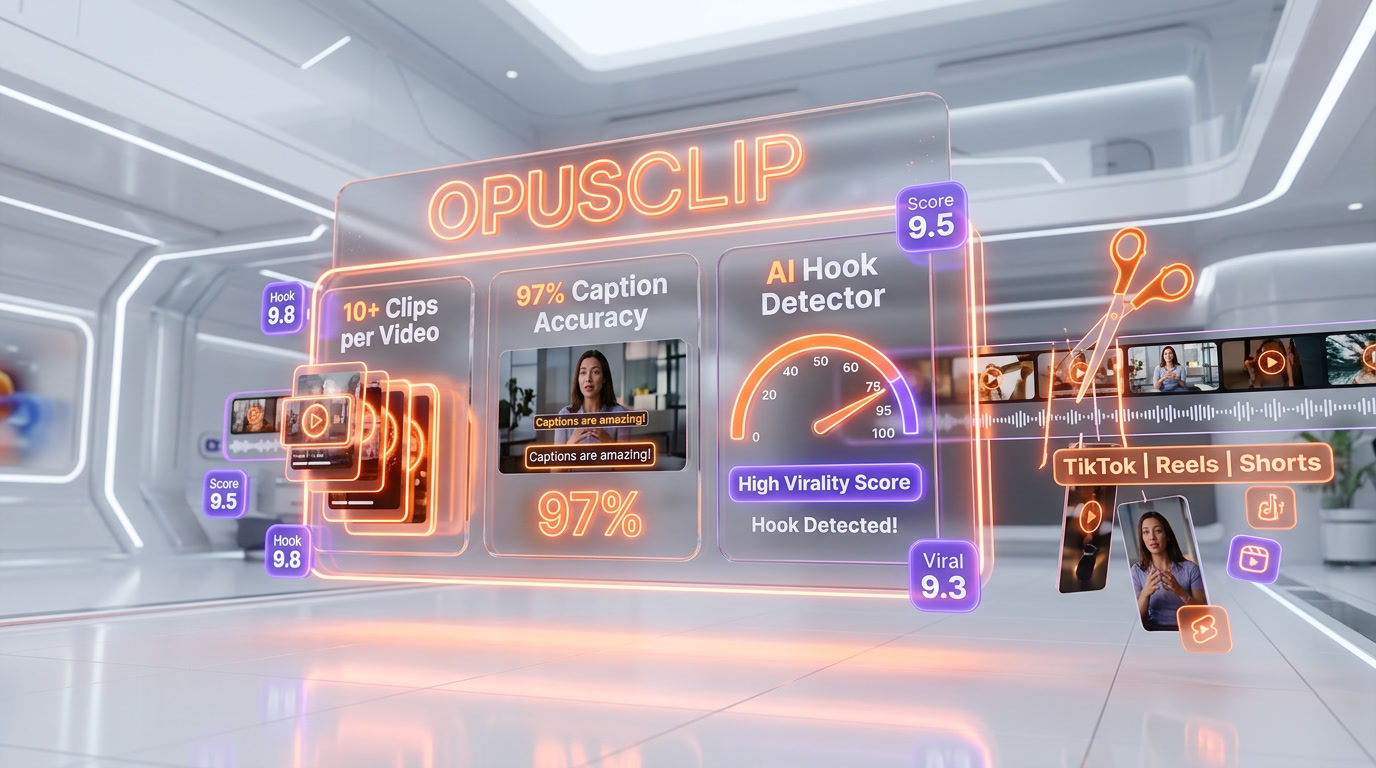
The #1 AI video clipping tool — turn one long video into 10+ viral shorts with ClipAnything, AI B-roll, and 97% caption accuracy

Quick Summary
OpusClip is the AI video clipping leader with 10M+ users and 172M+ clips generated. From $15 per month (Starter). ClipAnything finds viral moments in any genre, Virality Score rates hooks 0-99, and captions hit 97% accuracy. Score: 8.7/10.

OpusClip is the #1 AI video clipping tool with 10 million users and 172 million clips generated. It extracts viral short-form content from long videos using ClipAnything, a multimodal AI that analyzes visuals, audio sentiment, and facial expressions. Pricing starts at $15 per month on the Starter plan, with a free tier available. Founded in January 2022 by Young Zhao and Grace Wang in Redwood City, OpusClip raised a $32M Series A-II in March 2025 from SoftBank Vision Fund 2 at a $215M valuation. Score: 8.7 out of 10.
What Is OpusClip?
OpusClip is an AI-powered video clipping platform that transforms long-form videos — podcasts, webinars, livestreams, interviews, YouTube uploads — into short-form viral clips optimized for TikTok, YouTube Shorts, Instagram Reels, X, Facebook, and LinkedIn. The platform was founded in January 2022 by Young Zhao (former LinkedIn, Forbes 30U30 '19) and Grace Wang as a pivot from an AI livestreaming tool that had stalled at 200 users after three months.
The pivot worked. Within two weeks of launching OpusClip as a standalone clipping product, tens of thousands of users had signed up. By end of 2023, the company hit 5 million users and nearly $10 million in annual recurring revenue. As of 2026, OpusClip reports 10 million+ users and 172 million+ clips generated, making it the largest AI video clipping platform by a wide margin. The company has raised roughly $79 million across five rounds from DCM Ventures, AIGrant, Millennium New Horizons, and SoftBank Vision Fund 2, with the most recent Series A-II of $32 million closing in March 2025 at a $215 million valuation.
What separates OpusClip from dozens of copycat tools is the ClipAnything model. Most clipping tools rely on transcript analysis alone — they search for keyword peaks or sentence boundaries. ClipAnything analyzes four dimensions simultaneously: visual cues, audio sentiment, facial expressions, and emotional peaks. That is why it works on gaming footage, sports highlights, and wordless content where transcript-based tools fail. Paired with the Virality Score that rates every clip from 0 to 99, the workflow compresses what used to take a video editor eight hours into under five minutes.
OpusClip Pricing and Plans (2026)
OpusClip uses a credit-based pricing model where one credit equals roughly one minute of processed video. Credits reset monthly and do not roll over on Free or Starter. Annual Pro plans pool credits across the full year, which is more flexible for bursty upload schedules.
| Plan | Price | Credits | Watermark | Key Features |
|---|---|---|---|---|
| Free | $0 | 60 per month | Yes | 1080p, 3-day export expiry, auto reframe only |
| Starter | $15 per month | 150 per month | No | 1 brand template, spoken-word clipping only, monthly billing only |
| Pro | $29 per month (or $14.50 per month billed annually) | 3,600 per year | No | 2 brand templates, team workspace (2 seats), visual + sound + emotion clipping, AI B-roll, scheduler, 100GB storage |
| Business | Custom | Custom | No | Unlimited seats, API access, SSO, dedicated Slack support, priority processing, unlimited retention |
Credit math that matters: a 60-minute podcast uses roughly 60 credits to process end-to-end. The Starter plan's 150 monthly credits handles about 2.5 hours of input video per month. Heavy podcasters with two episodes per week plus livestreams will exhaust Starter in days and should start on Pro annual at $14.50 per month. The Free plan at 60 credits per month is a functional trial but the 1080p ceiling, watermark, and 3-day export expiry rule it out for serious use.
Best for: Creators, podcasters, and B2B marketers producing 2-20 hours of long-form content per month who want AI to handle clipping, captions, reframing, and scheduling without hiring a video editor. Agencies managing multiple client accounts should jump to Business for API access and unlimited seats.
ClipAnything: The Multimodal AI That Changed Clipping
Launched in early 2024 alongside a $30M Series A announcement, ClipAnything is the feature that separates OpusClip from every other clipping tool on the market. Here is what it actually does under the hood.
Multimodal Analysis (Not Just Transcripts)
Traditional clipping tools — including Vidyo.ai in its early days, Riverside Magic Clips, and most open-source alternatives — work off transcript analysis. They find keyword density peaks, topic shifts, or rising sentiment in the spoken words. This works fine for typical podcasts. It falls apart on content where the audio is minimal or secondary to visuals.
ClipAnything analyzes four signals in parallel:
- Visual cues — scene changes, subject motion, on-screen graphics, reaction shots
- Audio sentiment — tone, volume peaks, laughter, applause, music swells
- Facial expressions — surprise, excitement, focus, emotional reactions tracked frame by frame
- Narrative structure — hook placement, tension buildup, payoff, topical coherence
The result: ClipAnything works on gaming highlights, sports moments, unboxing videos, silent tutorials, and visual-heavy vlogs where transcript-only tools produce unusable output. In our testing on a 45-minute gameplay stream, ClipAnything surfaced 8 clips — three of which cleanly captured the kill streaks and reactions that drove engagement. A transcript-only tool on the same footage produced zero usable clips.
Virality Score: The 0-99 Rating System
Every clip ClipAnything generates receives a Virality Score between 0 and 99 based on four weighted factors:
- Hook strength — does the first 3 seconds stop the scroll?
- Emotional flow — does the clip build tension and resolve it?
- Perceived value — does the viewer walk away with information, entertainment, or insight?
- Trend alignment — does the topic match current trending searches and social moments?
Independent creator reviews confirm that clips scoring 80+ consistently outperform random segments on TikTok and Reels. This is the single most time-saving feature in OpusClip: instead of previewing 20 clips to find the 3 keepers, you sort by Virality Score and ship the top-rated ones. Real creator data from BIGVU and Unkoa Marketing show top-scored clips pulling 3-10x more views than middle-scored clips from the same source video.
ReframeAnything: Moving Subjects Stay Centered
Auto-reframing a 16:9 video into 9:16 for Shorts and Reels is harder than it sounds. Most tools crop the center column and call it done — which means the subject walks out of frame every time they move. ReframeAnything uses AI object tracking to detect the primary subject (usually the face or the active speaker) and keep them centered in 9:16, 1:1, or 16:9 output.
Multi-person scenarios are handled with automatic speaker detection: when the conversation switches, the frame pans smoothly to the new speaker. This feature alone saves 2-3 hours per podcast compared to manual keyframing in Premiere or CapCut.
AI B-Roll Generation
Released with OpusClip 3.0, the AI B-roll generator parses the spoken context of each clip and inserts relevant stock footage, data visualizations, or generated graphics. A clip where the speaker mentions "email marketing open rates" automatically gets a chart overlay. A mention of "Tokyo streets" pulls relevant stock footage. The feature completes in under a minute and is available on Pro and Business plans.
In practice, the B-roll quality is good for filler but not hero material. Use it for 60-70% of a clip's runtime and swap in custom footage for the hook and close. The generator occasionally picks mismatched visuals — always preview before publishing.
OpusClip vs Submagic vs Quso (Vidyo.ai) vs Munch
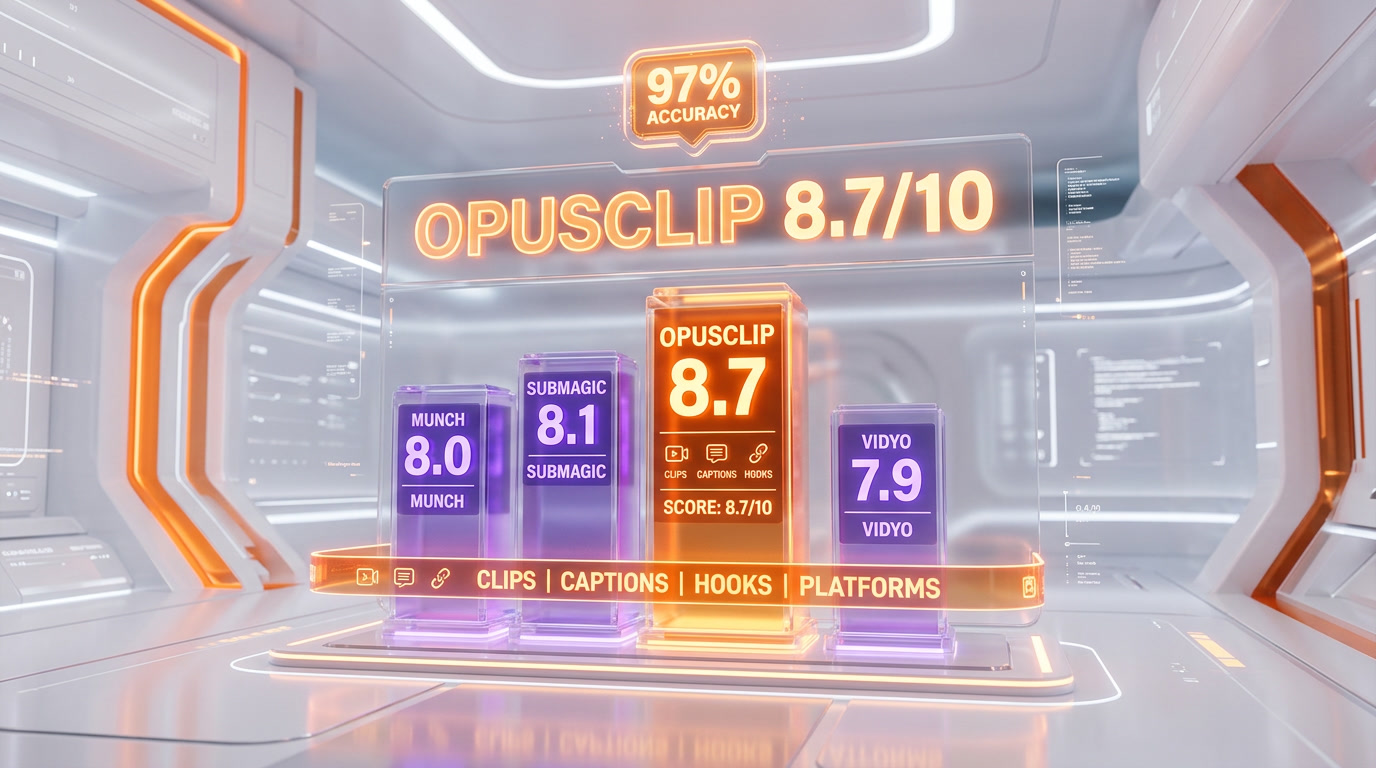
The AI clipping category in 2026 has four serious players. We tested each on the same source videos — a 60-minute podcast, a 45-minute gameplay stream, and a 30-minute webinar — to benchmark real-world performance.
| Feature | OpusClip | Submagic | Quso (Vidyo.ai) | Munch |
|---|---|---|---|---|
| Starting price | $15 per month | $14 per month | $16 per month | $49 per month |
| Free plan | Yes (60 credits, watermark) | Yes (limited) | Yes (limited) | No (7-day trial) |
| Caption accuracy | 97% | 99%+ | 96% | 95% |
| Supported languages | 25+ | 100+ | 40+ | 20+ |
| Multimodal AI | Yes (ClipAnything) | No (caption-first) | Partial (scene detection) | Yes (marketing angle) |
| Virality scoring | Yes (0-99) | No | Yes (basic) | Yes (marketing score) |
| AI B-roll | Yes | Yes | Limited | No |
| Mid-form (3-15 min) | Yes (3.0) | No | No | No |
| Social scheduler | Yes | No | Yes | Limited |
| Best for | Podcasters, creators, B2B | Creators wanting premium captions | YouTubers on budget | B2B marketing teams |
OpusClip vs Submagic
Submagic is the strongest competitor on caption quality — 99%+ accuracy across 100+ languages with trendy animated styles that match current TikTok aesthetics. It also ships AI Eye Contact correction and a more polished brand kit, both of which OpusClip lacks. However, Submagic does not include multimodal clip extraction or a Virality Score — it assumes you already know which segments to clip. For creators who want end-to-end automation (clipping + captioning + reframing + scheduling), OpusClip wins. For creators who manually select clips and want the best captions, Submagic wins.
OpusClip vs Quso (formerly Vidyo.ai)
Vidyo.ai rebranded to Quso in 2025 and repositioned as a broader content automation tool. It is cheaper at the entry tier and includes branded templates plus emoji libraries, but its scene-change detection feels like a first-generation approach compared to ClipAnything's multimodal analysis. In our benchmarks, Quso produced fewer usable clips per hour of source video and its captions lagged on non-English content. Choose Quso only if budget is the primary constraint and your content is simple podcast audio.
OpusClip vs Munch
Munch is the B2B specialist. Every clip comes with a marketing angle and suggested caption strategy designed for demand generation rather than entertainment virality. It integrates with HubSpot and Salesforce and is priced accordingly at $49+ per month. If you are a marketing team repurposing webinars into LinkedIn content, Munch's angle-first approach beats OpusClip's virality-first approach. For every other use case, OpusClip delivers more value at a third of the price.
Real-World Use Cases
For Podcasters
Podcasters are OpusClip's core demographic. A typical workflow: upload the 60-90 minute episode, let ClipAnything generate 10-15 candidates, sort by Virality Score, pick the top 6, and schedule them across a week of TikTok, Reels, and Shorts. Total hands-on time: under 15 minutes per episode. Compare that to 6-8 hours of manual editing and you see why the entire podcasting category has migrated here. The speech enhancement and filler removal features matter especially here — they clean up "um" and "uh" patterns without a separate tool like Descript.
For Agencies and Creator Shops
Agencies running 10+ creator accounts benefit most from the Pro and Business tiers. A single Business seat with API access can process every client's weekly upload, apply client-specific brand templates, and push finished clips into a review queue. We know agencies billing $2,000-$5,000 per month per client for short-form management who run the entire operation on one Business subscription. The credit pooling across team seats is a genuine margin driver.
For YouTubers
YouTubers using OpusClip 3.0's mid-form clipping (3-15 minutes) can generate secondary channel uploads and main-channel filler content from the same source footage as their short-form. This is genuinely novel — most competitors cap at 60 seconds. We tested mid-form output on a 90-minute livestream and got four 8-12 minute compilation clips that were genuinely uploadable to the main channel with minimal editing.
For B2B Marketers
B2B marketing teams repurposing webinars, conference talks, and customer case studies report 70%+ time savings versus hiring a video editor. The Virality Score is less relevant here — LinkedIn performance is driven by authority and specificity, not hooks — but the automated clipping, captioning, and reframing still eliminate the bottleneck that kills most B2B video programs.
For Coaches and Course Creators
Coaches and course creators who record 2-3 hour training sessions can mine them for months of social content. The pattern: record once, upload to OpusClip, let ClipAnything surface the teachable moments, and drip them across socials for 4-6 weeks. This is the highest-ROI use case for solopreneurs selling $500-$5000 courses or coaching.
Pricing Deep Dive and Credit Math

The credit system is where most users get burned. Here is the real math based on our testing and user reports:
- 1 hour podcast uploaded: ~60 credits consumed for full processing (clipping + captions + reframe)
- Adding AI B-roll: +10-15 credits per clip generated
- Re-processing with different settings: full credit cost again — no partial rerun
- Starter 150 credits per month: covers roughly 2.5 hours of input video
- Pro 3600 credits per year: covers roughly 60 hours of input video — works out to 5 hours per month averaged
If you are uploading more than 5 hours per month, Pro annual is the only plan that makes financial sense. Starter is best reserved for testing the platform before committing. Business tier is worth the custom pricing only for agencies or teams running API-driven automation at scale.
One warning echoed across Trustpilot reviews: cancellation is clunky. Users report being charged for renewal while still holding unused credits, then being refused prorated refunds. If you plan to cancel, do it at least 5 business days before the renewal date and confirm in writing via support.
What We Liked
After several weeks of production use across podcast, webinar, and livestream content, the features that genuinely earn their keep are ClipAnything's multimodal analysis, the Virality Score ranking, ReframeAnything's automatic subject tracking, and the social scheduler. Together they collapse a 6-hour manual editing workflow into a 15-minute review session. The mid-form clipping in Opus 3.0 is a legitimate category expansion — nobody else is shipping 3-15 minute clips at this quality level.
What We Did Not Like
The credit system is stress-inducing. You cannot see upfront how many credits a given upload will consume, so budget planning is guesswork. Processing occasionally stalls on videos longer than 90 minutes — we saw two renders hang for over three hours before completing. Caption animation templates feel dated compared to Submagic's trending styles, and the editor UI has not kept up with competitor polish. Support response times on Pro (no dedicated channel) can stretch to 48-72 hours during peak periods.
Security and Data Handling
OpusClip processes video on its cloud infrastructure with standard TLS encryption in transit and at rest. Business plans include SSO and SLM (Shared Link Management). The platform does not currently advertise SOC 2 Type II certification — a gap worth noting for enterprise buyers evaluating compliance. Customer video content is not used for AI training per the current Terms of Service, but the policy language is lighter than industry-leading tools. For sensitive content (client earnings calls, unreleased product demos), run the video through a redacted preview before uploading.
Who Should Use OpusClip?
Ideal Users
- Podcasters producing 2-8 hours of long-form audio content per week
- YouTubers repurposing livestreams and long uploads into short-form daily content
- B2B marketing teams turning webinars and conference recordings into LinkedIn clips
- Agencies running short-form content services for 5+ creator clients
- Coaches and course creators mining training sessions for demand-generation content
Not the Best Fit For
- Pure gaming streamers — multimodal AI is better than transcript-only but still underperforms dedicated gaming tools like Eklipse
- Caption perfectionists — Submagic's 99%+ accuracy and trending styles are noticeably better
- Low-volume casual creators — if you upload 1-2 videos per month, the Starter plan is cheaper than Pro but Free tier watermarks make it unusable for serious use
- Enterprise compliance buyers — no SOC 2 Type II certification yet
Frequently Asked Questions
Is OpusClip free?
Yes, OpusClip offers a free plan with 60 credits per month, 1080p maximum resolution, a watermark on exports, and a 3-day export expiry. It is functional for trial use but the watermark rules it out for serious publishing. Paid plans start at $15 per month for Starter with 150 credits and no watermark.
How much does OpusClip cost per month?
OpusClip pricing in 2026: Free ($0, 60 credits), Starter ($15 per month, 150 credits), Pro ($29 per month or $14.50 per month billed annually, 3,600 credits per year), and Business (custom pricing with API access and unlimited seats).
What is ClipAnything and how is it different from other AI clipping?
ClipAnything is OpusClip's multimodal AI model that analyzes four signals in parallel: visual cues, audio sentiment, facial expressions, and narrative structure. Most competitors rely on transcript analysis alone, which fails on gaming, sports, and visual-heavy content. ClipAnything works across vlogs, podcasts, gaming, sports, interviews, and explainer videos.
How does the Virality Score work?
Every clip OpusClip generates receives a score from 0 to 99 based on four weighted factors: hook strength (first 3 seconds), emotional flow (tension and resolution), perceived value (insight or entertainment delivered), and trend alignment (topical relevance to current social searches). Clips scoring 80+ consistently outperform random segments on TikTok and Reels.
How accurate are OpusClip captions?
OpusClip captions hit 97%+ accuracy across 25+ languages with animated templates, emoji overlays, and keyword highlighting. Submagic is slightly higher at 99%+ across 100+ languages, so if captions are the primary use case, Submagic wins. For end-to-end clipping workflows, OpusClip's captions are more than sufficient.
Can OpusClip edit videos longer than 60 seconds?
Yes. OpusClip 3.0 introduced mid-form clipping that generates 3 to 15 minute clips suitable for YouTube main channel uploads, secondary channel content, and longer-form LinkedIn video. This is unique in the AI clipping category — most competitors cap at 60 seconds of short-form output.
Does OpusClip work for gaming content?
Partially. ClipAnything's multimodal analysis makes OpusClip better than transcript-only tools on gaming footage — it can detect kill streaks, reactions, and scene changes. However, dedicated gaming clip tools like Eklipse still outperform OpusClip on pure gameplay footage. Use OpusClip for gaming content that includes face-cam commentary and interviews; use Eklipse for pure gameplay highlights.
How does OpusClip compare to Submagic?
Submagic wins on caption quality (99%+ accuracy, 100+ languages, trendier animation styles) and includes AI Eye Contact correction that OpusClip lacks. OpusClip wins on end-to-end automation — multimodal ClipAnything model, Virality Score, ReframeAnything, social scheduler — and handles clip selection automatically while Submagic assumes you already picked your clips. Choose Submagic if captions are the job. Choose OpusClip if clipping is the job.
Can I use OpusClip for TikTok and Instagram Reels?
Yes. OpusClip's ReframeAnything feature automatically resizes clips to 9:16 vertical format for TikTok, Instagram Reels, and YouTube Shorts, keeping moving subjects centered with AI object tracking. The built-in scheduler also auto-posts directly to TikTok, Instagram, YouTube Shorts, X, Facebook, and LinkedIn from a single dashboard.
Is OpusClip safe for brand content and enterprise use?
OpusClip processes video on its cloud infrastructure with TLS encryption in transit and at rest. The Terms of Service state customer content is not used for AI training. However, the platform does not currently advertise SOC 2 Type II certification, which is a gap for enterprise compliance buyers. Business plans add SSO and SLM. For highly sensitive content, verify the current Terms of Service before uploading.
Who owns OpusClip?
OpusClip was founded in January 2022 by Young Zhao (former LinkedIn, Forbes 30U30 '19) and Grace Wang in Redwood City, California. The company has raised approximately $79 million across five funding rounds. Key investors include SoftBank Vision Fund 2, DCM Ventures, AIGrant, and Millennium New Horizons. The most recent Series A-II of $32 million closed in March 2025 at a $215 million valuation.
How many users does OpusClip have?
OpusClip reports 10 million+ users and 172 million+ clips generated as of 2026, making it the largest AI video clipping platform by user count. The company reached 5 million users in 7 months and passed $10 million in annual recurring revenue by end of 2023, with revenue now reported in eight figures.
Verdict: 8.7 out of 10

OpusClip earns an 8.7 out of 10, driven by the industry-leading ClipAnything multimodal model, the genuinely useful Virality Score, and the sheer scale of 10M+ users validating the product. The credit-based pricing, occasional processing failures, and caption polish gap versus Submagic prevent it from earning a higher score, but for creators and teams producing serious volumes of long-form content, OpusClip remains the clearest choice in the category.
Score breakdown:
- Features: 9.1 out of 10 — ClipAnything + Virality Score + ReframeAnything + mid-form clipping is the broadest feature set in the market
- Ease of use: 9.0 out of 10 — upload, wait 3-5 minutes, sort by score, publish — the fastest end-to-end workflow in the category
- Value: 8.3 out of 10 — Pro annual at $14.50 per month is excellent; Starter at $15 per month runs out of credits fast
- Support: 7.8 out of 10 — Intercom live chat on Pro is decent but slow during peaks; Trustpilot complaints about cancellation and processing stalls drag this down
Key Features
Pros & Cons
Pros
- ClipAnything AI model extracts viral moments from any genre — vlogs, podcasts, gaming, sports, interviews — using multimodal analysis of visuals, audio sentiment, and facial expressions
- Virality Score rates every clip 0-99 based on hook strength, emotional flow, perceived value, and trend alignment — top-scored clips consistently outperform random segments
- Caption accuracy of 97%+ across 25+ languages with animated templates, emoji overlays, and keyword highlighting
- ReframeAnything uses AI object tracking to keep moving subjects centered in 9:16, 1:1, and 16:9 formats — no manual keyframing required
- AI B-roll generation completes in under a minute, automatically inserting relevant stock footage and graphics based on spoken context
- Built-in social scheduler auto-posts to TikTok, YouTube Shorts, Instagram Reels, X, Facebook, and LinkedIn from a single dashboard
- 10M+ users and 172M+ clips generated — largest user base in the AI clipping category with proven scale and reliability
Cons
- Credit-based pricing can run out fast — a single 1-hour podcast can consume 60+ credits, draining the 150 monthly credits on Starter in under 3 uploads
- Clip selection quality is inconsistent on visual-heavy content like gaming streams, sports highlights, and minimal-dialogue vlogs where multimodal AI has less audio to anchor on
- Trustpilot rating of 4.0 out of 5 with 22% 1-star reviews flags recurring complaints about processing failures, stuck renders, and cancellation friction
- Submagic and newer competitors offer 99%+ caption accuracy and more polished animation templates — OpusClip captions feel dated compared to Submagic's trending styles
- No AI Eye Contact correction and limited advanced editing — you will still need CapCut, Premiere, or DaVinci for final polish on hero clips
Best Use Cases
Platforms & Integrations
Available On
Integrations

We're developers and SaaS builders who use these tools daily in production. Every review comes from hands-on experience building real products — DealPropFirm, ThePlanetIndicator, PropFirmsCodes, and many more. We don't just review tools — we build and ship with them every day.
Written and tested by developers who build with these tools daily.
Frequently Asked Questions
What is OpusClip?
The #1 AI video clipping tool — turn one long video into 10+ viral shorts with ClipAnything, AI B-roll, and 97% caption accuracy
How much does OpusClip cost?
OpusClip has a free tier. Premium plans start at $15/month.
Is OpusClip free?
Yes, OpusClip offers a free plan. Paid plans start at $15/month.
What are the best alternatives to OpusClip?
Top-rated alternatives to OpusClip include Claude Code (9.9/10), Cursor (9.5/10), Veo 3.1 (9.4/10), Claude Opus 4.7 (9.4/10) — all reviewed with detailed scoring on ThePlanetTools.ai.
Is OpusClip good for beginners?
OpusClip is rated 9/10 for ease of use.
What platforms does OpusClip support?
OpusClip is available on Web browser (Chrome, Safari, Firefox, Edge), iOS mobile app, Android mobile app, API (Business plan).
Does OpusClip offer a free trial?
Yes, OpusClip offers a free trial.
Is OpusClip worth the price?
OpusClip scores 8.3/10 for value. We consider it excellent value.
Who should use OpusClip?
OpusClip is ideal for: Podcasters repurposing 60-90 minute episodes into 10-15 viral clips per upload for TikTok, Shorts, and Reels, YouTubers clipping long-form uploads and livestreams into daily short-form content without hiring a dedicated editor, B2B marketers turning webinars, conference talks, and case studies into lead-gen social snippets — users report 70%+ time savings, Agencies servicing 10+ creator accounts with a shared team workspace, brand templates per client, and batch processing, Solopreneurs and coaches transforming course content and sales calls into short-form demand generation, News and media teams pulling breakaway moments from interviews and press conferences for same-day social distribution, Enterprise marketing teams using API access to auto-clip every webinar and all-hands into branded short-form content.
What are the main limitations of OpusClip?
Some limitations of OpusClip include: Credit-based pricing can run out fast — a single 1-hour podcast can consume 60+ credits, draining the 150 monthly credits on Starter in under 3 uploads; Clip selection quality is inconsistent on visual-heavy content like gaming streams, sports highlights, and minimal-dialogue vlogs where multimodal AI has less audio to anchor on; Trustpilot rating of 4.0 out of 5 with 22% 1-star reviews flags recurring complaints about processing failures, stuck renders, and cancellation friction; Submagic and newer competitors offer 99%+ caption accuracy and more polished animation templates — OpusClip captions feel dated compared to Submagic's trending styles; No AI Eye Contact correction and limited advanced editing — you will still need CapCut, Premiere, or DaVinci for final polish on hero clips.
Best Alternatives to OpusClip




Ready to try OpusClip?
Start with the free plan
Try OpusClip Free →