Replit
Cloud IDE turned AI app builder — from code to deploy in one tab

Quick Summary
Replit is a cloud-based AI development platform with Agent for autonomous app building from natural language. Score 8.2/10. Free plan, Core $25/mo, Pro $100/mo. $9B valuation, 40M+ users.

What Is Replit?
Replit is a cloud-based AI development platform that lets you build, test, and deploy full-stack applications entirely in the browser. We rate it 8.2 out of 10. Founded in 2016 by Amjad Masad and Haya Odeh, Replit has grown to over 40 million users and raised $650M total — including a $400M Series D at a $9 billion valuation in March 2026. Pricing starts free, with Core at $25 per month and Pro at $100 per month on a credit-based economy. Its flagship feature, Replit Agent, builds apps autonomously from natural language prompts with a checkpoint system for instant rollback.
What sets Replit apart from traditional IDEs like VS Code or cloud competitors like GitHub Codespaces is the all-in-one loop: you describe what you want in plain English, Agent writes the code, provisions a database, configures deployment, and gives you a live URL — all without leaving the browser. No local setup, no dependency hell, no DevOps. We scored Replit 8.2 out of 10, with ease of use at 9.0 out of 10 and features at 8.5 out of 10. Where it loses points is value (7.5 out of 10) — the credit-based pricing model can make monthly costs wildly unpredictable.
Replit is headquartered in San Francisco. CEO Amjad Masad became a billionaire with the March 2026 funding round. The company's annualized revenue rocketed from $2.8 million to $150 million in less than a year, and Replit has publicly stated it aims to hit $1 billion ARR by end of 2026. Enterprise customers include Zillow (whose employees built 7,000+ internal apps on Replit), Databricks, PayPal, and Adobe.
Best for: solo developers, startup founders, non-technical builders, and small teams who need to go from idea to deployed app fast. Replit is built for anyone who wants to build software without configuring infrastructure.
Pricing at a Glance
| Plan | Monthly Price | Annual Price | credits per month | Collaborators | Key Features |
|---|---|---|---|---|---|
| Starter (Free) | $0 | $0 | Limited daily | 0 | Basic AI, 1 published app, 1,200 dev minutes per month |
| Core | $25 | $20 per month | $25 | 5 | Unlimited workspaces, autonomous builds, no badge |
| Pro | $100 | $95 per month | $100 (rollover) | 15 builders + 50 viewers | Turbo mode, private deploys, 28-day DB restore, premium support |
| Enterprise | Custom | Custom | Custom | Custom | SSO/SAML, VPC peering, single-tenant, region selection |
Replit at $25 per month (Core) vs Cursor at $20 per month vs Lovable at $39 per month vs Bolt at $15 per month. Replit's credit system means you can easily spend $50-80/month on Core if Agent usage is heavy — making it the least predictable in the category.
Our Experience with Replit
We have been building on Replit since 2024 and transitioned to Agent 3 when it launched, then Agent 4 in March 2026. The platform excels at getting you from zero to a working prototype in under an hour — we built a full CRUD dashboard with auth, database, and deployment in 36 minutes during one test session. The checkpoint system saved us multiple times when Agent decided to "refactor" working code into something broken. Where Replit falls short is on cost predictability and complex project handling: past 15-20 components, Agent starts losing context, and debugging loops can eat through $25 in credits in a single afternoon. For production apps, we still export to a proper IDE. For rapid prototyping and MVPs, nothing matches the speed.

Replit Agent: The Core Engine
Replit Agent is the feature that transformed Replit from a cloud IDE into an AI app builder. It takes natural language instructions, generates a plan, writes the code, provisions infrastructure, tests the result, and deploys — all autonomously. With Agent 3 (launched September 2025), the system gained 200 minutes of autonomous runtime, self-testing loops, and sub-agent delegation. Agent 4 (launched March 2026) added parallel execution, an infinite design canvas, multi-artifact output, and team collaboration.
Agent 3 — The Autonomous Workhorse
Agent 3 introduced three breakthrough capabilities that set Replit apart from competitors. First, it runs autonomously for up to 200 minutes — building, testing, and fixing code without human intervention. Second, it uses a self-testing loop: after generating code, Agent executes it, identifies errors, applies fixes, and reruns until tests pass. Third, it spawns sub-agents for complex tasks, delegating database setup, API integration, and frontend work to specialized workers.
The "Potemkin interface" detection is particularly clever. Agent 3 clicks through the app like a real user, checking that buttons actually trigger the correct database actions rather than just rendering pretty UI that does nothing. When it finds a broken flow, it repairs the code automatically.
Agent 4 — The Creative Studio
Agent 4 represents a fundamental rethink of how you build software on Replit. It is built on four pillars:
- Design Freely — An infinite design canvas replaced the old Design Mode tab. You generate multiple UI variants, compare them side-by-side, and apply the best one directly to your app. Works across all artifact types — web, mobile, slides, data visualizations.
- Move Faster — Parallel agents work on auth, database, backend, and frontend simultaneously. Large tasks auto-split into smaller pieces. Specialized sub-agents resolve merge conflicts automatically 90% of the time.
- Ship Anything — Within a single project, Agent 4 can build web apps, mobile apps (iOS and Android), landing pages, slide decks, and promotional videos. No more pre-selecting artifact types.
- Build Together — The fork-and-merge collaboration model is gone. Teammates work in a single shared project with individual chat threads and a shared Kanban board (Drafts, Active, Ready, Done). Agent handles merging.
Parallel task execution is available to Pro and Enterprise users by default. Core users get temporary access during the launch period.
The Checkpoint System
Replit's checkpoint system is arguably its most underrated feature — and the reason we kept using the platform despite Agent's occasional code destruction. Every time Agent completes a significant task, it creates a checkpoint: a comprehensive snapshot of the entire project state including code, database schema, environment variables, and deployment configuration.
You can roll back to any previous checkpoint instantly. This is not version control in the Git sense — it is a full-state restore. When Agent decides to "improve" your authentication flow and breaks the entire login system (this happened to us twice during testing), you click one button and you are back to the working version. No merge conflicts, no cherry-picking commits.
The checkpoint system also serves as a safety net for the autonomous runtime. During those 200-minute autonomous sessions, Agent creates checkpoints at regular intervals. If something goes catastrophically wrong, the damage is limited to the work since the last checkpoint.

Agent Modes: Economy, Power, and Turbo
Replit lets you control the cost-performance tradeoff through three Agent modes. This is where the credit economy gets interesting — and potentially expensive.
| Mode | Cost per Prompt | Speed | Best For | Availability |
|---|---|---|---|---|
| Economy | ~1/3 of Power | Standard | High-volume work, learning, budget-conscious building | Core, Pro, Enterprise |
| Power | Baseline | Standard | Production-grade projects, complex features, large codebases | Core, Pro, Enterprise |
| Turbo | Up to 6x Power | 2.5x faster | Speed-critical production work, tight deadlines | Pro, Enterprise only |
The math is important here. On Core ($25 per month credits), running in Power mode, a complex debugging session of 30-40 prompts can consume $8-12 in credits. Switch to Turbo for a speed-critical deadline and that same session costs $48-72 — nearly your entire monthly budget in one sitting. Economy mode stretches your credits 3x further but uses less capable models, which means more iterations and potentially more total spend.
On Pro ($100 per month), unused credits roll over for one month — a significant advantage for teams with variable workloads. On Core, unused credits expire at the end of each billing cycle.
Language and Framework Support
Replit supports over 50 programming languages out of the box, powered by Nix under the hood, which gives access to over 30,000 OS packages. The most popular templates include:
- Web: JavaScript, TypeScript, React, Next.js, Vue, Svelte, HTML/CSS
- Backend: Node.js, Python (Flask, Django, FastAPI), Ruby on Rails, Go, Rust, Java, C#
- Mobile: React Native, Expo (iOS and Android from the browser)
- Data/ML: Python (NumPy, Pandas, TensorFlow, PyTorch), R, Julia
- Systems: C, C++, Rust, Zig
- Other: PHP, Swift, Kotlin, Dart (Flutter), Scheme, Haskell, Clojure
The Nix integration means you can install virtually any language or toolchain, even ones not officially listed. In practice, Agent works best with JavaScript/TypeScript, Python, and React ecosystems. For languages like Rust or Haskell, the AI assistance is noticeably weaker — expect to write more code manually.
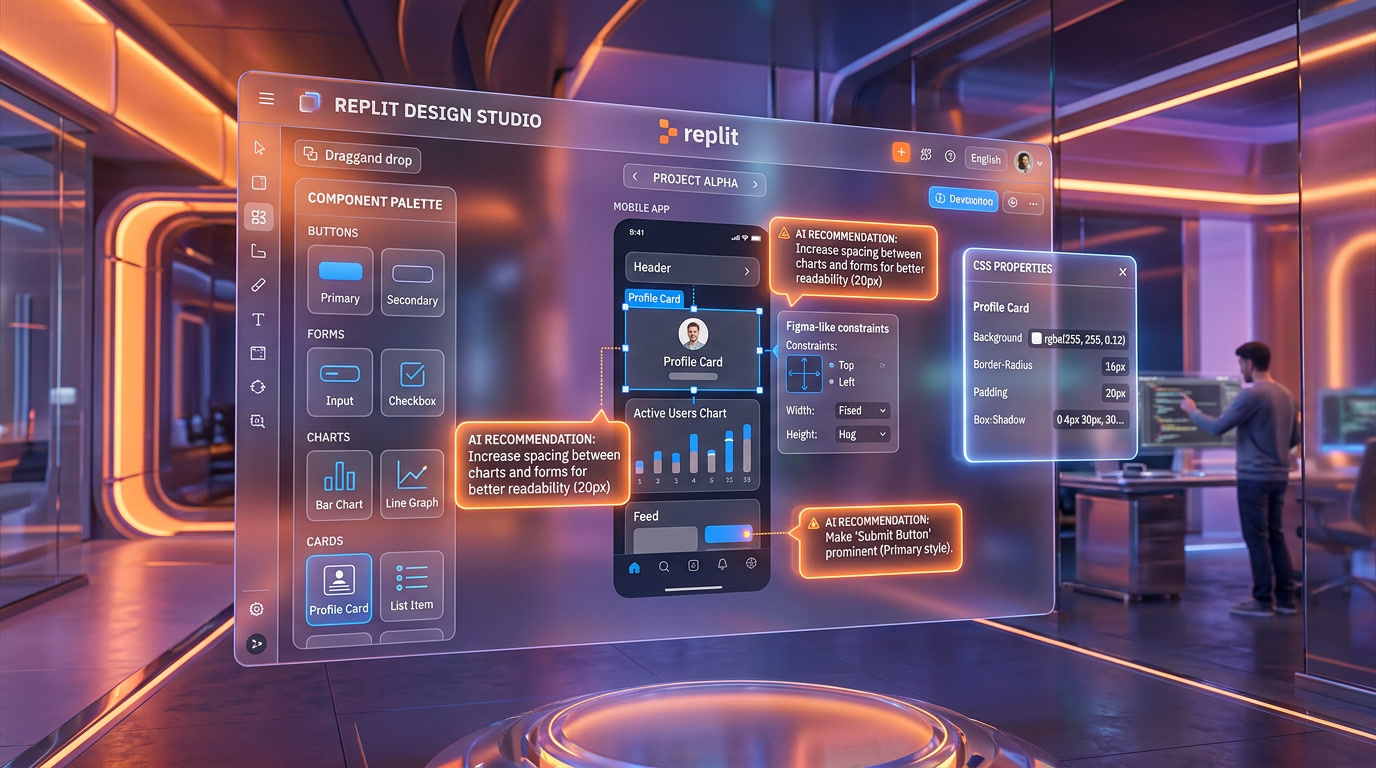
Figma Import and Design-to-Code
Replit offers Figma-to-code import through a dedicated Figma plugin. You export your designs from Figma, and Replit converts them into responsive React components with styles and assets. This is not pixel-perfect conversion — it is an AI-powered jumpstart that gets you roughly 70-80% of the way there, with the remaining refinement done through Agent prompts or manual editing.
Beyond Figma, Replit supports importing from GitHub repositories, Bolt projects, and Lovable exports. The GitHub import is straightforward — point it at a repo and Replit clones it into a workspace. Bolt and Lovable imports are newer and work best with simple projects. Complex multi-service architectures may require manual adjustment after import.
Built-in Deployment and Database
Every Replit project gets a deployment URL on the .replit.app domain. You click "Deploy" and your app is live — no Vercel, no Netlify, no AWS configuration. For most prototypes and MVPs, this is sufficient. Replit also includes a built-in PostgreSQL database accessible from any project, with connection strings pre-configured in environment variables.
The deployment infrastructure supports custom domains, HTTPS, and basic scaling. Pro users get private deployments (not publicly accessible on .replit.app). Enterprise users get static outbound IPs and VPC peering for secure connections to existing infrastructure.
The limitation: deployment hosting is tied to Replit. If you outgrow the platform, extracting your project to run on AWS, GCP, or your own servers requires rebuilding the deployment pipeline, database connections, and environment configuration. There is no export-to-Docker button.
Pricing Breakdown: What You Actually Pay
Replit's pricing is a credit economy, which means the sticker price and your actual monthly spend can be very different numbers.
Free (Starter)
- Limited daily Agent credits (enough for 5-10 simple prompts)
- 1 published app
- 1,200 development minutes per month
- Basic AI code completion
- "Made with Replit" badge on deployed apps
Core — $25 per month ($20 per month billed annually)
- $25 in monthly credits (no rollover)
- Up to 5 collaborators
- Unlimited workspaces
- Autonomous long builds
- Economy and Power Agent modes
- Remove "Made with Replit" badge
Pro — $100 per month ($95 per month billed annually)
- $100 in monthly credits (1-month rollover)
- Up to 15 collaborators + 50 viewers
- Turbo mode access (2.5x faster, 6x cost)
- Private deployments
- 28-day database restore window
- Premium support + exclusive community
- Access to most powerful AI models
Enterprise — Custom pricing
- All Pro features
- SSO/SAML authentication
- VPC peering and static outbound IPs
- Single-tenant environments with region selection
- Custom seat limits and groups
- Dedicated support
The credit economy is Replit's biggest differentiator and its biggest complaint. Unlike Cursor ($20 per month flat for Pro) or Lovable ($39 per month flat), your actual Replit spend depends entirely on how much Agent you use and in which mode. We tracked our spending over 30 days on Core: 22 days of moderate use (2-3 sessions daily) consumed $47 in credits — nearly double the $25 included. The overage is billed automatically.
Performance: Economy vs Power vs Turbo
We ran the same task — building a CRUD dashboard with user authentication and a PostgreSQL backend — across all three modes to measure real differences.
| Metric | Economy | Power | Turbo |
|---|---|---|---|
| Time to first working build | ~45 min | ~32 min | ~15 min |
| Total prompts needed | 18 | 11 | 9 |
| Bugs requiring manual fix | 4 | 2 | 1 |
| Approximate credit cost | ~$3.50 | ~$6.80 | ~$38 |
| Code quality (1-10) | 6 | 8 | 8 |
Power mode is the sweet spot for most users. Economy saves credits but produces lower-quality code that needs more iterations. Turbo is impressively fast but the 6x cost multiplier makes it impractical for everyday use — reserve it for demos and deadline crunches. The code quality between Power and Turbo was nearly identical; you are paying for speed, not intelligence.
Who Should Use Replit?
Replit has carved out a specific niche that it serves better than any competitor. Here is who benefits most:
- Non-technical founders — You have an app idea but cannot code. Replit Agent turns your description into a working prototype faster than hiring a freelancer.
- Solo developers building MVPs — Skip the DevOps. Go from idea to deployed app with a public URL in under an hour.
- Students and learners — The free tier is generous enough for learning projects. The cloud IDE means no local setup headaches.
- Small teams (2-5 people) — Core supports 5 collaborators. The shared workspace eliminates "works on my machine" problems.
- Internal tool builders — Zillow's 7,000+ internal apps demonstrate this use case. When speed matters more than code architecture, Replit delivers.
- Hackathon participants — Zero setup time means you start building immediately. Built-in deployment means you have a demo URL ready for judging.
Who should NOT use Replit: teams building production applications that need CI/CD pipelines, custom Docker deployments, infrastructure-as-code, or tight cost control. Professional developers who already have a configured local environment will find Replit's cloud IDE slower and more limiting than VS Code + Cursor.

Replit vs Cursor vs Lovable vs Bolt
The AI coding platform landscape in 2026 has four major players, each with a distinct philosophy. Here is how Replit compares.
| Feature | Replit | Cursor | Lovable | Bolt |
|---|---|---|---|---|
| Best for | Full-stack prototyping | Production-grade code | Beautiful UI prototypes | Quick throwaway demos |
| Price | $25-100/mo + credits | $20 per month flat | $39 per month flat | $15 per month flat |
| Cost predictability | Low | High | High | High |
| Autonomous Agent | 200 min, self-testing | Multi-file, in-editor | Full-stack builder | Full-stack builder |
| Deployment | Built-in (.replit.app) | None (BYO) | Built-in | Built-in |
| Database | Built-in PostgreSQL | None | Supabase integration | Supabase integration |
| Code portability | Medium (platform lock-in) | Full (local files) | High (GitHub sync) | High (export) |
| Complex project handling | 15-20 components | 100+ files | 15-20 components | 10-15 components |
| Mobile dev | React Native/Expo | Any (local) | No | No |
| CI/CD | No | Full (GitHub Actions) | No | No |
Replit vs Cursor — Different categories entirely. Cursor is a code editor for professional developers; Replit is an all-in-one platform for anyone. Choose Cursor if you want maximum control and production-grade code. Choose Replit if you want zero-setup and built-in deployment.
Replit vs Lovable — Lovable produces better-looking UI out of the box and has bi-directional GitHub sync for code portability. Replit offers more backend capabilities, a built-in database, and mobile development support. If design quality matters most, go Lovable. If you need full-stack with a database, go Replit.
Replit vs Bolt — Bolt is cheaper ($15 per month) and faster for simple projects. Replit handles more complexity, supports mobile development, and has a superior checkpoint system. Bolt wins on speed-to-demo; Replit wins on feature depth.
What Replit Gets Wrong
No review would be honest without addressing the pain points we encountered:
- Unpredictable costs — The credit economy means you never know your monthly bill until it arrives. Heavy Agent usage on Core regularly costs $40-80/month, not the advertised $25. This is the number-one complaint across the Replit community.
- Agent breaks working code — In our testing, Agent introduced breaking changes approximately 1 in every 8 sessions. The checkpoint system mitigates this, but it should not happen in the first place. Replit's CEO publicly apologized in 2026 after Agent wiped a company's codebase.
- No CI/CD or DevOps — No GitHub Actions, no Docker, no Terraform, no Kubernetes. If your workflow requires automated testing pipelines or infrastructure-as-code, Replit cannot accommodate you. This is a dealbreaker for many professional teams.
- Platform lock-in — Your database, deployment, and environment are tied to Replit. Extracting a project to run elsewhere requires significant rework. Lovable's GitHub sync and Cursor's local-first approach offer much better portability.
- Context loss on complex projects — Past 15-20 components, Agent starts losing track of the codebase. It may rewrite existing components, introduce duplicate logic, or ignore established patterns. For large applications, this limitation is serious.
The Growth Story: $2.8M to $9B in 18 Months
Replit's financial trajectory is one of the most remarkable in SaaS history. The timeline:
- Early 2025 — Annualized revenue at $2.8 million. Replit was primarily a cloud IDE for students and hobbyists.
- Mid-2025 — Agent launched. ARR jumped to $100 million in roughly 9 months.
- September 2025 — $250M Series C at $3 billion valuation. Agent 3 launched. ARR hit $150 million annualized.
- January 2026 — Funding round closed with investors including Google's AI Futures Fund, Amex Ventures, and Prysm Capital.
- March 2026 — $400M Series D at $9 billion valuation. Agent 4 launched. ARR targeting $1 billion by year-end. Investors: Georgian, Andreessen Horowitz, Coatue, Craft Ventures, Y Combinator, and angel investors including Shaquille O'Neal and Jared Leto.
The growth was driven almost entirely by Agent adoption. Before AI, Replit was a useful but niche cloud IDE. Agent turned it into a mass-market app builder. The company plans to use the Series D funds for international expansion in Asia and the Middle East, and to grow its go-to-market team.
The Bottom Line
Replit at 8.2 out of 10 is the fastest path from idea to deployed application on the market today. Agent 4 with its parallel execution, infinite design canvas, and multi-artifact output is genuinely impressive — it feels like a glimpse of how software will be built in five years. The checkpoint system provides a critical safety net that no competitor offers as elegantly.
But the credit-based pricing model is a real problem. In a market where Cursor charges a flat $20 per month and delivers production-grade code, Replit's unpredictable $40-80/month actual spend for a $25 Core plan feels like a penalty for using the product's best features. Agent's tendency to break working code — while mitigated by checkpoints — erodes trust during long sessions. And the lack of CI/CD and DevOps tools means serious projects will eventually outgrow the platform.
Our verdict: use Replit for rapid prototyping, MVPs, internal tools, and learning projects. It excels in these scenarios like nothing else. For production applications that need professional development workflows, test automation, and cost control, pair Replit's prototyping speed with Cursor's production precision — build the idea on Replit, then port the code to a proper development environment for scaling.
Frequently Asked Questions
Is Replit free to use?
Yes. Replit offers a free Starter plan with limited daily Agent credits, 1,200 development minutes per month, and the ability to publish 1 app. For serious development, you will need Core ($25 per month) or Pro ($100 per month).
How much does Replit Agent actually cost per month?
The sticker price is $25 per month (Core) or $100 per month (Pro), but actual costs depend on Agent usage. In our testing, moderate daily use on Core consumed $40-80/month in credits. Economy mode costs roughly 1/3 of Power mode per prompt. Turbo mode costs up to 6x Power mode.
Can Replit build mobile apps?
Yes. Replit supports React Native and Expo for cross-platform mobile development targeting both iOS and Android. Agent 4 can build mobile apps alongside web apps within the same project.
Is Replit better than Cursor for coding?
They serve different purposes. Cursor ($20 per month) is a professional code editor that produces production-grade code with full local control. Replit ($25-100/month) is an all-in-one platform with built-in deployment and database. For prototyping, Replit is faster. For production applications, Cursor produces better code.
What happens if Replit Agent breaks my code?
Replit's checkpoint system saves snapshots of your project at regular intervals. If Agent introduces a bug, you can roll back to any previous checkpoint instantly. This restores the entire project state including code, database schema, and configuration.
Frequently Asked Questions
Is Replit better than Cursor for beginners?
For beginners, Replit (8.2 out of 10, ease 9.0 out of 10) beats Cursor because it requires zero local setup — everything runs in the browser. Cursor at $20 per month is a VS Code extension designed for developers who already know how to code. Replit Agent builds entire apps from plain English prompts autonomously, making it the faster path from idea to deployed product. Cursor is cheaper and better for experienced devs working in their own codebase.
How does Replit compare to GitHub Codespaces?
Replit and GitHub Codespaces are both cloud IDEs but serve different users. GitHub Codespaces is a containerized VS Code environment built for professional teams already using GitHub workflows and CI/CD pipelines. Replit Agent goes further — it builds apps autonomously, provisions a PostgreSQL database, and deploys with a live URL. Replit scores 9.0 out of 10 on ease of use versus Codespaces, which assumes coding expertise and DevOps familiarity.
Is Replit cheaper than Lovable or Bolt?
On paper, Replit Core at $25 per month looks cheaper than Lovable at $39 per month. In practice, Replit's credit-based economy is the least predictable: heavy Agent usage in Power mode can push a Core plan to $50–80/month. Turbo mode (up to 6x the credit cost of Power mode) can consume nearly your entire monthly budget in a single complex session. Bolt at $15 per month and Lovable's token model are more transparent and budget-predictable for most builders.
Who should use Replit?
Replit is best for solo developers, startup founders, non-technical builders, and small teams who need to go from idea to deployed app fast. It earned 9.0 out of 10 for ease of use — a full CRUD dashboard with auth, database, and live deployment can be built in 36 minutes. Enterprise clients including Zillow (7,000+ internal apps), Databricks, PayPal, and Adobe use Replit for internal tooling at scale. It is not ideal for teams requiring CI/CD, Docker, or Kubernetes.
What are Replit's main limitations?
Replit's key limitations are cost unpredictability, Agent bugs on complex projects, and missing DevOps features. The Core plan at $25 per month can silently reach $50–80/month with heavy Agent usage. Past 15–20 components, Agent loses context and debugging loops drain credits fast. There is no CI/CD, Docker, or Kubernetes support. Turbo mode (up to 6x credit cost) is locked to Pro ($100 per month) and Enterprise. Value scores 7.5 out of 10 — the lowest category in our review.
Does Replit integrate with GitHub and Figma?
Yes. Replit supports direct import from GitHub, Figma, Bolt, and Lovable. The Figma-to-code import is particularly powerful — Agent reads your Figma design and generates the corresponding frontend code. GitHub integration lets you pull existing repos into Replit's cloud IDE and continue building with Agent. These integrations make Replit a strong bridge between design tools and deployed applications, supporting AI models from OpenAI, Anthropic, Google, and xAI.
What is the Replit checkpoint system and why does it matter?
The checkpoint system is Replit's most underrated feature. Every time Agent completes a significant task, it creates a full-state snapshot — code, database schema, environment variables, and deployment config — restorable with one click. This is not Git version control; it is a complete project restore. During 200-minute autonomous sessions, Agent creates checkpoints at regular intervals, limiting damage if something goes wrong. It is the primary safeguard against Agent breaking working code mid-session.
Can Replit replace VS Code for production development?
Not fully. Replit excels at rapid prototyping — a full CRUD app with auth, database, and deployment can be built in 36 minutes. But for production apps with complex architecture, most teams export to a proper IDE like VS Code. Replit lacks CI/CD pipelines, Docker, and Kubernetes. Agent also struggles with context on large codebases past 15–20 components. It is best used as a fast prototyping and MVP layer before moving to a dedicated production environment.
Key Features
Pros & Cons
Pros
- Zero-setup cloud IDE — works instantly from any browser
- Agent builds full-stack apps from natural language prompts autonomously
- Built-in deployment with .replit.app domains
- Checkpoint system allows instant rollback when Agent breaks code
- 50+ programming languages including React Native and Expo
- Import from GitHub, Figma, Bolt, and Lovable
- Real-time multiplayer collaboration up to 15 users
Cons
- Credit-based pricing makes costs unpredictable — heavy Agent usage burns fast
- Agent can introduce bugs and break working code during sessions
- No advanced DevOps — no CI/CD, Docker, or Kubernetes
- Free tier heavily throttled
- Agent slow on complex tasks — 20+ minute waits reported
Best Use Cases
Platforms & Integrations
Available On
Integrations

We're developers and SaaS builders who use these tools daily in production. Every review comes from hands-on experience building real products — DealPropFirm, ThePlanetIndicator, PropFirmsCodes, and many more. We don't just review tools — we build and ship with them every day.
Written and tested by developers who build with these tools daily.
Frequently Asked Questions
What is Replit?
Cloud IDE turned AI app builder — from code to deploy in one tab
How much does Replit cost?
Replit has a free tier. Premium plans start at $25/month.
Is Replit free?
Yes, Replit offers a free plan. Paid plans start at $25/month.
What are the best alternatives to Replit?
Top-rated alternatives to Replit include Claude Code (9.9/10), Cursor (9.5/10), Zed (9/10), OpenAI Codex (8.9/10) — all reviewed with detailed scoring on ThePlanetTools.ai.
Is Replit good for beginners?
Replit is rated 9/10 for ease of use.
What platforms does Replit support?
Replit is available on Web, iOS, Android.
Does Replit offer a free trial?
No, Replit does not offer a free trial.
Is Replit worth the price?
Replit scores 7.5/10 for value. It offers good value.
Who should use Replit?
Replit is ideal for: Non-technical founders building MVPs, Developers rapidly prototyping apps, Students learning to code, Teams collaborating in real-time, Startups importing Figma designs, Hackathon participants, Freelancers building client projects, Mobile developers without Xcode/Android Studio.
What are the main limitations of Replit?
Some limitations of Replit include: Credit-based pricing makes costs unpredictable — heavy Agent usage burns fast; Agent can introduce bugs and break working code during sessions; No advanced DevOps — no CI/CD, Docker, or Kubernetes; Free tier heavily throttled; Agent slow on complex tasks — 20+ minute waits reported.
Best Alternatives to Replit



Ready to try Replit?
Start with the free plan
Try Replit Free →