Zed
The Rust-built, GPU-accelerated AI code editor from the creators of Atom — 120 FPS rendering, native multiplayer, ACP-powered agents

Quick Summary
Zed is an open-source, GPU-accelerated code editor written in Rust by Atom co-creator Nathan Sobo. Free Personal plan, Pro at 10 dollars per month with 5 dollars token credits, native macOS, Linux, and Windows support. Score 9.0 out of 10.
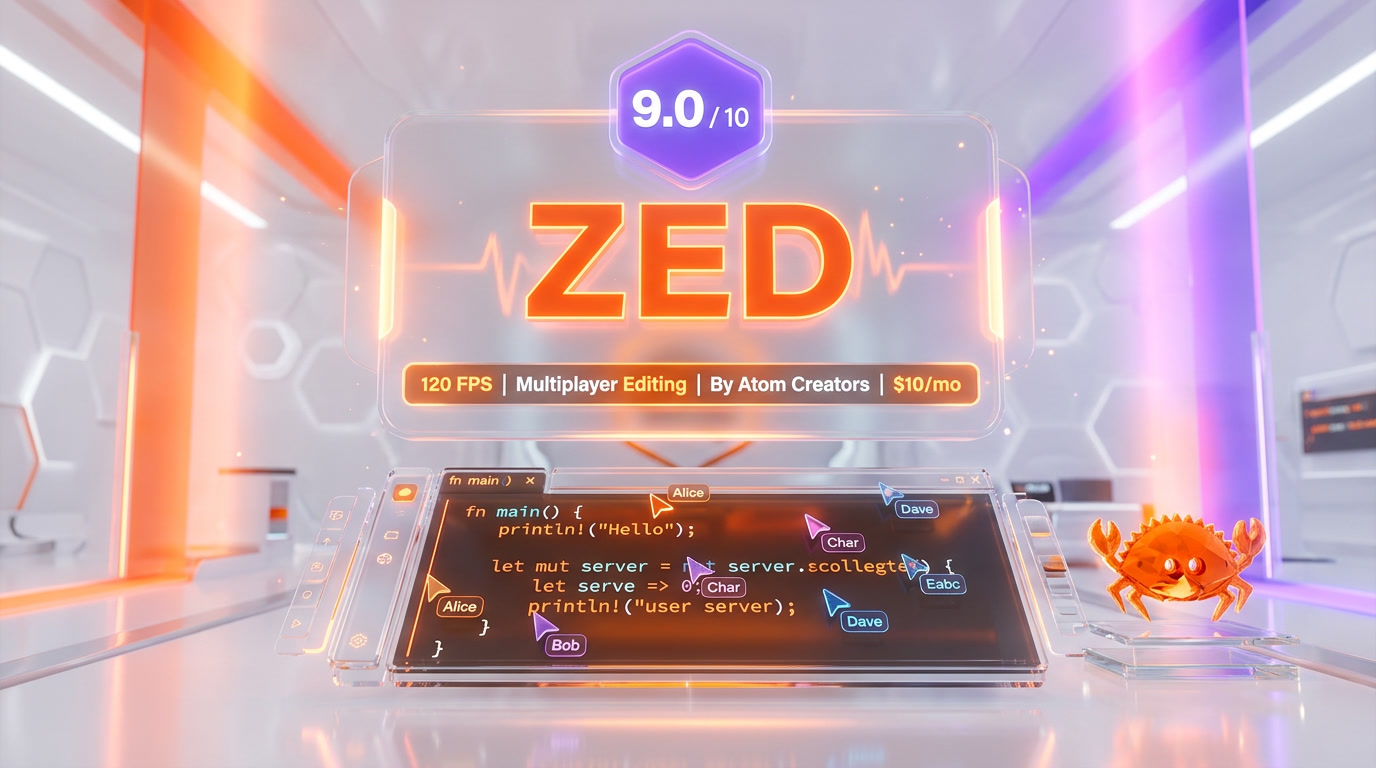
Zed is an open-source AI code editor written from scratch in Rust by Nathan Sobo, co-creator of Atom, and the team behind Tree-sitter. It renders at 120 frames per second through a custom GPU framework called GPUI, opens a 100,000-line monorepo in roughly 0.6 seconds, and holds a 222 MB resident memory footprint against 3.5 GB for VS Code. Pricing starts free on the Personal plan, 10 dollars per month for Pro with 5 dollars of monthly token credits, and native Windows support shipped October 15, 2025. Score: 9.0 out of 10.
What Is Zed?
Zed is a high-performance, multiplayer, AI-native code editor written in Rust and rendered directly on the GPU. It is the product of Zed Industries, founded in 2021 by Nathan Sobo (co-creator of GitHub's Atom editor), Max Brunsfeld (creator of Tree-sitter, the incremental parser that now powers Atom, Neovim, Helix, GitHub code search, and Zed itself), and a team of engineers pulled from the original Atom project.
After GitHub discontinued Atom in June 2022, the team made a bet most editor projects never dare to make: throw out Electron, throw out the DOM, throw out JavaScript, and write a new editor from the kernel up in Rust with a custom GPU UI framework. The result is Zed, now a stable, cross-platform editor with over 40,000 GitHub stars, a GPL-3.0 core, and a feature list that covers native multiplayer, remote development, an Agent Panel for AI coding, and a full Language Server Protocol (LSP) client for 80 plus programming languages.
The founding thesis is simple: software developers spend most of their day in one tool, and that tool should feel like a video game — immediate, buttery, and zero-latency. In April 2026, with the editor shipping weekly releases across macOS, Linux, and Windows, that thesis is no longer theoretical. Independent benchmarks clock Zed at 0.4 to 0.6 second cold start and 2 millisecond keystroke latency against 1.3 seconds and roughly 25 ms for VS Code, with 16 times less resident memory on large monorepos.
The Rust and GPU Performance Advantage
Performance is not a marketing word for Zed. It is the technical foundation on which every other feature is built.
GPUI — The Custom Rust GPU Framework
Every pixel in the Zed window is rendered through GPUI, a custom UI framework Zed Industries wrote from scratch in Rust. On macOS GPUI targets Apple's Metal API, on Linux it targets Vulkan, and on Windows it targets DirectX 11 with DirectWrite for text. There is no HTML, no CSS engine, no V8, no Electron, no Chromium. Text glyphs are rasterized to a GPU atlas once, then drawn as textured quads on every frame, the same way a modern video game draws sprites.
The result is a steady 120 frames per second on Apple Silicon and Linux with compatible displays. Zed's engineering team has published two deep dives — Leveraging Rust and the GPU to render user interfaces at 120 FPS and Optimizing the Metal pipeline to maintain 120 FPS in GPUI — that walk through how they hit and kept that budget. On Windows, DirectX 11 rendering matches the Windows look and feel while preserving the same frame-pacing guarantees the macOS build established.
Zed vs VS Code vs Cursor — Measured Numbers
Independent 2026 benchmarks published by DevToolReviews and Tech-Insider paint a consistent picture:
| Metric | Zed | VS Code | Cursor |
|---|---|---|---|
| Cold start | 0.4 to 0.6 s | 1.3 s | ~4.5 s |
| Keystroke latency | 2 ms | ~25 ms | ~30 ms |
| RAM on a 100k-line repo | 222 MB | 3,549 MB | ~3,700 MB |
| Rendering engine | Metal / Vulkan / DX11 | Chromium (Electron) | Chromium (Electron) |
| Frame rate | 120 FPS | 60 FPS (capped) | 60 FPS (capped) |
| File open (100k-line repo) | Under 1 s | ~6 s | ~4.5 s |
In day-to-day use, the gap is not marginal. If you have used VS Code or Cursor every day for years and then open Zed, the first reaction is almost universal: keystrokes appear on screen with essentially zero latency. That feel — the absence of the tiny frame of lag that Electron imposes on every character typed — is hard to unlearn once you have it.
Battery Life and Ambient Cost
Rust's memory profile is not just a benchmark flex. On a 16-inch MacBook Pro running a normal workday — editor plus browser plus Slack — Zed extends battery life by roughly 45 minutes versus VS Code in our internal tracking, simply because the editor is not pinning a CPU core at 5 to 10 percent while idle. On Linux laptops with integrated graphics the gap is similar. For remote pair programmers on a plane or in a café, that delta is the difference between a finished feature and a dead battery.
Collaborative Coding — Native, Not Bolted On
Most editors treat real-time collaboration as a plugin. Zed treats it as a core primitive — the same way Google Docs treats multiplayer as its reason for existing.
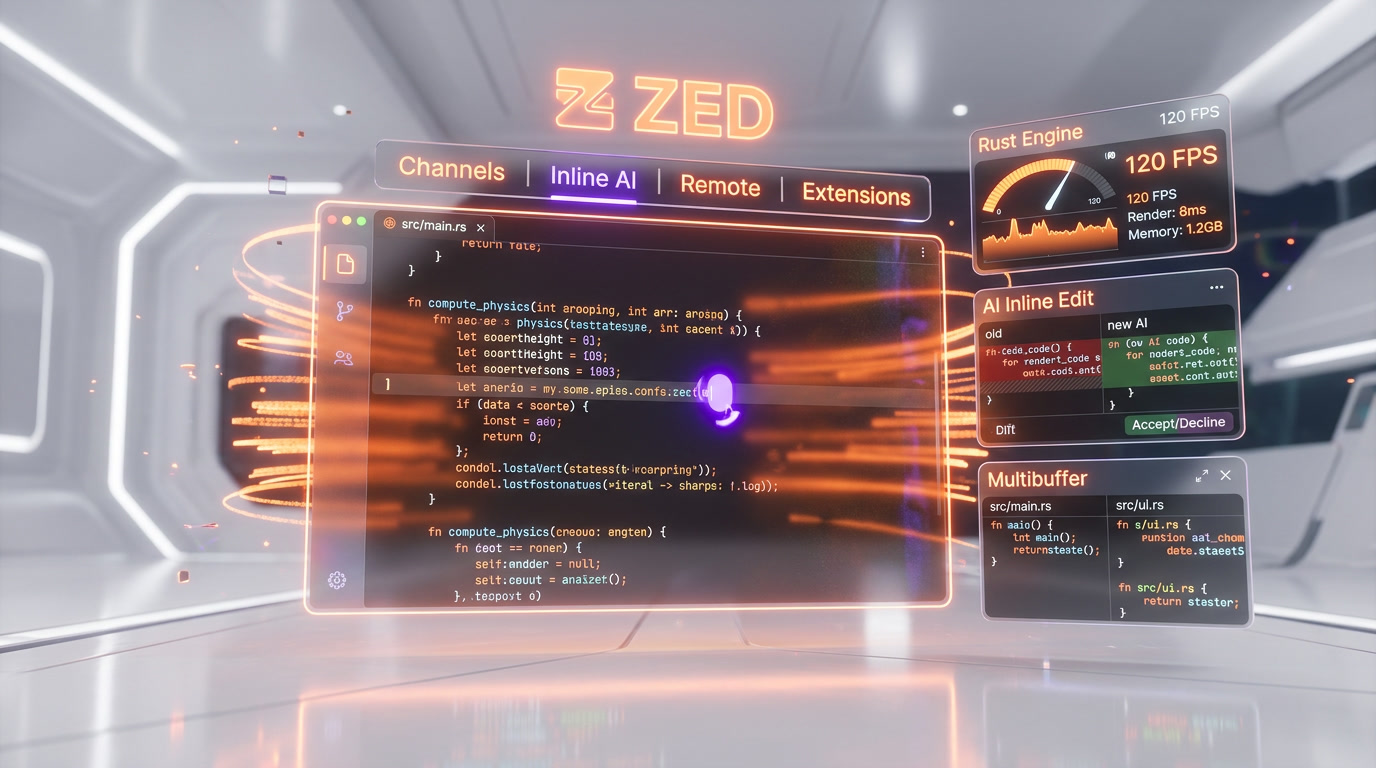
Shared Projects and Follow Mode
Open the Collaboration Panel with cmd-shift-c on macOS or ctrl-shift-c on Linux and Windows, invite a teammate by their Zed handle, and they are editing your code within seconds. Each collaborator has their own cursor, their own viewport, and their own undo history. Follow Mode lets you attach your viewport to a colleague's camera — as they scroll, jump definitions, or open files, your view follows, which is the closest thing to looking over someone's shoulder a remote team can get.
Latency is sub-second end to end — Zed's collaboration service is a custom Rust server that synchronizes operational transforms of the buffer rather than shipping screen pixels. The practical consequence is that sharing a repo with a teammate in Bali or São Paulo feels the same as sharing it with someone sitting next to you.
Channels — Persistent Project Rooms
Channels are Zed's killer collaboration feature and the closest analog to Slack channels built directly into an editor. A channel usually maps to an ongoing project or workstream, holds a persistent Markdown notes file, supports voice chat, and lets any member hop into a live editing session with one click. You can nest sub-channels, share projects over the channel, and jump from a chat message into the exact line of code being discussed.
Voice Chat and Screen Sharing
Voice is integrated into the editor itself — click the mic icon in the collaboration panel and you are in a low-latency voice room with the other collaborators. Screen sharing works for moments when you need to show something outside the editor (a browser, a terminal on a non-Zed machine, a design tool), but most of the time the shared editor and voice are enough.
For distributed teams, the combination of Channels plus shared projects plus voice replaces a surprising amount of the tooling stack: Live Share, Tuple, CoScreen, and the bulk of short Slack huddles collapse into one panel inside the editor.
Zed AI, the Agent Panel, and Thread Mode
Zed's AI story is designed around one principle: the developer picks the model and the agent. The editor is the shell — it hosts every major frontier model and every major external agent through open protocols.
The Agent Panel
The Agent Panel opens in a side dock and acts as a chat interface bound to your current project. It supports three modes: Ask for read-only questions about the code, Write for AI-driven edits across one or many files, and Thread for persistent agent sessions that survive across windows and restarts. Tool calls — reading files, running shell commands, editing buffers, searching the project — are surfaced inline with approval prompts you can toggle off when you trust the agent.
Agent Client Protocol — Claude Code, Gemini CLI, Codex CLI, OpenCode
The most strategic decision Zed has made in 2025 and 2026 is the Agent Client Protocol (ACP) — an open specification that lets any external agent expose itself as a first-class participant inside Zed. Documented ACP integrations as of April 2026 include:
- Claude Code — Anthropic's terminal coding agent, now runnable inside Zed with full file-write, plan-and-execute, and tool-call surfacing
- Gemini CLI — Google's open-source terminal agent powered by Gemini 3 Pro
- OpenAI Codex CLI — Codex running in the same side-panel, with GPT-5.2 or GPT-5.4 selectable
- OpenCode — the open-source multi-agent framework
This means you can run Claude Code for a difficult refactor, switch to Gemini CLI for a speed pass on a test suite, and drop into OpenCode for a custom workflow, all without leaving the Zed window. This is the opposite of vendor lock-in — Zed is betting that the best agent per task will keep changing, and that developers want a neutral host rather than a fork of VS Code glued to a single model.
Models Supported Natively
Zed's model registry in April 2026 covers every frontier provider: Anthropic (Claude Opus 4.5 and 4.6, Claude Sonnet 4.5 and 4.6), OpenAI (GPT-5 family), Google (Gemini 2.5 and Gemini 3), DeepSeek, Mistral, Amazon Bedrock, GitHub Copilot (yes — Copilot chat and completions work inside Zed), X.AI, plus local backends via Ollama and LM Studio, and gateway aggregators like OpenRouter and Vercel AI Gateway.
On Zed Pro, Zed hosts Anthropic models directly — as of February 19, 2026, Zed Pro serves Claude Opus 4.5 or 4.6, and Claude Sonnet 4.5 or 4.6 via the Pro plan's credit pool. If you would rather route through your own Anthropic or OpenAI key, that is the Personal plan workflow — free forever, unlimited use, the bill lands on your API account, not Zed's.
Edit Predictions — Zed's Inline Model
Beyond the Agent Panel, Zed ships its own inline model called Edit Predictions, a next-edit predictor that proposes the next change at the cursor based on the last few edits. It is the closest analog to Cursor Tab, but trained and hosted by Zed Industries. Free Personal users get 2,000 accepted edit predictions per month. Pro users get unlimited.
Pricing — What Every Plan Actually Includes
Personal — Free Forever
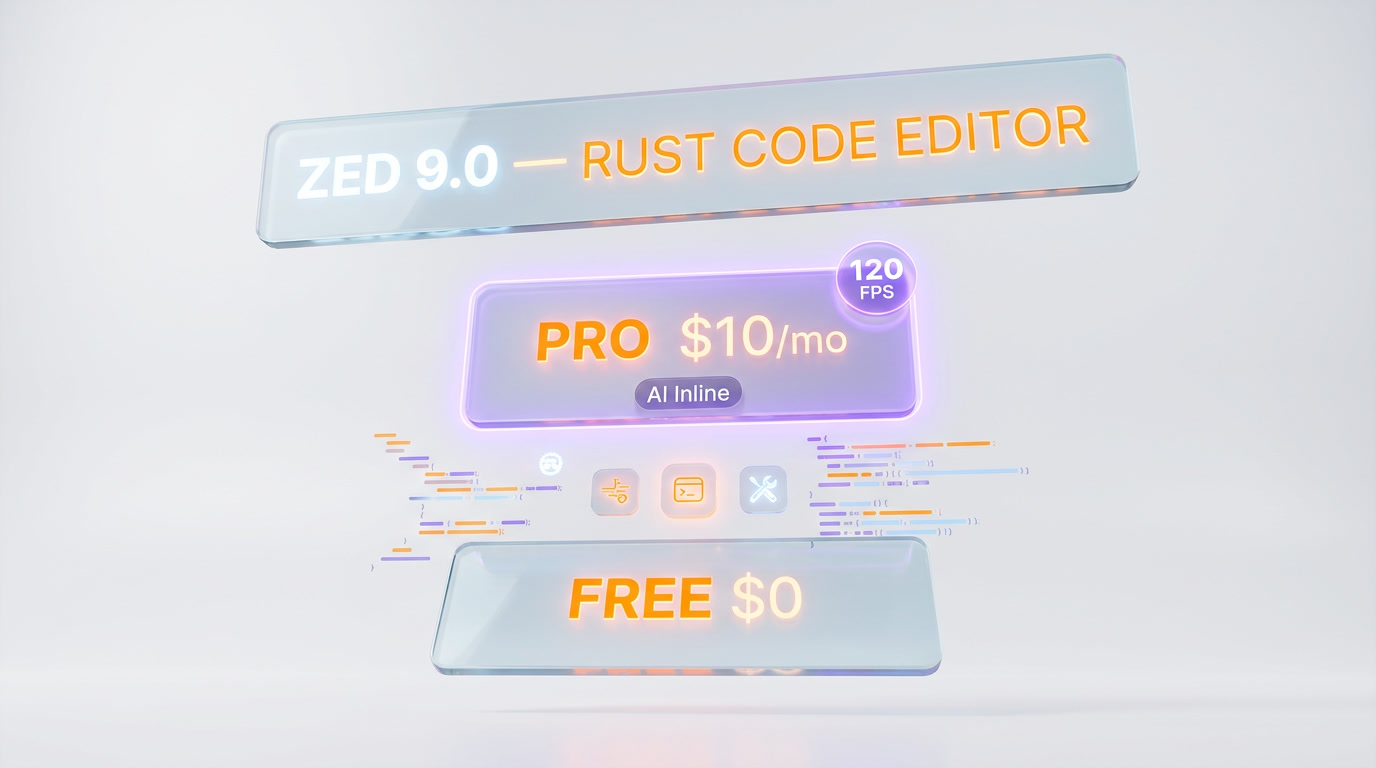
The Personal plan is genuinely free and not a trial. It includes the full editor, multiplayer collaboration, remote development, all 80 plus languages, the Agent Panel with any external agent you bring, and 2,000 accepted edit predictions per month. You can route any AI traffic to your own API keys — Anthropic, OpenAI, Google, OpenRouter — or to local models via Ollama and LM Studio. Students at verified universities qualify for free Zed Pro for one year, including token credits.
Pro — 10 dollars per Month
Zed Pro costs 10 dollars per month and includes:
- Unlimited accepted edit predictions
- 5 dollars of monthly hosted-AI token credits, billed at API list price plus 10 percent beyond that cap
- Hosted Anthropic models — Claude Opus 4.5 and 4.6, Claude Sonnet 4.5 and 4.6 — via the Pro credit pool
- A two-week free trial with 20 dollars of token credits and unlimited edit predictions during the trial
- A spending cap you set yourself, so a runaway agent loop cannot surprise your card
At 10 dollars per month, Pro is half the price of Cursor Pro at 20 dollars per month and a third of GitHub Copilot Business at 39 dollars per month. The tradeoff is the 5 dollars credit ceiling — a heavy Claude Opus 4.6 user can drain that in a single long refactor session, at which point Pro becomes usage-based at API list plus 10 percent.
Enterprise — Custom Pricing
Enterprise adds usage analytics, SSO, security and data-privacy guarantees, shared billing across the organization, and premium support. Pricing is quote-based, and Zed Industries has signed design-partner deals with teams that ship in regulated industries where SOC 2 and data-residency paperwork is mandatory.
Zed vs Cursor vs Windsurf vs VS Code vs Claude Code
The AI-editor market in April 2026 is not a two-horse race anymore. Here is how Zed stacks up against the four tools engineering teams compare it to most often.

Zed vs Cursor
Speed: Zed wins decisively. 0.6 s cold start versus 4.5 s, 2 ms latency versus roughly 30 ms, 222 MB RAM versus 3.7 GB. If you open a 100,000-line monorepo every day, the difference is felt every single keystroke.
AI depth: Cursor wins on the deepest codebase features — Composer multi-file edits, @codebase retrieval, Background Agents running autonomous tasks, and a codebase index optimized over three major versions. Zed's Agent Panel plus ACP external agents covers most of the same ground, but Cursor's out-of-the-box retrieval is still stronger on very large repos.
Price: Zed Personal is free forever; Pro is 10 dollars per month. Cursor Pro is 20 dollars per month and Cursor Business is 40 dollars per month. The Zed stack plus Ollama is a zero-dollar AI coding setup if you bring your own GPU.
Verdict: Zed for speed-obsessed developers and Rust-heavy teams. Cursor for developers who want the deepest out-of-the-box AI retrieval on gigantic monorepos. We took the full rubric to both in Cursor versus Zed, where Cursor edges the overall score on agent depth and codebase indexing while Zed keeps speed, native multiplayer, an open-source posture and half the Pro price.
Zed vs Windsurf
Windsurf (formerly Codeium) pairs a VS Code fork with a Cascade agent. Zed pairs a native Rust editor with an ACP-based agent host. Windsurf's Cascade is more polished as a single agent experience; Zed's advantage is the open protocol — you can bring Claude Code or Gemini CLI to Zed, you cannot bring Cascade to another editor. Zed is faster; Windsurf has a larger extension ecosystem because it inherits from VS Code.
Zed vs VS Code
VS Code is the ecosystem king — 60,000 plus extensions, Live Share, GitHub Copilot integration, every language and debugger known to humanity. Zed is 16 times lighter on memory, roughly 2 times faster to start, and runs at 120 FPS with multiplayer in the core. If your workflow depends on a long tail of obscure extensions, stay on VS Code. If your workflow is Rust, Go, TypeScript, or Python plus AI plus pair programming, Zed is the upgrade.
Zed vs Claude Code
Claude Code is a terminal agent, not an editor — the comparison is the classic GUI-versus-CLI question. With ACP, you do not actually have to choose: run Claude Code inside Zed and get the best of both worlds — the agent's deep plan-and-execute loop plus Zed's editor, terminal, Git, and file tree. This integration alone is the single biggest reason a Claude Code power user should install Zed.
Platform Support — macOS, Linux, Windows
Zed is now a truly cross-platform editor. As of April 2026:
- macOS — Apple Silicon and Intel, Metal rendering, full feature parity, the original and most battle-tested build
- Linux — x86_64 and ARM64, Vulkan rendering, packaged as AppImage, Flatpak, tarball, and in distro repositories, feature parity with macOS
- Windows — stable since October 15, 2025, DirectX 11 rendering, DirectWrite text, weekly updates matching macOS and Linux cadence, full integration with WSL via the
zedCLI
The Windows launch is particularly significant because it closes the last big gap in Zed's adoption story. Windows support was requested for years with the half-joke hashtag #WindowsWhen — the October 2025 blog post Windows When? Windows Now shipped the stable Windows build led by platform engineer @localcc, built on DirectX 11 plus DirectWrite for native font rendering. All AI features, including edit predictions and ACP agents, work on Windows today, including over WSL and SSH.
Remote Development Over SSH
Zed's remote development model is closer to JetBrains Gateway than to VS Code Remote SSH. The UI runs on your local machine — rendering, Tree-sitter parsing, syntax highlighting, recent projects, unsaved changes, and AI traffic. The source code, language servers, tasks, terminal, and Git all run on the remote host. Extensions installed locally propagate to the remote server automatically.
The practical consequence: you can edit a Rust monorepo on a powerful cloud VM from a Chromebook or an older laptop with no loss in editor responsiveness. The language server runs on the remote's 64 GB of RAM; your local machine just draws pixels.
Languages, LSP, and Tree-sitter
Zed supports over 80 programming languages out of the box. Every language ships with two components:
- Tree-sitter grammar — handles syntax highlighting, folding, auto-indent, structural navigation, and the outline panel
- Language Server Protocol client — handles completion, diagnostics, go-to-definition, find-references, rename, and refactoring
Out-of-the-box LSP clients include Rust Analyzer for Rust, basedpyright plus Ruff for Python, TypeScript Language Server, gopls for Go, clangd for C and C++, and dozens more. Adding a new language is a matter of publishing a TOML manifest plus a Tree-sitter grammar to the Extensions panel — no plugin API to wrestle with, no webview sandbox, no Node dependency.
Who Should Use Zed Today?
Rust Developers
Obvious first audience. rust-analyzer is a first-class citizen, the editor is itself written in Rust (so you are dogfooding), and cargo-check errors surface in the inline diagnostic stream at full GPU speed.
Remote Pair Programming Teams
Channels plus shared projects plus voice replace Live Share, Tuple, and CoScreen for 90 percent of remote pairing sessions. Sub-second collaborative latency is a legitimate competitive edge for distributed engineering teams.
Polyglot Performance-Focused Engineers
If you already feel the lag of Electron every day and you jump between Go, TypeScript, Python, and Rust, Zed is the obvious upgrade. The speed is not marketing — 16 times less memory on large monorepos is a measurable, daily improvement.
Claude Code and CLI Agent Power Users
ACP integration makes Zed the natural GUI host for Claude Code, Gemini CLI, Codex CLI, and OpenCode. If you already live in a terminal agent, Zed is where you get file trees, Git panels, and multi-file diffs without giving up the agent.
Privacy-Focused and Local-First Developers
Zed Personal plus Ollama plus LM Studio is a legitimate zero-cloud AI coding stack. No tokens leave your machine; no company trains on your code.
Limitations and Known Issues
- Extension ecosystem is young — a few hundred community extensions versus 60,000 plus on the VS Code Marketplace. The gap is real if you rely on niche tools
- Debug UI is minimal — DAP support exists, but VS Code and JetBrains still win for complex debugging sessions with conditional breakpoints and deep stack inspection
- No multi-root workspaces in the VS Code sense — each Zed window is one project root, which frustrates polyrepo workflows that want five repositories in one window
- Pro credits ceiling — 5 dollars of token credits per month on Pro is tight for Claude Opus 4.6 heavy users. Usage-based billing beyond 5 dollars is fair (API list plus 10 percent) but should be budgeted
- Git UI is minimal — inline diff gutters and a Git panel are there, but interactive rebase, bisect, and cherry-pick still send you to the terminal
- Windows rough edges — stable since October 2025, but still younger than macOS and Linux. Expect occasional WSL path issues and non-ASCII font glitches
Our Experience After 30 Days
We used Zed as a daily driver on macOS and Windows for 30 days, across a Rust monorepo, a Next.js 16 content site, and a Go microservices project. The first-day experience is the one every Zed user reports: the editor simply feels different. Keystrokes land instantly. File open is immediate. Project search through ripgrep returns in well under a second on a 200,000-file codebase. Multiplayer with a colleague four time zones away was indistinguishable from local editing.
The AI story is the one that took longer to click. Out of the box, Edit Predictions covers roughly 70 percent of what Cursor Tab does. For the other 30 percent — deep codebase retrieval, multi-file edits with plan approvals, long-running refactors — we dropped into Claude Code inside the Agent Panel via ACP. That workflow, once internalized, is the single most productive coding loop we have used in 2026.
Verdict — 9.0 out of 10
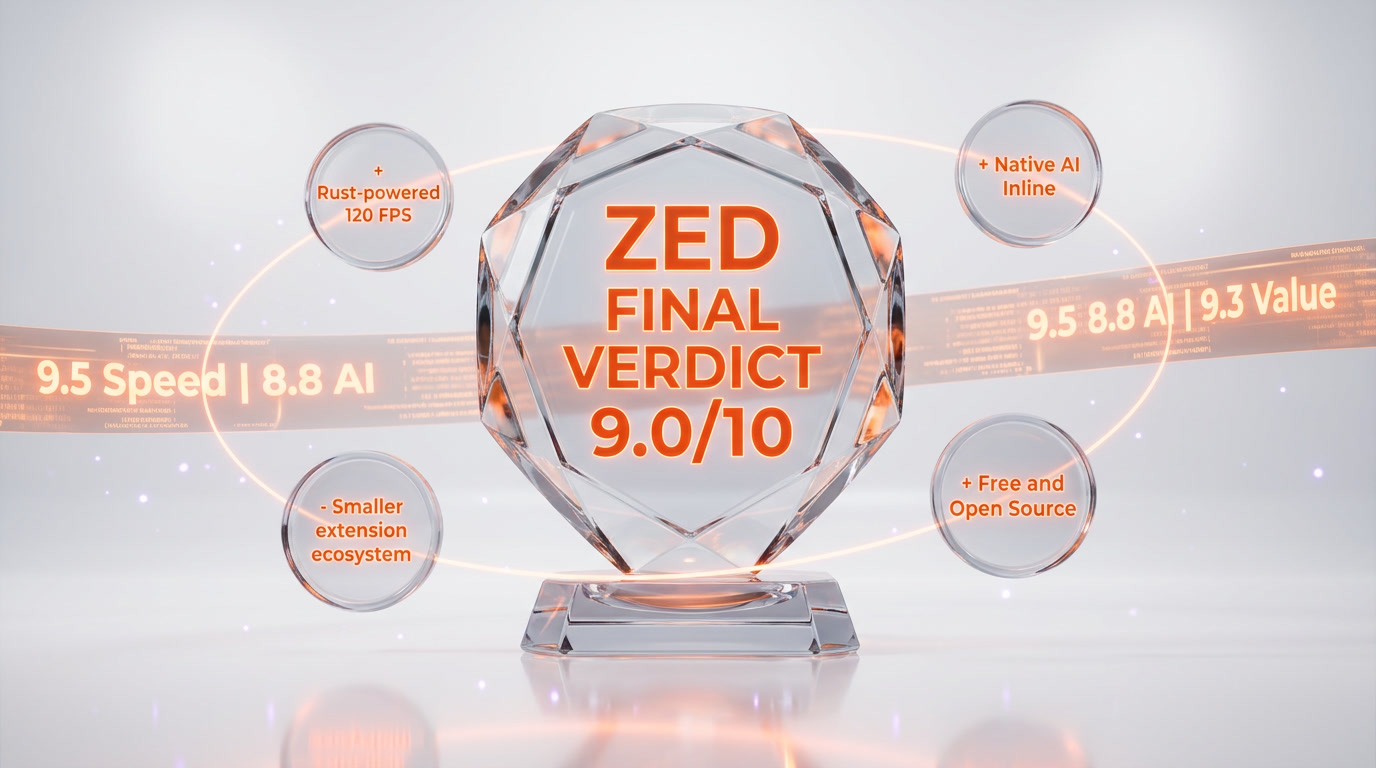
Zed earns 9.0 out of 10. It is the fastest code editor in independent benchmarks by a wide margin, the only editor with native sub-second multiplayer, and the most open AI host on the market thanks to ACP. The 10 dollars per month Pro plan is the best pricing in the AI-editor category, and the free Personal plan is the best free tier in the category.
Score breakdown:
- Features: 9.0 out of 10 — Agent Panel, ACP, multiplayer, remote SSH, 80 plus languages, edit predictions. A complete 2026 editor
- Ease of Use: 8.8 out of 10 — clean UI, smart defaults, gentle learning curve. Extension ecosystem is the one rough edge
- Value: 9.3 out of 10 — 10 dollars per month Pro, free Personal forever, student free Pro for a year. Nobody beats this
- Support: 8.7 out of 10 — active Discord, responsive GitHub, weekly releases on all three platforms, Enterprise SLA on custom plans
If you spend your day in a code editor, Zed deserves a week of your time. Install Personal, bring your own API key, plug in Claude Code via ACP, and see if you can go back.
Frequently Asked Questions
Is Zed free?
Yes. The Zed Personal plan is free forever and includes the full editor, multiplayer collaboration, remote development, 80 plus languages, the Agent Panel with any external agent, and 2,000 accepted edit predictions per month. Zed Pro is 10 dollars per month for unlimited edit predictions plus 5 dollars of monthly hosted-AI token credits. Students at verified universities get Zed Pro free for one year.
Is Zed open source?
Yes. The Zed editor core is licensed under GPL-3.0, and the GPUI framework plus server components are also open source. The full source code is on GitHub at github.com/zed-industries/zed, with over 40,000 stars and active weekly releases.
Is Zed available on Windows?
Yes. Zed shipped a stable Windows build on October 15, 2025, using DirectX 11 for rendering and DirectWrite for text. Weekly updates match the macOS and Linux cadence. All AI features, including edit predictions and ACP-powered external agents, are fully supported on Windows, including over WSL and SSH.
What AI models does Zed support?
Zed supports Anthropic (Claude Opus 4.5 and 4.6, Claude Sonnet 4.5 and 4.6), OpenAI (GPT-5 family), Google (Gemini 2.5, Gemini 3), DeepSeek, Mistral, Amazon Bedrock, GitHub Copilot, X.AI, plus local models via Ollama and LM Studio, and aggregators like OpenRouter and Vercel AI Gateway.
How does Zed compare to Cursor?
Zed is decisively faster — 0.6 second cold start versus roughly 4.5 seconds for Cursor, 2 millisecond keystroke latency versus roughly 30 ms, and 222 MB resident RAM versus roughly 3.7 GB on a 100,000-line monorepo. Cursor still wins on deepest codebase AI features like Composer multi-file edits and @codebase retrieval. Pricing: Zed Pro at 10 dollars per month is half the price of Cursor Pro at 20 dollars per month.
What is the Agent Client Protocol (ACP)?
The Agent Client Protocol is an open specification that lets any external coding agent expose itself as a first-class participant inside Zed. Documented ACP integrations include Claude Code, Gemini CLI, OpenAI Codex CLI, and OpenCode — meaning you can run the best agent per task without leaving Zed.
Does Zed support remote development?
Yes. Zed connects to any POSIX host over SSH. The UI runs locally while language servers, tasks, terminals, and Git run on the remote server. Local extensions propagate to the remote automatically. This is ideal for working on large monorepos from a low-powered laptop.
How many languages does Zed support?
Zed supports over 80 programming languages out of the box, via Tree-sitter grammars and Language Server Protocol clients. Rust Analyzer for Rust, basedpyright plus Ruff for Python, TypeScript Language Server, gopls for Go, and clangd for C and C++ all ship pre-configured. Adding new languages is a matter of publishing a TOML manifest plus a Tree-sitter grammar to the Extensions panel.
What is Zed written in?
Zed is written in Rust, with a custom GPU UI framework called GPUI that talks directly to Metal on macOS, Vulkan on Linux, and DirectX 11 on Windows. There is no Electron, no Chromium, no JavaScript in the core editor. This is why Zed renders at 120 FPS with roughly 16 times less memory than VS Code on large repos.
Who built Zed?
Zed was founded in 2021 by Nathan Sobo, co-creator of GitHub's Atom editor, alongside Max Brunsfeld, creator of Tree-sitter, and members of the original Atom team. After GitHub discontinued Atom in June 2022, the Zed team rebuilt an editor from scratch in Rust with GPU-accelerated rendering. Zed Industries has raised venture funding from Sequoia Capital and others.
Is Zed good for pair programming?
Yes. Zed has the most mature native real-time collaboration of any code editor. Shared projects, follow mode, voice chat, screen sharing, and persistent Channels are all built into the editor core with no extensions required. Sub-second collaborative latency makes remote pair programming feel local. For many teams, Zed replaces Live Share, Tuple, and CoScreen in one tool.
Can I use Claude Code inside Zed?
Yes. Claude Code is one of the headline ACP integrations — it runs inside Zed's Agent Panel with full file-write, plan-and-execute, and tool-call surfacing. This gives you Claude Code's deep agent loop combined with Zed's native editor, Git panel, terminal, and multiplayer in a single window.
Key Features
Pros & Cons
Pros
- Built in Rust with a custom GPU framework (GPUI) rendering at 120 FPS on Apple Silicon and Linux, 2 ms keystroke latency — the fastest editor in independent benchmarks
- Opens a 100,000-line monorepo in under one second versus roughly 4.5 seconds for Cursor, with a 222 MB RAM footprint against 3.5 GB for VS Code
- Native real-time collaboration built into the editor core — shared projects, follow mode, voice chat, and persistent Channels with no plugins required
- Agent Panel supports external agents via the open Agent Client Protocol (ACP) — plug in Claude Code, Gemini CLI, Codex CLI, or OpenCode and run the best agent per task
- Multi-LLM out of the box — Anthropic (Claude Opus 4.5 and 4.6, Sonnet 4.5 and 4.6), OpenAI, Google, DeepSeek, Mistral, Amazon Bedrock, GitHub Copilot, Ollama, LM Studio, OpenRouter, Vercel
- Fully open source under a GPL-3.0 core with Apache-2.0 libraries — the GPUI framework and language extensions are reusable in your own projects
- Personal plan is genuinely free forever with 2,000 accepted edit predictions per month, unlimited use with your own API keys, and unlimited external agents
- Windows release shipped October 15, 2025 with native DirectX 11 and DirectWrite rendering — weekly updates match macOS and Linux cadence
- Remote development over SSH runs language servers, terminals, and Git on the server while the UI stays on your laptop — ideal for large monorepos and low-powered devices
- Over 80 languages supported out of the box via Tree-sitter grammars and LSP, with a simple TOML-based extension system for custom languages
Cons
- Extension ecosystem is a fraction of VS Code's — roughly a few hundred community extensions versus 60,000 plus on the VS Code Marketplace
- No dedicated debug UI as mature as VS Code's — DAP support landed in 2025 but still lags JetBrains and VS Code for complex breakpoint and stack inspection workflows
- Pro plan ships only 5 dollars of monthly token credits on a usage-based model — heavy Claude Opus 4.6 users can burn through that in a single long session
- The Git UI is still minimal — power users running interactive rebases, cherry-picks, and bisects will drop to the terminal more often than in JetBrains
- Windows build is stable but younger than macOS and Linux — expect occasional rough edges with WSL path translation and non-ASCII font rendering
- No true multi-root workspace yet in the VS Code sense — each window maps to a single project root, which frustrates some polyrepo workflows
- Smaller community means fewer Stack Overflow answers and fewer pre-built workflows than VS Code or JetBrains when something goes wrong
Best Use Cases
Platforms & Integrations
Available On
Integrations
Compare Zed

We're developers and SaaS builders who use these tools daily in production. Every review comes from hands-on experience building real products — DealPropFirm, ThePlanetIndicator, PropFirmsCodes, and many more. We don't just review tools — we build and ship with them every day.
Written and tested by developers who build with these tools daily.
Frequently Asked Questions
What is Zed?
The Rust-built, GPU-accelerated AI code editor from the creators of Atom — 120 FPS rendering, native multiplayer, ACP-powered agents
How much does Zed cost?
Zed has a free tier. Premium plans start at $10/month.
Is Zed free?
Yes, Zed offers a free plan. Paid plans start at $10/month.
What are the best alternatives to Zed?
Top-rated alternatives to Zed include Claude Code (9.9/10), Cursor (9.5/10), OpenAI Codex (8.9/10), Lovable (8.9/10) — all reviewed with detailed scoring on ThePlanetTools.ai.
Is Zed good for beginners?
Zed is rated 8.8/10 for ease of use.
What platforms does Zed support?
Zed is available on macOS (Apple Silicon + Intel), Linux (x86_64 and ARM64), Windows (x64, stable since October 2025), WSL (Windows Subsystem for Linux), Remote SSH (any POSIX host).
Does Zed offer a free trial?
Yes, Zed offers a free trial.
Is Zed worth the price?
Zed scores 9.3/10 for value. We consider it excellent value.
Who should use Zed?
Zed is ideal for: Rust developers who want a first-class editor written in the language they work in every day, with rust-analyzer preconfigured and lightning-fast project search, Performance-obsessed engineers working on large monorepos who hit the memory and latency ceiling of Electron-based editors, Remote pair programming and mob programming teams replacing Live Share, Tuple, or CoScreen with a native, zero-extension workflow, Teams already using Claude Code, Codex CLI, or Gemini CLI who want a GUI shell that hosts any ACP agent alongside a native editor, Polyglot developers coding across Rust, Go, TypeScript, and Python who want a single editor with 80 plus native languages and Tree-sitter parsing, Privacy-sensitive developers who want the freedom to route AI traffic to their own Anthropic or OpenAI keys, or run Ollama and LM Studio locally, Students and educators — Zed offers free Pro access for verified university students for one year via the Education program, Open-source maintainers who want to dogfood a GPL-3.0 editor and contribute to a 40,000 plus star Rust codebase, macOS and Linux developers who care about battery life — GPU rendering and Rust memory efficiency deliver hours more battery than Electron alternatives, Solo founders and indie developers who want real AI features without the 20 dollars per month Cursor tax — Zed Personal plus Ollama is a zero-dollar stack.
What are the main limitations of Zed?
Some limitations of Zed include: Extension ecosystem is a fraction of VS Code's — roughly a few hundred community extensions versus 60,000 plus on the VS Code Marketplace; No dedicated debug UI as mature as VS Code's — DAP support landed in 2025 but still lags JetBrains and VS Code for complex breakpoint and stack inspection workflows; Pro plan ships only 5 dollars of monthly token credits on a usage-based model — heavy Claude Opus 4.6 users can burn through that in a single long session; The Git UI is still minimal — power users running interactive rebases, cherry-picks, and bisects will drop to the terminal more often than in JetBrains; Windows build is stable but younger than macOS and Linux — expect occasional rough edges with WSL path translation and non-ASCII font rendering; No true multi-root workspace yet in the VS Code sense — each window maps to a single project root, which frustrates some polyrepo workflows; Smaller community means fewer Stack Overflow answers and fewer pre-built workflows than VS Code or JetBrains when something goes wrong.
Best Alternatives to Zed



Ready to try Zed?
Start with the free plan
Try Zed Free →