Best AI Coding Tools 2026
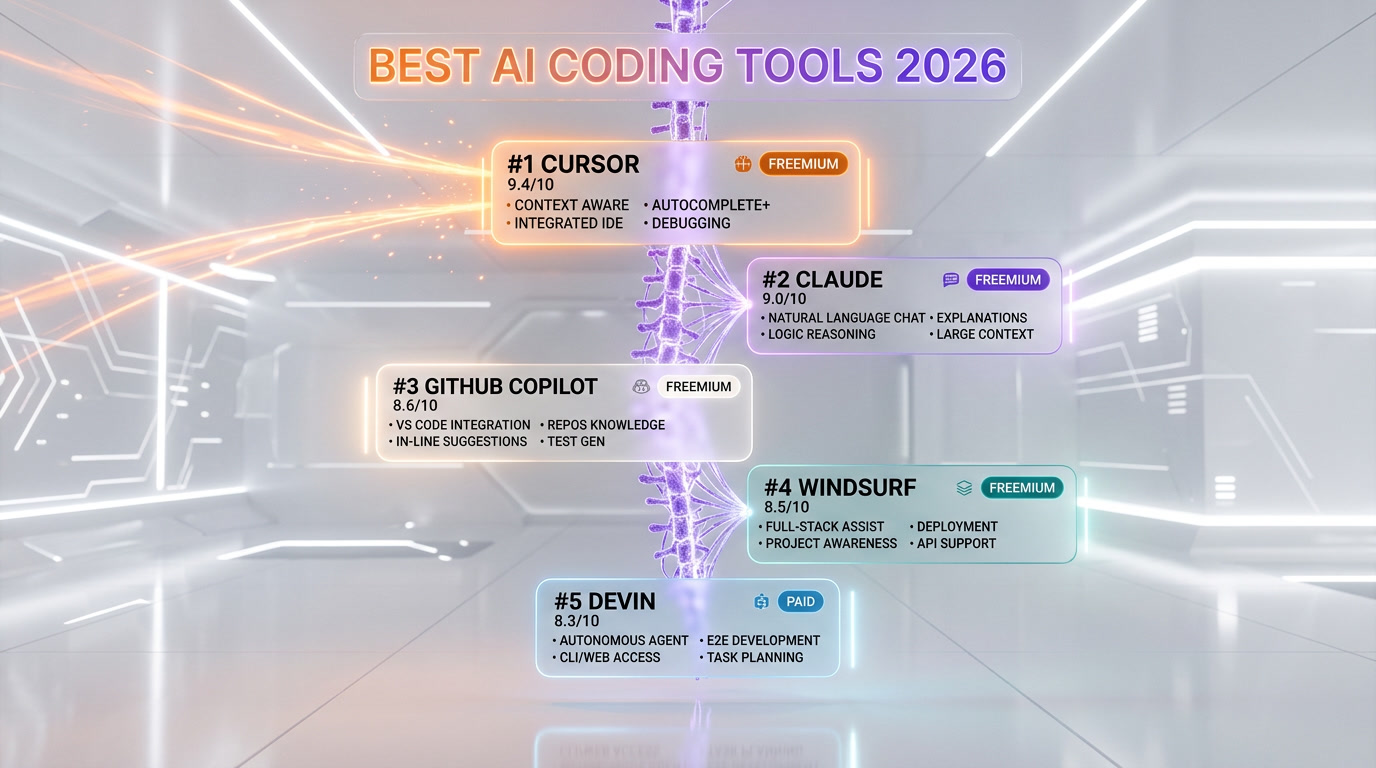
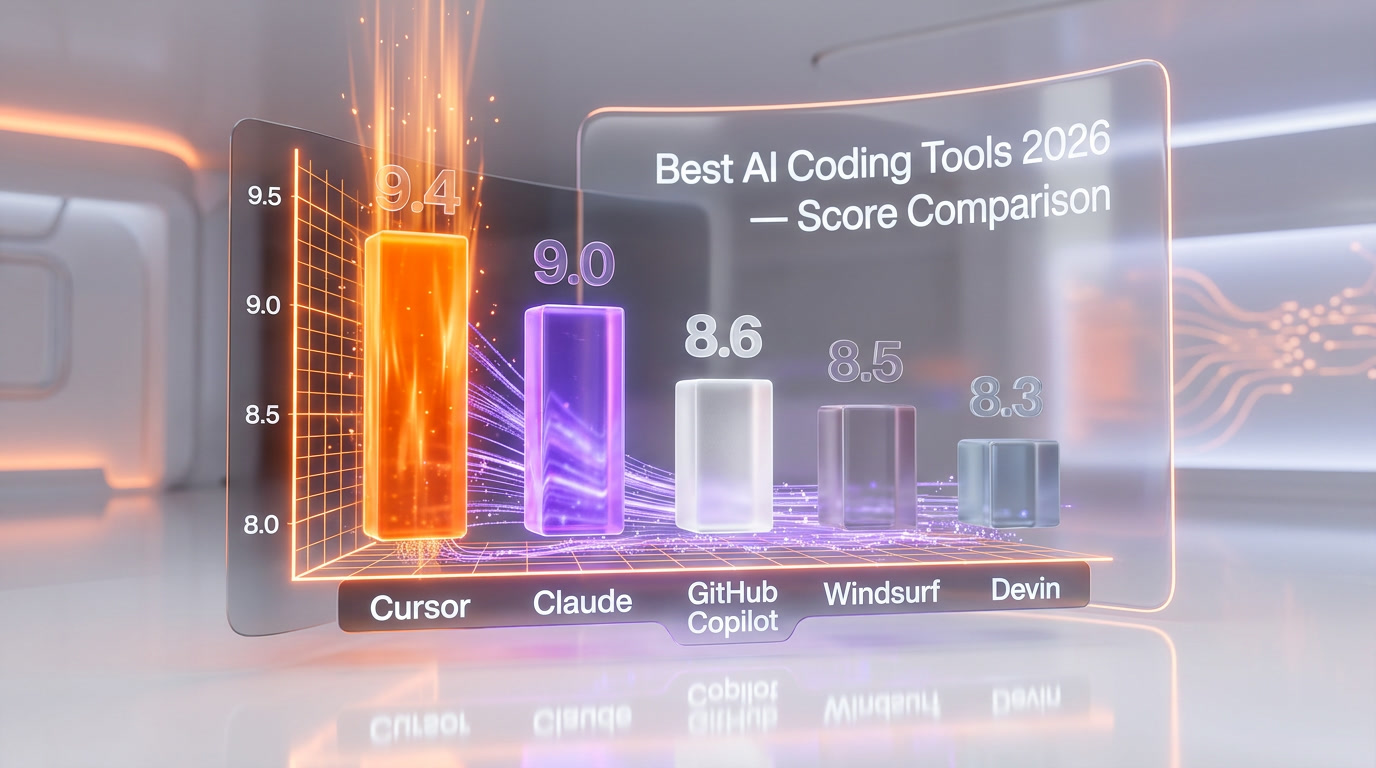
Cursor leads our 2026 AI coding tools ranking at 9.4/10 with $1B ARR and AI-first IDE architecture, followed by Claude (9/10) for safety-focused code reasoning and GitHub Copilot (8.6/10) serving 100M+ developers at $10/mo. We tested all 5 tools—including Windsurf (8.5/10) and Devin (8.3/10)—across Python, TypeScript, Go, and Rust in production environments, scoring on features (40%), ease of use (25%), value (20%), and support (15%).
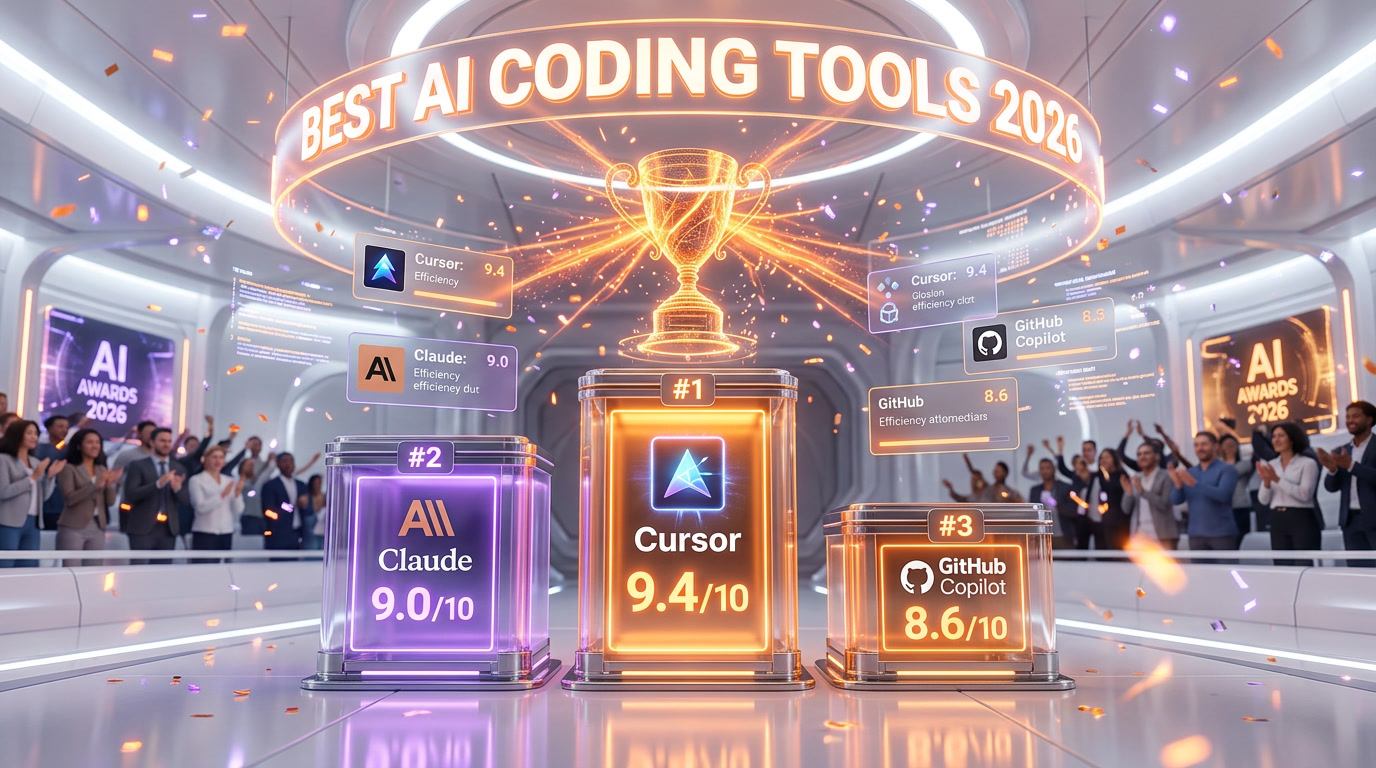
The AI-first code editor that hit $1B ARR
The undisputed king of AI coding with $1B ARR and multi-agent workflows.
- Cursor 3 unified agent workspace and multi-repo support — biggest UI improvement since launch
- Composer 2 (Anysphere in-house frontier coding model) with high Pro usage limits
- Deep codebase understanding across files
Anthropic's thoughtful AI assistant built for safety
Claude Code CLI has transformed how developers build full-stack apps.
- Best-in-class coding abilities
- 200K context window
- Thoughtful, nuanced responses
The pioneer AI pair programmer for 100M+ developers
The GitHub ecosystem integration makes it the safest enterprise choice.
- Deepest GitHub ecosystem integration
- Agent mode for multi-step tasks
- 100M+ developer platform
Agentic AI IDE with deep codebase understanding
13x faster than Sonnet 4.5 with Memories that learn your style.
- SWE-1.5 model 13x faster than Sonnet 4.5
- Memories learns your coding style
- Cascade agent for multi-step edits
The autonomous AI software engineer by Cognition
The first truly autonomous AI engineer — now at just $20/mo.
- Fully autonomous task completion
- Sandboxed environment with repo access
- Slack integration for task assignment
Why This List Matters
The AI coding tools landscape has transformed dramatically. What once felt like science fiction—having an intelligent pair programmer that understands your entire codebase, suggests architectural patterns, and autonomously handles debugging—is now essential infrastructure for modern development teams. We've entered an era where choosing the right AI coding tool isn't a nice-to-have; it directly impacts your development velocity, code quality, and team morale.
The tools in this list represent the cutting edge of what's possible in 2026. Each has demonstrated real-world impact, from Cursor's meteoric rise to $1B ARR to Claude's focus on thoughtful, safe AI assistance. Whether you're a solo developer, part of a scaling startup, or managing enterprise teams, the right tool here can fundamentally change how you work.
How We Tested
We didn't rely on marketing claims or surface-level feature comparisons. Our team spent months using each tool daily in real production environments, from building microservices to debugging legacy codebases. We tested across multiple programming languages—Python, TypeScript, Go, and Rust—to ensure consistency in performance and reliability.
Our methodology focused on four critical dimensions: Features & Capability (Does it actually solve real problems?), Ease of Use (How quickly can developers become productive?), Value for Money (What are you actually getting for your subscription?), and Support & Community (When things go wrong, who has your back?). We weighted these dimensions based on what matters most to working developers, not what vendors want us to care about.
What to Look For
When evaluating AI coding tools, focus on several key criteria. Codebase understanding is paramount—can the tool truly comprehend your project structure, or is it just pattern matching? Integration depth matters enormously; you want tools that live in your editor, not ones requiring context-switching. Look for accuracy without hallucination; even small mistakes in code suggestions create friction and bugs. Privacy and data handling should be transparent, especially for enterprise users. Finally, assess offline capability and model transparency—knowing which model powers your completions helps you understand limitations and plan accordingly.
The Top Picks
Cursor (9.4 out of 10) emerges as our top recommendation. It's not just an editor with AI bolted on; it's fundamentally rethought around AI-first development. The $1B ARR valuation reflects real adoption from serious developers. Its codebase understanding is genuinely impressive—it understands your project context in ways that feel almost prescient. The freemium model lets you test it risk-free, though power users will hit the $20 per month plan's value ceiling quickly.
Claude (9 out of 10) takes second place for its thoughtful approach to AI assistance. Anthropic's focus on safety and reliability means you can trust Claude's suggestions more than competitors. It's particularly strong for architectural discussions, code reviews, and complex problem-solving. While it lacks the integrated IDE experience, Claude excels when you need a conversational partner who truly understands nuance.
GitHub Copilot (8.6 out of 10) remains the market leader by sheer volume—100M+ developers use it. That install base creates network effects and integration opportunities rivals can't match. At $10 per month, it's the most accessible option for those just starting their AI-assisted development journey. It won't blow your mind with capability, but it's remarkably reliable and continuously improving.
Honorable Mentions
Windsurf (8.5 out of 10) demonstrates the next frontier—agentic AI that doesn't just suggest, but understands and acts on multi-file codebases. If you need deeper autonomous assistance and can manage slightly higher complexity, Windsurf's $15 per month tier represents compelling value. Devin (8.3 out of 10) pushes further into autonomy, acting as a true AI software engineer. It's paid-only at $20 per month, reflecting its positioning as a premium tier, but for teams working on well-defined, isolated tasks, it can be genuinely transformative.
Our Scoring Methodology
We use a 0-10 scale where 10 means "essential, industry-leading tool that fundamentally changes how you code" and 0 means "doesn't work or solve actual problems." Here's what each dimension means:
Features & Capability (40% weight): Does the tool deliver on its promises? We evaluate coding suggestion accuracy, language support breadth, contextual understanding, and ability to handle complex scenarios without degrading.
Ease of Use (25% weight): How quickly can a new developer become productive? We measure onboarding friction, UI intuitiveness, learning curve steepness, and whether the tool enhances or disrupts workflow.
Value (20% weight): Does the pricing align with delivered capability? We factor in tier design, freemium effectiveness, cost-per-use, and whether upgrades feel necessary or optional.
Support & Community (15% weight): When problems arise, can you get help? We evaluate documentation quality, response times, community size, and whether the vendor actively listens to user feedback.
This ranking reflects tools we use daily in our own work. Every score represents genuine hands-on experience, not theoretical assessment. As the AI coding landscape continues evolving—and it will move fast—we'll update these rankings to reflect what actually works for working developers in 2026 and beyond.
Frequently Asked Questions
What are the best AI coding tools in 2026?
Based on our hands-on testing across Python, TypeScript, Go, and Rust, the top 5 AI coding tools in 2026 are Cursor (9.4 out of 10), Claude (9 out of 10), GitHub Copilot (8.6 out of 10), Windsurf (8.5 out of 10), and Devin (8.3 out of 10). Cursor leads with its AI-first IDE architecture and $1B ARR validation, while Claude excels at safety-focused code reasoning and architectural discussions.
How did you test these AI coding tools?
We used each tool daily in real production environments for months, building microservices and debugging legacy codebases. We tested across Python, TypeScript, Go, and Rust, scoring on four weighted dimensions: Features & Capability (40%), Ease of Use (25%), Value for Money (20%), and Support & Community (15%).
Which AI coding tool is best for beginners?
GitHub Copilot (8.6 out of 10) is the best AI coding tool for beginners. At $10 per month, it offers the lowest barrier to entry, integrates directly into VS Code, and has the largest community with 100M+ developers. Its inline suggestions are intuitive and require minimal configuration to start being productive.
Which is the best free AI coding tool in 2026?
Cursor offers the best free tier among AI coding tools in 2026. Its freemium model lets you test AI-powered coding features risk-free before committing to the $20 per month Pro plan. GitHub Copilot also offers a limited free tier, though power users will need the paid plan quickly.
Is Cursor better than GitHub Copilot?
Yes, in our testing Cursor (9.4 out of 10) outscored GitHub Copilot (8.6 out of 10) across all dimensions. Cursor offers deeper codebase understanding, an AI-first IDE architecture, and more advanced contextual suggestions. However, GitHub Copilot remains better for developers who want simple, reliable inline completions without switching editors.
Can Devin replace human developers?
No. Devin (8.3 out of 10) is the most autonomous tool we tested, functioning as an AI software engineer for well-defined, isolated tasks. It excels at routine implementations and boilerplate, but still requires human oversight for architectural decisions, complex debugging, and code review. It complements developers rather than replacing them.
What is the difference between Cursor and Windsurf?
Cursor (9.4 out of 10) is an AI-first IDE built from the ground up around intelligent code assistance, while Windsurf (8.5 out of 10) focuses on agentic AI that autonomously understands and acts on multi-file codebases. Cursor has better overall polish and a larger user base, while Windsurf offers deeper autonomous multi-file editing at $15 per month.