Claude
Anthropic's thoughtful AI assistant built for safety

Quick Summary
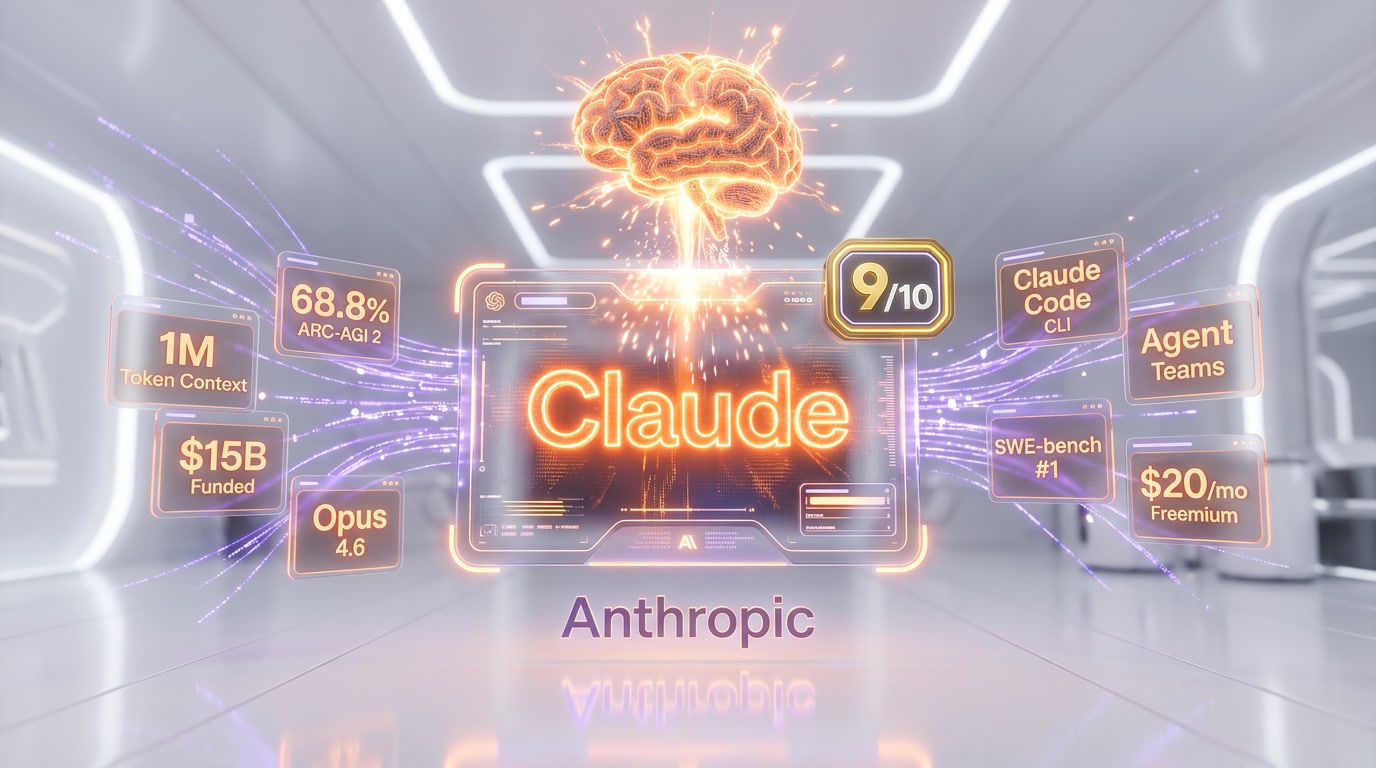
Claude is Anthropic's AI assistant powered by Opus 4.6, the top-performing model for reasoning, coding, and long-form writing with a 1M-token context window and 128K output tokens. Score: 9/10. Free plan available, Pro from $20/mo — Claude Code CLI included, making it the strongest AI coding agent on the market.
What is Claude?
Claude is Anthropic's AI assistant powered by Opus 4.6, the top-performing model for reasoning, coding, and long-form writing with a 1M-token context window and 128K output tokens. Score: 9 out of 10. Free plan available, Pro from $20 per month — Claude Code CLI included, making it the strongest AI coding agent on the market.
The Claude model family has evolved rapidly. The current flagship is Claude Opus 4.6, released on February 5, 2026, which represents a generational leap in reasoning, coding, and agentic capabilities. It's accompanied by Claude Sonnet 4.6, released February 17, 2026, which offers a compelling balance of capability and speed for everyday tasks. Together, they power a suite of products: the Claude web and mobile apps, the API for developers, and Claude Code — a command-line tool that has quietly become one of the most powerful developer tools on the market.
What separates Claude from ChatGPT or Gemini isn't just benchmark scores — though Claude Opus 4.6's 68.8% on ARC-AGI 2 (an 83% improvement over Claude 4.5) is remarkable. It's the quality of output. Claude writes prose that reads like a human wrote it. It writes code that compiles on the first try more often than its competitors. It follows complex, multi-step instructions with a reliability that makes it genuinely useful for professional workflows rather than just demos. Anthropic has raised over $15 billion in funding, and it shows in the product.

Key Features in 2026
Claude Opus 4.6 — The Reasoning Powerhouse
Claude Opus 4.6 is the most capable model in Anthropic's lineup and, by many benchmarks, the most capable publicly available LLM. Key specifications:
- 1 million token context window — enough to process entire codebases, books, or document collections in a single conversation. For perspective, that's roughly 750,000 words, or about 10 full-length novels.
- 128,000 max output tokens — Claude can generate extremely long, detailed responses without truncation. This is critical for tasks like generating complete documentation, writing full application modules, or producing detailed analysis reports.
- 68.8% on ARC-AGI 2 — This abstract reasoning benchmark tests genuine intelligence rather than pattern matching. Claude 4.5 scored 37.6%, so Opus 4.6's score represents an 83% improvement in one generation.
- State-of-the-art coding — Opus 4.6 tops SWE-bench Verified and HumanEval leaderboards, meaning it can solve real-world software engineering tasks with higher accuracy than any competing model.
- Extended thinking — Opus 4.6 can "think" through complex problems step-by-step before responding, allocating more compute to harder problems. This produces dramatically better results on math, logic, and multi-step reasoning tasks.
Claude Sonnet 4.6 — Speed Meets Intelligence
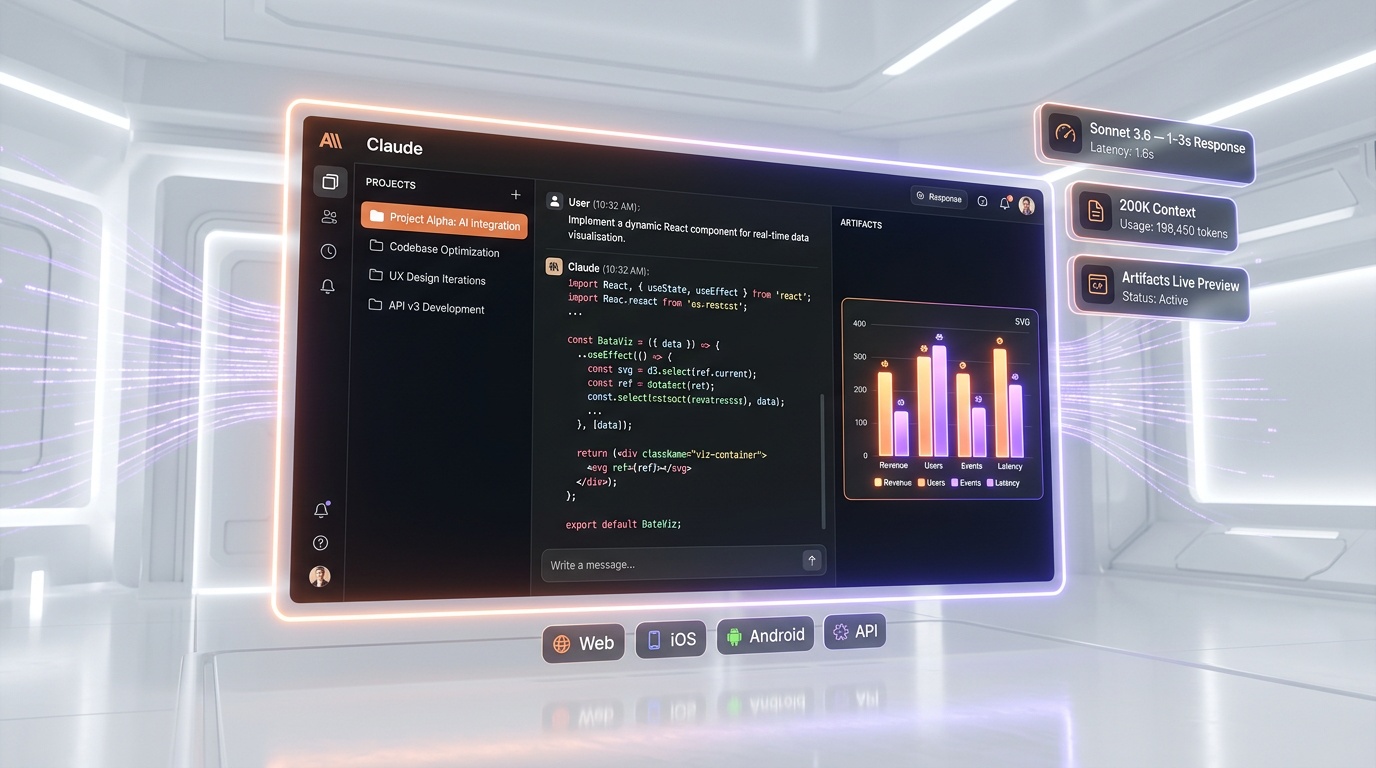
Released February 17, 2026, Sonnet 4.6 is designed for the 80% of tasks where you need great — but not maximum — capability, and you want it fast. It responds in 1-3 seconds for most queries versus Opus's 5-15 seconds for complex tasks. Sonnet 4.6 matches or exceeds Opus 4.5 on most benchmarks while being significantly cheaper and faster. For coding, writing, analysis, and everyday assistant tasks, Sonnet 4.6 is the sweet spot.
Agent Teams
One of the most significant features in Claude's 2026 roadmap is Agent Teams — the ability to orchestrate multiple Claude agents that work together on complex tasks. You can assign a lead agent that breaks down a large project into subtasks, delegates them to specialized sub-agents, coordinates their work, and synthesizes results. This is still rolling out, but early access shows transformative potential for research, content production, and software development workflows.
Claude Code CLI
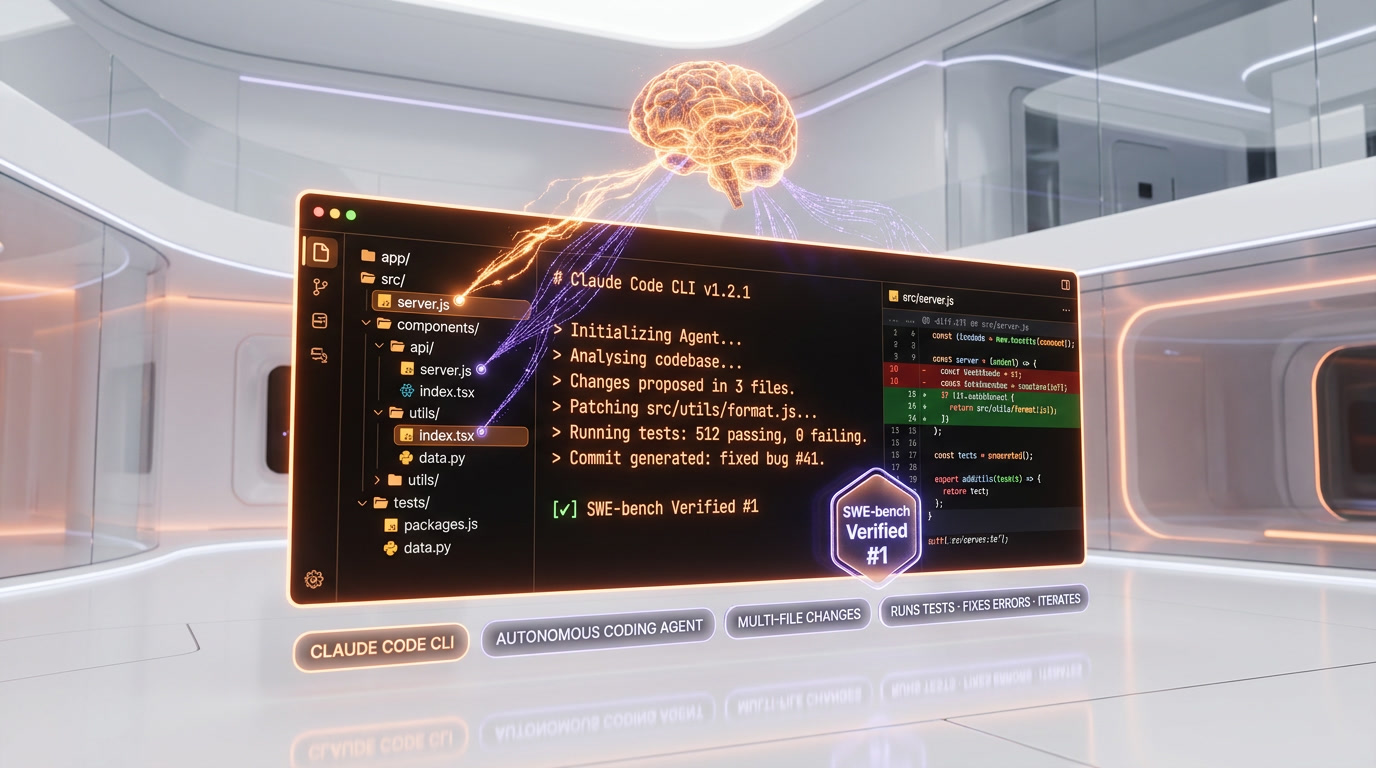
Claude Code is Anthropic's command-line interface for developers. It's not a chatbot — it's an autonomous coding agent that runs in your terminal. Point it at a codebase, describe what you want, and Claude Code will read files, understand the project structure, write code, run tests, fix errors, and iterate until the task is complete. It integrates with Git, understands project context, and can handle multi-file changes that span hundreds of lines. We use it daily at ThePlanetTools.ai, and it has fundamentally changed our development workflow.
Artifacts
Claude's Artifacts feature lets the AI generate interactive content — React components, HTML pages, SVG graphics, data visualizations, and more — that renders live alongside the conversation. It's like having a front-end developer in a chat window. You can iterate on designs, create interactive prototypes, build data dashboards, and generate visual content without leaving the Claude interface. For product managers, designers, and developers who need quick prototypes, Artifacts is genuinely useful.
Projects and Custom Instructions
Claude's Projects feature lets you create persistent workspaces with custom instructions, uploaded knowledge bases, and conversation history. You can upload your company's style guide, API documentation, and coding standards, then every conversation within that project automatically follows those guidelines. This turns Claude from a generic assistant into a specialized team member who knows your organization's context.
Tool Use and Computer Use
Through the API, Claude supports tool use (function calling) and computer use (controlling a desktop environment through visual recognition and mouse/keyboard actions). These capabilities make Claude one of the most versatile models for building AI agents that interact with real-world systems — browsing the web, filling out forms, operating software, and executing multi-step workflows.
Pricing Breakdown
Claude offers four individual plans, plus team and enterprise tiers. Here is the full breakdown as of March 2026:
Individual Plans
| Plan | Price | Model Access | Usage Limits | Key Features |
|---|---|---|---|---|
| Free | $0 | Sonnet 4.6 (default for free users since Feb 2026) | ~10 messages per 5-hour window | Projects, Artifacts, app connectors, web search |
| Pro | $20 per month ($17 per month annual) | Opus 4.6 + Sonnet 4.6 | ~45 messages per 5-hour window (5x Free) | Extended thinking, priority access, Claude Code CLI |
| Max 5x | $100 per month | Opus 4.6 + Sonnet 4.6 | 5x Pro capacity (25x Free) | Everything in Pro + higher rate limits for power users |
| Max 20x | $200 per month | Opus 4.6 + Sonnet 4.6 | 20x Pro capacity (100x Free) | Maximum capacity for professionals and developers |
Team & Enterprise
| Plan | Price | Details |
|---|---|---|
| Team Standard | $25 per user/mo (annual) or $30 per user/mo (monthly) | Admin console, team workspace, priority support |
| Enterprise | Custom pricing | SSO/SAML, audit logs, data retention controls, SLA, dedicated support |
API Pricing (per million tokens)
| Model | Input | Output | Context |
|---|---|---|---|
| Opus 4.6 | $5 | $25 | 1M tokens |
| Sonnet 4.6 | $3 | $15 | 1M tokens |
| Haiku 4.5 | $1 | $5 | 200K tokens |
Is the Max Plan Worth It?
The Max 5x at $100 per month is ideal for professionals who hit the Pro limits daily — developers using Claude Code extensively, content creators generating long documents, or researchers processing large datasets. The Max 20x at $200 per month is for power users who need virtually unlimited access: development teams, agencies, or anyone who uses Claude as their primary work tool 8+ hours a day.
For context: Pro gives you roughly 45 messages per 5-hour window. Max 5x bumps that to ~225 messages, and Max 20x to ~900 messages per 5-hour window. If you find yourself waiting for rate limits on Pro, Max is the clear upgrade.
Claude Code Pricing
Claude Code (the CLI tool for developers) is included with Pro and Max plans at no additional cost. API usage through Claude Code is billed separately at standard API rates. Anthropic also offers a standalone Claude Code plan for teams that need CLI access without the full consumer product.
Pros and Cons — Our Honest Take
Pros
- Output quality is the best in the industry. Claude's writing is more natural, its code is more correct, and its reasoning is more reliable than any competing model. This isn't fanboyism — it's measurable in benchmarks and observable in daily use.
- 1M token context window is genuinely usable. Unlike some competitors' large context windows that degrade in accuracy at the edges, Claude maintains strong recall and reasoning across the full 1M tokens. You can upload an entire codebase and ask questions about it.
- 128K output tokens enables new workflows. Generating a complete 50-page technical document, a full API module with tests, or a comprehensive analysis report in a single response is possible. Other models cap out at 8K-16K output tokens.
- Claude Code is transformative for developers. Having an autonomous coding agent in your terminal that can read, write, test, and debug code across entire projects is a genuine productivity multiplier. It's not perfect, but it's the best CLI coding tool available.
- Instruction following is exceptional. Claude follows complex, nuanced instructions more reliably than GPT or Gemini. When you say "write in this style, use these conventions, avoid these patterns," Claude actually does it consistently.
- Safety without lobotomy. Claude is safety-conscious but doesn't refuse reasonable requests. It will discuss complex topics, write villain dialogue for your novel, and generate code for security testing tools — it just won't help with genuinely harmful tasks.
Cons
- Speed. Claude Opus 4.6 is slower than GPT-5.4 and Gemini 2.5 Flash for simple queries. When you need quick answers, Sonnet is better, but Opus can take 10-15 seconds for complex reasoning tasks.
- Usage limits on Pro plan. Even at $20 per month, heavy users will hit usage caps during busy days. The Max plan at $100 per month solves this, but that's a significant jump.
- No native image generation. Claude can analyze and understand images but cannot generate them. You need separate tools (Midjourney, DALL-E, Flux) for image creation.
- Web search is limited. Claude's web search capability exists but is less polished than ChatGPT's Browse or Gemini's native Google Search integration. For research tasks requiring fresh web data, competitors have an edge.
- Ecosystem is smaller. ChatGPT has plugins, a GPT Store, and deep Microsoft integration. Claude's ecosystem is growing but more limited — fewer integrations, fewer third-party tools, smaller community.
Who Should Use Claude?
- Software developers who want the best AI coding assistant. Between Opus 4.6's reasoning capability and Claude Code's autonomous agent features, Claude is the strongest choice for professional developers.
- Writers and content creators who need AI that produces natural, high-quality prose rather than generic AI-sounding text. Claude's writing is consistently better than GPT's for long-form content, essays, and creative writing.
- Researchers and analysts who work with large document sets. The 1M token context window means you can upload dozens of research papers and ask Claude to synthesize findings, identify contradictions, and generate literature reviews.
- Product managers and designers who use Artifacts to rapidly prototype UIs, create diagrams, and visualize data without needing a developer.
- Enterprise teams that need an AI assistant with strong privacy controls, SOC 2 compliance, and the ability to work within organizational guidelines through Projects.
Who Should NOT Use Claude?
- Users who primarily need image generation. Claude doesn't generate images. If your primary use case is creating visual content, tools like Midjourney, DALL-E, or Gemini (which generates images) are better choices.
- Users who need deep integration with Google Workspace or Microsoft 365. ChatGPT integrates with Microsoft apps, Gemini integrates with Google apps. Claude's integrations are more limited — it works best as a standalone tool or through the API.
- Users on extremely tight budgets who need unlimited usage. The free tier is restrictive, and heavy usage requires the $100 per month Max plan. If you need maximum value per dollar, Gemini offers more generous free-tier limits.
- Users who need real-time web information frequently. Claude's knowledge is current but its live web search is less polished than competitors. If your workflow requires constant web lookups, ChatGPT or Gemini may be smoother.
Claude vs Competitors
Claude vs ChatGPT
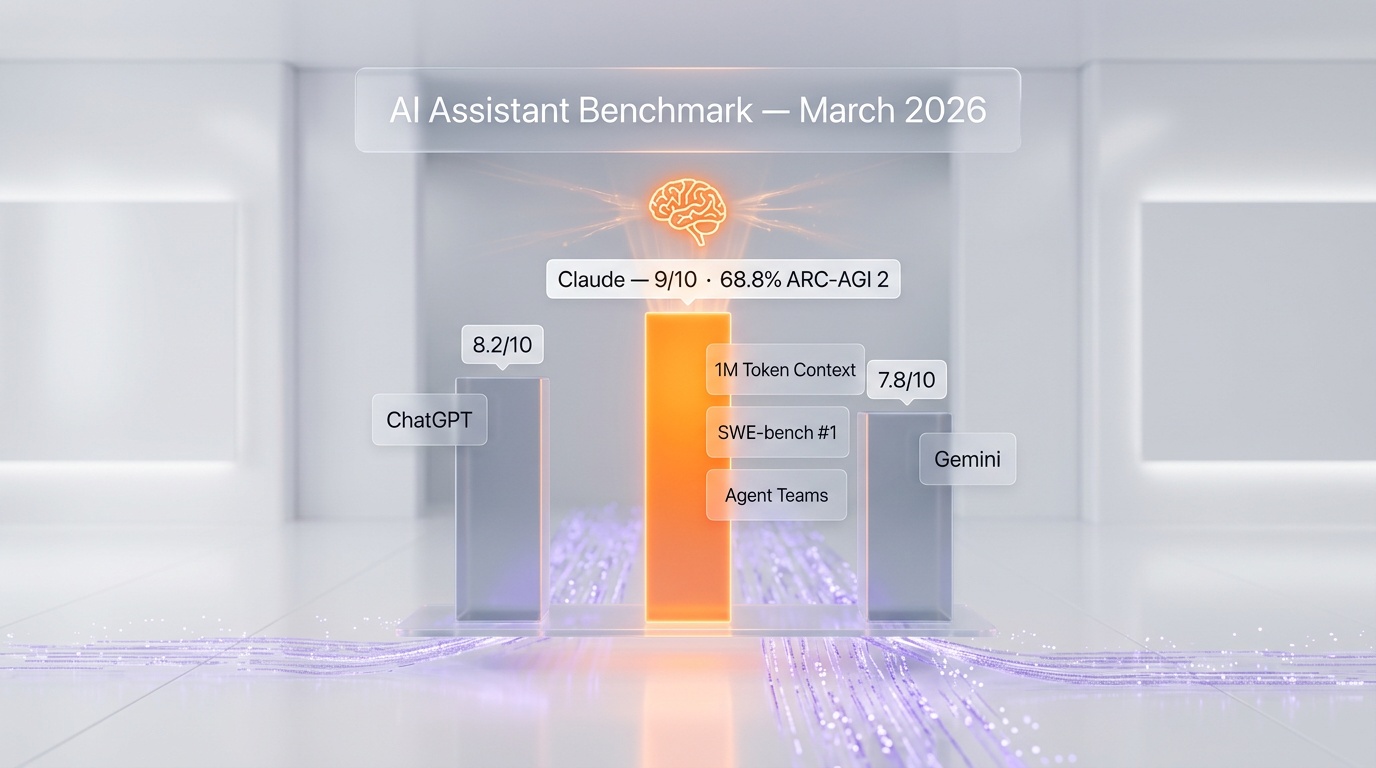
This is the main rivalry in AI. As of March 2026, Claude Opus 4.6 outperforms GPT-5.4 on most reasoning and coding benchmarks. Claude's writing quality is consistently more natural. Claude's 1M token context window dwarfs GPT-5.4's context length. And Claude's 128K output tokens far exceeds GPT's output limits. However, ChatGPT has a larger ecosystem (plugins, GPT Store, app integrations), better image generation (via DALL-E), superior web search (Browse), and deeper integration with Microsoft products. ChatGPT also has first-mover advantage with a larger user base and more brand recognition. Bottom line: Claude is the better model. ChatGPT is the better ecosystem. Choose based on your priorities. ChatGPT versus Claude is where we work through that choice in detail.
Claude vs Gemini
Google's Gemini 2.5 Pro is a strong competitor, especially for users embedded in the Google ecosystem. Gemini matches Claude's 1M token context window, integrates natively with Google Search, Gmail, Docs, and Sheets, and can generate images. However, Claude consistently produces higher-quality output for writing and coding tasks. Gemini's strength is multimodal input (it handles video and audio natively) and Google ecosystem integration. Claude's strength is raw reasoning capability and output quality. If you live in Google Workspace, Gemini makes sense. For everything else, Claude is generally superior.
Our Experience Using Claude
At ThePlanetTools.ai, Claude is our primary AI tool — and it has been since mid-2025. We use it across every aspect of building and running the site:
Development with Claude Code: Our entire frontend — over 100 pages built with Next.js 15, TypeScript, and Three.js — was developed with Claude Code as our primary coding tool. The workflow is simple: describe what we want in the terminal, Claude Code reads our codebase, generates the code, runs the dev server, tests the result, and iterates. We estimate it has accelerated our development by 3-5x compared to manual coding. Claude Opus 4.6's ability to hold our entire codebase context (easily within the 1M token window) means it understands our component patterns, our Supabase schema, our Tailwind conventions, and our file structure. It doesn't just write generic code — it writes code that fits our project.
Content creation: Every tool review on ThePlanetTools.ai is drafted with Claude. We provide the facts, our firsthand experience, and our editorial guidelines, and Claude produces content that reads like an experienced tech journalist wrote it. The instruction-following is critical here — when we say "write like a builder, not a reviewer," Claude actually adjusts its tone and perspective.
Research and analysis: When evaluating new tools for the site, we upload documentation, pricing pages, changelog entries, and user reviews into a Claude Project and ask it to synthesize a comprehensive analysis. The 1M token context window means we can include far more source material than with any other model.
Honest assessment of limitations: Claude isn't perfect. About 5-10% of Claude Code's outputs require manual correction — usually edge cases around type handling, authentication flows, or complex state management. The Pro plan's usage limits mean we occasionally hit caps during intense work sessions, forcing us to wait or switch to Sonnet. And the lack of image generation means we use Midjourney separately for visual content. But these are minor friction points in an otherwise exceptional tool.
What's New in March 2026
- $100M Claude Partner Network (March 12, 2026) — Anthropic launched a $100 million partner program to help companies build on Claude. This includes funding, technical support, and co-marketing for startups and enterprises building AI-powered products with Claude's API. It's Anthropic's most aggressive ecosystem play yet.
- Agent Teams (rolling out) — Multi-agent orchestration is becoming available to more users, enabling complex workflows where multiple Claude agents collaborate on large tasks.
- Claude Code improvements — The CLI tool continues to receive weekly updates, with improved multi-file editing, better test generation, and more reliable autonomous iteration loops.
- Model performance — Both Opus 4.6 and Sonnet 4.6 continue to receive incremental improvements through Anthropic's continuous evaluation and fine-tuning process.
- Enterprise adoption acceleration — Major enterprise customers including financial institutions and healthcare organizations are deploying Claude with on-premise solutions for sensitive data handling.
FAQ
Is Claude better than ChatGPT?
For reasoning, coding, and writing quality — yes, as of March 2026. Claude Opus 4.6 outperforms GPT-5.4 on most independent benchmarks, produces more natural writing, and has a significantly larger context window (1M vs GPT-5.4's context). However, ChatGPT has better web search, image generation, app integrations (Microsoft, Google), and a larger plugin ecosystem. "Better" depends on your use case. For pure AI capability, Claude leads. For ecosystem breadth, ChatGPT leads.
What is Claude Code and how does it work?
Claude Code is a command-line interface (CLI) tool that turns Claude into an autonomous coding agent. You install it via npm (npm install -g @anthropic-ai/claude-code), navigate to your project directory, and run claude. It reads your codebase, understands the project structure, and can write code, create files, run terminal commands, execute tests, and iterate on errors — all from natural language instructions. It's included with Claude Pro ($20 per month) and uses your Anthropic account. Think of it as having a senior developer in your terminal who has read every file in your project.
How big is Claude's context window?
Claude Opus 4.6 and Sonnet 4.6 both support a 1 million token context window. That's approximately 750,000 words, or roughly 3,000 pages of text. In practical terms, you can upload an entire codebase (most projects are well under 1M tokens), dozens of research papers, or complete books and have Claude reason about all of it in a single conversation. Claude also maintains strong recall accuracy across the full window — it doesn't "forget" information at the beginning when the context gets long.
What is the difference between Claude Opus and Sonnet?
Opus 4.6 is the most capable model — maximum intelligence, best reasoning, highest accuracy. It's slower (5-15 seconds for complex tasks) and more expensive via API ($5 per million input tokens). Use it for complex coding, detailed analysis, nuanced writing, and any task where quality matters most. Sonnet 4.6 is faster (1-3 seconds), cheaper ($3 per million input tokens), and excellent for everyday tasks. It matches Opus 4.5's quality level while being much faster. Use it for quick questions, simple coding tasks, drafting, and high-volume workloads. Most users should default to Sonnet and switch to Opus for demanding tasks.
Is Claude safe for business use?
Yes. Anthropic is SOC 2 Type II certified and offers enterprise-grade security features including SSO/SAML authentication, audit logs, data retention controls, and the option for self-hosted deployment. Claude's Team and Enterprise plans include admin controls, centralized billing, and organizational data policies. Anthropic does not train on business users' conversations. For regulated industries (healthcare, finance, legal), Anthropic offers specific compliance accommodations through the Enterprise plan.
Can Claude generate images?
No. Claude can analyze and understand images — upload photos, diagrams, charts, or interface captures, and Claude will describe, interpret, and reason about them, but it cannot generate new images. For image generation, you'll need separate tools like Midjourney, DALL-E 3, Flux, or Stable Diffusion. Note that Anthropic has indicated image generation may be added in the future, but as of March 2026, it's not available.
How much does Claude cost?
Claude's consumer plans range from free to $200 per month. The Free tier gives limited access to Sonnet 4.6. Pro at $20 per month unlocks Opus 4.6, extended thinking, Projects, Artifacts, and higher usage limits. Max 5x at $100 per month provides 5x Pro capacity, and Max 20x at $200 per month provides 20x Pro capacity for heavy users. Team at $30 per user/month adds collaboration features. Enterprise pricing is custom. For API usage, you pay per token: Opus 4.6 costs $5 per million input tokens and $25 per million output tokens; Sonnet 4.6 costs $3/$15 respectively.
What languages and file types does Claude support?
Claude understands and generates text in dozens of languages, with strongest performance in English, French, Spanish, German, Japanese, Korean, and Chinese. For coding, Claude excels at Python, JavaScript/TypeScript, Java, C/C++, C#, Go, Rust, Ruby, PHP, Swift, Kotlin, SQL, HTML/CSS, and shell scripting. It can read and analyze PDFs, images (PNG, JPG, GIF, WebP), CSV files, JSON, XML, and most text-based file formats. Through Claude Code, it can work with any file in your project directory.
What is the Claude Partner Network?
Announced on March 12, 2026, the Claude Partner Network is a $100 million program by Anthropic to support companies building on Claude. It provides funding (up to $2M in API credits), technical support from Anthropic's engineering team, early access to new features, and co-marketing opportunities. The program targets both startups and established enterprises that are integrating Claude into their products. Applications are open on Anthropic's website, and the program is designed to accelerate the ecosystem of Claude-powered applications.
Key Features
Pros & Cons
Pros
- Best-in-class coding abilities
- 200K context window
- Thoughtful, nuanced responses
- Claude Code CLI for developers
- Artifacts for interactive content
Cons
- Smaller plugin ecosystem than ChatGPT
- No native image generation
- Can be overly cautious
Best Use Cases
Platforms & Integrations
Available On
Compare Claude

We're developers and SaaS builders who use these tools daily in production. Every review comes from hands-on experience building real products — DealPropFirm, ThePlanetIndicator, PropFirmsCodes, and many more. We don't just review tools — we build and ship with them every day.
Written and tested by developers who build with these tools daily.
Frequently Asked Questions
What is Claude?
Anthropic's thoughtful AI assistant built for safety
How much does Claude cost?
Claude has a free tier. Premium plans start at $20/month.
Is Claude free?
Yes, Claude offers a free plan. Paid plans start at $20/month.
What are the best alternatives to Claude?
Top-rated alternatives to Claude include Claude Code (9.9/10), Cursor (9.5/10), Veo 3.1 (9.4/10), Claude Opus 4.7 (9.4/10) — all reviewed with detailed scoring on ThePlanetTools.ai.
Is Claude good for beginners?
Claude is rated 8.5/10 for ease of use.
What platforms does Claude support?
Claude is available on web, ios, android, api.
Does Claude offer a free trial?
No, Claude does not offer a free trial.
Is Claude worth the price?
Claude scores 8.5/10 for value. We consider it excellent value.
Who should use Claude?
Claude is ideal for: Full-stack development, Technical writing, Code review, Research, Data analysis.
What are the main limitations of Claude?
Some limitations of Claude include: Smaller plugin ecosystem than ChatGPT; No native image generation; Can be overly cautious.
Best Alternatives to Claude




Ready to try Claude?
Start with the free plan
Try Claude Free →