Bolt.new
Build full-stack web apps from prompts in seconds

Quick Summary
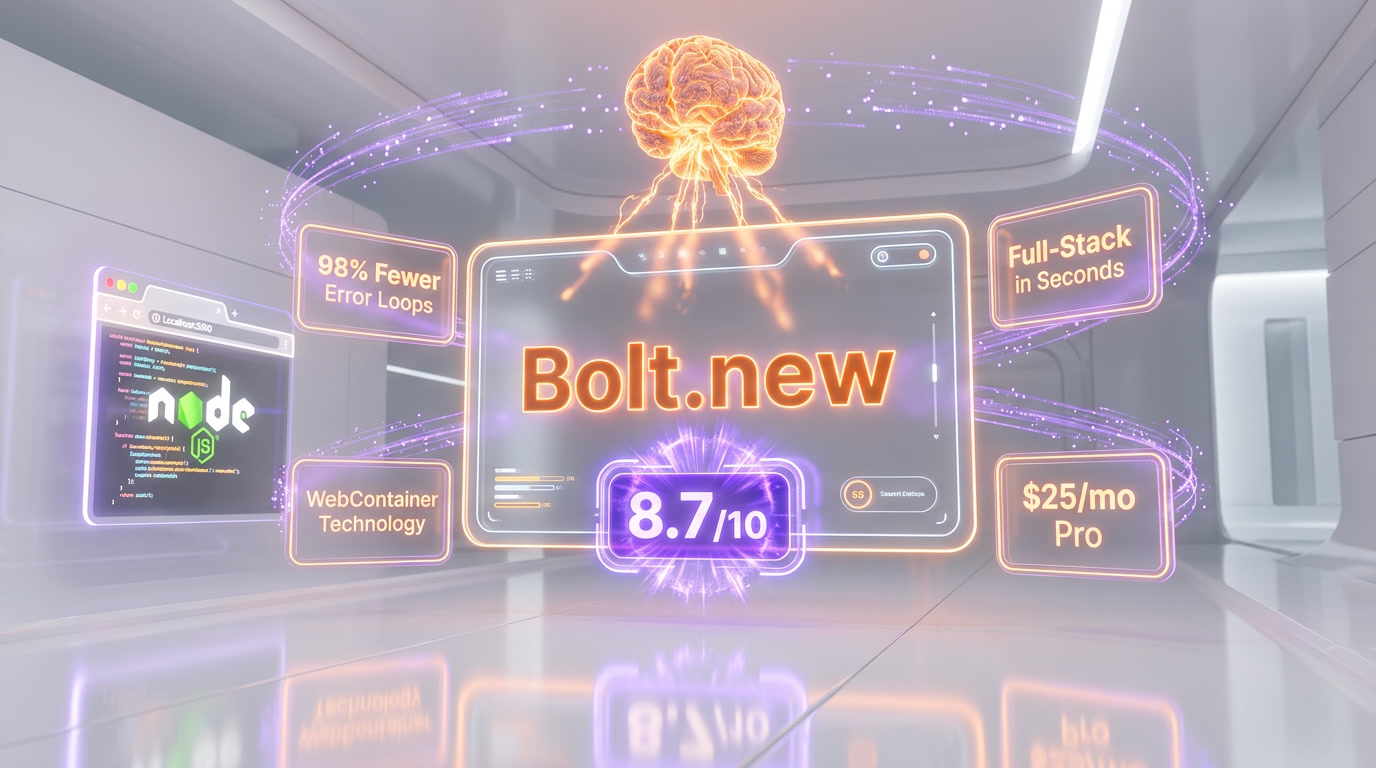
Bolt.new is StackBlitz's browser-based AI app builder that generates full-stack web applications from natural language prompts using in-browser WebContainer technology. Scored 8.7/10 with Bolt v2 autonomous debugging reducing error loops by 98% and native Figma-to-code import. Free plan with 1M tokens/mo; Pro from $25/mo.
What is Bolt.new?
Bolt.new is StackBlitz's browser-based AI app builder that generates full-stack web applications from natural language prompts using in-browser WebContainer technology. Scored 8.7 out of 10 with Bolt v2 autonomous debugging reducing error loops by 98% and native Figma-to-code import. Free plan with 1M tokens per month; Pro from $25 per month.
What makes Bolt.new technically distinctive is its foundation on WebContainers, StackBlitz's proprietary technology that runs Node.js natively inside the browser using WebAssembly. This means when Bolt.new generates code for your application, it's not sending that code to a remote server to compile and run — it's executing it right in your browser tab. The result is near-instant feedback, zero cold starts, and a development experience that feels remarkably responsive.
Bolt.new occupies a unique position in the AI app builder landscape. While tools like Lovable focus on the simplest possible path from idea to deployed product, Bolt.new delivers a full development environment in the browser — code editing, real-time preview, and terminal access all in one interface. This makes it appealing to both non-technical users who want AI to do the heavy lifting and developers who want to understand and modify what's being generated.
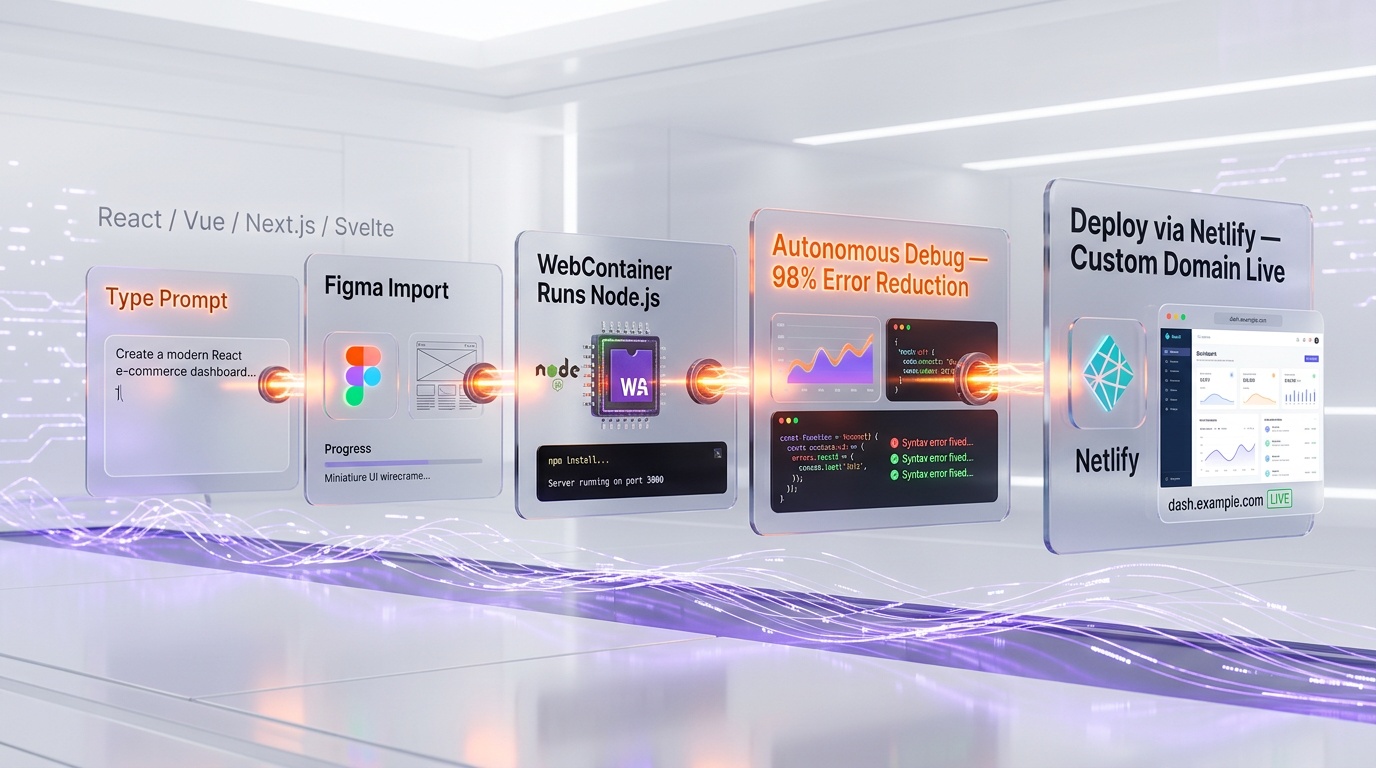
With the release of Bolt v2, the platform introduced autonomous debugging capabilities that reportedly reduce error loops by 98%, meaning the AI can catch and fix its own mistakes during code generation rather than requiring you to prompt it to try again. This was a significant leap in reliability and represents the kind of self-correcting AI behavior that makes these tools genuinely productive rather than frustrating.
Key Features in 2026
WebContainer-Based Development Environment
Bolt.new's technical foundation is StackBlitz's WebContainer technology, which runs a full Node.js environment inside your browser. This isn't a remote VM or a cloud container — it's actual server-side JavaScript execution happening locally in your browser tab via WebAssembly. The practical benefits are significant: instant startup times, no network latency for code execution, and the ability to work even with spotty internet once the environment is loaded. You get a real terminal, a real file system, and real package management, all running client-side.
Bolt v2: Autonomous Debugging
The marquee feature of Bolt v2 is autonomous debugging. Previous versions of AI app builders (including earlier Bolt.new) had a well-known pain point: the AI would generate code with errors, you'd point out the error, the AI would "fix" it by introducing a different error, and you'd end up in a frustrating loop. Bolt v2 addresses this with a self-debugging system that catches errors during generation and fixes them automatically before presenting the result to you. StackBlitz claims this reduces error loops by 98% compared to earlier versions. In practice, this means you spend far less time going back and forth with the AI and more time actually building.
Figma Import to Code
Bolt.new supports importing designs directly from Figma, converting your visual designs into functional code. This bridges the gap between design and development — designers can hand off their Figma files and see them transformed into working applications rather than static mockups. The fidelity of the conversion depends on the complexity of the design, but for standard web layouts, the results are consistently usable as a starting point.
AI Image Editing
Beyond code generation, Bolt.new includes AI-powered image editing capabilities. You can generate, modify, and optimize images for your application directly within the platform, reducing the need to switch between multiple tools during the development process. This feature supports creating placeholder graphics, hero images, icons, and other visual assets.
Custom Domains and Netlify Deployment
Bolt.new supports deploying your applications with custom domains and integrates with Netlify for production deployments. You can go from building in the browser to having a live, publicly accessible application with your own domain name in just a few clicks. The Netlify integration brings benefits like automatic HTTPS, global CDN distribution, and continuous deployment.
In-Browser IDE Experience
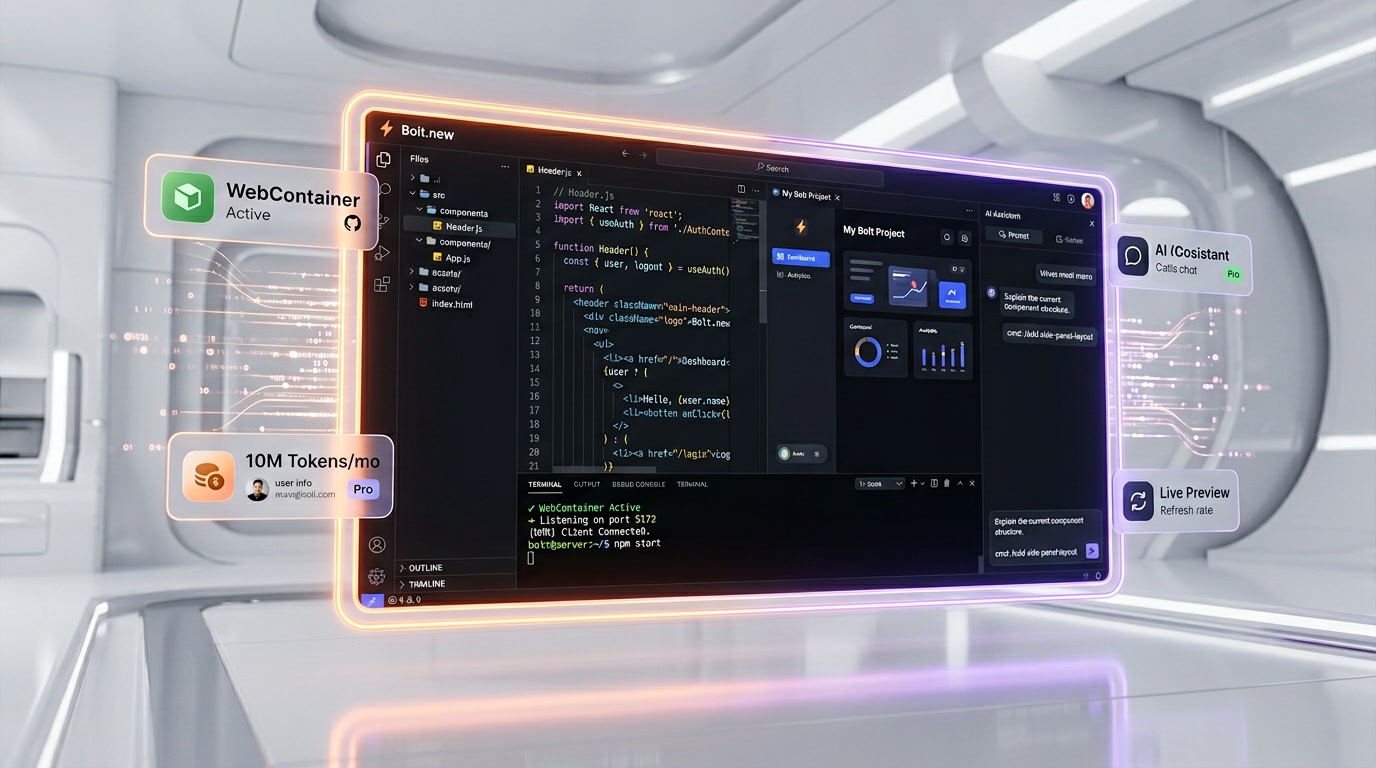
Unlike some AI app builders that hide the code behind a chat interface, Bolt.new provides a full IDE-like experience in the browser, complete with a project file tree, individual file editing, live preview of your application, and terminal access — all side by side with the AI chat. This transparency is valuable for developers who want to understand what's being generated and make manual adjustments when needed.
Multi-Framework Support
Bolt.new supports multiple frontend frameworks and can generate applications using React, Vue, Svelte, Next.js, Astro, and other modern web frameworks. This flexibility lets you choose the technology stack that best fits your project's needs rather than being locked into a single framework choice.
Pricing Breakdown
| Plan | Price | Token Allocation | Key Features |
|---|---|---|---|
| Free | $0 per month | 1M tokens per month (300K daily limit) | Basic access, Bolt.new-hosted URL, community support |
| Pro | $25 per month | 10M tokens per month | Custom domains, Netlify deployment, priority AI access, increased file upload limits |
| Teams | $30 per member/month | Team token pool | Collaborative workspaces, team management, shared projects, priority support |
Bolt.new uses a token-based pricing model rather than a credit-per-interaction model. Tokens are consumed based on the complexity and length of your AI interactions. More complex prompts that generate more code consume more tokens. This means a simple styling change costs less than generating an entire new feature module, which is arguably more fair but also less predictable than a flat credit-per-interaction model.
The Free plan is notably generous at 1 million tokens per month with a 300,000 daily cap. This is enough for meaningful exploration and even building small applications. The Pro plan at $25 per month with 10 million tokens provides ample room for active development on multiple projects. The Teams plan at $30 per member/month adds collaborative features essential for team environments.
Compared to competitors, Bolt.new's free tier is one of the most generous in the AI app builder space. The 1 million monthly tokens give new users substantial room to evaluate the platform before committing to a paid plan.
Pros and Cons
Pros
- WebContainer technology is genuinely innovative. Running Node.js in the browser via WebAssembly provides instant feedback and near-zero setup time. No other AI app builder has this technical advantage.
- Bolt v2's autonomous debugging is a game-changer. The 98% reduction in error loops means dramatically less frustration and wasted tokens compared to earlier AI builders.
- Generous free tier. 1 million tokens per month with a 300K daily cap is enough to build real applications without paying anything.
- Full IDE experience. Unlike tools that hide code behind a chat interface, Bolt.new gives you visibility into every file, a terminal, and the ability to edit code manually.
- Figma import. Designers can go from Figma mockup to functional code, significantly reducing the design-to-development handoff friction.
- Multi-framework support. The ability to generate React, Vue, Svelte, Next.js, and other framework code gives you flexibility that single-framework tools don't offer.
- AI image editing. Built-in image generation and editing reduces context switching between tools.
- Netlify deployment integration. One-click deployment to Netlify with automatic HTTPS, CDN, and custom domains.
Cons
- Token consumption is unpredictable. Unlike credit-per-interaction models (where each prompt costs the same), token-based pricing means complex prompts cost more. It can be difficult to predict exactly how many tokens a session will consume.
- Browser-based limitations. While WebContainers are impressive, running a development environment in a browser tab means you're limited by your browser's memory and processing power. Very large projects may hit performance limits.
- Backend capabilities are less mature than competitors. While Bolt.new generates full-stack applications, its backend and database integration is not as seamlessly integrated as Lovable's native Supabase connection.
- Requires more technical understanding. The IDE-like interface, while powerful, can be overwhelming for completely non-technical users who might prefer a simpler chat-only interface.
- Dependency on StackBlitz infrastructure. As a browser-based tool built on proprietary WebContainer technology, you're dependent on StackBlitz's infrastructure and continued development of the platform.
Who Should Use Bolt.new?
Developers who want AI assistance without losing control will love Bolt.new. The full IDE experience gives you complete visibility into what the AI generates, with the ability to make manual edits and use the integrated terminal — all within the same browser tab. This is ideal for developers who want to understand and own their codebase, not just accept whatever the AI produces.
Designers with Figma workflows will appreciate the Figma-to-code import feature. Instead of handing off designs and hoping the developer interprets them correctly, you can import your Figma files and see them converted to functional code. This tightens the feedback loop between design and implementation.
Teams evaluating AI app builders on a budget should start with Bolt.new's free tier. The 1 million tokens per month provides more than enough room to evaluate whether AI-assisted development fits your workflow, without any financial commitment.
Frontend-focused developers and agencies who regularly build landing pages, marketing sites, and web applications will find Bolt.new's multi-framework support and Netlify deployment integration streamline their delivery pipeline.
Educators and students can use the free tier to learn web development concepts by building real applications with AI assistance, seeing how code is structured, and experimenting with different frameworks.
Who Should NOT Use Bolt.new?
Non-technical users who want the absolute simplest experience may find Bolt.new's IDE interface more complex than necessary. If you just want to describe an app and have it built without seeing any code, tools like Lovable offer a more streamlined, chat-first experience.
Teams building complex backend-heavy applications with intricate database schemas, real-time features, and multi-service architectures may find that Bolt.new's strengths lie more on the frontend side. For deeply integrated full-stack applications with complex backend requirements, a purpose-built development environment may be more appropriate.
Developers working primarily on mobile or desktop applications won't find Bolt.new suitable, as it focuses on web applications. For native mobile development, other tools and platforms are better suited.
Large enterprise teams with strict compliance requirements should evaluate whether a browser-based development environment meets their security and data handling standards before committing.

Bolt.new vs Competitors
Bolt.new vs Lovable
This is the most common comparison in the AI app builder space, and both tools have distinct strengths. Bolt.new provides a more developer-friendly experience with its full IDE, terminal access, and multi-framework support. Lovable offers a simpler, more streamlined path from description to deployed product with deeper backend integration (native Supabase and Stripe). Bolt.new's free tier (1M tokens per month) is more generous for exploration, while Lovable's credit-per-interaction model is more predictable for budgeting. Bolt v2's autonomous debugging gives it an edge in reliability, while Lovable's one-click Supabase integration makes backend setup effortless. Choose Bolt.new if you want more control and visibility; choose Lovable if you want the fastest path to a deployed full-stack product. Our Lovable versus Bolt.new comparison settles that choice feature by feature.
Bolt.new vs v0 by Vercel
v0 by Vercel specializes in generating UI components, particularly React components using the shadcn/ui library. It produces beautiful, well-structured frontend code but is primarily a component generator, not a full application builder. Bolt.new generates complete applications — frontend, backend logic, routing, state management — and provides a development environment to run and iterate on them. If you need to generate individual components for an existing project, v0 is excellent. If you need to build a complete application from scratch, Bolt.new is the more comprehensive tool.
Bolt.new vs Replit
Replit is a cloud-based IDE that supports dozens of programming languages and has added AI capabilities. Bolt.new is an AI-first app builder that happens to include IDE-like features. The key technical difference is that Bolt.new runs on WebContainers (in-browser execution), while Replit uses remote containers. This gives Bolt.new faster feedback loops but limits it to web technologies, whereas Replit can handle Python, Go, Java, and virtually any language. For AI-driven web application building, Bolt.new provides a more focused and polished experience. For general-purpose cloud development, Replit offers broader language and runtime support.
What's New in 2026
The headline release for Bolt.new in the current period is Bolt v2, which brought several major improvements. The autonomous debugging feature — which StackBlitz claims reduces error loops by 98% — addresses what was arguably the biggest pain point of AI-generated code: the cycle of generating buggy code, prompting for a fix, and getting different bugs in return. Bolt v2 breaks this cycle by having the AI detect and resolve errors during the generation process itself.
The addition of Figma import capabilities has opened Bolt.new to a design-centric workflow that was previously only available through manual coding or specialized design-to-code tools. Designers can now bring their Figma files directly into Bolt.new and see them transformed into functional code within the platform's development environment.
AI image editing is another significant addition, making Bolt.new a more comprehensive creative tool. The ability to generate and edit images for your application without leaving the platform reduces context switching and keeps the development flow uninterrupted.
StackBlitz continues to invest in the underlying WebContainer technology, which benefits Bolt.new through improved performance, broader API support, and better compatibility with the npm ecosystem. At the time of writing, WebContainers can run the vast majority of popular npm packages, making the in-browser development experience nearly indistinguishable from a local setup for most web development tasks.
The competitive landscape has intensified, with Lovable, v0, Replit, and other platforms all pushing the boundaries of AI-assisted development. Bolt.new's differentiators — WebContainer technology, autonomous debugging, and the developer-friendly IDE experience — continue to give it a distinct position in the market, particularly among users who want more transparency and control over their generated code.

FAQ
Is Bolt.new free?
Yes, Bolt.new offers a free plan with 1 million tokens per month and a daily cap of 300,000 tokens. This is generous enough to build small to medium applications and evaluate the platform thoroughly before deciding whether to upgrade to a paid plan.
What is the difference between Bolt.new and Bolt v2?
Bolt v2 is the latest version of the Bolt.new platform. The most significant upgrade is autonomous debugging, which allows the AI to detect and fix errors during code generation rather than requiring you to identify and report them. StackBlitz reports that this reduces error loops by 98%. Bolt v2 also includes improvements to Figma import, AI image editing, and overall code generation quality.
How does Bolt.new's token system work?
Bolt.new measures AI usage in tokens. Tokens are consumed based on the complexity and length of your interactions. A simple request like "change the button color to blue" consumes fewer tokens than "build me a complete dashboard with charts and data tables." The Free plan includes 1M tokens per month, and the Pro plan includes 10M tokens per month. You can monitor your token usage in your account dashboard.
Can I use my own domain with Bolt.new?
Yes. Bolt.new supports custom domains on its paid plans. You can deploy your application and connect your own domain name with automatic SSL certificate provisioning. Deployment is integrated with Netlify, which provides global CDN distribution and HTTPS.
What frameworks does Bolt.new support?
Bolt.new supports multiple modern web frameworks including React, Vue, Svelte, Next.js, Astro, and others. You can specify which framework you want to use when starting a new project, or let the AI choose based on your requirements. This multi-framework support distinguishes Bolt.new from some competitors that only generate code in a single framework.
Can I import my Figma designs into Bolt.new?
Yes. Bolt.new supports Figma import, allowing you to convert your Figma designs into functional code. The feature works by analyzing your Figma file's structure, components, and styling, then generating corresponding HTML, CSS, and JavaScript code. The fidelity of the conversion is generally high for standard web layouts and improves with well-organized Figma files.
How does Bolt.new compare to Lovable?
Both are AI app builders, but they target slightly different users. Bolt.new offers a more developer-friendly experience with its full in-browser IDE, terminal, multi-framework support, and autonomous debugging. Lovable provides a simpler, more streamlined experience with deeper backend integrations (native Supabase and Stripe). Bolt.new uses token-based pricing while Lovable uses credit-per-interaction pricing. Choose Bolt.new if you want more control and technical depth; choose Lovable if you want the simplest path from idea to deployed product.
What is WebContainer technology?
WebContainer is StackBlitz's proprietary technology that runs Node.js directly inside the browser using WebAssembly. This means your development environment — including the server, package manager, and file system — runs locally in your browser tab rather than on a remote server. This provides instant startup times, faster execution, and the ability to work with reduced network dependency. Bolt.new is built on top of this technology.
Can I deploy Bolt.new apps to my own hosting?
Yes. While Bolt.new integrates natively with Netlify for one-click deployment, you can also export your project's code and deploy it to any hosting provider of your choice. The generated code is standard web application code that runs on any platform supporting Node.js or static hosting, depending on your project type.
Does Bolt.new support backend and database functionality?
Yes, Bolt.new can generate full-stack applications with backend logic and database connectivity. However, its backend integration is not as deeply built-in as some competitors. You may need to configure database connections and backend services with more manual guidance compared to platforms with native database integrations. Bolt.new excels particularly on the frontend side, with its backend capabilities continuing to improve.
Key Features
Pros & Cons
Pros
- Full-stack app generation in seconds
- Figma import to code
- 98% fewer error loops (v2)
- AI image editing built-in
- Custom domains
- Generous free tier (1M tokens/mo)
Cons
- Generated code quality varies
- Complex apps need manual refinement
- Token limits on free tier
- Less control than traditional coding
Best Use Cases
Platforms & Integrations
Available On
Compare Bolt.new
Active Deals for Bolt.new
Free Plan: 1M Tokens/Month
Bolt.new includes 1 million free tokens per month on their free tier, letting you generate complete web applications with AI at no cost.

We're developers and SaaS builders who use these tools daily in production. Every review comes from hands-on experience building real products — DealPropFirm, ThePlanetIndicator, PropFirmsCodes, and many more. We don't just review tools — we build and ship with them every day.
Written and tested by developers who build with these tools daily.
Frequently Asked Questions
What is Bolt.new?
Build full-stack web apps from prompts in seconds
How much does Bolt.new cost?
Bolt.new has a free tier. Premium plans start at $25/month.
Is Bolt.new free?
Yes, Bolt.new offers a free plan. Paid plans start at $25/month.
What are the best alternatives to Bolt.new?
Top-rated alternatives to Bolt.new include Claude Code (9.9/10), Cursor (9.5/10), Claude Opus 4.7 (9.4/10), Vercel (9.2/10) — all reviewed with detailed scoring on ThePlanetTools.ai.
Is Bolt.new good for beginners?
Bolt.new is rated 9/10 for ease of use.
What platforms does Bolt.new support?
Bolt.new is available on web.
Does Bolt.new offer a free trial?
No, Bolt.new does not offer a free trial.
Is Bolt.new worth the price?
Bolt.new scores 8.5/10 for value. We consider it excellent value.
Who should use Bolt.new?
Bolt.new is ideal for: MVP prototyping, Hackathon projects, Client demos, Landing pages, Internal tools, Side projects.
What are the main limitations of Bolt.new?
Some limitations of Bolt.new include: Generated code quality varies; Complex apps need manual refinement; Token limits on free tier; Less control than traditional coding.
Best Alternatives to Bolt.new




Ready to try Bolt.new?
Start with the free plan
Try Bolt.new Free →