Veo 3.1 Fast
Google DeepMind's speed-optimized AI video model — 2x faster than Pro, 75% cheaper, full feature set

Quick Summary
Veo 3.1 Fast is Google DeepMind's mid-tier AI video generation model. Score 8.9/10. $0.10/sec at 720p (post April 7 cut). 2x faster than Pro, native 48kHz audio, 4K, scene extension. The sweet spot between Lite and Pro.
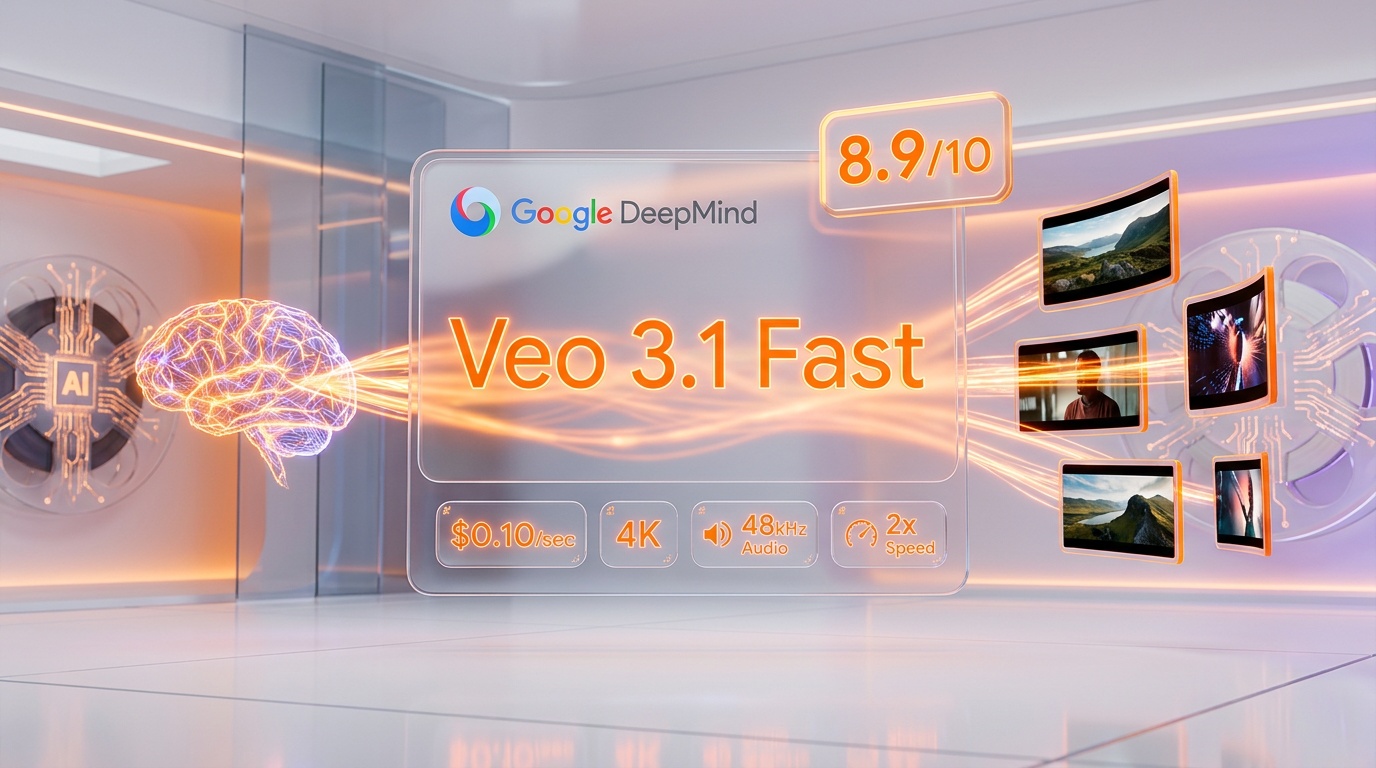
Veo 3.1 Fast is Google DeepMind's speed-optimized AI video generation model that produces 720p, 1080p, and 4K videos at roughly twice the speed of the standard Veo 3.1 model. Score: 8.9 out of 10. Starting at $0.10 per second for 720p after the April 7, 2026 price cut (down from $0.15 per second). It supports text-to-video, image-to-video, native audio at 48kHz, scene extension, and reference images. Best for creators and developers who need fast iteration cycles, social media content at scale, and production-quality AI video without paying premium Veo 3.1 Pro rates.
What is Veo 3.1 Fast?
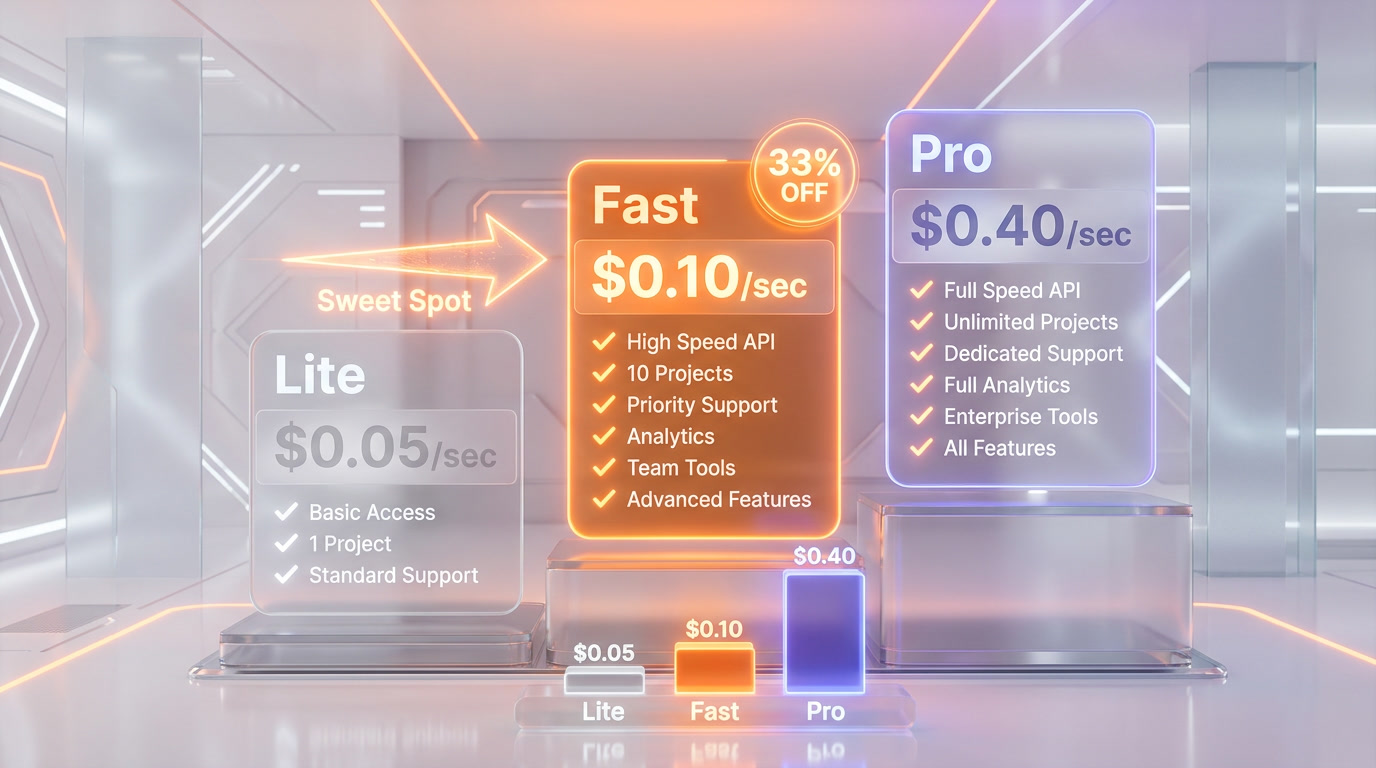
Veo 3.1 Fast is the mid-tier model in Google DeepMind's Veo 3.1 family, sitting between the budget-friendly Veo 3.1 Lite ($0.05 per second at 720p) and the premium Veo 3.1 Pro ($0.40 per second at 720p). Released initially in October 2025 as part of the Veo 3.1 lineup, Fast achieves its speed advantage through block sparse attention patterns that reduce computational cost by up to 90%, a latent diffusion transformer processing compressed video representations, and optimized memory bandwidth with high-bandwidth cache strategies.
We scored Veo 3.1 Fast 8.9 out of 10, with features at 9.1 out of 10 and value at 9.2 out of 10 after the April 7 price drop. The model generates 8-second videos in 60-120 seconds at 720p — roughly half the time of Veo 3.1 Pro — while professional blind tests show only a 1-8% visual variance. 90% of viewers cannot distinguish Fast output from Pro output.
Best for: Content creators, social media teams, e-commerce marketers, educators, and developers building video-first applications. Veo 3.1 Fast is built for anyone who needs high-volume AI video generation without breaking their GPU budget.
Pricing at a Glance (After April 7, 2026 Price Cut)
| Tier | 720p/sec | 1080p/sec | 4K/sec | Audio |
|---|---|---|---|---|
| Veo 3.1 Lite | $0.05 | $0.08 | N/A | Yes |
| Veo 3.1 Fast | $0.10 | $0.12 | $0.30 | Yes (+50% cost) |
| Veo 3.1 Pro | $0.40 | $0.40 | $0.60 | Yes |
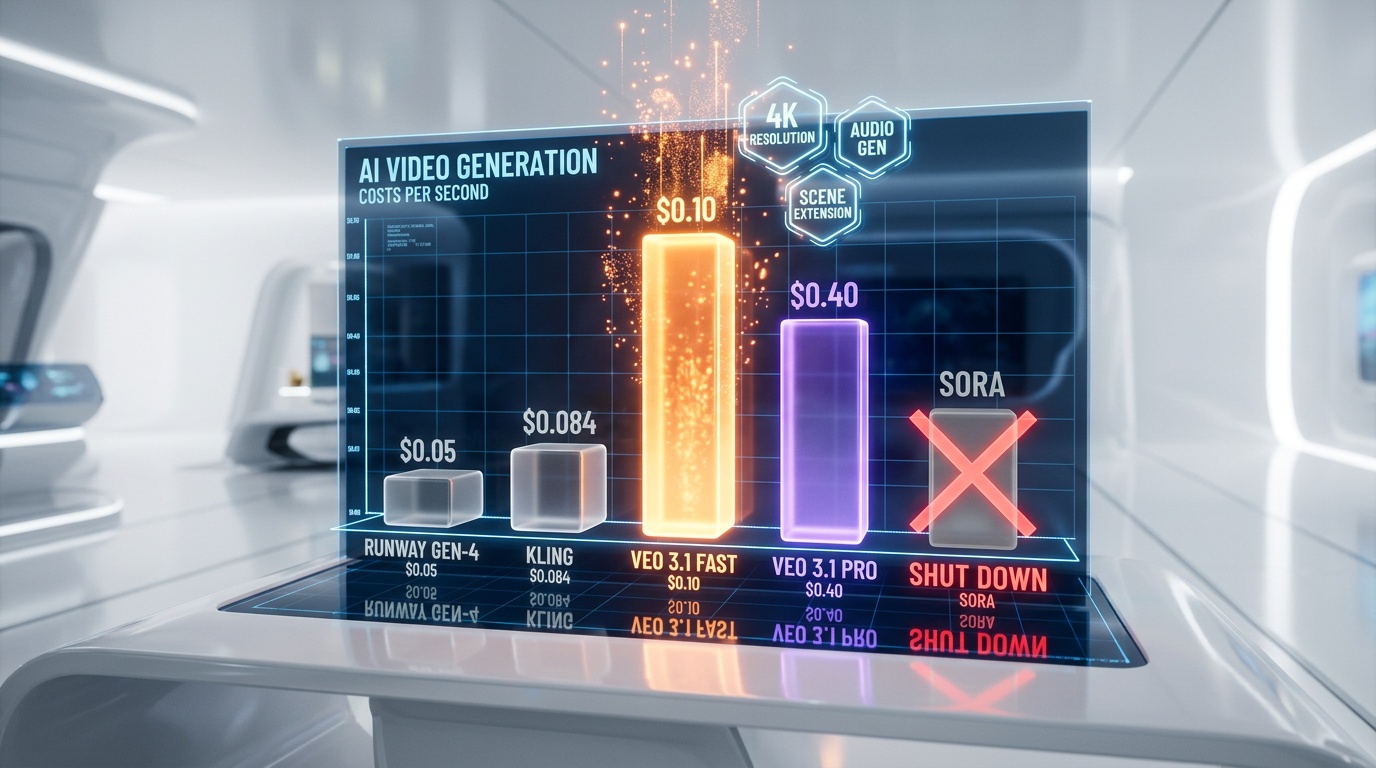
The April 7, 2026 price cut slashed Veo 3.1 Fast by 33% at 720p (from $0.15 to $0.10), 20% at 1080p (from $0.15 to $0.12), and 14% at 4K (from $0.35 to $0.30). Compared to Runway Gen-4 Turbo at $0.05 per second and Kling at $0.084 per second, Veo 3.1 Fast sits slightly higher — but delivers native audio, 4K output, and scene extension that neither competitor includes at those price points.
Our Experience with Veo 3.1 Fast
We researched Veo 3.1 Fast extensively across its official documentation, API pricing pages, developer forums, and production comparisons against Runway Gen-4.5, Kling 2.0, and the now-defunct Sora. The standout finding: Fast delivers near-Pro quality at one-quarter the cost, generates videos 2x faster, and includes the full Veo 3.1 feature set — native audio, reference images, scene extension, and 4K support. For most non-cinematic use cases, the visual difference is imperceptible.
Key Features Deep Dive
Native Audio Generation — 48kHz Synchronized Sound
Every Veo 3.1 Fast video can include natively generated audio — ambient soundscapes, sound effects synchronized with visual actions, musical underscore, and even dialogue. The audio is generated at 48kHz sampling rate with lip-sync accuracy under 120ms. This is not a post-production overlay; it is generated alongside the video in a single inference pass. Adding audio increases cost by approximately 50% — so a 720p 8-second clip goes from $0.80 to $1.20. For social media content where audio is expected, this eliminates an entire post-production step.
Text-to-Video and Image-to-Video
Veo 3.1 Fast supports both text-to-video generation (describe what you want) and image-to-video (provide a starting frame and let the model animate it). Image-to-video is particularly powerful for product showcases and e-commerce — upload a product photo and the model generates a cinematic reveal animation. You can provide up to three reference images to guide style, composition, and subject consistency across clips.
4K Resolution Output
Unlike Veo 3.1 Lite which caps at 1080p, Fast supports full 4K (3840x2160) output. At $0.30 per second post-price-cut, an 8-second 4K clip costs $2.40 — substantially less than the Pro tier's $4.80 for the same clip. For YouTube and broadcast content, 4K is increasingly the minimum standard, making Fast the most cost-effective path to high-resolution AI video in Google's lineup.
Scene Extension and Clip Chaining
Veo 3.1 Fast supports scene extension — the ability to chain multiple 8-second clips together while maintaining visual consistency. Using the API's looping technique, developers can extend videos up to approximately 148 seconds (about 2.5 minutes). Each extension maintains the visual style, lighting, and subject consistency of the original generation. This feature is absent from Veo 3.1 Lite, making Fast the entry point for any project requiring videos longer than 8 seconds.
First and Last Frame Specification
You can specify both the first and last frame of a generation, giving precise control over transitions between clips. This is essential for creating seamless multi-clip narratives or matching existing footage. Combined with scene extension, it enables sophisticated video workflows that would otherwise require manual editing.
Portrait and Landscape Modes
Veo 3.1 Fast generates videos in both 16:9 (landscape) and 9:16 (portrait) aspect ratios natively. For social media creators targeting TikTok, Instagram Reels, or YouTube Shorts, this means no cropping, no letterboxing — just native vertical video generation. The portrait mode maintains the same quality and feature set as landscape.
Flexible Duration Options
Each generation supports 4-second, 6-second, or 8-second clip lengths. The 4-second option at $0.40 total (720p) is particularly cost-effective for rapid iteration — test prompts and concepts at minimum cost before scaling to longer clips. Note that 1080p and 4K resolutions require 8-second clip length.
Pricing Breakdown — Post April 7, 2026
The April 7 price cut makes Veo 3.1 Fast significantly more competitive. Here is the complete cost breakdown:
Per-Second API Pricing (Gemini API / Vertex AI)
| Resolution | Before April 7 | After April 7 | Reduction |
|---|---|---|---|
| 720p (no audio) | $0.15 per sec | $0.10 per sec | 33% |
| 1080p (no audio) | $0.15 per sec | $0.12 per sec | 20% |
| 4K (no audio) | $0.35 per sec | $0.30 per sec | 14% |
Adding native audio increases the per-second cost by approximately 50%. So a 720p clip with audio costs roughly $0.15 per second — still cheaper than the pre-cut price without audio.
Cost Per Clip Examples
| Scenario | Cost |
|---|---|
| 4s 720p (prompt testing) | $0.40 |
| 8s 720p (social media) | $0.80 |
| 8s 720p + audio | ~$1.20 |
| 8s 1080p (YouTube) | $0.96 |
| 8s 4K (broadcast) | $2.40 |
| 60s 720p (scene extension, ~8 clips) | ~$6.40 |
For comparison, before Sora shut down on March 24, 2026, OpenAI's internal cost was approximately $3.80 per minute of generated video — burning $4.2 million per day in GPU compute. Veo 3.1 Fast generates a minute of 720p video for approximately $6.00, and Google actually makes money on it.
Subscription Access via Gemini App
For individual creators, Google offers subscription tiers through the Gemini app. The Google AI Pro plan at $19.99 per month includes approximately 50 Veo 3.1 Fast video generations at 720p. The Ultra plan at $249.99 per month includes unlimited Fast generations and approximately 250 Pro generations at 1080p. For high-volume users, the API pay-per-second model is more cost-effective than subscriptions.
Generation Speed and Technical Architecture
Veo 3.1 Fast achieves its speed through several technical optimizations:
- Block sparse attention patterns — Reduces computational cost by up to 90% compared to full attention, focusing processing on the most relevant spatial and temporal regions
- Latent diffusion transformer — Processes compressed video representations rather than raw pixel data, dramatically reducing memory and compute requirements
- Optimized memory bandwidth — High-bandwidth cache strategies minimize data movement between GPU memory tiers
- Reduced diffusion steps — Uses 25-50 denoising steps versus 50-100 for the Pro model, cutting generation time roughly in half
In practice, a 720p 8-second video completes in 60-90 seconds. A 1080p clip takes 90-120 seconds. 4K generation extends to 2-3 minutes. The Pro model takes roughly double these times across all resolutions.
API and Developer Experience
Veo 3.1 Fast is accessible through three platforms:
- Gemini API — The primary developer access point. Model name:
veo-3.1-generate-preview. Supports text-to-video and image-to-video via REST or the Google AI Python SDK. - Google AI Studio — A web-based interface for testing prompts interactively before deploying via API. No code required.
- Vertex AI — Enterprise-grade access through Google Cloud, with VPC integration, IAM controls, and SLA guarantees. Same model, higher rate limits.
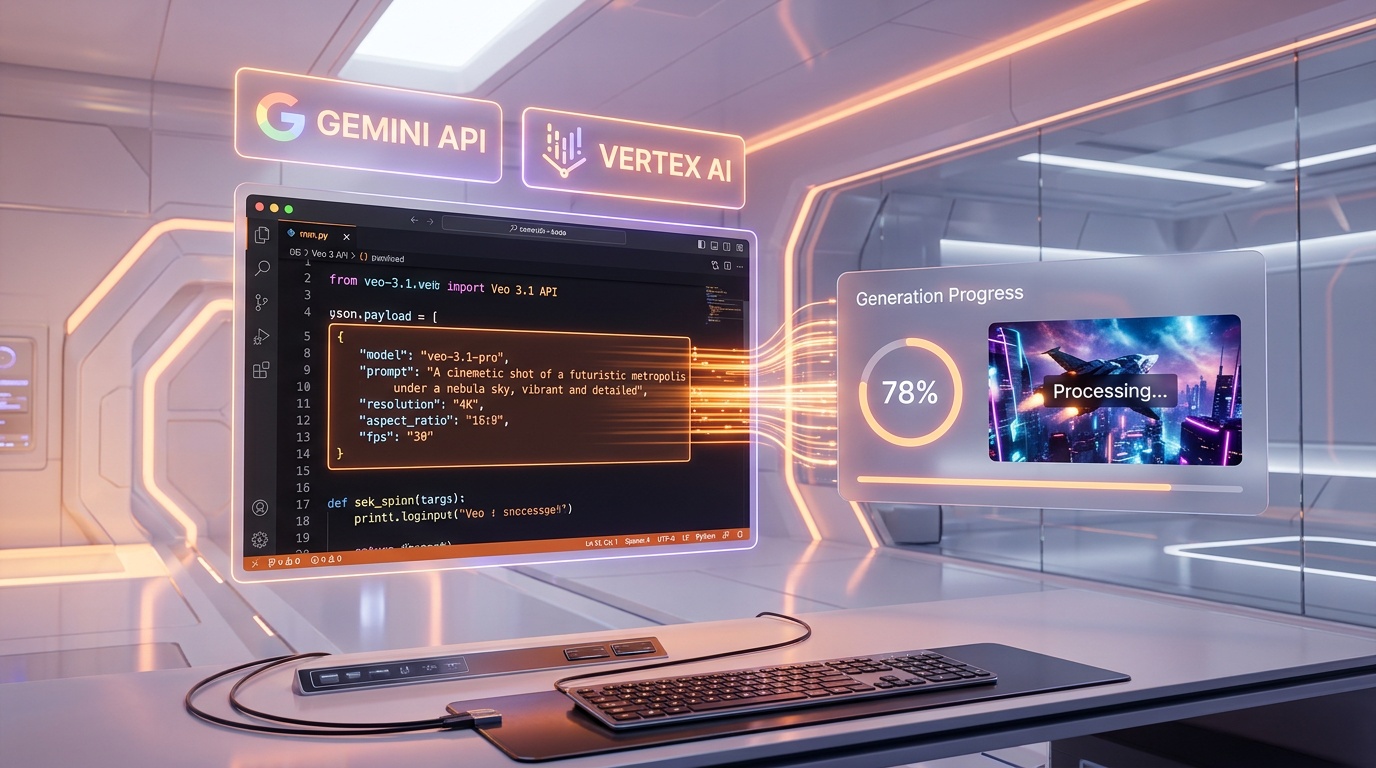
The API accepts JSON payloads specifying the prompt, resolution, duration, aspect ratio, and optional reference images. Response includes a generation ID that you poll until the video is ready for download. Rate limits default to 10 requests per minute on the Gemini API, with higher limits available through Vertex AI.
Quality Comparison: Fast vs Pro
The quality difference between Veo 3.1 Fast and Pro is minimal for most use cases. Professional blind testing reveals:
- 1-8% visual variance depending on scene complexity
- 90% of viewers cannot distinguish Fast from Pro output
- Complex textures (fabric weave, wood grain, skin pores) appear slightly softer in Fast
- Subtle lighting effects (caustics, volumetric fog, light scattering) show less refinement
- Fine motion details in fast-moving objects exhibit minor smoothing
For social media platforms that compress video heavily (TikTok, Instagram, X), these differences are virtually invisible. Reserve Pro for cinema-grade production, high-end brand advertising, and archive-quality content where every pixel matters.
Who Should Use Veo 3.1 Fast?
Veo 3.1 Fast hits the sweet spot for the majority of AI video generation use cases:
- Content creators — Rapid iteration on concepts. Test prompts at $0.40 per 4-second clip, then scale winners to full 8-second productions.
- Social media teams — Generate vertical and horizontal content natively. Platform compression eliminates quality differences vs Pro.
- E-commerce marketers — Product reveal animations from a single photo. 100 product videos per day at ~$80 total.
- Educators — Supplementary video content for courses and tutorials. Visual explanations generated from text descriptions.
- Developers — Build video-first applications with the Gemini API. The pay-per-second model scales linearly with no upfront commitment.
- Marketing teams — A/B test video ads at scale. Generate 50 variations for the cost of one professional shoot.
- Real estate — Virtual tour snippets from property photos. Generate walkthrough animations from reference images.

Veo 3.1 Fast vs The Competition
Veo 3.1 Fast vs Runway Gen-4.5
Runway Gen-4 Turbo starts at $0.05 per second — cheaper than Veo 3.1 Fast — and leads on motion control and temporal consistency with a 1247 Elo score. However, Runway lacks native audio generation, caps at 1080p (no 4K), and does not support scene extension for longer clips. If your priority is motion precision for advertising, Runway wins. If you need audio, 4K, and clip chaining, Veo 3.1 Fast delivers more value per dollar.
Veo 3.1 Fast vs Kling 2.0
Kling at $0.084 per second is the value champion, capturing 27% of the AI video market by ARR. Kling excels at consistent character animation and offers competitive quality. But Kling's 4K support, audio generation, and scene extension capabilities do not match Veo 3.1 Fast's full feature set. For budget-first projects where basic video generation suffices, Kling wins on price. For feature-complete production workflows, Fast is the better investment.
Veo 3.1 Fast vs Pika 2.5
Pika focuses on creative effects and stylization — think cinematic looks, artistic filters, and experimental visual effects. It is excellent for artistic content but lacks the technical depth of Veo 3.1 Fast's 4K output, native audio, reference images, and scene extension. Pika targets creative experimentation; Fast targets production-ready video generation.
Veo 3.1 Fast vs Sora (Defunct)
OpenAI shut down Sora on March 24, 2026 after burning an estimated $4.2 million per day in GPU compute costs while generating only $2.1 million in total lifetime revenue. Sora produced excellent cinematic quality but proved economically unsustainable — each minute cost OpenAI roughly $3.80 in inference while users on the Pro plan generated an average of 47 minutes per month. Veo 3.1 Fast generates similar quality at a fraction of the cost, and actually profits on every generation.
Competitor Comparison Table
| Model | Price/sec | Max Res | Audio | Scene Ext | Strength |
|---|---|---|---|---|---|
| Veo 3.1 Fast | $0.10 | 4K | Yes | Yes | Full-feature balance |
| Veo 3.1 Lite | $0.05 | 1080p | Yes | No | Budget entry point |
| Veo 3.1 Pro | $0.40 | 4K | Yes | Yes | Max quality |
| Runway Gen-4 Turbo | $0.05 | 1080p | No | No | Motion control |
| Kling 2.0 | $0.084 | 1080p | Limited | Limited | Value / market share |
| Pika 2.5 | Varies | 1080p | No | No | Creative effects |
| Minimax Hailuo | Varies | 1080p | No | No | Speed |
Limitations and Known Issues
Veo 3.1 Fast is not perfect. Based on our research and developer community feedback, these are the current limitations:
- Text rendering — Text within generated videos produces garbled, unreadable output. Use post-production overlays for any on-screen text.
- Hand and finger movements — Complex hand gestures and fine motor control remain unnatural, a limitation shared across all current AI video models.
- Physics simulation — Unusual physical scenarios (non-standard gravity, complex fluid dynamics) produce unrealistic results.
- Face consistency — Occasional inconsistencies in profile views and extreme angles, particularly for generated (non-reference) faces.
- 8-second cap — Native generation maxes at 8 seconds. Scene extension mitigates this but adds complexity and cost.
- No lip-sync in Fast tier — While Fast generates audio including dialogue, the lip-sync accuracy is under 120ms but not as precise as Pro for close-up dialogue scenes.
- Preview status — The model name
veo-3.1-generate-previewindicates this is still in preview. API behavior may change before GA.
Veo 3.1 Fast vs Veo 3.1 Lite — When to Choose Which
Both models target cost-conscious users, but they serve different needs:
| Feature | Veo 3.1 Lite | Veo 3.1 Fast |
|---|---|---|
| 720p price | $0.05 per sec | $0.10 per sec |
| 1080p price | $0.08 per sec | $0.12 per sec |
| 4K support | No | Yes ($0.30 per sec) |
| Scene extension | No | Yes |
| Reference images | No | Up to 3 |
| Video extension | No | Yes (up to 148s) |
| Audio | Yes (always on) | Yes (+50% cost) |
| Best for | High-volume, budget-first | Production workflows |
Choose Lite if you are generating hundreds of social media clips daily and 1080p is sufficient. Choose Fast if you need 4K, scene extension, reference images, or videos longer than 8 seconds. The price premium is justified by the significantly expanded feature set. For a complete tier-by-tier breakdown, see our Veo 3.1 Lite vs Fast vs Full comparison.
How to Get Started with Veo 3.1 Fast
Getting started with Veo 3.1 Fast requires a Google Cloud account with billing enabled. The process is straightforward but varies slightly depending on your chosen access method.
Via Google AI Studio (Fastest Start)
Google AI Studio is the zero-code entry point. Navigate to aistudio.google.com, sign in with your Google account, and select the Veo 3.1 model. You can immediately start testing prompts in the interactive playground. The studio shows real-time cost estimates before generation, supports both text and image inputs, and lets you download generated videos directly. This is the recommended starting point for anyone evaluating Veo 3.1 Fast before committing to API integration.
Via Gemini API (Developer Integration)
For programmatic access, the Gemini API uses the model identifier veo-3.1-generate-preview. Install the Google AI Python SDK with pip install google-generativeai, configure your API key, and submit generation requests as JSON payloads. Each request specifies the prompt, resolution (720p, 1080p, or 4K), duration (4s, 6s, or 8s), and aspect ratio (16:9 or 9:16). The API returns a generation ID that you poll asynchronously until the video is ready. Average wait time is 60-120 seconds for 720p content. The Gemini API supports both text-to-video and image-to-video endpoints, with reference image support for style consistency across multiple generations.
Via Vertex AI (Enterprise)
For enterprise deployments requiring VPC isolation, IAM-based access controls, audit logging, and SLA guarantees, Vertex AI provides the same Veo 3.1 Fast model through Google Cloud's enterprise infrastructure. Vertex AI offers higher rate limits than the consumer Gemini API, dedicated capacity options for predictable throughput, and integration with Google Cloud's MLOps pipeline for automated video generation workflows. Pricing is identical to the Gemini API on a per-second basis.
Prompt Engineering Tips for Veo 3.1 Fast
The quality of Veo 3.1 Fast output depends heavily on prompt engineering. Based on our research across developer forums and official documentation, these techniques consistently produce better results:
- Be specific about camera movement — Instead of "a video of a dog," specify "A smooth tracking shot following a golden retriever running through a sun-dappled forest, camera at dog's eye level, shallow depth of field." Camera instructions dramatically improve cinematic quality.
- Specify lighting conditions — "Golden hour lighting," "overcast diffused light," or "neon-lit cyberpunk atmosphere" give the model clear visual direction. Ambiguous lighting produces generic results.
- Include temporal descriptions — Describe what happens at the beginning, middle, and end of the clip. "The camera starts on a close-up of coffee being poured, pulls back to reveal the full cafe scene, and ends with a wide establishing shot" creates narrative structure.
- Use the 4-second option for iteration — At $0.40 per 4-second 720p clip, you can test 10 prompt variations for $4.00. Once you find the winning prompt, scale to 8 seconds at full resolution. This rapid iteration workflow saves significant cost compared to testing at 8 seconds every time.
- Leverage reference images for consistency — When generating multiple clips for a single project, use reference images to maintain visual consistency. Upload a frame from your first successful generation as a reference for subsequent clips.
- Avoid text in prompts — Do not ask the model to render text, signs, or written content within the video. Text rendering is a known limitation and produces garbled output. Plan for post-production text overlays instead.
The AI Video Market in April 2026
The AI video generation landscape has shifted dramatically in early 2026. OpenAI's Sora shutdown on March 24 removed what was arguably the most hyped competitor, leaving a three-horse race between Google (Veo 3.1), Runway (Gen-4.5), and Kling (2.0+). The AI video market hit an estimated $1.1 billion in total revenue in 2025, with analyst consensus projecting it will exceed $2.5 billion by end of 2027.
Google's strategy with the three-tier Veo 3.1 family (Lite at $0.05 per sec, Fast at $0.10 per sec, Pro at $0.40 per sec) directly addresses the market's biggest complaint: pricing unpredictability. By offering clear per-second pricing with no hidden costs and three distinct quality-price tiers, Google lets developers choose exactly the quality-cost tradeoff their use case demands. The April 7 price cut on Fast further signals that Google is willing to sacrifice margin to capture market share during this critical adoption phase.
Runway Gen-4.5 remains the quality benchmark for motion control and temporal consistency, holding the top Elo score (1247) on standard benchmarks. Kling dominates on value and market share (27% by ARR). Veo 3.1 Fast carves out the middle ground: more features than either competitor (native audio, 4K, scene extension), at a price point that is competitive if not the cheapest. For developers building production video pipelines, the completeness of Fast's feature set — particularly native audio and scene extension — reduces the need for third-party services and simplifies the tech stack.
Frequently Asked Questions
Is Veo 3.1 Fast the same as Veo 3.1?
Veo 3.1 Fast is a speed-optimized variant of the Veo 3.1 model that generates videos approximately 2x faster using block sparse attention and reduced diffusion steps (25-50 vs 50-100). It maintains 92-99% visual quality parity with the standard Veo 3.1 Pro model. Both use the same API model name (veo-3.1-generate-preview) with a speed/quality parameter.
How much does Veo 3.1 Fast cost after the April 7, 2026 price cut?
After the April 7 price reduction, Veo 3.1 Fast costs $0.10 per second at 720p (down 33% from $0.15), $0.12 per second at 1080p (down 20%), and $0.30 per second at 4K (down 14%). Adding native audio increases cost by approximately 50%. An 8-second 720p clip costs $0.80 without audio or approximately $1.20 with audio.
Does Veo 3.1 Fast support audio generation?
Yes. All Veo 3.1 tiers — Lite, Fast, and Pro — generate native 48kHz audio including dialogue, sound effects, ambient soundscapes, and musical underscore. Audio is generated alongside the video in a single inference pass with lip-sync accuracy under 120ms. On the Fast tier, audio adds approximately 50% to the per-second cost.
What is the maximum video length with Veo 3.1 Fast?
Native generation caps at 8 seconds per clip. However, Veo 3.1 Fast supports scene extension (clip chaining), which allows developers to create videos up to approximately 148 seconds (about 2.5 minutes) by chaining multiple 8-second clips while maintaining visual consistency. Veo 3.1 Lite does not support scene extension.
How does Veo 3.1 Fast compare to Runway Gen-4.5?
Veo 3.1 Fast costs $0.10 per second vs Runway Gen-4 Turbo at $0.05 per second. Runway leads on motion control and temporal consistency (1247 Elo). However, Veo 3.1 Fast includes native audio generation, 4K output, scene extension for longer clips, and reference image support — features Runway does not offer. Choose Runway for maximum motion precision at minimum cost; choose Veo 3.1 Fast for a complete production feature set.
Can I use Veo 3.1 Fast for commercial projects?
Yes. Videos generated through the Gemini API and Vertex AI are licensed for commercial use. Google does not retain rights to your generated content. However, the model is still in preview status, so enterprise users requiring SLA guarantees should use Vertex AI rather than the consumer Gemini API.
The Bottom Line
Veo 3.1 Fast is the Goldilocks option in Google's AI video lineup. At $0.10 per second for 720p after the April 7, 2026 price cut, it delivers 90% of Pro quality at 25% of the cost, generates 2x faster, and includes the full feature set — native audio, 4K, scene extension, reference images, and both portrait and landscape modes. The 33% price reduction makes it genuinely competitive with Runway and Kling while offering capabilities neither can match.
For creators who outgrew Veo 3.1 Lite's limitations but do not need Pro's pixel-perfect refinement, Fast is the obvious choice. It occupies the exact sweet spot where price, speed, quality, and features converge. With Sora dead and the AI video market consolidating around Google, Runway, and Kling, Veo 3.1 Fast is positioned as the most complete mid-tier option available in April 2026.
Score: 8.9 out of 10. The price cut pushes value from great to excellent. If Google promotes Fast out of preview status with guaranteed SLAs and higher rate limits, this score climbs to 9.0+.
Frequently Asked Questions
Is Veo 3.1 Fast better than Runway Gen-4 Turbo for AI video?
Veo 3.1 Fast costs $0.10 per sec at 720p vs Runway Gen-4 Turbo at $0.05 per sec, but includes native 48kHz audio, 4K output, and scene extension up to 148 seconds — features Runway doesn't offer at any price. For projects needing audio and long-form video, Fast is more cost-effective overall.
How does Veo 3.1 Fast compare to Kling 2.0 pricing?
Kling 2.0 charges $0.084 per sec vs Veo 3.1 Fast at $0.10 per sec after the April 7 price cut. The $0.016 per sec difference is offset by Fast's native audio generation, 4K support, and scene extension — features absent from Kling at those price points. For audio-free 720p clips, Kling is cheaper.
What is the difference between Veo 3.1 Fast and Veo 3.1 Pro?
Veo 3.1 Fast generates videos 2x faster at $0.10 per sec (720p) vs Pro at $0.40 per sec — one-quarter the cost. Blind tests show only 1-8% visual variance, with 90% of viewers unable to distinguish Fast from Pro. Both share the same feature set: 4K, native audio, scene extension, and reference images.
Who should use Veo 3.1 Fast?
Content creators, social media teams, e-commerce marketers, and developers building video-first apps. It's ideal for high-volume generation: a 60-second 720p video costs ~$6.00 via scene extension. The 4-second clip option at $0.40 is perfect for rapid prompt testing before scaling.
What are Veo 3.1 Fast's limitations?
Text rendering produces garbled output requiring post-production overlays. Native clips cap at 8 seconds (scene extension needed for longer). Complex textures and volumetric lighting show subtle quality loss vs Pro. The Gemini API rate limit is 10 requests per minute — Vertex AI is needed for production scale.
Does Veo 3.1 Fast integrate with Google AI Studio and Vertex AI?
Yes. Veo 3.1 Fast (model ID: veo-3.1-generate-preview) is available via Gemini API, Google AI Studio, and Vertex AI. The Gemini API is rate-limited to 10 requests per minute. Vertex AI offers higher throughput for production workloads. Google AI Studio provides a no-code playground for testing prompts.
How much does a full minute of Veo 3.1 Fast video cost?
A 60-second 720p video costs approximately $6.00 using scene extension (~8 chained clips). With native audio, that rises to ~$9.00. For comparison, OpenAI's Sora burned ~$3.80 per min internally before shutting down on March 24, 2026 — but was never profitable. Veo 3.1 Fast is production-viable.
Key Features
Pros & Cons
Pros
- 33% price cut on April 7, 2026 — $0.10/sec at 720p makes it genuinely affordable
- 2x faster generation than Veo 3.1 Pro with only 1-8% visual variance
- Full feature set: 4K, native audio, scene extension, reference images, portrait mode
- Native 48kHz audio generation with lip-sync under 120ms eliminates post-production
- Scene extension enables videos up to 148 seconds with consistent style
- Both text-to-video and image-to-video with up to 3 reference images
- Available via Gemini API, Google AI Studio, and Vertex AI — flexible access
Cons
- Text rendering in generated videos produces garbled output — post-production overlay required
- Still in preview status (veo-3.1-generate-preview) — API may change before GA
- 8-second native cap requires scene extension workarounds for longer content
- Subtle quality loss on complex textures and volumetric lighting vs Pro
- Rate limited to 10 requests/minute on Gemini API — Vertex AI needed for scale
Best Use Cases
Platforms & Integrations
Available On
Integrations

We're developers and SaaS builders who use these tools daily in production. Every review comes from hands-on experience building real products — DealPropFirm, ThePlanetIndicator, PropFirmsCodes, and many more. We don't just review tools — we build and ship with them every day.
Written and tested by developers who build with these tools daily.
Frequently Asked Questions
What is Veo 3.1 Fast?
Google DeepMind's speed-optimized AI video model — 2x faster than Pro, 75% cheaper, full feature set
How much does Veo 3.1 Fast cost?
Veo 3.1 Fast costs $0.1/month.
Is Veo 3.1 Fast free?
No, Veo 3.1 Fast starts at $0.1/month.
What are the best alternatives to Veo 3.1 Fast?
Top-rated alternatives to Veo 3.1 Fast include Veo 3.1 (9.4/10), Google Flow (9.2/10), Seedance 2.0 (9.1/10), Descript (9.1/10) — all reviewed with detailed scoring on ThePlanetTools.ai.
Is Veo 3.1 Fast good for beginners?
Veo 3.1 Fast is rated 8.8/10 for ease of use.
What platforms does Veo 3.1 Fast support?
Veo 3.1 Fast is available on Web.
Does Veo 3.1 Fast offer a free trial?
No, Veo 3.1 Fast does not offer a free trial.
Is Veo 3.1 Fast worth the price?
Veo 3.1 Fast scores 9.2/10 for value. We consider it excellent value.
Who should use Veo 3.1 Fast?
Veo 3.1 Fast is ideal for: Social media content creation (TikTok, Reels, Shorts), E-commerce product reveal animations from photos, Marketing A/B testing with dozens of video variations, Educational supplementary video content, Real estate virtual tour generation, Rapid creative iteration and concept testing, Video-first application development via API, Brand advertising production at scale.
What are the main limitations of Veo 3.1 Fast?
Some limitations of Veo 3.1 Fast include: Text rendering in generated videos produces garbled output — post-production overlay required; Still in preview status (veo-3.1-generate-preview) — API may change before GA; 8-second native cap requires scene extension workarounds for longer content; Subtle quality loss on complex textures and volumetric lighting vs Pro; Rate limited to 10 requests/minute on Gemini API — Vertex AI needed for scale.
Best Alternatives to Veo 3.1 Fast

Ready to try Veo 3.1 Fast?
Get started today
Try Veo 3.1 Fast Now →