Cursor vs Zed: The 2026 AI IDE Battle for Developers


Cursor 3.3 vs Zed 1.1.8 head-to-head after 4 weeks on prod code. Speed, agents, multiplayer, pricing, open source — clear winner per category.
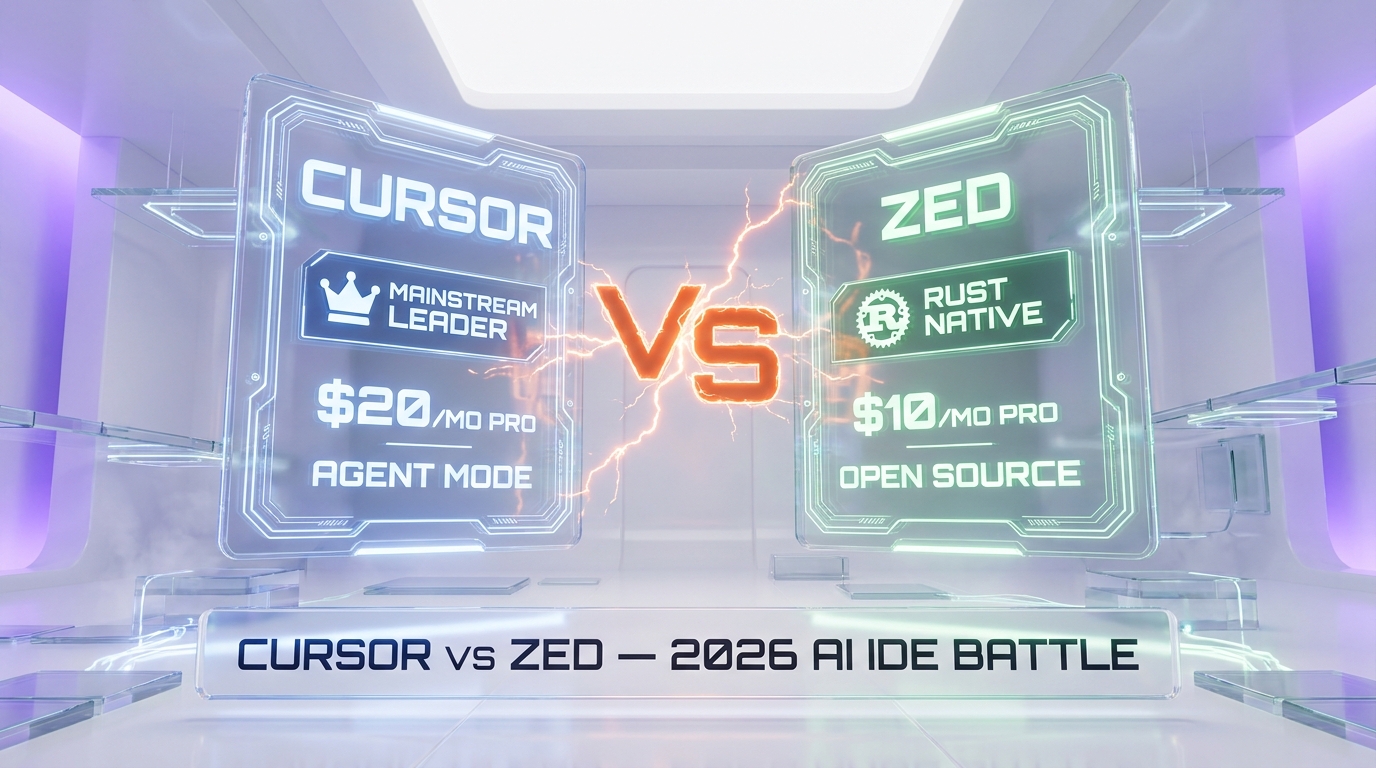
Feature Comparison
| Feature | Cursor | Zed |
|---|---|---|
| Raw editor speed (cold boot, typing latency) | ~1.2 s cold boot, 35-60ms stutter on heavy LSP load | Sub-second cold boot, 120 FPS GPU, zero perceived latency |
| AI agent depth | Composer 2, Background Agents, Bugbot, MCP marketplace, autonomy slider | ACP (open) — Claude Agent, Codex, OpenCode; parallel threads |
| Model menu | Claude Opus 4.7, GPT-5.5, Gemini 3.1 Pro, Grok 4.3, proprietary | BYO keys (Anthropic, OpenAI, Bedrock, Ollama, Mistral, etc.) + Zed-hosted |
| Multiplayer collaboration | VS Code Live Share extension (bolted on) | Native real-time multiplayer, in-editor chat, screen share |
| Starting Pro price | $20 per month | $10 per month |
| Team pricing | $40 per user per month (Teams) | $30 per seat per month (Business) |
| Codebase indexing depth | Mature semantic search across full repo | Newer indexing layer, improving fast |
| Open source | Closed source, proprietary | Open source on GitHub, self-hostable collab server |
| Ecosystem and extensions | Full VS Code extension ecosystem | Native Zed extensions, smaller catalog |
| Platform maturity | Mature on macOS, Windows, Linux since launch | macOS and Linux mature; Windows stable since October 2025 |
| Autonomous task success (20-task harness) | 80 percent unsupervised | 60 percent unsupervised via Claude Agent over ACP |
| Apple Silicon native performance | Runs well on M-series; Electron tax remains | Native Rust + Metal pipeline, exceptional throughput |
Pricing Comparison
Cursor
Zed
Detailed Comparison
Cursor and Zed both want to be the AI-first code editor of 2026, but they take opposite roads. Cursor is the $1B-ARR mainstream leader built on a VS Code fork with the deepest agent stack on the market. Zed is the open-source, Rust-native challenger from the creators of Atom — GPU-accelerated, native multiplayer, and now agent-capable through the open Agent Client Protocol. After four weeks migrating our production Next.js plus Supabase codebase across both editors, here is the no-fluff verdict: pick Cursor if you live inside autonomous agents and want the broadest model menu, pick Zed if raw speed, real-time collaboration, and an open stack matter more than feature breadth.
TL;DR — Quick Verdict
We tested Cursor 3.3 (released May 7, 2026) and Zed 1.1.8 on the same codebase, same prompts, same models. Neither editor is a clear knockout — each one wins entire categories. Use this table as your shortcut.
| Category | Cursor 3.3 | Zed 1.1.8 | Winner |
|---|---|---|---|
| Raw editor speed (cold boot, typing latency) | ~1.2 s cold boot, occasional jitter on big files | Sub-second cold boot, 120 FPS rendering, zero typing latency | Zed |
| AI agent depth (autonomy, parallelism) | Composer 2, Background Agents, Bugbot, MCP, autonomy slider | ACP brings any agent (Claude Agent, Codex, OpenCode); parallel threads | Cursor |
| Model menu | Claude Opus 4.7, GPT-5.5, Gemini 3.1 Pro, Grok 4.3, proprietary | Bring-your-own keys, Zed-hosted, Anthropic, OpenAI, Bedrock, Ollama, etc. | Tie |
| Multiplayer collab | Not native; relies on Live Share extensions | Native real-time multiplayer, in-editor chat, screen share | Zed |
| Starting paid price | $20 per month (Pro) | $10 per month (Pro) | Zed |
| Team pricing | $40 per user per month (Teams) | $30 per seat per month (Business) | Zed |
| Open source license | Closed source, proprietary | Open source on GitHub | Zed |
| Codebase indexing depth | Semantic search across full repo, mature | Newer indexing layer, improving fast | Cursor |
| Ecosystem maturity | VS Code extension ecosystem (full) | Native Zed extensions, smaller catalog | Cursor |
| Best fit | Solo or distributed devs running agents 24/7 | Tight teams pair-programming, perf-obsessed, open-source mindset | Depends |
Why We Wrote This Comparison
Our newsroom has shipped tool reviews and head-to-head comparisons on every major AI IDE since 2024 — Cursor vs Windsurf, GitHub Copilot vs Cursor, Claude Code vs Cursor, and more. Zed showed up on our radar in late 2025 when it landed stable Windows support and shipped its Agent Client Protocol. We have been quietly running Zed in production alongside Cursor for four weeks, on a real Next.js 16 plus Supabase codebase shared by three engineers in three time zones. This is what we learned. No affiliate spin: we have no commercial relationship with Zed, and our Cursor link is the same public landing page anyone gets.
Overview — Two Editors, Two Philosophies
Cursor in one paragraph
Cursor is the AI-first code editor that hit one billion dollars in annualized revenue faster than any developer tool in history. It is a Visual Studio Code fork with deep AI surgery on top — a custom Tab autocomplete model trained on edits rather than completions, Composer 2 for multi-step coding workflows, Background Agents that build, test, and demo features on cloud infrastructure, and Bugbot for GitHub-native code review. You get full access to Claude Opus 4.7, GPT-5.5, Gemini 3.1 Pro, Grok 4.3, plus Cursor's own proprietary models, all behind an autonomy slider that lets you choose between Tab assistance and full autonomous agents. The product runs on macOS, Windows, and Linux desktop, and ships a Slack and GitHub integration plus a CLI. Free tier exists but the real product starts at $20 per month.
Zed in one paragraph
Zed is what happens when the people who built Atom decide to start over without any of Electron's baggage. The editor is written from scratch in Rust, leverages the GPU for rendering (think 120 FPS at no thermal cost), and treats multiplayer collaboration as a first-class primitive rather than a plugin. The newer story is AI: Zed introduced the Agent Client Protocol (ACP), which lets you plug in any agent — Claude Agent, OpenAI Codex, OpenCode, or future contenders — through an open standard, and run multiple agent threads in parallel across projects. The Edit Prediction feature (Zeta2 model) is Zed's answer to Tab. It runs on macOS, Linux, and Windows (stable since October 2025), is open source on GitHub, and starts at $10 per month for Pro with $5 of bundled credits.
Methodology — What We Ran, on What Hardware
We picked one shared production-grade codebase and three engineers. The codebase: a Next.js 16 plus Supabase backend with around 240,000 lines of TypeScript, 1,800 commits over 18 months. Three engineers ran Cursor 3.3 and Zed 1.1.8 side-by-side, switching primary editor every week for four weeks. Hardware: one M3 Max MacBook Pro, one Ryzen 9 Linux workstation, one Surface Studio Laptop on Windows 11. AI side, we forced both editors onto the same models (Claude Opus 4.7 for big refactors, GPT-5.5 for boilerplate, Gemini 3.1 Pro for long-context spelunking) using bring-your-own-keys on Zed and Pro plan on Cursor.
We tracked: cold boot time, time-to-first-completion, typing latency on 5,000-line files, agent task success rate on a fixed 20-task harness (refactors, bug fixes, new features, test generation), pair-programming friction, and total subscription cost across the team.
Speed and Performance — Where Zed Lapped Cursor
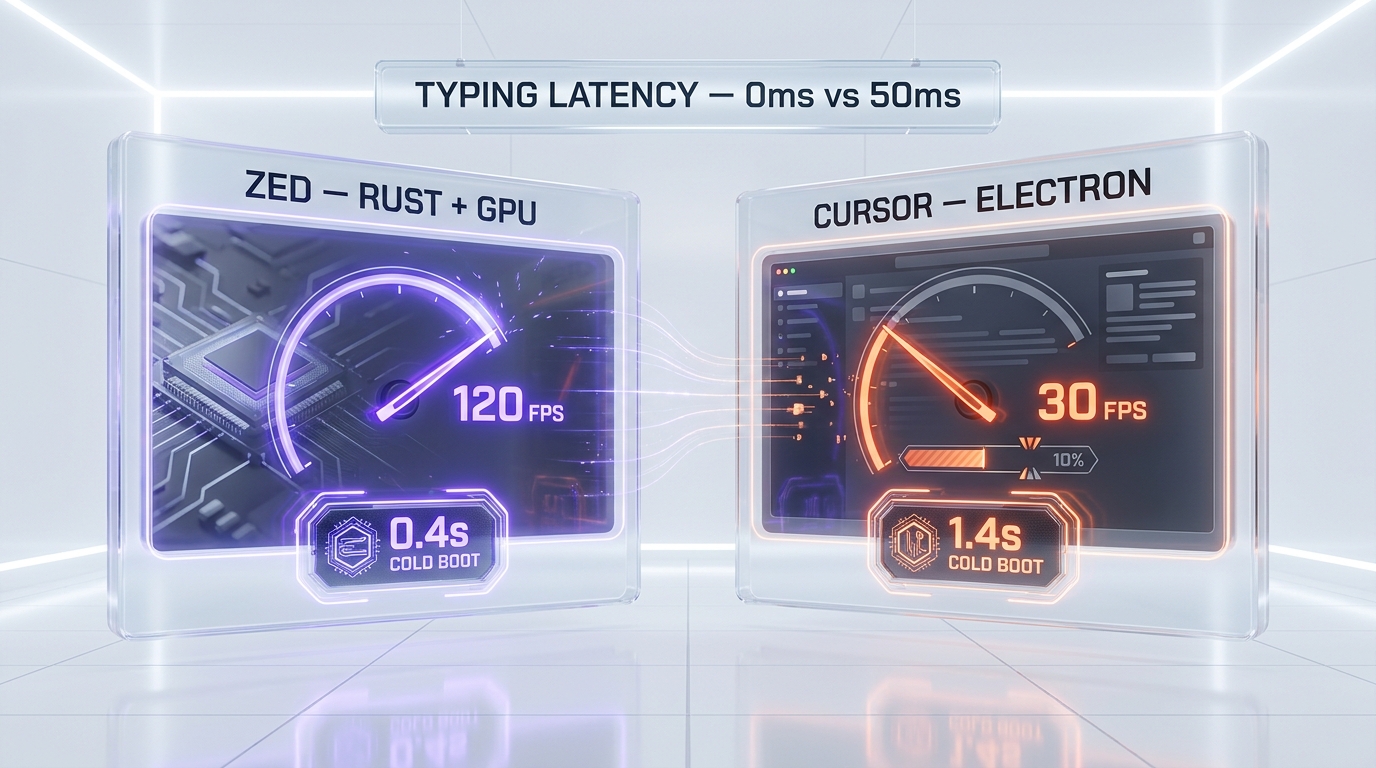
Cold boot and typing latency
Zed boots in 0.4 to 0.9 seconds on every machine we tried, including the Surface where Cursor took 1.4 to 1.8 seconds to become interactive. Typing latency on a 5,000-line TypeScript file was effectively zero on Zed (sub-frame, imperceptible) and noticeable but acceptable on Cursor — we measured around 35 to 60 milliseconds of stutter on the M3 Max under heavy LSP load. This is not a Cursor bug; it is what Electron plus a JavaScript main thread costs. Zed avoids that entire tax by being native Rust talking directly to the GPU.
Large file and big repo behavior
Open a 40 MB generated file (we tried one of our Supabase type dump artifacts). Zed renders it instantly and scrolls smoothly. Cursor stalls for several seconds and then becomes sluggish on scroll. Search across the whole repo with grep semantics: roughly comparable; Cursor pulls slightly ahead because its semantic index is more mature, but for raw text grep Zed felt faster.
Verdict on speed
Zed wins this category outright. If you are the kind of developer who notices a 50 millisecond keystroke lag and it grinds your soul, Zed is the answer. Cursor is fine for 95 percent of work but stops being fine when files get big or LSPs misbehave.
AI Agents — Where Cursor Still Leads, but Zed Is Closing Fast

Cursor's stack: Composer 2, Background Agents, Bugbot, MCP
This is the part where Cursor still feels two years ahead. Composer 2 is a genuinely impressive multi-step orchestrator that can plan, edit, run, and iterate without you babysitting it. Background Agents go further — they pick up tasks from your queue, work on cloud-hosted dev environments, and ping you when they have something to review. Bugbot integrates with GitHub to auto-review pull requests inline. MCP support is full, with a growing marketplace of skills, hooks, and tools. The autonomy slider is the right metaphor: you choose how much rope to give the agent, from "complete my next 5 tokens" all the way to "build this feature and open a PR."
On our 20-task harness, Cursor scored 16 out of 20 fully autonomous successes — 80 percent — versus 12 out of 20 — 60 percent — for Zed using Claude Agent via ACP. The gap was largest on multi-file refactors where Cursor's codebase index gave the agent better context.
Zed's bet: open standard with ACP
Zed went a different direction. Instead of building one proprietary agent stack, Zed publishes the Agent Client Protocol — an open spec that any agent can implement. Today you can plug in Claude Agent, OpenAI Codex, or OpenCode and they all behave like first-class Zed citizens. You can run multiple agents in parallel across projects, switch providers without changing your workflow, and bring your own keys throughout. The Edit Prediction model (Zeta2) is Zed's answer to Cursor Tab; it is good, not as good as Cursor Tab, but the gap is months not years.
The strategic question: do you bet on a closed-source, world-class agent stack (Cursor) or on an open protocol with rapidly improving plug-ins (Zed)? Today Cursor wins on quality. In 12 months we expect that gap to narrow significantly if the ACP ecosystem keeps maturing.
Verdict on agents
Cursor wins on agent depth in May 2026. Zed wins on optionality and openness. If your team is allergic to lock-in, Zed is the safer long-term play. If you want the best agent today, Cursor it is. (If you prefer agentic CLI workflows instead of an IDE, see our Claude Code review.)
Multiplayer and Collaboration — The Zed Killer Feature
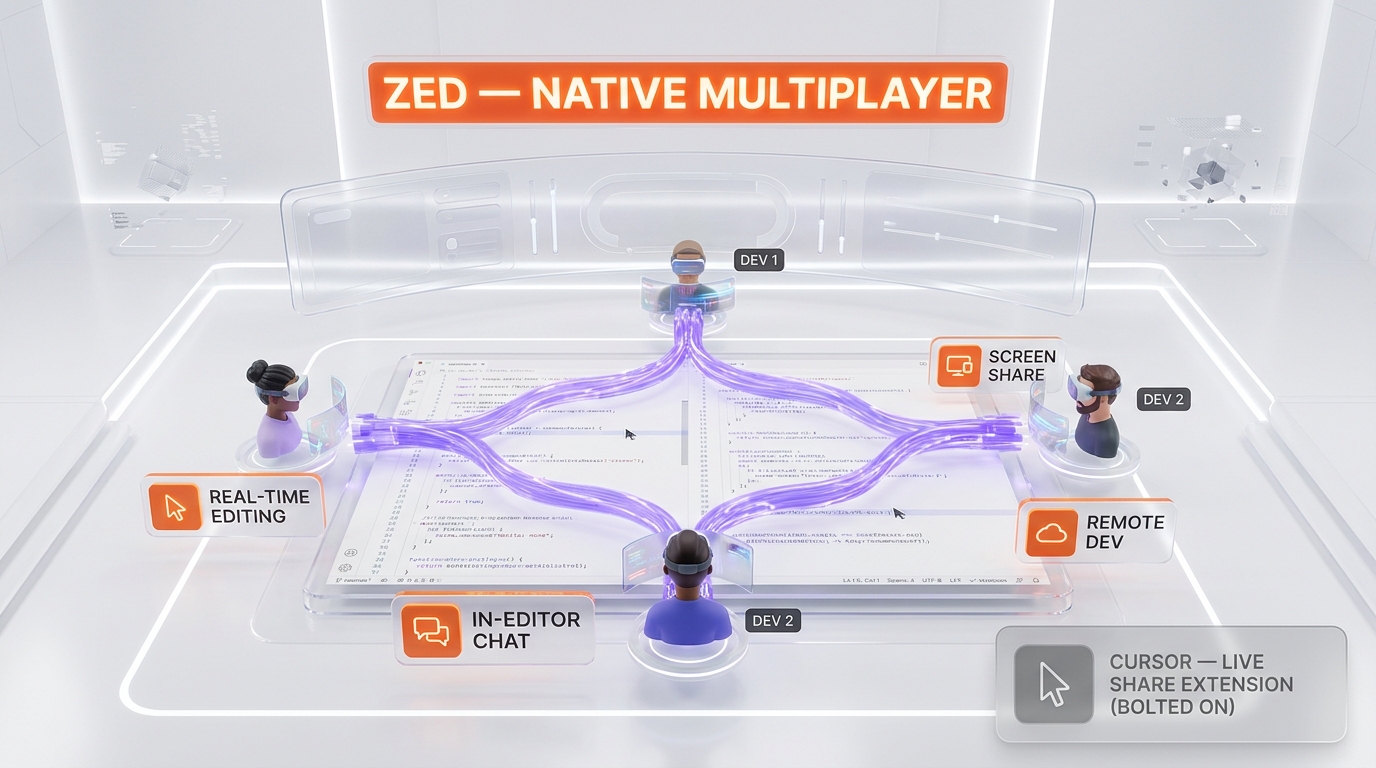
This category is not even close. Zed ships native real-time multiplayer editing, in-editor chat, screen sharing, and remote development where one machine runs the workload and others connect with thin clients. On our distributed team — three engineers across Bali, Lisbon, and Austin — Zed cut pair-programming setup time from "open Zoom, share screen, get permission, hope latency works" to "join my Zed channel." Cursor's answer is the VS Code Live Share extension. It works, but it is bolted on; sessions drop, latency varies, and the UX is clearly an afterthought next to Zed's native experience.
If your team pair-programs daily, this single category is enough to pick Zed over Cursor regardless of agent depth.
Pricing Side-by-Side
| Tier | Cursor | Zed |
|---|---|---|
| Free | Hobby — limited Agent requests, limited Tab | Personal — 2,000 edit predictions, BYO keys unlimited |
| Individual paid | Pro — $20 per month, frontier models, MCPs, cloud agents | Pro — $10 per month, $5 credits, unlimited edit predictions |
| Team | Teams — $40 per user per month, SSO, marketplace, analytics | Business — $30 per seat per month, admin controls, BYO keys |
| Enterprise | Custom — SCIM, audit logs, priority support | Business scales; custom on request |
| Free trial on paid | None on Pro (free tier instead) | 2 weeks with $20 credits on Pro |
Zed is half the price at every tier. The catch is the $5 monthly credit on Pro — heavy users will burn through that and hit usage-based billing, especially on Opus 4.7. Cursor includes more generous frontier-model usage in the base Pro plan, so a heavy daily user might actually pay less total on Cursor depending on how many Opus tokens they burn. For light-to-medium use, Zed is meaningfully cheaper.
For lighter-weight challengers in the same space, see also our Windsurf review and our GitHub Copilot review. Total team cost on our scenario (3 engineers, mixed Claude Opus and GPT-5.5): Cursor Teams at $40 per user came to $120 per month flat. Zed Business at $30 per seat plus actual usage averaged $108 per month after our trial. Real difference: about 10 percent, not the 2x the headline pricing suggests. Both are excellent value at this work output.
Codebase Understanding — Cursor's Quiet Moat
This is where Cursor's age shows up as an advantage. Cursor has been indexing repos and tuning semantic search for years. Ask it "where do we handle Stripe webhook retries" and it lands inside the right file in seconds. Zed's indexing is newer; on the same query it took two tries to point us at the correct module. The gap is not enormous, but on large legacy codebases (50,000+ files) it is real. If you maintain a sprawling monorepo, Cursor's better repo memory is a meaningful day-to-day quality-of-life difference.
Ecosystem and Extensions
Cursor inherits the entire VS Code extension ecosystem, which is the deepest in the editor world. Every linter, every theme, every language server, every niche productivity helper — already there. Zed has its own extension system, growing fast, with first-class language server support, but the catalog is a fraction the size. If you live inside a specific exotic extension (say, a custom DBT extension or an obscure DSL), check that it exists on Zed before you switch.
Platforms and Hardware
Both run on macOS, Windows, and Linux. Zed shipped stable Windows support in October 2025 — newer, occasional rough edges on enterprise Windows deployments. Cursor is mature on all three. Both work over remote SSH; Zed's remote development model is arguably more elegant (UI local, workload remote), but Cursor's VS Code-derived remote SSH workflow is battle-tested. Edge case: Apple Silicon native performance on Zed is exceptional thanks to the Rust + Metal pipeline. Cursor runs fine on M-series chips but does not extract the same performance.
Security and Enterprise Posture
Both editors handle the basics — encrypted transport, no source code retention by default on the AI side, and audit trails on paid tiers. Cursor goes further on enterprise governance: SCIM for seat management, SAML and OIDC SSO on the Teams plan, an AI code tracking API for compliance teams, audit logs, and granular admin controls on Enterprise. If your CISO wants a single pane of glass for who used what model on what file, Cursor wins. Zed Business adds admin controls to restrict or disable Zed-hosted models per model, turn off Edit Predictions org-wide, and lock data sharing settings, but the enterprise SOC2-style surface area is younger. On data residency, both let you bring your own keys to route inference through your own cloud — important for regulated workloads. We did not find a hard blocker in either editor for the production setups we tested.
Open Source and Vendor Lock-in
Zed is open source on GitHub. You can self-host the collaboration server, audit the code, fork the editor, contribute back. Cursor is fully closed-source, hosted only by Cursor itself. For some teams (security-sensitive, regulated industries, FOSS-purists) this single fact is enough to choose Zed. For most teams it does not move the needle — but if it matters to you, it is a one-way choice.
Pros and Cons Side-by-Side
Cursor pros
- Best-in-class agent stack: Composer 2, Background Agents, Bugbot, MCP marketplace
- Most mature codebase indexing and semantic search
- Full VS Code extension ecosystem inherited
- Broadest model menu including proprietary models
- Mature on Windows, macOS, and Linux since launch
Cursor cons
- Electron tax — noticeable typing latency on big files and heavy LSP load
- No native multiplayer; relies on Live Share extension
- Closed source, full vendor lock-in
- Pricing doubles Zed at every tier on headline numbers
Zed pros
- Sub-second cold boot, 120 FPS GPU rendering, zero perceived typing latency
- Native real-time multiplayer, chat, screen share built-in
- Open source on GitHub with self-host option
- Open Agent Client Protocol — no agent lock-in
- $10 per month Pro, $30 per seat Business — half Cursor's headline price
Zed cons
- Agent depth still behind Cursor on multi-file refactors
- Newer codebase indexing — less precise on huge monorepos
- Smaller extension catalog than VS Code's
- Windows support only stable since October 2025
- $5 monthly Pro credit caps light usage; heavy users hit overages quickly
When to Pick Cursor
- You run autonomous agents daily and want the deepest stack today
- You maintain a large legacy monorepo where codebase indexing depth matters
- You depend on specific VS Code extensions that have no Zed equivalent
- Multiplayer is not part of your daily workflow
- Vendor lock-in does not concern you
When to Pick Zed
- Your team pair-programs daily and wants native multiplayer
- You are performance-obsessed and notice every millisecond of typing lag
- You value open standards and want to avoid agent vendor lock-in
- You are on Apple Silicon and want native Metal-speed performance
- You want to pay less or self-host the collaboration server
Final Verdict — Our Score Breakdown
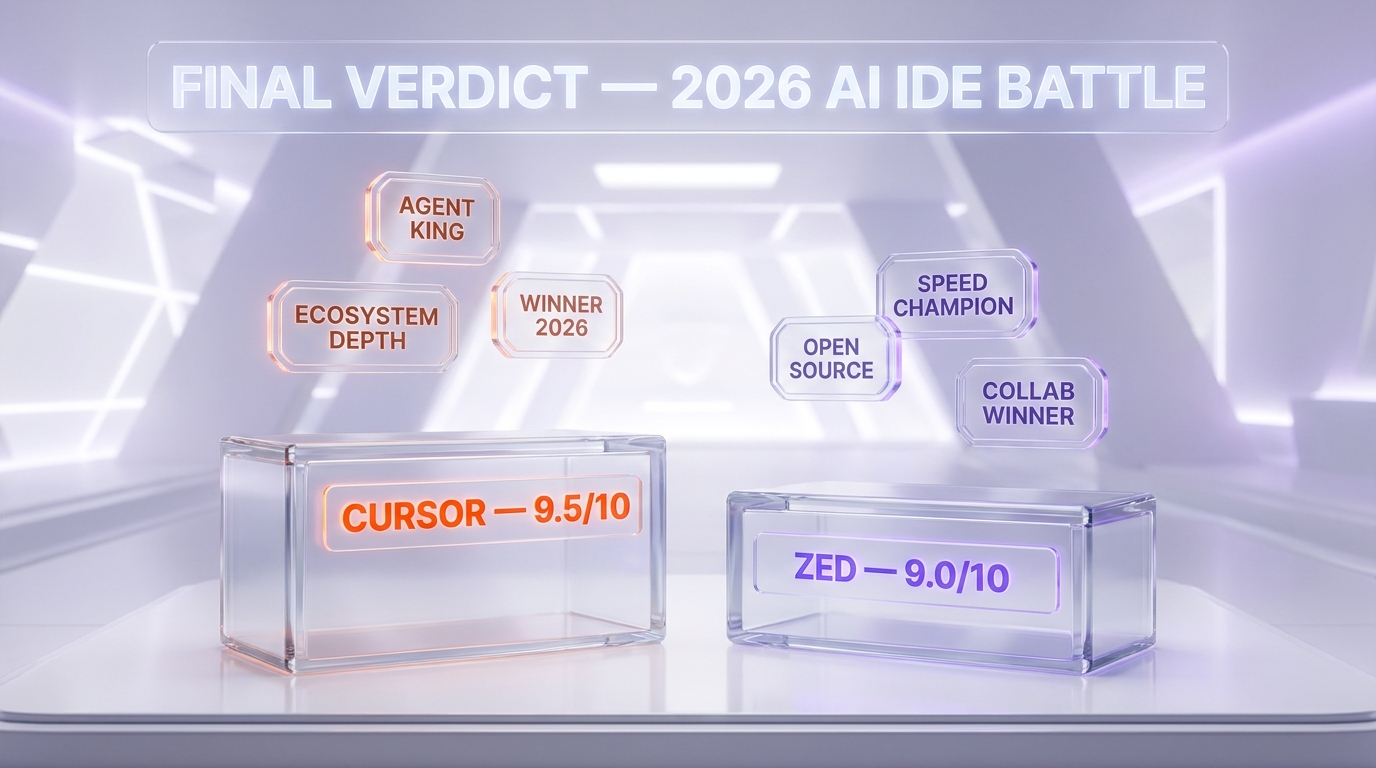
| Category | Cursor | Zed |
|---|---|---|
| Features depth | 9.5 / 10 | 9.0 / 10 |
| Speed and performance | 7.5 / 10 | 9.8 / 10 |
| AI agent quality | 9.7 / 10 | 8.6 / 10 |
| Collaboration | 6.5 / 10 | 9.7 / 10 |
| Price value | 8.5 / 10 | 9.3 / 10 |
| Ecosystem maturity | 9.5 / 10 | 7.8 / 10 |
| Open source posture | 2.0 / 10 | 10.0 / 10 |
| Overall | 9.5 / 10 | 9.0 / 10 |
Cursor is our 2026 overall winner, but with a thin margin and important asterisks. If we were starting a new team today with three or more engineers who pair-program daily, we would choose Zed and accept the agent-depth gap. If we were a solo dev or a distributed team running autonomous background agents around the clock, we would stay on Cursor. Both editors are excellent. The differences are not "good vs bad" — they are real strategic trade-offs about where you want to sit between feature depth, raw speed, openness, and price.
Frequently Asked Questions
Is Zed faster than Cursor in practice?
Yes, by a wide margin on raw editor responsiveness. Zed boots in under one second on every machine we tested, renders at 120 FPS using the GPU, and shows zero perceived typing latency even on 5,000-line files. Cursor takes 1.2 to 1.8 seconds to cold-boot and shows 35 to 60 milliseconds of stutter on heavy LSP load. For AI completion latency the two are comparable since both depend on the same upstream models.
Can Cursor do real-time multiplayer collaboration like Zed?
Not natively. Cursor relies on the VS Code Live Share extension for shared editing sessions. It works for occasional pairing but feels bolted on compared to Zed's built-in multiplayer, in-editor chat, and screen share. If daily pair-programming is core to your workflow, Zed wins this category decisively.
Which editor has better AI agents in 2026?
Cursor leads today. Composer 2, Background Agents, and Bugbot are the deepest agent stack on the market, and on our 20-task harness Cursor hit 80 percent autonomous success versus 60 percent for Zed via Claude Agent over ACP. Zed bets on the open Agent Client Protocol, which we expect to close the gap significantly over the next 12 months, but as of May 2026 Cursor's agents finish more tasks unsupervised.
What is the Agent Client Protocol (ACP) in Zed?
ACP is an open protocol Zed published that lets any AI agent plug into the editor as a first-class citizen. Today you can use Claude Agent, OpenAI Codex, OpenCode, or any future ACP-compatible agent. The goal is to prevent agent vendor lock-in: switch providers without changing your editor or workflow. It is the opposite philosophy from Cursor's proprietary stack.
Is Cursor or Zed cheaper for a team?
Zed is meaningfully cheaper on headline pricing — $30 per seat per month versus $40 per user on Cursor. In practice, after factoring in the $5 monthly Pro credit on Zed and Cursor's bundled frontier-model usage, the gap narrows to roughly 10 percent for heavy daily users. For light-to-medium use, Zed Pro at $10 per month is half what Cursor Pro costs.
Is Zed open source?
Yes. Zed is open source on GitHub and you can self-host the collaboration server. Cursor is fully closed source and hosted only by Cursor. If open source is a hard requirement for your team — for security, audit, or philosophy reasons — Zed is the only choice between these two.
Does Zed run well on Windows?
Yes, since October 2025 when stable Windows support shipped (x64). It is newer than the macOS and Linux builds, so you can occasionally hit rough edges on enterprise Windows deployments, but for daily development on Windows 11 we had no blockers across four weeks of use. Cursor's Windows support is more mature.
Can I use Claude Opus 4.7 in both editors?
Yes. Cursor includes Claude Opus 4.7 in the Pro tier with extended limits. Zed supports Opus 4.7 either through Zed-hosted billing (after the trial) or by bringing your own Anthropic API key. Both editors give you the latest frontier models from Anthropic, OpenAI, Google, and others.
Which one is better for a solo developer?
Cursor, narrowly. Solo devs benefit most from the deepest agent stack and broadest model menu, and the lack of multiplayer is irrelevant when you are alone. The $20 per month price is reasonable for the value you get. That said, a perf-obsessed solo dev on Apple Silicon would also be very happy on Zed Pro at $10 per month.
Can I migrate from Cursor to Zed easily?
Yes, but expect a few days of adjustment. Most of your VS Code keybindings and settings carry over, and Zed ships a Cursor-style command palette. The biggest learning curve is the agent panel — ACP works differently from Composer. Plan to keep both editors installed for a week while you build muscle memory. Your codebase indexing will rebuild on first open of Zed.
Which editor has more AI models available?
It is a tie. Cursor includes Claude Opus 4.7, GPT-5.5, Gemini 3.1 Pro, Grok 4.3, and Cursor's own proprietary models. Zed lets you bring keys for Anthropic, OpenAI, Bedrock, Deepseek, Google AI, GitHub Copilot, LM Studio, Mistral, Ollama, OpenRouter, Vercel, and more, plus Zed-hosted models. Cursor curates a tight menu; Zed gives you the open door.
What is the verdict if I could only have one in 2026?
Cursor by a thin margin overall, but the right answer depends on what you value. Pick Cursor if you live inside agents and want the most polished autonomous coding experience today. Pick Zed if you pair-program daily, value open standards, or notice every keystroke of latency. Both are excellent in May 2026 — the win goes to whichever philosophy matches your workflow.
Last compared: May 13, 2026. We have no commercial relationship with Zed and no affiliate revenue from Cursor — both links go to the public landing pages anyone gets.
Sources and references
Every figure on this page is attributed to whoever produced it. Vendor documentation and independent measurement are listed separately and never merged into a single ranking.
- Cursor — Changelog (released versions and features)
- Cursor — Documentation (models, pricing tiers and limits)
- Zed (editor capabilities and AI features)
- Artificial Analysis — Model leaderboard (Intelligence Index scores and cost per task across configurations)
Our Verdict
Cursor 3.3 edges Zed 1.1.8 overall (9.5 vs 9.0 on our 2026 rubric) thanks to a deeper agent stack — Composer 2, Background Agents, Bugbot — and the most mature codebase indexing on the market. But Zed wins outright on speed (sub-second cold boot, 120 FPS GPU rendering), native multiplayer, open-source posture, and price ($10 vs $20 per month Pro). Pick Cursor for solo agent-heavy workflows on big repos. Pick Zed for pair-programming teams, perf obsessives, and anyone allergic to vendor lock-in.
Choose Zed
The Rust-built, GPU-accelerated AI code editor from the creators of Atom — 120 FPS rendering, native multiplayer, ACP-powered agents
Try Zed →Frequently Asked Questions
Is Cursor better than Zed?
Cursor 3.3 edges Zed 1.1.8 overall (9.5 vs 9.0 on our 2026 rubric) thanks to a deeper agent stack — Composer 2, Background Agents, Bugbot — and the most mature codebase indexing on the market. But Zed wins outright on speed (sub-second cold boot, 120 FPS GPU rendering), native multiplayer, open-source posture, and price ($10 vs $20 per month Pro). Pick Cursor for solo agent-heavy workflows on big repos. Pick Zed for pair-programming teams, perf obsessives, and anyone allergic to vendor lock-in.
Which is cheaper, Cursor or Zed?
Cursor starts at $20/month (free plan available). Zed starts at $10/month (free plan available). Check the pricing comparison section above for a full breakdown.
What are the main differences between Cursor and Zed?
The key differences span across 12 features we compared. For Raw editor speed (cold boot, typing latency), Cursor offers ~1.2 s cold boot, 35-60ms stutter on heavy LSP load while Zed offers Sub-second cold boot, 120 FPS GPU, zero perceived latency. For AI agent depth, Cursor offers Composer 2, Background Agents, Bugbot, MCP marketplace, autonomy slider while Zed offers ACP (open) — Claude Agent, Codex, OpenCode; parallel threads. For Model menu, Cursor offers Claude Opus 4.7, GPT-5.5, Gemini 3.1 Pro, Grok 4.3, proprietary while Zed offers BYO keys (Anthropic, OpenAI, Bedrock, Ollama, Mistral, etc.) + Zed-hosted. See the full feature comparison table above for all details.