
Quick Summary
Grok Imagine is xAI's multimodal media model: it generates and edits images, animates stills into short clips via image-to-video, and produces synchronized native audio in the same pass. We score the June 2026 Grok Imagine Video 1.5 Preview 8 out of 10.
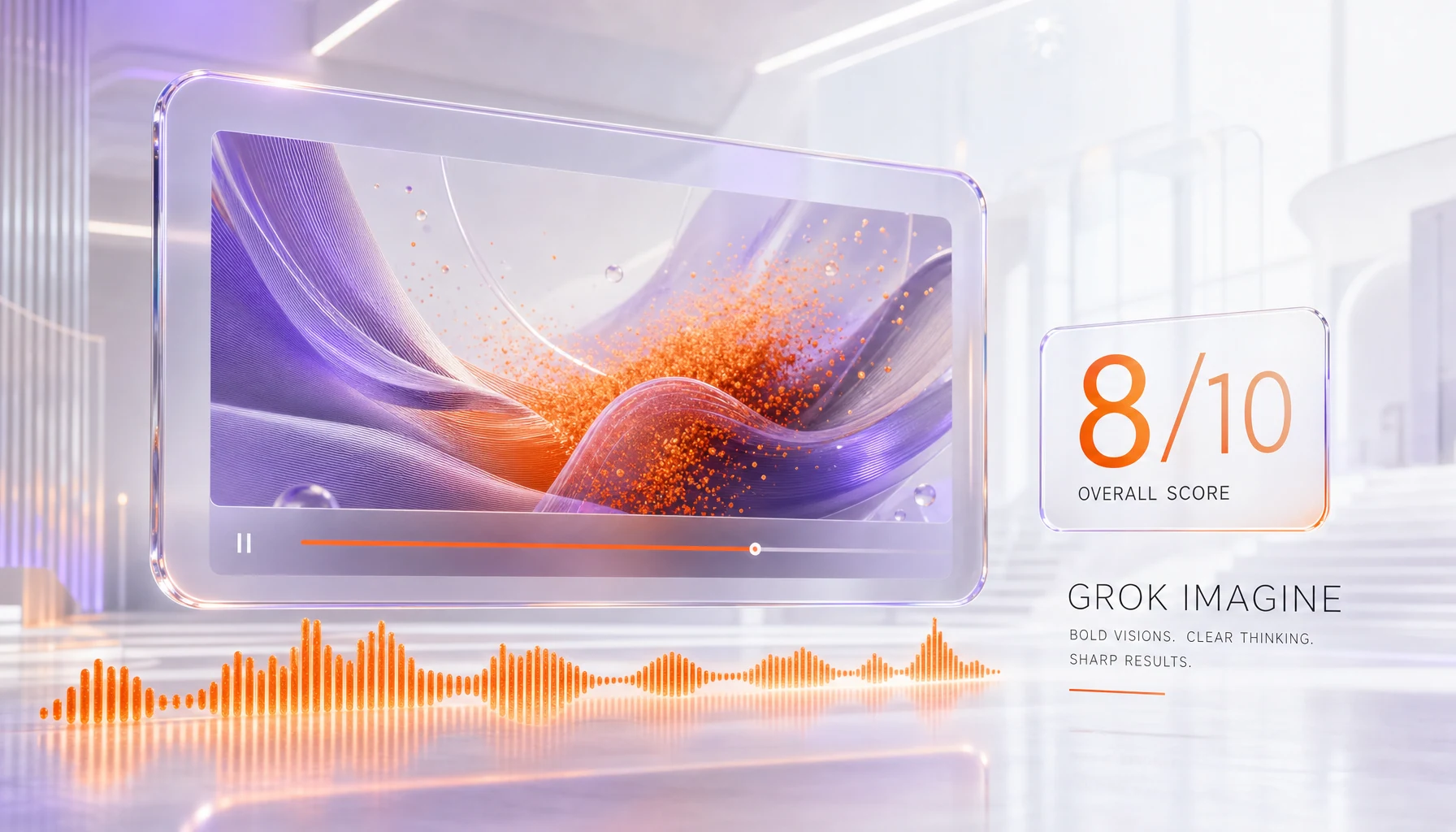
TL;DR — Grok Imagine verdict
Bottom line: Grok Imagine is xAI's media generation model that turns text and still images into short clips with synchronized native audio, generates and edits images, and extends or animates existing footage. The standout feature is genuinely native audio: dialogue, sound effects, ambient noise, and music are produced in the same pass as the video, not bolted on afterward. Checked on August 28, 2026, the newer of the two video models is Grok Imagine Video 1.5 (released June 3, 2026), which xAI says ranks first on the public Arena image-to-video leaderboard, narrowly ahead of ByteDance's Seedance 2.0. xAI lists five Imagine models in all, three for images and two for video, and marks none of them deprecated. The honest caveat: clips run to roughly 15 seconds, so this stays short-form, and consumer access is gated behind a paid SuperGrok subscription, with the broader rollout to X still in progress. We score it 8 out of 10.
- What it is: xAI's multimodal generative media model for images, short video, and native audio, available in the Grok apps and through the xAI API.
- Latest model: Grok Imagine Video 1.5 Preview, API ID
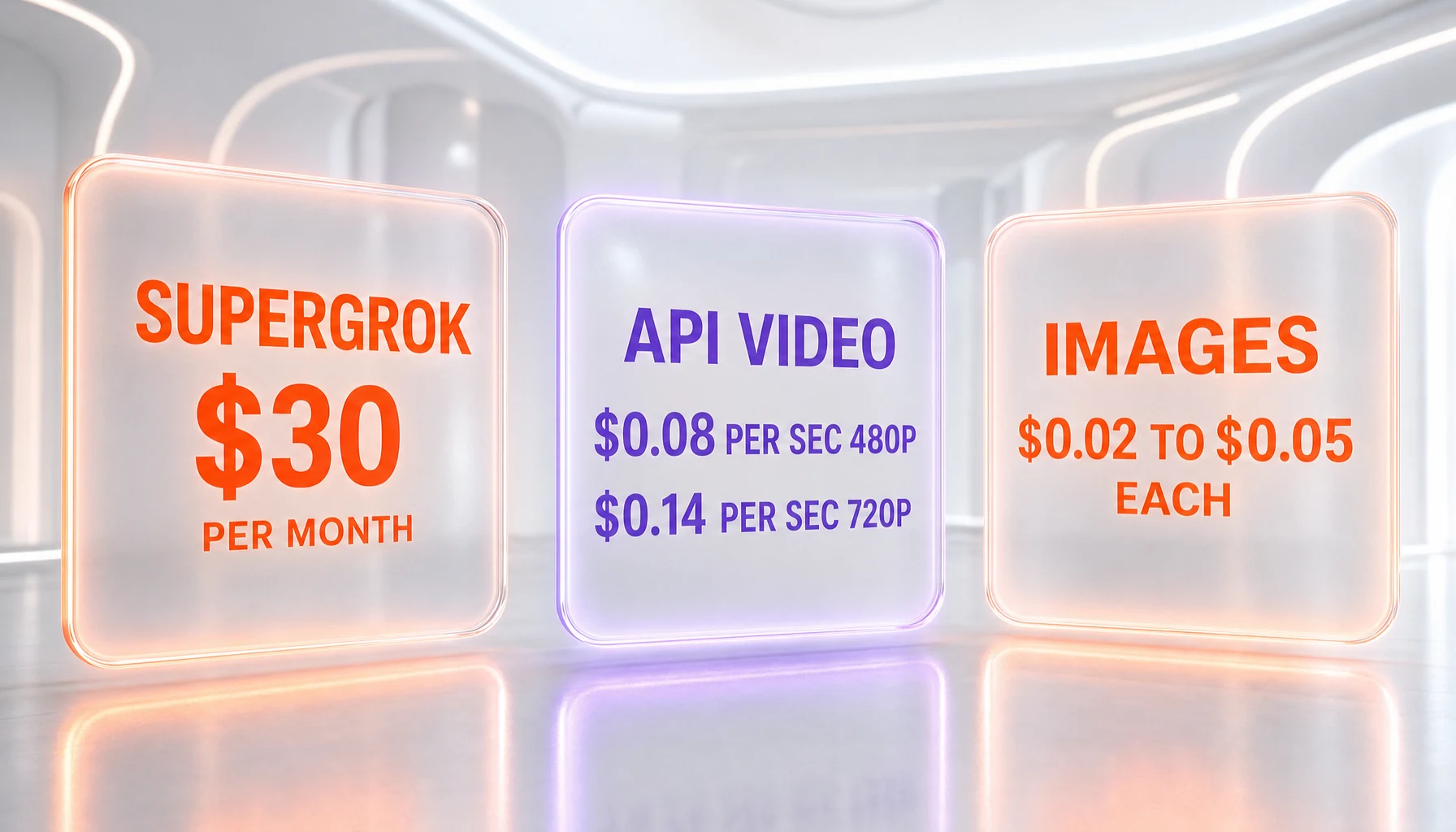
grok-imagine-video-1.5-preview, released June 3, 2026. The prior public milestone was Grok Imagine 1.0 on February 3, 2026. - Price: Consumer access is bundled into SuperGrok at $30 per month. API video billing on the 1.5 Preview is $0.08 per second at 480p and $0.14 per second at 720p, plus $0.01 per input image.
- Best for: Fast image-to-video clips with built-in sound, social-format vertical video, and creators who want speed and audio in one tool.
- Skip if: You need long-form video, 1080p or 4K output, reliable text-to-video on the newest model, or transparent enterprise documentation today.
- Our score: 8 out of 10, based on xAI's primary documentation plus hands-on time in the Grok apps and a read of the public Arena leaderboard.
What is Grok Imagine?
Grok Imagine is xAI's generative media system, built into the Grok product and exposed through the xAI API. It does three related jobs: it generates and edits still images from text prompts, it animates still images and text prompts into short video clips, and it produces synchronized native audio inside those clips in a single inference pass. It first appeared inside the Grok apps in 2025, reached a public 1.0 milestone on February 3, 2026 with 720p video and improved audio, and on June 3, 2026 xAI shipped the newer Grok Imagine Video 1.5 Preview through the API.
What separates Grok Imagine from a pure text-to-image generator is the video plus audio combination. Where many pipelines generate a silent clip and then require a separate text-to-speech or sound-design step, xAI generates the dialogue, sound effects, ambient sound, and music together with the visuals. On the image side, the API documents text-to-image generation, configurable output of up to ten images per request, and text-based image editing that accepts up to three reference images for guidance. On the video side, the model supports image-to-video animation, clip extension, and editing of existing footage.
It is important to keep the image and video pieces distinct, because their specifications differ and the version numbers do not line up. The image models are billed per image at a flat rate regardless of prompt length. The video models are billed per second, where both clip duration and resolution affect the total cost, and video requests run asynchronously: you start a request, then poll a returned request ID until the result is ready. Since July 31, 2026 the 1.5 model handles text-to-video, image-to-video and reference-to-video; on that model xAI documents text-to-video as text-to-image followed by image-to-video under the hood. The earlier grok-imagine-video model stays listed and is the only one that takes video as an input.
Key features
Here is what Grok Imagine ships as of June 2026, separated cleanly into image, video, and audio so the specifications stay honest.
Image generation and editing
Grok Imagine generates new still images from text prompts and edits existing images with text instructions. The API documents configurable output of up to ten images per request, with adjustable aspect ratio, resolution, and response format. Image editing accepts up to three reference images, which lets you steer identity, style, or composition rather than relying on the prompt alone. Three image models appear in xAI's model list, each billed at a flat per-image rate that does not change with prompt length: grok-imagine-image, grok-imagine-image-quality and grok-imagine-image-2.0. All three are listed and priced side by side, and xAI marks none of them deprecated.
Image-to-video animation
The headline workflow on the newest model is image-to-video: you supply a still and Grok Imagine animates it into a short clip. The Grok Imagine Video 1.5 Preview produces clips of one to fifteen seconds (defaulting to eight seconds) at up to 720p, rendered at 24 frames per second, and supports multiple aspect ratios including 16:9, 1:1, and 9:16 for vertical social video. Per xAI's own framing, the 1.5 Preview does not currently support text-to-video, so on the newest model you start from an image, not a blank prompt.
Native synchronized audio
This is the feature that most clearly distinguishes Grok Imagine. The model generates dialogue, sound effects, ambient sound, and music in the same inference pass as the video, rather than as a separate step. xAI's 1.0 release in February 2026 emphasized synchronized audio with lip-sync for spoken dialogue, and the 1.5 Preview carries the native-audio approach forward. For a creator, that means a clip can arrive with sound already attached and roughly aligned to the action, which removes an entire post-production stage for short-form content.
Edit and extend clips
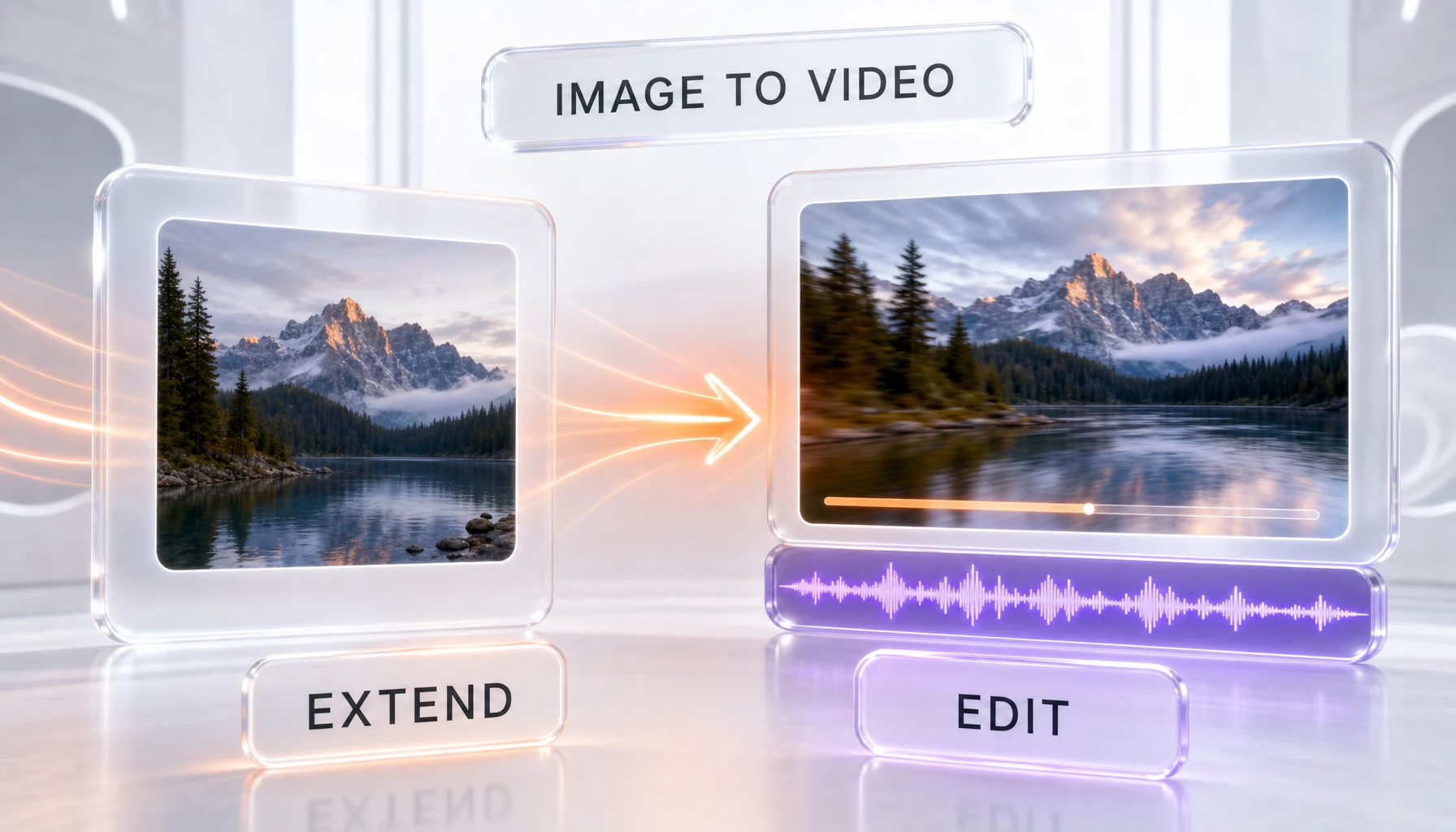
Beyond generating fresh clips, Grok Imagine can edit existing video and extend it. xAI's documented "Extend from Frame" capability lets you chain clips together to build sequences longer than a single generation, which is the practical way to work around the per-clip duration ceiling. This is a meaningful workflow tool given that individual clips are short by design.
API access and async generation
Grok Imagine is available through the xAI API as well as inside the Grok apps. Image requests return synchronously, but video requests are asynchronous by design: you submit the job, receive a request ID, and poll until the render completes. xAI also exposes the model to partner platforms, so some third-party video tools route their generation through Grok Imagine under the hood rather than building their own model.
Benchmarks: where Grok Imagine ranks (and what is verified)
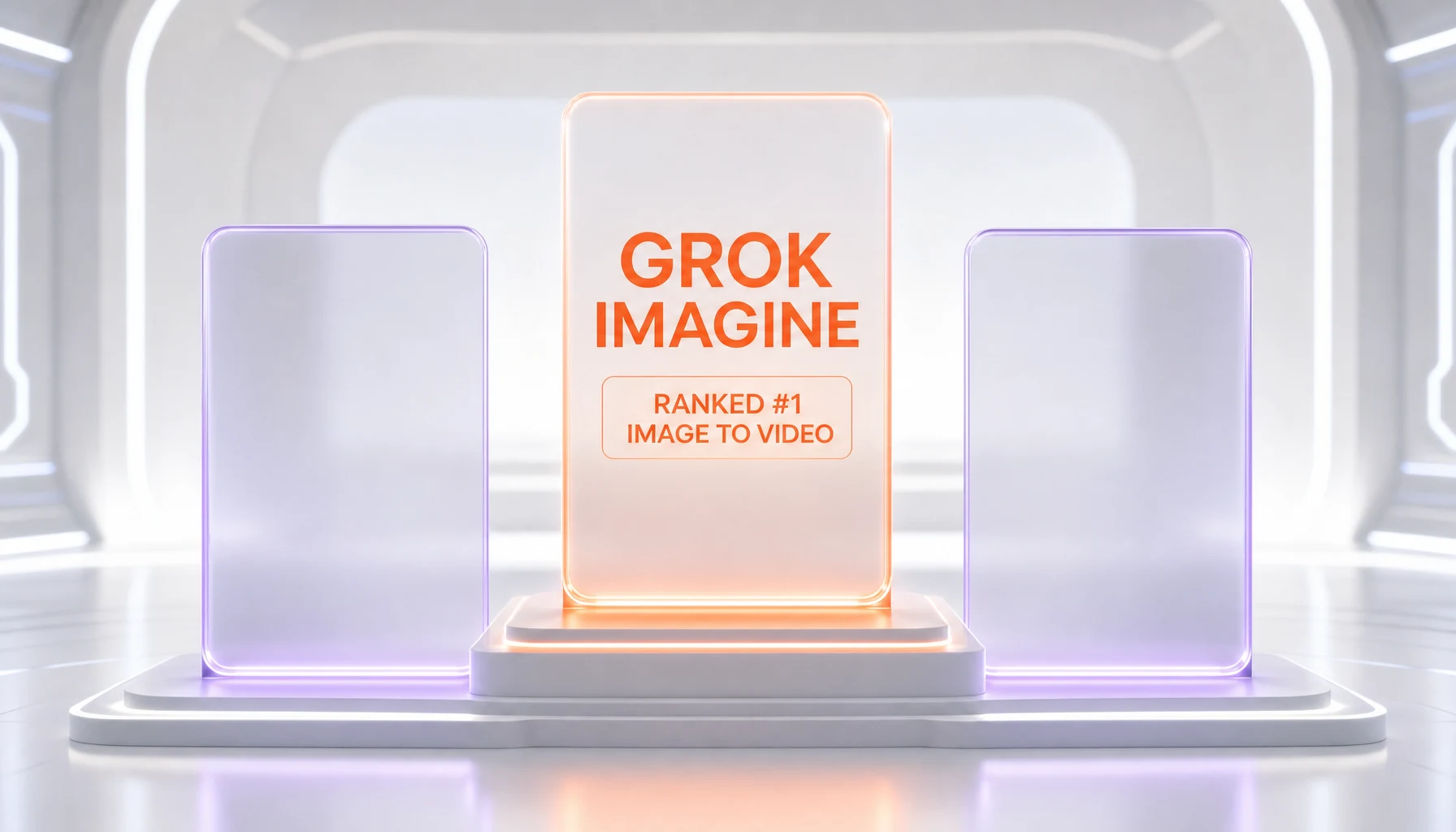
The clearest external signal for Grok Imagine's video quality is the public Arena image-to-video leaderboard, which collects human preference votes between models. xAI states that the Grok Imagine Video 1.5 Preview ranks first on that 720p image-to-video board, and the figures reported alongside the launch put it at 1473 Elo, narrowly ahead of ByteDance's Seedance 2.0 at 1467 Elo. The same source reports that the previous 1.0 model scored 1421 Elo, so the 1.5 Preview represents a roughly 52-point Elo jump generation over generation.
An important caveat on framing: an Elo lead on a preference leaderboard reflects how often human voters prefer one clip to another on that specific board, not an absolute measure of every dimension of quality. The margin over Seedance 2.0 is small, and leaderboards move as new models arrive and votes accumulate. We report the 1473 Elo figure because xAI published it alongside the launch and it is corroborated by independent coverage of the leaderboard, not because we re-ran the ranking ourselves. Treat it as a strong but narrow and time-sensitive signal: Grok Imagine is genuinely competitive at the top of image-to-video right now, but "number one" is a snapshot, not a permanent claim.
Pricing
Grok Imagine pricing comes in two flavors — a consumer subscription and usage-based API billing — and they are easy to confuse, so here are the exact figures from xAI's documentation.
- Consumer subscription: Grok Imagine is unlocked for paying subscribers through SuperGrok at $30 per month, accessed inside the Grok apps. There is no separate consumer line item for Imagine specifically; it is part of the subscription.
- API image generation: xAI lists three image models, all billed flat per image.
grok-imagine-imagecosts $0.02 per image at 1K and 2K;grok-imagine-image-qualitycosts $0.05 at 1K and $0.07 at 2K;grok-imagine-image-2.0is priced by quality tier, from $0.04 per image at 1K Low to $0.08 at 2K Medium. Input images bill separately, at $0.002 ongrok-imagine-imageand $0.01 on the other two. - API video, 1.5: $0.08 per second of output at 480p, $0.14 per second at 720p and $0.25 per second at 1080p, plus $0.01 for each input image.
- API video, the other model:
grok-imagine-videois still listed and billed, at $0.05 per second at 480p and $0.07 at 720p. It is the only Imagine model that accepts video as an input.
The practical read: on the 1.5 Preview, a typical eight-second 720p clip costs in the region of a little over one dollar in API output before input-image charges, while the older video model is cheaper per second but a generation behind on quality. For casual creators, the $30 per month SuperGrok subscription is the simpler path, since it bundles Grok Imagine access into the wider Grok product rather than metering each generation. Because the API is usage-based, your real bill scales with how many seconds and how high a resolution you render, so budget by output seconds, not by a flat figure.
How we tested this review
We want to be precise about what this review is and is not. We read xAI's primary documentation directly — the Imagine model-capabilities page and the model and pricing list on docs.x.ai — and we spent hands-on time generating clips and images inside the Grok apps to form the qualitative read below on speed, audio, and the image-to-video workflow. For the brand-new Grok Imagine Video 1.5 Preview, which launched on June 3, 2026, our assessment leans more on xAI's primary material and the public Arena leaderboard than on weeks of metered use, simply because it is days old at the time of writing.
What we did: we confirmed every model ID, price, resolution, duration, and frame-rate figure in this review against xAI's own documentation rather than secondhand summaries, and we cross-checked the leaderboard claim against independent coverage. Where a number is xAI's own published figure rather than something we measured — the 1473 Elo ranking, for example — we say so explicitly. Where consumer reports surface, such as complaints about shifting generation quotas and reset windows, we attribute them to the platforms they came from rather than presenting them as our own measurements.
What we did not do: we have not run a multi-week, fully metered cost-per-clip study on the 1.5 Preview, and we have not independently reproduced the Arena ranking. Verifiable, aggregated third-party star ratings for Grok Imagine specifically were not available at the time of publication — most platform reviews cover the broader Grok product rather than the Imagine model — so this review carries our editorial score rather than an external community star rating. We will revisit with longer-run hands-on data as the 1.5 Preview matures and text-to-video support arrives. Last reviewed: June 2026.
What we found using Grok Imagine
Here is the qualitative read from time in the Grok apps and a close look at the documentation and leaderboard, kept honest about what is first-hand and what is reported.
Native audio is the real differentiator. The single most striking thing about Grok Imagine is that a clip can come back with sound already attached. Dialogue, ambient noise, and effects are generated with the visuals rather than layered afterward, and for short social content that collapses a whole post-production stage. This is the feature we would actually choose Grok Imagine for over a silent-video competitor.
Speed is a genuine strength. Generation is fast. xAI reports that a typical ten-second 720p clip with audio renders in roughly seventeen seconds, and the snappy turnaround matches the broad consensus in independent reviews. For an iterative workflow — generate, look, tweak the prompt, regenerate — that speed changes how freely you experiment.
Quality is strong on the first pass but uneven on complex prompts. The Arena leaderboard places the 1.5 Preview at the top of image-to-video, and first generations on straightforward prompts look noticeably better than expected. The honest counterweight, consistent across independent reviews, is that quality can drift on more complex prompts — motion and detail tend to degrade as a clip progresses, and artifacts appear when you push composition hard. We present the leaderboard ranking as xAI's published figure and the artifact pattern as a recurring theme in third-party testing rather than a controlled measurement of our own.
The short-clip ceiling is the practical limit. Clips run to roughly fifteen seconds, with eight seconds as the 1.5 default, and xAI bills 480p, 720p and 1080p on that model. The "Extend from Frame" feature lets you chain clips for longer sequences, but if you need 4K or minutes of continuous footage, Grok Imagine is not the tool today. This is a deliberate short-form positioning, not a bug, but it is a real constraint.
Image-to-video only on the newest model is a workflow gotcha. The 1.5 Preview is the best-quality option, but it does not currently do text-to-video — you have to start from an image. The older line handled text-to-video, so depending on your workflow you may find yourself choosing between newest-quality (image-to-video) and text-to-video (older model). This split is worth knowing before you build around it.
Access friction and shifting quotas are a recurring complaint. Grok Imagine is gated behind a paid SuperGrok subscription on the consumer side, and some users have reported on review platforms that generation quotas and reset windows changed without clear communication — for example, fewer generations per window and longer reset times. We surface these as attributed user reports, not our own measurements, but they speak to a transparency gap worth weighing.
The honest asterisk: the 1.5 Preview is days old, we have not run a long metered study on it, and we did not independently reproduce the Arena ranking. Our 8 out of 10 reflects a fast, genuinely audio-native model that is competitive at the very top of image-to-video, tempered by the resolution and duration ceiling, the image-to-video-only limitation on the newest model, thin documentation, and access friction.
Pros and cons
What we like
- Native synchronized audio — dialogue, sound effects, ambient sound, and music are generated in the same pass as the video, removing a whole post-production stage for short clips.
- Genuinely fast generation; xAI reports a typical ten-second 720p clip with audio renders in around seventeen seconds, which makes iterative prompting practical.
- Top-tier image-to-video quality on first passes — the 1.5 Preview ranks first on the public Arena image-to-video leaderboard at a reported 1473 Elo, just ahead of Seedance 2.0.
- Multi-modal inputs: text-to-image, image-to-video, image editing with up to three reference images, and clip extend and edit in one tool.
- Vertical and square aspect ratios (9:16 and 1:1 alongside 16:9) suit social-format video directly.
- Usage-based API pricing is transparent on a per-second and per-image basis, so costs scale predictably with output.
What gives us pause
- Duration ceiling: clips top out at roughly fifteen seconds, so it is not for long-form video, and 4K is not offered.
- Only the older grok-imagine-video model accepts video as an input, so clip-to-clip work stays on it rather than on the newer 1.5.
- Consumer access is gated behind a paid SuperGrok subscription at $30 per month rather than a free tier for the full feature set.
- Documentation and plan clarity are thinner than a mainstream-friendly tool should have, and some users report quotas and reset windows changing without clear communication.
- Quality can drift on complex prompts, with motion and detail degrading and artifacts appearing as a clip progresses.
Best use cases
- Short-form social video: vertical 9:16 clips with native audio for TikTok, Reels, and Shorts, generated fast enough to iterate freely.
- Animating stills: bringing a single hero image to life as a short clip via image-to-video on the 1.5 Preview.
- Audio-attached b-roll: quick clips that arrive with ambient sound or effects already aligned, skipping a separate sound-design pass.
- Concept and mood exploration: rapid visual ideation where speed and first-pass quality matter more than 4K finish.
- Image generation and editing: text-to-image plus reference-guided edits with up to three reference images for identity and style control.
- API-driven generation at scale: programmatic image and short-video creation through the xAI API with predictable per-second and per-image billing.
Alternatives to Grok Imagine
Grok Imagine is not always the right call. Here is how it stacks against the obvious alternatives, all of which we review on ThePlanetTools.
- Seedance 2.0: ByteDance's model and Grok Imagine's closest rival on the Arena image-to-video board, where the two sit within a handful of Elo points. Seedance is the one to compare directly if native audio plus image-to-video quality is your priority.
- Sora 2: OpenAI's video model, strong on coherence and prompt following; reach for it when you want a different quality profile or you are already in the OpenAI ecosystem.
- Veo 3.1: Google's flagship video generator, also with native audio, and a strong option if you need higher resolution or you live on Google Cloud. The Veo 3.1 Fast tier trades some quality for speed.
- Kling 3.0 Omni: Kuaishou's multimodal video model, competitive on motion and a good cross-check when Grok Imagine's quality drifts on complex prompts.
- Grok: the broader xAI chatbot that Grok Imagine plugs into. If you want the conversational assistant, real-time X data, and image plus video generation in one place, the parent product is the umbrella subscription.
Final verdict
Grok Imagine is one of the strongest short-form video generators available in June 2026, and its native synchronized audio is a genuine differentiator that collapses a whole post-production stage. The newest model, the Grok Imagine Video 1.5 Preview released on June 3, 2026, ranks first on the public Arena image-to-video leaderboard at a reported 1473 Elo, narrowly ahead of Seedance 2.0, and it is genuinely fast — xAI reports a ten-second 720p clip with audio renders in around seventeen seconds. We score it 8 out of 10.
The honest asterisk: clips run to roughly fifteen seconds, so this is short-form territory rather than long-form, and 4K is not offered. Consumer access is gated behind a $30 per month SuperGrok subscription, documentation is thinner than a mainstream tool should have, and some users report quotas shifting without clear communication. For creators who want fast, audio-native short clips and are comfortable in the Grok ecosystem, Grok Imagine is an easy recommendation. If you need high resolution, long-form output, or reliable text-to-video on the newest model, look at the alternatives first. We will revisit this review with longer-run hands-on data as the 1.5 Preview matures.
Frequently asked questions
What is Grok Imagine?
Grok Imagine is xAI's generative media model. It creates and edits images from text prompts, animates stills and prompts into short video clips, and generates synchronized native audio — dialogue, sound effects, ambient sound, and music — inside those clips in a single inference pass. It is available in the Grok apps and through the xAI API. The newest model is the Grok Imagine Video 1.5 Preview, released June 3, 2026.
How much does Grok Imagine cost?
On the consumer side, Grok Imagine is bundled into the SuperGrok subscription at $30 per month, accessed inside the Grok apps. Through the xAI API, image generation is billed flat per image — $0.02 on grok-imagine-image, $0.05 to $0.07 on grok-imagine-image-quality, and $0.04 to $0.08 on grok-imagine-image-2.0 depending on resolution and quality tier — and video on the 1.5 model is billed per second of output: $0.08 per second at 480p, $0.14 at 720p and $0.25 at 1080p, plus $0.01 for each input image. Because the API is usage-based, your bill scales with output seconds and resolution.
When was Grok Imagine released?
Grok Imagine first appeared inside the Grok apps in 2025. It reached a public 1.0 milestone on February 3, 2026 with 720p video and improved synchronized audio. The newest model, the Grok Imagine Video 1.5 Preview, was released through the xAI API on June 3, 2026, with consumer rollout to X described as in progress.
What is the latest version of Grok Imagine?
Checked on August 28, 2026, xAI lists five Imagine models. On video, the newer of the two is Grok Imagine Video 1.5, whose canonical API model ID is grok-imagine-video-1.5, with grok-imagine-video-1.5-preview and grok-imagine-video-1.5-2026-05-30 listed as its aliases; grok-imagine-video is still listed alongside it. On images, xAI lists grok-imagine-image, grok-imagine-image-quality and grok-imagine-image-2.0. xAI states the 1.5 model ranks first on the public Arena image-to-video leaderboard, at a reported 1473 Elo, narrowly ahead of ByteDance's Seedance 2.0, against a reported 1421 Elo for the earlier 1.0 line.
Does Grok Imagine generate audio?
Yes. Native audio is Grok Imagine's standout feature. It generates dialogue, sound effects, ambient sound, and music in the same inference pass as the video, rather than as a separate step. The 1.0 release emphasized synchronized audio with lip-sync for spoken dialogue, and the 1.5 Preview continues the native-audio approach. For short-form content this removes the need for a separate sound-design or text-to-speech stage.
What resolution and length can Grok Imagine video reach?
On the Grok Imagine Video 1.5 Preview, clips run from one to fifteen seconds (defaulting to eight seconds), rendered at 24 frames per second, in aspect ratios including 16:9, 1:1, and 9:16. xAI bills three output resolutions on this model — 480p, 720p and 1080p — and since July 31, 2026 documents native 1080p for text-to-video and image-to-video. There is no 4K option today. The "Extend from Frame" feature lets you chain clips together to build sequences longer than a single generation.
Does Grok Imagine support text-to-video?
Yes, since July 31, 2026. xAI's release notes state that grok-imagine-video-1.5 supports text-to-video, image-to-video and reference-to-video, the last with optional preset voices, and that text-to-video on this model runs as text-to-image followed by image-to-video under the hood. At launch the model was image-to-video only, which is how older write-ups describe it. The separate grok-imagine-video model remains listed, and it is the only one of the two that accepts video as an input.
Can Grok Imagine use reference images?
Yes. For image editing, xAI documents text-based editing that accepts up to three reference images, which lets you steer identity, style, or composition rather than relying on the text prompt alone. On the video side, grok-imagine-video-1.5 accepts reference-to-video as well as image-to-video, so a still image or a set of reference images can be the starting input for animation.
How do I access Grok Imagine?
Grok Imagine is available two ways. Consumers reach it inside the Grok apps as part of a paid SuperGrok subscription at $30 per month. Developers reach it through the xAI API, where image requests return synchronously and video requests run asynchronously — you submit the job, receive a request ID, and poll until the render is ready. xAI also exposes the model to partner platforms, so some third-party tools generate video through Grok Imagine under the hood.
How does Grok Imagine compare to Seedance 2.0 and Veo 3.1?
On the public Arena image-to-video leaderboard, Grok Imagine's 1.5 Preview is reported to edge out ByteDance's Seedance 2.0 by a few Elo points (1473 versus 1467), so the two are very close rivals; compare them directly if native audio plus image-to-video quality is your priority. Google's Veo 3.1 also offers native audio and is a strong option when you need higher resolution or you are on Google Cloud. We review all three so you can match the model to your specific workflow.
Is Grok Imagine good for professional video work?
It is excellent for fast, audio-native short-form clips and social-format video, and it is competitive at the very top of image-to-video quality on first passes. It is less suited to professional work that needs 1080p or 4K resolution, continuous footage longer than about fifteen seconds, or reliable text-to-video on the newest model. Quality can also drift on complex prompts. For polished long-form or high-resolution deliverables, treat it as a rapid-ideation and short-clip tool rather than a finishing pipeline.
Sources and references
- xAI — Imagine model capabilities documentation, docs.x.ai/developers/model-capabilities/imagine.
- xAI — models and pricing list, docs.x.ai/docs/models.
- xAI — Grok Imagine and Grok Imagine API announcements, x.ai/news.
Key Features
Pros & Cons
Pros
- Native synchronized audio — dialogue, sound effects, ambient sound, and music are generated in the same pass as the video, removing a whole post-production stage for short clips.
- Genuinely fast generation; xAI reports a typical ten-second 720p clip with audio renders in around seventeen seconds, which makes iterative prompting practical.
- Top-tier image-to-video quality on first passes — the 1.5 Preview ranks first on the public Arena image-to-video leaderboard at a reported 1473 Elo, just ahead of Seedance 2.0.
- Multi-modal inputs: text-to-image, image-to-video, image editing with up to three reference images, and clip extend and edit in one tool.
- Vertical and square aspect ratios (9:16 and 1:1 alongside 16:9) suit social-format video directly.
- Usage-based API pricing is transparent on a per-second and per-image basis, so costs scale predictably with output.
Cons
- Duration ceiling: clips top out at roughly fifteen seconds, so it is not for long-form video, and 4K is not offered.
- Only the older grok-imagine-video model accepts video as an input, so clip-to-clip work stays on it rather than on the newer 1.5.
- Consumer access is gated behind a paid SuperGrok subscription at $30 per month rather than a free tier for the full feature set.
- Documentation and plan clarity are thinner than a mainstream-friendly tool should have, and some users report quotas and reset windows changing without clear communication.
- Quality can drift on complex prompts, with motion and detail degrading and artifacts appearing as a clip progresses.
Best Use Cases
Platforms & Integrations
Available On
Integrations

We're developers and SaaS builders who use these tools daily in production. Every review comes from hands-on experience building real products — DealPropFirm, ThePlanetIndicator, PropFirmsCodes, and many more. We don't just review tools — we build and ship with them every day.
Written and tested by developers who build with these tools daily.
Frequently Asked Questions
What is Grok Imagine?
xAI's image, video, and native-audio generation model
How much does Grok Imagine cost?
Grok Imagine costs $30/month.
Is Grok Imagine free?
No, Grok Imagine starts at $30/month.
What are the best alternatives to Grok Imagine?
Top-rated alternatives to Grok Imagine can be found in our WebApplication category, where we've reviewed and scored every tool on ThePlanetTools.ai.
Is Grok Imagine good for beginners?
Grok Imagine is rated 8/10 for ease of use.
What platforms does Grok Imagine support?
Grok Imagine is available on Web, iOS, Android, API.
Does Grok Imagine offer a free trial?
No, Grok Imagine does not offer a free trial.
Is Grok Imagine worth the price?
Grok Imagine scores 7.5/10 for value. It offers good value.
Who should use Grok Imagine?
Grok Imagine is ideal for: Short-form social video with native audio (TikTok, Reels, Shorts), Animating a single still image into a short clip, Audio-attached b-roll without a separate sound-design pass, Rapid concept and mood exploration, Text-to-image generation and reference-guided image editing, API-driven image and short-video generation at scale.
What are the main limitations of Grok Imagine?
Some limitations of Grok Imagine include: Duration ceiling: clips top out at roughly fifteen seconds, so it is not for long-form video, and 4K is not offered.; Only the older grok-imagine-video model accepts video as an input, so clip-to-clip work stays on it rather than on the newer 1.5.; Consumer access is gated behind a paid SuperGrok subscription at $30 per month rather than a free tier for the full feature set.; Documentation and plan clarity are thinner than a mainstream-friendly tool should have, and some users report quotas and reset windows changing without clear communication.; Quality can drift on complex prompts, with motion and detail degrading and artifacts appearing as a clip progresses..
Ready to try Grok Imagine?
Get started today
Try Grok Imagine Now →