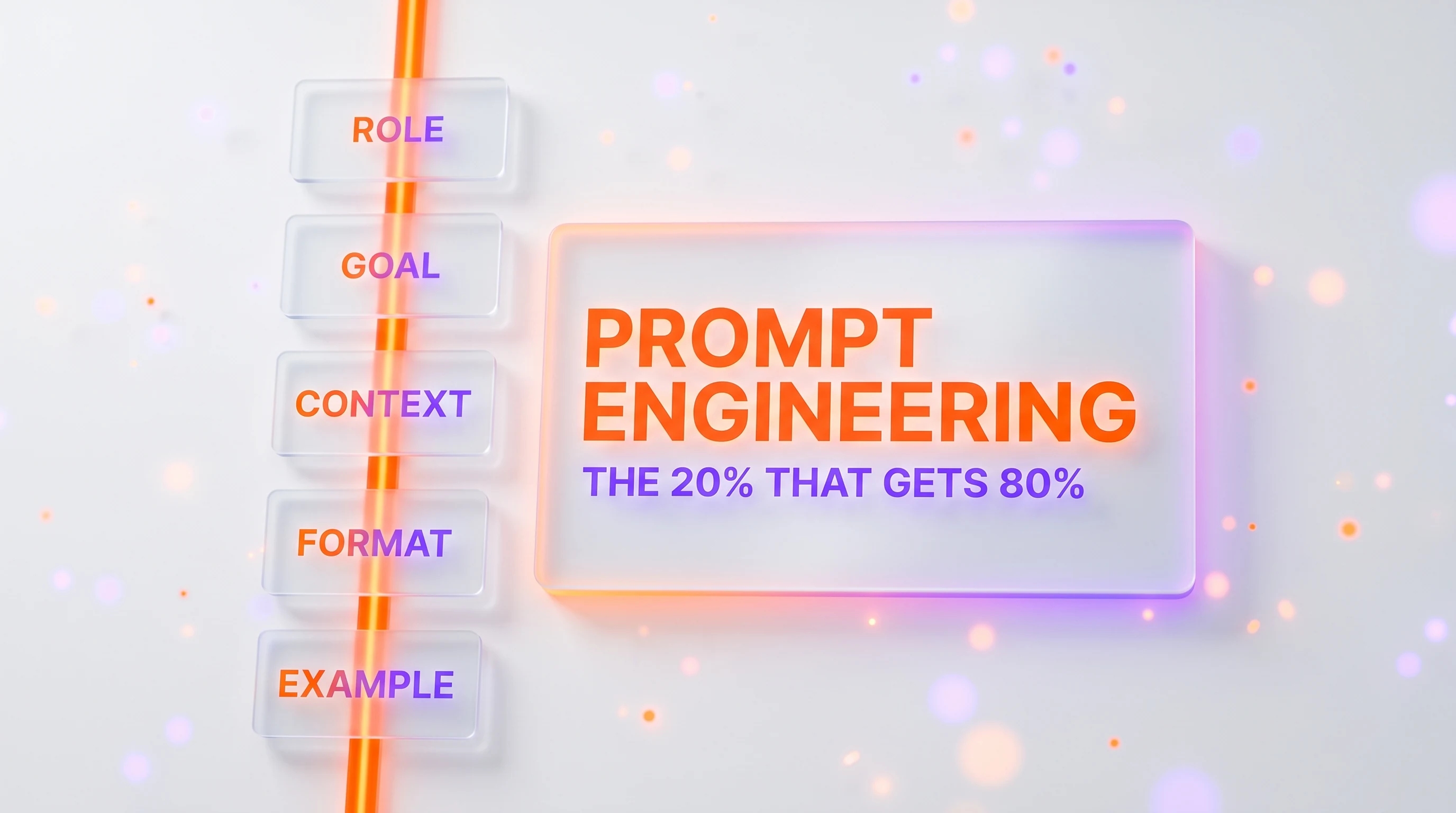
Prompt engineering is the skill of asking an AI model for what you want clearly enough to get it on the first or second try, and it is far simpler than it sounds. In this guide we'll show you the twenty percent of the technique that produces roughly eighty percent of the results: a reusable prompt skeleton, being specific, showing examples, controlling the output format, and iterating instead of giving up. Every technique comes with a plain before-and-after so you can see the difference, and the guide ends with ten copy-paste templates you can use today. No coding required.
Quick Summary
Most people talk to AI models the way they'd toss a half-formed thought to a colleague across the room, and then wonder why the answer is generic. The fix is not a secret phrase or a jailbreak. It's a short set of habits that make your request unambiguous. By the end of this guide, a focused read of about twenty-five minutes, you'll be able to look at any weak result and know exactly which lever to pull to make it better.
Here is the whole method, in order:
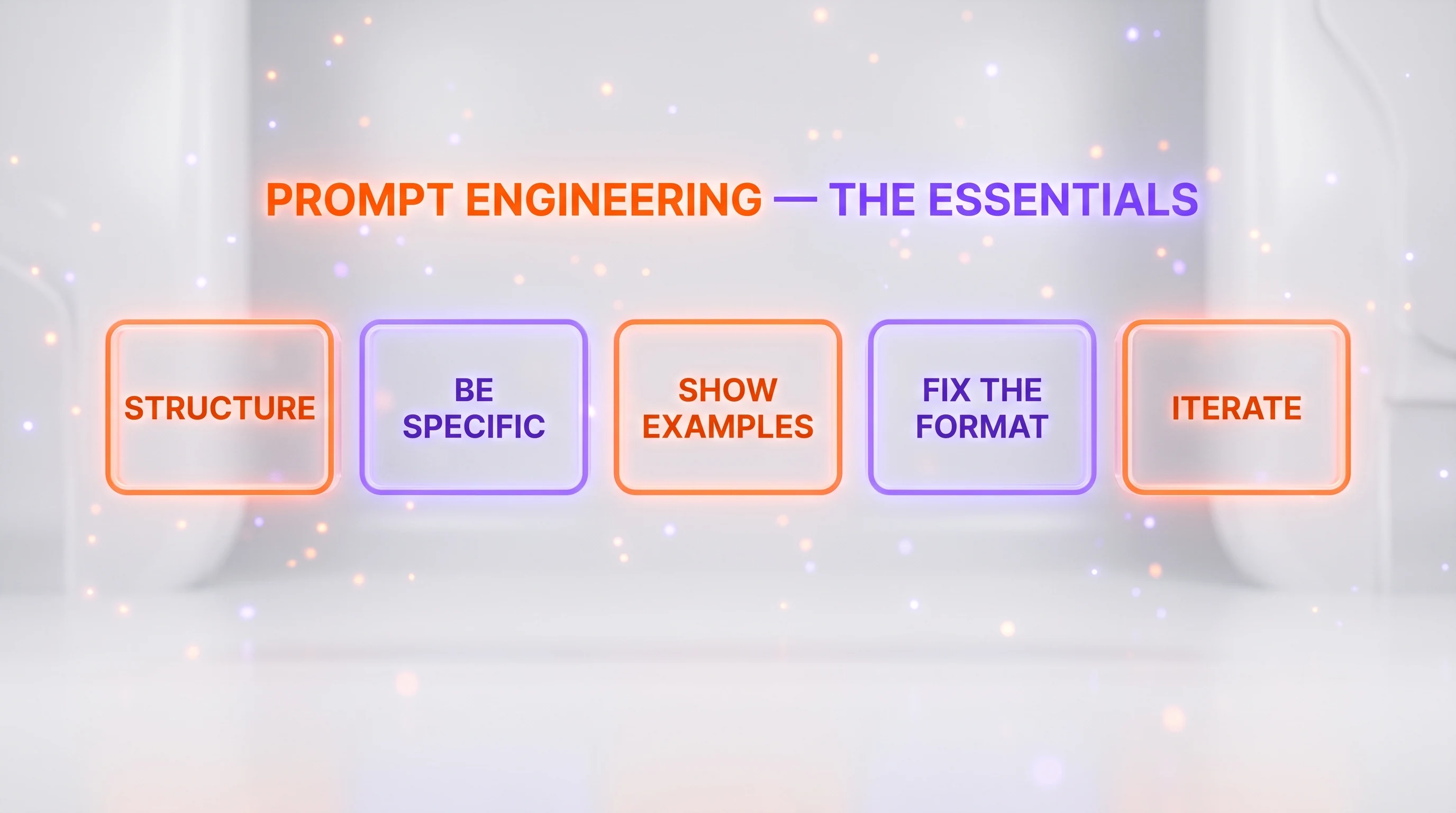
- Step 1 — Use a skeleton. Role, Goal, Context, Format, Example. One template that works for almost any task.
- Step 2 — Be specific. Give the context, constraints, and audience the model cannot see. This single habit does the most work.
- Step 3 — Show examples. One or two samples of the output you want often beat a paragraph of instructions.
- Step 4 — Control the format. Ask for a table, JSON, a length, or a tone, and you get something you can actually use.
- Step 5 — Iterate. Refine with follow-ups and ask the model to critique its own answer instead of starting over.
- Step 6 — Write a system prompt. Turn a good setup into a reusable persona so you stop repeating yourself.
- Step 7 — Drop what no longer works. Skip the threats, bribes, and rituals that used to be folklore, and avoid the common mistakes.
Why does any of this work at all? Under the hood, a model reads your prompt and predicts the most likely next words, one after another. It has no memory of you and cannot see your screen, your files, or your intent unless you put them in the prompt. If you'd like the mechanism in plain English, our explainer on how large language models actually work is a good companion to this guide. The practical takeaway: the model only knows what you tell it, so telling it well is the entire game.
What You Need (Prerequisites)
This guide is deliberately low-barrier. To follow along you need:
- Access to any modern AI chat tool. A free or paid account on an assistant such as ChatGPT, Claude, or Gemini is enough. Everything here works in the normal chat box.
- No coding or setup. You will not install anything or write a line of code. If you can type a message, you can do every step.
- A real task to practice on. The techniques stick far better when you apply them to something you actually need, so keep a live task handy: an email to draft, a document to summarize, or data to sort.
- A willingness to send a second message. The biggest mindset shift is treating the first answer as a draft, not a verdict. If you can do that, you are already ahead of most users.
That's it. Let's build the skeleton.
Step 1 — The Skeleton That Works: Role, Goal, Context, Format, Example
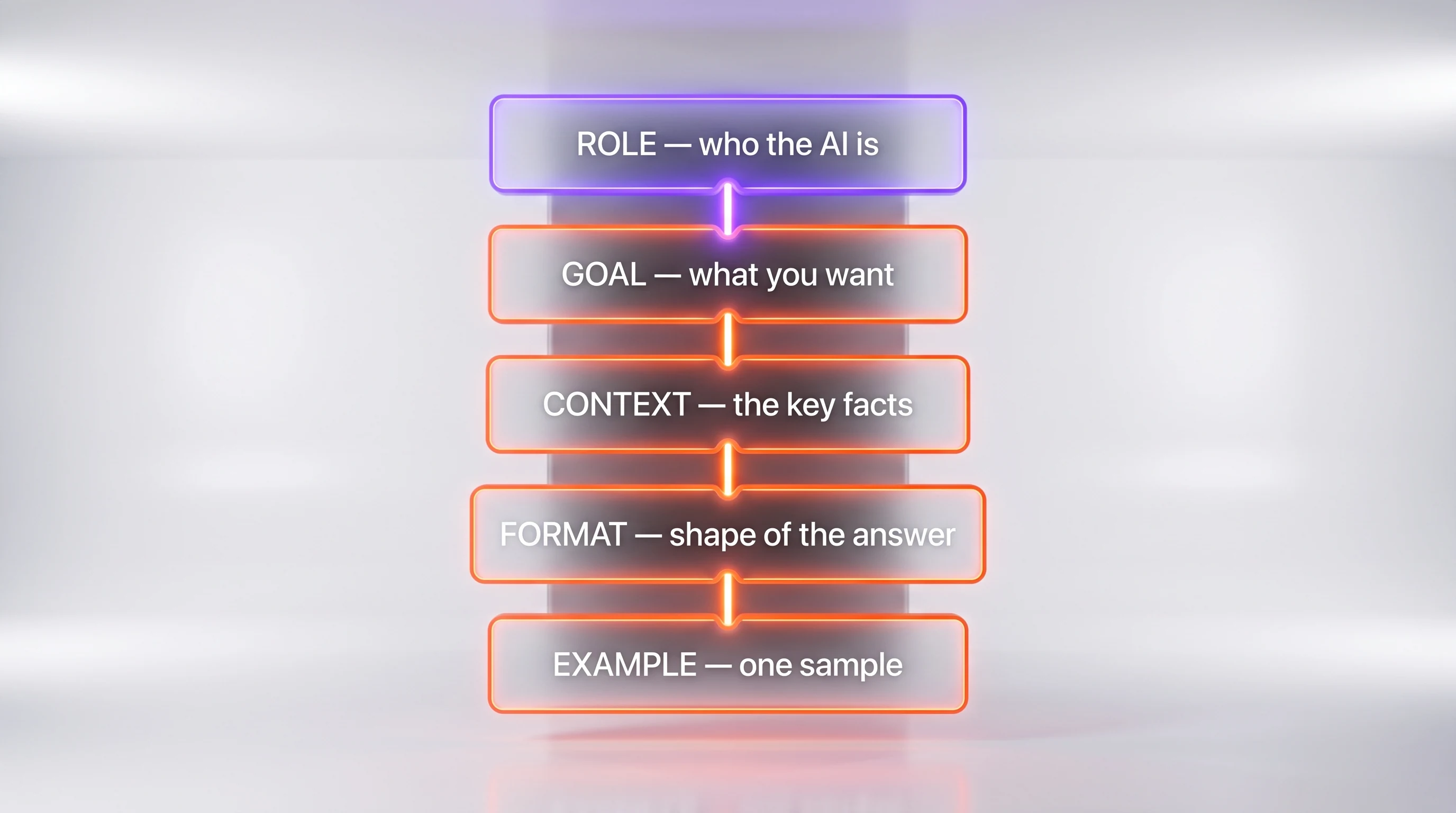
Almost every good prompt answers five questions, whether or not the writer knows it. Learn the pattern once and you'll never stare at a blank chat box again. We call it the skeleton: Role, Goal, Context, Format, Example. You don't always need all five, but the more of them you include, the sharper the answer.
- Role — who the AI should act as. This frames its vocabulary and priorities.
- Goal — what you actually want it to produce.
- Context — the facts it can't see: your situation, audience, product, or data.
- Format — the shape of the answer: length, structure, tone.
- Example — a sample of the output you have in mind, if you have one.
Here is the copyable template. Fill in the brackets and delete any line you don't need:
Role: You are [a role, e.g. an experienced B2B copywriter].
Goal: [what you want, e.g. write a subject line and a 90-word email].
Context: [the facts that matter, e.g. audience, product, tone, deadline].
Format: [structure and length, e.g. plain text, under 120 words, no emoji].
Example: [optional: a sample of the style or a similar output you liked].
Watch what it does to an ordinary request.
Before (bare request):
Write a welcome email for new users.You'll get a generic, slightly corporate email that could belong to any company on earth. Now the same task with the skeleton:
After (skeleton applied):
Role: You are a friendly onboarding specialist for a budgeting app.
Goal: Write a welcome email for someone who just signed up for the free plan.
Context: The reader is a first-time budgeter who feels a little intimidated by money. Our tone is warm, plain-spoken, and never preachy. The one action we want is for them to link a bank account.
Format: A subject line, then a short email under 120 words, one clear call to action, no jargon.
Example: Reassuring, like a helpful friend, not a bank.
The second version produces an email that sounds like your product and points at one action. Same model, same effort, wildly different output. That gap is prompt engineering in a nutshell, and the rest of this guide is really just the skeleton in more detail.
Step 2 — Be Specific (The Habit That Does the Most Work)
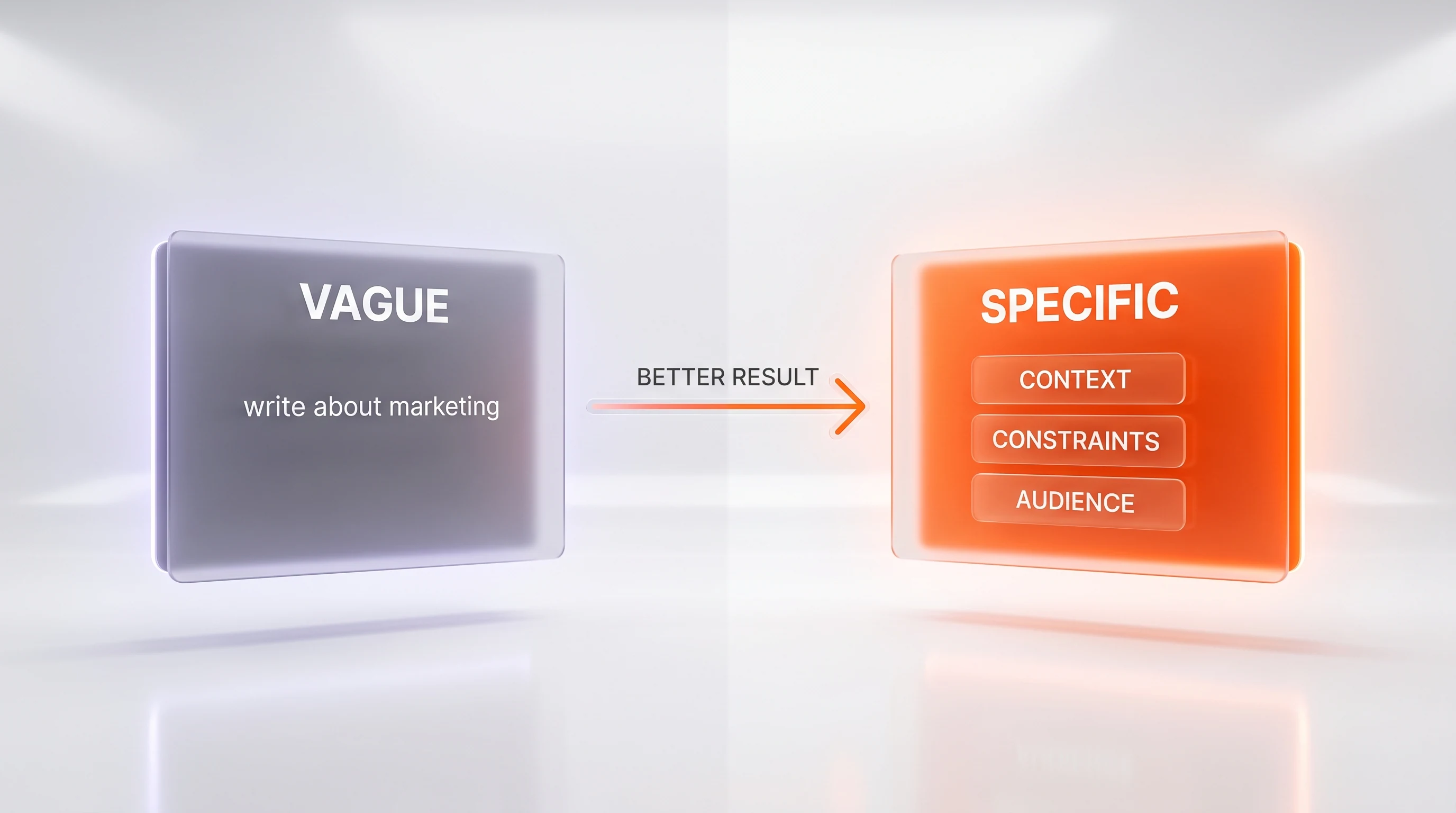
If you only change one thing about how you prompt, change this: stop leaving things unsaid. When a prompt is vague, the model doesn't refuse. It fills the gaps with the most statistically average guess, which is exactly why so many first answers feel bland. Specificity is you doing the guessing instead of the model.
Three ingredients turn a vague prompt into a specific one: context, constraints, and audience.
Before (vague):
Give me some tips to improve my website.The model has nothing to work with, so it returns a listicle you've read a hundred times: "make it mobile-friendly, improve load speed, add a call to action." True, useless. Now add the three ingredients.
After (specific):
I run a one-page website for a small pottery studio in Portland that sells beginner classes.
Context: Most visitors arrive on their phone from Instagram and leave without booking.
Constraints: I can edit text and images myself but cannot add new software or hire a developer.
Audience: Hobbyists in their 30s and 40s trying a class for the first time.
Give me the 5 highest-impact changes I can make this week, most important first, each in one sentence with a reason.
Now the advice is about a phone-first booking flow for a pottery studio, ranked, and doable without a developer. The difference isn't the model's intelligence. It's that you told it what "improve" means in your world.
A quick self-check before you hit send: could a stranger who knows nothing about me carry out this task correctly from these words alone? If not, add what's missing. Naming the audience is especially powerful, because "explain compound interest" and "explain compound interest to a 12-year-old" are almost different tasks.
Specificity has a bonus: shorter, tighter prompts and answers usually cost less on metered API plans, since you pay per token in and out. If you use AI through an API rather than a chat app, our breakdown of AI model pricing and how input and output tokens are billed shows why a lean prompt is also a cheaper one.
Step 3 — Show Examples (Few-Shot Prompting)
Sometimes the thing you want is hard to describe but easy to demonstrate. That's where few-shot prompting comes in: instead of explaining the pattern in words, you show the model one to three examples of input and the output you want, then give it the real one. "Few-shot" just means "a few examples." No examples is "zero-shot"; one is "one-shot."
This is the fastest way to lock in a consistent style or structure. Suppose you want to turn messy product notes into clean, uniform one-liners. Describing the style is slippery. Showing it is instant.
Before (zero-shot, described in words):
Rewrite these product notes to be short and consistent and punchy.You'll get "short and consistent," but everyone's idea of that differs, so the result may not match yours. Now show it the exact pattern.
After (few-shot, shown by example):
Rewrite each product note in the same style as these examples.

Input: "the mug is big, holds like 400ml, dishwasher ok, comes in blue"
Output: "400ml stoneware mug — dishwasher safe — available in blue."

Input: "small notebook, 100 pages, dotted, good for bullet journaling"
Output: "100-page dotted notebook — made for bullet journaling."

Now rewrite this one:
Input: "wool socks, warm, machine washable, sizes 4 to 11"
Output:
The model copies the pattern from your examples: the dash structure, the length, the tone. Two examples did what a paragraph of adjectives could not. Few-shot is especially good for classification ("label each message as urgent, normal, or spam"), extraction ("pull the date and total from each receipt"), and any task where consistency across many items matters more than any single answer.
One caution: your examples teach the model, so make them correct and representative. If two of your three examples are sloppy, the model will faithfully reproduce the sloppiness.
Step 4 — Control the Output Format
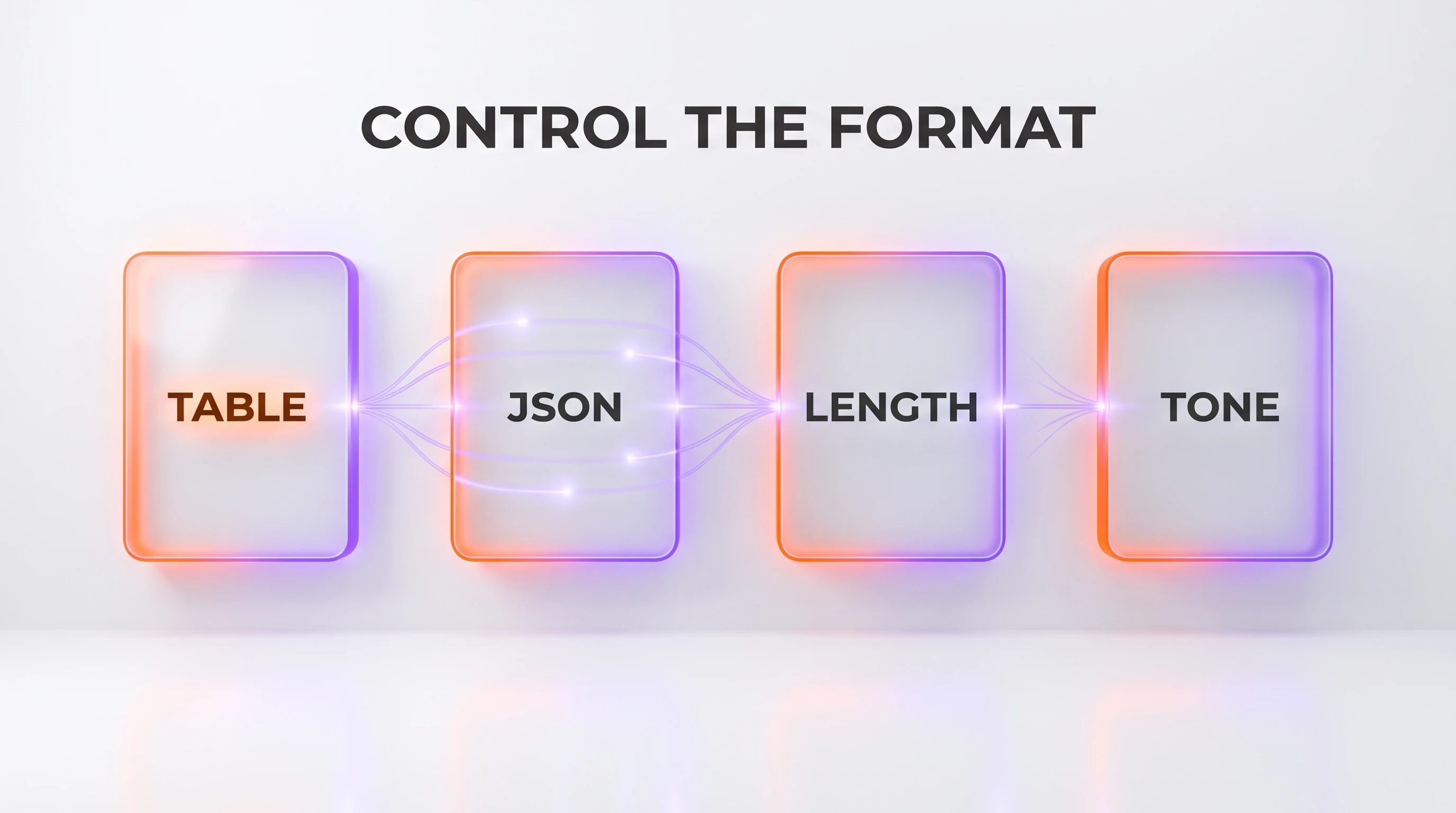
A great answer in the wrong shape is still extra work. If you have to reformat what the model gives you, you did some of its job. So tell it the shape up front. You can pin down four things: structure, data format, length, and tone.
Ask for a table when you want to compare things. Name the columns:
Compare these 3 laptops for a college student on a budget.
Return a markdown table with columns: Model, Price range, Battery life, Best for. One row per laptop, no paragraph before or after.
Ask for JSON when the output feeds a spreadsheet or another program. Give the exact keys and demand nothing but valid JSON:
{
  "task": "extract the details from the email below",
  "return_only": "valid JSON, no commentary",
  "sender_name": "string",
  "requested_date": "YYYY-MM-DD or null",
  "action_needed": "string"
}
When you paste that pattern above a block of text and add "return only valid JSON matching these keys," you get output you can drop straight into a tool without cleanup.
Pin the length so answers don't sprawl or truncate: "in exactly three bullet points," "under 50 words," "a single paragraph." Set the tone the same way: "plain and direct," "warm and encouraging," "formal, for a legal audience." Vague requests get verbose, hedge-filled replies, because the model can't tell how much you want. A length cap on the API also caps cost, since output tokens are usually the pricier half of the bill.
The rule of thumb: if you know what the finished thing should look like, describe that shape in the prompt. The more precisely you specify the container, the less you'll rework the contents.
Step 5 — Iterate Instead of Giving Up
Here's the habit that separates people who "can't get anything useful out of AI" from people who swear by it: the first answer is a draft. Beginners read a mediocre reply and conclude the tool is weak. Skilled users send a second message. Because the model keeps the earlier conversation in context, a follow-up is faster and cheaper than rewriting the whole prompt, and it usually gets you there in one or two nudges.
Give one precise correction at a time rather than a vague "make it better":
Good start. Now cut it to half the length.
Drop the third point entirely.
Rewrite the opening so it doesn't start with "In today's world."
Make the tone more direct and less salesy.
Two follow-up moves are worth memorizing. The first is self-critique: ask the model to grade its own work before improving it.
Before you finalize, list 3 weaknesses in your draft above, then rewrite it fixing all 3.This often produces a noticeably better version, because you've asked the model to look for problems instead of just producing text. The second is asking for options when you're not sure what you want: "give me three different angles for this headline, in three different tones." Seeing variety helps you recognize the right direction, and you can then say "expand option two."
If a conversation drifts badly off track after many turns, it's sometimes cleaner to start fresh with an improved prompt that folds in what you learned. But reach for that only after quick follow-ups stall. Most of the time, the answer you want is one clear correction away from the answer you got.
Step 6 — Write a System Prompt (Your Reusable Persona)
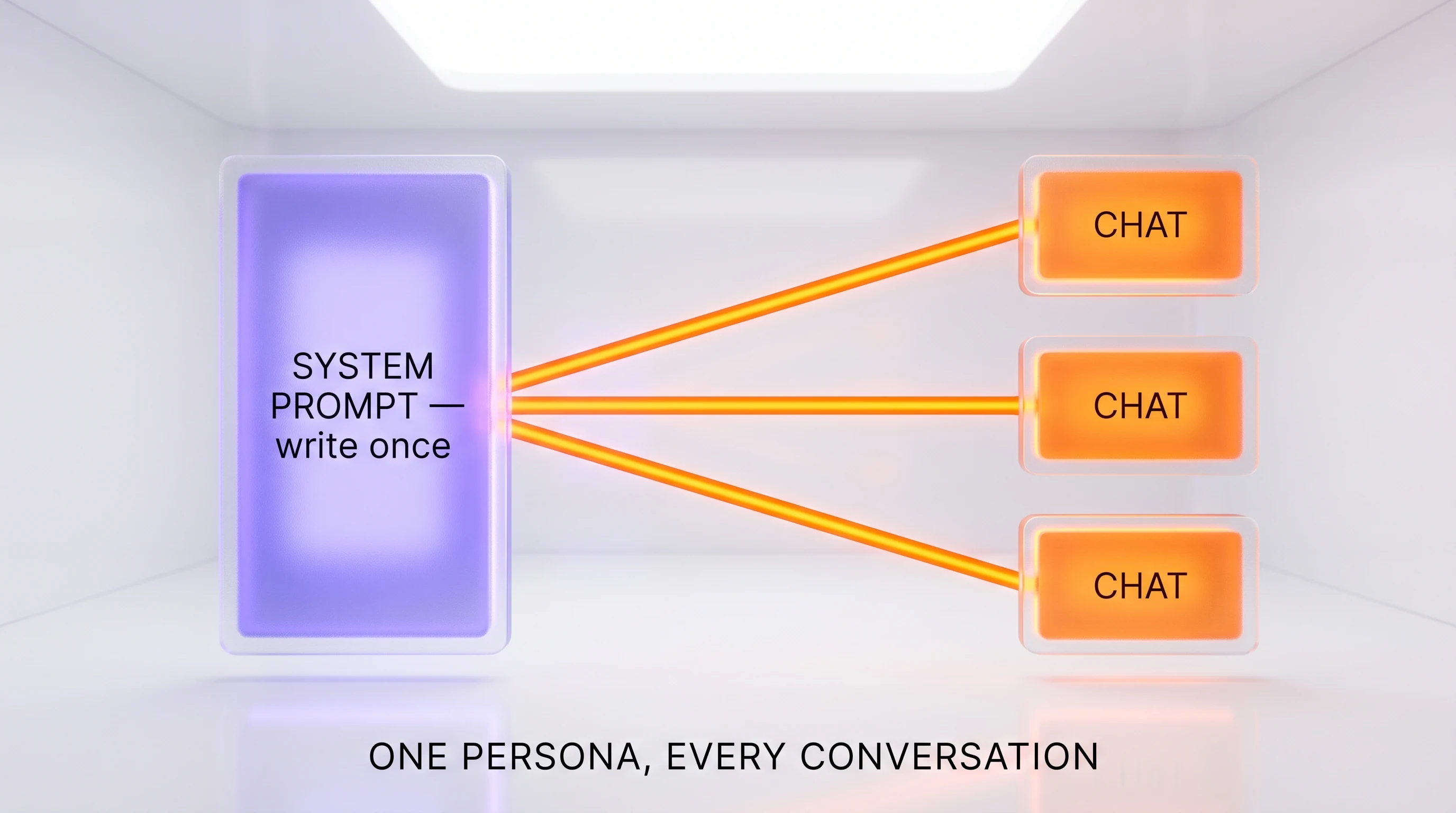
Once you find a setup that works, you shouldn't have to retype it every session. That's what a system prompt is for: a durable instruction that sits above the whole conversation and shapes every reply, without you repeating it each time. Think of it as hiring a specific assistant once, rather than briefing a new temp every morning.
Where you set it depends on the tool:
- In consumer apps, it's usually called custom instructions, a project, a persona, or a saved style in settings.
- In a developer API, it's a dedicated system field you send with every request.
A good system prompt captures who the assistant is, how it should behave, and any rules it must always follow:
You are my writing editor.
- You always answer in plain US English at a 9th-grade reading level.
- You cut filler, hedging, and cliches; you never open with "In today's world."
- When I paste text, you return the edited version first, then a short bullet list of what you changed and why.
- If a request is ambiguous, you ask one clarifying question before proceeding.
With that saved, every message you send inherits the rules, so you can just paste text and get a consistent result. This matters even more for people building on top of models. If you're wiring AI into a product or an automation, the system prompt is where you set the persona, the guardrails, and the output contract for every user at once. It's also central to how AI agents work, where a durable set of instructions plus tools is what turns a chat model into something that can carry out multi-step tasks. Developers using command-line tools like Claude Code lean heavily on durable instruction files for exactly this reason.
Write the persona once, refine it over a week as you notice friction, and you've effectively built yourself a specialist you can summon instantly.
Step 7 — What No Longer Works in 2026 (and the Mistakes to Avoid)
A lot of prompt "hacks" from a couple of years ago spread as folklore and then quietly stopped mattering as models improved. Clinging to them wastes effort and clutters your prompts. Here's what to let go of, and the honest nuance on the famous ones.
- Threats, bribes, and fake urgency. "I'll tip you $200," "my job depends on this," "answer or else" — these leaned on quirks of older systems. Modern models are trained to be helpful anyway, so this just adds noise. Drop it.
- Over-the-top role inflation. "You are the world's foremost genius expert who never makes mistakes" does little. A plain, real role ("act as a copy editor") is useful because it sets context; the superlatives are decoration.
- "Think step by step," used blindly. This is the one that needs nuance. On fast, non-reasoning models, asking for step-by-step working can still improve accuracy on math and logic. On modern reasoning models, which already deliberate internally before answering, the phrase is redundant and occasionally counterproductive. The durable habit is to ask to see the reasoning when you want to check it, not to chant the phrase out of superstition.
- Endless "please" and flattery. Politeness is fine and harmless, but it isn't a technique. It won't rescue a vague prompt.
And here are the mistakes that genuinely sink results, so you know what to watch for. These lead straight into the troubleshooting section below.
- Assuming the model can see what you see. It can't read your open files, your last week of chats, or your intent. If it matters, paste it in.
- Stuffing five tasks into one prompt. "Summarize this, translate it, fix the grammar, and write a tweet" invites a muddled answer. Do one thing per prompt, or number the steps explicitly.
- Accepting the first draft. Covered in Step 5, and worth repeating because it's the most common self-inflicted wound.
Common Mistakes and How to Fix Them
When a result disappoints, it's almost always one of a small number of causes. Use this table to diagnose quickly and jump to the fix.
| Symptom | Likely cause | Fix |
|---|---|---|
| The answer is generic and could apply to anyone | The prompt was too vague | Add context, constraints, and audience (Step 2) |
| The style or structure keeps drifting | You described the format instead of showing it | Give one or two examples (Step 3) |
| You have to reformat the output every time | You didn't specify the shape | Ask for a table, JSON, length, or tone (Step 4) |
| The model "forgot" a fact you mentioned earlier | The fact wasn't in the prompt, or the chat got very long | Restate the key facts in the current message |
| The answer is confidently wrong | The model filled a gap with a plausible guess | Give it the source text and say "use only the information provided" |
| The reply is bloated and hedged | No length limit, so it padded | Cap it: "under 80 words," "exactly 3 bullets" |
| It answered a slightly different question | You bundled several tasks together | Split into one task per prompt |
Two of these deserve a note. When a model states something false with total confidence, that's a plausibility-driven guess, sometimes called a hallucination; the strongest defense is to supply the facts yourself and forbid the model from going beyond them. And when a model connects to external documents to answer from real sources rather than memory, that's a separate technique called retrieval; our explainer on what RAG (retrieval-augmented generation) is covers how that grounding works and when you'd want it.
10 Copy-Paste Prompt Templates by Use Case
Here are ten ready-made prompts built on the skeleton from Step 1. Copy one, fill in the brackets, and adjust. They're a starting point, not scripture — the moment you know what you want, be more specific.
1. Write a professional email
Role: You are a clear, warm business writer.
Goal: Write an email to [recipient] about [subject].
Context: [what they already know, the relationship, any deadline].
The one thing I want them to do is [single action].
Format: A subject line, then under 120 words, plain and friendly, one call to action.
2. Summarize a long document
Summarize the text below for [audience, e.g. a busy manager].
Give me: a 2-sentence overview, then the 5 most important points as bullets, then any action items.
Use only what's in the text. If something isn't stated, say "not specified."

[paste the text]
3. Analyze or make sense of data
Role: You are a careful analyst.
Here is some data: [paste rows or numbers].
Goal: Tell me the 3 most notable patterns or outliers, each in one sentence with the number that supports it.
Then suggest one question I should investigate next. Do not invent figures that aren't here.
4. Review code (for developers)
Role: You are a senior engineer doing a code review.
Review the code below for bugs, security issues, and readability, in that order.
For each issue: name it, say why it matters, and show the corrected line.
Be direct; skip praise. Language: [e.g. Python].

[paste the code]
5. Brainstorm ideas
Goal: Give me 10 ideas for [problem or project].
Context: [constraints, budget, audience, what I've already tried].
Make them genuinely varied — not ten versions of the same idea.
For each, one line: the idea, then why it might work.
6. Explain something in plain language
Explain [topic] to [audience, e.g. a smart 12-year-old].
Use an everyday analogy, avoid jargon, and keep it under 150 words.
End with one sentence on why it matters.
7. Rewrite or improve text
Rewrite the text below to be [clearer / shorter / more formal / more casual].
Keep the meaning and all facts. Don't add new claims.
Return the rewrite first, then a 3-bullet list of what you changed.

[paste the text]
8. Turn notes into a structured table
Turn these rough notes into a markdown table.
Columns: [Name, Status, Owner, Due date].
One row per item. If a field is missing in the notes, write "TBD".
Return only the table.

[paste the notes]
9. Draft a plan or checklist
Goal: Create a step-by-step plan to [achieve X].
Context: [my starting point, deadline, resources].
Give numbered steps in order, each with one sentence on how to do it.
Flag any step where I'm likely to get stuck.
10. Prepare for a decision or conversation
Help me prepare for [meeting / decision / difficult conversation].
Context: [who's involved, what's at stake, my goal].
Give me: the 3 strongest points for my position, the 2 best objections I'll face, and a one-line response to each objection.
Save the two or three you'll reuse most as a system prompt (Step 6) or a note, and you've built yourself a small, personal prompt library.
Wrap-Up: The Whole Method in One View
Strip away the jargon and prompt engineering comes down to a short list of habits. Structure the request with the skeleton. Be specific about context, constraints, and audience. Show an example when words fall short. Pin down the format so the output is usable. Iterate with precise follow-ups instead of quitting on the first draft. Save your best setups as a reusable system prompt. And ignore the folklore that no longer earns its place in your prompts.
None of it requires code, and all of it compounds. The reason these habits work is simply that a model only knows what you put in front of it, so putting the right things in front of it — clearly — is the whole skill. Practice on real tasks, and within a week the skeleton becomes automatic.
Next Steps
Now that you can write a solid prompt, here's where to go deeper:
- Understand why prompts work. Read how large language models actually work to see the next-token prediction that makes clear prompts so effective.
- Ground the model in real sources. When you need answers from your own documents rather than the model's memory, see what RAG is and how it works.
- Go from chatting to doing. Learn how AI agents work, where durable instructions and tools let a model carry out multi-step tasks.
- Keep your costs down. If you use AI through an API, our guide on how to cut your AI API costs pairs perfectly with the lean-prompt habit from Step 2.
- Pick the right tool. Compare leading assistants like Claude Sonnet 5 and GPT-5.5 to find the one whose defaults fit how you work.
Last updated: July 2026. Written by Anthony Martinez, founder of ThePlanetTools.ai, drawing on the prompts we write every day to run our own content and research workflows.
Frequently Asked Questions
What is prompt engineering, in plain English?
Prompt engineering is the practice of writing your request to an AI model clearly enough that it gives you what you actually want on the first or second try. It is not coding. It is closer to writing a good brief for a very fast, very literal assistant: say who it should act as, what you want, the facts it needs, and the shape of the answer. Better inputs produce better outputs, and a handful of habits account for most of the difference.
Do I need to be a programmer to write good prompts?
No. Everything in this guide works in a normal chat window with plain sentences, and none of it requires code. The people who get the most out of AI tools are usually clear writers, not programmers. If you can write a precise email to a new colleague who knows nothing about your situation, you already have the core skill. Developers get a few extras, like reusable system prompts and structured JSON output, but the fundamentals are identical for everyone.
What is the single most important prompt engineering technique?
Being specific. The most common reason an answer disappoints is that the prompt left too much unsaid, so the model guessed. Add the context it cannot see, the constraints that matter to you, and the audience the output is for. In practice, moving from "write about our product" to a prompt that names the product, the reader, the length, and the goal changes the result more than any clever trick or magic phrase.
What does "few-shot" prompting mean?
Few-shot prompting means giving the model one to three worked examples of the input-and-output pattern you want before you give it the real task. Instead of describing the style in words, you show it. This is the fastest way to lock in a consistent format, tone, or labeling scheme, and it often works when a paragraph of instructions does not. A prompt with no examples is called zero-shot; one example is one-shot.
Does telling the model to "think step by step" still help in 2026?
It depends on the model. On fast, non-reasoning models, asking for step-by-step reasoning can still improve accuracy on math, logic, and multi-step tasks. On modern reasoning models, which already work through a problem internally before answering, the phrase is redundant and adds little. The reliable habit is to ask for the reasoning to be shown when you want to check the work, and to skip the ritual phrase on models that reason by default.
Do threats, bribes, or "you are an expert" tricks actually work?
Mostly not anymore. Early tricks like offering a tip, inventing urgency, or threatening the model were folklore that leaned on quirks of older systems. Current models are trained to be helpful regardless, so these add noise without adding quality. Assigning a genuine role, such as "act as a copy editor," still helps because it sets a useful frame, but it works as context, not as a magic incantation. Spend your effort on clarity instead.
How do I get the model to reply in a specific format like JSON or a table?
Ask for it explicitly and show the shape. For a table, name the columns you want. For JSON, give the exact keys and, ideally, a small example object, then add a line like "return only valid JSON, no commentary." Being concrete about the format is one of the highest-leverage habits because it makes the output predictable enough to paste straight into a spreadsheet, a document, or another program.
What is the difference between a system prompt and a normal prompt?
A normal prompt is a single message in a conversation. A system prompt is a durable instruction that sits above the whole conversation and shapes every reply, such as "you are a concise financial analyst who always shows assumptions." In consumer apps this appears as custom instructions or a project setting; in an API it is a dedicated system field. Write your persona once as a system prompt and you stop repeating yourself in every chat.
Why does my prompt work in one model but not another?
Models differ in training, default verbosity, context window, and how literally they follow instructions, so the same prompt can land differently. This is normal. When you switch models, re-test your important prompts rather than assuming they carry over, and adjust the specificity or examples as needed. Treat a prompt as tuned to a model, the same way a recipe is tuned to a particular oven.
How long should a prompt be?
As long as it needs to be to remove ambiguity, and no longer. Add the context, constraints, and examples that change the answer, and cut words that do not. Padding a prompt with flattery or filler does not help and, on metered API usage, quietly raises your bill because you pay for every input token. Short and specific beats long and vague almost every time.
What should I do when the answer is close but not quite right?
Iterate instead of starting over. Keep the conversation going and give one precise correction at a time: "make it half the length," "drop the third point," or "rewrite it for a non-technical reader." You can also ask the model to critique its own answer and then improve it. Because the model still has the earlier context, follow-ups are usually faster and cheaper than writing a brand-new prompt from scratch.
Are these techniques the same for ChatGPT, Claude, and Gemini?
The fundamentals are the same across ChatGPT, Claude, Gemini, and every other mainstream assistant: structure the prompt, be specific, show examples, pin down the format, and iterate. The interfaces and the durable-instruction settings differ in name and location, and each model has small personality quirks, but the skill transfers. Learn the habits once and you can move between tools without relearning how to prompt.