Pika
Fast playful AI video generation on Pika 2.5 — Pikascenes, PikaFrames, Pikaffects.

Quick Summary
Pika is an AI video generation platform on the Pika 2.5 engine. Free and Basic tiers cap clips at 5 seconds; Standard ($35 per month, 700 credits), Pro ($95 per month, 2,300 credits) and Fancy (6,000 credits) unlock 25-second clips. Trustpilot 1.6/5 (55 reviews), Product Hunt 4.9/5. Score 6.0/10.
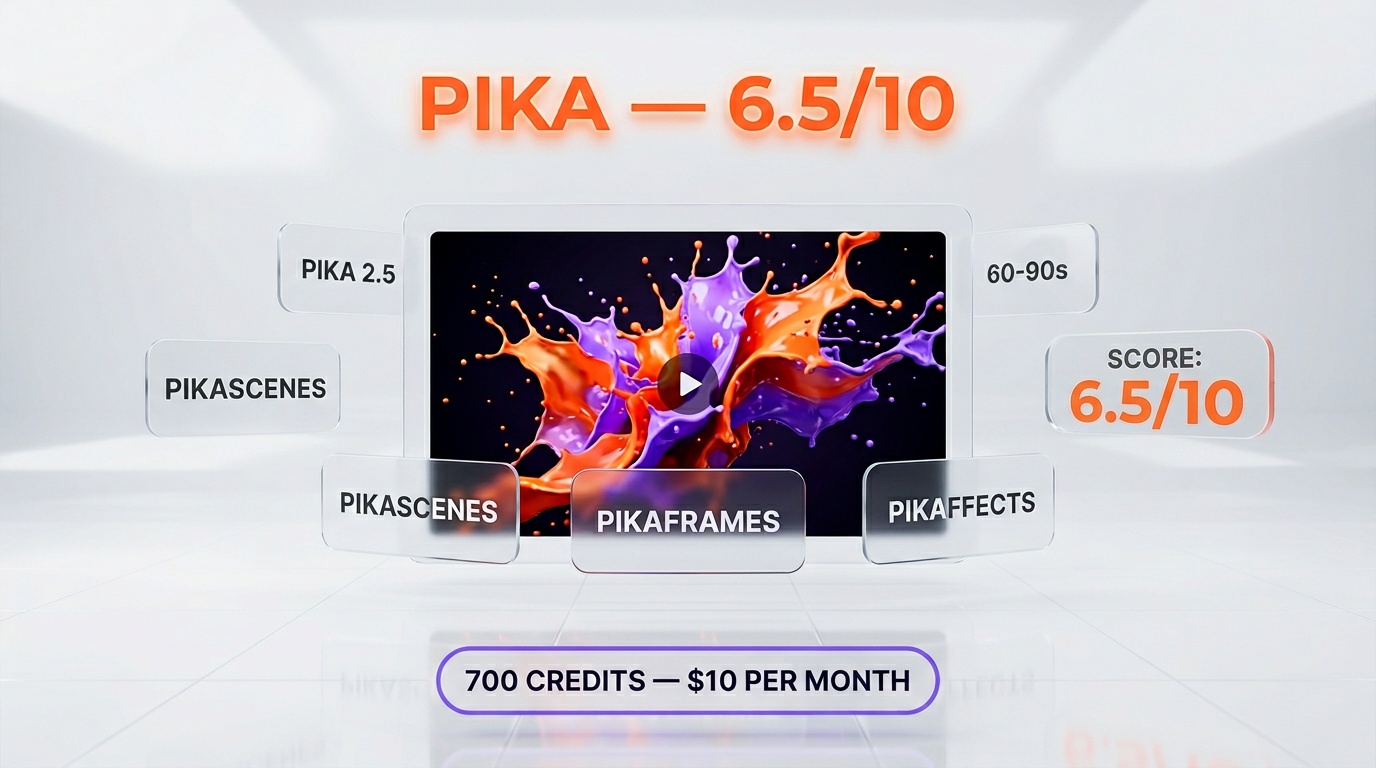
Pika is an AI video generation platform built around fast, playful text-to-video and image-to-video on the Pika 2.5 engine. Five tiers verified on pika.art/pricing: Free $0 (80 credits, 5-second clips), Basic $10 per month (80 credits, 5 seconds), Standard $35 per month (700 credits, 25 seconds), Pro $95 per month (2,300 credits, 25 seconds), Fancy 6,000 credits (price not public, 25 seconds). Trustpilot 1.6/5 (55 reviews), Product Hunt 4.9/5 (14 reviews). Score: 6.0 out of 10.
Our Methodology for This Review
We haven't run Pika hands-on as a daily-driver tool. Our video AI workflow at ThePlanetTools is built around Veo 3.1, Sora 2, Kling AI, Runway Gen-4.5, Hailuo MiniMax and Seedance 2.0 — all reviewed elsewhere on the site. Pika sits on our radar as the consumer-facing creative video player, and we wanted a clean read on it before recommending or dismissing it.
This review compiles four sources, all checked April 2026:
- Vendor documentation and pricing page at
pika.art/pricing(verified April 28, 2026). - Trustpilot reviews: 55 ratings, 1.6/5 average — trustpilot.com/review/pika.art.
- Product Hunt reviews: 14 ratings, 4.9/5 average — producthunt.com/products/pika-2.
- Reddit consensus from r/aivideo and r/StableDiffusion threads (aggregated sentiment, no single canonical thread).
Our score reflects feature completeness against the 2026 video AI competitive landscape, plus a weighted read of the community signal. Where the signal is polarized — and Pika's signal is polarized — we surface both sides rather than averaging them into a misleading aggregate. We do not run an aggregateRating in our structured data because the Trustpilot 1.6 and Product Hunt 4.9 do not represent a single homogeneous user base.
TL;DR — Our Verdict
Score: 6.0 out of 10. Pika is a genuinely fun, fast text-to-video and image-to-video tool with one of the most playful feature sets in the consumer category — Pikascenes, PikaFrames, Pikaffects. But its customer signal is the most polarized of any AI video tool we've researched: creators on Product Hunt rave (4.9/5), paying users on Trustpilot revolt (1.6/5, 55 reviews, 86% one-star), and the recurring complaints (billing, cancellation, support response time, credits burnt on failed generations) are not the kind of friction you ignore on a $10–$95 per month subscription. The pricing also has a sharper edge than the marketing implies: Basic at $10 only ships 80 credits and caps clips at 5 seconds, so the realistic working tier is Standard at $35 per month for 700 credits and 25-second clips. Best for: creators who can budget at least $35 per month and absorb a few credit losses. Avoid if: you need predictable billing, responsive support, or production-grade output.
- Strong creative feature set: Pika 2.5 physics, Pikascenes, PikaFrames, Pikaffects, ~1-1.5 min generation
- Genuinely fast prototyping flow — most clips render in under a minute
- Trustpilot 1.6/5 from 55 reviews with 86% one-star — heavy complaints on customer support and billing
- Failed generations still cost credits — a real cost on the Standard tier (700 credits per month, 25-second clips)
What Is Pika?
Pika is an AI video generation platform built by Pika Labs, founded in 2023 by Demi Guo and Chenlin Meng (both Stanford PhD researchers in computer vision). The company raised a Series B in mid-2024 led by Spark Capital, with Lightspeed and Greycroft participating, putting it in the same funding tier as Runway and ahead of most newer entrants on this list. The company headcount is small (under 30 as of public reporting), which matters for the customer-support signal we'll discuss below.
The product is consumer-first by design. Pika doesn't try to compete with Sora 2 on cinematic 1080p shots or with Veo 3.1 on enterprise generation pipelines. Instead, it leans into fast, playful, social-shareable video — the kind of clip a TikTok creator or meme account would generate in 90 seconds and post the same afternoon. The current engine is Pika 2.5, with prior versions (1.0, 1.5, 2.1, 2.2, Turbo, Pro) still selectable on paid tiers.
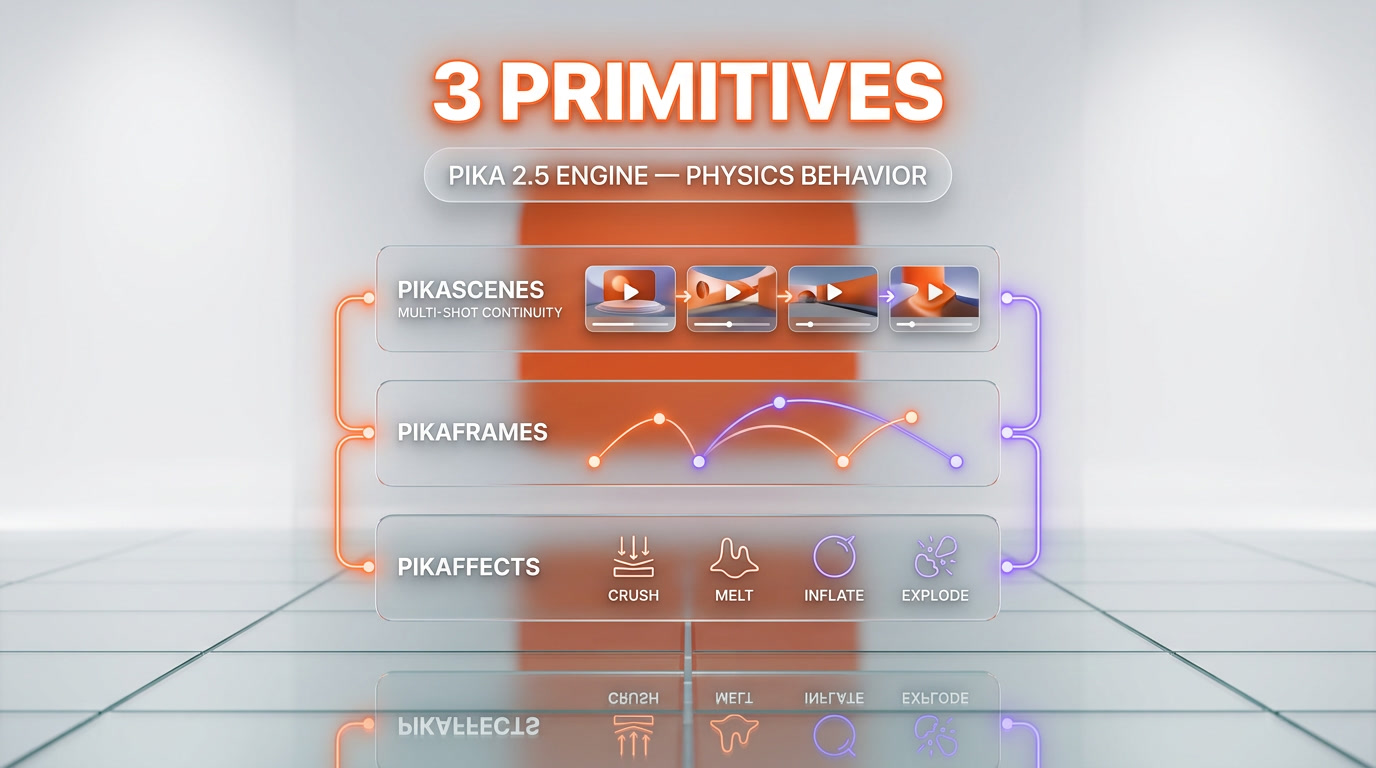
The product surface is built around three creative primitives the team has branded heavily: Pikascenes (multi-shot prompts that maintain a consistent subject across cuts), PikaFrames (keyframe-driven motion for image-to-video), and Pikaffects (named transformations like crush, melt, inflate applied to a still image). These are real product differentiators. Veo and Sora don't have a one-click "inflate this object" preset.
Key Features
Pika 2.5 engine with physics-based interaction
The 2.5 engine added a level of physics-based behavior that pushed Pika ahead of most competitors on object collisions, gravity simulation, and material response. Drop a glass on a table and it shatters convincingly. Throw a ball and it bounces with believable inertia. Most consumer-tier generators still struggle here — Sora 2 and Veo 3.1 do this better, but Pika 2.5 is competitive at a fraction of the price.
Pikascenes — multi-shot prompts
Pikascenes lets you describe a multi-cut sequence in a single prompt and keep the subject consistent across cuts. This is the feature most professional video generators don't expose at the prompt level. It's not perfect (subject drift happens after 4–5 cuts, per the Reddit consensus), but for a 3-cut social edit it works.
PikaFrames — image-to-video keyframes
PikaFrames extends a still image with motion paths the user defines. Strong for product shots and stylized animation. Weaker than Runway Gen-4.5 on photorealistic motion but ahead on stylized loops.
Pikaffects — named transformations
One-click effects like crush, melt, inflate, explode applied to a still subject. This is the feature that drives Pika's social virality — TikTok creators use these for memes. Veo and Sora don't have a comparable named-effect library.
Fast generation (~1-1.5 minutes per clip)
Generation latency on the Standard tier is roughly 60-90 seconds per clip. Pro and Fancy tiers buy faster generations (Pro is "faster", Fancy is "fastest"). For comparison, Sora 2 averages 2-4 minutes per clip, Veo 3.1 sits around 90 seconds, Kling AI is comparable to Pika at 60-90s.
Resolution and watermarks
Free tier is locked to 480p with watermarks. Basic at $10 per month removes watermarks but still caps clips at 5 seconds with only 80 credits. Standard at $35 per month unlocks full resolution, watermark-free downloads, and 25-second clips with 700 credits. Several Trustpilot reviewers report watermarks reappearing on paid plans during certain export flows — we couldn't independently verify this but it's a recurring complaint we have to surface.
Model selection
Paid users can pick between Pika 1.0, 1.5, 2.1, 2.2, Turbo, Pro and 2.5. This is rare — most competitors lock you into the latest model. Useful for users who got a specific style on an older model and want to keep generating in that style.
Commercial rights and credit rollover
Standard, Pro and Fancy tiers all include commercial use rights. Pro and Fancy add credit rollover (unused credits carry to next month, capped). Free and Basic credits are limited and do not roll over.
iOS app
Pika ships a native iOS app (App Store ID 6680155400) — useful for on-the-go creators. Android is web-only as of April 2026.
API access via fal.ai
Pika exposes a public API hosted on fal.ai. The Pika 2.2 endpoints — text-to-video, image-to-video, Pikascenes, Pikaframes — are documented and billable on the fal.ai platform. Pika also surfaces a "Get in Touch" enterprise contact on pika.art/api for direct sales access. There is no first-party Pika developer console, no self-serve API key dashboard, and no Pika 2.5 endpoint exposed publicly at the time of writing — programmatic access today means routing through fal.ai or contacting sales.
Pika Pricing in 2026
Pika uses a credit-based pricing model with five tiers. All paid tiers include commercial use, watermark-free downloads and full feature access — the differences are credit volume, clip length cap, and generation speed priority. Annual billing applies a 20% discount.
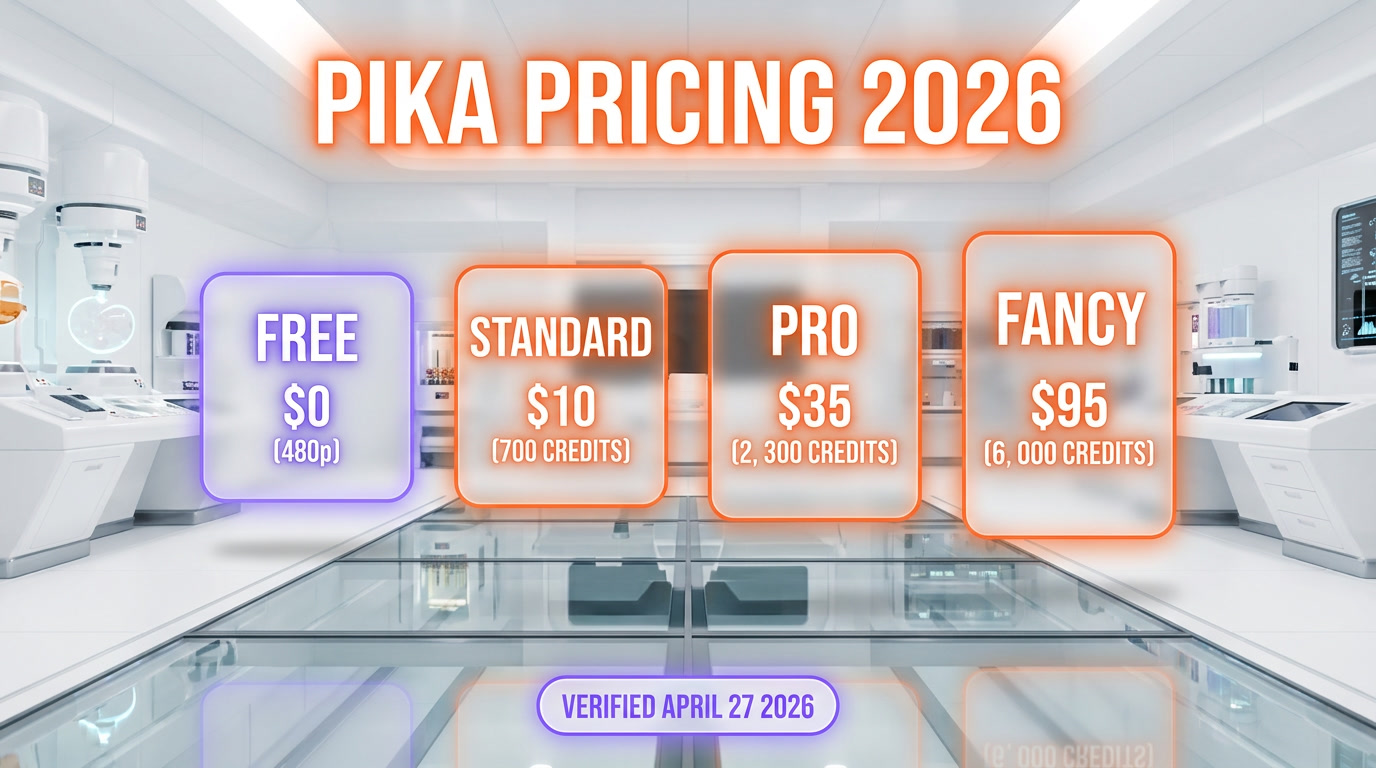
| Plan | Monthly price | Credits per month | Max clip length | Key features |
|---|---|---|---|---|
| Free | $0 | 80 | 5 seconds | Pika 2.5 at 480p only, watermarked exports, limited Pikaffects |
| Basic | $10 per month ($8 annual) | 80 | 5 seconds | Watermark-free, full resolution, but credits and clip length capped — closer to a paid trial |
| Standard | $35 per month ($28 annual) | 700 | 25 seconds | All resolutions, all models 1.0–2.5, PikaFrames, fast generations, commercial use |
| Pro | $95 per month ($76 annual) | 2,300 | 25 seconds | Faster generations, credit rollover, all features of Standard |
| Fancy | Price not public (contact sales) | 6,000 | 25 seconds | Fastest generations, credit rollover, all features |
Best for: Standard at $35 per month is the realistic working tier for most creators — 700 credits and 25-second clips unlock the full Pika feature set. The Free tier is a glorified demo (480p, watermarked, 5-second cap). Basic at $10 per month removes watermarks but only ships 80 credits per month and stays capped at 5-second clips, which most creators will burn through in a couple of days. Pro at $95 per month makes sense if you generate more than 700 clips per month or need consistently fast iteration.
Important pricing caveat: failed generations still consume credits. This is the single most common complaint across Trustpilot and Reddit. On Standard's 700 credits, if 20% of your generations fail (a reasonable rate for complex prompts), your effective credit pool drops to ~560. Budget accordingly. Cancellation is also a recurring friction — there is no clearly labeled "Cancel subscription" button per multiple Trustpilot reviewers; users have to switch to the Basic plan in the Pricing page to stop renewal.
Pros and Cons After Researching Pika
What stood out as strengths
- Pika 2.5 physics behavior. Object collisions, gravity, material response are competitive with Sora 2 and Veo 3.1 at a fraction of the subscription cost. This is real, defensible product engineering.
- Pikascenes / PikaFrames / Pikaffects branded primitives. Named, one-click creative effects are a UX moat. TikTok creators get value here that Veo and Sora don't expose.
- Generation speed. 60-90 seconds per clip on Standard. Comparable to Kling AI, faster than Sora 2 in published benchmarks.
- Multi-model selection. Paid users can pick between 7 model versions. Most competitors force the latest model.
- Standard tier feature set. $35 per month gets 700 credits and 25-second clips with the full feature surface — still cheaper than Runway Gen-4.5's mid tier at comparable feature parity.
- Native iOS app. Real native app, not a webview wrapper.
- Public API via fal.ai. Pika 2.2 endpoints (text-to-video, image-to-video, Pikascenes, Pikaframes) are billable on fal.ai, and pika.art/api offers an enterprise contact for direct sales access.
Where it falls short
- Trustpilot 1.6/5 from 55 reviews with 86% one-star. The volume and consistency of negative reviews on billing, cancellation friction, and unresponsive customer support is the loudest signal in our research. We can't dismiss it.
- Basic tier is a paid trial in disguise. $10 per month for 80 credits and a 5-second clip cap is not a working plan — it's an upsell ramp toward Standard at $35 per month.
- Failed generations consume credits. On a 700-credit plan, a 20% failure rate (realistic for complex prompts) means ~140 credits per month evaporate on unusable output. Veo 3.1 and Sora 2 also charge for failed generations, but their failure rates are reportedly lower.
- Cancellation friction. No labeled cancel button per multiple verified Trustpilot complaints — users navigate to the Pricing page and switch to Basic to stop renewal. This is dark-pattern-adjacent and we have to flag it.
- Customer support response time. Multiple Trustpilot reviewers report sending repeated emails to support and receiving no response, including for refund requests. We couldn't verify this is universal but the pattern is consistent enough to mention.
- No first-party developer portal. The fal.ai-hosted API is fine for prototyping, but there is no Pika-branded developer console, no self-serve API key issuance on pika.art, and no Pika 2.5 endpoint exposed publicly.
Real-World Use Cases
Short social video for TikTok, Instagram Reels, YouTube Shorts
This is the use case Pika nails. 5-25 second clips on Standard, playful effects, fast iteration. Standard tier at $35 per month covers most creators here.
Meme content with named effects
Pikaffects (crush, melt, inflate) drive a meaningful share of Pika's social virality. If your output is meme-format, this is the lowest-friction tool on the market.
Image-to-video product shots
PikaFrames turns a static product photo into a 5-15 second motion loop for ecommerce or ads. Per Reddit and Product Hunt consensus, quality is competitive with Runway Gen-4.5 on stylized output, weaker on photorealism.
Storyboard prototyping for filmmakers
Cheap and fast enough that filmmakers use it to mock up scene blocking before committing to expensive Sora 2 or Veo 3.1 generation. Not the final-shot tool, but a fast pre-viz tool.
Educational and explainer content
Stylized animation for short explainers works well. Pikascenes helps with multi-cut continuity for tutorials and walkthroughs.
Creative experimentation and prompt research
The credit cost on Standard is low enough that prompt-engineering experiments are cheap. Useful when developing a workflow you'll later run at scale on a more expensive platform.
Where it does NOT fit
Long-form video (over 25 seconds), photorealistic dialogue, professional brand work where billing reliability matters, regulated industries where customer support is a compliance requirement, enterprise teams that need predictable invoicing.
Pika vs Sora 2 vs Kling AI vs Runway Gen-4.5
Pika sits in a specific lane: cheap-to-mid-priced, fast, creative, consumer. The competitive landscape in April 2026 is crowded. Here's how Pika stacks against the four most relevant alternatives:
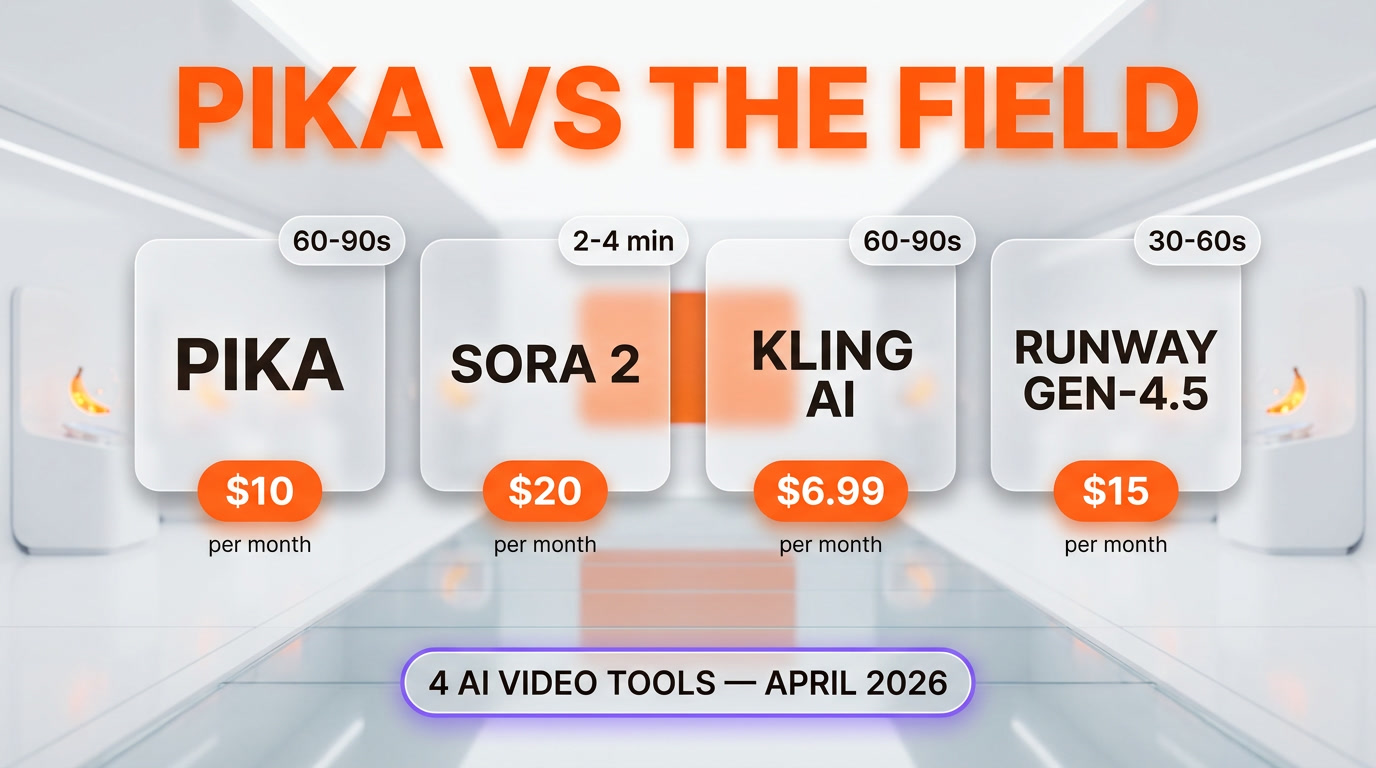
| Feature | Pika | Sora 2 | Kling AI | Runway Gen-4.5 |
|---|---|---|---|---|
| Working tier price | $35 per month (Standard) | $20 per month (ChatGPT Plus) | $6.99 per month | $15 per month |
| Generation speed | 60-90s | 2-4 min | 60-90s | 30-60s |
| Max clip length | 25s (Standard+) | ~20s | ~10s | ~10s |
| Photorealism | Medium | High | High | High |
| Stylized creative | High | Medium | Medium | High |
| Named effects library | Yes (Pikaffects) | No | Limited | No |
| Public API | Via fal.ai (Pika 2.2) | OpenAI API | Via Kling open API | Runway API |
| Customer support signal | Weak (Trustpilot 1.6, 55 reviews) | Strong | Medium | Strong |
| Best for | Social / meme creators | Cinematic shots | Realistic motion at low price | Pro creative + commercial |
When to pick Pika: you're a TikTok / Reels / Shorts creator, your budget supports $35 per month for the Standard tier, you want named effects (Pikaffects), and you can absorb credit losses on failed generations. You're not running a production where billing reliability matters.
When to pick Sora 2: you want cinematic photorealism and you already have ChatGPT Plus. The $20 per month bundles Sora 2 inside the Plus subscription, which is hard to beat on value if you also use ChatGPT.
When to pick Kling AI: you want photorealistic motion at the lowest price point. $6.99 per month entry undercuts Pika and Kling is stronger on realism.
When to pick Runway Gen-4.5: you're a professional creative or running commercial work. Runway's billing, support, and brand reputation are the strongest in the field — exactly where Pika is weakest.
Other alternatives worth knowing: Veo 3.1 for Google-stack users, Seedance 2.0 for ByteDance ecosystem creators.
Frequently Asked Questions
Is Pika free?
Pika has a free tier that gives access to the Pika 2.5 engine at 480p resolution only, with watermarked output, limited Pikaffects, and 80 monthly credits capped at 5-second clips. To remove watermarks you need at least the Basic plan at $10 per month — but Basic still ships only 80 credits and keeps the 5-second cap. To get full resolution, all models (1.0 through 2.5), 25-second clips, 700 credits, and commercial use rights, you need the Standard plan at $35 per month (or $28 per month if billed annually).
How much does Pika cost in 2026?
As of April 2026, Pika has five tiers verified on pika.art/pricing: Free at $0 (80 credits, 480p, 5-second clips), Basic at $10 per month (80 credits, 5-second clips, watermark-free), Standard at $35 per month with 700 credits and 25-second clips, Pro at $95 per month with 2,300 credits and faster generation, and Fancy with 6,000 credits at a price not publicly listed (contact sales). Annual billing applies a 20% discount, bringing Basic to $8, Standard to $28, and Pro to $76 per month equivalent.
What is Pika 2.5?
Pika 2.5 is the current generation engine, released in early 2026. It introduced physics-based interaction (object collisions, gravity, material response) that earlier Pika versions handled poorly. It powers all three branded primitives: Pikascenes (multi-shot prompts that keep subject consistency across cuts), PikaFrames (keyframe-driven image-to-video motion), and Pikaffects (named transformations like crush, melt, inflate applied to still images).
How does Pika compare to Sora 2?
Sora 2 is stronger on cinematic photorealism, generates clips up to roughly 20 seconds, and bundles inside ChatGPT Plus at $20 per month. Pika on the Standard tier ($35 per month) generates 25-second clips, runs faster (60-90 seconds per clip versus Sora 2's 2-4 minutes), and is stronger on stylized creative output and named effects (Pikaffects). For cinematic professional work, Sora 2 wins on the bundled price and photorealism. For fast social and meme content with longer 25-second clips, Pika wins.
Why does Pika have a 1.6 rating on Trustpilot?
Pika has a 1.6 out of 5 rating on Trustpilot based on 55 verified reviews as of April 2026, with 86% of those reviews being one-star. The dominant complaints are: customer support not responding to refund or cancellation requests, no clearly labeled cancel-subscription button (users have to switch to the Basic plan in the pricing page to stop renewal), watermarks appearing on paid-tier exports in certain flows, and credits being consumed by failed generations. The Product Hunt rating tells a different story (4.9 out of 5 from 14 creator reviews), so the signal is polarized — creators love the product, paying customers complain about billing and support.
Does Pika charge for failed generations?
Yes. Failed generations still consume credits on Pika. On the Standard tier (700 credits per month, 25-second clips), a 20% failure rate on complex prompts means around 140 credits evaporate on unusable output, leaving roughly 560 effective credits per month. This is consistent across the tier line and is the single most common technical complaint in user reviews. Sora 2, Veo 3.1, Runway Gen-4.5, and Kling AI also charge for failed generations, but their reported failure rates are lower in our research.
How do I cancel a Pika subscription?
Per multiple Trustpilot reviewers as of April 2026, there is no clearly labeled "Cancel subscription" button on the Pika dashboard. The verified flow is: log in, go to the Pricing page (pika.art/pricing), and switch to the Basic plan, which stops the next renewal at the higher tier. This is the most-flagged UX friction in the negative reviews. Users on Trustpilot have reported the company continuing to charge after they believed they had cancelled, which is a billing complaint we surface but cannot independently verify.
Who founded Pika?
Pika Labs was founded in 2023 by Demi Guo and Chenlin Meng, both Stanford PhD researchers in computer vision. The company raised a Series B in mid-2024 led by Spark Capital, with Lightspeed and Greycroft participating. As of public reporting, headcount is under 30, which is relevant to the customer support signal — small support team relative to user base.
Does Pika have an API?
Yes. Pika exposes a public API hosted on fal.ai, with the Pika 2.2 endpoints documented and billable: text-to-video, image-to-video, Pikascenes, and Pikaframes. The pika.art/api landing page surfaces a "Get in Touch" enterprise contact for direct sales access. There is no first-party Pika developer console, no self-serve API key dashboard on pika.art, and no Pika 2.5 endpoint exposed publicly at the time of writing — programmatic access today routes through fal.ai or enterprise sales.
What is the maximum clip length on Pika?
It depends on the tier. Free and Basic are capped at 5 seconds per clip. Standard ($35 per month), Pro ($95 per month), and Fancy all generate clips up to 25 seconds with the Pika 2.5 engine in April 2026. For longer sequences, you stitch multiple Pikascenes together (which keeps subject continuity reasonably well across 3-4 cuts). For genuinely long-form video work — over 25 seconds — Pika is not the right tool. Sora 2 (up to ~20s per clip) and stitching workflows in Runway Gen-4.5 are alternative options.
Is Pika worth it for professional creators?
For professional work where billing reliability, customer support response time, and consistent output quality matter, Pika is not the safe pick in April 2026. The Trustpilot signal (1.6/5 from 55 reviews, 86% one-star, recurring billing complaints) is too loud to ignore on a paid SaaS. Runway Gen-4.5 is the stronger professional alternative. For experimentation, prototyping, social content, and meme work on a $35-per-month Standard subscription, Pika is competitive on price and feature set, and the customer-support friction is more tolerable.
What languages and platforms does Pika support?
Pika's prompt interface accepts English as the primary language. Other major languages (Spanish, French, German, Portuguese, Japanese, Mandarin) work but with reduced fidelity per Reddit consensus. The product is available on Web (any modern browser) and as a native iOS app (App Store ID 6680155400). Android is web-only as of April 2026 — there is no native Android app.
Verdict: 6.0 out of 10
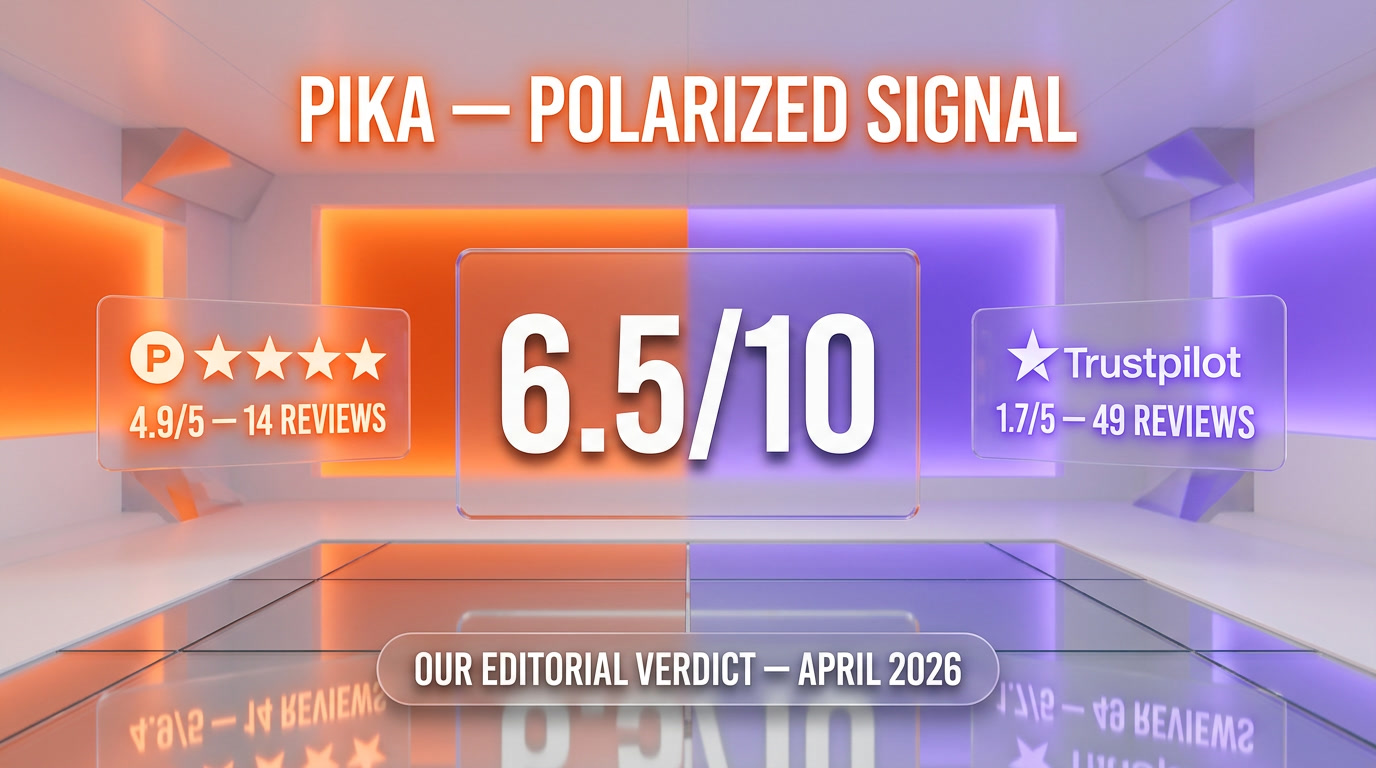
Pika earns a 6.0 out of 10 on three things working: a real product differentiation (Pika 2.5 physics + Pikascenes/PikaFrames/Pikaffects), genuinely fast generation (60-90 seconds), and a Standard tier at $35 per month that unlocks 25-second clips and 700 credits with the full feature surface. What raises it above a 5 is the creative feature moat — TikTok creators get value here that Veo and Sora don't offer, and the fal.ai-hosted API gives developers a working programmatic option. What's holding it back from a 7 or 8 is the customer signal we have to take seriously: Trustpilot 1.6/5 from 55 reviews with 86% one-star, recurring complaints about cancellation friction, customer support response time, and credits burnt on failed generations. The pricing edge is sharper than the marketing implies — Basic at $10 per month is essentially a paid trial (80 credits, 5-second clips), so the realistic working tier is Standard at $35 per month. Product Hunt's 4.9/5 from 14 creator reviews tells the other half of the story — early adopters who haven't hit the billing edge cases love this product.
Score breakdown:
- Features: 8.0 out of 10 — Pika 2.5 physics, named-effect library, multi-model selection, 25-second clips on Standard+, fast generation, fal.ai API surface. Real moat in the consumer creative tier.
- Ease of Use: 8.0 out of 10 — Lowest-friction onboarding in the category and a native iOS app, but the Free and Basic tiers are too capped (5-second clips, 80 credits) to be a real entry point — most users will need to commit to Standard at $35 per month.
- Value: 4.0 out of 10 — Standard at $35 per month for 700 credits and 25-second clips is fair, but failed generations consume credits and the cancellation flow is dark-pattern-adjacent. Basic at $10 per month is a paid trial, not a working plan.
- Support: 4.0 out of 10 — Trustpilot 1.6/5 from 55 reviews driven heavily by support complaints. Multiple verified reviewers report no response to refund or cancellation emails. We have to score this honestly.
Final word: if you're a creator who can budget $35 per month for the Standard tier and absorb a few credit losses, Pika is a fine pick — Standard gets you 700 credits, 25-second clips and the full feature set. If you need a programmatic flow, Pika's fal.ai-hosted API covers Pika 2.2 endpoints today. If you're a professional, an enterprise, or anyone who needs predictable billing and responsive support, look at Runway Gen-4.5 or bundle Sora 2 via ChatGPT Plus. The polarized signal is itself the verdict — Pika ships a great creative product but has not yet built the customer-trust infrastructure to match. We will revisit when the Trustpilot signal moves above 3.0 or when Pika publishes a clear cancellation flow. For our complete editorial methodology, see our about page.
Key Features
Pros & Cons
Pros
- Pika 2.5 engine introduces physics-based interaction (object collisions, gravity, material response) that competes with Sora 2 and Veo 3.1 at a fraction of the cost.
- Pikascenes / PikaFrames / Pikaffects branded creative primitives are a real UX moat — named one-click effects unavailable on Veo and Sora.
- Generation speed of 60-90 seconds per clip is competitive with Kling AI and faster than Sora 2.
- Multi-model selection — paid users can pick between Pika 1.0, 1.5, 2.1, 2.2, Turbo, Pro and 2.5 versions.
- Standard tier at $35 per month with 700 credits unlocks 25-second clips and the full feature set (still cheaper than Runway Gen-4.5 mid-tier).
- Native iOS app available alongside the web product.
- Public API access available via fal.ai (Pika 2.2 endpoints: text-to-video, image-to-video, Pikascenes, Pikaframes), with enterprise contact on pika.art/api.
- Commercial use rights and credit rollover included on Pro and Fancy tiers.
Cons
- Trustpilot 1.6/5 from 55 reviews — heavy complaints on customer support response time and billing transparency.
- Failed generations still consume credits — at typical 20 percent failure rate on Standard, effective credits drop from 700 to roughly 560 per month.
- Cancellation friction — no clearly labeled cancel-subscription button per multiple Trustpilot reviewers; users must downgrade to Basic in the pricing page.
- Free and Basic tiers cap clips at 5 seconds — viable 25-second output requires the $35-per-month Standard tier.
- Basic at $10 per month only ships 80 credits per month — that is closer to a paid trial than a working plan; budget creators burn through it in days.
- No first-party SDK or self-serve API portal — programmatic access goes through fal.ai or enterprise sales rather than a documented Pika developer console.
Best Use Cases
Platforms & Integrations
Available On

We're developers and SaaS builders who use these tools daily in production. Every review comes from hands-on experience building real products — DealPropFirm, ThePlanetIndicator, PropFirmsCodes, and many more. We don't just review tools — we build and ship with them every day.
Written and tested by developers who build with these tools daily.
Frequently Asked Questions
What is Pika?
Fast playful AI video generation on Pika 2.5 — Pikascenes, PikaFrames, Pikaffects.
How much does Pika cost?
Pika has a free tier. Premium plans start at $10/month.
Is Pika free?
Yes, Pika offers a free plan. Paid plans start at $10/month.
What are the best alternatives to Pika?
Top-rated alternatives to Pika include Veo 3.1 (9.4/10), Google Flow (9.2/10), Seedance 2.0 (9.1/10), Descript (9.1/10) — all reviewed with detailed scoring on ThePlanetTools.ai.
Is Pika good for beginners?
Pika is rated 8/10 for ease of use.
What platforms does Pika support?
Pika is available on Web, iOS App.
Does Pika offer a free trial?
Yes, Pika offers a free trial.
Is Pika worth the price?
Pika scores 4/10 for value. Value depends on your specific needs.
Who should use Pika?
Pika is ideal for: Short social video for TikTok, Instagram Reels, YouTube Shorts, Meme content with named effects (Pikaffects), Image-to-video product shots and stylized motion loops, Storyboard prototyping and scene blocking for filmmakers, Educational and explainer content with multi-cut continuity, Creative experimentation and prompt engineering research, Stylized animation for social brand content.
What are the main limitations of Pika?
Some limitations of Pika include: Trustpilot 1.6/5 from 55 reviews — heavy complaints on customer support response time and billing transparency.; Failed generations still consume credits — at typical 20 percent failure rate on Standard, effective credits drop from 700 to roughly 560 per month.; Cancellation friction — no clearly labeled cancel-subscription button per multiple Trustpilot reviewers; users must downgrade to Basic in the pricing page.; Free and Basic tiers cap clips at 5 seconds — viable 25-second output requires the $35-per-month Standard tier.; Basic at $10 per month only ships 80 credits per month — that is closer to a paid trial than a working plan; budget creators burn through it in days.; No first-party SDK or self-serve API portal — programmatic access goes through fal.ai or enterprise sales rather than a documented Pika developer console..
Best Alternatives to Pika

Ready to try Pika?
Start with the free plan
Try Pika Free →