
Quick Summary
Reve 2.0 is a layout-first text-to-image model from Reve AI (Palo Alto) launched June 3, 2026. It builds an editable, code-based layout before rendering at native 4K. We tested it for two weeks and scored it 9.0 out of 10. Plans: Free, Lite at 7.99 dollars per month, Pro at 19.99 dollars per month.
Reve 2.0 is a layout-first text-to-image model from Reve AI, a Palo Alto startup, launched on June 3, 2026. Instead of turning a prompt straight into pixels, it builds an editable, code-based layout first, then renders at native 4K (16 megapixels). After two weeks of hands-on testing, we score it 9.0 out of 10. It debuted at number two on the Image Arena leaderboard, behind GPT Image 2. Paid plans are Lite at 7.99 dollars per month and Pro at 19.99 dollars per month, with a free tier that refreshes daily.
Quick Verdict: 9.0 out of 10
Reve 2.0 is the most controllable image generator we have used this year. The layout-first approach (it represents an image as editable code before rendering) makes it the rare model where you can fix a misplaced headline or resize one element without re-rolling the whole composition. Native 4K output and genuinely readable typography make it production-ready for posters, packaging mockups, and landing-page hero art. It is not the absolute quality leader (GPT Image 2 still edges it on Image Arena), the daily-refreshing free tier is tight, and the editing UI has a learning curve. But for anyone who treats images as work files rather than one-off art, this is the model to beat.
What is Reve 2.0?
Reve 2.0 is the second-generation image model from Reve AI, Inc., a small Palo Alto research-and-design team that calls its product line "Images you can touch." It went live on June 3, 2026. Where most diffusion models treat a prompt as one long block of prose and hope the result lands, Reve does something structurally different: it separates planning from rendering.
The model first produces what Reve describes as a code-based intermediate representation of the scene, where every element has a position, a size, and a description. That layout is addressable and editable before and after the render, which is the closest thing we have seen to working with an image the way a developer works with HTML. Reve frames the broader idea as a "Large Layout Model," and it is the single feature that sets the tool apart from GPT Image 2, Midjourney, and FLUX 2.
Two more things matter on paper. First, output is native 4K by 4K (16 megapixels), which Reve claims is the fastest 4K render in the field, with no upscaler artifacts because nothing is upscaled. Second, because the image is code, Reve calls it "agent-native" -- automated agents can read the layout and reason about it, not just stare at flat pixels. On June 3, 2026, the model debuted at number two on the Arena.ai text-to-image leaderboard with a score of 1280 plus or minus 11 from 3,455 votes, behind OpenAI's GPT Image 2 and narrowly ahead of Google's Gemini 3.1 Flash Image. That is a serious entrance for a startup competing against far larger labs.
Key features we tested
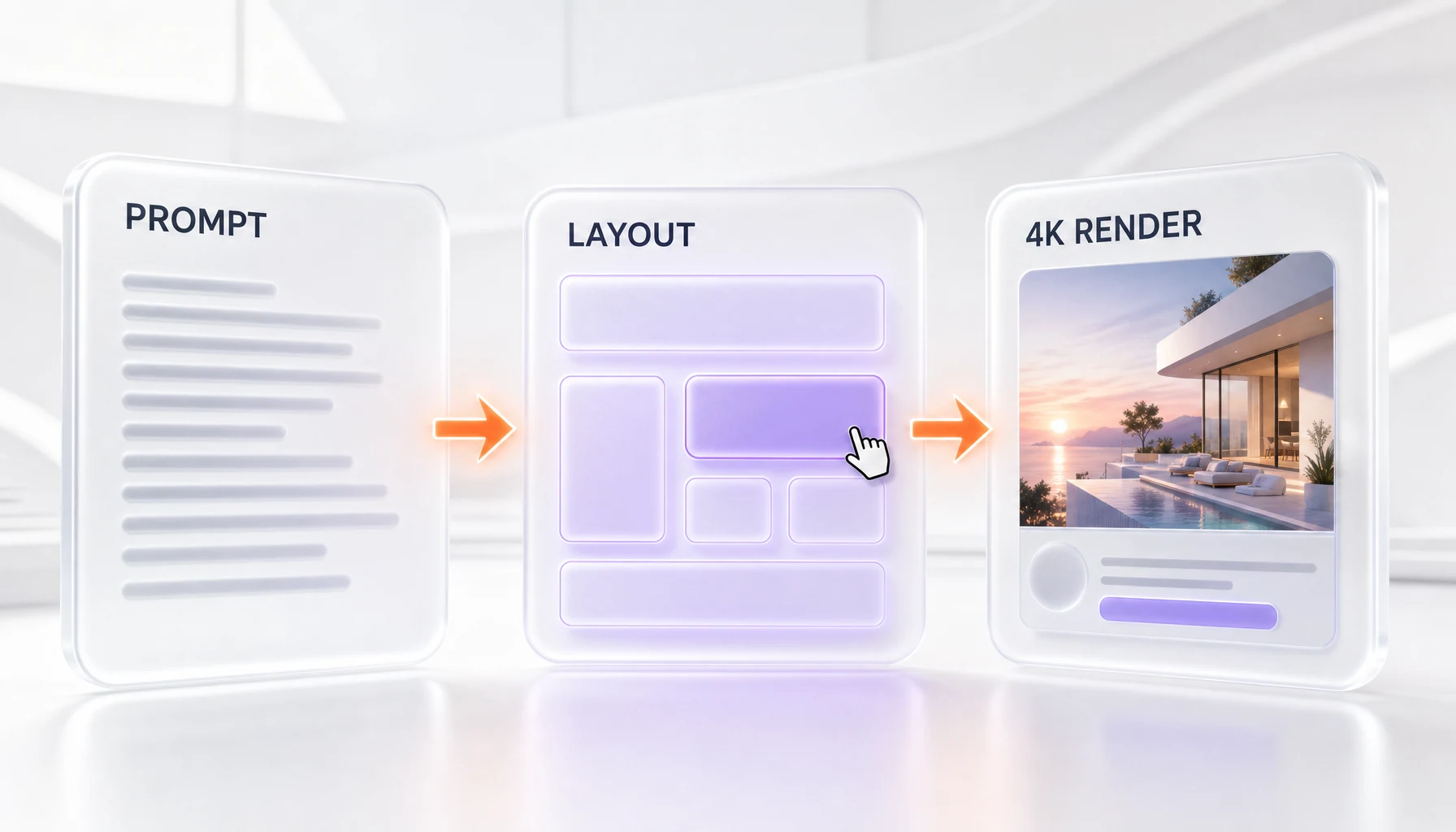
- Layout-first generation. Every image arrives as an editable arrangement of objects. We could grab a logo block, nudge it, and resize it without disturbing the rest of the scene. This alone changed how we worked.
- In-image text and typography. Reve runs a dedicated typography pass. Headlines, packaging labels, and small captions came out crisp and correctly spelled far more often than in competing models. This is the feature designers will notice first.
- Native 4K output. Renders land at 4K by 4K (16 megapixels) directly, so a poster or a print mockup is usable without a separate upscaling step.
- Lossless iterative editing. Because elements are locked as code, we re-edited the same composition a dozen times with no creeping degradation -- a known weakness of pixel-only models.
- Multi-reference and remix. The web app accepts multiple reference images and natural-language edits, so you can steer style and composition together rather than fighting one giant prompt.
- API and agent access. Reve offers an API alongside the web app, and the code-based representation means agents can manipulate images programmatically.
Hands-on testing: what it felt like
We spent two weeks running Reve 2.0 against the work we actually ship: blog hero images, comparison-table visuals, a few mock product posters, and one packaging concept. Our first prompt was a product poster with a five-word headline and a price tag -- the exact job that usually forces three or four re-rolls in other tools. Reve nailed the spelling and the layout on the first try, and when we wanted the headline bigger, we resized it in the layout instead of re-prompting. That moment sold us.
The 4K output is not a marketing line. A landing-page hero we generated dropped straight into a 2560-pixel-wide container with detail to spare. Typography held up at small sizes too, which is where most models smear letters into mush. We also leaned on the lossless editing: one comparison graphic went through roughly ten revisions, and the tenth render was as clean as the first.
It is not flawless. The layout editor has a real learning curve -- the first day we kept reaching for prompt-only habits and missing the point. Photorealistic faces and complex hands still trail GPT Image 2 in absolute fidelity, matching the Image Arena gap. And the "Reve aesthetic," which the vendor describes as cinematic and photojournalistic, is gorgeous but opinionated; pulling it toward a flat, clinical brand look took deliberate prompting. Last tested: June 2026.
Reve 2.0 pricing
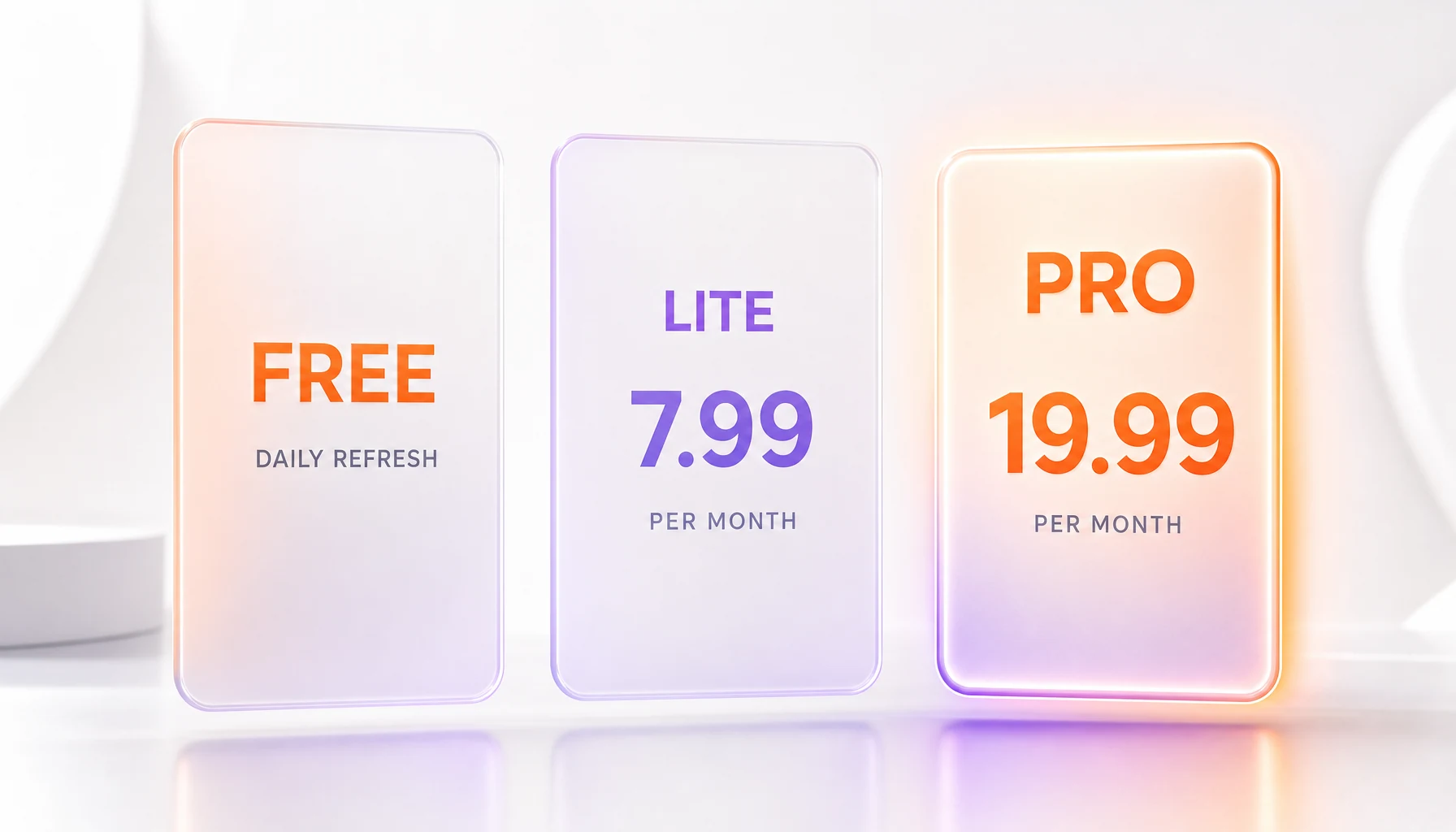
Reve keeps it simple with three plans, all priced around a credit unit it calls "energy." We verified every figure directly against Reve's official help center in June 2026.
- Free -- 0 dollars. An introductory allocation of creative energy at sign-up, then a daily refresh, plus a one-time video-energy allowance and basic storage. Good for trying the model; tight for daily production.
- Lite -- 7.99 dollars per month plus tax. Five times the energy of Free and five times the storage. Billed monthly, cancel anytime.
- Pro -- 19.99 dollars per month plus tax. One hundred times the energy of Free, one hundred times the storage, plus 250 video energy per month and the option to spend standard energy on video at up to 100 per day. This is the plan for working creators.
API access is billed separately through Reve's API console rather than the subscription tiers, and the model is also available through third-party hosting partners. Reve does not publish a flat public per-image API rate on its pricing page, so confirm the exact figure inside the API console before you budget a project. We have flagged the unpublished API rate as the one gap in an otherwise transparent pricing structure.
Pros and cons
After two weeks of real use, here is the honest balance sheet.
Pros
- Layout-first editing lets you fix one element without re-rolling the whole image
- Best-in-class in-image typography for headlines, labels, and packaging text
- Native 4K output that is genuinely production-ready, no separate upscaler needed
- Lossless iterative editing with no degradation across many revisions
- Simple, transparent subscription pricing starting at 7.99 dollars per month
- Agent-native code representation suits automated and programmatic workflows
Cons
- Absolute image quality still trails GPT Image 2 on the Image Arena leaderboard
- The layout editor has a learning curve and rewards unlearning prompt-only habits
- The free tier's daily energy refresh is too tight for daily production work
- API per-image pricing is not published publicly and must be checked in the console
Best use cases
- Marketing posters and ads where a readable headline and a fixed layout matter more than painterly flourish.
- Landing-page hero images that need 4K resolution and exact element placement.
- Packaging and label mockups that depend on crisp, correctly spelled in-image text.
- Pitch decks and investor materials where you adjust composition repeatedly without quality loss.
- Brand systems and campaign production that reuse and remix the same editable layout.
- Storyboarding and ecommerce imagery that benefit from structured, repeatable scenes.
- Agentic design pipelines where an automated agent edits images programmatically through the API.
How Reve 2.0 compares to alternatives
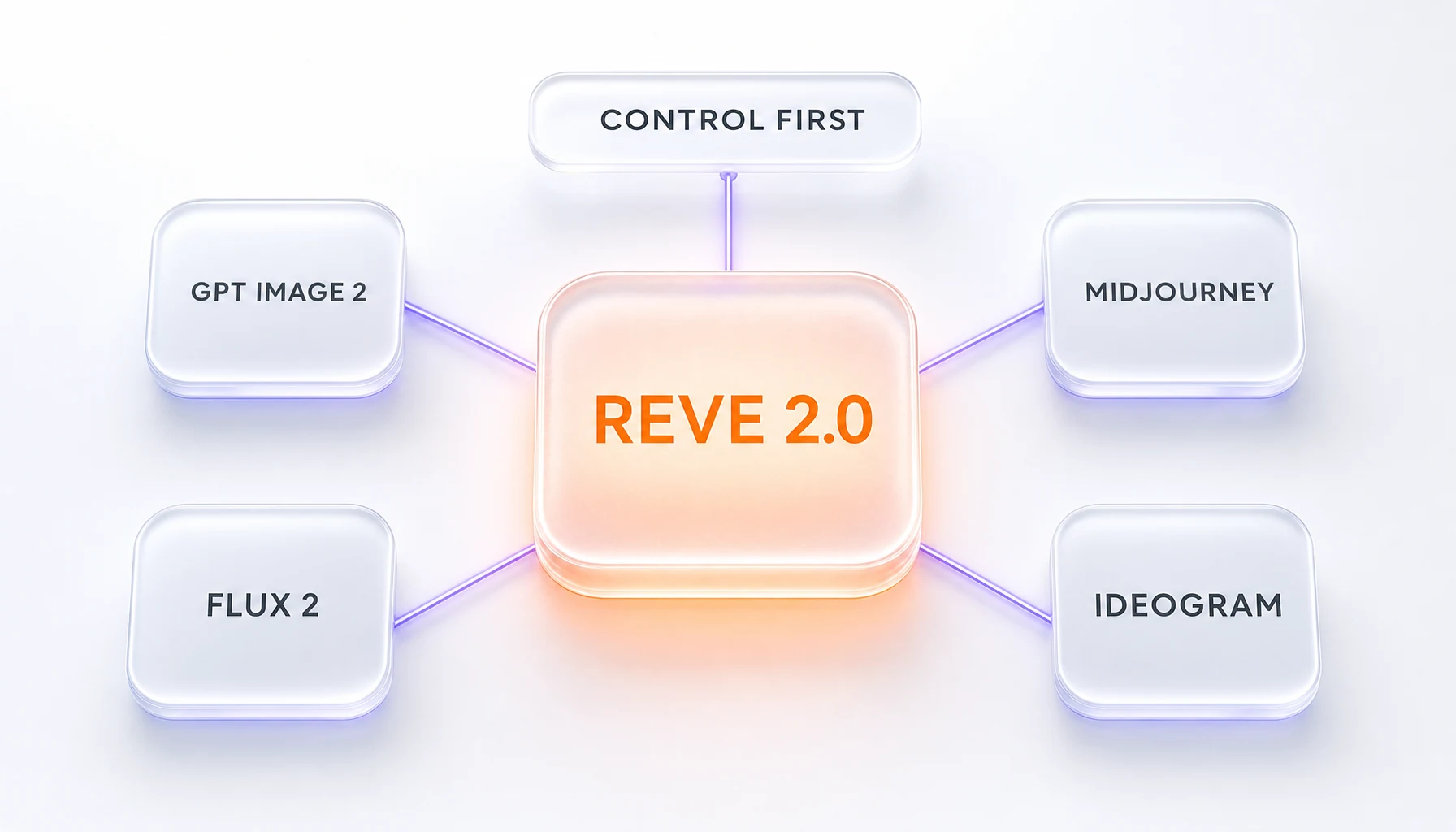
The image-generation field is crowded, so the right question is not which model is prettiest but which solves your workflow. Against GPT Image 2, Reve concedes a small quality edge (GPT Image 2 sits above it on Image Arena) but wins decisively on layout control and editability. Against Midjourney, Reve is far more useful for commercial work that needs text and precise placement, while Midjourney remains the community favorite for pure artistic exploration. Against FLUX 2, Reve's code-based editing is a structural advantage for revision-heavy projects. And against Ideogram, the other typography specialist, Reve counters with native 4K and a deeper editing model, though Ideogram's open-weight option appeals when local deployment matters. If your work lives in re-rolls and pixel smears, Reve is the upgrade; if you only ever need one beautiful sample, the gap narrows.
Frequently asked questions
What is Reve 2.0?
Reve 2.0 is a layout-first text-to-image model from Reve AI, a Palo Alto startup, launched on June 3, 2026. It builds an editable, code-based layout before rendering an image at native 4K resolution, which makes individual elements addressable and editable rather than baked into flat pixels.
How much does Reve 2.0 cost?
Reve offers three plans: a Free tier with a daily energy refresh, a Lite plan at 7.99 dollars per month plus tax, and a Pro plan at 19.99 dollars per month plus tax. Pro includes one hundred times the energy of Free plus 250 video energy per month. API access is billed separately through Reve's API console.
Is Reve 2.0 better than GPT Image 2?
Not on raw quality. On the Arena.ai text-to-image leaderboard dated June 3, 2026, Reve 2.0 ranked second with a score of 1280 plus or minus 11, behind GPT Image 2. Reve's advantage is control: its layout-first editing lets you adjust a single element without regenerating the whole image, which GPT Image 2 does not match.
What does "layout-first" mean?
Layout-first means Reve inserts an editable layout between your prompt and the final render. Each element has a position, size, and description expressed as code, so you can move or resize parts of the image before and after generation. Reve calls this a Large Layout Model.
Can Reve 2.0 render readable text in images?
Yes, and it is one of its strongest features. Reve runs a dedicated typography step, so headlines, packaging labels, and small captions came out crisp and correctly spelled in our testing far more reliably than in most competing models.
What resolution does Reve 2.0 output?
Reve 2.0 renders at native 4K by 4K, which is 16 megapixels. Because it generates at that resolution directly rather than upscaling, there are no upscaler artifacts, and Reve claims it is the fastest 4K image model available.
Does Reve 2.0 have an API?
Yes. Reve offers an API alongside its web app, and the model is also available through third-party hosting partners. Because images are represented as code, the API is agent-native, meaning automated agents can read and edit the layout programmatically. Per-image API pricing is set inside Reve's API console rather than published on the main pricing page.
Is there a free version of Reve 2.0?
Yes. The Free plan gives you an introductory allocation of creative energy at sign-up and a daily refresh after that, plus basic storage. It is enough to evaluate the model, but the daily limit is tight for sustained production work.
Who makes Reve 2.0?
Reve 2.0 is made by Reve AI, Inc., a small team of researchers, builders, and designers based in Palo Alto, California. The company keeps its models proprietary, using an ensemble of in-house models rather than open-sourcing the weights.
What is Reve 2.0 best for?
Reve 2.0 is best for commercial and design work where control matters: marketing posters, landing-page hero images, packaging mockups, pitch decks, and brand systems. Its layout editing and readable typography make it stronger for production assets than for one-off artistic images.
Final verdict: 9.0 out of 10
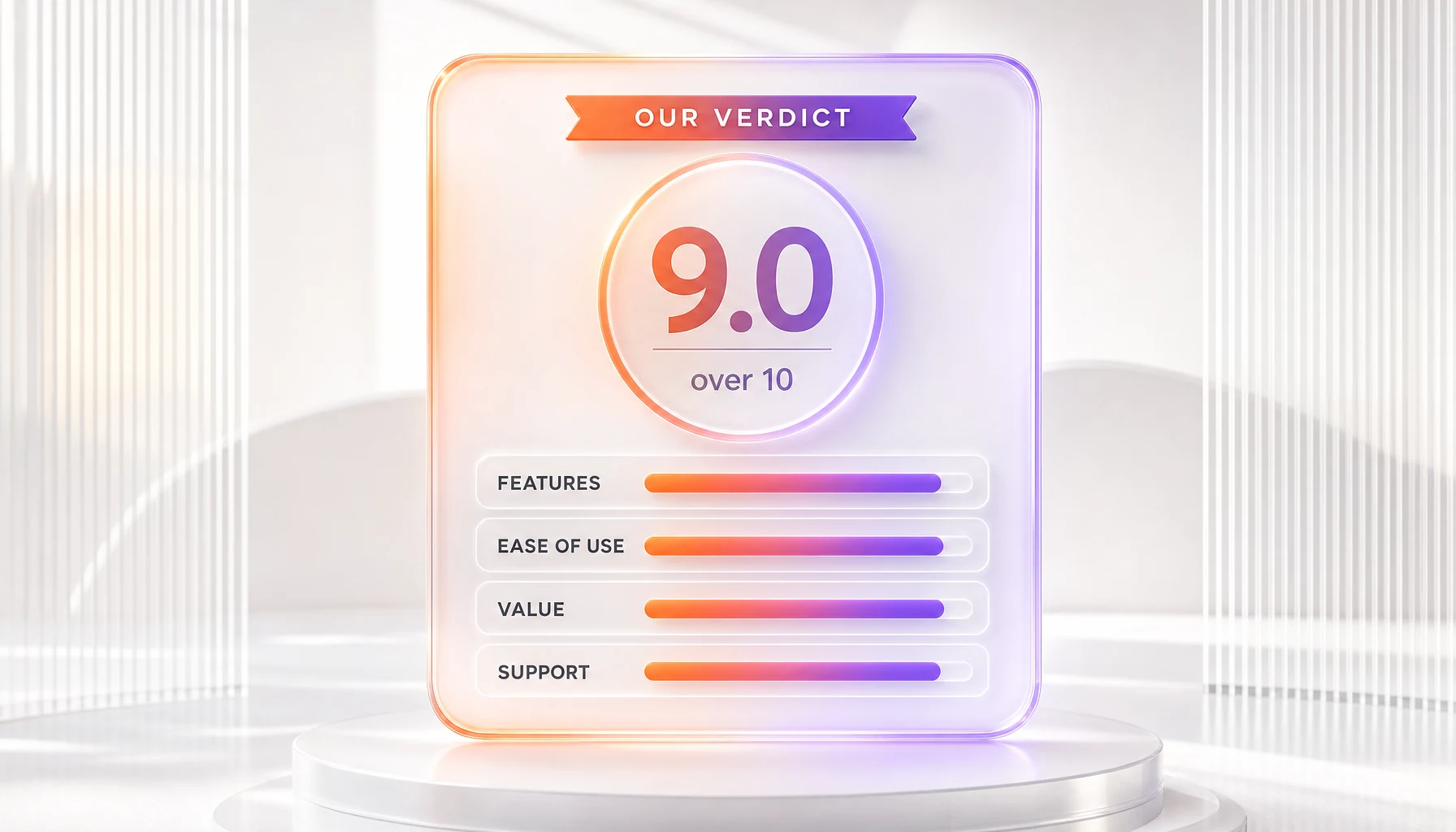
Reve 2.0 earns a 9.0 out of 10 from us. It is the first image model that treats a generated image as a file you can keep editing rather than a slot-machine pull you either accept or re-roll. The layout-first architecture, native 4K output, and genuinely readable typography add up to a tool built for people who make images for work. Our sub-scores: Features 9.5, Ease of Use 8.0, Value 9.0, and Support 8.5. The ease-of-use score reflects a real learning curve, and the model still trails GPT Image 2 on absolute quality. But if your job involves posters, packaging, hero art, or any image you will revise more than once, Reve 2.0 is the most capable option we tested in 2026. Disclosure: ThePlanetTools.ai has no affiliate relationship with Reve AI, and this review reflects our own hands-on testing.
Key Features
Pros & Cons
Pros
- Layout-first editing lets you fix one element without re-rolling the whole image
- Best-in-class in-image typography for headlines, labels, and packaging text
- Native 4K output that is genuinely production-ready, no separate upscaler needed
- Lossless iterative editing with no degradation across many revisions
- Simple, transparent subscription pricing starting at 7.99 dollars per month
- Agent-native code representation suits automated and programmatic workflows
Cons
- Absolute image quality still trails GPT Image 2 on the Image Arena leaderboard
- The layout editor has a learning curve and rewards unlearning prompt-only habits
- The free tier's daily energy refresh is too tight for daily production work
- API per-image pricing is not published publicly and must be checked in the console
Best Use Cases
Platforms & Integrations
Available On
Integrations

We're developers and SaaS builders who use these tools daily in production. Every review comes from hands-on experience building real products — DealPropFirm, ThePlanetIndicator, PropFirmsCodes, and many more. We don't just review tools — we build and ship with them every day.
Written and tested by developers who build with these tools daily.
Frequently Asked Questions
What is Reve 2.0?
Layout-first AI image model with native 4K output
How much does Reve 2.0 cost?
Reve 2.0 has a free tier. Premium plans start at $7.99/month.
Is Reve 2.0 free?
Yes, Reve 2.0 offers a free plan. Paid plans start at $7.99/month.
What are the best alternatives to Reve 2.0?
Top-rated alternatives to Reve 2.0 include Claude Code (9.9/10), Cursor (9.5/10), Veo 3.1 (9.4/10), Claude Opus 4.7 (9.4/10) — all reviewed with detailed scoring on ThePlanetTools.ai.
Is Reve 2.0 good for beginners?
Reve 2.0 is rated 8/10 for ease of use.
What platforms does Reve 2.0 support?
Reve 2.0 is available on Web, API.
Does Reve 2.0 offer a free trial?
No, Reve 2.0 does not offer a free trial.
Is Reve 2.0 worth the price?
Reve 2.0 scores 9/10 for value. We consider it excellent value.
Who should use Reve 2.0?
Reve 2.0 is ideal for: Marketing posters and ads with readable headlines and fixed layouts, Landing-page hero images needing 4K resolution and exact placement, Packaging and label mockups with crisp in-image text, Pitch decks and investor materials revised without quality loss, Brand systems and campaign production reusing editable layouts, Storyboarding and ecommerce imagery with structured scenes, Agentic design pipelines editing images programmatically via API.
What are the main limitations of Reve 2.0?
Some limitations of Reve 2.0 include: Absolute image quality still trails GPT Image 2 on the Image Arena leaderboard; The layout editor has a learning curve and rewards unlearning prompt-only habits; The free tier's daily energy refresh is too tight for daily production work; API per-image pricing is not published publicly and must be checked in the console.
Best Alternatives to Reve 2.0




Ready to try Reve 2.0?
Start with the free plan
Try Reve 2.0 Free →