Best AI Assistant for Everyday Use 2026
For most people, ChatGPT is the best AI assistant for everyday use in 2026 — the most capable all-rounder with a strong free tier. But the best pick depends on your life: Claude for writing and reasoning, Gemini for Google users and the best free tier, Perplexity for sourced research, Microsoft Copilot for Office, and Grok for real-time news. We curated these six from hands-on daily use.
The most popular AI assistant by OpenAI
The best default AI assistant for most people — does a little of everything well in one polished app.
- Excellent general knowledge
- Strong coding abilities
- Plugin ecosystem
Anthropic's thoughtful AI assistant built for safety
Our pick for writing and careful reasoning, and the most willing to admit when it is unsure.
- Best-in-class coding abilities
- 200K context window
- Thoughtful, nuanced responses
The first AI-native web browser with built-in assistant
Best for research: every answer comes with citations you can click and verify.
- AI assistant built directly into browser
- Multi-model support (Opus 4.6, Sonnet 4.5, Gemini)
- Cross-tab summarization
xAI's real-time AI assistant with native X platform intelligence and multimodal capabilities
The real-time outsider, wired directly into X for up-to-the-minute takes.
- Native real-time access to X (Twitter) data — no other major AI assistant has this at infrastructure level
- DeepSearch is ~10x faster than ChatGPT's equivalent and crawls 3x more pages
- Grok 4 Heavy scored 100% on AIME 2025 and 96.7% on HMMT — top-tier reasoning benchmarks
If you just want one everyday AI assistant and do not want to think about it, pick ChatGPT — it is the most capable all-rounder for the widest range of people. But the honest answer is that the best pick depends on what you do: choose Claude for writing and careful reasoning, Gemini if you live in Gmail, Docs, and Android or want the strongest free tier, Perplexity for research with real sources, Microsoft Copilot if your day runs on Office and Windows, and Grok for real-time takes wired into X. We curated these six after using them side by side, and this guide tells you which one to actually turn on for your life, not which one wins a benchmark.
Our Quick Picks
This is a use-case guide, not a raw capability leaderboard. Every one of these assistants is genuinely good in 2026; the question is fit. Here is the short version of our curation:
- Best for most people: ChatGPT — the safe default that does a bit of everything well.
- Best for writing and reasoning: Claude — the one we hand our messiest drafts and hardest thinking.
- Best free tier and Google users: Gemini — deeply wired into Android, Gmail, and Docs.
- Best for research with sources: Perplexity — answers that cite where they came from.
- Best for Microsoft 365 and Office: Microsoft Copilot — it lives inside Word, Excel, and Windows.
- Best for real-time and news: Grok — plugged straight into the live pulse of X.
Want to see how the two most popular picks stack up head to head? We break that down in our ChatGPT vs Claude comparison, and the contrarian matchup in Grok vs ChatGPT.
How We Curated This List
We did not run a lab study or claim to have stress-tested every model on academic benchmarks — that is a different job, and we cover model-by-model capability elsewhere. For this guide we did something more useful for a normal person: we used all six of these assistants as our daily drivers, across ordinary tasks. Drafting emails and messages. Summarizing long articles and PDFs. Planning trips. Rewriting awkward paragraphs. Asking dumb questions at midnight. Checking facts before sending. The picks below reflect where each one earned a permanent spot on our home screen and where it quietly frustrated us.
We weighed five things that matter when an assistant has to survive your actual week:
- Everyday usefulness (35%): Does it handle the boring, high-frequency tasks — summaries, rewrites, quick answers — without babysitting?
- Answer quality and honesty (25%): Are the answers accurate, and does it admit uncertainty instead of confidently inventing things?
- Free tier and value (20%): How far can you get without paying, and is the paid plan worth it?
- Where it lives (15%): Does it meet you where you already work — your phone, browser, inbox, or documents?
- Ease and trust (5%): Is it pleasant to use, and are its privacy defaults something you can live with?
If you are new to how these tools actually work under the hood, our plain-English explainer on how large language models work is a good five-minute primer, and what AI agents are explains the newer "do things for me" features many of these assistants now include.
What Changed for Everyday AI in 2026
Three shifts reshaped this category over the past year, and they change the advice. First, free tiers got dramatically better. In 2024 you needed a paid plan to touch a top model; in 2026 the free versions of ChatGPT, Gemini, and Perplexity handle most everyday tasks well, so the honest starting move is to pay nothing until you feel a limit. Second, assistants stopped living in a single chat box. They moved into your browser (Perplexity's Comet), your operating system (Copilot in Windows, Gemini on Android), and your documents (Copilot in Office, Gemini in Docs), so "which assistant" increasingly means "which ecosystem you already use."
Third, the assistants learned to act, not just answer. Most of these tools now offer agent-style features that can browse the web, use tools, and complete short multi-step tasks for you rather than only responding with text. That raises the ceiling of what an everyday assistant can do — booking, researching, summarizing across sources — but it also raises the stakes on trust and privacy, which is why our picks weigh honesty and data handling more heavily than they did a year ago.
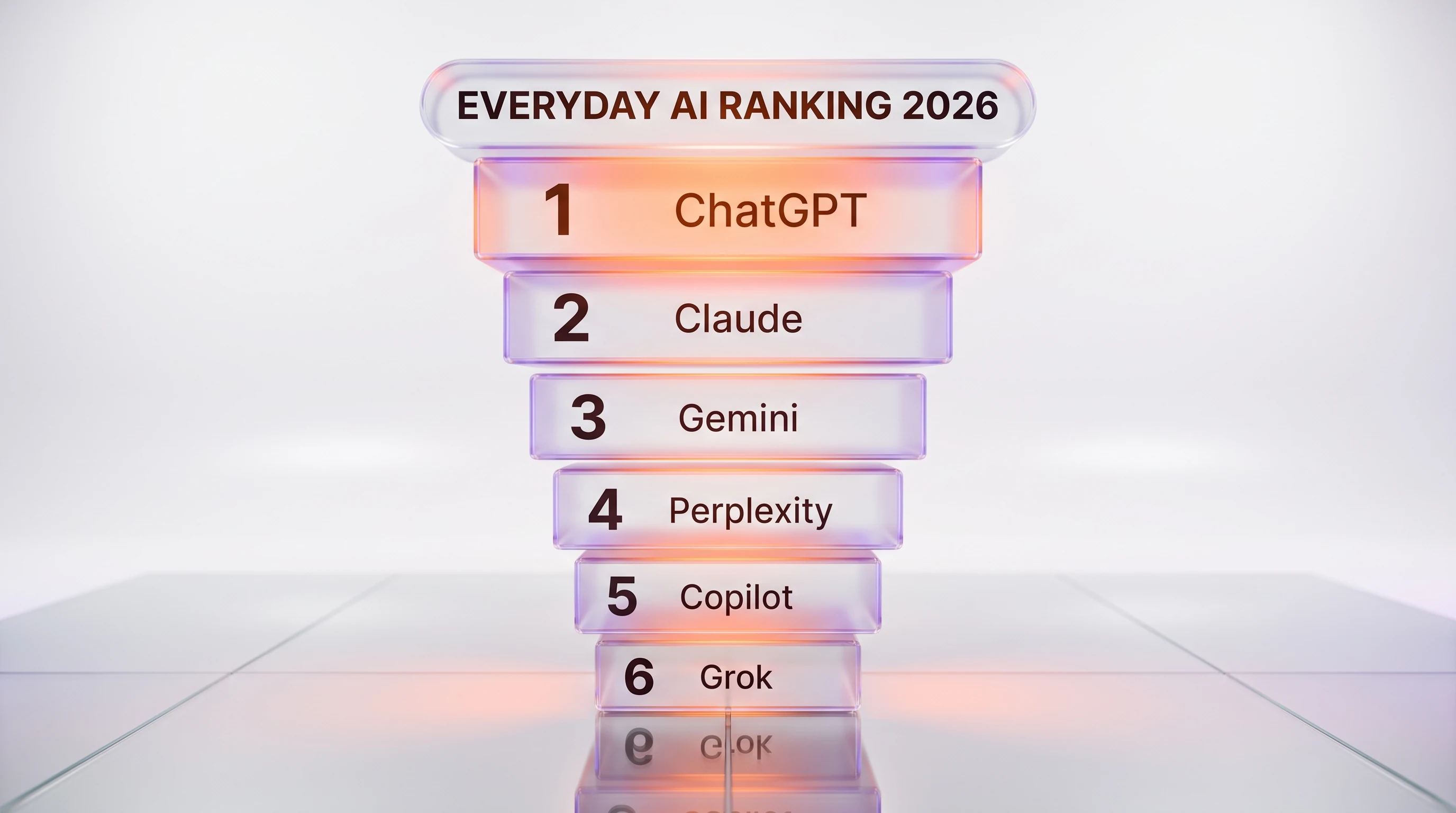
1. ChatGPT — The Best Default for Most People
Best for: anyone who wants one assistant to do a little of everything without overthinking it.
ChatGPT is the assistant we recommend when a friend asks "which one should I just get?" It is the most familiar, the most polished, and the most broadly capable across writing, coding help, image generation, voice conversations, and everyday questions. OpenAI ships new features quickly, the mobile app is excellent, and the free tier is now good enough that a casual user may never need to pay. When you do want more, it is the assistant whose paid features you are least likely to outgrow.
What keeps it at the top for a general audience is breadth. It writes a decent cover letter, explains a tax form, plans a workout, generates an image for a party invite, and holds a natural voice conversation on your commute. None of those are the single best-in-class experience, but no other assistant does all of them this competently in one place. Its main weakness is the flip side of that breadth: for the hardest writing and reasoning we still prefer Claude, and for sourced research we prefer Perplexity.
A concrete everyday example makes the case: on a single evening you can ask ChatGPT to rewrite a touchy email to your landlord, generate a birthday-card image, explain a confusing medical bill, and then talk you through a recipe by voice while your hands are busy — all in one app, without switching tools. That end-to-end convenience, not any single benchmark, is why it is our default.
Honest limits: it can still state wrong things with total confidence, the free tier throttles the best models during busy hours, and privacy-conscious users should review the data controls. Pricing (verified on OpenAI's pricing page): there is a capable free tier, ChatGPT Plus is 20 dollars per month, and a power-user ChatGPT Pro tier runs 100 dollars per month.
Read our full ChatGPT review for the deeper breakdown.
2. Claude — The Best for Writing and Careful Reasoning
Best for: writers, students, analysts, and anyone who values a thoughtful, careful answer over a fast one.
Claude, from Anthropic, is the assistant we reach for when the words matter. It writes with a more natural voice than its rivals, follows nuanced instructions more faithfully, and is noticeably more willing to say "I am not sure" instead of bluffing. For long documents, editing, structured thinking, and sensitive topics where a careless answer would be worse than no answer, it is our first choice. It also handles large amounts of pasted text gracefully, which makes it excellent for working through contracts, research papers, or a messy pile of notes.
The trade-off is reach. Claude does not generate images, its ecosystem of integrations is smaller than Google's or Microsoft's, and its free tier is more limited than ChatGPT's or Gemini's. If your day is mostly writing, reading, and thinking, none of that will bother you. If you want one app that also makes pictures and books your travel, you will feel the gaps.
Honest limits: no native image generation, a tighter free tier, and fewer built-in connections to third-party apps. Pricing (verified on Claude's pricing page): there is a free tier, Claude Pro is 20 dollars per month (or 17 dollars per month billed annually), and Claude Max starts at 100 dollars per month for heavy users.
See our full Claude review, and the head-to-head in ChatGPT vs Claude.
3. Gemini — The Best Free Tier and the Pick for Google Users
Best for: Android owners, heavy Gmail and Docs users, and anyone who wants the most generous free experience.
Google's Gemini has one enormous advantage: it is already everywhere you are if you use Google products. It answers from inside Gmail and Docs, it is built into Android as the default assistant, and it draws on Google Search and Maps for grounded, current answers. Its free tier is the most capable of the group for casual use, and its multimodal skills — understanding images, screenshots, and long documents — are genuinely strong. For a student or a family that already lives in Google's world, Gemini is often the most practical everyday pick, not because it is the smartest on paper but because it is right there.
Where it stumbles is consistency. Gemini's answers can swing from brilliant to oddly literal, and its personality feels less settled than ChatGPT's or Claude's. Deep integration also means deep entanglement with Google's data practices, which some people will happily accept for the convenience and others will not.
Honest limits: uneven answer quality, a personality that still feels in flux, and privacy that is tied to your broader Google account. Pricing: the free tier is unusually capable; paid Google AI plans start at 10 dollars per month (verified on Google's plans page) for more usage and storage. Google does not currently publish a standalone consumer Gemini tool page on our site, so it appears here without a review link.
4. Perplexity — The Best for Research and Sourced Answers
Best for: researchers, journalists, students, and anyone who needs to trust — and cite — where an answer came from.
Perplexity treats every question like a research task. Instead of a confident paragraph from nowhere, it returns an answer with numbered citations you can click and verify. That single design choice makes it our favorite assistant for anything where being wrong has consequences: fact-checking, comparing products, understanding a news story, or gathering sources for a report. It is fast, it stays current, and it turns "I read it somewhere" into "here are the three pages I read." Its Comet browser pushes this further by putting a research-grade assistant right inside your web browsing.
Perplexity is less suited to open-ended creative work. It is not where you draft a novel or brainstorm a wild idea; it is where you go to find out what is true. Used for its strength, though, nothing else in this list matches its blend of speed and traceable sources.
Honest limits: weaker at long-form creative writing, and the very best models sit behind the paid tier. Pricing: there is a free tier plus a paid Pro plan; because consumer prices shift, check the current figure on Perplexity's site before subscribing.
We reviewed its browser in depth in our Perplexity Comet review.
5. Microsoft Copilot — The Best for Office and Windows
Best for: office workers whose day is spent in Word, Excel, Outlook, PowerPoint, and Windows.
Microsoft Copilot's superpower is location. It does not ask you to open a separate app — it appears inside the tools you already use for work. It drafts in Word, builds formulas and explains spreadsheets in Excel, summarizes long email threads in Outlook, and turns a document into a slide deck in PowerPoint. It is also baked into Windows itself. For a busy professional, the value is not that Copilot is the single smartest model; it is that the assistance shows up exactly where the work is, with your files already in context.
Outside the Microsoft ecosystem, Copilot is less compelling. If you do not use Microsoft 365, most of its advantage evaporates and you are better served by ChatGPT or Claude. Its consumer branding has also shifted as Microsoft reorganizes its paid AI plans, which can make the lineup confusing.
Honest limits: most of its value is locked to the Microsoft 365 world, and the consumer plan names keep changing. Pricing: there is a free Copilot tier, with the richer AI features bundled into Microsoft's paid Microsoft 365 plans; confirm the current plan and price on Microsoft's site. There is no standalone consumer Copilot review on our site yet, so it appears here without a link.
6. Grok — The Best for Real-Time and the Contrarian Pick
Best for: people who live on X, want up-to-the-minute takes, and prefer an assistant with fewer guardrails.
Grok, from Elon Musk's xAI, earns its spot on this list for one thing the others cannot match: it is wired directly into X, so it knows what is happening right now. For breaking news, live sports reactions, trending arguments, and "what are people saying about this," Grok is uniquely current. It also has a looser, more irreverent personality than its buttoned-up rivals, which some users love and others find gimmicky. As a real-time companion for the very online, it is a legitimately useful outsider.
For everyday productivity, though, Grok is not our first recommendation. Its answers on general tasks are good but not clearly better than ChatGPT's, and its tone and content controls will not suit everyone or every workplace. Treat it as a specialist for the live web rather than a do-everything default.
Honest limits: its edge is narrow (real-time X), its personality is polarizing, and its guardrails are lighter than some users or employers want. Pricing: there is a free tier, with fuller access available through an X Premium+ subscription at 40 dollars per month (verified on X's help pages).
Read our full Grok review, and see how it compares in Grok vs ChatGPT.
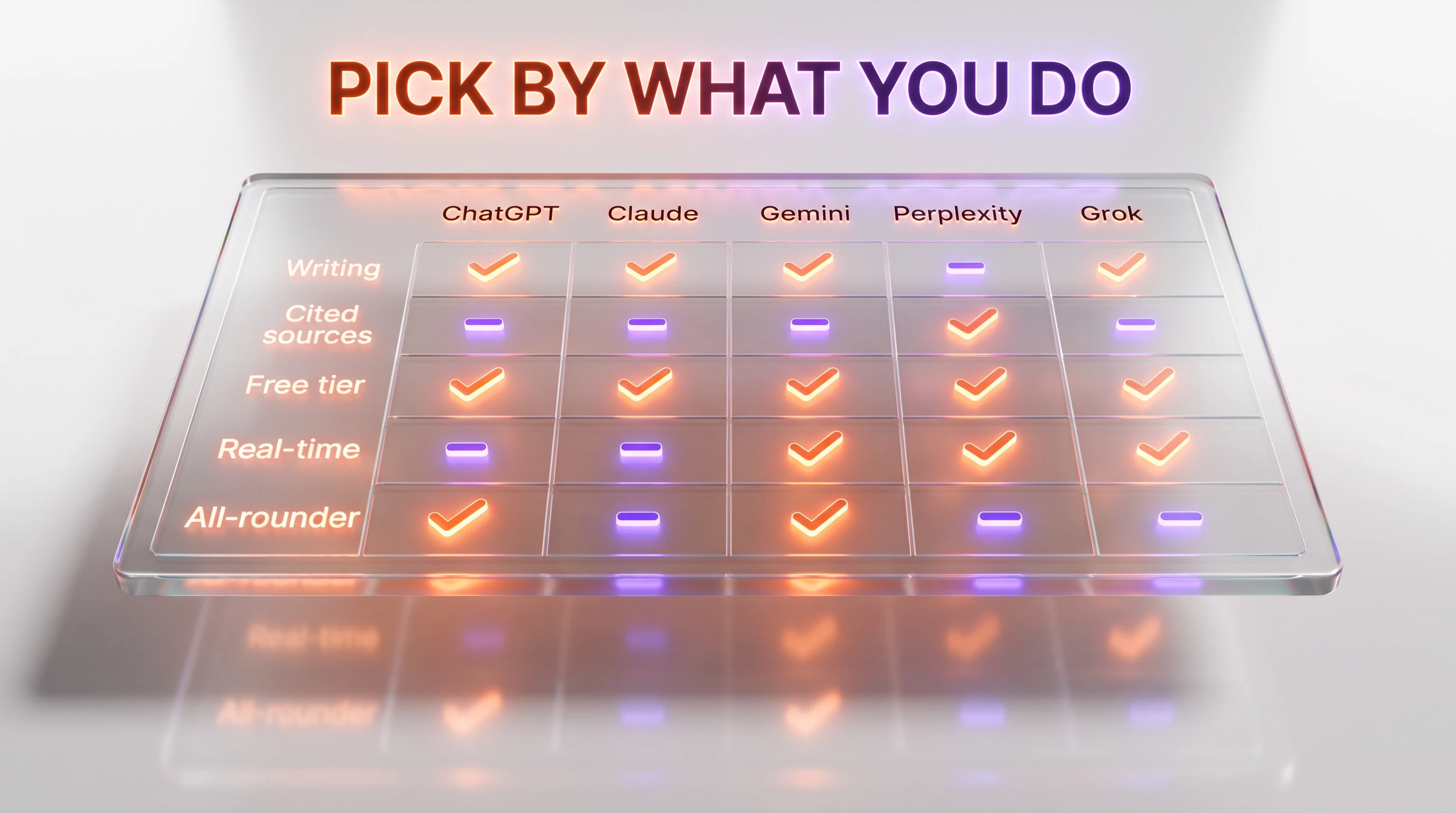
Everyday Assistants Compared at a Glance
The table below is not about which model scores highest — it is about which assistant fits which life. Match the row that sounds most like your day.
| Assistant | Best for | Free tier | Entry paid plan (verified) | Standout strength |
|---|---|---|---|---|
| ChatGPT | Most people, all-round use | Yes, capable | Plus 20 dollars per month | Does everything competently |
| Claude | Writing and reasoning | Yes, limited | Pro 20 dollars per month | Best writer, most careful |
| Gemini | Google users, free use | Yes, generous | From 10 dollars per month | Lives inside Google apps |
| Perplexity | Research with sources | Yes | Paid Pro plan | Cited, verifiable answers |
| Microsoft Copilot | Office and Windows work | Yes | Via Microsoft 365 plans | Built into Office apps |
| Grok | Real-time and X | Yes | X Premium+ 40 dollars per month | Knows what is happening now |
Prices are current as of the last update below and vary by country; always confirm on the vendor's own page before subscribing.
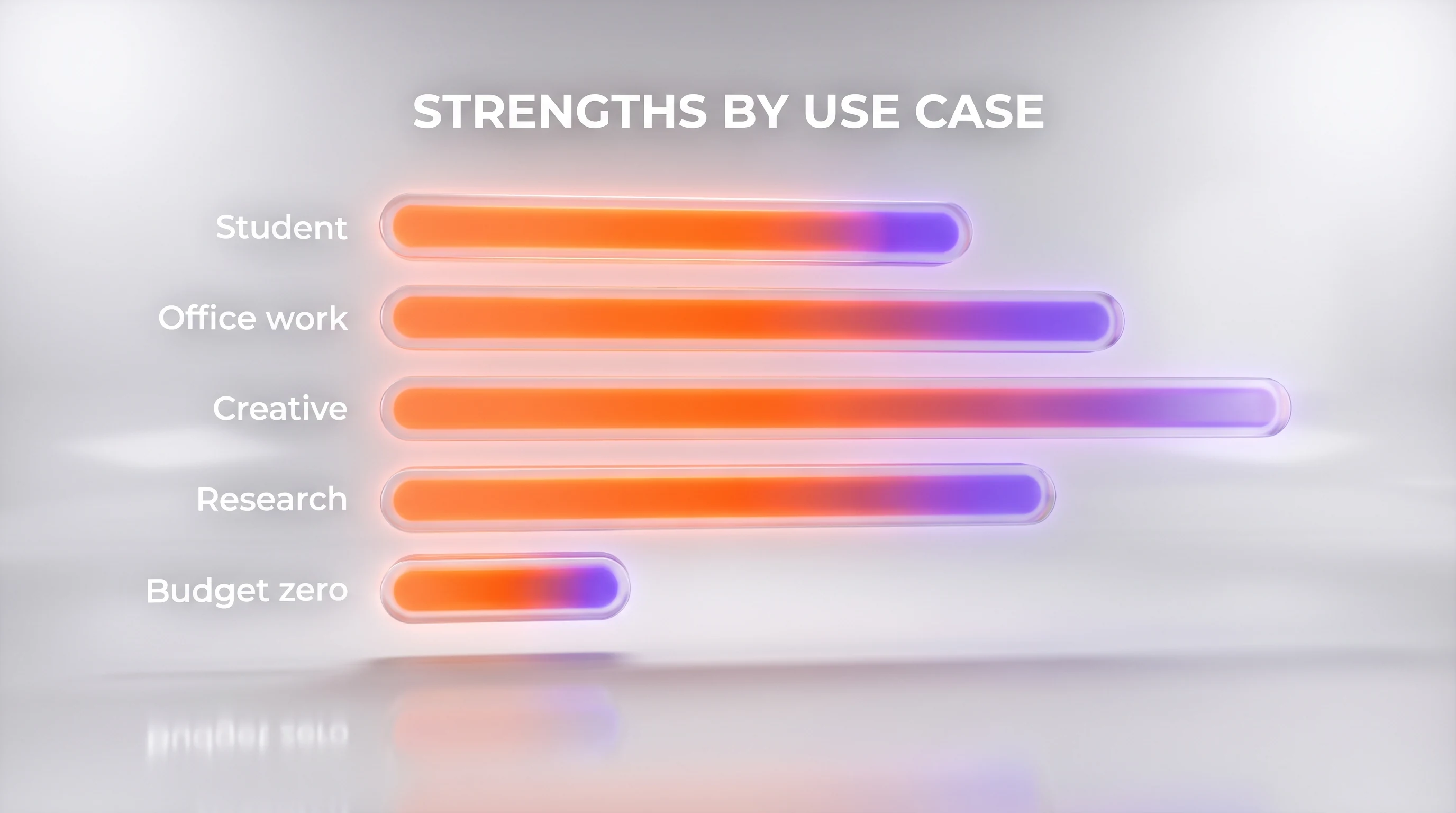
How to Actually Choose, by Profile
If you are still torn, forget the rankings and find the profile that sounds most like you.
The student. Start with Gemini for its generous free tier and its grip on Google Docs, then add Perplexity when you need sourced answers for essays and citations. Upgrade to ChatGPT Plus or Claude Pro only if you hit the free limits or want stronger writing help. This trio covers homework, research, and drafting for close to nothing.
The office professional. If your company runs on Microsoft 365, Copilot is the path of least resistance because it works inside the files you already have open. If you are on Google Workspace, Gemini fills the same role. Either way, keep ChatGPT or Claude on your phone for the writing and thinking tasks your office suite handles clumsily.
The creative. ChatGPT is the most fun all-rounder here, with image generation and voice built in, while Claude is the better pure writing partner for scripts, stories, and long-form drafts. Many creatives we know keep both: ChatGPT for visuals and ideation, Claude for the actual prose.
The researcher. Perplexity first, always, because you can trust and cite what it tells you. Pair it with Claude for turning those sources into a careful, well-argued document. This is the combination we lean on hardest when accuracy is the whole point.
The budget-zero user. You genuinely do not need to pay. Gemini's free tier is the most capable, ChatGPT's free tier is the most versatile, and Perplexity is free for everyday sourced answers. Run all three free and let your habits, not your wallet, decide which one wins.
The non-technical everyday user. If you are not chasing power features and just want help writing a message, understanding a letter, planning a meal, or answering a random question, install one app and stop there. ChatGPT is the friendliest starting point because its app is the most polished and its voice mode makes it feel like talking to a helpful person. On an Android phone, Gemini is equally natural because it is already the built-in assistant. The goal for this reader is not the best model — it is the one you will remember to open, and simplicity wins.
A Note on Privacy and Your Data
Because an everyday assistant sees a lot of your life — your emails, your questions, your documents — where your data goes matters as much as how smart the model is. The general rule in 2026 is that free consumer tiers may use your conversations to improve the models unless you opt out, while paid and business plans usually offer stronger data protections and retention controls. If you plan to paste anything sensitive, check the settings before you start: every assistant here lets you turn off training on your chats or delete your history, but the defaults differ.
The ecosystem picks come with the biggest trade-off. Gemini and Copilot are powerful precisely because they can see your Google or Microsoft data, which also means your assistant is entangled with your broader account and its policies. Claude leans hardest into a careful, privacy-conscious posture, and DeepSeek's open-weight models can be self-hosted for people who want their data to never leave their own machine. None of this should scare you off — these are mainstream, widely used tools — but choosing an everyday assistant is partly choosing whose data practices you are comfortable living with.
Honorable Mentions
Two more assistants almost made the main list and deserve a look for specific needs.
DeepSeek is the value and open-source champion. Its models are startlingly capable for the price, and much of its work is open-weight, which appeals to tinkerers and privacy-minded users who want to self-host. It is less polished as a mainstream consumer app, but as a free or near-free brain it punches far above its weight — see our DeepSeek V4 review.
Mistral (Le Chat) is the European, privacy-forward option. Built by France's Mistral AI, it offers strong open-weight models, a clean assistant, and a data story that appeals to users and businesses who want a sovereign, EU-based alternative to the American giants. Our Mistral Large 3 review covers the model powering it.
Common Mistakes When Picking an AI Assistant
After watching a lot of people choose, the same avoidable errors keep costing them time and money. The biggest is paying too early. Because the free tiers are so strong in 2026, subscribing on day one — before you know whether you will actually use the tool daily — is the most common way to waste 20 dollars per month. Try the free version for a real week first.
The second mistake is chasing benchmarks instead of fit. The assistant that tops a leaderboard is not automatically the one that helps your Tuesday. A researcher who buys the "smartest" model but ignores Perplexity's citations is worse off than a student on a free tier that fits the actual task. The third is loyalty. People pick one assistant, stick with it forever, and never notice that a rival is better at the thing they do most. The free tiers make it painless to keep two open and let each earn its keep. Finally, do not skip the settings: spend two minutes turning off training on your chats and reviewing history controls before you paste anything you would not want stored.
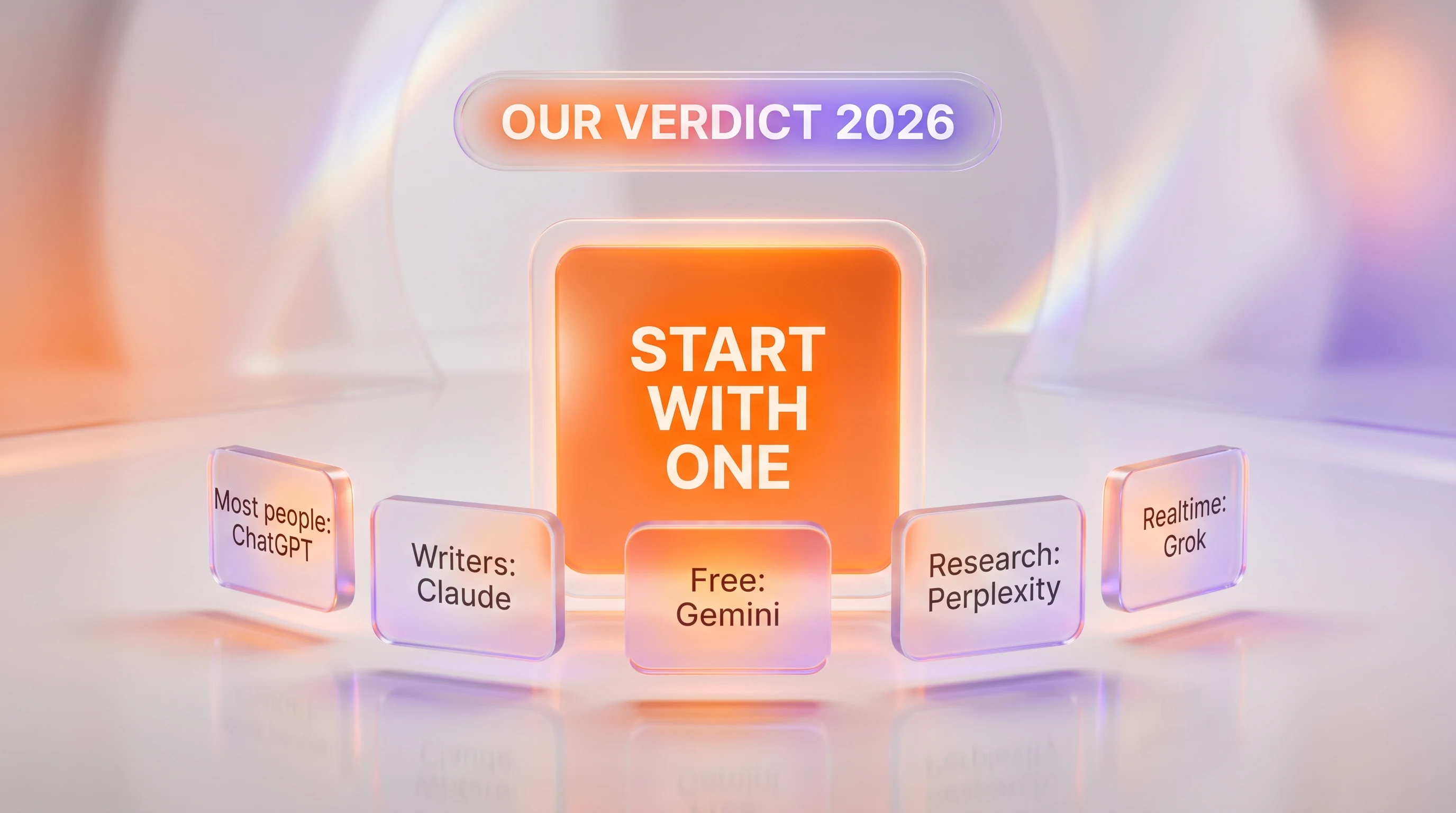
Our Verdict
The best AI assistant for everyday use in 2026 is the one that already lives where you do. For the person who wants a single answer, we picked ChatGPT — it is the most capable all-rounder and the least likely to leave you wishing you had chosen differently. But the real move is not to marry one app. The free tiers are so good now that the smartest everyday setup is a default plus a specialist: ChatGPT or Gemini as your daily driver, Claude when the writing matters, and Perplexity when the sources do. Start with one, use it for a week, and let your own habits tell you whether you need a second. You will know within a few days which one you keep opening without thinking — and that, more than any ranking, is your best AI assistant.
Frequently asked questions about the best AI assistant for everyday use
What is the best AI assistant for everyday use in 2026?
For most people, ChatGPT is the best everyday AI assistant because it handles the widest range of tasks — writing, quick answers, images, and voice — competently in one polished app with a capable free tier. That said, the best pick depends on your needs: Claude is better for writing and careful reasoning, Gemini is best for Google users and free use, and Perplexity is best for sourced research.
Which AI assistant is best if I do not want to pay anything?
If you want the strongest free experience, use Gemini for its unusually generous free tier, ChatGPT for the most versatile free assistant, and Perplexity for free sourced answers. Running all three free tiers side by side covers writing, everyday questions, and research without spending anything, and it lets your habits decide which one you keep.
Is ChatGPT or Claude better for everyday use?
ChatGPT is the better all-rounder for everyday use because it does more things — images, voice, broad tasks — in one place. Claude is better specifically for writing, editing, and careful reasoning, and it is more willing to admit uncertainty instead of guessing. Many people keep both: ChatGPT as the default and Claude for writing that matters. Our ChatGPT vs Claude comparison covers the details.
Which AI assistant is best for students?
For students, Gemini is a strong free starting point because of its capable free tier and integration with Google Docs, and Perplexity is excellent for research because it cites its sources. Add ChatGPT or Claude for stronger writing help if you hit the free limits. This combination covers homework, sourced essays, and drafting at little or no cost.
What is the best AI assistant for research?
Perplexity is the best AI assistant for research because every answer comes with numbered citations you can click and verify, which makes it ideal for fact-checking, gathering sources, and understanding news. Pairing Perplexity with Claude — using Perplexity to find sources and Claude to turn them into a careful document — is the setup we rely on when accuracy matters most.
Which AI assistant works best inside Microsoft Office?
Microsoft Copilot works best inside Office because it is built directly into Word, Excel, Outlook, PowerPoint, and Windows, with your files already in context. If your workday runs on Microsoft 365, Copilot removes the friction of switching apps. If you use Google Workspace instead, Gemini plays the same role inside Gmail and Docs.
How much do these AI assistants cost?
All six have free tiers. Based on the vendors' own pricing pages, ChatGPT Plus is 20 dollars per month and Claude Pro is 20 dollars per month, both with higher power-user tiers starting around 100 dollars per month. Paid Google AI plans start at 10 dollars per month, and Grok's fuller access comes through an X Premium+ subscription at 40 dollars per month. Perplexity and Microsoft Copilot offer paid plans whose consumer prices you should confirm on their sites, as they change.
Which AI assistant is most accurate and least likely to make things up?
No assistant is immune to confidently stating wrong information, so you should always verify anything important. In our everyday use, Claude is the most likely to admit uncertainty rather than guess, and Perplexity is the easiest to fact-check because it shows its sources. Combining a careful model with a cited one is the most reliable way to trust an answer.
Do I need to pay for an AI assistant, or is the free version enough?
For most casual users, the free version is enough in 2026. Free tiers now handle everyday writing, summaries, and questions well. You should consider paying when you regularly hit usage limits, need the newest and most powerful models, or want features like advanced research, higher limits, or deeper app integrations. Try the free tier for a week before deciding.
Which AI assistant is best for real-time news and current events?
Grok is best for real-time news because it is wired directly into X, so it can surface what people are saying about a topic right now. Gemini and Perplexity are also good for current events because they draw on live web search, and Perplexity adds citations. For breaking, up-to-the-minute reactions specifically, Grok has the edge.
Can I use more than one AI assistant at the same time?
Yes, and we recommend it. Because the free tiers are so capable, the smartest everyday setup is a default assistant plus a specialist — for example ChatGPT or Gemini for general use, Claude for writing, and Perplexity for research. Using two or three costs nothing on their free tiers and gives you the best tool for each kind of task.
Is a general AI assistant different from an AI agent?
Yes. A general AI assistant answers questions and helps you write or think, while an AI agent can take multi-step actions on your behalf, such as browsing, using tools, or completing a task end to end. Many of these assistants now include agent-style features. Our explainer on what AI agents are and how they work covers the difference in plain English.
How We Keep This Current
We update this curation as prices, models, and features change, which in this category is often. Every price above was checked against the vendor's own pricing page at the time of writing, and we only cite a number we could verify directly. This guide reflects hands-on everyday use rather than lab benchmarks; for model-by-model capability testing, see our individual reviews and head-to-head comparisons. We have no paid relationship influencing these picks. If you want to keep exploring, our companion lists cover the best AI coding tools and the best AI video generators for 2026.