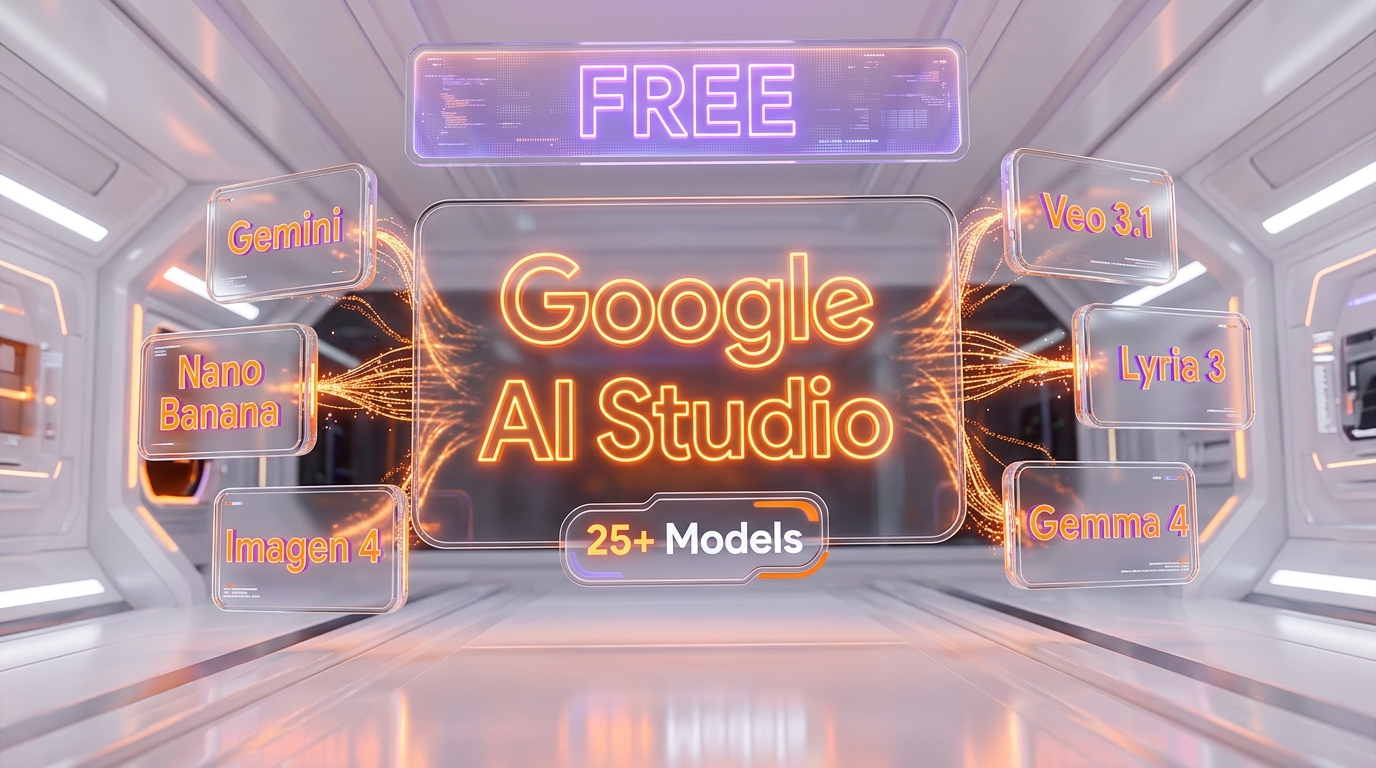
Google AI Studio is Google's free web platform at aistudio.google.com for testing 25+ AI models: Gemini 3.1 Pro, Nano Banana Pro, Imagen 4, Veo 3.1, Gemma 4, and Lyria 3. The playground is free with 5-15 RPM rate limits. API pricing starts at $0.10 per million tokens input tokens (Gemini 2.5 Flash-Lite). Build mode enables full-stack vibe coding. As of April 2026, it is the most comprehensive free AI testing environment available.
What Is Google AI Studio?
Google AI Studio is a browser-based development environment created by Google that gives developers, designers, and content creators free access to Google's entire AI model portfolio. Available at aistudio.google.com, it consolidates text generation (Gemini), image generation (Nano Banana, Imagen 4), video generation (Veo 3.1), audio generation (Lyria 3), text-to-speech, and open-weight models (Gemma 4) into a single unified interface.
The platform serves two core functions: a Playground for testing and experimenting with models, and a Build mode for creating full-stack applications through vibe coding. No API key is required for browser-based testing. Keys are only needed when you integrate Gemini models into your own applications.
Best for: developers building AI-powered applications, designers generating visual content, marketers creating multimedia assets, researchers prototyping with frontier models, and anyone who wants to test Google's AI capabilities before committing to paid API usage.
Pricing at a Glance
| Plan | Price | What You Get |
|---|---|---|
| AI Studio Playground | Free | Full access to all models, 5-15 RPM rate limits, no subscription |
| Gemini API Free Tier | Free | API keys for prototyping, limited daily requests, data may be used for training |
| Gemini API Paid Tier | From $0.10 per million tokens tokens | Higher rate limits, no data training, context caching, batch discounts |
| Vertex AI (Enterprise) | Custom pricing | SLAs, dedicated capacity, enterprise security, VPC access |
Google AI Studio at $0 vs OpenAI Playground (requires ChatGPT Plus at $20 per month or API credits) vs Anthropic Console (API credits required) vs Hugging Face Spaces (free but limited GPU). Google is the only major AI provider offering a completely free, full-featured playground with no subscription requirement.
Our Experience with Google AI Studio
We use Google AI Studio daily for testing Nano Banana image generation models. We generated 6 comparison images inside it this week for our Nano Banana models guide. The Playground interface is fast and intuitive, model switching is instant, and the Build mode for vibe coding is genuinely impressive for rapid prototyping. The free tier is generous enough for serious testing, though the April 2026 quota reductions pushed us to the paid tier for production workloads.
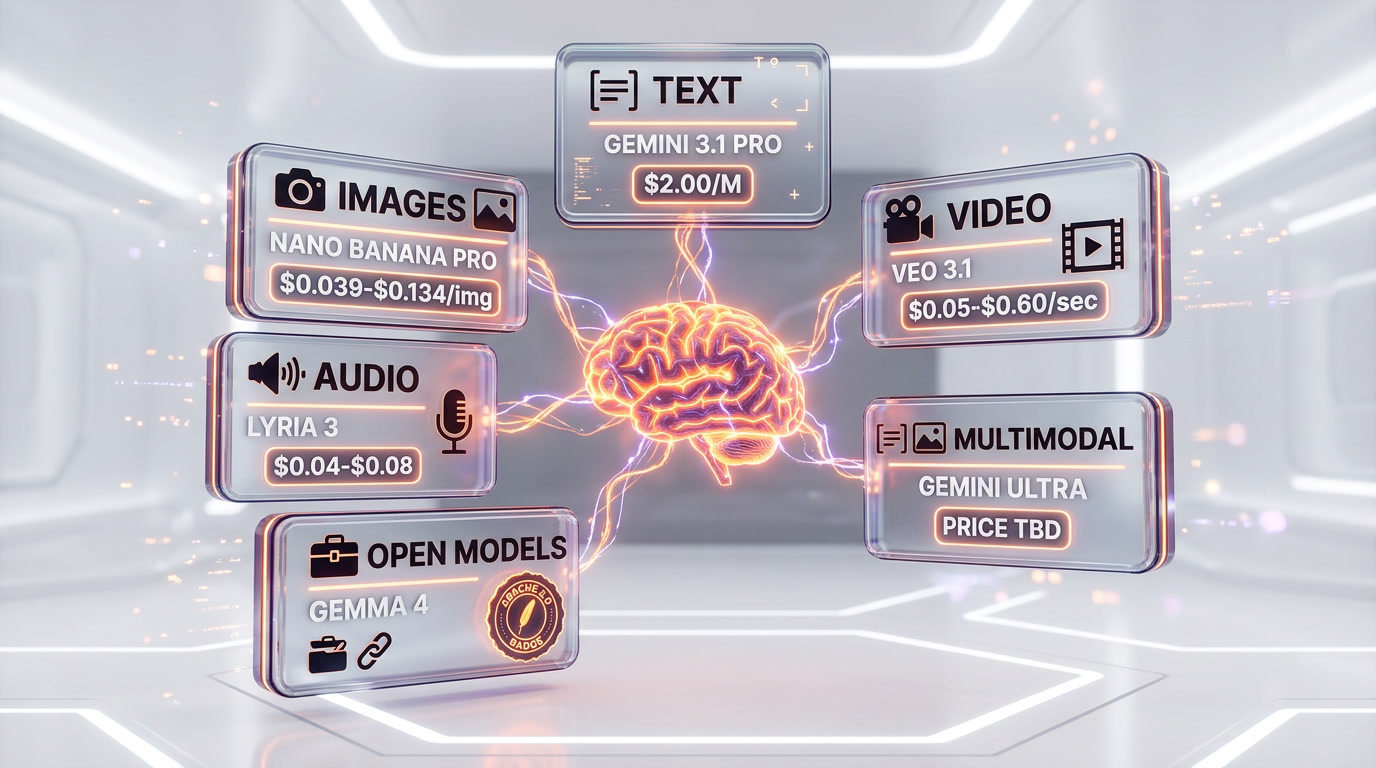
Every Model Available in Google AI Studio (April 2026)
Google AI Studio provides access to over 25 distinct models across six categories. Here is the complete inventory as of April 2026, verified against the official Gemini API models documentation.
Text and Reasoning Models
| Model | Model ID | Context Window | Input $/M tokens | Output $/M tokens |
|---|---|---|---|---|
| Gemini 3.1 Pro | gemini-3.1-pro-preview | 1M tokens | $2.00 / $4.00 | $12.00 / $18.00 |
| Gemini 3 Flash | gemini-3-flash-preview | 1M tokens | $0.50 | $3.00 |
| Gemini 3.1 Flash-Lite | gemini-3.1-flash-lite-preview | 1M tokens | $0.25 | $1.50 |
| Gemini 2.5 Pro | gemini-2.5-pro | 1M tokens | $1.25 / $2.50 | $10.00 / $15.00 |
| Gemini 2.5 Flash | gemini-2.5-flash | 1M tokens | $0.30 | $2.50 |
| Gemini 2.5 Flash-Lite | gemini-2.5-flash-lite | 1M tokens | $0.10 | $0.40 |
Gemini 3.1 Pro is the flagship reasoning model with advanced agentic capabilities and complex problem-solving. Gemini 3.1 Flash-Lite is the most cost-efficient option at $0.25 per million tokens input tokens. All text models include free tier access with rate limits of 5-15 RPM.
Image Generation Models
| Model | Model ID | Price/Image | Key Strength |
|---|---|---|---|
| Nano Banana 2 | gemini-3.1-flash-image-preview | $0.045-$0.151 | High-efficiency generation and editing |
| Nano Banana Pro | gemini-3-pro-image-preview | ~$0.134 | State-of-the-art quality, 4K, text rendering |
| Nano Banana | gemini-2.5-flash-image | $0.039 | Fast creative workflows, lowest cost |
| Imagen 4 Fast | imagen-4 | $0.02 | Fastest generation, budget-friendly |
| Imagen 4 Standard | imagen-4 | $0.04 | Balanced quality and speed |
| Imagen 4 Ultra | imagen-4 | $0.06 | Highest quality, up to 2K resolution |
The Nano Banana family is unique to Google. These are native image generation capabilities built into Gemini models, meaning they can generate images within a conversation context. Imagen 4 is a dedicated text-to-image model. At $0.02 per image, Imagen 4 Fast is the cheapest high-quality AI image generation available from any major provider.
Video Generation Models
| Model | Price/Second | Resolution | Key Feature |
|---|---|---|---|
| Veo 3.1 Lite | $0.05 | Up to 720p | Low-cost, high-efficiency video |
| Veo 3.1 Fast | $0.10-$0.30 | Up to 1080p | Fast generation with good quality |
| Veo 3.1 Full | $0.40-$0.60 | Up to 4K | Cinematic video with synchronized audio |
| Veo 3 | $0.10-$0.40 | Up to 1080p | Previous generation, still capable |
Veo 3.1 supports Ingredients to Video, letting you feed reference images from Nano Banana directly into Veo to create videos. Native vertical output for portrait mode and upscaling to 4K are included. With Sora shut down, Veo 3.1 is the dominant API-accessible AI video generation model.
Audio and Music Models
| Model | Type | Price | Description |
|---|---|---|---|
| Lyria 3 Pro | Music generation | $0.08 per song | Full-length songs with vocals |
| Lyria 3 Clip | Short music | $0.04 per clip | Up to 30-second loops and clips |
| Lyria RealTime | Streaming music | Experimental | Real-time streaming with granular control |
| Gemini 2.5 Flash TTS | Text-to-speech | Token pricing | Controllable style, fine-grained audio |
| Gemini 2.5 Pro TTS | Text-to-speech | Premium pricing | High-fidelity synthesis for podcasts |
| Gemini 3.1 Flash Live | Real-time voice | Token pricing | Audio-to-audio, real-time dialogue |
Lyria 3 Pro at $0.08 per song is significantly cheaper than Suno AI or ElevenMusic for music generation. The TTS models offer human-quality voice synthesis directly within the AI Studio playground.
Open-Weight and Specialized Models
| Model | Type | License | Key Feature |
|---|---|---|---|
| Gemma 4 | Open LLM | Apache 2.0 | 4 sizes (E2B, E4B, 26B MoE, 31B Dense), agentic |
| Gemini Embedding 2 | Embeddings | API | First multimodal embedding model |
| Computer Use Preview | UI automation | API | See digital screens and perform UI actions |
| Deep Research Preview | Research agent | API | Autonomous multi-step research |
| Gemini Robotics Preview | Robotics | API | Embodied reasoning for robotic agents |
Gemma 4, released April 2, 2026, is Google's most capable open model under Apache 2.0, directly testable inside AI Studio before downloading for local deployment. The Computer Use and Deep Research models are cutting-edge experimental capabilities that position Google AI Studio ahead of competing playgrounds.
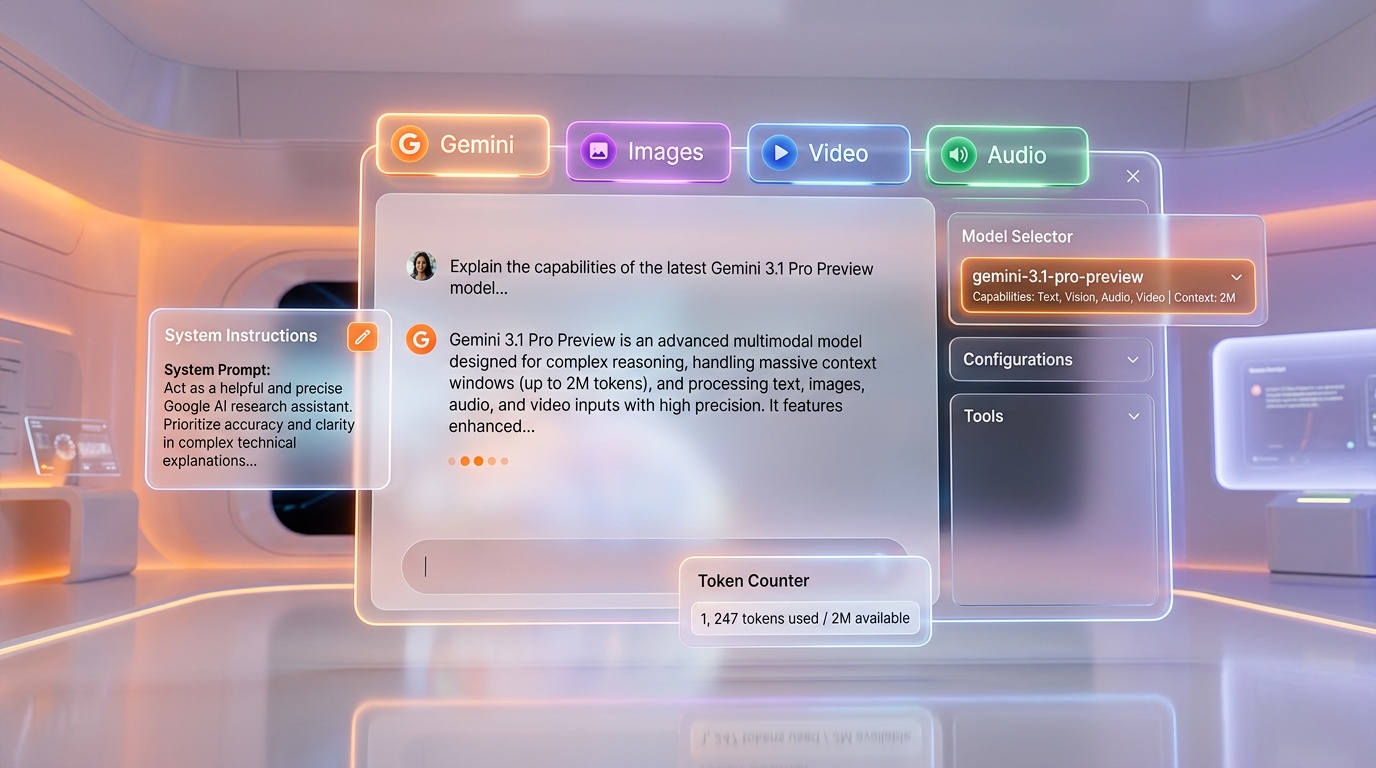
How to Get Started with Google AI Studio
Getting started takes under 2 minutes. Here is the exact process.
Step 1: Sign In
Navigate to aistudio.google.com and sign in with any Google account. No waitlist, no credit card, no approval process. AI Studio is available in 180+ countries.
Step 2: Choose Your Mode
The interface presents two main areas:
- Playground -- Test models interactively. Tabs switch between Gemini (text), Images (Nano Banana + Imagen 4), Video (Veo 3.1), and Audio (Lyria 3 + TTS). Select a model from the dropdown and start prompting.
- Build -- Create full-stack applications through natural language. Powered by the Antigravity Agent, it generates React, Angular, or Next.js apps with server-side logic, database integration, and authentication.
Step 3: Send Your First Prompt
In the Playground Gemini tab, select a model (Gemini 2.5 Flash for speed or Gemini 3.1 Pro for quality), type your prompt, and hit Enter. The response streams in real-time. System instructions, temperature, safety settings, and output format are configurable in the right panel.
Step 4: Get an API Key (Optional)
Click Get API key in the left sidebar. Name your key, assign it to a Google Cloud project (one is created automatically if needed), and copy the key. Use it with official SDKs for Python, Node.js, Go, or any HTTP-capable language. The free tier gives immediate access with 5-15 RPM rate limits.
Step 5: Move to Production
When you need higher rate limits and production reliability, enable billing on your Google Cloud project. Paid tier starts at $0.10 per million tokens input tokens (Gemini 2.5 Flash-Lite). Batch mode gives 50% off, and context caching reduces input costs by up to 90%.
The Playground: Testing Every AI Capability
The Playground is the core of Google AI Studio. It is a single unified surface where you interact with all of Google's AI models without writing a single line of code.
Gemini Tab (Text and Reasoning)
The Gemini tab is a chat interface where you can test any text model. Key features include:
- System instructions -- Define model behavior, personality, and constraints
- Structured output -- Force JSON, enum, or schema-compliant responses
- Grounding with Google Search -- Models search the web for real-time information (5,000 free grounded prompts per month for Gemini 3, then $14 per 1,000 queries)
- Code execution -- Run Python code directly in the conversation
- File upload -- Attach PDFs, images, audio, and video for multimodal analysis
- Token counter -- Real-time token usage tracking for cost estimation
Images Tab (Nano Banana + Imagen 4)
Switch to the Images tab to generate visuals. Select between Nano Banana Pro (highest quality, 4K), Nano Banana 2 (balanced), original Nano Banana (fastest), and Imagen 4 in Fast, Standard, or Ultra variants. Generation typically takes 3-8 seconds.
Video Tab (Veo 3.1)
The Video tab gives access to Veo 3.1 and its variants. Generate videos from text prompts or use Ingredients to Video to create videos from reference images. Veo 3.1 produces synchronized audio with video, a capability no other API-accessible model offers since Sora was shut down.
Audio Tab (Lyria 3 + TTS)
The Audio tab handles music generation (Lyria 3) and text-to-speech (TTS models). Lyria 3 Pro generates full-length songs with vocals for $0.08 per song. TTS models produce human-quality speech with controllable style parameters.
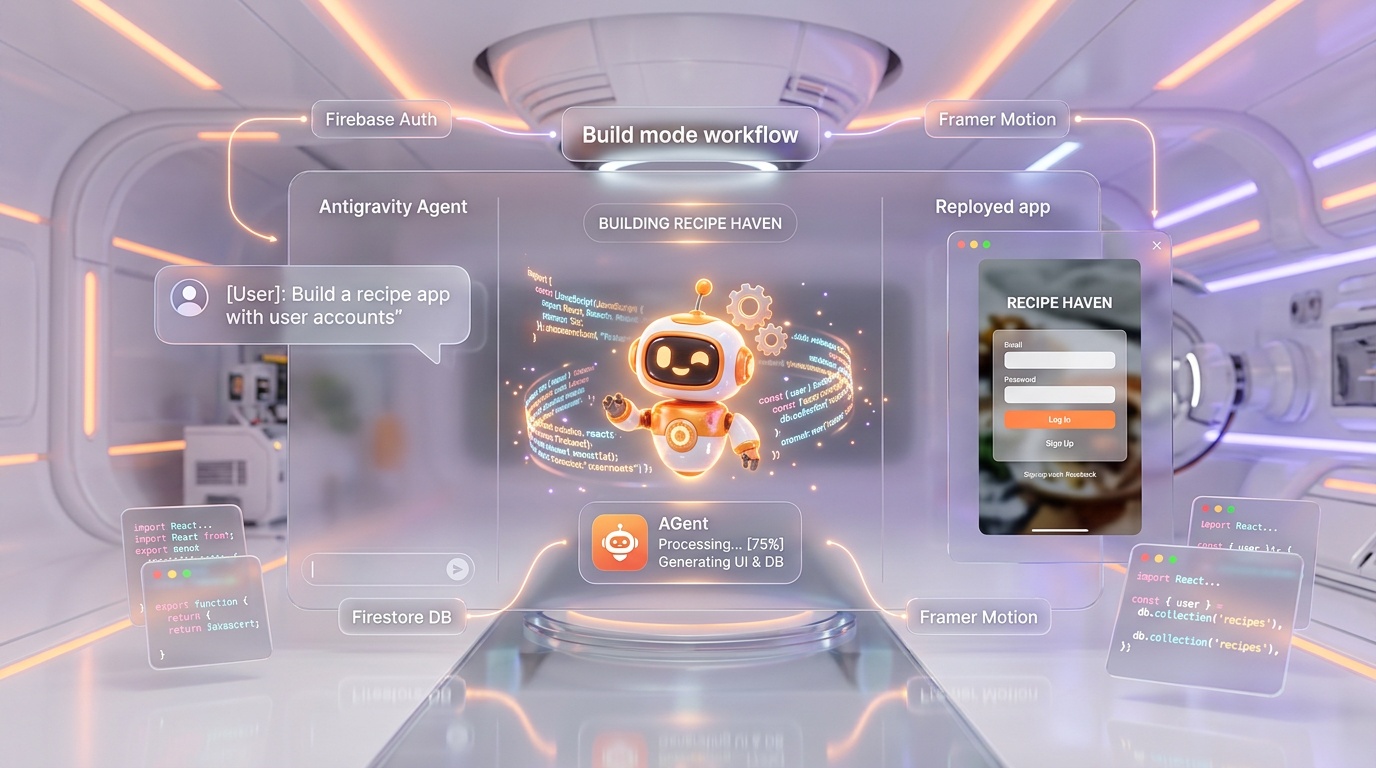
Build Mode: Full-Stack Vibe Coding
Build mode, launched as a major upgrade in March 2026, transforms Google AI Studio from a testing playground into a full-stack development environment. It is powered by the Antigravity Agent, the same AI agent that powers the standalone Google Antigravity IDE.
What You Can Build
Describe any application in natural language, and the Antigravity Agent generates the complete code. Supported frameworks include React, Angular, and Next.js. Real capabilities include:
- Full-stack runtimes -- Server-side logic, not just frontend
- Database integration -- Ask for a recipe app with user accounts and it provisions Cloud Firestore and Firebase Authentication automatically
- npm packages -- Install and use any npm package through natural language
- Secrets management -- Secure API key storage for third-party integrations
- UI libraries -- Framer Motion, Shadcn, Tailwind CSS, all installable through prompts
- Multiplayer -- Real-time collaborative editing
- Multi-file management -- The agent maintains context across your entire project
Build Mode vs Competitors
Build mode competes directly with Bolt.new, Lovable, and Replit for vibe coding. The key advantage: it is free and backed by the full Gemini model suite, while competitors charge $20-50/month. The disadvantage: it is newer and less mature than established alternatives.
Gemini API: From Playground to Production
The transition from AI Studio playground to production API is seamless because they use the same models and the same API.
API Key Management
AI Studio provides a centralized key management interface where you can create, rotate, and delete API keys. Each key is tied to a Google Cloud project. The free tier and paid tier use the same keys. Billing is determined by your project configuration.
SDKs and Integration
Official SDKs are available for Python, Node.js, Go, Dart/Flutter, Swift, and Kotlin/Java. The REST API works with any HTTP client. A minimal Python example:
import google.generativeai as genai

genai.configure(api_key="YOUR_API_KEY")
model = genai.GenerativeModel("gemini-2.5-flash")
response = model.generate_content("Explain quantum computing")
print(response.text)
Cost Optimization Strategies
- Batch mode -- 50% off standard pricing on most models. Requests processed asynchronously, ideal for non-real-time workloads.
- Context caching -- Reuse large prompts and pay approximately 10% of normal input rates. Gemini 2.5 Flash cached input: $0.03 per million tokens tokens vs $0.30 per million tokens standard.
- Flex mode -- Same price as batch mode but with faster turnaround.
- Model selection -- Use Flash-Lite ($0.10 per million tokens input) for simple tasks, Flash ($0.30 per million tokens) for general use, and Pro ($1.25-$2.00 per million tokens) only for complex reasoning.
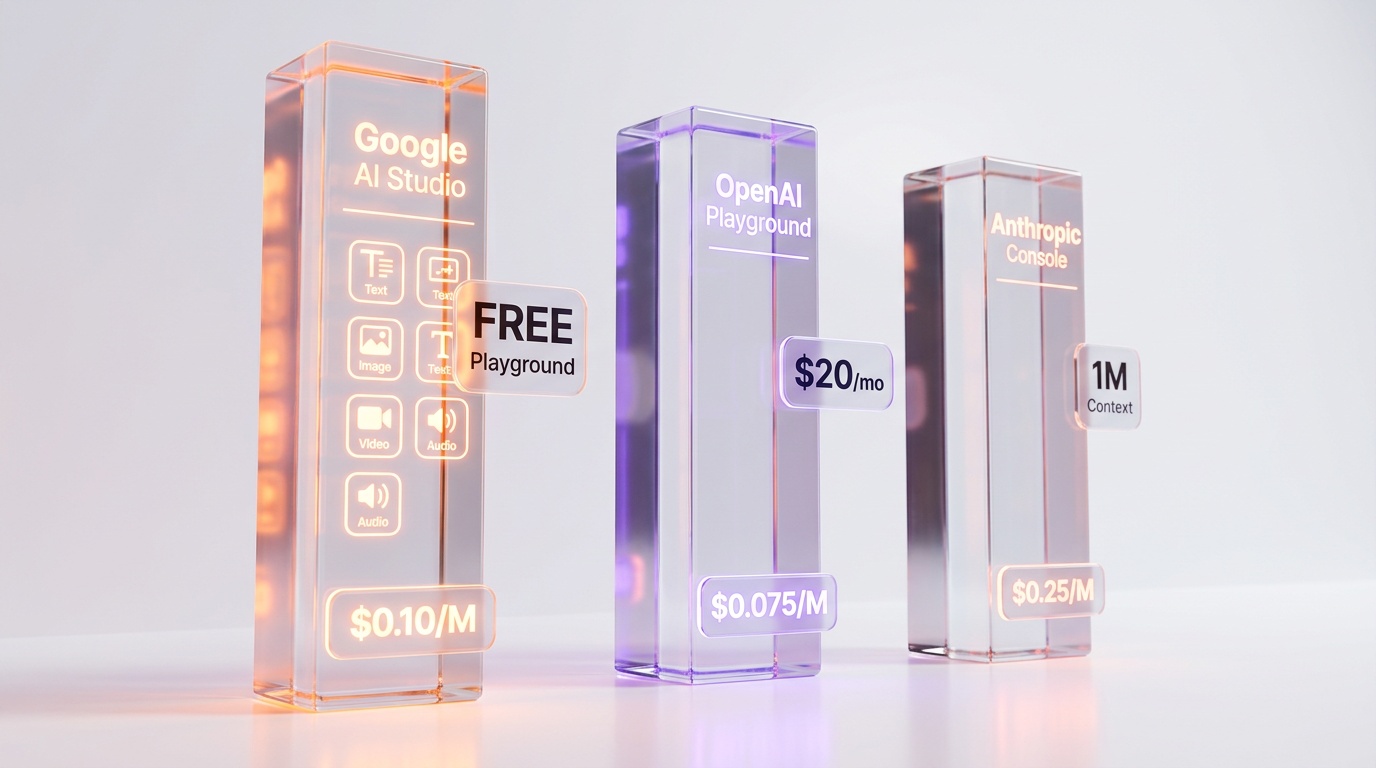
Google AI Studio vs OpenAI Playground vs Anthropic Console
Here is how Google AI Studio compares to its two main competitors as of April 2026.
| Feature | Google AI Studio | OpenAI Playground | Anthropic Console |
|---|---|---|---|
| Access Cost | Free (no subscription) | API credits or Plus $20 per month | API credits required |
| Text Models | Gemini 3.1 Pro, 3 Flash, 2.5 series | GPT-5, GPT-4.1, o3, o4-mini | Opus 4.6, Sonnet 4, Haiku |
| Image Gen | Nano Banana (3) + Imagen 4 (3) | DALL-E 3 (limited) | None |
| Video Gen | Veo 3.1 (3 tiers) | None (Sora shut down) | None |
| Audio/Music | Lyria 3 + TTS models | Whisper, TTS | None |
| App Building | Build mode (vibe coding) | Codex (separate) | None |
| Open Models | Gemma 4 (Apache 2.0) | None | None |
| Max Context | 1M tokens | 128K-200K tokens | 1M tokens (Opus 4.6) |
| Cheapest Model | $0.10 per million tokens (Flash-Lite) | $0.075 per million tokens (GPT-4.1 nano) | $0.25 per million tokens (Haiku) |
The verdict: Google AI Studio wins on breadth. No other playground offers text + image + video + audio + music + app building in one interface. OpenAI Playground wins on ecosystem maturity and developer resources. Anthropic Console wins on reasoning quality with Opus 4.6 and iterative prompt engineering workflows. For multimodal experimentation, Google AI Studio is the clear choice.
Use Cases: Who Should Use Google AI Studio?
Developers
Test Gemini models before integrating them into applications. Prototype with Build mode, then export to your own codebase. Use the Gemini API for production with context caching and batch discounts. The Computer Use and Deep Research preview models give early access to cutting-edge capabilities.
Designers and Content Creators
Generate images with Nano Banana Pro for 4K quality or Imagen 4 Fast at $0.02 per image for volume. Create videos with Veo 3.1 using Ingredients to Video. Generate background music with Lyria 3 at $0.04-$0.08 per piece.
Marketers
Use Gemini for copywriting, Nano Banana for social media visuals, Veo 3.1 for video ads, and Lyria 3 for jingles. Google Search grounding ensures content is based on real-time information. The entire pipeline runs inside a single platform.
Researchers and Students
The free tier with 1M token context windows enables analysis of long documents and research papers. Gemma 4 can be tested in AI Studio before downloading for local deployment. Deep Research preview automates multi-step literature reviews.
Enterprise Teams
Prototype in AI Studio, then scale to Vertex AI for production with SLAs, dedicated capacity, and enterprise security. The same models and APIs work across both platforms.
Advanced Features Worth Knowing
Google Search Grounding
Gemini models can access real-time web information through Google Search grounding. Enable it with a single parameter. The free tier includes 5,000 grounded prompts per month for Gemini 3 models. After that, $14 per 1,000 queries. This is a massive advantage for applications needing current information.
Context Caching
If you repeatedly send the same large context (system instructions, reference documents, code repositories), context caching stores it server-side and charges approximately 10% of normal input rates. For a 500K token system prompt used across 100 requests, this saves roughly 90% on input costs.
Multimodal Embeddings
Gemini Embedding 2 is the first multimodal embedding model. It maps text, images, video, audio, and PDFs into a unified vector space. This enables cross-modal semantic search: find images similar to a text description, or find documents related to an audio clip.
Computer Use (Preview)
The Computer Use preview model can see digital screens and perform UI actions: clicking buttons, filling forms, navigating websites. This is Google's answer to Anthropic's Claude Computer Use capability, available for testing directly in AI Studio.
Structured Output
All Gemini models support forced JSON output with schema validation. Define a JSON schema, and the model guarantees its response matches that structure. This eliminates post-processing and makes API integrations more reliable.
Pricing Deep Dive: Free vs Paid
The Free Tier (April 2026)
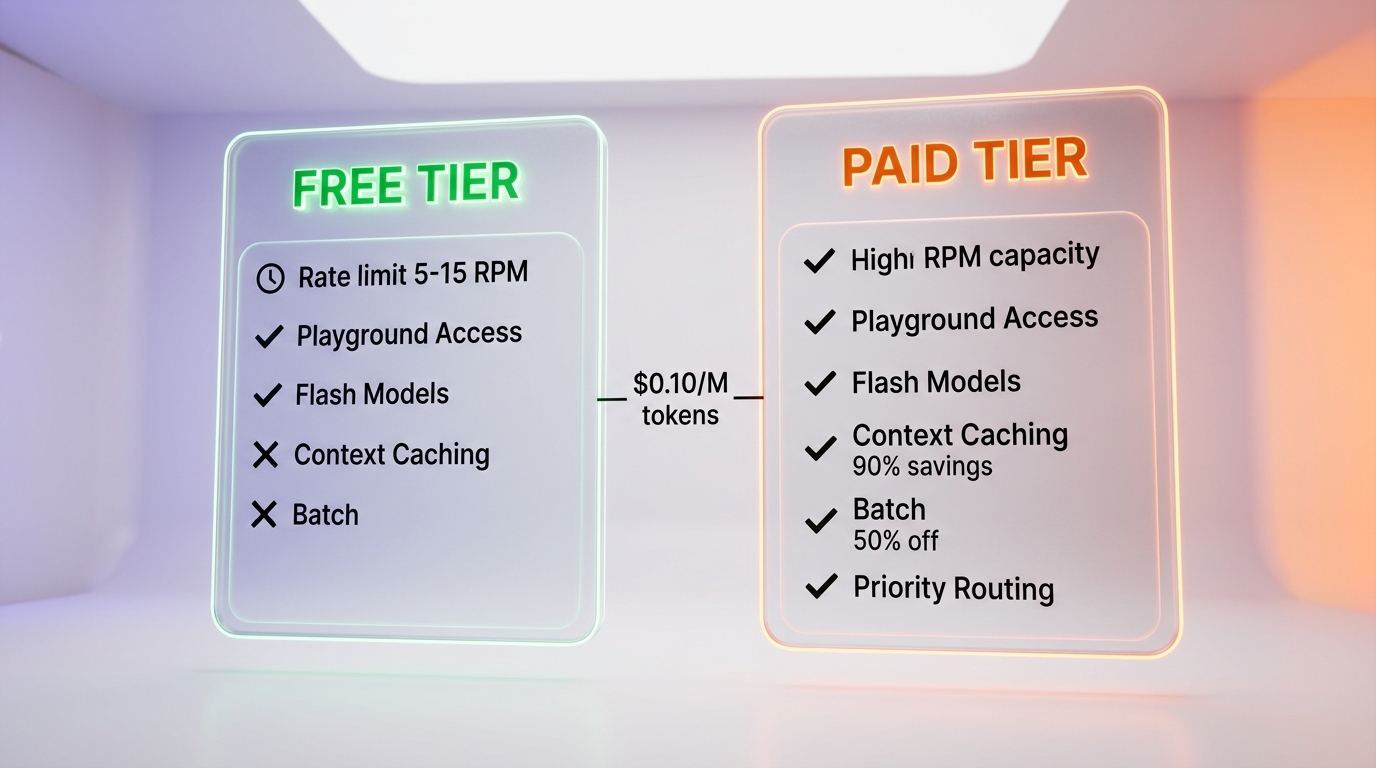
Important context: Google cut free quotas by 50-80% in December 2025, and April 2026 changes restricted Pro models behind a paywall for free users. Here is what the free tier actually includes:
- AI Studio playground -- Fully free, no limits on browser-based testing
- API free tier -- Available for Gemini 2.5 Flash, Flash-Lite, and 3.1 Flash-Lite
- Rate limits -- 5-15 RPM depending on the model
- Daily request caps -- Restrictive for production use
- Data usage -- Free tier prompts may be used to improve Google products
- No access to -- Context caching, batch processing, priority routing
Paid Tier
Enable billing on your Google Cloud project to access the paid tier. Key differences:
- Higher rate limits -- Suitable for production workloads
- No data training -- Your prompts are not used for model improvement
- All models available -- Including Pro models restricted from free tier
- Batch mode -- 50% discount on asynchronous requests
- Context caching -- Up to 90% savings on repeated contexts
- Flex mode -- Batch pricing with faster turnaround
- Priority routing -- Higher cost but guaranteed low latency
- Spending caps -- Mandatory since April 1, 2026 to prevent surprise bills
Real-World Cost Examples
| Use Case | Model | Monthly Volume | Est. Cost |
|---|---|---|---|
| Chatbot (simple) | Gemini 2.5 Flash-Lite | 10M tokens in/out | ~$5 per month |
| Content generation | Gemini 2.5 Flash | 50M in, 10M out | ~$40 per month |
| Complex reasoning | Gemini 3.1 Pro | 10M in, 2M out | ~$44 per month |
| Image generation | Imagen 4 Standard | 1,000 images | $40 per month |
| Video generation | Veo 3.1 Lite (10s) | 100 videos | $50 per month |
Limitations and Weak Points
No platform is perfect. Here are the genuine limitations we have encountered.
Free Tier Erosion
Google has progressively reduced free tier quotas throughout 2025-2026. The April 2026 changes removed Pro model access for free users entirely. Expect further reductions if you rely on the free tier for anything beyond casual testing.
Model Stability
Many models carry the preview suffix, and Google has deprecated models with relatively short notice. Gemini 3 Pro Preview was shut down on March 9, 2026, just weeks after launch. Building production systems on preview models carries risk.
No Fine-Tuning in AI Studio
Model tuning requires Vertex AI and is not available directly within AI Studio. For custom model training, you need to step outside the free playground.
Build Mode Maturity
Build mode is powerful but new. It launched in March 2026 and lacks the polish of Bolt.new or Lovable, which have had over a year of refinement. Complex applications may require manual code editing.
Regional Restrictions on Some Models
While AI Studio is available in 180+ countries, specific models (especially video and music generation) have regional restrictions. Veo 3.1 and Lyria 3 are not available in all regions.
Limited Chat Export
Playground conversations are not easily exportable in structured formats. For systematic prompt engineering workflows, Anthropic Console offers better iteration tools.
Google AI Studio vs Vertex AI
A common point of confusion: Google AI Studio and Vertex AI are different products that share the same models.
| Aspect | Google AI Studio | Vertex AI |
|---|---|---|
| Target | Developers, prototyping | Enterprise, production |
| Cost | Free playground + pay-per-use API | Pay-per-use + enterprise deals |
| Fine-tuning | Not available | Available |
| SLA | No | Yes |
| Security | Standard Google Cloud | VPC, CMEK, data residency |
| Same models | Yes | Yes |
| Best for | Testing, prototyping, small projects | Production, enterprise, regulated |
Start in AI Studio to test and prototype. Move to Vertex AI when you need production SLAs, fine-tuning, or enterprise security. The API code is identical; only the endpoint and authentication change.
The Bottom Line
Google AI Studio is the most feature-rich free AI playground available in April 2026. No other platform offers text, image, video, audio, music generation, app building, and open-weight model testing in a single free interface. The Gemini API pricing is competitive, with Gemini 2.5 Flash-Lite at $0.10 per million tokens input tokens undercutting most competitors, and features like context caching and batch mode make production deployments cost-effective.
The limitations are real: free tier erosion, preview model instability, and Build mode immaturity are genuine concerns. But for the price of zero dollars, nothing else comes close to the breadth of capabilities Google AI Studio offers.
If you work with AI in any capacity, whether development, design, content creation, or research, Google AI Studio should be bookmarked and used regularly. It is the best way to stay current with Google's rapidly evolving AI model portfolio.
Frequently Asked Questions
Is Google AI Studio really free compared to OpenAI Playground and Anthropic Console?
Yes. Google AI Studio offers a completely free playground with access to 25+ models and 5-15 RPM rate limits. OpenAI Playground requires ChatGPT Plus at $20 per month or API credits. Anthropic Console requires API credits. Hugging Face Spaces is free but has limited GPU. Google is the only major provider offering a full-featured playground at $0.
What are Google AI Studio's limitations?
The free tier has rate limits of 5-15 RPM depending on the model. April 2026 quota reductions made the free tier insufficient for production workloads. Free tier data may be used for training. For higher rate limits, no data training, context caching, and batch discounts, you need the paid Gemini API tier starting at $0.10 per million tokens input tokens.
How does Nano Banana compare to Imagen 4 for image generation?
Nano Banana models are native image generation capabilities built into Gemini, meaning they generate images within conversation context. Nano Banana Pro offers state-of-the-art quality at ~$0.134 per image with 4K and text rendering. Imagen 4 is a dedicated text-to-image model starting at $0.02 per image (Fast tier), making it the cheapest high-quality option from any major provider. Choose Imagen 4 Fast for budget, Nano Banana Pro for quality.
Does Google AI Studio integrate with Vertex AI for enterprise use?
Yes. Google AI Studio serves as the free prototyping layer, while Vertex AI provides enterprise-grade deployment with SLAs, dedicated capacity, enterprise security, and VPC access at custom pricing. You can prototype in AI Studio's free playground, then scale to Vertex AI for production without changing your model code.
Who should use Google AI Studio?
Developers building AI-powered applications, designers generating visual content with Nano Banana and Imagen 4, marketers creating multimedia assets, researchers prototyping with frontier models, and anyone wanting to test Google's AI capabilities before committing to paid API usage. The Build mode also suits non-developers who want to create full-stack apps through natural language.
Is Veo 3.1 better than OpenAI Sora for video generation?
As of April 2026, Sora has been shut down, making Veo 3.1 the dominant API-accessible AI video generation model. Veo 3.1 Full supports up to 4K resolution with synchronized audio at $0.40-$0.60 per second. It also features Ingredients to Video, letting you feed Nano Banana reference images directly into Veo for consistent video creation, plus native vertical output for portrait mode.
How does Lyria 3 compare to Suno AI for music generation?
Lyria 3 Pro generates full-length songs with vocals at $0.08 per song, which is significantly cheaper than Suno AI or ElevenMusic. Lyria 3 Clip produces up to 30-second loops at $0.04 per clip. The platform also includes Lyria RealTime for experimental streaming music with granular control, directly accessible from the AI Studio playground.