Grok Imagine Image 2.0
SpaceXAI's image generation and editing model — 1K and 2K output, two quality settings, second on the Arena image editing board.

Quick Summary
Grok Imagine Image 2.0 is SpaceXAI's image generation and editing model, announced August 7, 2026 and available in the API as grok-imagine-image-2.0. Output is billed per generated image, from $0.04 at 1K low quality to $0.08 at 2K medium quality, plus $0.01 per input image. We score it 8.0 out of 10.
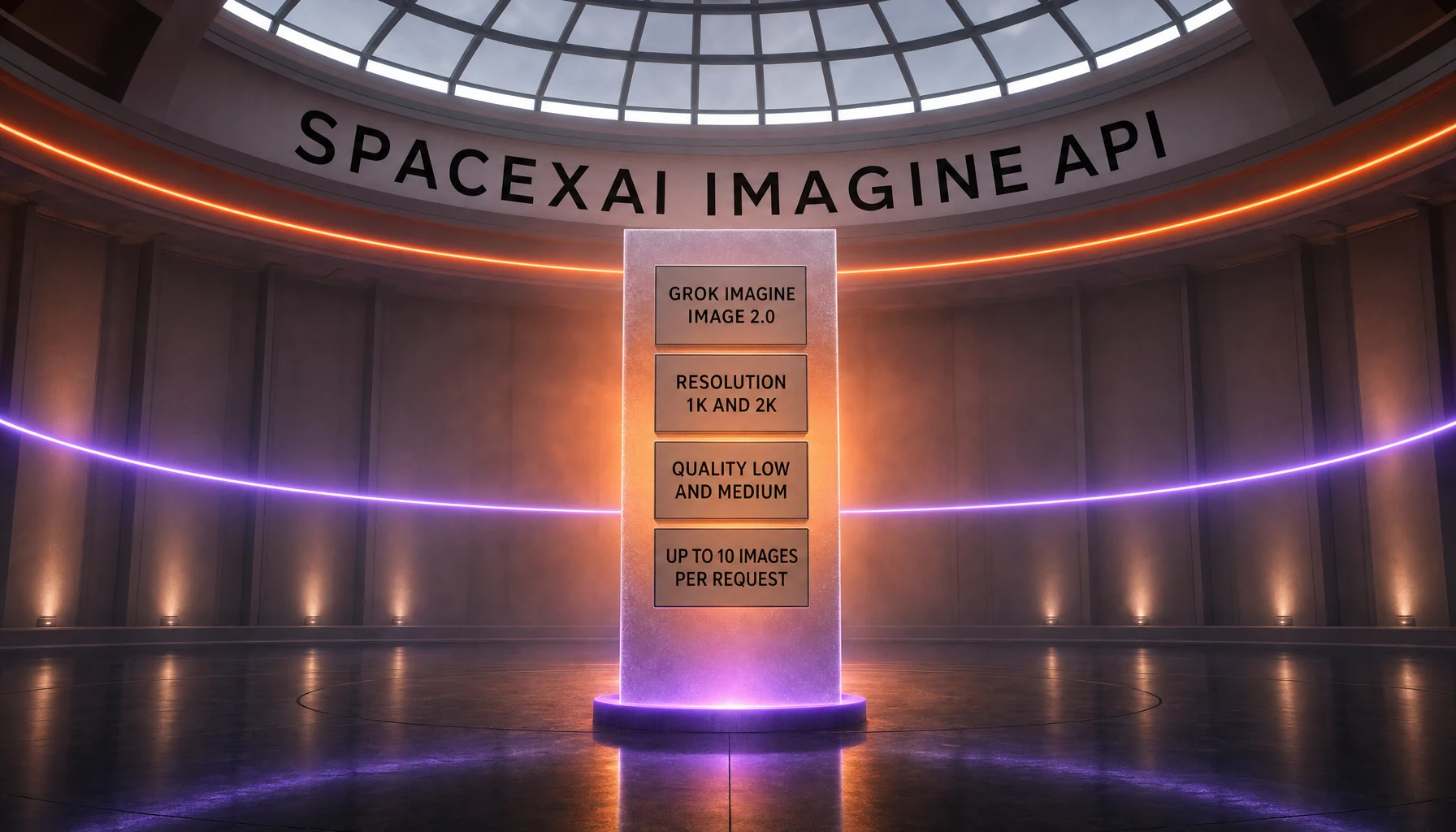
Grok Imagine Image 2.0 is SpaceXAI's image generation and editing model, announced on August 7, 2026 and available in the API as grok-imagine-image-2.0. It generates images from text or edits them from reference images at 1K or 2K resolution, in two quality settings, up to 10 images per request. Output is billed per generated image, from $0.04 at 1K low quality up to $0.08 at 2K medium quality, plus $0.01 for every image supplied as input. On the Arena boards dated August 25, 2026, the model's low-quality variant sits second in image editing and third by score in text-to-image. We score it 8.0 out of 10.
TL;DR — Our Verdict
Grok Imagine Image 2.0 is a genuine step up from the Grok Imagine image models that came before it, and the single most useful thing we can tell you about it is that it costs more than SpaceXAI's own headline number suggests.
- What it is: SpaceXAI's current image generation and editing model, announced August 7, 2026, exposed in the API as
grok-imagine-image-2.0and shipped to consumers as the new Quality Mode inside Grok Imagine. - The price you will actually pay: $0.06 per image. That is the cost of the default configuration, which is 1K resolution at medium quality. The cheaper $0.04 rate requires you to explicitly pass
qualityaslow. - The number that is not its price: the Imagine API card on SpaceXAI's models page reads "Starting at $0.02 per image." That $0.02 belongs to the legacy
grok-imagine-imagemodel, which is still listed and still billed. Image 2.0 starts at double it. - Independent standing: on the Arena boards with votes counted to August 25, 2026,
grok-imagine-image-2.0 (low)ranks second of 53 models in image editing at 1439 Elo, and third by score of 76 models in text-to-image at 1316 Elo. Both entries are flagged Preliminary. - Best for: teams that edit as much as they generate, want a first-class regional editing surface, and can pin a quality setting in code rather than accepting the default.
- Skip if: you need EU or Asia-Pacific region processing, a batch discount, or a rate-limit ladder that scales with spend — none of those apply to the Imagine API today.
- Our score: 8.0 out of 10, from documented specifications and independent leaderboard data rather than metered hands-on use.
How We Researched This Review
We have not run Grok Imagine Image 2.0 through a metered production workload, and we are not going to pretend otherwise. This review is research-led. Everything factual in it comes from one of three places, and we say which throughout.
What we did. We read SpaceXAI's primary material directly: the announcement post for Imagine Image 2.0, the model page for grok-imagine-image-2.0, the Imagine overview, the image generation guide, the multi-image editing page, the published pricing table, the rate limits page, the documentation FAQ, the Acceptable Use Policy, and the consumer Terms of Service. Every price, parameter name, default value, endpoint, region, and rate limit below was read off those pages on August 28, 2026, not summarized from secondhand coverage. We also pulled the two relevant Arena leaderboards ourselves — Image Edit and Text-to-Image — and read the model entries, vote counts, confidence intervals, and release flags out of the board data rather than eyeballing a screenshot.
What we did not do. We did not generate a controlled prompt set through the API and score the outputs. We did not measure latency, failure rates, or real cost per finished asset over time. We did not reproduce the Arena rankings. Where a claim is SpaceXAI's own rather than something measured independently, we attribute it to SpaceXAI in the sentence that carries it. Verifiable aggregated star ratings from review platforms were not available for this model specifically at the time of writing — the platform reviews that exist cover the broader Grok product, not the image model — so this page carries our editorial score and no external community rating.
What that means for our score. Our 8.0 out of 10 weighs documented capability and independent leaderboard standing heavily, and weighs long-run reliability not at all, because we have not measured it. Last researched: August 28, 2026.
What Is Grok Imagine Image 2.0?
Grok Imagine Image 2.0 is the image half of SpaceXAI's Imagine family. It takes text, or text plus reference images, and returns images. It is a distinct model with its own API identifier, its own documentation page, and its own pricing row — which is why it gets its own review here rather than an update to our Grok Imagine page, which covers the wider product and its video side.
SpaceXAI announced it on August 7, 2026. The announcement describes it as "generally available as the new Quality Mode on grok.com/imagine, and our iOS and Android apps," and states the design goal plainly: "make images you can use in real work." The same post says the model "plans typography and layout the way a designer would, so dense, multi-part visuals hold together and small text comes out sharp."
A note on the name
Three names for the same model circulate, all of them from SpaceXAI, and we report all three rather than picking a winner. The announcement is headlined Imagine Image 2.0, without "Grok." The documentation model page is titled Grok Imagine Image 2.0, with it, and the models page repeats that form in its "Which model should I choose?" table. The API identifier — the only one your code cares about — is grok-imagine-image-2.0. On the consumer side it is not called by a version number at all; it is presented as the new Quality Mode inside Grok Imagine.
The vendor name is also worth a note if you are searching for primary sources. SpaceXAI and xAI both appear across the company's own properties, sometimes on the same documentation page, and the Arena leaderboards list the company's models under SpaceXAI. We use the names as each source uses them rather than normalizing them.
What else is in the catalog
Image 2.0 did not replace its predecessors — it joined them. Two older image models remain listed and priced in SpaceXAI's pricing table: grok-imagine-image and grok-imagine-image-quality. That coexistence is exactly what makes the headline price on the models page misleading, and we come back to it in the pricing section. Separately, grok-imagine-video-1.5 is the current video model, announced July 31, 2026, with its own per-second billing at 480p, 720p, and 1080p. It is a different model with different economics and gets its own page; we mention it here only so you do not conflate the two release dates or the two price structures.
Key Features
Two endpoints, OpenAI-compatible
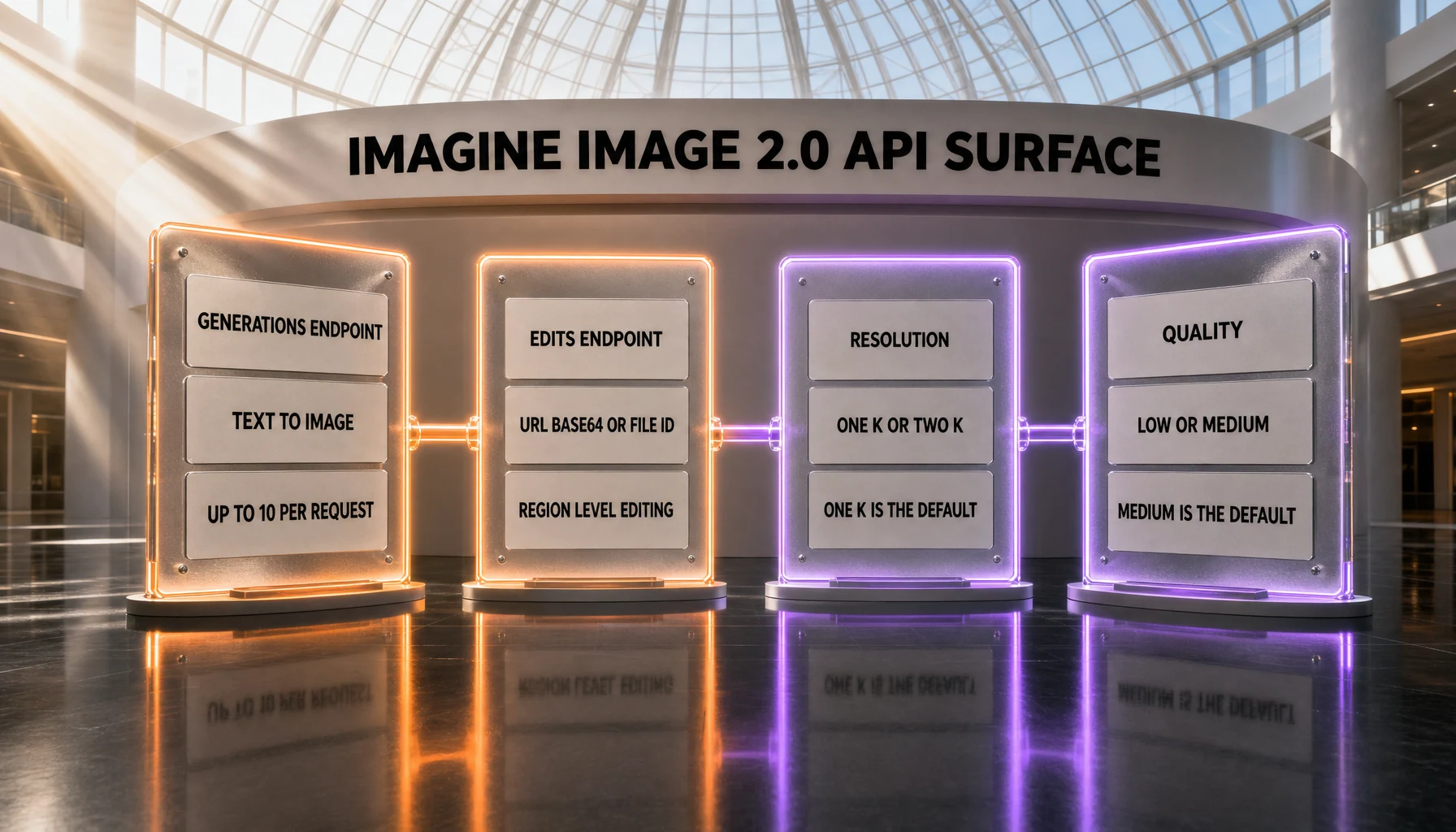
The model is reachable at POST https://api.x.ai/v1/images/generations for text-to-image and POST https://api.x.ai/v1/images/edits for editing. SpaceXAI documents four client paths: the xAI SDK, the OpenAI SDK pointed at https://api.x.ai/v1 as its base URL, the Vercel AI SDK, and plain REST. If you already call an OpenAI-compatible image endpoint, swapping the model string and the base URL is most of the migration. The one wrinkle is that the xAI Python SDK splits single and multiple generation across two methods — sample() returns one image, sample_batch(n=...) returns several — while the REST and OpenAI-compatible paths take an optional n on the same call.
Resolution: 1K and 2K
The resolution parameter accepts 1k and 2k. Omit it and you get 1k. There is no 4K tier documented for this model. Resolution is one of the two axes that set your per-image cost, which makes it a billing decision as much as a quality one.
Quality: a parameter unique to this model
The quality parameter accepts low and medium, and defaults to medium when omitted. The image generation documentation is explicit that it "is only supported for grok-imagine-image-2.0" — no other Imagine model exposes it. There is no high setting. This parameter deserves your attention for a reason that has nothing to do with image quality: it is the difference between $0.04 and $0.06 per generated image at 1K, and between $0.06 and $0.08 at 2K. Leave it unset and you are on the more expensive of the two, every time.
Up to 10 images per request
The n parameter runs from 1 to 10 and defaults to 1 on REST and the OpenAI-compatible SDKs. Each image in the response is billed, so a single call with n at 10 in the default configuration costs the same as ten separate default calls — by our arithmetic on SpaceXAI's published rate, $0.60.
Fifteen aspect ratios plus auto
The aspect_ratio parameter accepts fifteen explicit ratios — 1:1, 16:9, 9:16, 4:3, 3:4, 3:2, 2:3, 2:1, 1:2, 19.5:9, 9:19.5, 20:9, 9:20, 21:9, and 5:2 — plus auto, which is the default and lets the model choose. The documentation tags them by intent: 19.5:9 and 9:19.5 for iPhone-shaped displays, 20:9 and 9:20 for Android, 21:9 for cinematic widescreen, 5:2 for wide banners. On the consumer side, SpaceXAI presents the same capability as Smart Resize: "One image, any size: pick a ratio and the model fills in the frame." On an edit request, the output ratio follows the first input image unless you override it.
Editing as a first-class surface
Editing is where the announcement spends most of its argument, and it is the board where the model ranks highest. SpaceXAI describes four editing behaviors in the launch post: a magic wand that "edits the region you point at and leaves the rest untouched," segmentation that "selects precise areas of the image to change," background removal that "exports any subject with a transparent background," and multi-reference editing for combining subjects without manual compositing. The API side of this is the edits endpoint, which accepts a public URL, a base64 data URI, or a file_id from the Files API — and lets you mix those kinds inside one request.
How many reference images? Sources disagree
This is the one specification where SpaceXAI contradicts itself, and we report the contradiction rather than picking a side. The August 7 announcement says multi-reference editing "accepts up to 5 input images in a single generation." The multi-image editing documentation page opens with "Use up to three source images for a single image edit," and the Imagine overview repeats "up to 3 reference images per request." Both are primary sources from the same vendor, published within weeks of each other. We have not tested which limit the API enforces. If you are architecting around this, treat three as the number the API documentation commits to and validate five before you depend on it.
One adjacent figure is not part of this disagreement: the "up to seven references per generation" that appears in SpaceXAI's material belongs to the July 31 video release, not to Image 2.0. It is a video limit.
Response format and storage
The response_format parameter defaults to url, which returns temporary hosted links — SpaceXAI's own wording is that they are temporary and you should "download or process promptly." Set it to b64_json to receive base64 payloads you can embed without a second fetch. The Files API can persist generated assets and mint a permanent shareable URL in the same request.
Templates on the consumer side
Alongside the model, SpaceXAI shipped templates that "package common image workflows into ready-made starting points." The published set covers photo editing, product color changes, editorial product posters, reimagining, photo collages, mascot creation, background removal and replacement, e-commerce photos, user-generated-content-style photos, professional headshots, icon creation, character sprites, game props and UI kits, emoji creation, and merchandise mockups. These are consumer product surfaces, not API parameters — you will not find a template field in the image generation reference.
Batch API, without a batch discount
The model page lists Batch API support as Supported and batch pricing as N/A. Read those two rows together: you can queue image generation and image edit requests through the Batch API, and you will pay the same per-image rate you would pay synchronously. Batching here buys you throughput and job management, not a lower unit cost.
Grok Imagine Image 2.0 Pricing in 2026
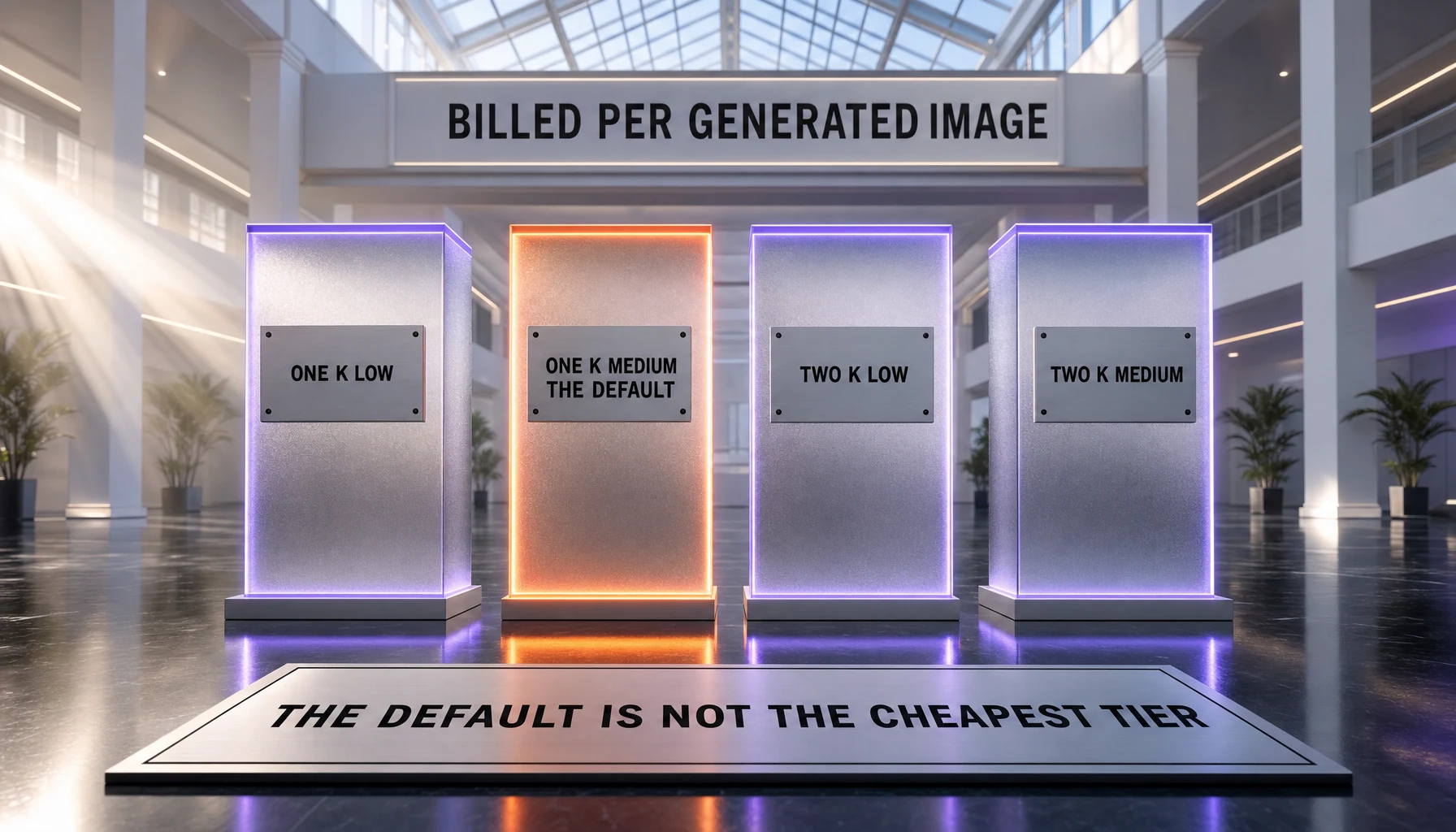
Image billing here is flat per image and does not vary with prompt length. Two things set the output rate: resolution and quality. A third line item applies whenever you feed the model an image rather than only text.
| Configuration | Rate | When it applies |
|---|---|---|
| Image input | $0.01 per image | Every image you supply as input, on edits and reference-guided generation |
| Output, 1K, low quality | $0.04 per image | Requires quality set to low explicitly |
| Output, 1K, medium quality | $0.06 per image | The default configuration when you set neither parameter |
| Output, 2K, low quality | $0.06 per image | Requires resolution 2k and quality low |
| Output, 2K, medium quality | $0.08 per image | The most expensive documented configuration |
The $0.02 on the models page is not this model's price
This is the part we most want you to take away. SpaceXAI's models page carries an Imagine API card that reads "Image · 1K / 2K — Starting at $0.02 per image." That $0.02 does not belong to Image 2.0. It is the rate for grok-imagine-image, the legacy model, which is billed at $0.02 per image at both 1K and 2K and is still in the pricing table. Here is the family, side by side, from that same pricing table.
| Model | Input | Cheapest output | Most expensive output |
|---|---|---|---|
grok-imagine-image-2.0 | $0.01 per image | $0.04 per image, 1K low | $0.08 per image, 2K medium |
grok-imagine-image (legacy) | $0.002 per image | $0.02 per image, 1K | $0.02 per image, 2K |
grok-imagine-image-quality | $0.01 per image | $0.05 per image, 1K | $0.07 per image, 2K |
So the entry point for Image 2.0 is double the legacy model's flat rate, and its input charge is five times the legacy model's. A "starting at" figure on a family card means the cheapest member of the family, including the members you were not thinking about. Do not attach it to the model named next to it.
The same pattern repeats twice more on SpaceXAI's own pages, which is why we treat it as a habit rather than a slip. The Imagine card's video line reads "Starting at $0.05 per second" — that is the legacy grok-imagine-video at 480p, while the current grok-imagine-video-1.5 starts at $0.08 per second at the same resolution. The Voice API card reads "Agent — Starting at $0.05 per minute," and the pricing table shows that rate attached to grok-voice-think-fast-1.0, which is marked Deprecated; the current 2.0 model is $0.08 per minute. In all three cases the headline is the cheapest thing in the drawer, not the thing being advertised.
The default configuration costs 50 percent more than the entry rate
The second trap is inside Image 2.0 itself. A request that sets neither resolution nor quality resolves to 1K at medium quality, which is $0.06 per image. The $0.04 rate exists only if you pass quality as low by hand. Both numbers are true and they are not interchangeable: $0.04 is what the model can cost, $0.06 is what it costs if you do nothing.
What that adds up to
These are our own calculations from SpaceXAI's published rates, not figures the vendor publishes.
- A single default generation, no parameters set: $0.06.
- The same generation with
qualitypinned tolow: $0.04, a saving of a third. - Ten images in one call at defaults: $0.60.
- A single-source edit at 1K low quality: $0.01 input plus $0.04 output, so $0.05.
- A three-source edit at 2K medium quality: $0.03 input plus $0.08 output, so $0.11.
There is no free tier and no free trial for API access. SpaceXAI does not publish a consumer price for Quality Mode as a separate line item; on the consumer side Image 2.0 arrives inside the Grok subscription rather than as its own purchase.
Where It Ranks Independently
The strongest external signal for this model is the Arena human-preference leaderboards, which collect blind pairwise votes. Note that lmarena.ai now redirects to arena.ai following the platform's rebrand, and that SpaceXAI's models are listed there under SpaceXAI. We read both boards — Image Edit and Text-to-Image — on August 28, 2026; the vote window on each closed on August 25, 2026.
| Board | Entry | Position | Elo | Votes |
|---|---|---|---|---|
| Image Edit, 53 models | grok-imagine-image-2.0 (low) | 2nd | 1439, plus or minus 8 | 5,936 — Preliminary |
| Text-to-Image, 76 models | grok-imagine-image-2.0 (low) | 3rd by score | 1316, plus or minus 12 | 2,675 — Preliminary |
For context on both boards, GPT Image 2 in its medium setting is first on each, at 1462 in image editing and 1382 in text-to-image. In text-to-image, Microsoft AI's mai-image-2.6-preview sits between GPT Image 2 and Image 2.0 at 1331.
A vendor claim that has partly expired
The August 7 announcement states that Image 2.0 "ranks second in the world in both text-to-image generation and image editing," and sources that to the Arena boards "as of Aug 7, 2026." That claim was dated when it was made, and it has not aged evenly.
On the boards dated August 25, the image editing half still holds: Image 2.0's low variant is second of 53, and its rank band is a clean 2 to 2, meaning no other model's confidence interval reaches it. The text-to-image half no longer holds on score. Image 2.0 sits third by Elo, behind GPT Image 2 and mai-image-2.6-preview. The honest qualifier is that the boards also publish a confidence-interval rank band, and on that measure Image 2.0's band is 2 to 4 while mai-image-2.6-preview's is 2 to 3 — the two intervals overlap, so the model has been passed on the point estimate without being separated from second place statistically.
The practical reading: cite the "second in both" line only with its August 7 date attached. On the current board it is accurate for editing and outdated for text-to-image.
Two things the ranking does not mean
First, the entry that ranks is the cheap one. Both boards measure grok-imagine-image-2.0 (low) — the $0.04 configuration, not the $0.06 default. A score without its configuration is not a score, and we have no board data for the medium setting most callers will hit by default.
Second, both entries are flagged Preliminary. The board data marks them as pre-release entries, and the vote counts are thin relative to the field: 5,936 votes in image editing against 212,326 for the model above it, and 2,675 in text-to-image against 75,014. Wide intervals follow from thin votes, which is why Image 2.0 carries plus or minus 12 in text-to-image while established entries carry plus or minus 3 or 4. Preliminary placements move.
For a longer-run comparison, SpaceXAI's older entries on the same editing board are instructive: grok-imagine-image-quality sits at 1390 with 35,596 votes and grok-imagine-image at 1330 with 585,853 votes. Image 2.0's provisional 1439 is a real generational jump over both, on far fewer votes.
Access, Rate Limits, and Regions
Three operational facts matter more than they look.
Two regions, both in the United States. The model page lists availability in us-east-1 and us-west-2. There is no documented EU or Asia-Pacific region for this model. If your compliance posture requires regional processing outside the United States, that is a blocking constraint, not a preference — the Imagine overview advertises data residency options at the enterprise level, but the model's published region list is what it is.
Six requests per second, and no spend ladder to climb. The model page lists a Tier 0 limit of 6 requests per second, alongside a tokens-per-minute figure that is the maximum value of a signed 64-bit integer — in practice, no meaningful token ceiling for an image model. The important part is the note on the rate limits page: rate limit tiers apply to text and embedding models, and for increases to Voice and Imagine API limits you contact sales at SpaceXAI. So the published spend tiers, which run from $0 at Tier 0 up to $5,000 at Tier 4, do not raise your Imagine throughput. Buying more credits will not lift this ceiling; a conversation will.
Enterprise controls are documented. SpaceXAI lists the Imagine APIs as SOC 2 Type II audited, HIPAA eligible with a BAA available, and GDPR compliant, with SSO, role-based access, and audit logging. The overview also states that generated media "is subject to content policy review and is not used for training."
Watermarks, Provenance, and What the Policy Actually Says
Two documents govern this, and they say different kinds of things.
SpaceXAI's Acceptable Use Policy prohibits "Stripping, altering or circumventing embedded provenance metadata or watermarks." Read on its own, that clause forbids removing a marking. It does not, by itself, assert that any given output carries one.
The documentation FAQ does make that assertion, and it is unambiguous: "Generated images and videos include a Grok watermark to indicate that the content was created with AI. There is no setting to remove the watermark. In some jurisdictions, labeling AI-generated content is also legally required. Removing, altering, or obscuring the watermark or other provenance signals is prohibited under our Acceptable Use Policy."
We flag one limit on that quote's scope, because it changes how you should plan. It appears in the Grok product FAQ, in a section headed "Image & Video Generation (Grok Imagine)," alongside answers about subscription tiers and consumer moderation settings. It is the only place in SpaceXAI's entire published documentation corpus where the words watermark or provenance appear — the model page, the pricing table, the Imagine overview, the image generation guide, and the multi-image editing page are all silent on the subject. So the vendor states affirmatively that Grok Imagine outputs carry a Grok watermark, and separately gives you nothing that specifies how that applies to images returned through v1/images/generations. If watermarking or its absence is material to your use, that is a question to put to SpaceXAI directly rather than one to infer from the documentation.
Two more terms worth knowing before you build on this: the consumer Terms of Service set a minimum age of 13, with parental permission required from 13 to 17, and specify that the laws of the State of Texas govern the agreement.
Alternatives to Grok Imagine Image 2.0
The table below carries only Elo figures we read off the two boards on August 28, 2026, for the vote window ending August 25. We have deliberately left competitor pricing out of it: those rates change on their own schedules and we have not re-verified them at source today.
| Model | Text-to-Image Elo | Image Edit Elo | Our review |
|---|---|---|---|
| GPT Image 2 (medium) | 1382 — 1st | 1462 — 1st | GPT Image 2 |
| Grok Imagine Image 2.0 (low) | 1316 — 3rd by score | 1439 — 2nd | This page |
| Reve 2.1 | 1302 | 1375 | Reve 2.0, the prior version |
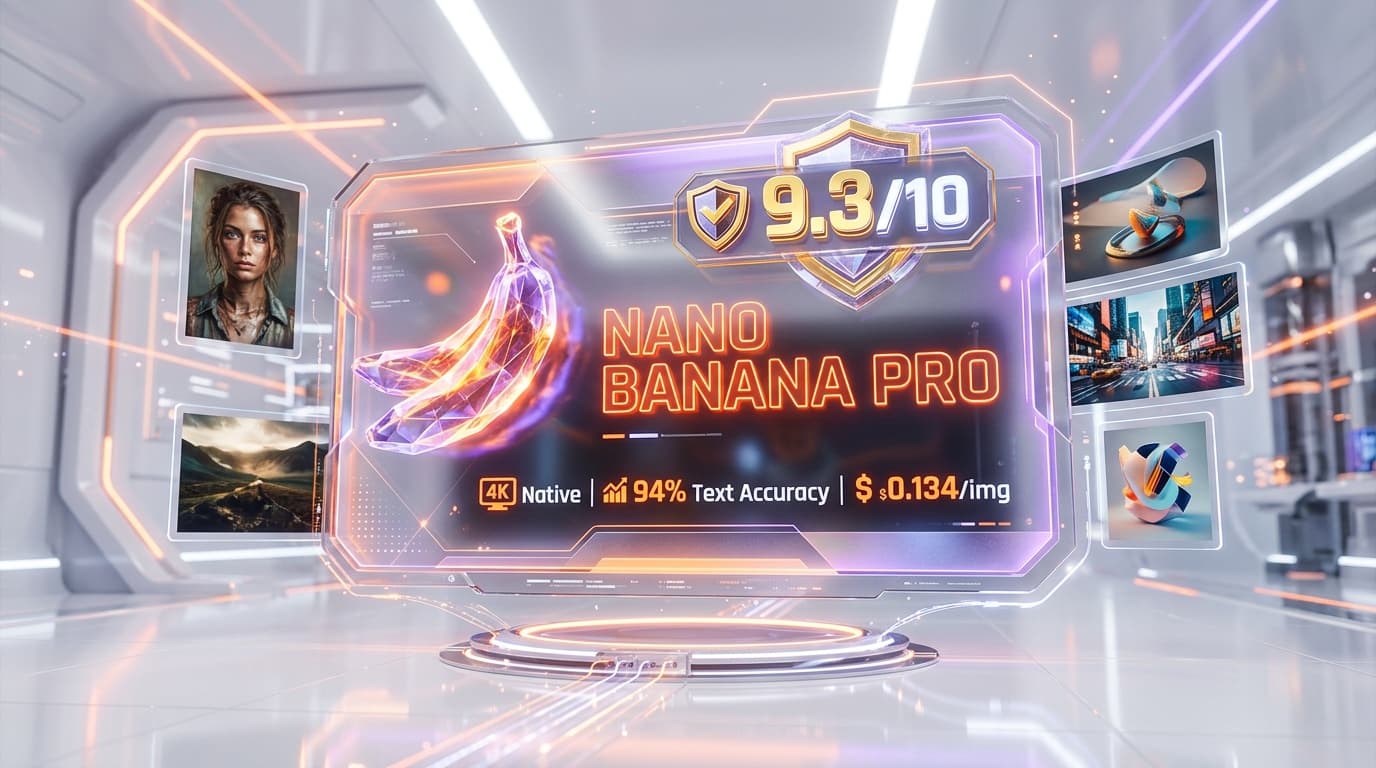
| Nano Banana Pro, 2K entry | 1245 | 1390 | Nano Banana Pro |
| Nano Banana 2 | 1263 | 1387 | Nano Banana 2 |
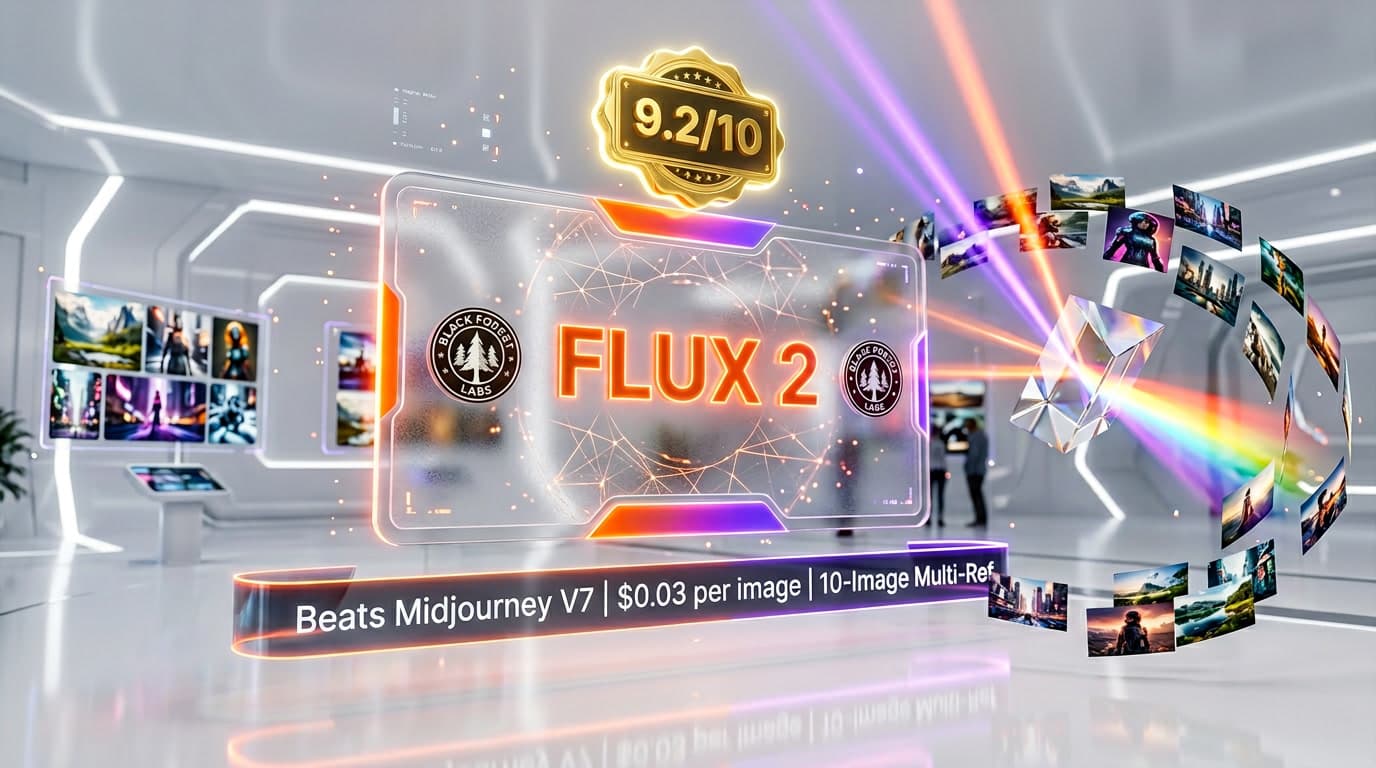
| FLUX 2 Max | 1162 | 1262 | FLUX 2 |
| Ideogram 4.0 Quality | 1204 | Not listed | Ideogram 4.0 |
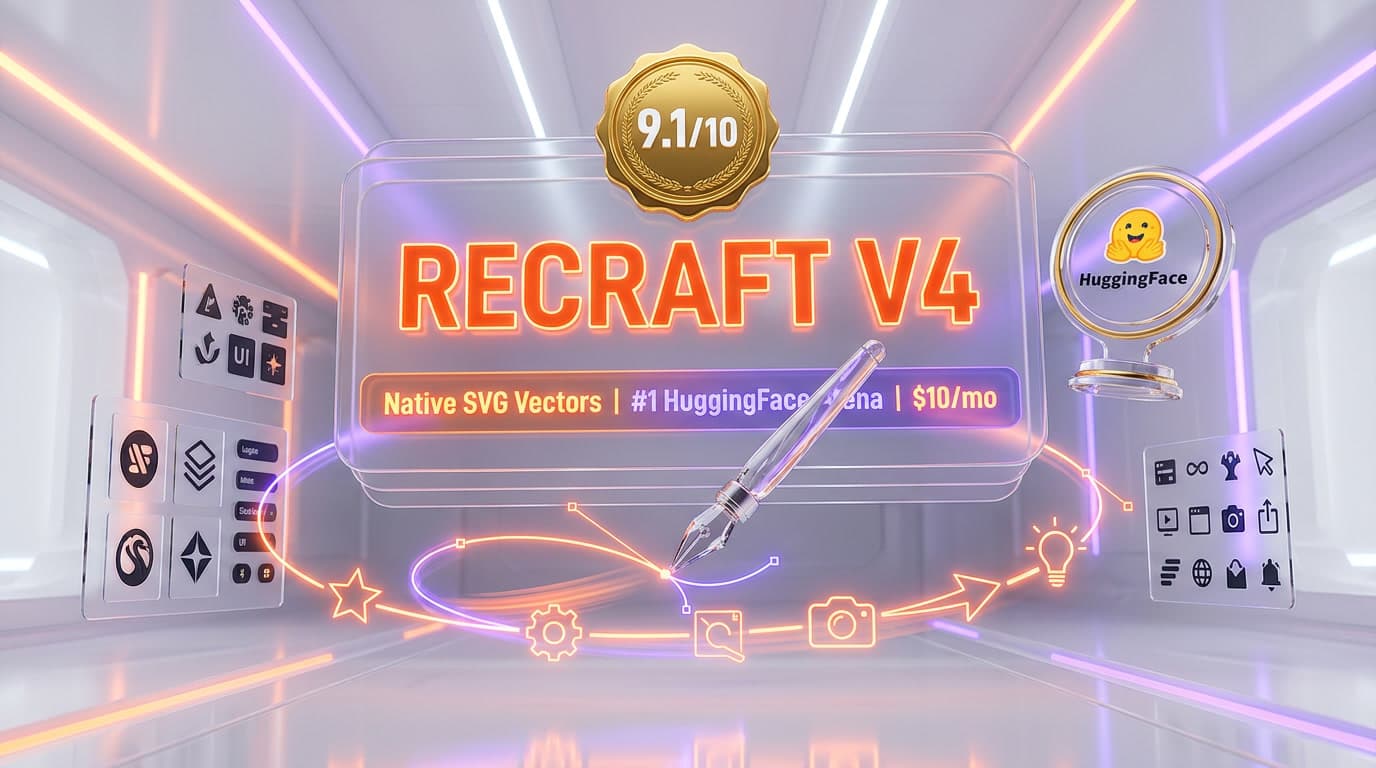
| Recraft V4 | 1113 | Not listed | Recraft V4 |
GPT Image 2 is the model to beat and currently is not beaten on either board. It leads image editing by 23 Elo and text-to-image by 66. If you want the highest human-preference placement available and the region list is not a constraint, start there. We put the two head to head against Google's model in GPT Image 2 vs Nano Banana Pro.
Nano Banana Pro trades placement for maturity: it sits below Image 2.0 on both boards but does so with 530,645 editing votes behind it against Image 2.0's 5,936, and Google offers region choices that SpaceXAI does not. It is the safer pick when a stable, well-sampled ranking matters more than a provisional lead.
FLUX 2 is the open-weights answer. It ranks well below Image 2.0 on preference, but if self-hosting or weight access is a requirement, preference score is not the axis you are optimizing. See FLUX 2 vs GPT Image 2 for how that tradeoff reads in practice.
Midjourney remains the subscription-first, aesthetics-first alternative rather than an API-first one, and it is a different purchase entirely — we lay the difference out in GPT Image 2 vs Midjourney and Nano Banana Pro vs Midjourney.
Ideogram 4.0, Recraft V4, and Adobe Firefly are the specialist picks — typography, vector and brand-system output, and licensed-training-data provenance respectively. Ideogram 4.0 Quality sits at 1204 in text-to-image and Recraft V4 at 1113, both well below the leaders, and Adobe Firefly is not listed on either board at all. For the workloads these three target, a preference score is not the deciding number.
Finally, Grok Imagine itself is the product this model sits inside, and Grok is the assistant that wraps the whole family.
Real-World Use Cases
Iterative asset revision rather than one-shot generation
The magic wand and segmentation surfaces exist because the first generation is rarely the deliverable. Where Image 2.0 earns its place is the second, third, and fourth pass — changing one region and leaving the rest identical — and its editing board placement is the strongest evidence for that positioning.
Compositing from multiple references without a design tool
Multi-reference editing takes a subject from one image and a setting from another in a single request, which removes a manual compositing step. Architect against the documented limit of three sources until the announcement's five is confirmed in the API.
Cutouts for downstream layout work
Background removal that "exports any subject with a transparent background" makes the model a producer of layout-ready assets rather than only finished frames — useful when the output feeds a template, a slide, or a storefront rather than a feed.
Device-shaped creative at the exact aspect ratio
The 19.5:9, 9:19.5, 20:9, and 9:20 ratios exist specifically for modern phone displays, and 21:9 and 5:2 for cinematic and banner crops. Generating at the target ratio beats generating at 16:9 and cropping.
Dense, text-bearing layouts
SpaceXAI's stated design goal is typography and layout that hold together at small sizes. If your workload is posters, packaging comps, or editorial covers where legible small text is the pass-fail criterion, this is the claim to test first — and the one to test against GPT Image 2, which leads both boards.
Volume variation under one call
The n parameter up to 10 makes cheap breadth easy for concepting: one prompt, ten directions, one round trip. Pin quality to low for exploration passes and reserve medium for the finalists, and the exploration costs a third less.
Asynchronous bulk jobs
Batch API support suits overnight catalog runs and large regeneration jobs. Just do not model a batch discount into the budget, because there is not one.
United States-resident workloads
With us-east-1 and us-west-2 as the documented regions, plus SOC 2 Type II, HIPAA eligibility, and no training on generated media, the model fits regulated United States workloads more comfortably than it fits anything with a non-United States residency requirement.
Pros and Cons
What stands out
- Second of 53 models on the Arena image editing board at 1439 Elo, on the vote window ending August 25, 2026 — a clean second place with no overlapping confidence interval below it.
- A genuine generational jump over its own predecessors, which sit at 1390 and 1330 Elo on the same editing board.
- Editing treated as a first-class surface, with region-level control, segmentation, transparent-background export, and multi-reference input rather than prompt-only revision.
- A quality parameter unique to this model that lets you cut a third off the per-image cost when the extra fidelity is not needed.
- Fifteen documented aspect ratios plus auto, including phone and cinematic shapes most competitors leave to cropping.
- OpenAI-compatible endpoints, so migrating an existing image pipeline is mostly a base URL and a model string.
- Batch API support and Files API integration for asynchronous and persisted workflows.
- Documented enterprise posture: SOC 2 Type II, HIPAA eligible with a BAA, GDPR, and no training on generated media.
Where it falls short
- The headline "Starting at $0.02 per image" on SpaceXAI's own models page belongs to a legacy model, and Image 2.0 starts at double that.
- The default configuration costs $0.06 per image, not the $0.04 entry rate, because quality defaults to medium — a silent 50 percent premium on every unconfigured call.
- SpaceXAI contradicts itself on reference-image count: five in the announcement, three in the documentation, both primary.
- Both Arena entries are flagged Preliminary with thin vote counts, and the measured variant is the low quality setting rather than the default.
- The vendor's "second in the world in both" claim no longer holds on score for text-to-image, where the model now sits third.
- Only two documented regions, both in the United States, with no EU or Asia-Pacific option for this model.
- Spend tiers do not raise Imagine rate limits — increases require contacting sales rather than buying credits.
- Batch API is supported but carries no batch discount, so bulk work brings no unit-price relief.
- Watermarking is asserted only in the consumer product FAQ and is unaddressed across every API documentation page.
Frequently Asked Questions
What is Grok Imagine Image 2.0?
Grok Imagine Image 2.0 is SpaceXAI's image generation and editing model, announced on August 7, 2026 and exposed in the API as grok-imagine-image-2.0. It generates images from text prompts and edits existing images from reference inputs, at 1K or 2K resolution in low or medium quality, returning up to 10 images per request. On the consumer side it ships as the new Quality Mode inside Grok Imagine on grok.com, iOS, and Android.
How much does Grok Imagine Image 2.0 cost?
Output is billed per generated image: $0.04 at 1K low quality, $0.06 at 1K medium quality, $0.06 at 2K low quality, and $0.08 at 2K medium quality. Every image you supply as input costs an additional $0.01. There is no free tier for API access, and prompt length does not affect the price. The default configuration, with neither resolution nor quality set, resolves to 1K medium quality at $0.06 per image.
Why does SpaceXAI advertise Imagine images starting at $0.02?
Because that $0.02 belongs to a different model. The Imagine API card on the models page shows the cheapest rate across the whole image family, and the cheapest member is the legacy grok-imagine-image, billed at $0.02 per image at both 1K and 2K and still listed in the pricing table. Grok Imagine Image 2.0 starts at $0.04. The same pattern appears on the Imagine video line and on the Voice API card, where the advertised entry rates belong to a legacy model and a deprecated model respectively.
Is $0.04 per image the price I will actually pay?
Only if you ask for it. The $0.04 rate requires passing quality as low explicitly. Omit the parameter and the model defaults to medium quality at 1K, which is $0.06 per image. Both figures are real; they describe different requests. If you are budgeting for a pipeline that does not set the parameter, use $0.06.
How many reference images does Grok Imagine Image 2.0 accept?
SpaceXAI's own sources disagree. The August 7 announcement says multi-reference editing accepts up to 5 input images in a single generation. The multi-image editing documentation says up to three source images, and the Imagine overview repeats up to 3. Both are primary vendor sources. We have not tested which limit the API enforces, so we would build against three and verify five before depending on it. Separately, the figure of seven references you may see in SpaceXAI's material belongs to the video model, not to this one.
Where does Grok Imagine Image 2.0 rank on the Arena leaderboards?
On the boards with votes counted to August 25, 2026, the entry grok-imagine-image-2.0 (low) ranks second of 53 models on the Image Edit Arena at 1439 Elo, plus or minus 8, from 5,936 votes, and third by score of 76 models on the Text-to-Image Arena at 1316 Elo, plus or minus 12, from 2,675 votes. Both entries are flagged Preliminary. GPT Image 2 in its medium setting leads both boards, at 1462 and 1382 respectively. Note that lmarena.ai now redirects to arena.ai, and SpaceXAI's models are listed there under SpaceXAI.
Is Grok Imagine Image 2.0 really second in the world?
It was when SpaceXAI said so, and it is still true for half the claim. The August 7 announcement states the model ranks second in the world in both text-to-image generation and image editing, sourced to the Arena boards as of Aug 7, 2026. On the boards dated August 25, image editing still holds at second place. Text-to-image no longer does on score: the model sits third, behind GPT Image 2 and Microsoft AI's mai-image-2.6-preview. The confidence-interval rank bands for those two entries still overlap, so it has been passed on the point estimate without being statistically separated from second. Cite the claim with its August 7 date attached.
What resolutions and aspect ratios does it support?
The resolution parameter accepts 1k, which is the default when omitted, and 2k. There is no documented 4K option. The aspect_ratio parameter accepts fifteen explicit ratios — 1:1, 16:9, 9:16, 4:3, 3:4, 3:2, 2:3, 2:1, 1:2, 19.5:9, 9:19.5, 20:9, 9:20, 21:9, and 5:2 — plus auto, which is the default and lets the model pick. On an edit, the output ratio follows the first input image unless you override it.
Does the Batch API make Grok Imagine Image 2.0 cheaper?
No. The model page lists Batch API support as Supported and batch pricing as N/A, which means batched requests are billed at the same per-image rates as synchronous ones. Batching buys throughput and job management, not a discount.
What are the rate limits, and how do I raise them?
The model page lists 6 requests per second at Tier 0, with a tokens-per-minute figure equal to the maximum value of a signed 64-bit integer, which is effectively no token ceiling for an image model. Raising the limit is not a matter of spending more: SpaceXAI's rate limits page states that rate limit tiers apply to text and embedding models, and that increases to Voice and Imagine API limits go through sales at SpaceXAI. The published spend tiers, from $0 at Tier 0 to $5,000 at Tier 4, do not lift Imagine throughput.
Which regions is Grok Imagine Image 2.0 available in?
The model page lists us-east-1 and us-west-2. Both are United States regions, and no EU or Asia-Pacific region is documented for this model. SpaceXAI advertises data residency options at the enterprise level in its Imagine overview, but the model's own published region list is limited to those two.
Do Grok Imagine Image 2.0 outputs carry a watermark?
SpaceXAI's documentation FAQ states that generated images and videos include a Grok watermark to indicate that the content was created with AI, and that there is no setting to remove it. Its Acceptable Use Policy separately prohibits stripping, altering or circumventing embedded provenance metadata or watermarks — a clause that forbids removal without itself establishing what any given output carries. The important caveat is scope: the watermark statement appears in the Grok product FAQ, and it is the only place in SpaceXAI's published documentation where watermarks or provenance are mentioned at all. The model page, the pricing table, the Imagine overview, and the image generation and multi-image editing guides are silent on the subject, so how it applies to images returned through the API is a question worth putting to SpaceXAI directly.
Verdict: 8.0 out of 10
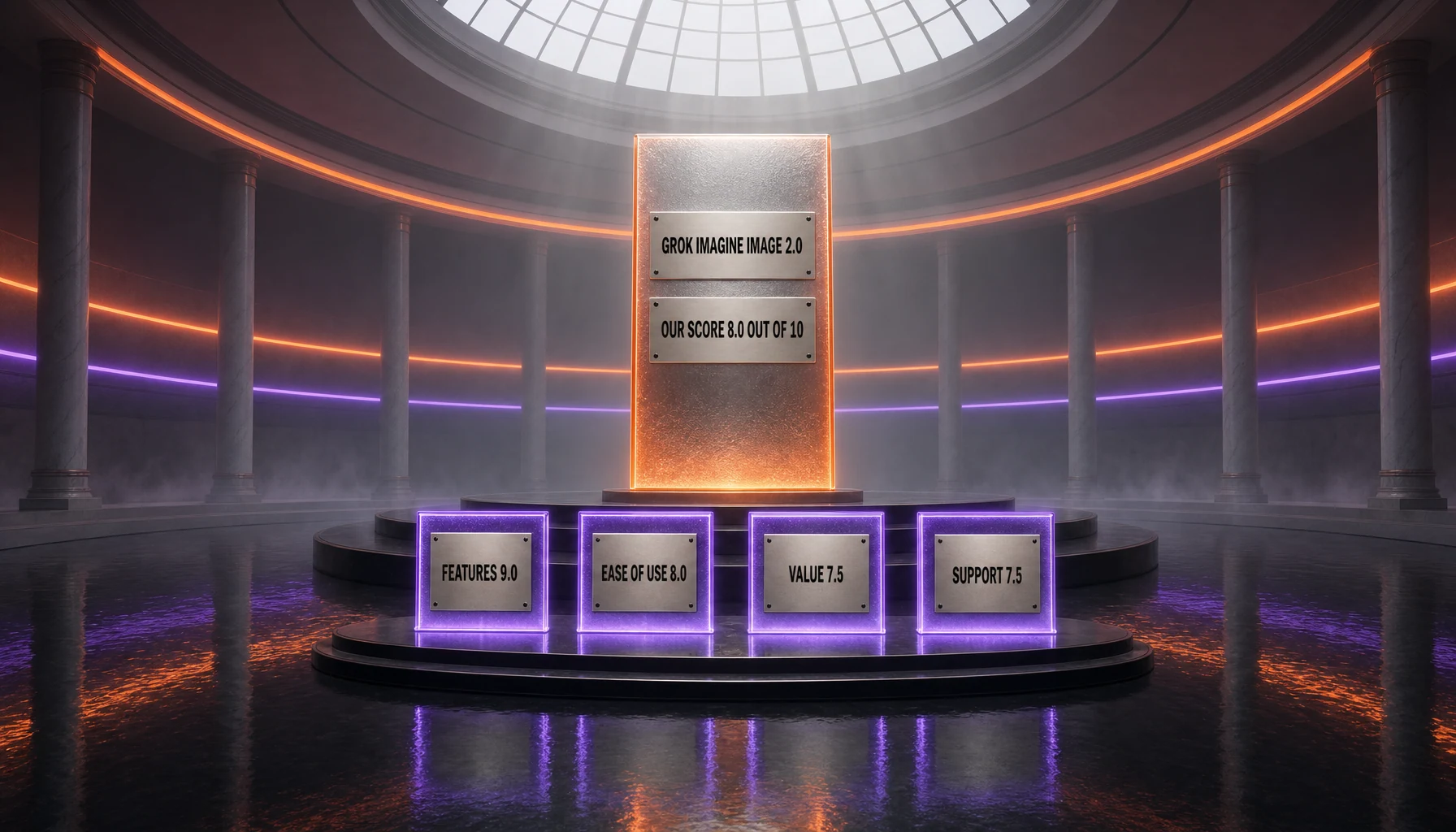
Grok Imagine Image 2.0 is the most capable image model SpaceXAI has shipped, and the Arena boards back that up rather than merely echoing the vendor. Second of 53 in image editing, on a clean rank band with no overlap below it, is a real result — and the jump from its own predecessors, at 1390 and 1330 Elo on the same board, shows the generation gap is not marketing.
What keeps it at 8.0 rather than higher is a cluster of things that have nothing to do with the pixels. The advertised entry price on SpaceXAI's own models page belongs to a different, older model. The default configuration costs half again the entry rate, silently, on every call that does not set a parameter. The vendor contradicts itself on how many reference images an edit accepts. The independent numbers that flatter it are Preliminary, thinly voted, and measured on the cheap quality setting rather than the default one. There are two regions, both in the United States, and no way to raise throughput by spending more. And the only affirmative statement about watermarking in the entire documentation corpus lives in a consumer FAQ that never mentions the API.
- Features — 9.0. Region-level editing, segmentation, transparent-background export, multi-reference input, fifteen aspect ratios plus auto, batch output up to 10, Batch API, Files API integration.
- Ease of use — 8.0. OpenAI-compatible endpoints and four documented client paths, undercut by a default that costs more than the advertised entry rate and a documented reference limit that contradicts the announcement.
- Value — 7.5. Competitive at 2K medium against what it ranks near, but double the legacy entry rate, no batch discount, and no free tier.
- Support — 7.5. Detailed documentation and a serious enterprise compliance posture, against two United States regions and rate-limit increases that require a sales conversation rather than a spend tier.
Choose it if you edit as much as you generate, your workload is United States-resident, and you will pin the quality parameter in code rather than inheriting the default. Choose GPT Image 2 if you want the model that currently leads both boards, or Nano Banana Pro if a well-sampled, non-preliminary ranking and a wider region list matter more than a provisional second place. We will revisit this page when the Arena entries lose their Preliminary flag, when the reference-image contradiction is resolved, or when a region outside the United States appears.
Last researched: August 28, 2026.
Sources and References
- SpaceXAI — Imagine Image 2.0 announcement, published August 7, 2026.
- SpaceXAI — grok-imagine-image-2.0 model page.
- SpaceXAI — Imagine overview and image generation guide.
- SpaceXAI — multi-image editing documentation.
- SpaceXAI — pricing table and models page.
- SpaceXAI — rate limits documentation.
- SpaceXAI — documentation FAQ.
- SpaceXAI — Acceptable Use Policy and Terms of Service.
- Arena — Image Edit and Text-to-Image leaderboards, vote window ending August 25, 2026, read August 28, 2026.
Key Features
Pros & Cons
Pros
- Second of 53 models on the Arena image editing board at 1439 Elo, on the vote window ending August 25, 2026, with no overlapping confidence interval below it.
- A real generational jump over its own predecessors, which sit at 1390 and 1330 Elo on the same editing board.
- Editing treated as a first-class surface: region-level magic wand, segmentation, transparent-background export, and multi-reference input.
- A quality parameter unique to this model that cuts a third off the per-image cost when the extra fidelity is not needed.
- Fifteen documented aspect ratios plus auto, including phone-shaped and cinematic formats most rivals leave to cropping.
- OpenAI-compatible endpoints, so migrating an existing image pipeline is mostly a base URL and a model string.
- Batch API support and Files API integration for asynchronous and persisted workflows.
- Documented enterprise posture: SOC 2 Type II, HIPAA eligible with a BAA, GDPR, and no training on generated media.
Cons
- The headline "Starting at $0.02 per image" on SpaceXAI’s own models page belongs to a legacy model; Image 2.0 starts at double that.
- The default configuration costs $0.06 per image rather than the $0.04 entry rate, because quality defaults to medium.
- SpaceXAI contradicts itself on reference-image count: five in the announcement, three in the documentation, both primary sources.
- Both Arena entries are flagged Preliminary with thin vote counts, and the measured variant is the low quality setting rather than the default.
- The vendor claim of second place in both categories no longer holds on score for text-to-image, where the model now sits third.
- Only two documented regions, both in the United States, with no EU or Asia-Pacific option for this model.
- Spend tiers do not raise Imagine rate limits; increases require contacting sales rather than buying credits.
- Batch API is supported but carries no batch discount, so bulk work brings no unit-price relief.
- Watermarking is asserted only in the consumer product FAQ and is unaddressed across every API documentation page.
Best Use Cases
Platforms & Integrations
Available On
Integrations

We're developers and SaaS builders who use these tools daily in production. Every review comes from hands-on experience building real products — DealPropFirm, ThePlanetIndicator, PropFirmsCodes, and many more. We don't just review tools — we build and ship with them every day.
Written and tested by developers who build with these tools daily.
Frequently Asked Questions
What is Grok Imagine Image 2.0?
SpaceXAI's image generation and editing model — 1K and 2K output, two quality settings, second on the Arena image editing board.
How much does Grok Imagine Image 2.0 cost?
Grok Imagine Image 2.0 costs $0.04/month.
Is Grok Imagine Image 2.0 free?
No, Grok Imagine Image 2.0 starts at $0.04/month.
What are the best alternatives to Grok Imagine Image 2.0?
Top-rated alternatives to Grok Imagine Image 2.0 include Nano Banana Pro (9.3/10), FLUX 2 (9.2/10), Recraft V4 (9.1/10), Nano Banana 2 (9/10) — all reviewed with detailed scoring on ThePlanetTools.ai.
Is Grok Imagine Image 2.0 good for beginners?
Grok Imagine Image 2.0 is rated 8/10 for ease of use.
What platforms does Grok Imagine Image 2.0 support?
Grok Imagine Image 2.0 is available on REST API, xAI SDK, OpenAI-compatible SDK, Vercel AI SDK, Grok on the web (grok.com/imagine), Grok for iOS, Grok for Android.
Does Grok Imagine Image 2.0 offer a free trial?
No, Grok Imagine Image 2.0 does not offer a free trial.
Is Grok Imagine Image 2.0 worth the price?
Grok Imagine Image 2.0 scores 7.5/10 for value. It offers good value.
Who should use Grok Imagine Image 2.0?
Grok Imagine Image 2.0 is ideal for: Iterative asset revision, changing one region and leaving the rest identical, Compositing a subject and a setting from multiple reference images in one request, Producing transparent-background cutouts for downstream layout work, Generating device-shaped creative directly at 19.5:9, 9:19.5, 20:9, or 9:20, Dense, text-bearing layouts such as posters, packaging comps, and editorial covers, Concept exploration at volume, up to 10 variations per call, Asynchronous bulk catalog runs through the Batch API, United States-resident workloads needing SOC 2 Type II and HIPAA eligibility.
What are the main limitations of Grok Imagine Image 2.0?
Some limitations of Grok Imagine Image 2.0 include: The headline "Starting at $0.02 per image" on SpaceXAI’s own models page belongs to a legacy model; Image 2.0 starts at double that.; The default configuration costs $0.06 per image rather than the $0.04 entry rate, because quality defaults to medium.; SpaceXAI contradicts itself on reference-image count: five in the announcement, three in the documentation, both primary sources.; Both Arena entries are flagged Preliminary with thin vote counts, and the measured variant is the low quality setting rather than the default.; The vendor claim of second place in both categories no longer holds on score for text-to-image, where the model now sits third.; Only two documented regions, both in the United States, with no EU or Asia-Pacific option for this model.; Spend tiers do not raise Imagine rate limits; increases require contacting sales rather than buying credits.; Batch API is supported but carries no batch discount, so bulk work brings no unit-price relief.; Watermarking is asserted only in the consumer product FAQ and is unaddressed across every API documentation page..
Best Alternatives to Grok Imagine Image 2.0
Ready to try Grok Imagine Image 2.0?
Get started today
Try Grok Imagine Image 2.0 Now →